13 Best Customer Service Apps: The Buyer’s Guide (2025)

Find the best customer service app to boost customer satisfaction, streamline support processes and boost your business’s efficiency in delivering top-notch service.

No credit card required. Easy setup

Customer Service Apps

Trusted By Leading Brands

Customer Service Apps to Empower Businesses and Deliver Exceptional Support

Customer service apps enhance support operations by providing seamless communication, efficient issue resolution and advanced analytics.

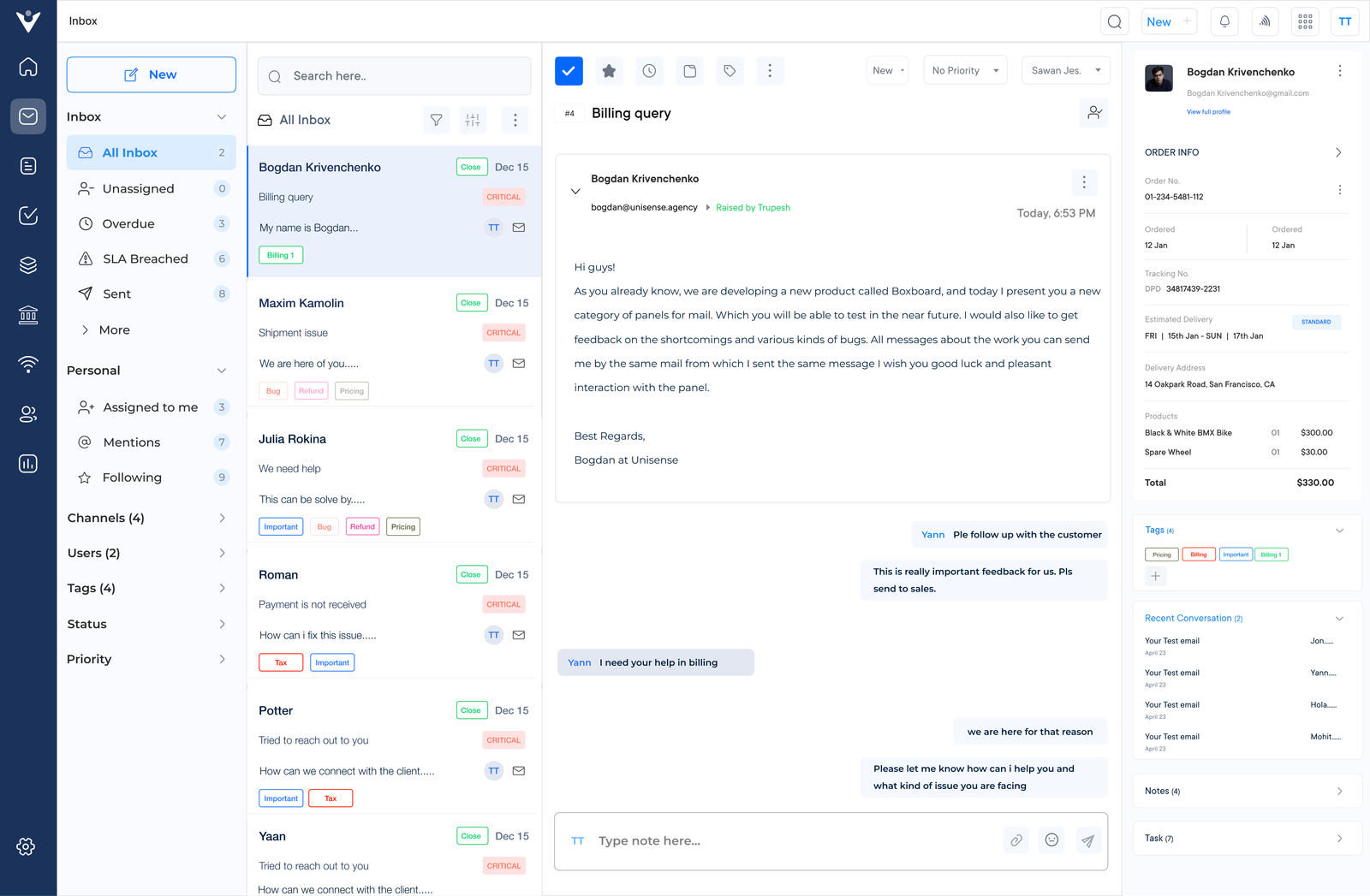
Customer Service Apps Dashboard 1

24/7 Support

The 24/7 assistance ensures the customers get help whenever they need it, day or night. No matter when an issue arises, customers can count on getting timely and effective support.

Instant Responses

The real-time messaging and automated replies cut down wait times. It helps in enhancing customer satisfaction by ensuring that customers don’t have to wait long periods for responses.

Data-Driven Insights

Businesses can leverage analytics to track performance, identify trends and make informed decisions for continuous improvement.

Efficient Ticket Management

Businesses can streamline and prioritize customer inquiries to ensure effective resolution on time. Categorizing and assigning tickets based on urgency ensures that critical issues are addressed promptly.

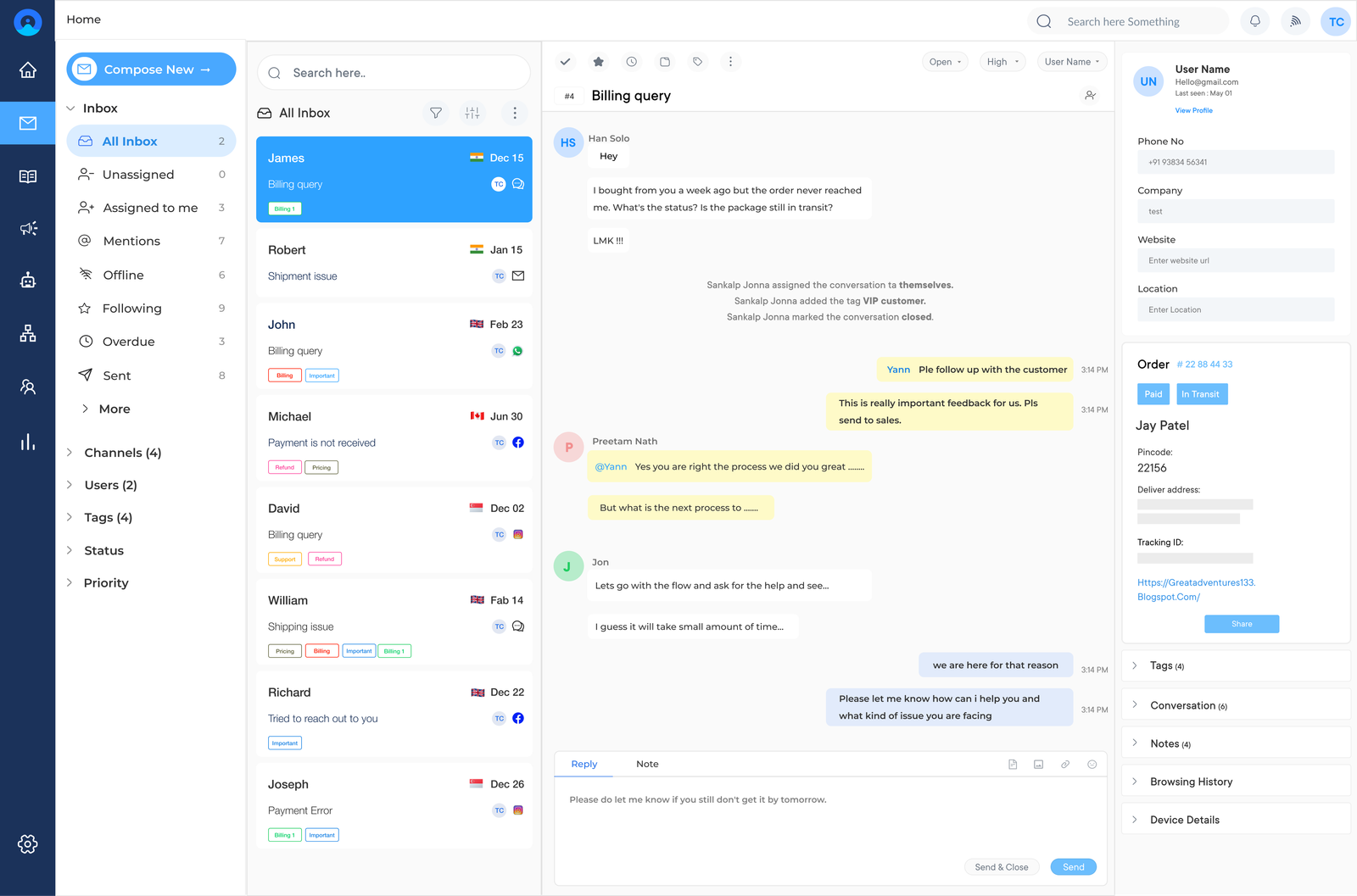
Customer Service Apps Dashboard 2

Companies struggle to keep up with rising customer expectations for quick, efficient and personalized support. Without a modern solution, businesses risk falling behind competitors, damaging their reputation and losing valuable customers. The cost of poor customer service extends beyond immediate losses, affecting long-term growth.

Enter customer service apps – the game-changing tools that revolutionize support operations.
The powerful applications streamline communication, automate routine tasks and provide valuable insights, enabling businesses to deliver exceptional customer experiences. For a comprehensive overview of best practices and strategies, check out our detailed customer service guide to see how such applications can transform your support strategy and elevate your business to new heights.

What is a Customer Service App?

A customer service app refers to a software application designed to facilitate interactions between businesses and their customers. The customers can seek assistance or provide feedback while the companies manage their inquiries efficiently. The apps can be mobile-based, web-based, or integrated into existing systems. It offers features such as live chat, ticketing systems, knowledge bases and self-service options.

Key objectives are:

  • Improve customer satisfaction by providing quick and convenient access to support.
  • Increase efficiency in handling customer inquiries and resolving issues.
  • Reduce operational costs by automating routine tasks and deflecting simple queries.
  • Gather valuable customer feedback and data to enhance products or services.
  • Build stronger customer relationships through personalized and responsive interactions.

Comparison of Top Customer Service Apps

We have compiled a comprehensive comparison of the top customer service apps. The article will help businesses determine which app is the best fit for their business.

App Name Pricing
Free Trial Key Features
Veemo From $29/month 14-day free trial
  • Ticketing
  • Unified inbox
  • Knowledge base
  • Automation capabilities
  • Chatbot
  • Client Portal
  • Analytics
  • Integrations capabilities
Omni24 From $29/month 14-day free trial
  • Omnichannel support
  • AI chatbot
  • Workflow automation
  • Live chat
  • Co-browsing
  • Reporting
  • CRM integration
Gorgias From $60/month 7 days
  • Helpdesk 
  • Live chat    
  • Shopify integration
Chatdesk Custom pricing Demo
  • AI-powered chat
  • Multilingual support 
  • Integration with major platforms
Zendesk From $19/agent/month 30 days
  • Ticketing system 
  • Knowledge base 
  • Customization
Intercom From $39/month 14 days
  • Chatbots 
  • Knowledge base
  • Customer segmentation
Sprout Social From $89/user/month 30 days
  • Social media management 
  • Publishing tools
  • Smart inbox
Kustomer Custom pricing Demo
  • Omnichannel support 
  • Reporting 
  • Customizable workflows
Re:amaze From $20/user/month 14 days
  • Live chat 
  • Helpdesk 
  • Social media integration
Freshdesk Free plan, from $15/agent/month 21 days
  • Knowledge base
  • Live chat 
  • Automation
Front From $19/user/month 7 days
  • Collaboration tools
  • Analytics
  • Integrations
Help Scout From $20/user/month 15 days
  •  Shared inbox 
  •  Live chat 
  • Workflows

Key Features of Customer Support Apps

Customer support apps come equipped with a variety of powerful features that streamline communication, automate routine tasks and provide valuable insights. To see how these features fit into an effective customer service process, explore our in-depth guide.

Features of Customer Service App

1. Virtual Assistant

One of the most important features of a customer service app is live chat support. Customers can connect with a support agent in real-time to get immediate assistance with their queries. Live chat support is convenient and provides a personalized touch to customer interaction.

2. Ticket Management

A ticketing system is essential for managing customer requests and issues effectively. The feature allows support agents to create, track and prioritize tickets. It helps businesses organize customer communication and provides a seamless support experience.

3. Omnichannel Support

Customers expect to communicate with businesses through multiple channels, including email, phone, social media and live chat. An omnichannel support feature enables seamless communication across all the channels. Customers can reach out to the business through their preferred method of contact.

4. Self-Service Options

Customer service apps should also provide self-service options such as FAQs, knowledge bases and tutorials. Customers can find answers to common questions on their own without having to wait for assistance.

5. Automation

Automation features in a customer service app help streamline repetitive tasks and processes, saving time for support agents. Discover more ways to boost efficiency in our customer service tips. Automation can include chatbots for handling common inquiries, auto-responses for emails and workflow automation for ticket management.

6. Integration Capabilities

A customer service app that integrates with other tools used by the business such as CRM software, helpdesk solutions and marketing platforms can enhance efficiency. Integration capabilities allow for seamless data sharing and a holistic view of customer interactions across different touchpoints.

13 Best Customer Service Apps

We have curated a list of the 13 best customer service apps for businesses to elevate their customer service and ensure a superior experience for the customers.

1. Veemo

Best customer service app for a unified inbox

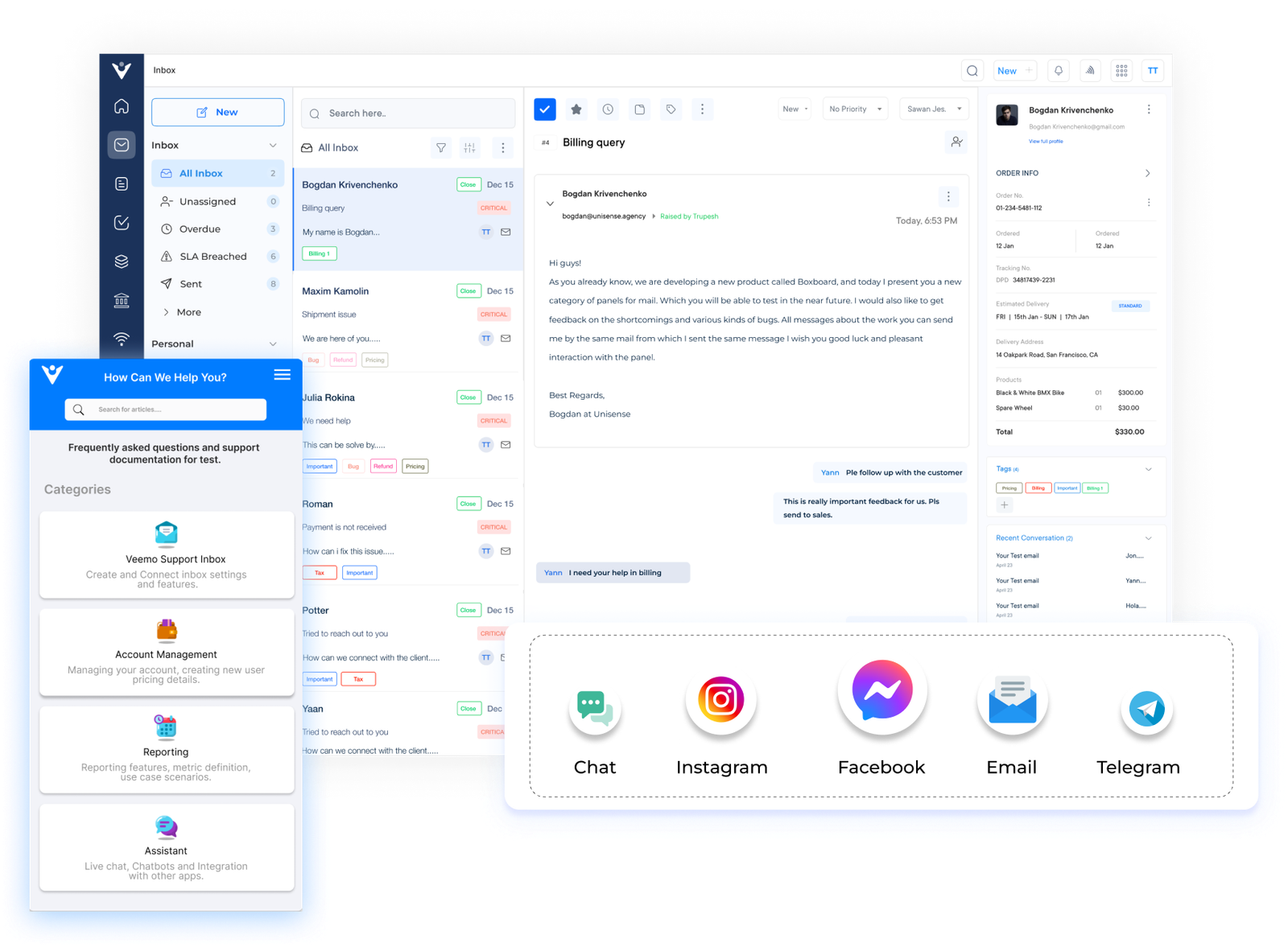
Veemo Support Inbox

Veemo is a comprehensive customer service platform designed to streamline and enhance customer interactions across multiple channels. The platform offers a unified inbox for managing various communication methods, including email, chat, social media and voice calls.

Veemo leverages artificial intelligence and automation to improve efficiency. The platform suits businesses of all sizes and across various industries, aiming to boost customer satisfaction while reducing operational costs.

Key features:

  • Omnichannel communication: Veemo integrates various communication channels into a single interface. Agents can manage customer interactions from multiple platforms efficiently.
  • AI-powered chatbot: The platform includes an intelligent chatbot that can handle routine inquiries. Businesses can provide instant responses and seamlessly transfer complex issues to human agents.
  • Automated workflow management: Veemo offers customizable automation tools to streamline processes, route inquiries and manage tasks based on predefined rules.
  • Advanced analytics and reporting: The platform provides comprehensive analytics and reporting features. Agents get insights into customer behavior, agent performance and service quality.
  • Personalization engine: Veemo uses AI to analyze customer data and interaction history. Agents can easily deliver highly personalized responses.

Pricing: Veemo offers plans ranging between $29 and $129. Businesses can avail their 14-day free trial offer by signing up now!

2. Omni24

Top customer support app for omnichannel support

Omni Inbox

Omni24 is a comprehensive platform that offers a suite of tools designed to streamline and enhance customer service operations. It caters to businesses of various sizes across multiple industries. The platform provides a unified solution for managing customer interactions across different channels. Omni24 stands out for its versatility, user-friendly interface and robust feature set.

Key features:

  • Omnichannel communication: Omni24 integrates multiple channels including live chat, email, social media and SMS into a single platform.
  • AI-powered chatbot: The platform includes an advanced chatbot that can handle routine inquiries and seamlessly transfer complex issues to human agents if necessary.
  • Real-time visitor monitoring: Omni24 offers real-time visitor tracking capabilities. Agents can proactively engage with customers based on their behavior on the website.
  • Customizable reports and analytics: The platform provides detailed analytics and customizable reporting tools. Businesses can track key performance metrics and gain insights into customer service operations.
  • Knowledge base integration: Omni24 seamlessly integrates with knowledge base systems. Agents can quickly access and share relevant information with customers during interactions.

Pricing: Omni24 offers four different plans which start from $29 and go up to $149. Check out their pricing page now to get more details.

3. Gorgias

Comprehensive customer service solution for team collaboration

Gorgias Customer Service Apps

Gorgias is a powerful customer service application designed specifically for e-commerce businesses. The platform centralizes customer communications from various channels, including email, social media and live chat, into a single interface.

Key features of Gorgias include automated responses to common questions, order management tools and customizable macros for quick replies. The platform also offers advanced analytics, team collaboration features and a built-in help center. Gorgias’s AI-powered sentiment analysis helps prioritize urgent issues, while its rule-based automation streamlines workflow.

4. Chatdesk

Robust customer support app for automated responses

Chatdesk Customer Service Apps

Chatdesk is a customer service application that focuses on providing efficient, scalable solutions for handling customer inquiries across multiple channels, including social media, email and messaging platforms. The platform offers a hybrid approach to customer support that aims to improve response times and customer satisfaction.

Chatdesk consists of incredible features such as AI-powered ticket routing, automated responses for common queries and sentiment analysis to flag urgent issues. The platform offers real-time analytics and integration capabilities with popular e-commerce and CRM systems. Chatdesk also provides a flexible staffing model that enables businesses to scale their support teams as needed with trained agents familiar with the platform.

5. Zendesk

Seamless customer service app for customizable knowledge base

Zendesk sales management software

Zendesk is a leading customer service app that provides a comprehensive suite of tools for businesses of all sizes. It offers a unified platform for managing customer interactions across multiple channels. Zendesk’s user-friendly interface and customizable features make it adaptable to various industries.

The platform consists of a robust ticketing system, AI-powered chatbots and a customizable knowledge base. It also offers advanced analytics tools, omnichannel support capabilities and integrations with numerous third-party applications.

6. Intercom

Extensive customer service app for personalized experience

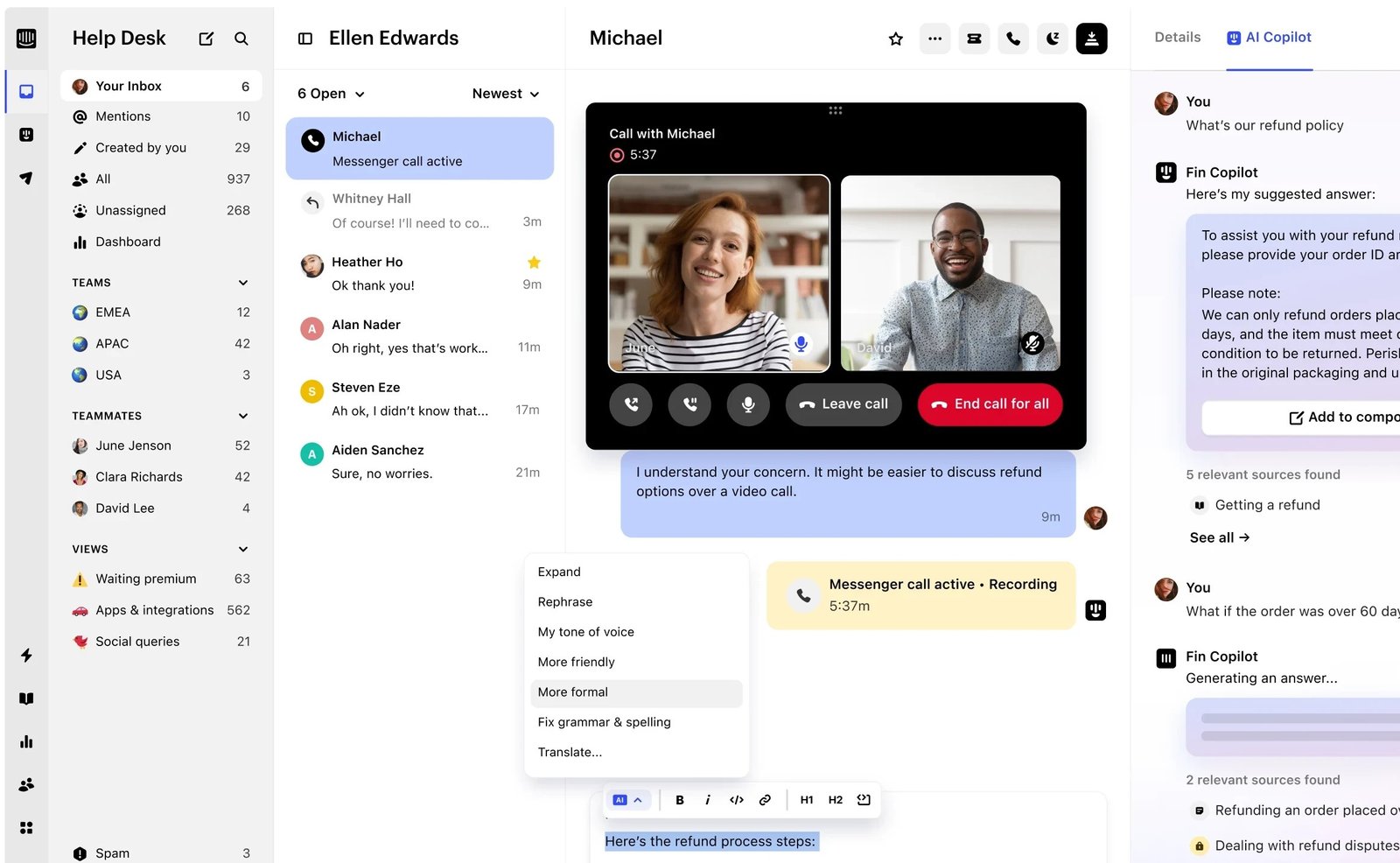
Intercom

Intercom is a versatile customer service application that allows businesses to communicate with their customers through various channels such as live chat, email and social media. Businesses can provide personalized support to their customers in real time, improving customer satisfaction.

The standout features of Intercom are automated messaging, team collaboration tools, customer data management and performance analytics. Businesses can also use Intercom to segment their customer base, send targeted messages and track interactions to provide a personalized experience. Intercom is a powerful tool for businesses looking to enhance their customer service operations and build strong relationships with their customers.

7. Sprout Social

Robust customer support app for analytics

Sprout Social Customer Service Apps

Sprout Social is a popular customer service app that helps businesses manage their social media presence and interactions with customers. Sprout Social allows businesses to streamline their social media efforts with features like social media scheduling, monitoring and analytics.

One of the top features of Sprout Social is its comprehensive reporting tools, which provide insights into social media performance and help businesses track their ROI. Sprout Social offers a unified inbox that allows businesses to manage all of their social media messages in one place.

8. Kustomer

Kustomer Customer Service Apps

Kustomer is a customer service app designed to streamline and improve the customer service experience for businesses. Businesses can easily manage customer inquiries across multiple channels becomes easier with the help of the platform.

One of the most popular features of Kustomer is the unified customer view. Businesses can see all customer interactions in one place, intelligent routing ensures inquiries are directed to the right team member. Its automation tools are quite popular for helping in responding to customer inquiries quickly. A breakdown of leading Kustomer alternatives in customer support tools.

9. Re:amaze

Extensive customer service app for live chat support

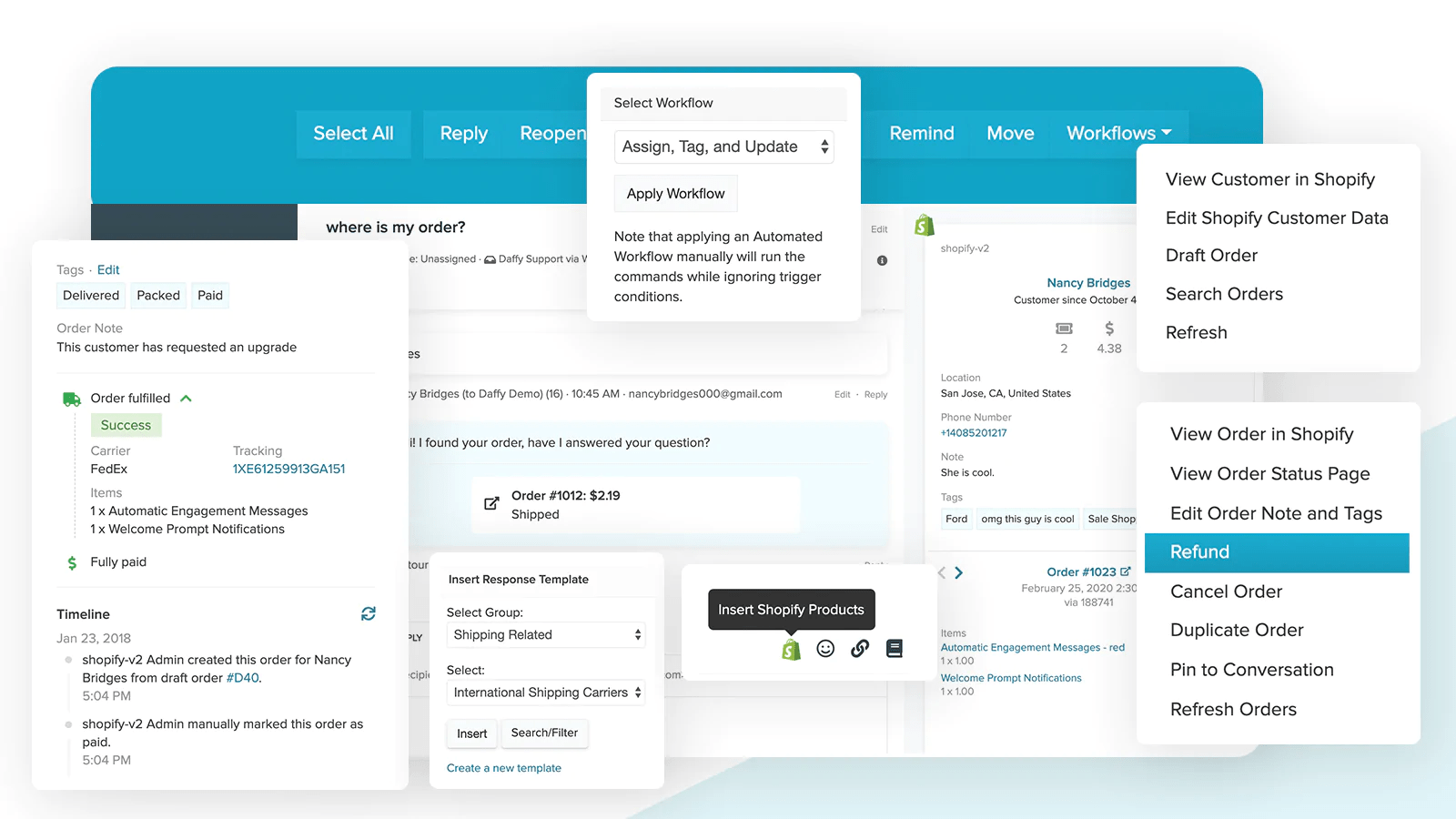
Re amaze Shopify Customer Service Apps

Re:amaze is a customer service app designed to streamline communication and improve customer satisfaction. Businesses can manage customer inquiries efficiently with its user-friendly interface and robust suite of features.

The platform offers live chat support, email integration and social media monitoring. The app offers automated responses, ticket management and analytics to track customer interactions. Re:amaze is a powerful tool for businesses looking to enhance their customer service experience and build stronger relationships with their clients.

10. Freshdesk

Comprehensive customer support platform for AI-powered chatbots

Freshdesk Customer Service Apps

Freshdesk is a popular cloud-based customer service app that offers a comprehensive solution for businesses to manage their customer support operations efficiently. The app provides a unified platform for handling customer inquiries across multiple channels. Freshdesk’s intuitive interface makes it suitable for businesses of all sizes, from small startups to large enterprises.

Freshdesk consists of a robust ticketing system, automation tools for repetitive tasks and a customizable knowledge base. The platform offers AI-powered chatbots, team collaboration tools and advanced reporting and analytics capabilities. Freshdesk also provides multichannel support, customizable workflows and integrations with numerous third-party applications.

11. Front

Seamless customer support app for in-depth analytics

Front Customer Service Apps

Front is an innovative customer service app that reimagines email as a collaborative platform for team-based customer communication. It combines the familiarity of email with powerful features designed for customer support, sales and operations teams. Front’s unique approach allows businesses to manage shared inboxes, customer conversations and internal collaboration in one interface.

The key attributes of Front are shared inboxes for team email management, channel integration for SMS and advanced routing capabilities. The platform offers robust automation tools, custom workflows and in-depth analytics to track team performance. Front’s built-in CRM functionality, integrations with popular business tools and collaborative features like internal comments enhance team productivity.

12. Help Scout

Comprehensive customer service app for self-service support

Help Scout Customer Service Apps

Help Scout is a customer service app that helps businesses provide exceptional customer support. Help Scout makes it easy for customer service teams to communicate with customers and resolve issues promptly.

Help Scout’s noteworthy features are email automation, live chat integration, reporting and a knowledge base for self-service support. It also offers collaboration tools for team members to work together on customer inquiries. Help Scout is a valuable tool for any business looking to elevate their customer support capabilities.

How to Choose the Right Customer Service App?

Selecting the right customer service app is crucial for ensuring seamless communication. It’s also important to ensure that your chosen solution aligns with your overall customer service policy to maintain consistency and quality across all customer interactions. Let’s explore the key factors to consider when choosing the app.

Choose the Right Customer Service App

1. What Are the Specific Business Needs and Goals?

Before selecting a customer service app, assess the business’s unique requirements. Consider factors such as the size of the customer base and the complexity of the support processes. Identify the key objectives such as reducing response times, improving customer satisfaction or streamlining internal workflows. The evaluation will help to prioritize features and capabilities that align with the business goals.

2. Which Communication Channels Does the Business Need to Support?

Evaluate the channels customers prefer for communication. Does the business need to manage emails, live chat, phone calls, social media interactions, or all of them? Look for an app that offers omnichannel support to ensure it can meet customers where they are. Consider whether the app allows for seamless integration of the channels into a single interface for efficient management.

3. How Well Does the App Integrate with the Existing Tools and Systems?

Compatibility with the current tech stack is crucial for a smooth implementation and operation.
Consider how the customer service app integrates with the e-commerce platform, CRM system, marketing tools and other essential software. Look for apps that offer robust API capabilities and pre-built integrations with popular business tools to ensure a cohesive workflow.

4. What Level of Customization and Scalability Does the App Offer?

The chosen app should be able to adapt to the business’s unique processes and grow with the business. Assess the level of customization available for workflows, automation rules and reporting. Consider the app’s scalability – will it be able to handle increased volumes as the business grows? Look for flexible pricing plans that allow adding features or users as needed.

5. How User-friendly is the Interface for Both Agents and Customers?

The ease of use of the support team is paramount for efficient operations. Look for an intuitive interface that minimizes the learning curve and maximizes productivity. Consider the customer-facing elements of the app such as self-service portals or knowledge bases. It should be easy to navigate and provide a seamless experience for customers.

6. What Kind of Analytics and Reporting Capabilities Does the App Provide?

Data-driven insights are essential for continually improving customer service. Evaluate the app’s analytics features – does it offer real-time dashboards, customizable reports and actionable insights? Look for capabilities that allow tracking key performance indicators, identifying trends and making informed decisions to enhance the customer service strategy.

5 Types of Customer Support Apps

Let’s explore the different types of customer support apps and how they can benefit a business.

Types of Customer Service Apps

1. Live Chat

Live chat apps enable real-time text-based communication between customers and support agents. They offer immediate assistance, allowing customers to multitask while waiting for responses. Live chat often includes features like canned responses, file sharing and chatbots for handling simple queries.

2. Phone Support

Phone support apps facilitate voice communication between customers and agents. They often include features like call routing, IVR (Interactive Voice Response) systems and call recording. Advanced phone support apps may incorporate AI for voice analysis and sentiment detection.

3. Email Support

Email support apps manage customer inquiries sent via email. They typically include features like ticket management, automated responses and prioritization tools. The apps help organize large volumes of customer communications and ensure timely responses.

4. Self-Service Options

Self-service apps empower customers to find answers independently. They may include knowledge bases, FAQs, tutorial videos and community forums. AI-powered chatbots are increasingly common, guiding customers through troubleshooting steps or providing instant answers to common questions.

5. SMS Messaging

SMS support apps allow businesses to communicate with customers via text messages. They’re useful for sending appointment reminders, order updates and quick support responses. SMS apps often integrate with other customer service platforms for seamless communication across channels.

6. Social Media

Social media customer service apps respond to customer inquiries on platforms like Facebook, Twitter and Instagram. They often include features for sentiment analysis, response management and social listening. The apps help businesses maintain their online reputation and engage with customers on their preferred platforms.

What are the Benefits of a Customer Service App?

Explore the customer service app benefits that can transform how businesses interact with and support their customers.

Benefits of Customer Service Apps

1. Improved Response Times

Customer service apps streamline communication processes, enabling faster response times. Automated features like chatbots and instant replies can handle simple queries immediately.

Routing systems ensure complex issues reach the right agent quickly. The efficiency reduces customer wait times and increases satisfaction. Quick responses show customers their concerns are valued, enhancing loyalty.

2. Enhanced Customer Experience

The apps offer multiple channels for customer interaction, allowing clients to choose their preferred method of communication. Whether through live chat, email, or social media, customers can engage on platforms they’re comfortable with.

Many apps also provide self-service options, empowering customers to find solutions independently. The flexibility and convenience significantly improve the customer experience.

3. Increased Efficiency and Productivity

Customer service applications often include features like ticket management systems, canned responses and knowledge bases. The tools help agents handle inquiries more efficiently, increasing their productivity.

Automation of routine tasks frees up staff to focus on more complex issues that require human intervention. The result is a more effective use of resources and a higher volume of resolved queries.

4. Data-Driven Insights

Most customer support apps come with robust analytics capabilities. They collect and analyze data on customer interactions, common issues, resolution times and satisfaction levels.

The wealth of information provides valuable insights into customer behavior and preferences.
Businesses can use the insights to improve their products, services and support strategies. See our customer service examples to learn how leading brands leverage these insights for better outcomes.

5. Cost-Effectiveness

While there’s an initial investment, customer support apps and software often lead to significant cost savings in the long run. They reduce the need for large support teams by automating many processes and enabling self-service options.
The improved efficiency means fewer resources are needed to handle the same volume of inquiries. The apps can indirectly contribute to increased revenue and reduced customer churn by improving customer satisfaction.
Elevate Business with Top-Notch Customer Service Technology

Elevate business with top-notch customer service technology to stay competitive. Embracing digital customer service allows businesses to streamline operations and enhance the customer experience by implementing cutting-edge solutions. The advanced tools enable faster response times, personalized interactions and seamless multi-channel support.

Investing in superior customer service technology not only improves satisfaction and loyalty but also drives business growth. Teams can deliver exceptional support, turning challenges into opportunities for building stronger customer relationships. Embrace innovation in customer service to differentiate a brand and secure long-term success.

FAQs for Customer Service Application

Great help desk software is user-friendly, efficient and customizable. The software should have features like ticket management, live chat support, knowledge bases and reporting tools. Integration with other software systems is also key. Good customer support and regular updates are essential. The best help desk software will streamline communication, increase productivity and improve customer satisfaction.
Customer service apps can improve response times to inquiries by providing immediate notifications when new inquiries come in, allowing service agents to respond quickly. The apps also streamline communication between agents and customers which makes it easier to keep track of conversations.

Customer service apps integrate with other business tools and platforms through APIs or integrations. The apps allows for seamless communication and data sharing between different systems. Businesses can provide better service by connecting customer service applications with CRM and other tools. The integration enhances efficiency and improves the customer experience.

Begin by clearly defining the goals and requirements. Select a user-friendly application that aligns with the needs and provides adequate training for the team. Test the application thoroughly before full deployment and continuously gather feedback from users to make necessary adjustments.

Yes, a customer service application can help to scale a business by providing a more efficient and effective way to handle customer inquiries. Businesses can focus on growing their business rather than managing day-to-day customer service tasks.

Track key performance indicators (KPIs) such as response times, customer satisfaction scores, ticket resolution rates and agent productivity. Use reporting tools provided by the application to monitor the metrics and make data-driven decisions for continuous improvement.