11 Best Knowledge Base Software Reviewed (Detailed Comparison)

Discover the unique offerings of the best knowledge base software solutions to find the perfect fit for your company’s needs and take your customer support to the next level.

No credit card required. Easy setup

Knowledge Base Software

Trusted By Leading Brands

Solve Faster and Serve Better with Knowledge Base Software Tools

Leveraging knowledge base solutions empowers businesses to deliver faster solutions which eventually drives customer loyalty and operational excellence.

Knowledge Base Software Dashboard 1

Help Center

Provides solutions to common customer queries and issues. Businesses can reduce the need for support team intervention, saving their time and resources.

Faster Problem Resolution

Advanced search features and well-organized content help users locate answers in seconds. It also helps in improving productivity for support staff.

Sales Support

A knowledge base with answers to common prospect queries helps the sales team close deals faster. They can quickly provide relevant information to potential customers.

Internal Process Documentation

Strengthen the internal ecosystem and minimize employee troubles. Create documentation for different departments using professional software.

Knowledge Base Software Dashboard 2

Key Takeaways

  • Knowledge base software centralizes support content for self-service to reduce support tickets while improving response speed.
  • Enhances customer experience (CX) and team efficiency, with AI search, FAQs as well as analytics in one platform.
  • Veemo Support is most suitable for SaaS, eCommerce or support teams as it combines features such as a knowledge base, live chat and automation.

Most support teams are overwhelmed with repetitive queries and ticket volumes, while delayed responses frustrate customers. A self-service knowledge base software enables customers to find answers on their own before contacting support.

Discover the best KB software based on key features, benefits and best practices that focus on driving efficiency. It enables businesses to create, manage and share information for self-service support.

What is Knowledge Base Software?

Knowledge base software refers to a centralized platform that stores and organizes information. The information involves frequently asked questions, troubleshooting guides and other resources for employees, customers or users. The software allows for easy access to information, streamlines communication and helps to improve customer support. It is a valuable tool for businesses looking to provide efficient and effective support to their customers or employees.

Three different approaches:

  • SaaS software: According to a SaaS model the brand pays monthly or yearly subscription fees to access the software functionalities for the business.
  • Open source solution: The team gets access to the code where they can tweak the software to specific needs.
  • Freemium solution: The software model helps access selected features of the KB solution based on requirements and goals.

Quick Comparison of Top Knowledge Base Software Tools

Choosing the right knowledge base tool for the business can be overwhelming. Here we have compiled a list of the 11 best knowledge base solutions platforms that offer a range of features.

Software Price
Free Trial/Plan Key Features
Veemo Support $29/month 14-days free trial
  • Extensive portal
  • Easy integration and extensions
  • Intuitive sites
Omni24 $29/month 14-days free trial
  • Streamlined communication
  • Enhanced Collaboration
  • Efficient Workflow Management
  • Advanced Analytics
  • Customizable and Scalable
  • Enhanced Security
Confluence $5.75/month Free trial
  • Improve operations
  • Cloud storage
  • Third-party app integration
Hubspot Service Hub $45/month Free version
  • Effective collaboration
  • Easy to manage and use
  • Routing rules and productivity Desk tools access
LiveAgent $9/month per user Free trial available
  • Customer portal
  • Multi-knowledge base
  • Attach files
ServiceNow Depends on your business requirements. N/A
  • Minimize the hassles
  • Reporting and analytics
  • Solutions to problems
HelpScout $20 per user/month. 15-day trial
  • Over 12,000 businesses trust HelpScout
  • Add hyperlinks and files.
  • Create a help center.
  • Embed articles on the website.
Notion $10/month Access the free version
  • Wiki-style knowledge base
  • Create, edit or publish content for KB
  • Customizable content templates
Slite $8/month per user. Free trial available
  • Centralize and organize documents
  • Choose a layout design
  • Create, update and contribute to collaboration
Genesys $98 per month N/A
  • Semantic search
  • Create a self-service ecosystem
livepro $25/month Free trial
  • Get quick customer feedback
  • Provide accurate information
  • Sentiment analysis features

11 Best Knowledge Base Software & Tools Reviewed

Here we will discuss the top KB software platforms that are ideal for businesses of all sizes. Stick around to find the perfect knowledge base software for the business.

1. Veemo Support

Best knowledge base software for effective collaboration

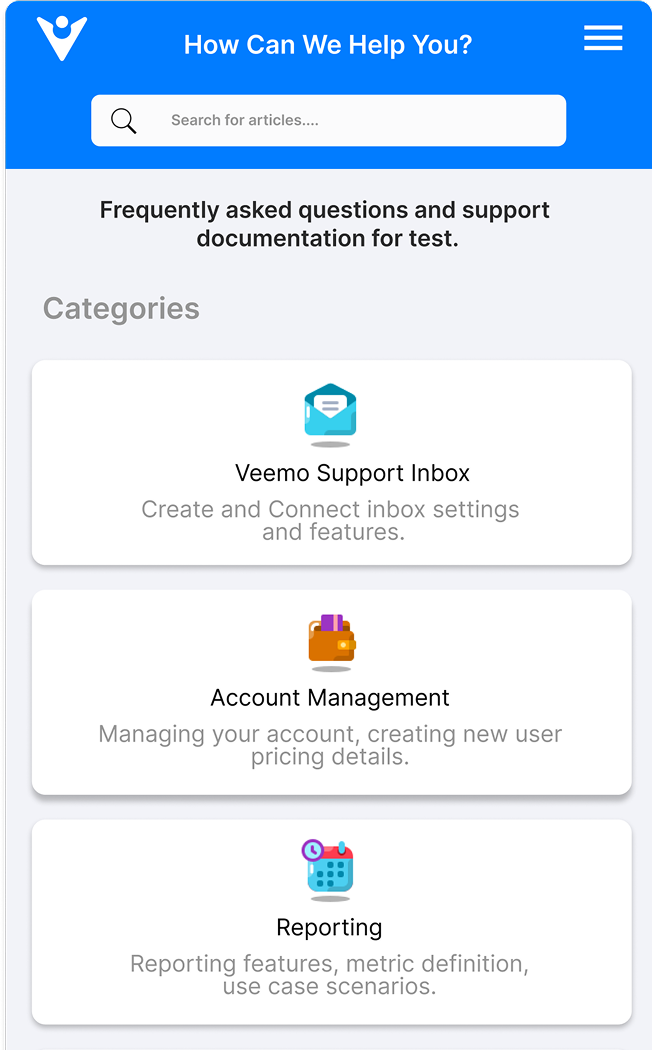
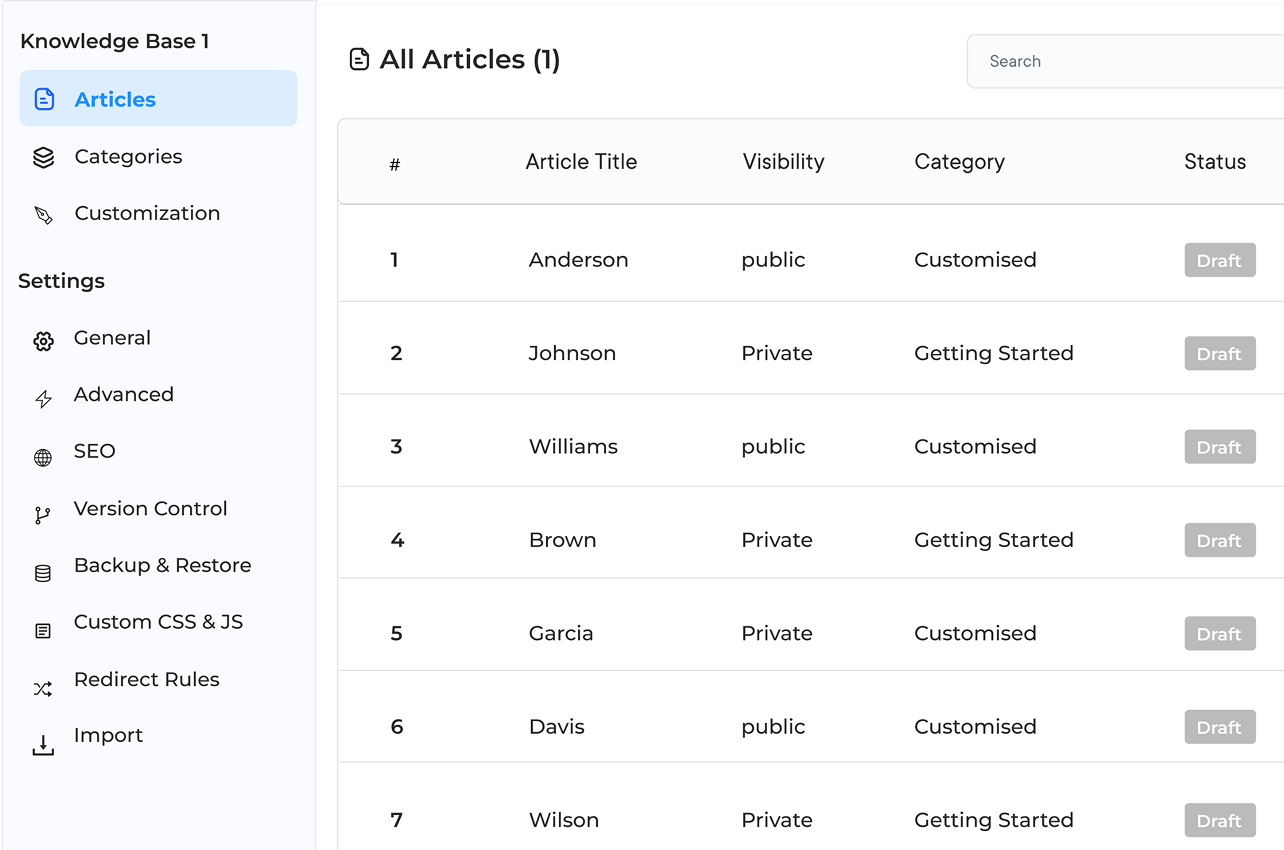
Veemo Support Knowledge Base

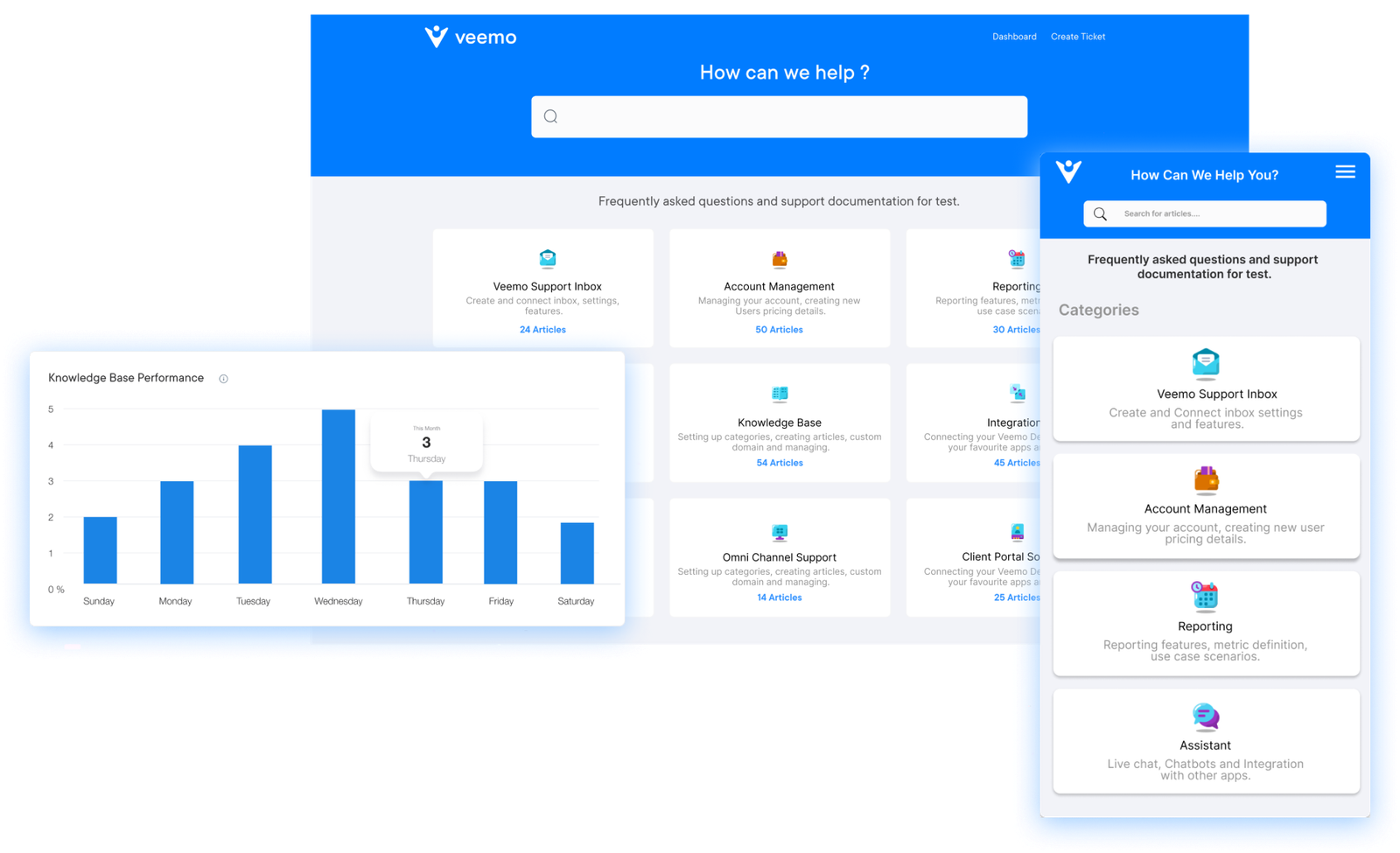
Veemo Support is an AI-powered customer support and help desk software that offers knowledge base functionality. It helps in creating, managing as well as publishing help center articles for customer support automation. Veemo Support also offers advanced analytics dashboard to help track the effectiveness of knowledge base.

Most teams often lose hours hunting through answering questions already documented elsewhere. Veemo Support helps keep every contributor aligned on one shared workspace to reduce duplicate effort.

Key features:

  • User-friendly interface: Veemo Support provides a user-friendly interface that makes it easy for users to search for and find information quickly.
  • Customizable categories and tags: Users can create custom categories and tags to organize their information in a way that works best for their organization.
  • Multi-media support: Users can easily add images, videos and other multimedia content to their knowledge base for a more engaging user experience.
  • Analytics and reporting: Veemo Support offers advanced analytics and reporting features. It allows businesses to track usage, monitor trends and make data-driven decisions.
  • Collaboration tools: Includes collaboration tools that enable teams to work together on creating and updating content. It ensures the knowledge database remains accurate and up-to-date.

Pricing: The Growth plan consists of 3 inboxes and costs $29. While the Enterprise plan is for $129 and consists of unlimited inboxes. Visit Veemo’s pricing page for more details.

2. Omni24

Top knowledge base tool to boost customer satisfaction

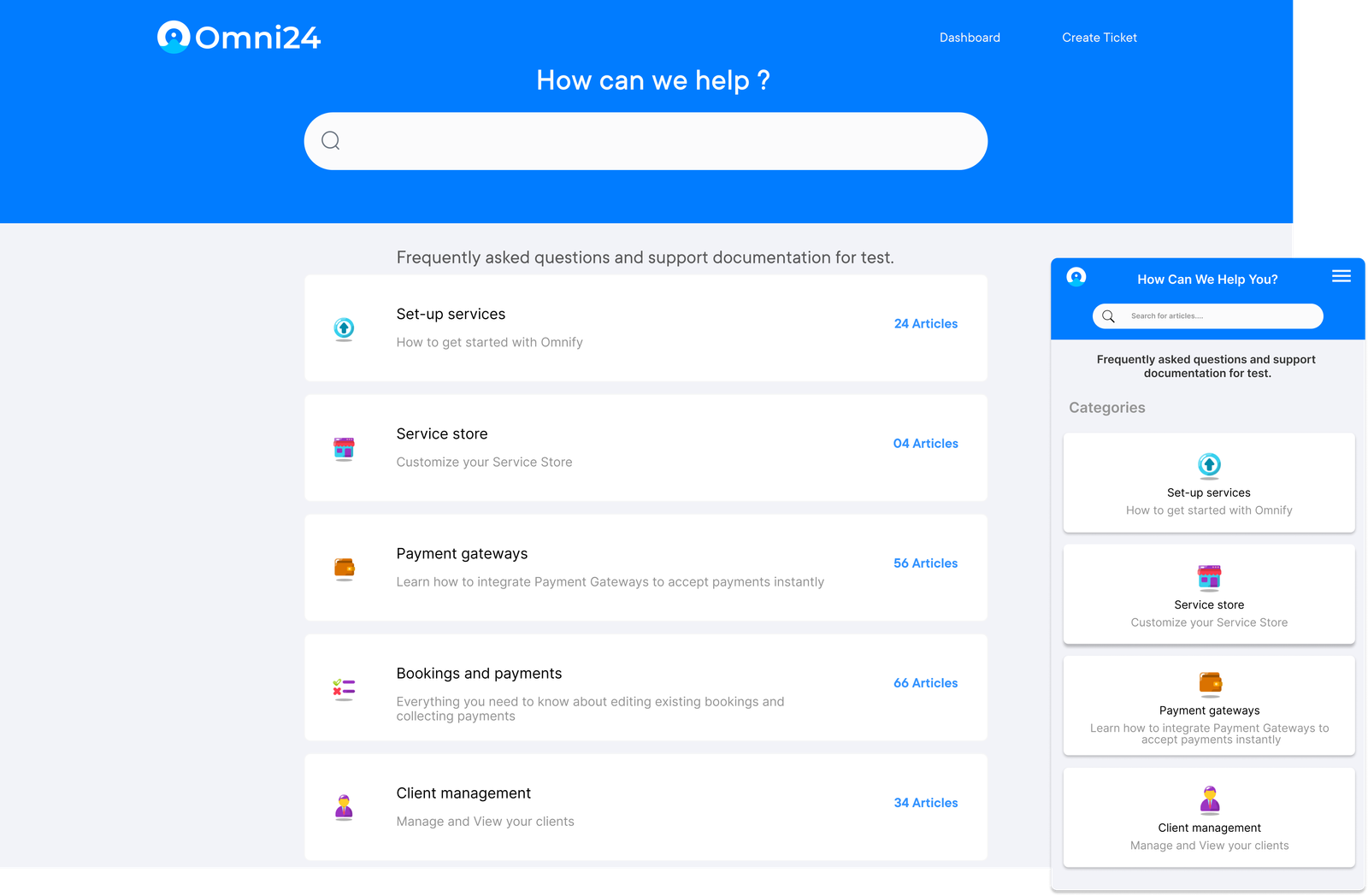
Omni24

Omni24 is a customer engagement platform unifying Support, Sales, and Marketing into one intelligent suite. It enables businesses deliver faster resolutions to drive more conversions and build lasting customer relationships from a single platform.

Omni24’s support suite includes a comprehensive knowledge base that helps businesses manage support operations efficiently. Customers receive instant, AI-powered access to answers, reducing repetitive inquiries while boosting overall satisfaction.

Key features:

  • Easy content creation and management: Omni24 allows users to easily create and update knowledge base articles without any technical knowledge.
  • Customizable templates: Users can personalize the look and feel of their knowledge base to match their brand’s aesthetics.
  • Multi-channel support: Integrates with various channels like live chat and ticketing systems to provide a seamless customer support experience.
  • Analytics and reporting: Users can track key metrics like article views and customer interactions to optimize their knowledge base app for better customer satisfaction.
  • AI-powered search: Uses AI technology to enhance search functionality making it easier for customers to find relevant information quickly.

Pricing: The pricing starts from $29/month and goes up to $149/month. Check out their pricing for further insights.

3. Confluence

Powerful knowledge management solution for effective article management

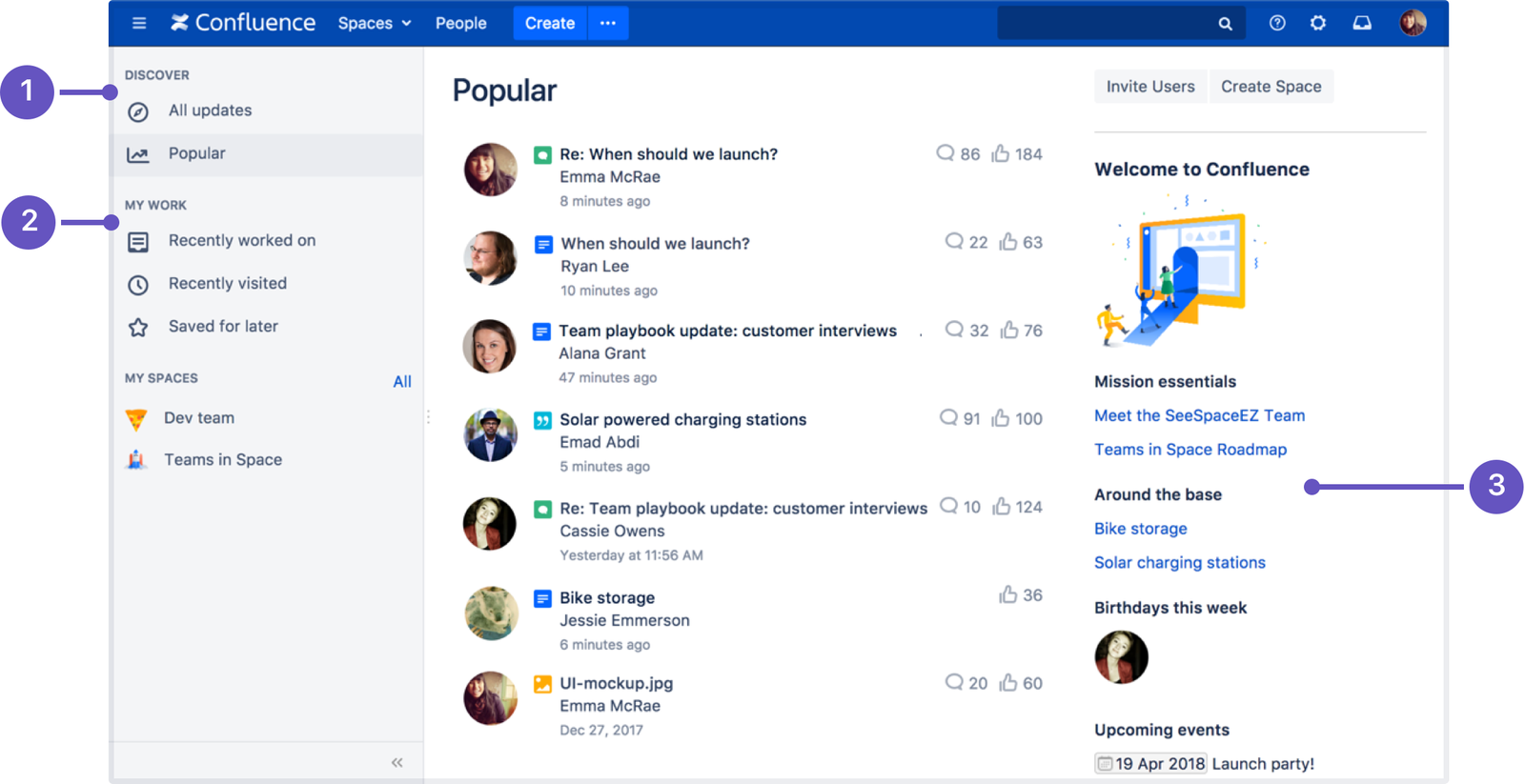
Confluence

The knowledge management and project collaboration software can help the team improve their existing operations or desired outcomes. The tool provides safe cloud storage of files containing information about products or services. It can help customers, employees streamline the process.

The brand doesn’t have any limits to creating or organizing content because of unlimited space and page features. Confluence can provide an excellent platform for the team to share and collaborate quickly. Third-party apps can be easily integrated with confluence which can help sync the business data across the ecosystem.

4. HubSpot Service Hub

Robust knowledge base platform to enhance customer support

Hubspot Knowledge base

The tool helps the team save time answering common questions and channel their efforts by managing complex queries. The software can reduce support requests because it’s a powerful customer portal. The detailed reporting features can help track ticket volume, data usage, response time and customer feedback.

HubSpot Service Hub is part of the suite of tools to improve the overall customer experience and strengthen the customer support ecosystem. The brand can also automate customer services with ticket escalation, routing and task creation. Index documentation and rank articles in search engines to make them easily visible to customers.

5. LiveAgent

Extensive knowledge base software for content authoring

LiveAgaent Knowledge base

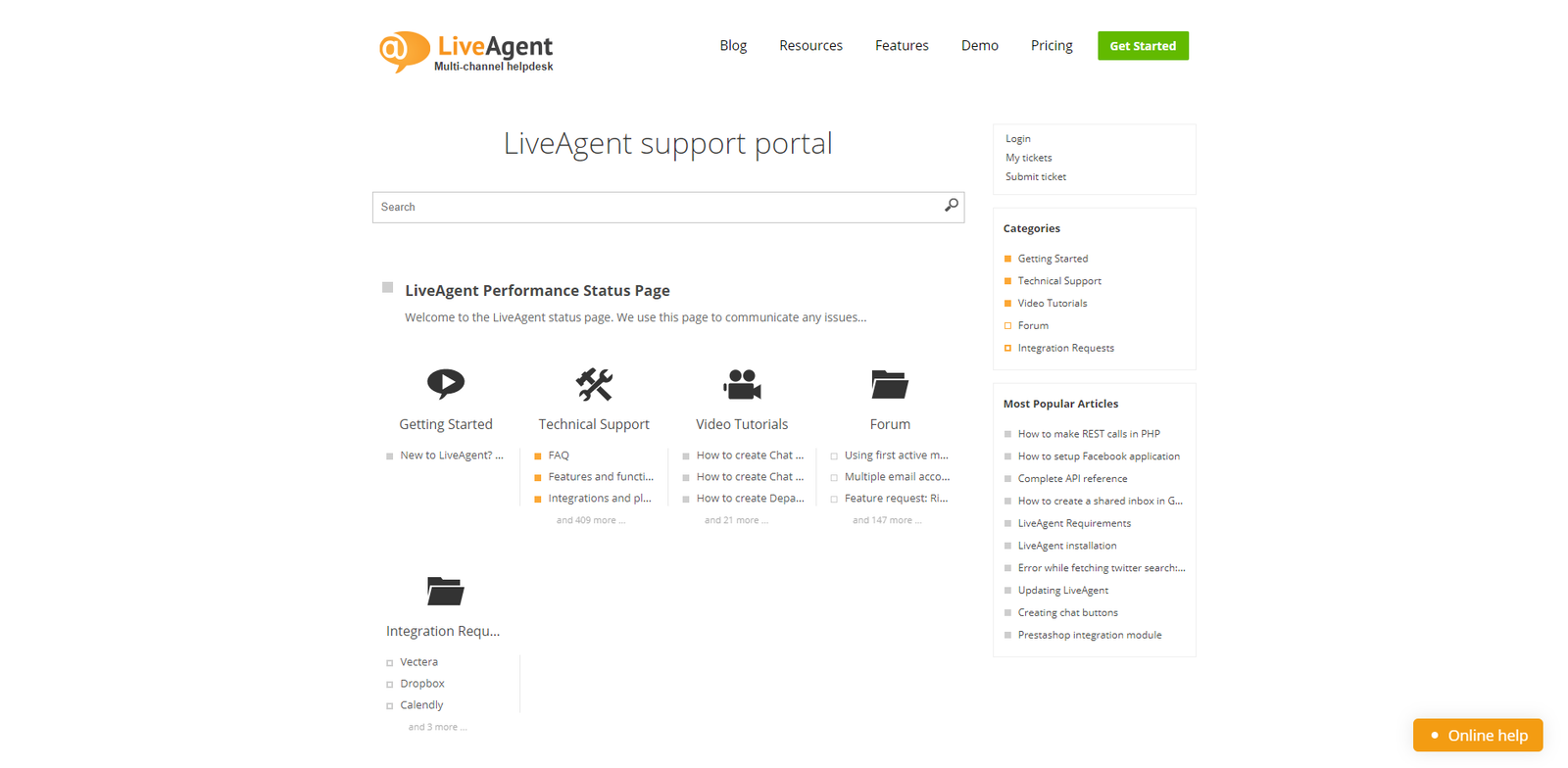
Liveagent is a professional software with powerful customer portal features to handle customer inquiries 24*7. The brand has the freedom to attach files with articles. It allows the customers to share their feedback and ideas based on their experience.

The brand can also build an online community for users where they can interact with other customers, and share creative ideas. LiveAgent can minimize hassles while creating an internal or multi-knowledge base for business based on requirements. The simplified search widgets make it easier for people to search for different answers.

6. ServiceNow

Seamless knowledge base solution for user access information

Servicenow knowledge management dashboard

The company offers multiple versions of knowledge base services based on preference. The brand can create KB for different purposes from customer service to internal team operations. The tool lets the brand sort information to minimize the hassles of the users accessing information. It also reduces redundant knowledge creation.

The solution is powered by machine learning for reporting and analytics to help the team identify knowledge gaps. It improves documentation and content along with the customer experience of the clients.

7. HelpScout

Comprehensive knowledge base tool with smart integrations

Helpscout Knowledge Base

Over 12,000 businesses trust HelpScout across the globe. One of the leading software brands can integrate the business ecosystem with. The tool can help minimize the number of queries asked by customers. It in turn helps increase customer satisfaction.

The solution also creates a help center website to ensure that customers can access the information with finesse. The help of this tool makes it easier to embed articles on the website without hindering the existing look and feel. A comparison of popular Help Scout alternatives for various use cases.

8. Notion

Robust knowledge base platform for delivering better support

Notion dashboard

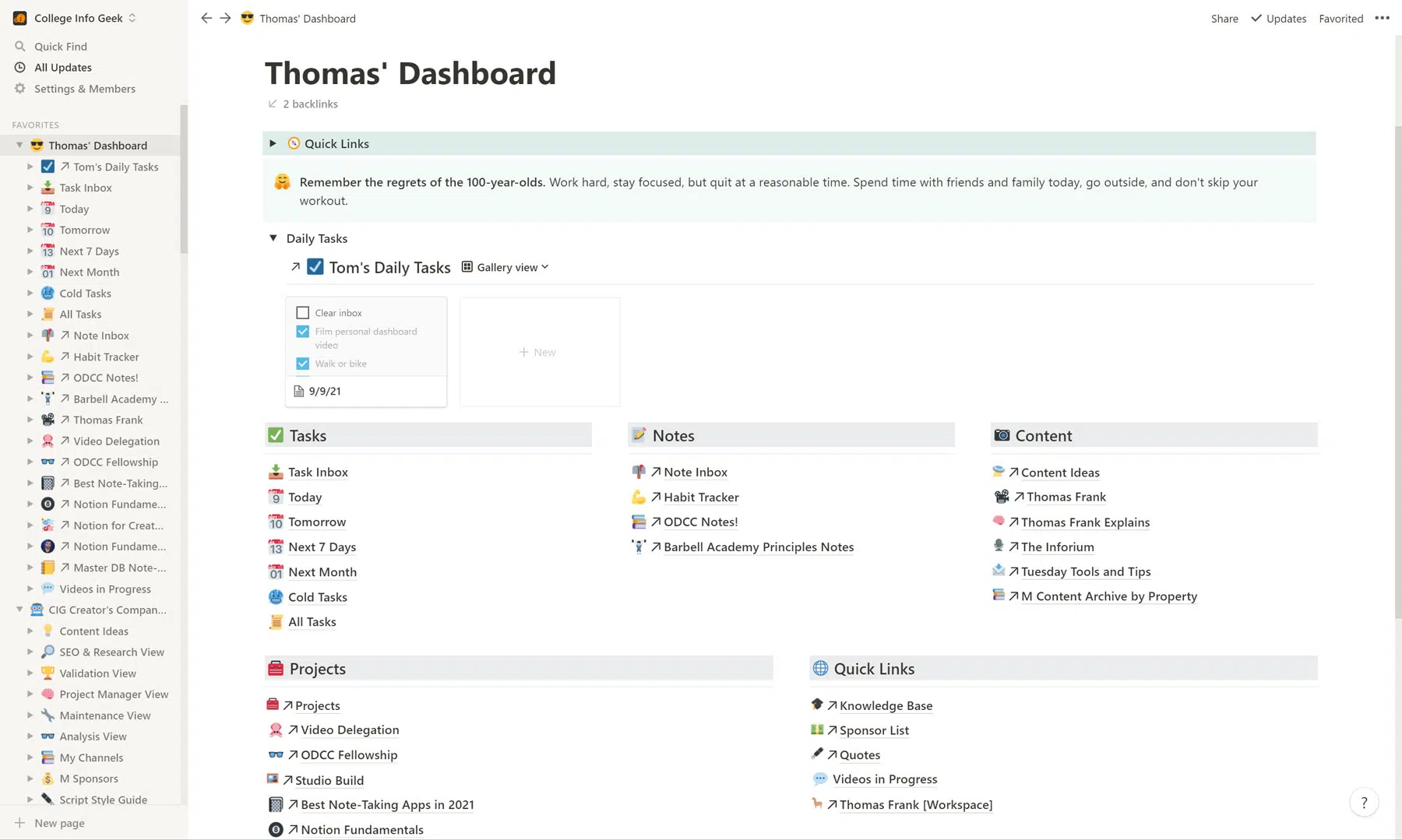
Versatile software with a wiki-style knowledge base services can:

  • Help improve customer support and project management.
  • Automate organizing or prioritizing knowledge content based on importance, overall value and use cases.

The software comes up with powerful drag-and-drop functionality. It makes it simple for the team to create, edit or publish content for the knowledge base. The brand can access over 100 customizable content templates, making communicating messages with the users easier. The powerful project management features make it easier for the team to handle different stages of knowledge management efforts.

9. Slite

Seamless knowledge base solution for quality user experience

Slite Knowledge base dashboard

The modern solution can help centralize and organize the content within a few clicks. It makes it easier for the team to create content consistently and update the knowledge base too. The brand can choose a layout design and make the pages intuitive to enhance usability. Structuring content is easier within a similar category to ensure the users don’t find it complex to get answers to their queries.

The software’s collaborative features can help the team members create, update and contribute to the knowledge base. The dashboard provides recently updated knowledge content to deliver a quality user experience.

10. Genesys DX

Comprehensive knowledge management software to enhance knowledge preservation

Genesys Knowledge base

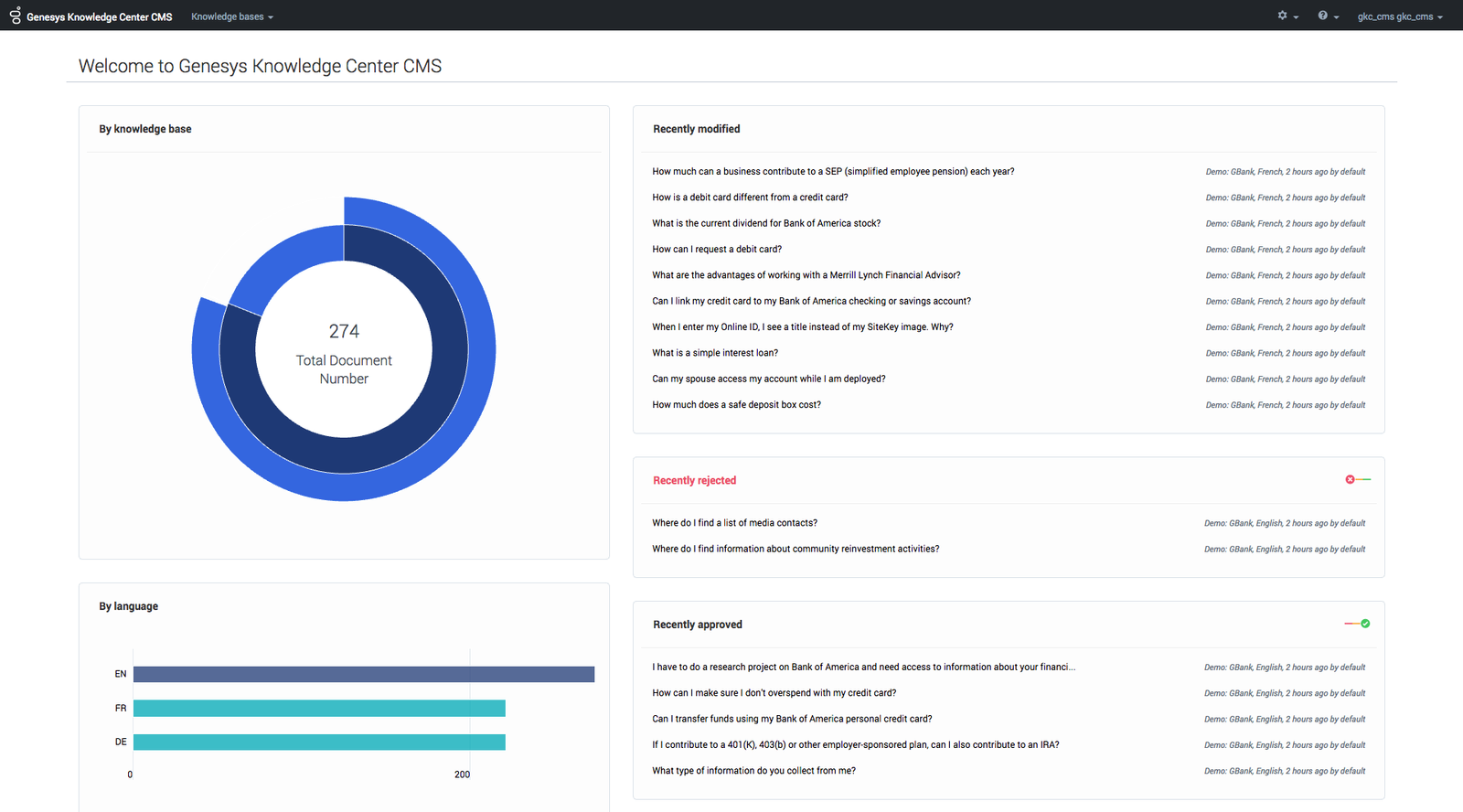
The software uses AI technology like semantic search to analyze search queries while delivering the user’s contextual needs. The tool helps the team optimize the pages while ensuring they deliver quality customer experience to the users.

The solution enables to creation a self-service ecosystem with a chatbot ticket escalation technology to increase the efficiency of the support ecosystem. The knowledge management tool can provide organized information to users. The brand can also manage information easily because of the user-friendly interface which makes self-service and agent assistance easy.

11. livepro

Ideal knowledge base software to optimize the team’s performance

LivePro knowledge base

The customer experience knowledge management solution delivers an excellent user experience for staff and customers to address their queries. It helps to get customer feedback which can assist in improving the overall user experience of the knowledge base. The software makes it easy to manage which reduces the need for staff training.

The knowledge management system integrates into different existing tools and channels to optimize existing performance and improve business operations. The brand can access the sentiment analysis features to understand customer engagement and act accordingly.

How to Choose the Best Knowledge Base Software?

Choosing the best knowledge base tool for business is crucial to ensure the effectiveness of customer support and self-service options. Here are some factors to consider when making the decision:

How to Choose Best Knowledge Base Software
  • Assess Needs

Start by identifying specific requirements and goals for the KB software. Consider factors such as the size of the organization, the complexity of products or services and the expected volume of customer inquiries. It will help determine the features the brand needs from the software.

  • User Friendly Interface

Look for knowledge base software that offers a user-friendly interface both for internal teams and customers. The software should be easy to navigate, search and update. Visually appealing designs can enhance user experience and encourage customer engagement.

  • Content Management Capabilities

A good knowledge base tool should offer robust content management capabilities. It should allow you to create, edit, organize and categorize articles easily. Look for features such as version control, content approval workflows and the ability to add multimedia elements like videos.

  • Customization Options

Businesses should make sure the software they go for lets them customize the knowledge base to match the branding and style. It can help create a seamless experience for customers and maintain consistency with the overall brand identity.

  • Integration with Other Tools

The knowledge base software must have the ability to integrate with other tools and systems used such as CRM software, ticketing systems or live chat platforms. Integration can streamline workflows, improve data synchronization and provide a seamless experience for teams or customers.

  • Scalability and Flexibility

Consider whether the software can scale with business as it grows and evolves. It should be able to accommodate increasing content, users and customization requirements. Flexibility in terms of pricing plans or subscription options can be beneficial for businesses with varying needs.

  • Security and Data Protection

Ensure that the knowledge base tool offers robust security measures to protect sensitive customer data. Look for features such as user access controls, encryption, regular backups and compliance with industry standards.

Why Businesses Need a Knowledge Base Software?

A best-in-class KB software should possess the below listed key features that enhance its usability and overall effectiveness:

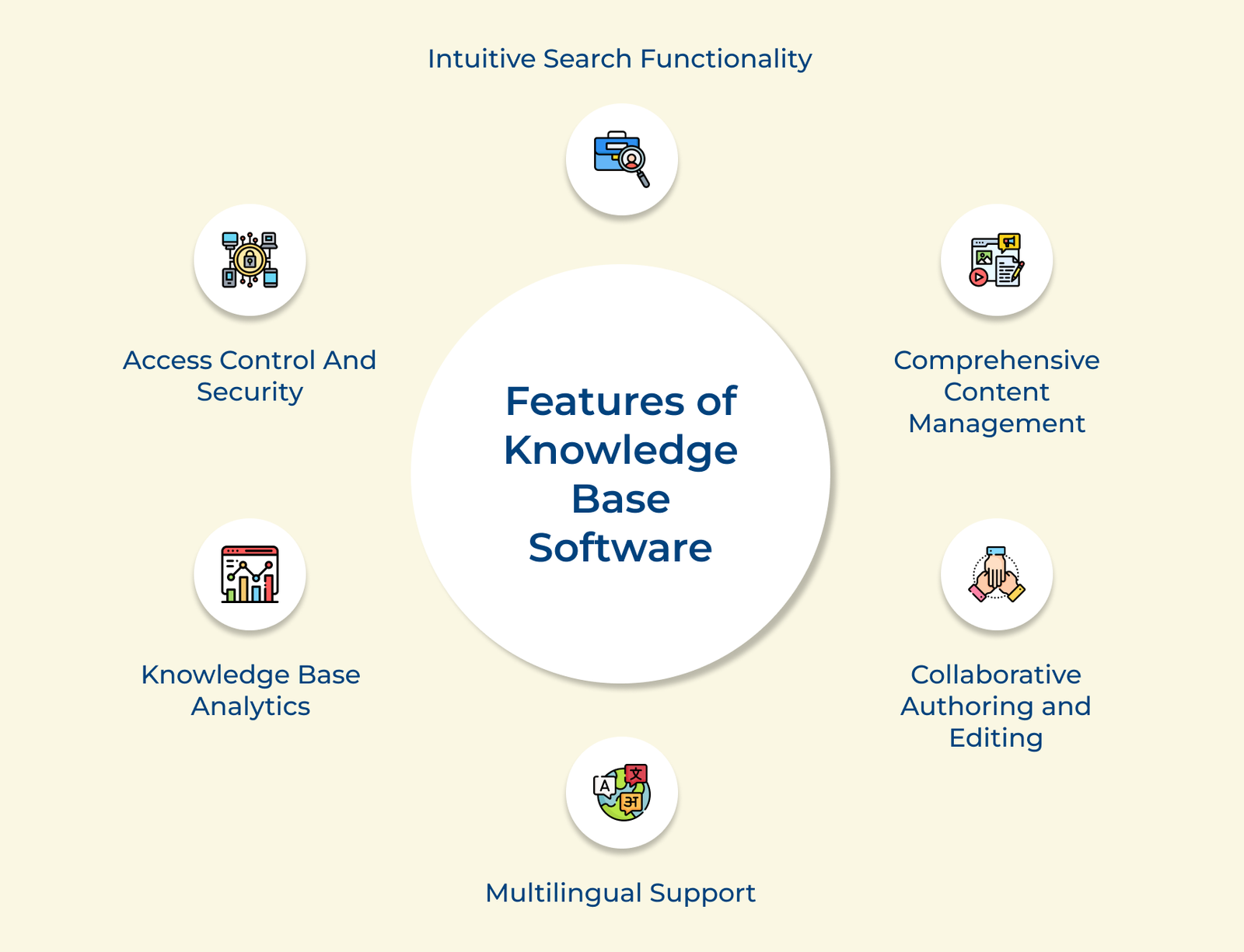
Features of Knowledge Base Software

1. Intuitive Search Functionality

Modern systems use natural language processing and auto-suggest to interpret intent, not just keywords. This means you search for “reset password,” but it also surfaces articles titled “account recovery” or “login troubleshooting” to reduce dead-end searches significantly.

Key search capabilities worth prioritizing:

  • Smart filters: Narrow results by tags, categories and content type instantly.
  • Auto-complete: Suggests relevant articles as users type their queries.

2. Comprehensive Content Management

Streamline content management governs how articles are created, organized and maintained over their lifecycle. Structured version control helps to quickly becoming cluttered with updated information.

3. Collaborative Authoring and Editing

Knowledge rarely has one authority, so authoring tools need support multiple contributors working simultaneously without overwriting each other’s work edit history.

Collaboration essentials to keep teams aligned:

  • Role-based permissions: Control who can edit, approve or publish content.
  • Version history: Roll back changes if an edit goes wrong.
  • Real-time notifications: Alert stakeholders the moment content changes.

Inbuilt features such as inline approval workflows and real-time co-editing turn documentation into a shared responsibility. This distributes institutional knowledge and prevents single points of failure.

4. Knowledge Base Analytics

Reporting and analytics dashboards reveal actual performance of the knowledge base, such as:

  • which articles get traffic?
  • which get abandoned mid-read?
  • where users repeatedly search?

The data closes the loop between content creation and performance, where teams can prioritize updates based on real usage patterns. It turns the knowledge base into an improving asset instead of static archive.

5. Multilingual Support

Native multilingual support allows content to be authored, translated and maintained in parallel. It makes sure consistency in tone and accuracy while letting teams manage their own localized versions independently.

6. Access Control and Security

Granular access control, audit logs and encryption protect sensitive information while still allowing appropriate visibility. The balance is important for compliance-heavy industries such as healthcare, SaaS, etc .
How to Build a Knowledge Base?

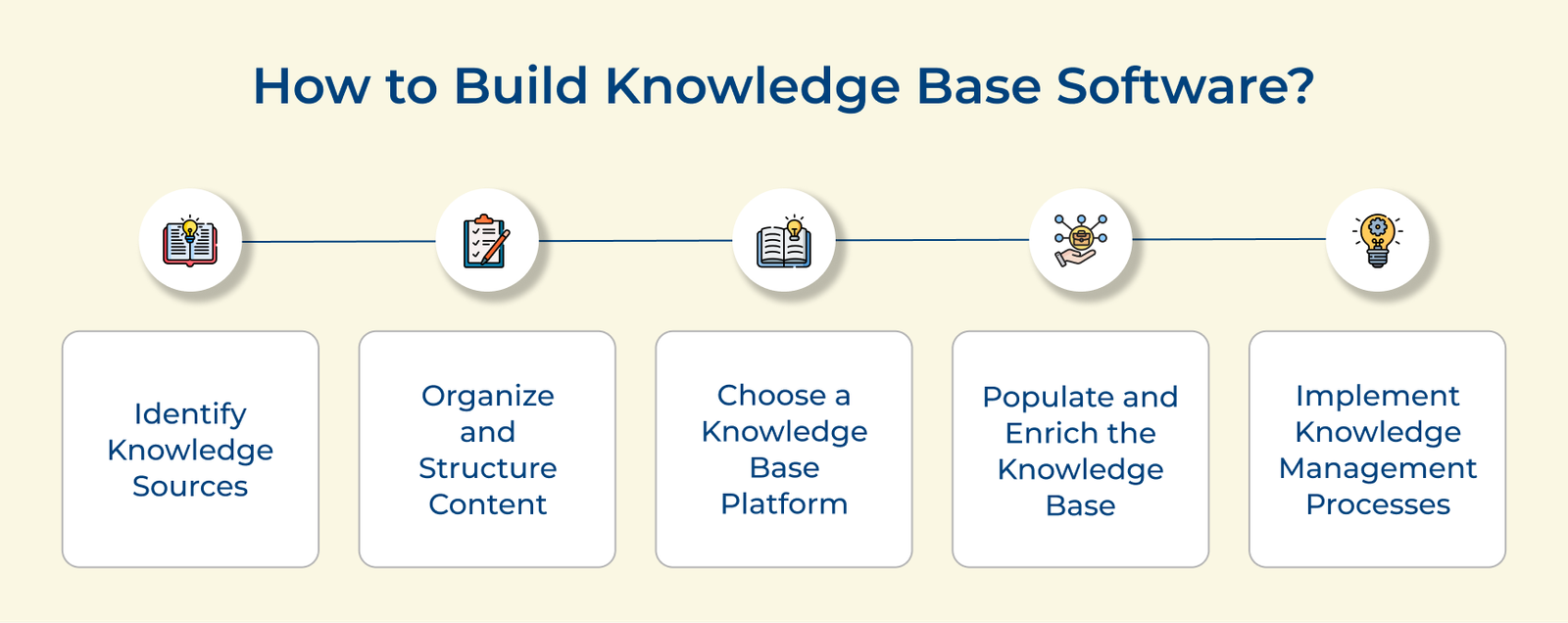
Knowing how to build a knowledge base software is vital for businesses to revolutionize the way they manage information. Here we will explore the crucial steps to consider.

How to Build Knowledge Base Software

1. Identify knowledge sources: Start by identifying the sources of knowledge that the business wants to include in the knowledge base. It could be internal documents, manuals, FAQs, support tickets, customer interactions and subject matter expert inputs.

Consider these common sources businesses overlook when gathering content for a well-rounded knowledge base:

  • Support ticket history: Reveals recurring questions asked most frequently.
  • Onboarding materials: Includes foundational explanations new hires and customers both need.
  • Internal Slack or email threads: Captures informal expert knowledge rarely documented elsewhere.

2. Organize and structure content: Organize the collected information into a logical and structured format. Create categories, subcategories and a hierarchical structure that makes it easy to navigate relevant information. Consider using taxonomies, metadata and tagging systems to further enhance searchability.

3. Choose a knowledge base platform: Select a knowledge base platform or software that suits the brand’s needs. There are various options available ranging from open-source solutions to proprietary tools. Consider factors such as ease of use, scalability, integration with existing systems and customization options.

Run through this checklist to avoid costly platform migrations:

  • Free trial or demo access: Test real workflows before committing to a paid plan.
  • Customer support responsiveness: Gauge how quickly the vendor resolves setup issues.
  • Data export options: Confirms if the content can be migrated out when needs change.

4. Populate and enrich the knowledge base: Populate the knowledge base with organized content. Ensure that the information is accurate, up-to-date and presented in a user-friendly manner. Enrich the content with multimedia elements such as images, videos and diagrams to enhance understanding or engagement.

5. Implement knowledge management processes: Establish a robust KM process also assign roles for content creation and encourage subject matter experts to contribute to the knowledge base regularly. Implement feedback mechanisms to gather insights from users and continuously improve the knowledge base.

Benefits of Knowledge Base Software

Explore the benefits of knowledge base software to comprehend how it can streamline support, enhance productivity and improve customer satisfaction.

Benefits of Knowledge Base Software

1. Self-service portal for customer support: KB software provides a centralized repository of information. Enabling customers to find answers to their queries quickly and efficiently. Offering a self-service portal allows customers to access relevant knowledge articles, tutorials and FAQs.

2. Deliver 24×7 customer service: A comprehensive knowledge base allows organizations to offer round-the-clock customer service. Customers can access the knowledge base anytime, anywhere. It ensures their issues are addressed promptly, leads to increased satisfaction and loyalty.

3. Lower support tickets: Providing customers with a wealth of self-help resources allows knowledge base software to reduce the volume of support tickets. It alleviates the workload on customer support teams and optimises operational efficiency.

4. Increase customer satisfaction: Knowledge base tool empowers customers to find the information they need quickly. It reduces frustration and improves overall satisfaction. Ensuring consistent and accurate information across all channels, KB software enhances the customer experience.

5. Team collaboration and knowledge sharing: Knowledge base tool facilitates seamless collaboration among team members. Employees can contribute their expertise, share best practices and continuously update the knowledge base. While the brands can establish a culture of continuous learning and improvement.

6. Easy employee onboarding: New employees can quickly familiarize themselves with company policies, procedures and product information through the knowledge base. It streamlines the onboarding process and reduces training costs.

7. Increased productivity: Providing employees with KB software eliminates the need for time-consuming research or consultations. It enables them to focus on their core responsibilities and boost overall productivity.

Knowledge Database Software: Key for Customer Self-Service Strategy

A powerful knowledge base software is not just a repository; it is a strategic asset that improves customer experience while reducing support load and empowers users with instant answers. The right platform helps in delivering consistent and scalable self-service support across every touchpoint.

  • Centralise information for faster and more accurate customer support
  • Enable self-service to reduce ticket volume and boost satisfaction

Ready to elevate your support experience? Start a free trial or take a demo to see how the right solution can transform your support workflows. It turns information into a data-driven advantage, so choose wisely to stay ahead.

FAQs about Best Knowledge Base Solutions

A knowledge base includes relevant information such as FAQs, how-to guides, troubleshooting tips and product documentation. It should be organized in a user-friendly manner, with search and visual aids such as images and videos that can enhance understanding. Frequent updates of articles are crucial to ensure accuracy.

A knowledge base creates a self-service ecosystem for customers or agents to quickly resolve questions without needing direct support. It does not require the intervention of a dedicated team member each time.
A good KB software stores detailed information about products, services and operations so accurate information stays consistently available to everyone. This significantly reduces confusion, miscommunication and costly operational errors.

Knowledge base software organizes information into a centralized, searchable repository that users can browse. Teams can use this to logically structure content to quickly locate answers, guides and documentation whenever needed.

  • Categorizes resources for simple navigation
  • Enables fast search and retrieval
  • Includes analytics for content improvement

The purpose of KB software is to provide a centralized platform for storing, organizing and managing information, documents as well as resources across an entire organization. It ensures that nothing gets lost or scattered across teams.

Businesses build a help center accessible to employees, customers and stakeholders serving as a reliable source of truth that’s available anytime, anywhere. Reducing repetitive questions and support workload significantly across all support operations.

A well-structured help center empowers customers to find answers independently cutting down repetitive support tickets that would consume valuable agent time. Agents gets an upper hand to focus their expertise on more complex as well as high-priority customer issues that truly require personalized human attention.