9 Best Customer Service Automation Software & Tools: The Buyer’s Guide (2025)

Find the best customer service automation software to boost efficiency, streamline workflows and elevate customer support. Explore how advanced automation tools can improve customer satisfaction and make the support team more productive.

No credit card required. Easy setup

Customer Service Automation Software

Trusted By Leading Brands

Streamline Service and Maximize Satisfaction with Customer Service Automation Software

Transform your customer service operations with cutting-edge automation software designed to streamline service processes and maximize customer satisfaction.

Customer Service Automation Software Dashboard 1

Instant Query Resolution

Responses to frequently asked questions and common issues can be automated. It reduces wait times and speeds up problem resolution which leads to more efficiency.

Consistent Service Quality

Teams can maintain uniformity in responses and service levels across all interactions. Automation ensures that every customer receives the same high-quality experience.

Efficient Ticket Management

Businesses can streamline and prioritize incoming support requests with automated ticketing systems. Issues can be addressed promptly and reduce manual workload.

Scalable Support Solutions

The solution easily adjusts the support capacity to handle fluctuating volumes of customer inquiries. Automation scales with the business, ensuring consistent service during peak times.

Customer Service Automation Software Dashboard 2

Providing prompt, personalized support around the clock can be overwhelming, leaving the team stretched thin and the customers frustrated. The pressure to deliver exceptional service while managing costs is a challenge faced by businesses of all sizes.

Automation is revolutionizing the way businesses interact with their clients. Businesses can dramatically improve response times by leveraging AI-powered chatbots, self-service portals and intelligent routing systems. Let us explore the best customer service automation software to understand how they transform support operations, enhance customer experiences and give businesses a competitive edge.

What is Customer Service Automation Software?

Customer service automation software refers to solutions designed to streamline and enhance customer support processes without direct human intervention. The systems leverage artificial intelligence, machine learning and other advanced technologies to handle routine customer inquiries. The primary goal is to improve efficiency, reduce response times and maintain consistent service quality.

Use cases:

  • Chatbots for handling common queries and guiding customers through basic troubleshooting steps.
  • Automated ticket routing and prioritization to ensure inquiries are directed to the most appropriate department or agent.
  • Self-service knowledge bases and FAQs that allow customers to find answers independently.
  • Automated email responses for acknowledgments and updates on support ticket status.
  • Voice recognition systems for phone-based customer support, enabling automated call routing and basic query resolution.

Comparison of Top Customer Service Automation Software

Let’s compare the top customer service automation software to help businesses make informed decisions.

Software Pricing (Starting) Free Trial Automation Features
Veemo Support $29/agent/month 14 days
  • AI chatbot
  • Ticket routing
  • Knowledge base
  • Auto-responses
  • Workflow automation
Omni24 $29/agent/month 14 days
  • Omnichannel support
  • AI-powered routing
  • Sentiment analysis
  • Automated reporting
  • Self-service portal
  • Live chat
Zendesk $49/agent/month 14 days
  • AI chatbot
  • Automated workflows
  • Customer feedback surveys
Freshdesk $15/agent/month 21 days
  • Ticket assignment
  • Canned responses
  • Workflow automation
Salesforce Service Cloud $25/user/month 30 days
  • AI-powered routing
  • Chatbots
  • Predictive service
Zoho Desk $14/agent/month 15 days
  • AI assistant
  • Ticket automation
  • Time-based actions
Help Scout $20/user/month 15 days
  • Workflows automation
  • Knowledge base
  • Reporting automation
Intercom $74/month (2 seats) 14 days
  • Chatbots 
  • Conversation routing
  • Proactive messaging
HubSpot Service Hub $45/month (2 users) 14 days
  • Ticket automation
  • Customer feedback surveys
  • Reporting dashboards

Features of Customer Service Automation Tool

Let us go through the key features of customer service automation software. They are essential to ensure businesses drive operational excellence and achieve higher levels of customer satisfaction through the tool.

Features of Customer Service Automation Software

Automated Ticket Routing

The feature intelligently assigns incoming customer queries to the most appropriate agent or department based on predefined rules. The feature considers factors such as the nature of the issue, agent expertise, workload and priority level. It reduces response times and improves efficiency by ensuring that tickets reach the right hands quickly.

Self-Service Portals

Self-service portals are online platforms where customers can find answers to their questions without direct interaction with support staff. They typically include searchable knowledge bases, FAQs, video tutorials and user forums. Self-service portals empower customers to solve simple issues independently, reducing the volume of support tickets.

AI-Powered Chatbots

AI-powered chatbots are virtual assistants that use natural language processing and machine learning to engage in human-like conversations with customers. They can handle a wide range of queries, from simple information requests to more complex troubleshooting. Chatbots provide instant responses, reducing wait times and improving customer experience.

Omnichannel Support

The feature integrates various communication channels (email, chat, social media, phone) into a single platform. Customers can switch between channels seamlessly while maintaining context, creating a cohesive support experience. Agents can view the entire customer interaction history across all channels, enabling more personalized support.

Analytics and Reporting Tools

The customer service automation tool provides valuable insights into customer service performance. They track key metrics such as response times, resolution rates, customer satisfaction scores and common issues. The data helps businesses identify trends, pinpoint areas for improvement and make data-driven decisions to enhance their support operations.

Automated Email Follow-ups

The feature sends personalized follow-up emails to customers after an interaction or resolution. It can check if the customer is satisfied with the solution, request feedback, or provide additional resources. Automated follow-ups help maintain customer engagement and demonstrate a commitment to service quality.

9 Best Customer Service Automation Software

Let’s go through the best customer service automation software solutions, highlighting top performers in the industry and showcasing their advanced features.

1. Veemo Support

Best customer service automation software for AI-powered chatbots

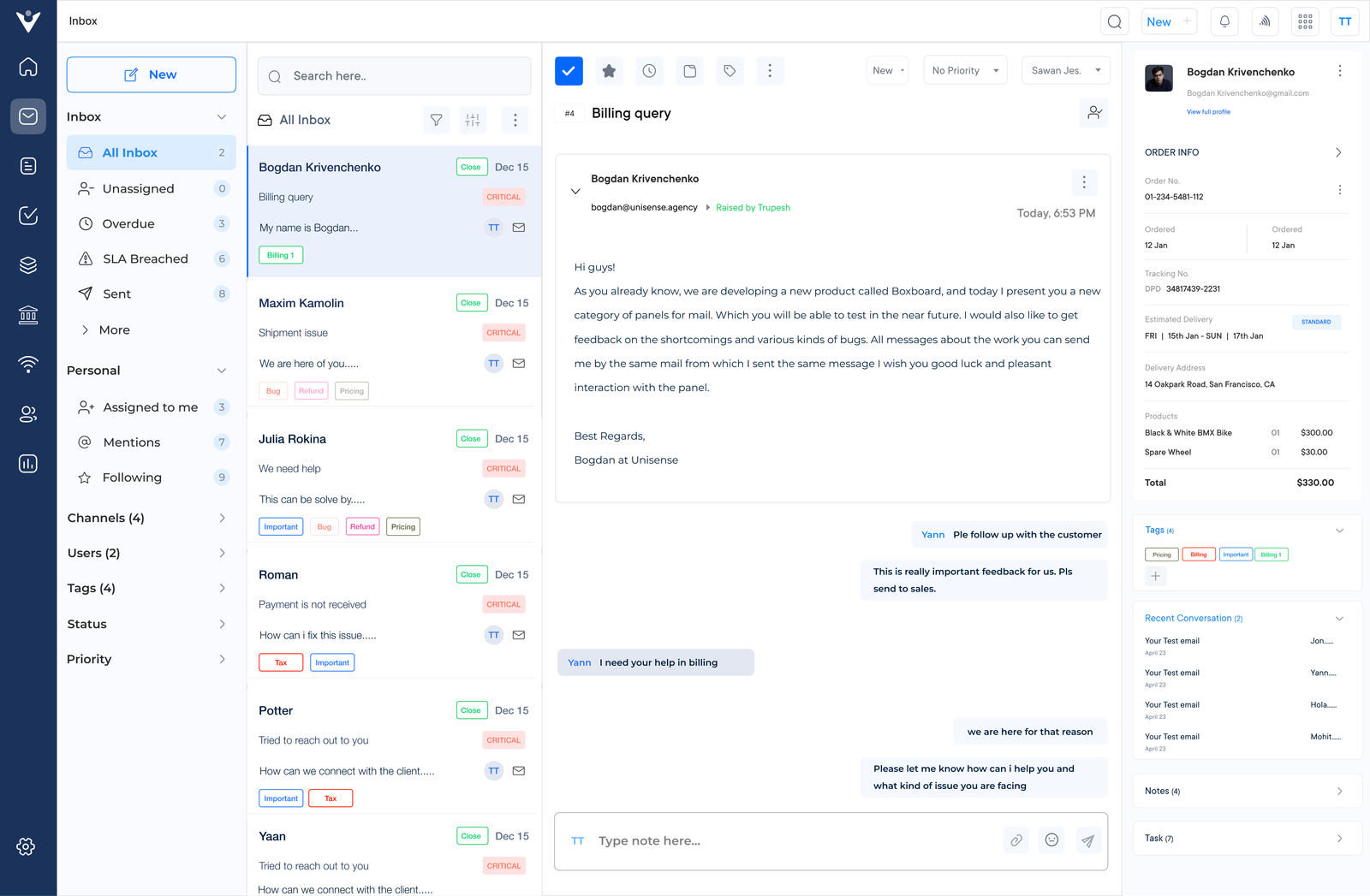
Veemo Support Inbox

Veemo Support is a comprehensive customer service software with automation that leverages AI and machine learning to streamline customer interactions across multiple channels.

The innovative platform is designed to enhance customer experience, improve operational efficiency and provide valuable insights for businesses of all sizes. Veemo Support integrates various communication channels into a single interface.

Key features:

  • AI-powered chatbots: Veemo Support employs advanced chatbots that can handle complex customer inquiries and escalate to human agents when necessary.
  • Omnichannel support: The platform unifies multiple communication channels into a single dashboard for streamlined interactions.
  • Automated ticket routing: Veemo Support intelligently assigns customer issues to the most appropriate agents based on expertise, workload and urgency.
  • Self-service knowledge base: The software includes a searchable knowledge base that allows customers to find answers to common questions independently.
  • Analytics and reporting: Veemo Support provides comprehensive analytics and reporting tools that offer valuable insights into customer service performance.

Pricing: Veemo offers plans ranging between $29 and $129. Brands can avail of their 14-day free trial offer by signing up now!

2. Omni24

Top customer service automation tool for intelligent ticket routing

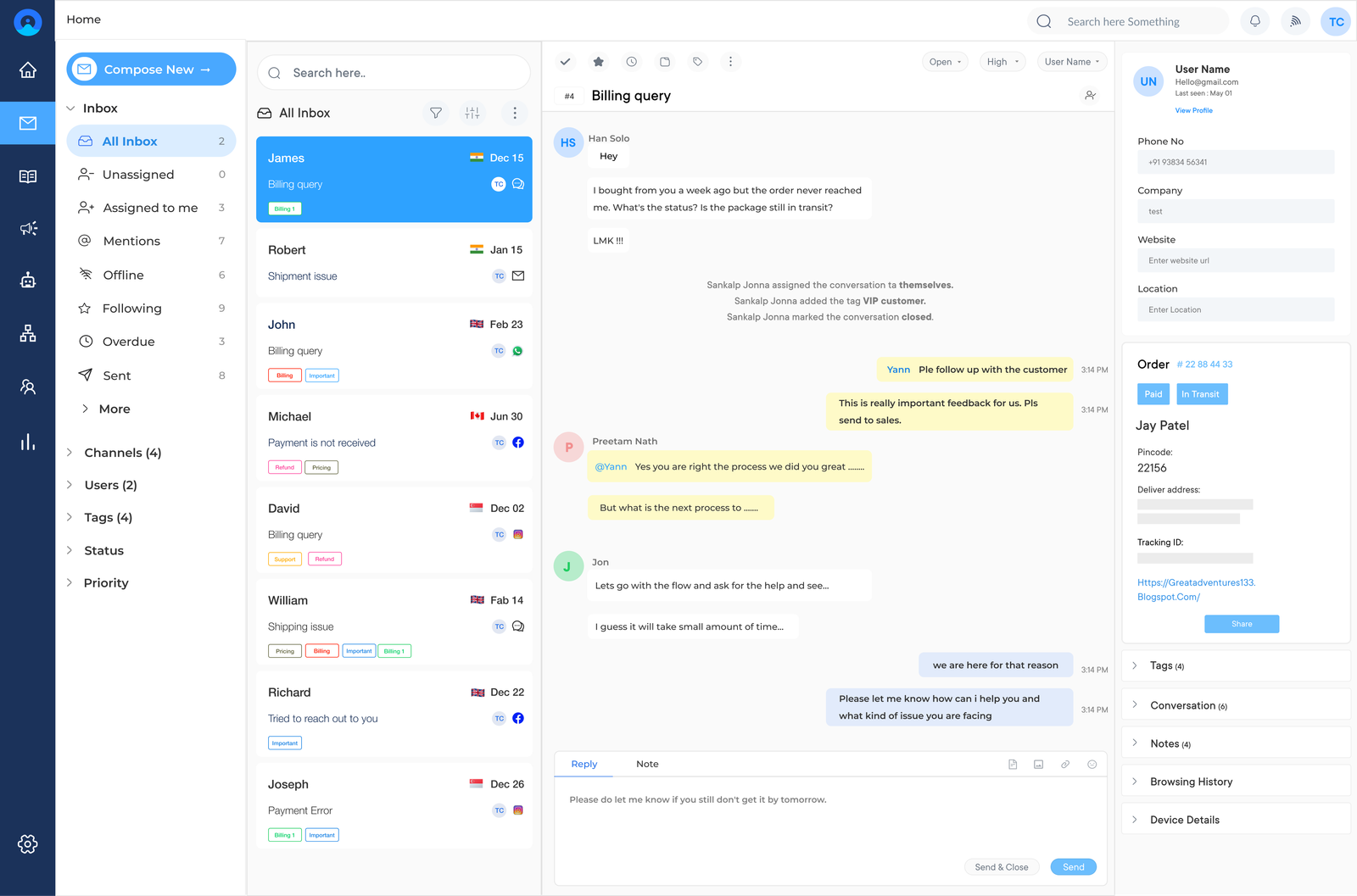
Omni Inbox

Omni24 is a comprehensive customer support automation tool designed to streamline and enhance customer support operations for businesses of all sizes. The software leverages advanced technologies to automate routine tasks and provide a seamless experience.

Key features:

  • AI-powered chatbots handle initial customer inquiries, providing instant responses and resolving common issues without human intervention.
  • Intelligent ticket routing automatically assigns customer queries to the most appropriate agent based on expertise and workload.
  • Knowledge base integration allows for quick access to relevant information, enabling faster and more accurate responses to customer questions.
  • Automated email responses acknowledge receipt of customer inquiries and provide estimated resolution times. Customers are kept informed throughout the support process.
  • Analytics and reporting tools generate insights into customer service performance. Businesses can identify areas for improvement and optimize their strategies.

Pricing: The pricing starts from $29/month with one inbox feature and goes up to $149/month for unlimited inbox. Check out their pricing for a more detailed comparison.

3. Zendesk

Comprehensive customer service automation solution to boost productivity

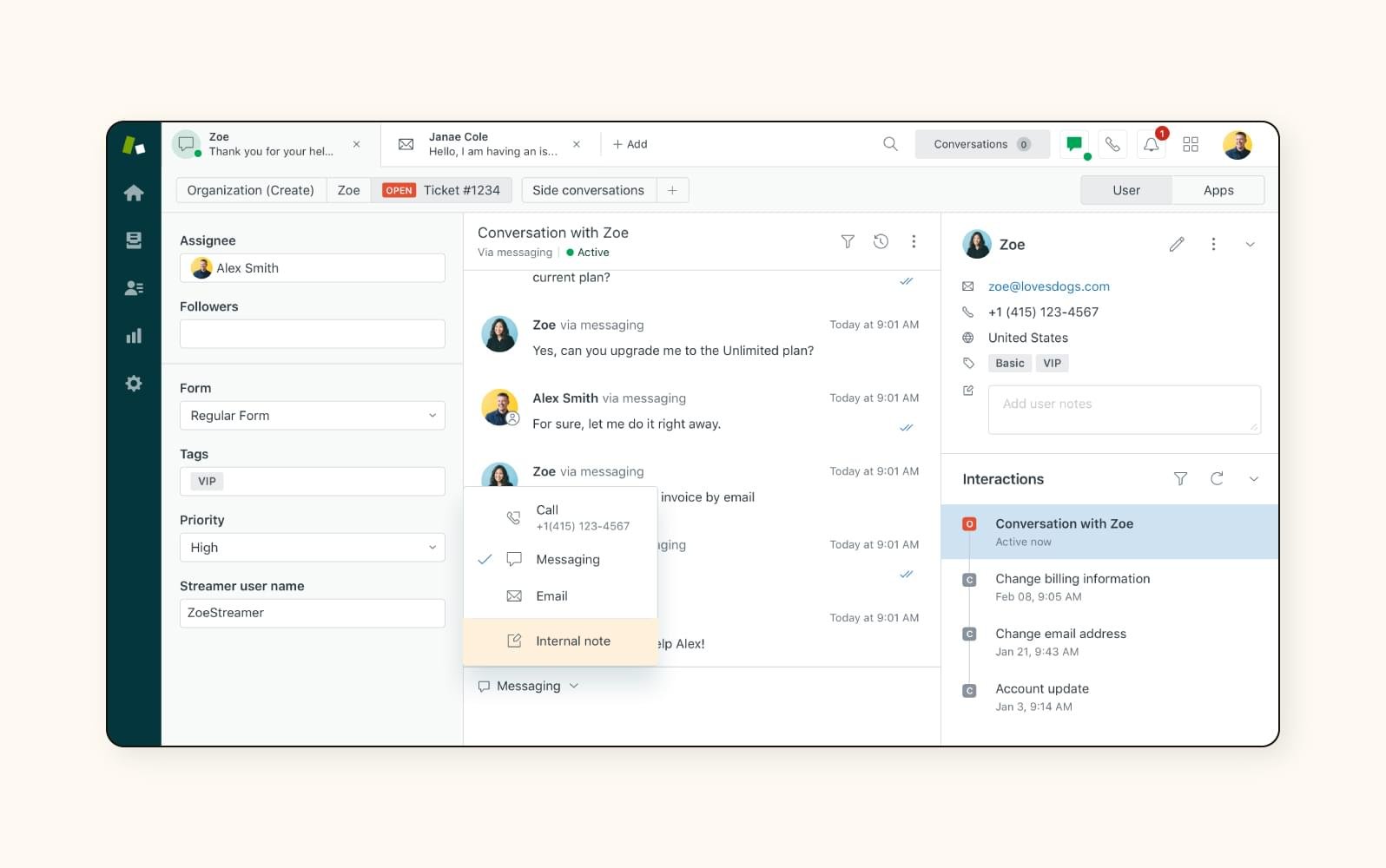
Zendesk Lead Generation Software

Zendesk is a versatile customer service automation software designed to streamline support operations for businesses of all sizes. The tool offers a comprehensive suite of tools to manage customer interactions across multiple channels, including email, chat and social media. Zendesk aims to improve customer satisfaction while increasing agent productivity through its intuitive interface and powerful features.

Zendesk’s key features are customer service automation including ticketing systems, AI-powered chatbots, knowledge base management and customizable workflow automation. The platform also provides robust reporting and analytics capabilities. Businesses can gain insights into their customer service performance and make data-driven decisions.

4. Freshdesk

Seamless customer service automation platform for customizable workflows

Freshdesk Customer Service Automation Software

Freshdesk is a comprehensive customer service automation software designed to streamline support operations. The platform offers a unified platform for managing customer interactions across multiple channels including email, phone, chat and social media. Freshdesk helps businesses efficiently handle customer inquiries and resolve issues.

Suitable for businesses of all sizes, from startups to large enterprises, Freshdesk is particularly beneficial for companies with high customer service demands. The automation tools help reduce response times and enhance customer satisfaction.

5. Salesforce Service Cloud

Robust customer service automation software for self-service

SalesForce Customer Service Automation Software

Salesforce Service Cloud is a powerful customer service automation platform integrated within the larger Salesforce ecosystem. The platform provides a comprehensive suite of tools for managing customer interactions, support cases and service processes.

Ideal for medium to large enterprises with complex customer service needs, Service Cloud is particularly well-suited for businesses already using other Salesforce products. The platform offers AI-powered chatbots, predictive service and self-service portals. The tools help streamline workflows and enable proactive customer support improving response times.

6. Zoho Desk

Extensive customer support automation software for personalized support

Zohodesk Customer Service Automation Software

Zoho Desk is a comprehensive customer service automation platform that centralizes customer support operations. The platform offers a user-friendly interface for managing customer interactions across various channels including email, phone, chat and social media.
Zoho Desk aims to enhance customer satisfaction by providing efficient and personalized support experiences.

The software is suitable for businesses of all sizes, from small startups to large corporations. It’s particularly valuable for companies seeking to improve their customer service efficiency. Key automation features include ticket management, AI-powered agent assist, automatic ticket assignment and self-service portals.

7. Help Scout

Robust customer service automation tool for analytics and reporting

HelpScout

Help Scout is a user-friendly customer service automation platform that focuses on simplicity and efficiency. The platform provides a centralized inbox for managing customer communications across various channels, enabling teams to collaborate seamlessly.

Help Scout is particularly well-suited for small to medium-sized businesses and growing teams that prioritize a personal touch in their customer interactions. The notable attributes of the platform are collision detection to prevent duplicate responses, saved replies for quick answers and robust reporting tools.

8. Intercom

Seamless customer support automation tool for real-time communication

Intercom Customer Service Automation Software

Intercom is a versatile customer service automation platform that combines messaging, chatbots and a help center into a single platform. Businesses can engage with customers throughout their journey, from acquisition to support. Intercom’s strength lies in its ability to provide personalized, real-time communication while automating routine tasks.

The solution is particularly well-suited for SaaS companies, e-commerce businesses and startups looking to scale their customer support efficiently. Intercom lets businesses provide instant responses and prioritize human intervention for complex issues.

9. HubSpot Service Hub

Extensive customer support automation solution for SLA tracking

HubSpot Service Hub Customer Service Automation Software

HubSpot Service Hub is a comprehensive customer service automation software that integrates seamlessly with HubSpot’s CRM platform. The software offers a unified solution for managing customer interactions, support tickets and service delivery. Businesses can streamline customer service processes and enhance customer satisfaction through data-driven insights.

The key features of HubSpot Service Hub include automated ticket routing, customizable chatbots, knowledge base creation and customer feedback surveys. It also offers tools for creating automated workflows, canned responses and service level agreement (SLA) tracking.

How to Choose Customer Support Automation Software?

Choosing the right software for the needs of a business can be overwhelming with so many options. Here are 7 points to consider when selecting a customer support automation software.

How to Choose Customer Service Automation Software

1. Define the goals and requirements: Before starting the search for customer service automation software, it’s essential to have a clear understanding of the goals. Does the business want to improve response times, reduce inquiries, or increase customer satisfaction? Knowing the goals will help to narrow down the options and find software that aligns with the needs.

2. Consider customization and integration capabilities: Every business is unique, so it’s crucial to choose software that can be customized to fit the specific requirements. Look for software that offers flexible customization options and seamless integration with the existing systems.

3. Evaluate ease of use and user experience: Customer service automation tools should be user-friendly for both customers and support agents. Look for software that offers a clean interface, easy navigation and robust features that enhance the user experience.

4. Assess scalability and flexibility: Businesses must ensure they choose a solution that can scale with the business and adapt to changing requirements. Look for software that offers flexible pricing plans, additional features and room for expansion.

5. Review analytics and reporting capabilities: Data-driven insights are crucial for making informed decisions and improving customer service operations. Choose software that offers analytics tools that provide insights into support tickets, response times and performance.

6. Check for automation features: Automation is key to streamlining customer service processes and reducing manual workloads. Look for software that offers automation features such as chatbots, canned responses and workflow automation to improve efficiency.

7. Consider customer support and training: Efficient customer support is essential when implementing new software. Choose a vendor that offers reliable customer support and resources to help maximize the benefits of the customer support automation tools.

What are the Benefits of Customer Support Automation Software?

Customer service automation software offers a transformative approach to managing customer interactions, providing various benefits that can significantly enhance support operations.

Benefits of Customer Service Automation Software

1. Improved Efficiency

One of the biggest benefits of customer service automation software is the improved efficiency it brings to a business. Customer service teams can focus their time on complex tasks by automating repetitive tasks such as ticket routing, email responses and appointment scheduling.

2. Enhance Cost Effectiveness

Implementing customer service automation tools can lead to significant cost savings for a business. Businesses can lower their operating costs and allocate resources to other areas of the business by reducing the need for manual intervention and streamlining processes. Customer service automation platforms can help businesses avoid costly errors and minimize the risk of human error in customer interactions.

3. Improved Customer Experience

Customer support automation software can help businesses provide a better customer experience by enabling faster response times and round-the-clock support. Businesses can ensure that customer inquiries are addressed promptly by automating routine tasks.

4. Boost Business Scalability

As businesses grow and their customer base expands, customer support automation software can help them scale their operations efficiently. Businesses can handle a higher volume of inquiries without the need for additional staff by automating key processes. The scalability allows businesses to adapt to changing customer needs quickly.

5. Data Insights

Customer service automation tools can provide businesses with valuable insights into customer behavior, preferences and trends. Tracking customer interactions can help businesses can identify patterns, identify areas for improvement and make data-driven decisions. The insights can help businesses tailor their services to meet the needs of their customers better.

Trends in Customer Service Automation Solution

Let’s explore the emerging trends in customer service automation solutions and how businesses can leverage the technologies to enhance their customer service capabilities:

Trends in Customer Service Automation Software

Emotion Recognition Technologies

Advanced AI algorithms are now capable of analyzing customer voice patterns, text sentiment and even facial expressions (in video interactions) to detect emotions. Customer service systems can adapt their responses in real-time, providing more empathetic support. Companies are integrating the technologies to improve customer satisfaction and handle sensitive situations more effectively.

Integrated Customer Relationship Management (CRM)

Customer service automation software is becoming more tightly integrated with CRM systems. The integration provides agents with a comprehensive view of customer history, preferences and previous interactions across all channels. The result is a more seamless experience for customers and more efficient problem-solving for agents.

Conversational AI Enhancements

Natural Language Processing (NLP) and Natural Language Understanding (NLU) technologies have made significant strides. Chatbots can now handle more complex queries, understand context better and engage in more human-like conversations. The improvements are expanding the range of issues that can be resolved without human intervention.

Focus on Self-Service Tools

There’s a growing emphasis on empowering customers to find solutions independently. Advanced knowledge bases, interactive troubleshooting guides and AI-powered recommendation systems are becoming more sophisticated. The tools are designed to be easily accessible across various devices, reducing the need for direct agent involvement in routine inquiries.

Real-Time Analytics and Insights

Customer service platforms are increasingly incorporating real-time analytics capabilities. The tools provide immediate insights into customer interactions and emerging trends or issues. Businesses can make data-driven decisions quickly and identify improvement areas.

Elevate Customer Support with Automation Software

Elevating customer service with automation software is no longer a luxury, but a necessity business environment. Businesses can provide more personalized customer experiences by implementing cutting-edge technologies like emotion recognition and conversational AI.

Self-service tools empower customers to find solutions independently, while real-time analytics enable data-driven decision-making. As the technologies continue to evolve, businesses that embrace automation will gain a significant competitive advantage. The key is to strike the right balance between automated efficiency and human touch. It ensures that technology enhances rather than replaces the human element in customer service.

FAQs for Customer Service Automation Tools

An example of customer service automation is the use of chatbots on company websites. Chatbots are programmed to answer frequently asked questions, provide information and even assist with basic problem-solving. They help businesses provide efficient and immediate customer service support without the need for a human representative.

Automation can enhance customer experience by personalizing interactions, streamlining processes and improving response times. Businesses can increase satisfaction by using data-driven insights to tailor communications. They can also offer self-service options for quick solutions and implement chatbots for immediate assistance. Testing automation strategies is crucial to gather feedback.

Service automation can greatly improve metrics such as response time, efficiency, accuracy and customer satisfaction. Businesses can streamline operations, reduce human error and provide faster service to customers by automating routine tasks. Service automation leads to better performance and can help businesses stay competitive.

While customer service automation can improve efficiency, there are limitations to consider. Automated responses may lack the personal touch and empathy that human customer service representatives provide. Automation also runs the risk of technical malfunctions or misunderstandings, leading to customer dissatisfaction.

While customer service automation software is designed to automate many tasks, it does not necessarily replace human agents entirely. Instead, it works in tandem with the customer support team to handle repetitive tasks and provide support around the clock. Human agents can then focus on more strategic and personalized interactions with customers.

Businesses can track key performance indicators (KPIs) such as response time, resolution rate, customer satisfaction scores and cost savings. Monitoring the metrics can help businesses evaluate the impact of the software on their customer support operations.