CRM Buyers Guide: Features, Checklist & Key Questions
Learn how to choose the right CRM solution for your business through the CRM buyers guide.

Learn how to choose the right CRM solution for your business through the CRM buyers guide.
Most sales teams don’t lose deals because of weak reps; they lose them because the platform meant to support those reps is misaligned with how the business actually runs.
A bad CRM decision doesn’t just slow down sales; it fragments customer data, muddies forecasting and locks teams into a tool they’ll eventually work around rather than through.
The global CRM market now sits at over $101 billion and continues expanding rapidly, which means the vendor landscape has never been more crowded or harder to navigate without a clear framework. Our CRM buyers guide cuts through that noise. So without further ado, let’s dive in!
A CRM, or customer relationship management software refers to a centralized platform that helps businesses manage interactions with current and potential customers. It brings together sales, marketing and support data into one unified system.
A well designed CRM also helps teams stay organized by automating routine work and providing valuable business insights. It reduces manual effort, improves collaboration across departments and helps teams make faster, more informed decisions.
Key takeaways:
Many businesses lose valuable time switching between spreadsheets, email inboxes and disconnected applications. A CRM brings everything together in one place, making customer relationships easier to manage from the first interaction to long term retention.
Let’s go through the key reasons businesses invest in CRM solutions and how they help improve customer relationships.
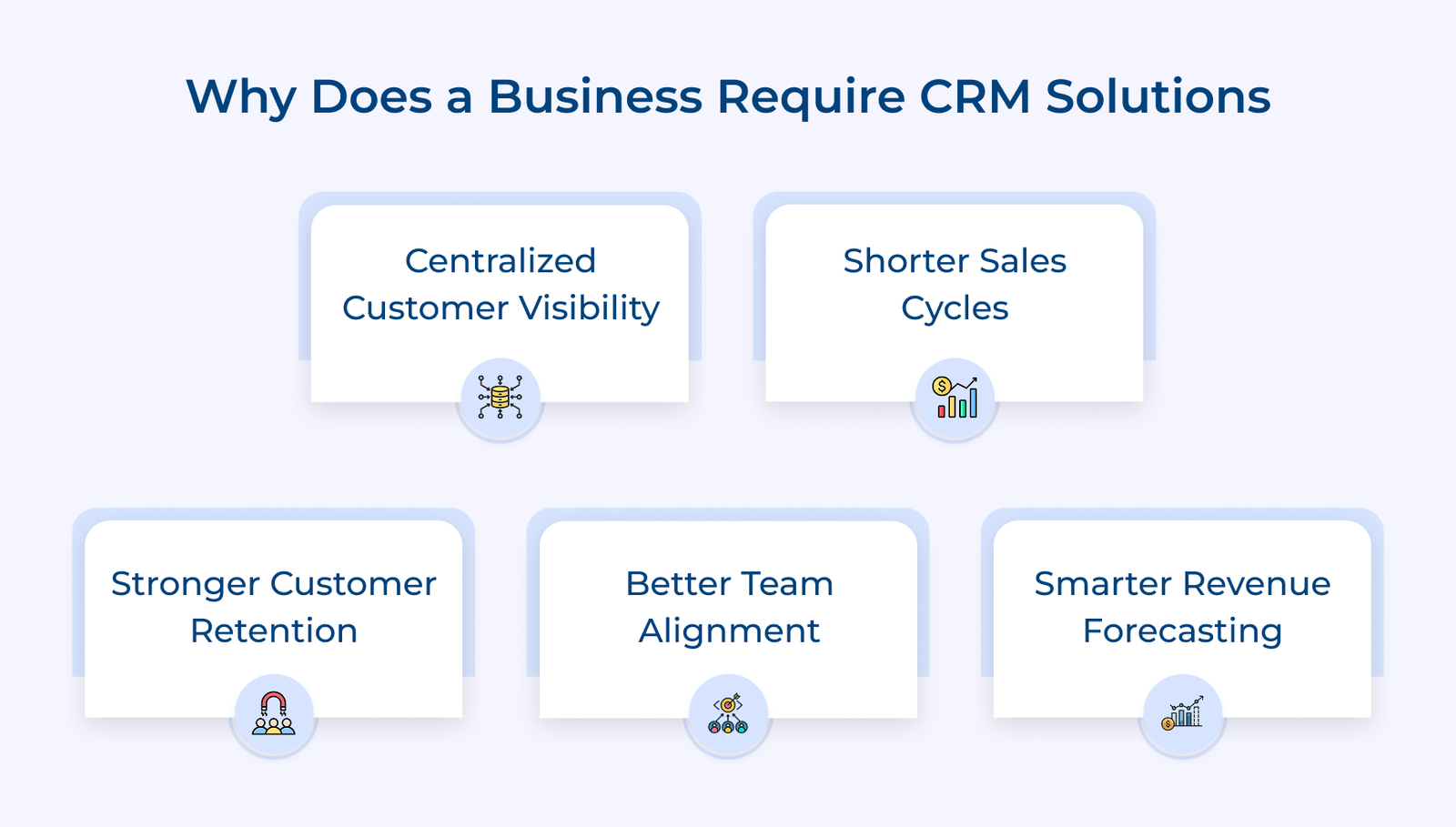
Teams struggle to make informed decisions when customer information is scattered across different tools. A CRM creates a single, shared view of every customer relationship so everyone works with accurate and up to date information.
Deals stall when reps lose track of where a prospect stands or forget to follow up at the right moment. CRM solutions keep every opportunity moving forward with timely reminders and clear next steps.
Keeping existing customers is more cost effective than constantly finding new ones, yet most businesses lack a system to track relationship health. A CRM flags at-risk accounts early so your team can intervene before a customer quietly walks away.
Sales, marketing and support teams work more effectively when they share the same customer information. A CRM keeps everyone aligned, reduces duplicate work and helps create a more consistent customer experience.
Guessing your next quarter’s revenue from scattered spreadsheets is a risk no growing business should take. CRM solutions give leadership accurate pipeline data to forecast with confidence and allocate resources where they matter most.
Let’s go through the key features that separate a functional CRM from one that genuinely drives revenue.
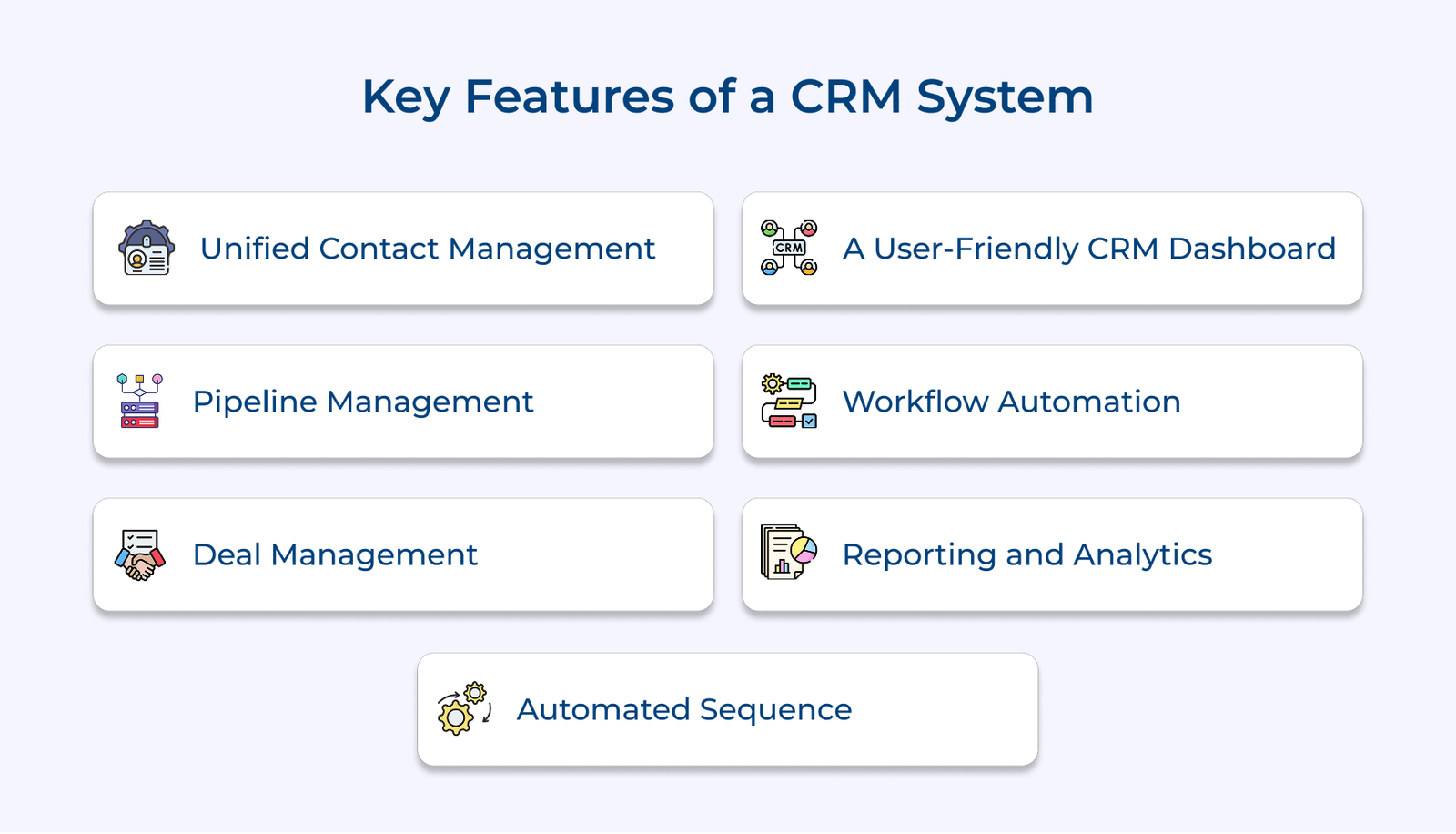
Unified contact management does more than store names and contact details. It brings every customer interaction, preference and activity into one place, giving every team the complete context they need to build stronger customer relationships. The CRM buyer’s guide highlights unified contact management as one of the most important features to evaluate before choosing a CRM.
Pipeline management gives sales teams a clear view of every active deal, its current stage and its likelihood of closing. It helps managers track progress, identify risks early and make better decisions without constantly asking for updates. The CRM buyers guide recommends evaluating pipeline management carefully because it has a direct impact on sales performance and forecasting.
Without pipeline visibility, sales managers end up reacting to missed targets rather than preventing them. Here is what strong pipeline management allows your team to do consistently:
Pro tips:
Deal management does more than track opportunities through the sales pipeline. It keeps every conversation, stakeholder, activity and timeline connected to a single deal, giving sales teams complete visibility throughout the buying process. The feature is critical when you are managing complex B2B sales with multiple decision-makers and longer closing cycles.
A well-configured deal management feature also tracks deal velocity, showing you how fast opportunities typically move through your pipeline. When a deal sits too long at a particular stage, your CRM buyers guide should surface that signal before the window closes.
So what does a good CRM dashboard actually look like in practice? It is one where a sales rep can log in each morning and immediately know which deals need attention. They will easily understand tasks are overdue and where their numbers stand without opening a single report.
Different teams need different information to do their jobs effectively. Sales representatives, managers and executives should each have dashboards that display the metrics most relevant to their responsibilities, making daily work faster.
Actionable tips:
Workflow automation reduces repetitive tasks so sales teams can spend more time building customer relationships and closing deals. Activities such as follow ups, task creation and notifications happen automatically, helping teams stay organized and consistent. The CRM buyers guide recommends workflow automation as an essential feature for businesses planning to grow their sales operations.
Does automation actually move the needle for mid-sized teams? Absolutely and the impact becomes most visible when your team is managing hundreds of active contacts simultaneously. Automated task assignments, stage-based triggers and internal notifications ensure that no lead goes cold simply because someone forgot to follow up.
Key takeaways:
CRM reporting moves your business decisions from gut feel to evidence-based strategy, which matters most when revenue targets are being missed without a clear explanation. The right reports tell you not just what happened but why it happened and where to intervene.
Beyond surface-level metrics like total deals closed, advanced CRM analytics can reveal which lead sources produce the highest lifetime value or which rep behaviors consistently result in churn. That level of insight is what separates businesses that grow intentionally from those that grow by accident.
Automated sequences help businesses stay consistent with follow-ups and customer communication. Timely outreach keeps prospects engaged throughout the sales journey and reduces missed opportunities caused by delayed responses. The CRM buyer’s guide recommends choosing a CRM with automated sequences to keep communication organized and consistent.
A good CRM adjusts sequences based on how prospects interact with your emails and messages. Engagement signals such as email opens, link clicks or replies help sales teams identify interested prospects, prioritize follow-ups, and reach out at the right time without adding extra manual work.
Check out the essential CRM selection criteria that will help you compare platforms, avoid costly mistakes and choose a CRM that fits your business needs and growth.
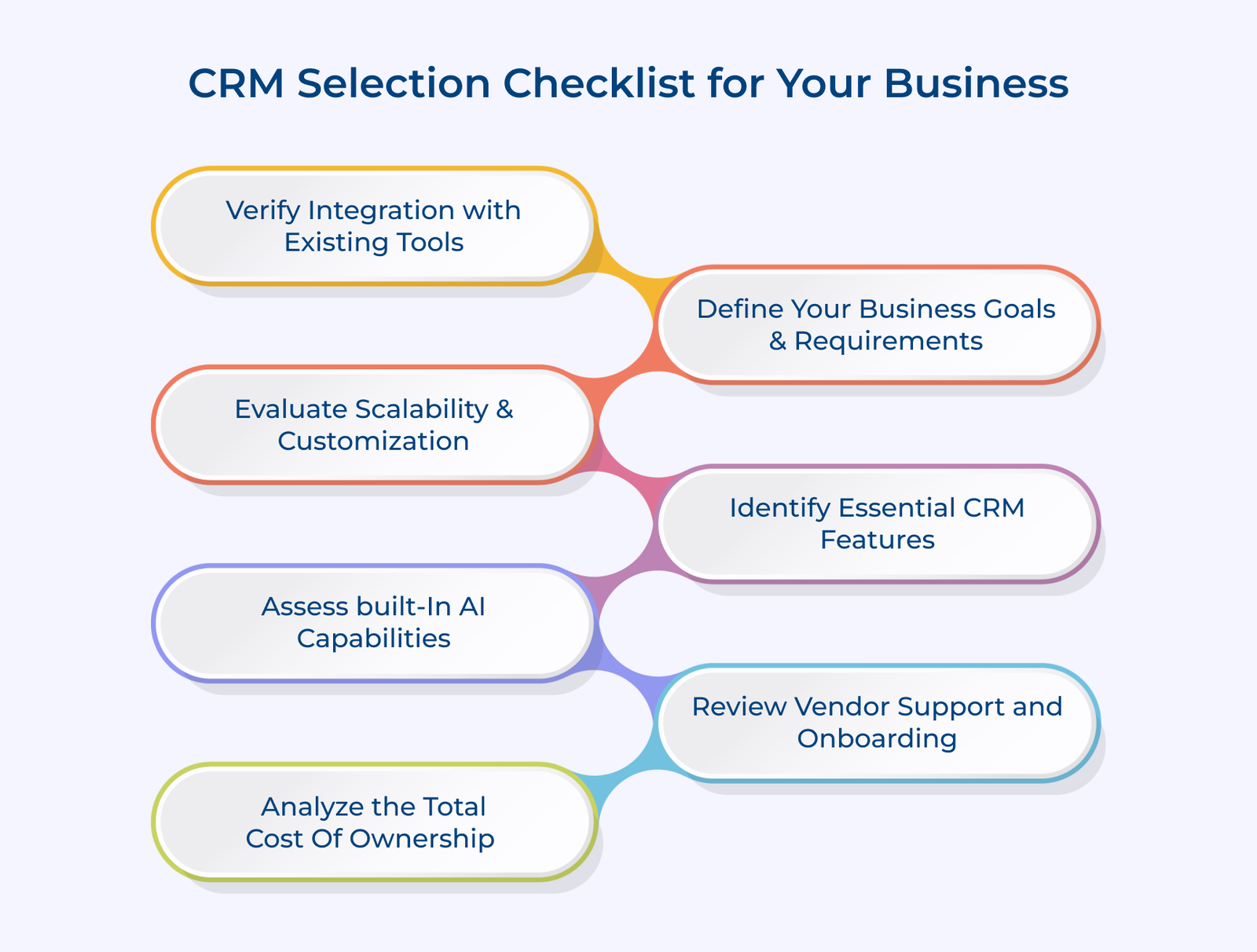
Start by defining the business problem you want your CRM to solve before comparing any platform. Every business has different priorities, so the right choice depends on your sales process, team structure and growth plans. The CRM buyers guide recommends identifying clear business goals first so that every CRM can be evaluated against practical requirements.
Most CRM failures happen not because the software was bad but because the business never defined what success looked like before purchasing. Setting measurable goals, such as improving lead response times or increasing customer retention, provides a clear framework for comparing CRM solutions.
Not every feature on a vendor’s pricing page is something your business actually needs. The mistake most teams make is chasing the longest feature list rather than the most relevant one. The CRM buyer’s guide recommends matching CRM features to your business goals and existing workflows instead of paying for capabilities that add little value.
Review your existing sales process and identify where work slows down or tasks are missed. Teams struggling with follow-ups will benefit more from automation than from advanced features they may never use.
Key features:
What actually drives daily adoption is clean contact records, fast search, mobile access and task reminders that work without configuration. A CRM that does the basics exceptionally well will always outperform a bloated platform that overwhelms your team on day one.
Key ways:
Here is a scenario that plays out more often than it should: a business selects a CRM that fits perfectly at 20 users, then hits a hard ceiling when the team grows to 80. Re-migrating your entire customer data history mid-growth is a costly and disruptive problem that proper scalability evaluation prevents entirely.
Growth involves more than adding users. Your CRM should support new teams, evolving sales processes and increasing customer data without becoming difficult to manage or requiring constant custom development.
A CRM should work seamlessly with the tools your business already uses. Poor integrations create duplicate work, inconsistent data and unnecessary manual effort that slows every team down. The CRM buyers guide recommends making integration capability a top priority before choosing any CRM.
Consider the software your teams rely on every day, including email, marketing automation, billing and customer support. Smooth data sharing across these systems keeps customer information accurate and eliminates repetitive data entry.
Key capabilities:
Beyond the technical checklist, evaluate how the CRM handles integration failures. A sync error between your CRM and billing platform that goes undetected for 48 hours can corrupt revenue attribution data your finance team relies on for quarterly reporting.
Key signals:
Built-in AI can help sales teams work more efficiently by identifying opportunities, highlighting risks and recommending the next best action. The value of AI depends on how well it supports everyday workflows, not simply on its presence. The CRM buyer’s guide recommends evaluating AI capabilities carefully to understand how they improve day-to-day sales activities.
Superficial AI, like basic email suggestions or simple chatbots, does not move the needle on revenue. What genuinely changes team performance is AI that analyzes deal patterns, predicts churn before it becomes visible and surfaces the next best action based on historical win data.
So what does meaningful built-in AI actually look like? It looks like a system telling a rep “the deal has a 78% chance of closing based on engagement signals,” not one that just auto-fills a contact’s job title from LinkedIn.
Most businesses evaluate a CRM on features and price, but never ask the most operationally critical question: what happens after you sign the contract? Vendor support quality during onboarding directly determines how fast your team reaches full productivity and how much revenue you lose during the transition.
Key ways:
The price listed on a CRM pricing page is only part of the total investment. Looking beyond the subscription cost helps you avoid unexpected expenses and choose a platform that fits your budget over the long term.
What catches most buyers off guard is the accumulation of costs only visible after the contract is signed. Implementation fees, migration charges, premium support tiers and per-feature add-ons can collectively double expected annual spend within the first year.
Key categories:
Beyond direct costs, factor in the cost of low adoption. A CRM used at 40% capacity because it is too complex is not delivering on its investment and that underutilization shows up directly in pipeline quality or rep efficiency.
Key points:
Before finalizing any CRM decision, the right questions separate a well-fitted platform from an expensive mistake. The crm buyers guide brings together the key questions that help cut through vendor claims and focus on real business fit.
Key questions:
Choosing the right CRM starts with understanding your business goals, daily workflows and future growth plans. A good decision comes from selecting a platform that fits the way your team works, not the one with the longest list of features.
Key takeaways:

If your team is losing track of leads, missing follow-ups or managing customer data across disconnected spreadsheets, you are ready for a CRM. The issues slow down sales and make it harder to deliver a consistent customer experience.
CRM pricing usually starts around $15 per user per month and can exceed $150 depending on various factors like features, team size and integrations. Consider the total cost, including implementation, support and add-ons, before choosing a plan.
Focus on the feature that solves your biggest business challenge, such as contact management, pipeline tracking or workflow automation. A CRM that fits your daily workflow will deliver more value than one packed with features your team rarely uses.
Small businesses often see the greatest benefit from adopting a CRM early. Organized customer data and structured sales processes make growth easier. Not just that, it also reduces the effort of moving away from spreadsheets later.
Implementation timelines range from two weeks for simple setups to six months for enterprise deployments with complex integrations and large data migrations. Vendor onboarding quality plays a bigger role in that timeline than the platform itself.

Grow Customer Relationships and stronger team collaboration with our range of products across the Conversational Engagement Suite.
Omnichannel Customer Support & Help Desk Software
AI Enabled Business Messaging and Chatbot Software
Sales Engagement & CRM Software
Call Center Software & Virtual Phone System
Product Marketing & Experience Platform
Customer Experience & Feedback Management Software
 Scroll to top