On Premise vs Cloud CRM: A Detailed Guide in 2026
Compare the systems of on premise vs cloud CRM systems in detail. Explore their setup, costs, control, security and scalability to choose the right fit for your business needs.
Compare the systems of on premise vs cloud CRM systems in detail. Explore their setup, costs, control, security and scalability to choose the right fit for your business needs.
Choosing between on premise vs cloud CRM can feel like a high-stakes call. A wrong move drains money, slows adoption and puts important customer relationships at risk. Many teams get caught between the control that on premise tools offer and the ease of cloud platforms – add to that the noise from vendors, which rarely helps.
The guide skips the usual surface-level pros and cons. It breaks down how each setup actually works, from data handling to control, updates, scalability and support. You get a clearer picture of what each system demands and what it delivers. That makes it easier to pick the option that aligns with your goals today and leaves room to grow tomorrow.
An on premise CRM system refers to software that runs on a company’s own servers, managed entirely in-house. Unlike cloud-based tools, the setup gives businesses full ownership of their data, infrastructure and how the system is maintained or updated. The CRM is installed directly on internal hardware and everything from setup to security is handled by the organization’s IT team.
Key aspects:
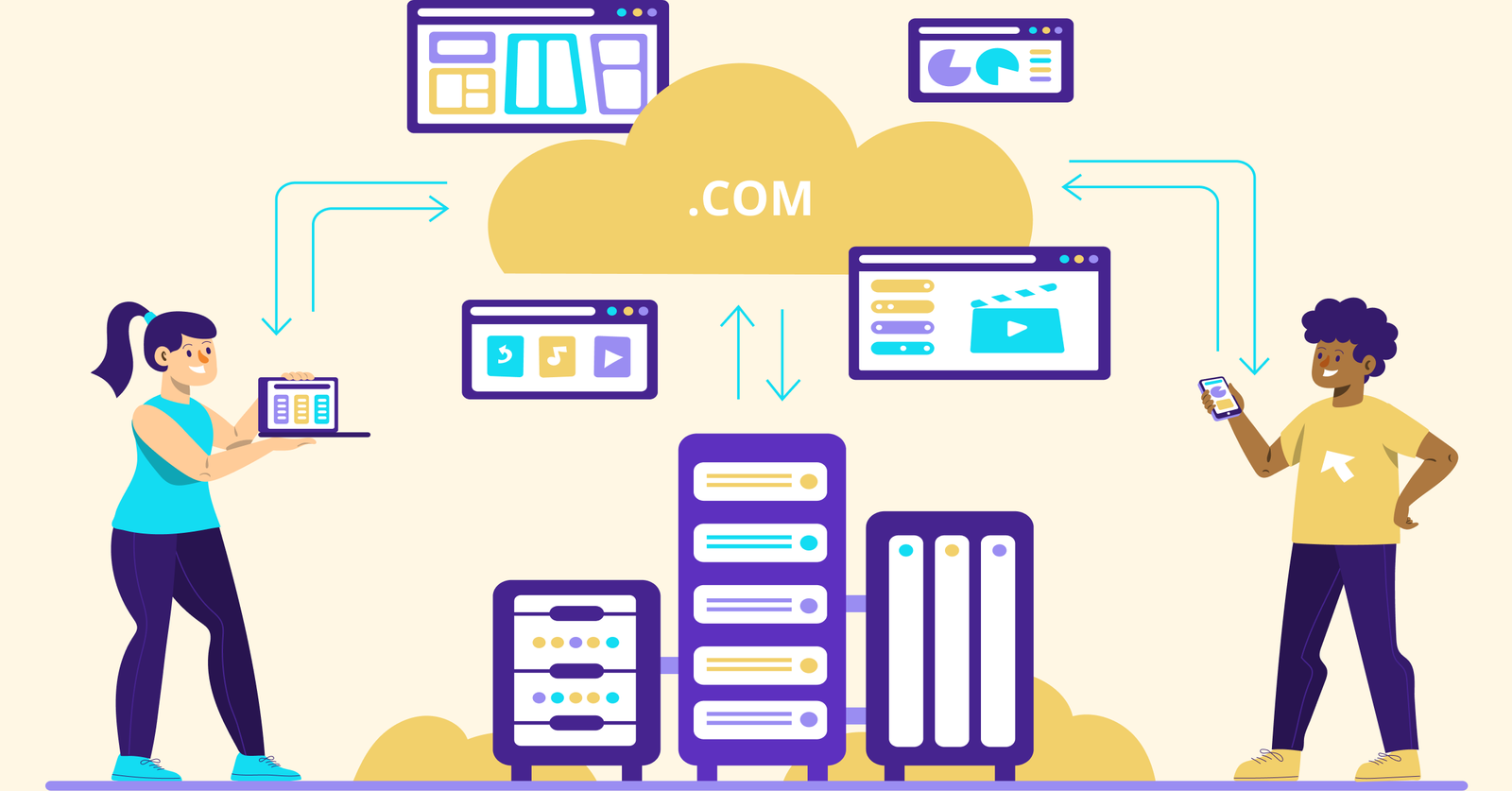
A cloud CRM refers to a customer relationship management system that is hosted on remote servers and accessed via the internet. Instead of running the software on your hardware, you use it through a browser or app, with everything, from data storage to updates, managed by the provider. The setup removes the need for in-house infrastructure and simplifies technical upkeep. Businesses pay a recurring fee based on their usage, making it easy to scale up or down as needs change.
Key factors:
Let’s go through the key advantages of cloud CRM and on premise systems to understand how each supports different business needs, from control to flexibility.
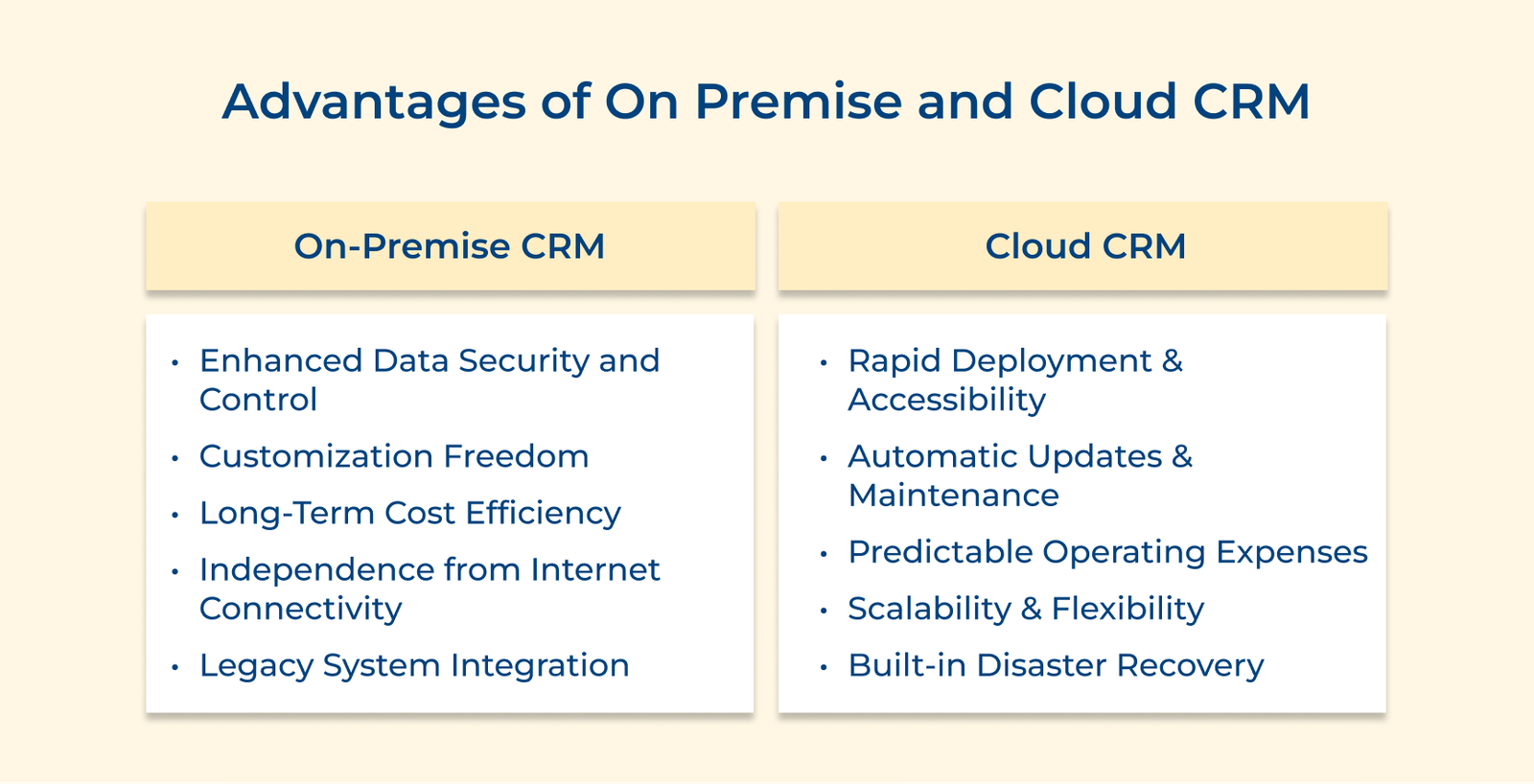
1. Enhanced Data Security and Control
All customer data stays within your company’s systems with on-premise CRM. Your IT team has full visibility into how data is stored, accessed and protected. It is quite ideal for businesses with strict compliance requirements.
2. Customization Freedom
Unlike cloud systems with fixed features, on-premise CRM lets you adapt the software to fit exactly how your business operates. Your developers can tweak, extend or rebuild parts of the system to match specific workflows or integrate with custom tools.
3. Long-Term Cost Efficiency
While the upfront cost is higher, owning your CRM outright can be more cost-effective over time, especially for businesses that expect steady use over many years. Without monthly subscription fees, total expenses may level out more favorably in the long run.
4. Independence from Internet Connectivity
If your internet goes down, your on-premise CRM keeps running. It ensures uninterrupted access to customer data – an important advantage for teams in areas with unstable connections or for companies that can’t afford downtime.
5. Legacy System Integration
If your business relies on older in-house software, an on-premise CRM is often easier to connect to it. Direct database access and more flexible integration options allow you to modernize without overhauling your entire tech stack.
1. Rapid Deployment and Accessibility
Cloud CRM systems don’t require complicated installations; most can be up and running within a few days. Since everything runs online, your team can log in from any location, making it ideal for remote work or multiple office setups.
2. Automatic Updates and Maintenance
There’s no need to worry about software patches or system upgrades. The provider takes care of updates behind the scenes, so your CRM always has the latest features and security fixes without slowing down your work.
3. Predictable Operating Expenses
Instead of large upfront investments, you pay a regular subscription fee. It helps with budgeting and avoids surprise expenses like hardware repairs or outdated equipment replacements.
4. Scalability and Flexibility
Cloud CRM makes it simple to handle team changes, no matter how fast things move. You can scale up or down without dealing with servers or heavy IT work. It shifts with your business as you grow.
5. Built-in Disaster Recovery
Built-in backups and automatic fail-safes mean your customer data is protected even if something goes wrong. Cloud CRMs help you stay up and running without needing to build your backup systems.
Below are the differences between cloud vs on premise CRM that go beyond the typical advantages and disadvantages. Let’s check them out in more detail.
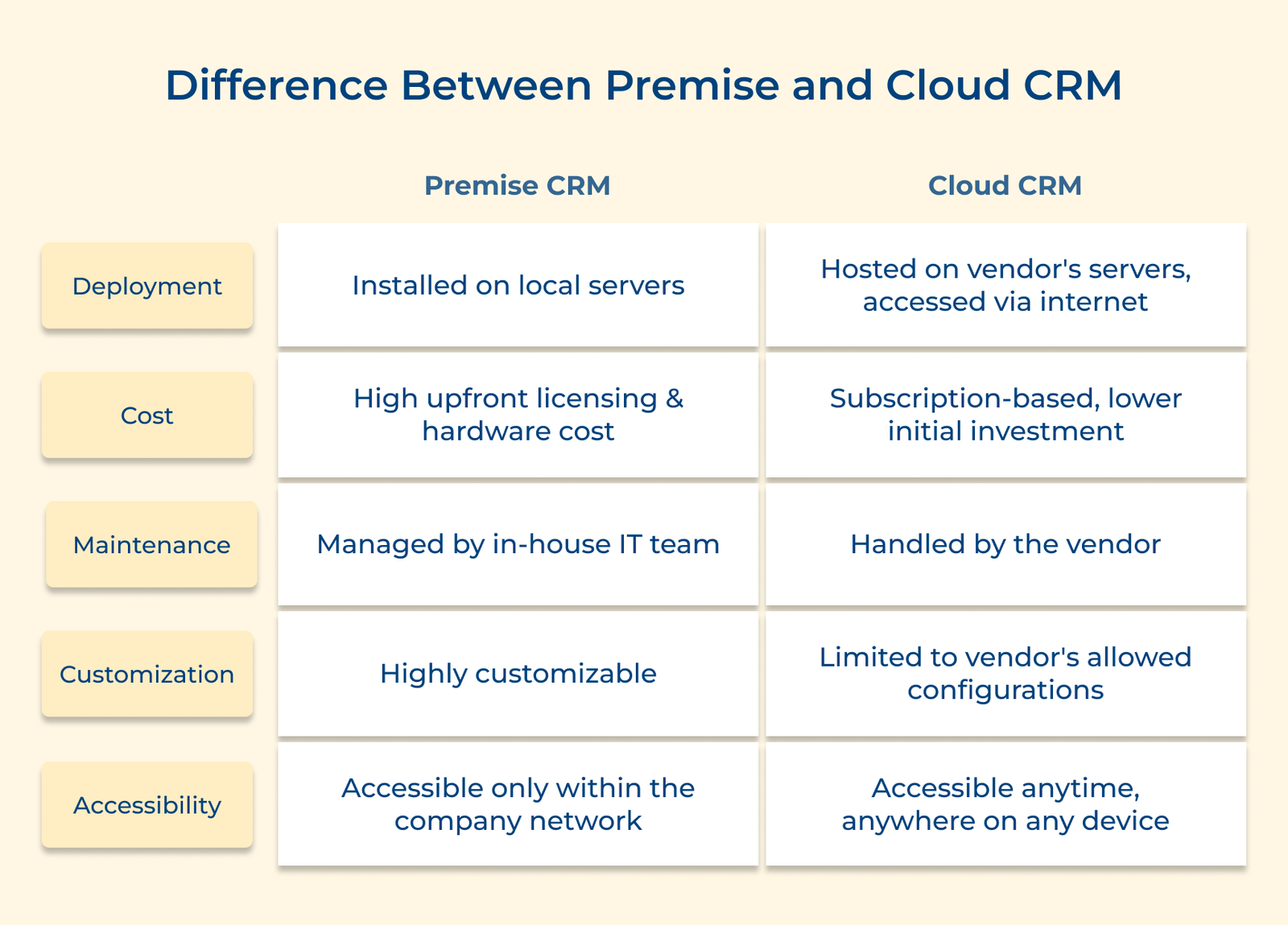
On-premise CRM: Installed on your own servers, an on-premise CRM sits entirely within your company’s physical infrastructure. Your IT team manages the hardware, software and data storage on-site, giving them hands-on control.
Cloud CRM: The system runs on external servers managed by the CRM provider. You access it online through a browser or app, with no need to manage the physical hardware or data center behind it.
A financial services company with tight compliance rules might lean toward on-premise CRM because it lets them keep servers on their own turf. That makes it easier to secure the hardware and review it directly during audits.
Pro tips:
On-premise CRM: You pay a large upfront fee to buy the software and set up the necessary hardware. The one-time purchase gives you ownership of that software version, but future upgrades or changes may require additional spending.
Cloud CRM: You pay a recurring subscription fee based on how many users you have and the features you need. You don’t own the software, but you always have access to the latest version and updates as part of your plan.
A small startup might pick a cloud CRM because it only pays for the five people using it right now. As the team expands, it simply adds more seats and keeps moving without dealing with new hardware or heavy upfront costs.
Actionable tips:
On-Premise CRM: Getting started takes time, often several months. You’ll need to purchase hardware, set up servers and configure networks before the software even gets installed. The process demands coordination across teams and careful planning to avoid delays.
Cloud CRM: Most systems are ready to use within hours or days. Since the provider handles the backend setup, your team can jump straight into data migration and training. There’s no hardware to install, so you can move quickly and build out features over time.
Let’s say a retail chain needed to move quickly before the holiday rush, so they chose a cloud CRM. The sales team got the basics up and running within three days. They layered in the advanced features once everyone was comfortable and the initial rollout was steady.
Key takeaways:
On-premise CRM: Employees typically access the system from company devices on the internal network. Remote access requires setting up secure VPN connections and mobile use often needs added security steps.
Cloud CRM: Team members can log in from anywhere using a web browser or mobile apps. There’s no need for special network setups, just an internet connection. Access is built for mobility from the ground up.
Imagine there’s a consulting firm whose account managers use a cloud CRM to update client records right after a meeting. They can do it from the office or on-site without dealing with VPNs or remote desktop tools, and the information stays accurate for everyone who needs it.
Best practices:
On-premise CRM: You have deep control over the entire system. Developers can alter core code, redesign database structures and create entirely new features that reflect your business’s exact processes. The changes are unique to your organization and aren’t limited by vendor restrictions.
Cloud CRM: Customization is generally done through built-in settings, workflow tools or external integrations. The system’s core remains untouched, meaning you work within vendor-defined boundaries to ensure stability and support.
A manufacturing company needed a way to track production lots for each customer. They reworked their on-premise CRM database to add custom fields and tables. This kind of deep change usually isn’t possible in most cloud CRMs unless you bring in extra tools.
Pro tips:
On-premise CRM: You control when and how system upgrades happen. Your IT team can fully test updates in advance, delay changes during sensitive business periods or even choose to skip versions entirely if the current setup is stable and meets your needs.
Cloud CRM: Updates are managed by the vendor and usually happen automatically. While you may receive advance notice and documentation, you can’t opt out of major changes indefinitely. Everyone is upgraded to the latest version to maintain consistency and support.
A university held off on upgrading its on-premise CRM until admissions wrapped up, which kept everything running smoothly during a hectic stretch. Schools on cloud CRMs didn’t get that choice, so they had to adjust mid-cycle when updates rolled out on their own.
Actionable tips:
On-premise CRM: Integrations typically use internal API calls or direct database access, allowing for tight coupling with other in-house systems. The connections stay entirely within your network, enabling high-speed, real-time data exchange without relying on external internet access or third-party security protocols.
Cloud CRM: Integrations are handled through cloud-based APIs and webhooks that transmit data across internet connections. The setups require managing access tokens, respecting vendor-imposed rate limits and handling data across different systems, which introduces more complexity but also broader compatibility.
A healthcare provider linked its on-premise CRM to its electronic health record system through a shared database. This setup gave the team real-time updates while keeping sensitive information inside their own network. Typical cloud integrations can’t offer that level of control.
Best practices:
On-premise CRM: Your IT team is responsible for maintaining backup and recovery systems. It includes setting up redundant servers, managing off-site storage and planning for how long recovery might take in different scenarios. Your recovery capabilities directly reflect the time, cost and expertise your team invests in preparedness.
Cloud CRM: Backup and recovery are handled by the service provider, built into the platform from the start. Data is stored across multiple locations and failover systems kick in automatically during disruptions. Recovery is governed by service-level agreements, offering predictable and fast access no matter the cause of downtime.
A regional power outage hits and the manufacturer keeps orders moving through cloud CRM on mobile devices thanks to remote access. Their on-premise tools stay offline until the local backup power finally kicks in, creating a clear gap in how each system handles downtime.
Key takeaways:
The following are the real-world examples of companies using both on premise and cloud CRM systems, along with the business impacts of their choices.
JPMorgan Chase
JPMorgan Chase uses a custom-built, on-premise CRM system tailored specifically for its trading and investment banking operations. The platform is tightly integrated with internal financial systems, enabling real-time access to both client relationships and sensitive transaction data.
Their in-house IT team has heavily modified the system to support complex global compliance requirements, giving the bank flexibility to respond quickly to changing financial regulations. JPMorgan retains full control over client data and ensures seamless alignment with its proprietary trading technologies by keeping the CRM infrastructure in-house.
Volkswagen Group
Volkswagen runs large-scale on-premise CRM systems across its global network of brands and dealerships. The systems link customer data with vehicle service records and production information, giving a complete view of each customer’s lifecycle from configuration to purchase to service.
While each brand operates independently, core infrastructure is shared, supporting consistency across the group. The approach allows Volkswagen to align manufacturing decisions with customer trends and maintain uniform customer experiences across regions, all while meeting brand-specific needs.
Mayo Clinic
Mayo Clinic relies on an advanced on-premise CRM system integrated with its electronic health records and specialized clinic platforms. Designed for their collaborative care model, the system enables physicians to coordinate treatment across specialties while maintaining strict compliance with healthcare privacy regulations like HIPAA.
Custom interfaces and workflows support specific needs in different departments, allowing Mayo Clinic to adapt the platform to evolving clinical practices without relying on vendor timelines. The result is a tightly controlled, patient-focused system that supports better outcomes and smoother care experiences.
Spotify
Spotify uses Salesforce’s cloud CRM to manage complex relationships with artists, music labels and advertisers across the globe. The platform integrates streaming data with partnership tools, giving the company a unified view of its business relationships.
Spotify can efficiently manage millions of creators or partners while adapting to regional licensing rules and payment structures. The setup allows for rapid entry into new markets and supports experimentation with partnership models, keeping Spotify agile as it grows.
American Red Cross
The American Red Cross relies on Microsoft Dynamics’ cloud CRM to organize donations, volunteers and disaster response efforts across the U.S. The system tracks donor relationships and volunteer readiness, helping staff deploy aid quickly during emergencies.
Their mobile-friendly design ensures continuity even when local infrastructure fails. The Red Cross can handle large spikes in activity during crises without needing to invest in emergency IT expansion with scalable cloud capacity.
Starbucks
Starbucks uses a cloud-based CRM to run its loyalty program and targeted promotions across its worldwide network of stores. The system collects purchase history, preferences and rewards data to deliver real-time, personalized experiences through its mobile app.
Tightly connected to point-of-sale systems, the platform ensures customers are recognized and rewarded consistently, no matter where they are, be it New York or Tokyo. The data-driven approach drives customer engagement and supports frequent, high-value visits across locations.
Choosing a CRM setup comes down to knowing what your business actually needs. On-premise systems give you tighter control over data, customization and system behavior, yet they demand a higher upfront spend. They tend to suit companies with strict data rules, complicated workflows or deep ties to older systems.
Cloud CRMs bring speed, flexibility and easy access for teams spread across locations. They take pressure off your internal staff since updates and maintenance happen on their own. This route works well for organizations that want simple onboarding, remote access and room to scale without heavy technical work.
A single approach doesn’t always cover everything. Many businesses get the best results from a hybrid setup that uses cloud tools for everyday interactions and on-premise systems for more sensitive work. What really matters is choosing the option that supports your customer experience instead of following whatever the market is hyping.

Both can be secure when properly managed, but the responsibility lies in different places. On-premise gives you full control, which is ideal if your team has strong in-house security expertise and strict compliance needs. Cloud providers often have dedicated security teams and infrastructure that smaller organizations can’t easily replicate. Your decision should depend on your specific security policies, resources and risk tolerance, not assumptions about one being safer than the other.
Cloud CRM is generally much faster to get up and running, often in a matter of days or weeks. You can start small and build from there. On-premise CRM usually takes months, involving hardware setup, custom configurations and internal coordination. If speed to launch is critical, cloud solutions are typically the more practical choice.
Yes, but it usually requires more effort. On-premise CRMs can connect to cloud apps through APIs, but you’ll likely need custom development and active monitoring to keep everything synced. Middleware tools can help bridge the gap, but your IT team will need to be hands-on with integration, maintenance and updates.
Data migration is doable, but not always simple. You’ll need to export, clean, reformat and import data while ensuring relationships between records remain intact. Many vendors offer tools to assist, but you’ll still need time and attention from your team. It will be especially for mapping fields, testing and verifying everything transfers correctly.
Cloud CRM needs a stable internet connection as slow or interrupted access can delay work. If your business operates in areas with frequent connectivity issues, it could be a challenge. On-premise CRM continues to work on your internal network even if the internet goes down, which can be a big advantage in such environments.
Yes. On-premise CRMs offer full access to the system’s core code and database, so you can customize nearly every aspect. Cloud CRMs limit changes to ensure stability across users, focusing on configurations, workflows and approved plugins. Cloud customization is enough for most businesses, but if your processes are highly specialized, on-premise may provide the flexibility you need.

Grow Customer Relationships and stronger team collaboration with our range of products across the Conversational Engagement Suite.
Omnichannel Customer Support & Help Desk Software
AI Enabled Business Messaging and Chatbot Software
Sales Engagement & CRM Software
Call Center Software & Virtual Phone System
Product Marketing & Experience Platform
Customer Experience & Feedback Management Software

 What is Hybrid Chatbot? Key Features, Benefits & Use Cases
Scroll to top
What is Hybrid Chatbot? Key Features, Benefits & Use Cases
Scroll to top