11 Best Help Desk Ticketing Systems for IT Professionals
Explore how the best help desk ticketing systems streamline IT support, improve efficiency and enhance overall service management.
No credit card required. Easy setup
Trusted By Leading Brands


Explore how the best help desk ticketing systems streamline IT support, improve efficiency and enhance overall service management.
No credit card required. Easy setup
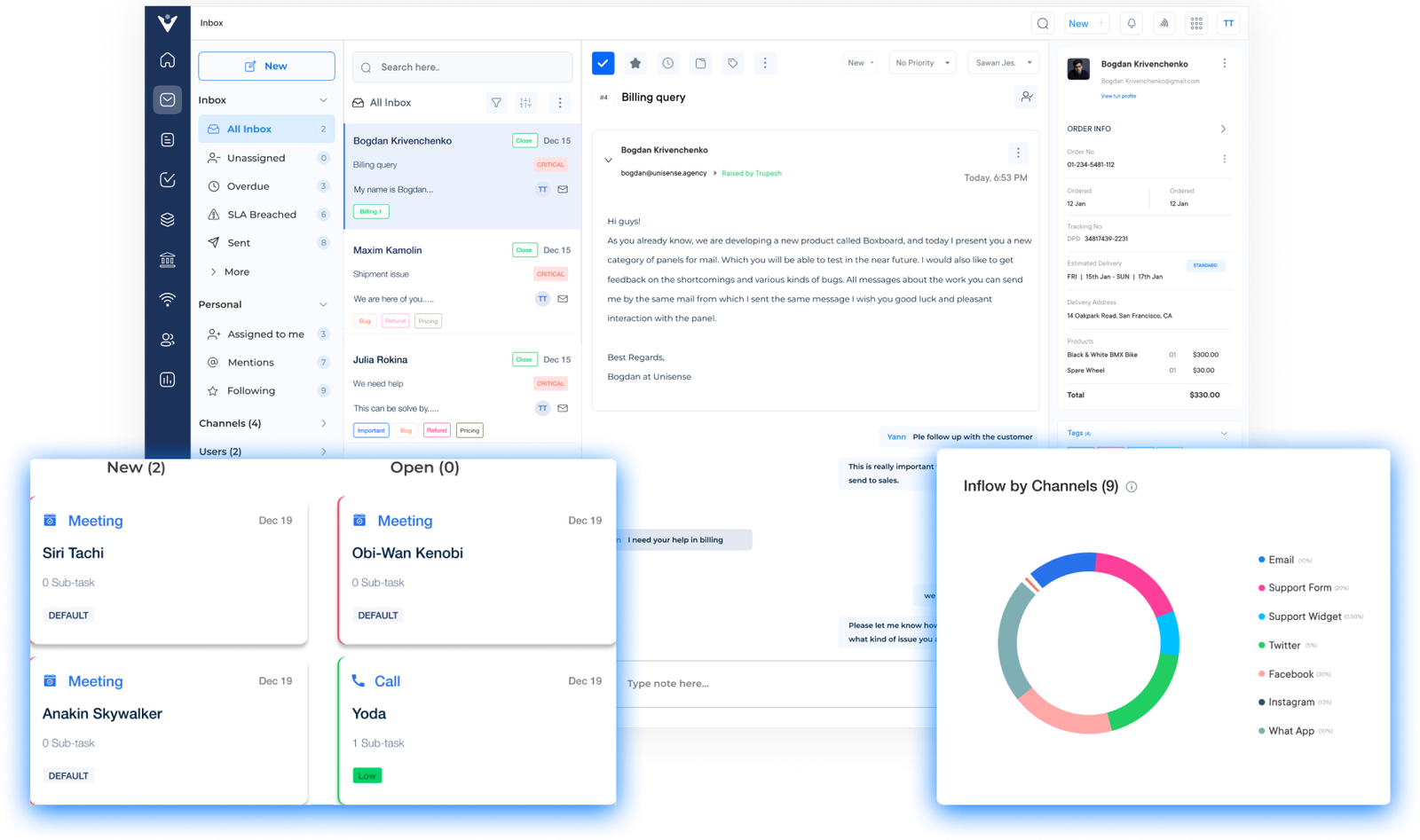
Revolutionize your customer support with a unified platform that brings all communication channels together. Experience the power of automation to handle routine tasks and allow your team to focus on complex issues.
Easily create, assign, prioritize tickets for effective tracking and management. Ensures that tickets are routed to the individuals or departments best equipped to handle the specific issue.
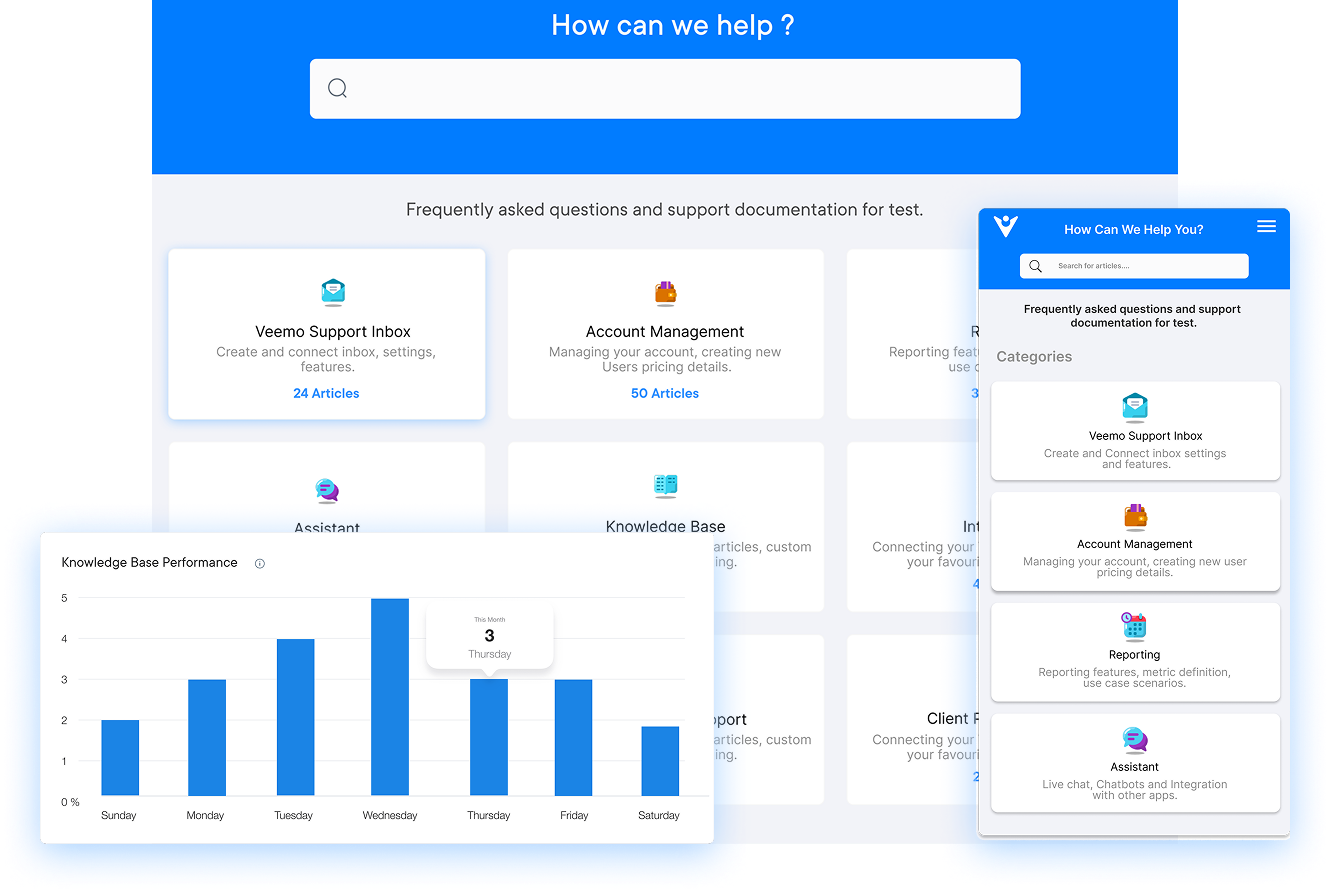
Empower users to resolve IT issues on their own with a user-friendly portal featuring knowledge base articles and troubleshooting guides.
Streamline processes and save time with automatic ticket routing and auto-responses. The system eliminates the need for manual communication by automating the notifications.
Measure performance, identify areas for improvement and generate detailed reports on ticket resolution time. Stay ahead of the curve and make data-driven decisions to deliver an exceptional customer experience.

Most businesses lose customers due to delays in their responses across scattered channels. Customers expect seamless support, as inefficiency can directly impact retention and revenue.
A help desk ticketing system is ideal for businesses to help capture, organize and track customer queries from submission to resolution. Walk through the guide to explore its key features, benefits and evaluation criteria for choosing the right platform for your business needs.
An IT Help Desk Ticketing System tracks, prioritizes and resolves technical issues efficiently. Users submit tickets describing problems, which are then assigned to agents who manage it through organized communication. It streamlines ticket handling while improving response times through structured workflows.
The key objectives are:
Let us compare some of the top IT help desk ticketing systems and tools available. The comparison will help businesses choose the one that best suits their organization’s requirements and budget.
| System | Pricing |
Plans/Trial | Key Features |
| Veemo Support | $29/user/month | 14-days free trial |
|
| Omni24 | $29/user/month | 14-days free trial |
|
| Zendesk | $49/agent/month | 14-days free trial |
|
| Freshdesk | $15/agent/month | 21-days free trial |
|
| Jira Service Management | $20/agent/month | 7-days free trial |
|
| Spiceworks | Free | N/A |
|
| SysAid | Custom pricing | 30-days free trial |
|
| ServiceNow | Custom pricing | Free trial available |
|
| SolarWinds Web Help Desk | $19/agent/month | 14-day free trial |
|
| Freshservice | $19/agent/month | 21-days free trial |
|
| Kayako | $30/agent/month | 14-days free trial |
|
Finding the right ticketing system is key to keeping operations running smoothly. Here are the best 11 help desk ticketing software lists along with their top features:
Best helpdesk ticketing system for reporting and analytics
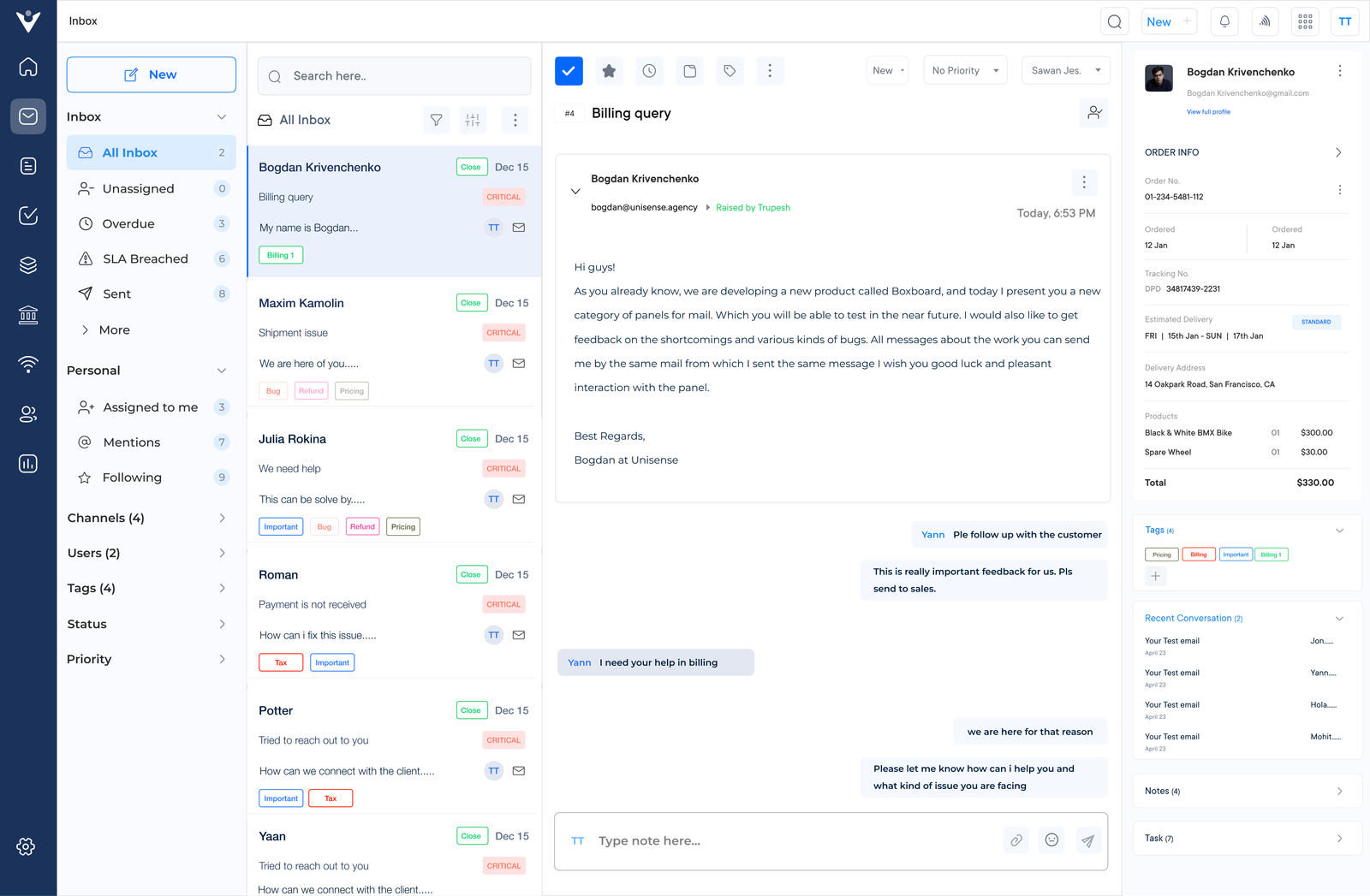
Veemo Support stands out as the best helpdesk and customer support software for organizations aiming to boost efficiency. It combines omnichannel communication, a knowledge base and detailed analytics to streamline overall support operations.
Veemo Support helps streamline IT ticket creation, routing and resolution through smart automation. Shared inbox helps in collaborating all agents or teams to further empower IT teams to resolve technical issues efficiently with greater transparency.
Key features:
Pricing: Veemo’s plans range between $29/user/month to $129/user/month, depending on various factors. Visit Veemo’s pricing page for more insights.
Top help desk ticketing solution for good CX
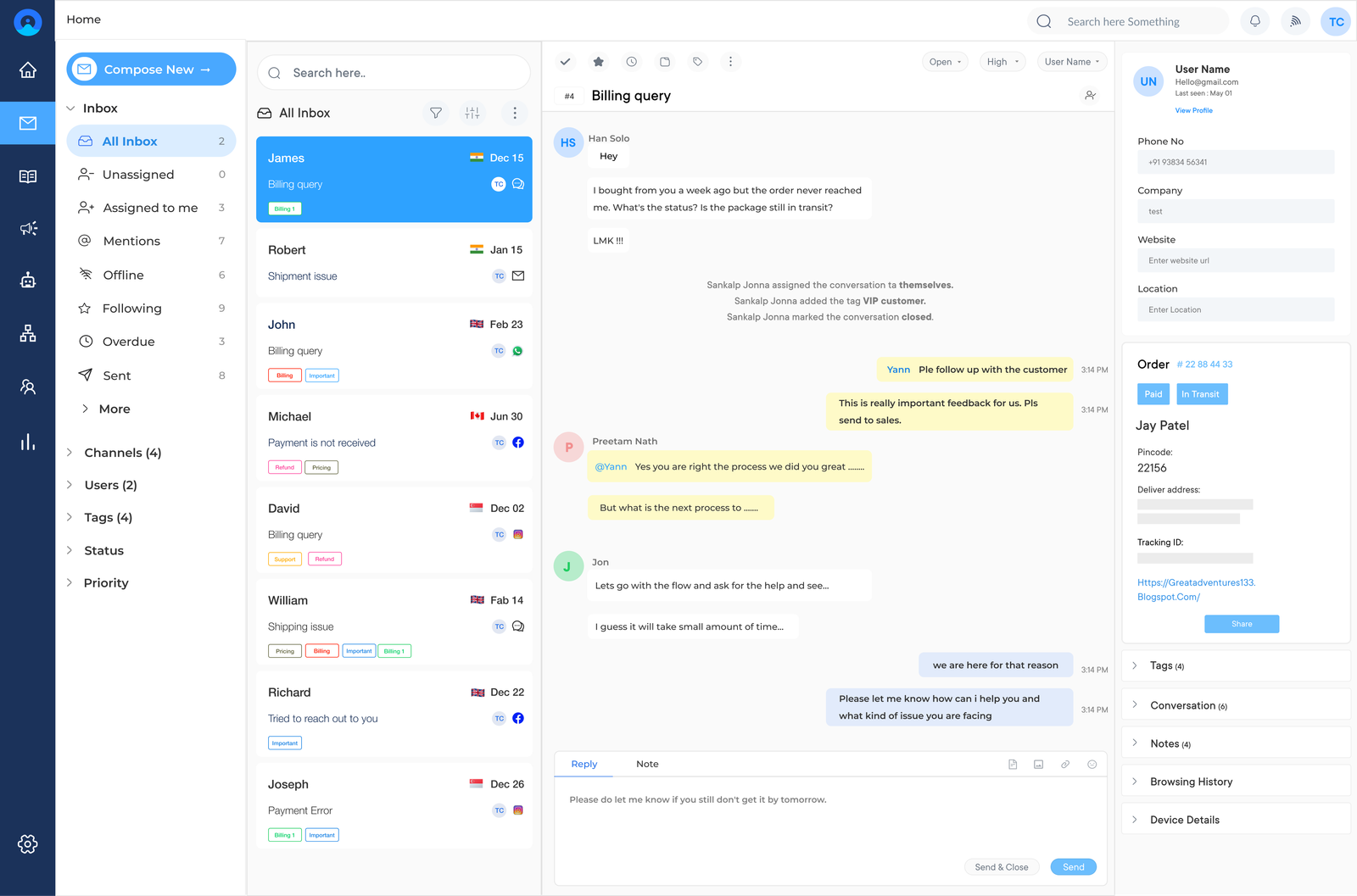
Omni24 is an AI-powered customer engagement platform that unifies three suite marketing, sales and support, empowering businesses to improve customer experience seamlessly across every channel. This drives efficiency and growth across the entire customer journey.
Businesses can use Omni24’s help desk to streamline IT ticketing workflow. It centralizes inquiries, automating ticket routing and prioritizing issues based on urgency. IT teams can track resolution time to maintain high-quality service across the organization.
Key Features:
Pricing: The pricing starts from $29/month with one inbox feature and goes up to $149/month for unlimited inboxes. Check out their pricing page for detailed information.
Comprehensive online help desk ticketing system for seamless integrations

Zendesk serves as a comprehensive platform that allows IT teams to manage customer issues. It helps streamline the ticketing process with its user-friendly interface.
The solution offers ticket management, automation, self-service options and integrations with various third-party applications. It also offers multi-channel support, enabling IT teams to communicate with customers through email, chat, phone and social media. Zendesk is a robust solution for IT professionals looking to enhance their help desk operations.
Robust help desk ticketing solution for streamlining IT support

Freshdesk is widely recognized as one of the best help desk and ticketing software options for IT professionals. Freshdesk streamlines IT support processes, making it easier for teams to manage and resolve customer issues efficiently.
Amongst the notable attributes of Freshdesk include ticketing management, live chat support, knowledge base creation, help desk automation and reporting tools. The software also integrates with popular IT tools, allowing for seamless communication. Freshdesk is a top choice for IT professionals looking to enhance their customer support operations.
Extensive customer service ticketing system for workflow automation
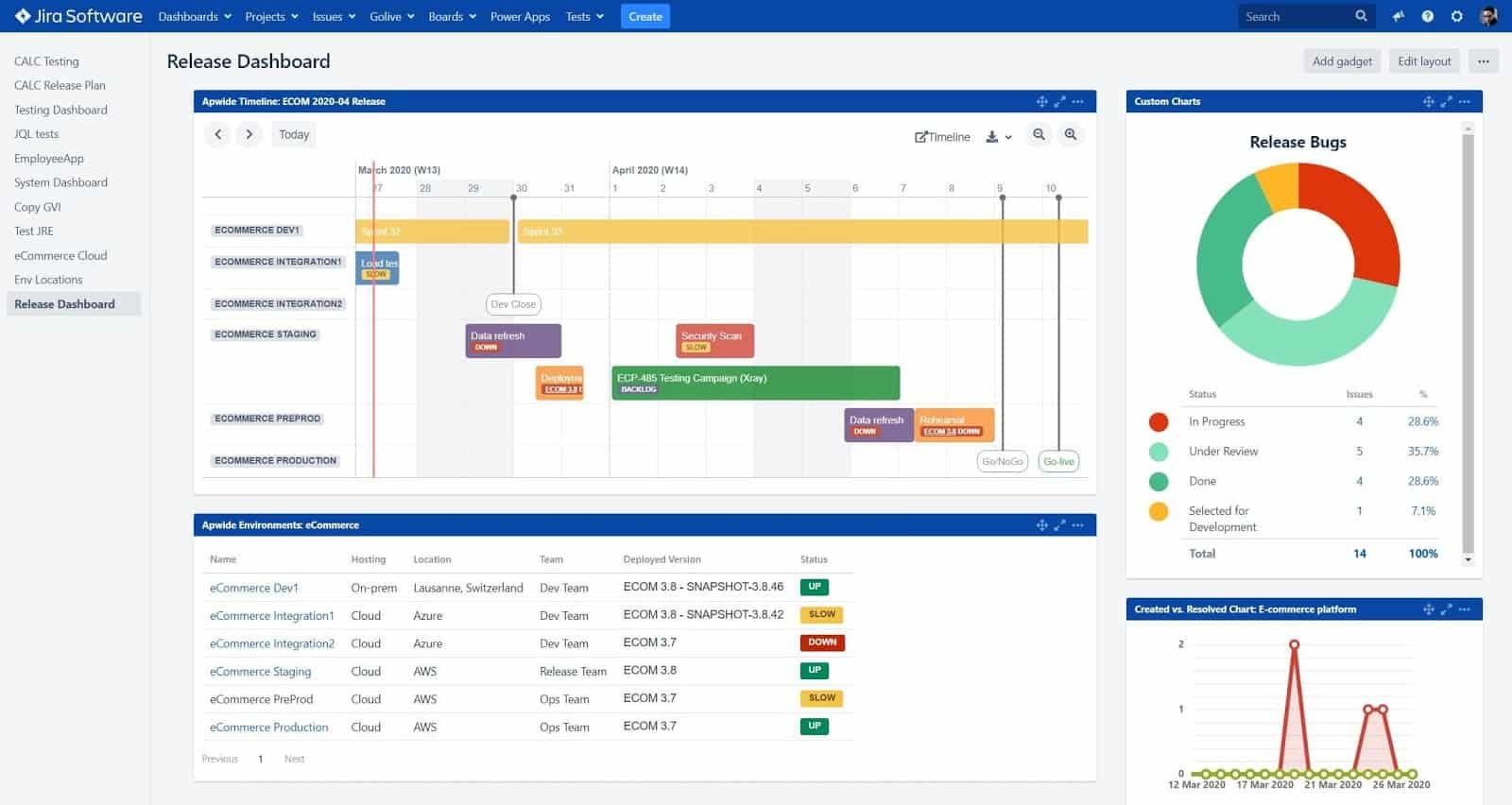
Jira Service Management is a renowned platform used by businesses to manage their customer support and ticketing needs efficiently. Businesses can streamline their help desk operations, track customer issues and resolve tickets with Jira Service Management.
Some of the standout features of Jira Service Management are customizable workflows, SLA management, reporting and integration with other Atlassian products like Jira Software. It also offers self-service portals for customers to submit tickets and track their progress.
Comprehensive help desk ticketing software for streamlining communication
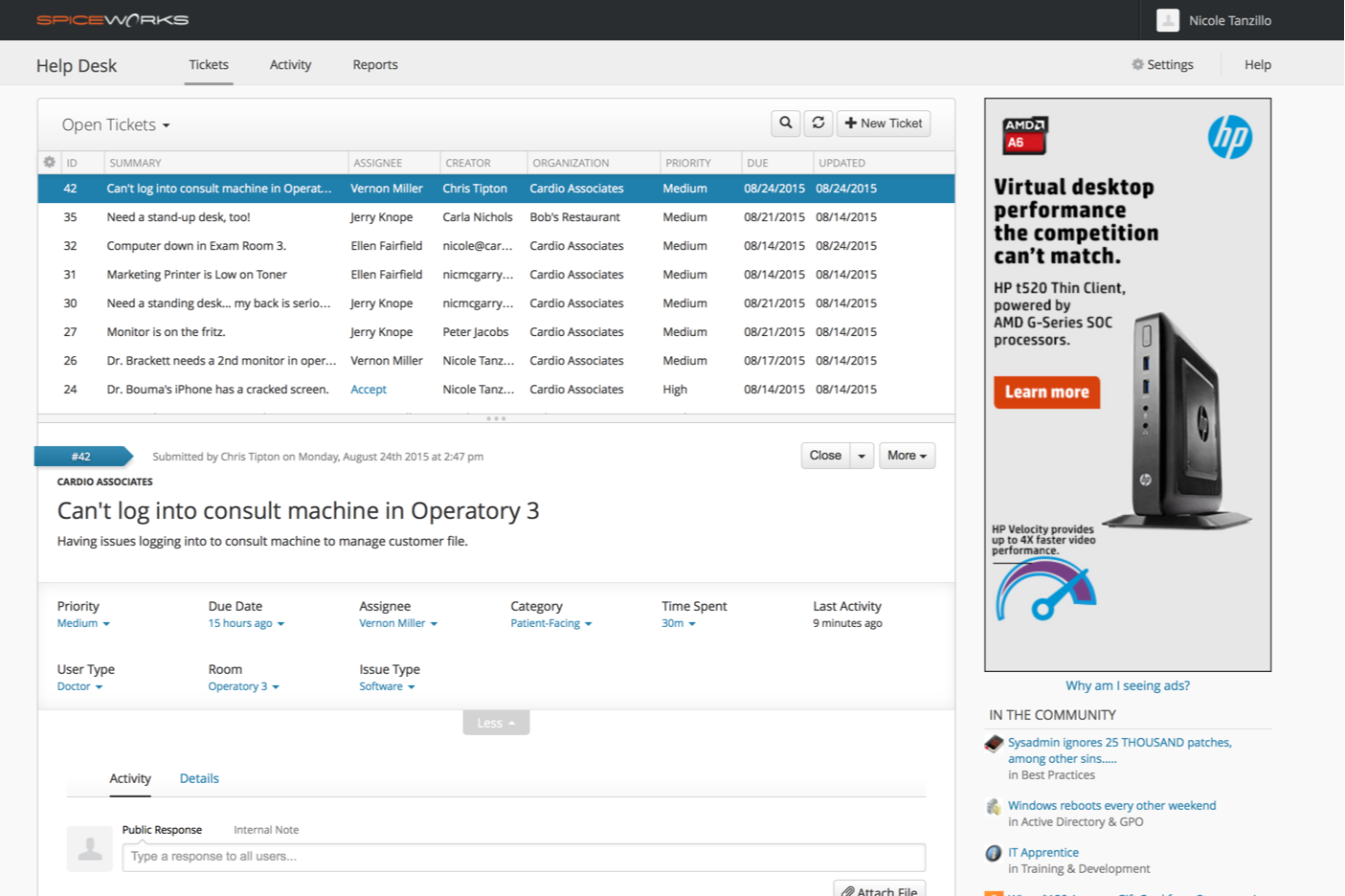
Spiceworks stands out as a top choice for businesses, recognized for its powerful and intuitive help desk and ticketing software. It offers a comprehensive solution for managing IT support tickets and streamlining communication.
Spiceworks provides a user-friendly interface that makes it easy for businesses to prioritize and resolve technical issues efficiently. The software is suitable for small to medium-sized businesses looking to improve their IT support processes and increase productivity. Why businesses are exploring best Spiceworks alternatives.
Robust help desk ticketing software for reporting tools

SysAid is considered one of the most comprehensive platforms for managing IT service requests and assets all in one place. It helps organizations increase efficiency through its user-friendly interface.
Ticketing management, asset management, remote control capabilities, knowledge base integration and reporting tools are the primary capabilities of SysAid. The software also offers automation features to reduce manual tasks and increase productivity. Read more: A detailed list of SysAid alternatives to consider for your team.
Extensive help desk ticketing solution for enhancing organizational productivity
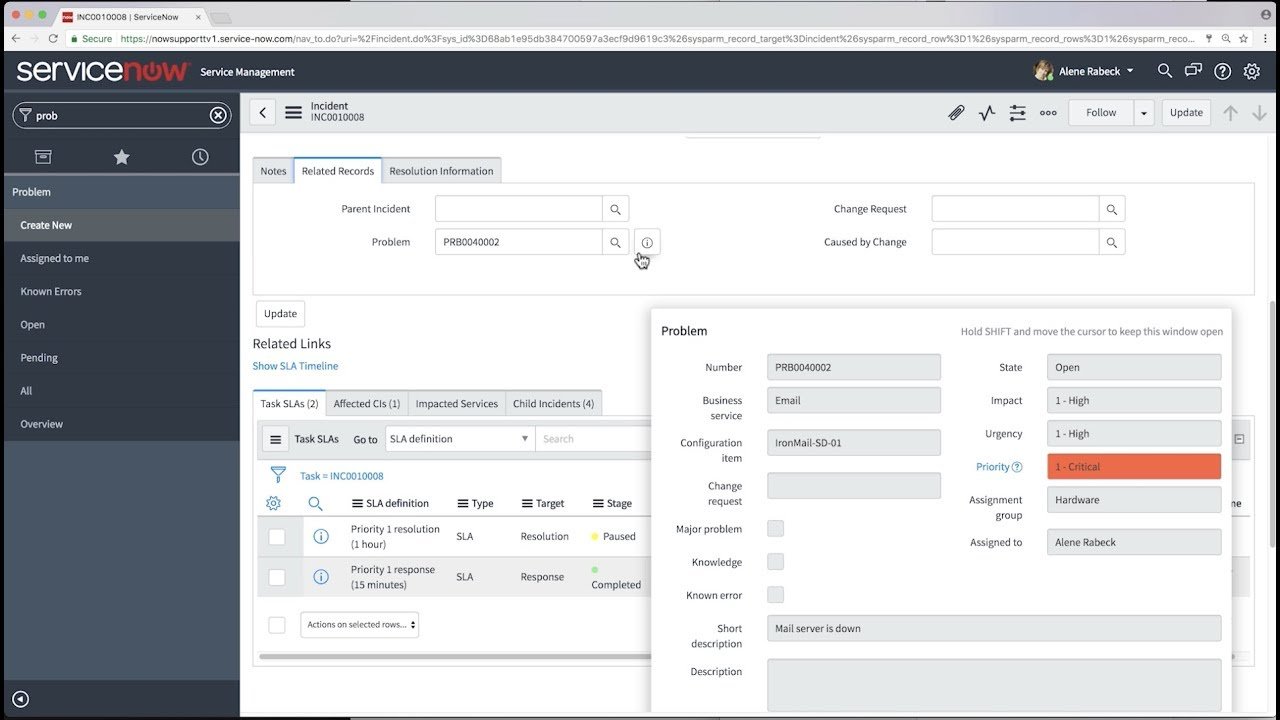
ServiceNow is a cloud-based platform that streamlines workflow processes, enhancing efficiency and productivity across organizations. ServiceNow adapts to diverse business needs, making it a top choice for enterprises of all sizes.
The primary attributes are incident management, problem management, change management and a self-service portal. The software also offers powerful analytics and reporting tools, enabling data-driven decision-making. Its automation capabilities reduce manual tasks, while its integration options allow seamless connection with other business systems.
Seamless help desk ticketing software for popular integrations

SolarWinds Web Help Desk is designed to streamline help desk operations and enhance customer support. The powerful software offers a centralized platform for managing tickets, assets and knowledge bases. It makes it an ideal choice for organizations of all sizes seeking to improve their IT service delivery.
The comprehensive solution offers automated ticket routing, customizable workflows and robust reporting capabilities. The software also provides asset management tools, a self-service portal and integration with popular third-party applications.
Robust helpdesk ticketing platform to resolve customer tickets

Freshservice is a leading cloud-based IT service management (ITSM) solution that streamlines help desk operations and ticketing processes for businesses of all sizes. It offers a user-friendly interface and comprehensive tools to manage IT support efficiently.
Freshservice provides users with a self-service portal, knowledge base and automation capabilities to reduce manual workload. It empowers IT teams to deliver exceptional support while aligning with industry best practices.
Comprehensive help desk ticketing tool for boosting user engagement
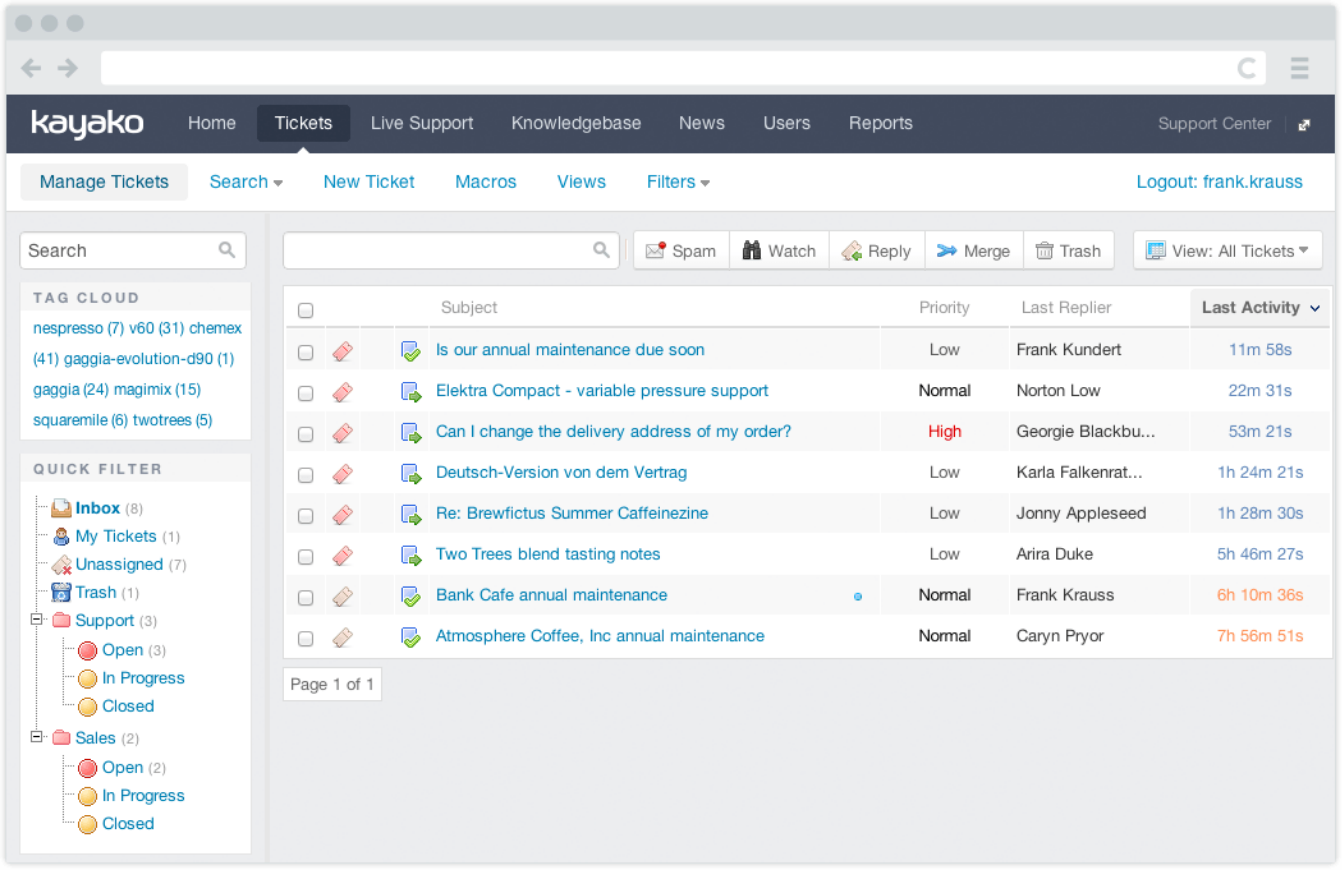
Kayako is a well-known platform for managing customer interactions across multiple channels, including email, chat and social media. It’s intuitive interface and customizable workflows help support teams efficiently handle customer issues.
A unified inbox for all customer communications, automated ticket routing, customizable support portals and robust reporting tools are some of the key attributes of Kayako. The software also provides multi-brand support and integration with popular business tools.
There are many options available and it can be overwhelming to choose the best one. Here are six points to consider to selecting the IT help desk ticketing solution:

Evaluating your business needs is essential before looking for the best IT help desk ticketing solutions. Consider factors such as the complexity of your IT infrastructure, team size and the customization required for daily operations. These requirements help narrow down vendors that are worth evaluating.
A user-friendly IT help desk ticketing solution is essential for maximizing productivity and resolving issues quickly. The platform should feel intuitive for both the IT team and end-users submitting requests. A steep learning curve often slows adoption and frustrates agents during support periods.
Make sure the IT help desk ticketing solution integrates seamlessly with your legacy systems and monitoring tools already in use. It helps in streamlining overall workflow and enables a more connected resolution.
As the business grows, IT support needs expand across teams and ticket volume over time. The right IT help desk ticketing solution should scale smoothly and can accommodate ongoing business growth.
Business data and sensitive customer information remain paramount when selecting any support tool for the organization. Make sure the solution has robust security features such as data encryption, access controls and compliance with recognized standards.
IT help desk ticketing tools have various features that can enhance a team’s productivity and effectiveness. Here are some of the essential ones to have:
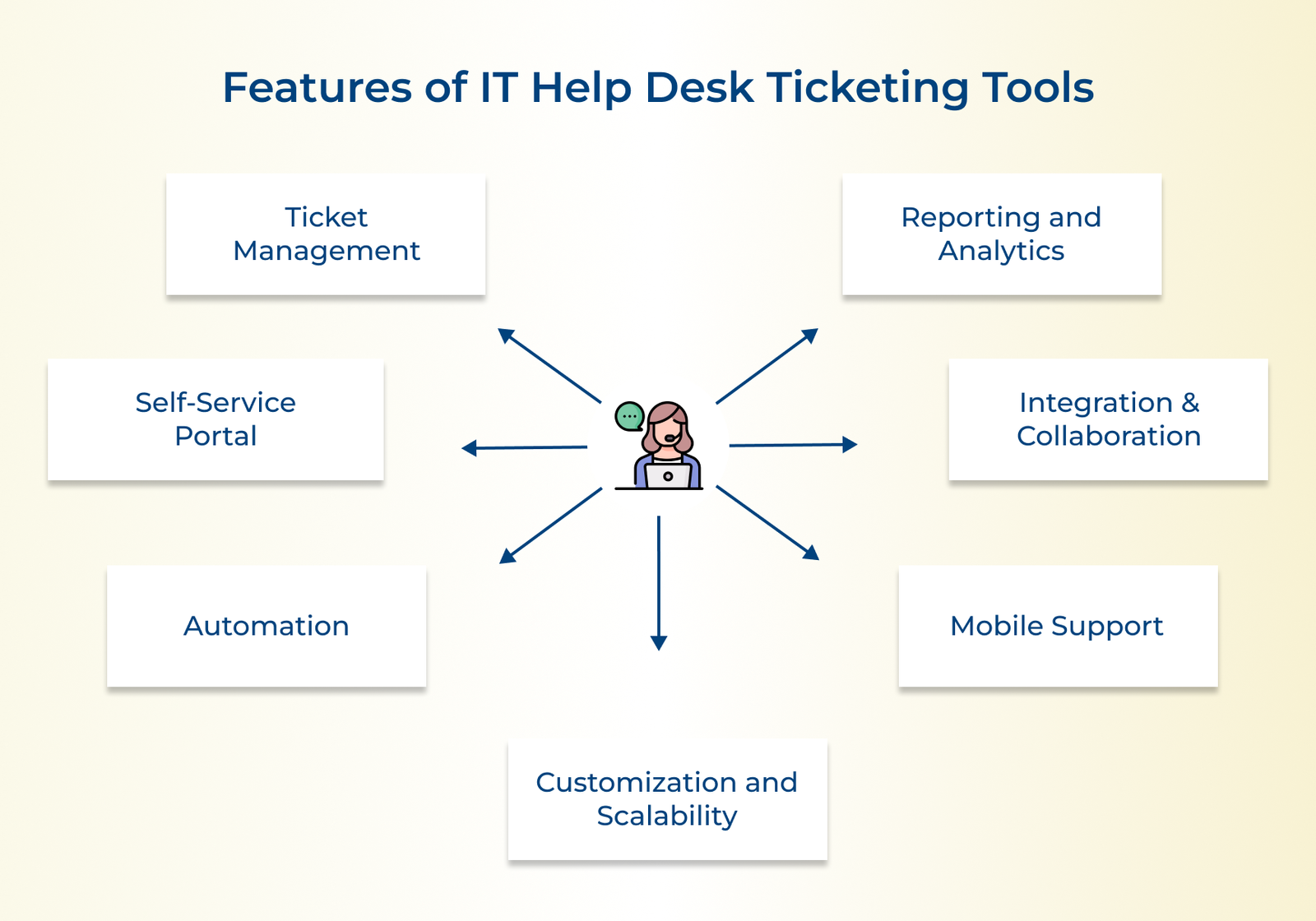
The core functionality of any IT help desk ticketing tool is its ability to manage and track tickets. Look for a tool that allows the creation and prioritization of tickets easily. It should also provide features like ticket routing, escalation and notifications.
A self-service portal is a valuable feature that empowers users to resolve common IT issues on their own. Look for a ticketing tool that offers a user-friendly self-service portal where employees can find knowledge base articles, FAQs and troubleshooting guides.
The best IT help desk ticketing tools leverage automation to streamline processes and save time. Search for features like automatic ticket routing based on predefined rules, email notifications and auto-responses. Automation helps ensure that tickets are assigned to the right person and that users receive timely updates on their requests.
Measure the performance of the IT help desk and identify areas for improvement. Try to get a tool that provides robust reporting and analytics capabilities. The platform should also offer customizable dashboards, real-time metrics and other key performance indicators.
Consider a ticketing tool that integrates seamlessly with other IT management systems such as asset management or monitoring tools. Integration with communication tools like email and chat platforms is also essential for efficient communication.
Look for a tool that offers a mobile app or a responsive web interface, allowing IT staff and end-users to manage tickets from anywhere, at any time. Having a ticketing tool with mobile support is crucial to ensure a seamless experience.
Every organization has unique requirements, so look for a ticketing tool that allows for customization to fit the specific needs. It should also be scalable to accommodate the growth of the business without compromising performance.
We will explore the key benefits of IT help desk ticketing tools and how they can enhance the efficiency of the IT support team.

Businesses will only be able to reap the maximum benefits of a help desk ticketing system when they are following the right strategies. Here are the helpdesk ticket system best practices to follow.

Encourage customers to provide clear and detailed information when submitting a ticket. It includes specifying the problem and relevant account details. Clear instructions can help support agents understand the issue better and provide a faster resolution.
Implement a well-defined categorization system for tickets, allowing support agents to quickly identify the nature of the issue. Prioritize tickets based on urgency or impact to ensure that critical issues are addressed promptly.
Use automation to assign tickets to the most appropriate support agents based on their expertise or workload. It saves time and ensures that tickets are handled by the right team members.
Establish while communicating clear service level agreements (SLAs) to customers, outlining resolution times for different types of issues. Adhering to SLAs builds trust and sets customer expectations. Regularly monitor and measure performance against SLAs to identify areas for improvement.
Encourage collaboration among support agents by implementing a centralized knowledge base or ticketing system. Brands can avoid duplication of efforts and enable faster resolution of recurring issues.
A help desk ticketing system is the backbone of efficient customer support that centralizes request workflows and makes sure no issue is missed. Choosing the best solution means faster resolutions and improved customer satisfaction.
Ready to boost your support experience? Start a free trial or book a demo to see detailed work of the system in real time. The right help desk ticketing solution helps in turning support operations into a strategic process, making every interaction count.
A good support ticketing system should be user-friendly, efficient and organized. It should allow for easy ticket submission, with clear communication between customers and staff.
Automation features, customizable workflows and robust reporting capabilities are also important for managing tickets effectively. A good support ticketing system should streamline the customer support process and enhance customer satisfaction.
A help desk ticketing solution should include essential information such as the name, contact details and a clear issue description from start of interaction. Incomplete information often delays response and requires unnecessary follow-up. Key details to include are:
Creating a ticket at the help desk is easy. Simply log in to the help desk portal.
Click on the “Create Ticket” button and fill in the required information such as name and contact information. Add a detailed description of the issue. Once the ticket is submitted, a support agent will be assigned to assist promptly.
A system can integrate with various business tools to streamline workflows and improve efficiency. It reduces the need for agents to switch between disconnected platforms across the entire support workflow. Common integrations include:
A help desk ticketing system can enhance collaboration by providing a centralized platform to track tasks, streamline communication and prioritize urgent issues. Tickets can be easily shared among team members, enabling efficient resolution of customer inquiries. It enhances a cohesive and productive work environment within the support team.
Automation plays a crucial role in a help desk ticketing system to streamline support processes and improve overall efficiency. It allows support teams to focus more time on complex issues that require human judgment. Key automation capabilities include:

Grow Customer Relationships and stronger team collaboration with our range of products across the Conversational Engagement Suite.
Omnichannel Customer Support & Help Desk Software
AI Enabled Business Messaging and Chatbot Software
Sales Engagement & CRM Software
Call Center Software & Virtual Phone System
Product Marketing & Experience Platform
Customer Experience & Feedback Management Software