Help Desk Workflows Guide: Benefits, Examples & Best Practices
Scale customer service operations, reduce response time and improve team productivity with help desk workflow automation.
No credit card required. Easy setup
Trusted by Leading Brands


Scale customer service operations, reduce response time and improve team productivity with help desk workflow automation.
No credit card required. Easy setup
Make every conversation count by automating the manual tasks. Let the team focus on important ones with customized workflows.
Seamlessly assign workflows to the right people using automated ticket distribution technology. The tickets are intelligently assigned to the most suitable agents based on predefined criteria.
Stay ahead of customer demands for faster response times. Now deliver better customer service by automating help desk workflows.
Unlock the full potential of your help desk team with streamlined processes that guide employees step-by-step through every challenge. The support staff can resolve issues faster, reduce errors and improve customer satisfaction.
Quickly address problems or questions by taking advantage of quicker problem resolution times. It minimizes the time customers have to wait for a resolution.
Enable the team members to collaborate faster through shared workflow information and data. The duplication of work is prevented as others can see if a task has already been done.
Always know the ongoing state of all customer related incidents with proactive monitoring of service needs. Proactive monitoring identifies potential problems before they become major issues.
Responsive IT support is vital for businesses to maintain productivity and minimize downtime. Many brands still struggle with disorganized and inefficient service desk workflows. Implementing a well-designed workflow can alleviate these challenges and ensure prompt or effective resolution of IT issues.
Establishing clear procedures and promoting collaboration allows organizations to significantly improve their service delivery. We’ll delve into the key components of an efficient help desk workflow automation, exploring best practices, essential tools and real-world examples.
A help desk workflows are structured sequence of support ticket follow-up from creation to resolution which includes logging, prioritization, assignment, escalation and closure. It ensures that every customer ticket is handled consistently and resolved within defined timeframes.
A generic support process is often ad hoc, where agents pick up requests with no fixed sequence or accountability. In comparison to this, a help desk workflow formalizes this into repeatable stages with rules for routing, SLAs and escalation triggers.
Key Purpose:
Let’s take a look at how businesses can set up and customize help desk workflows for maximum efficiency:
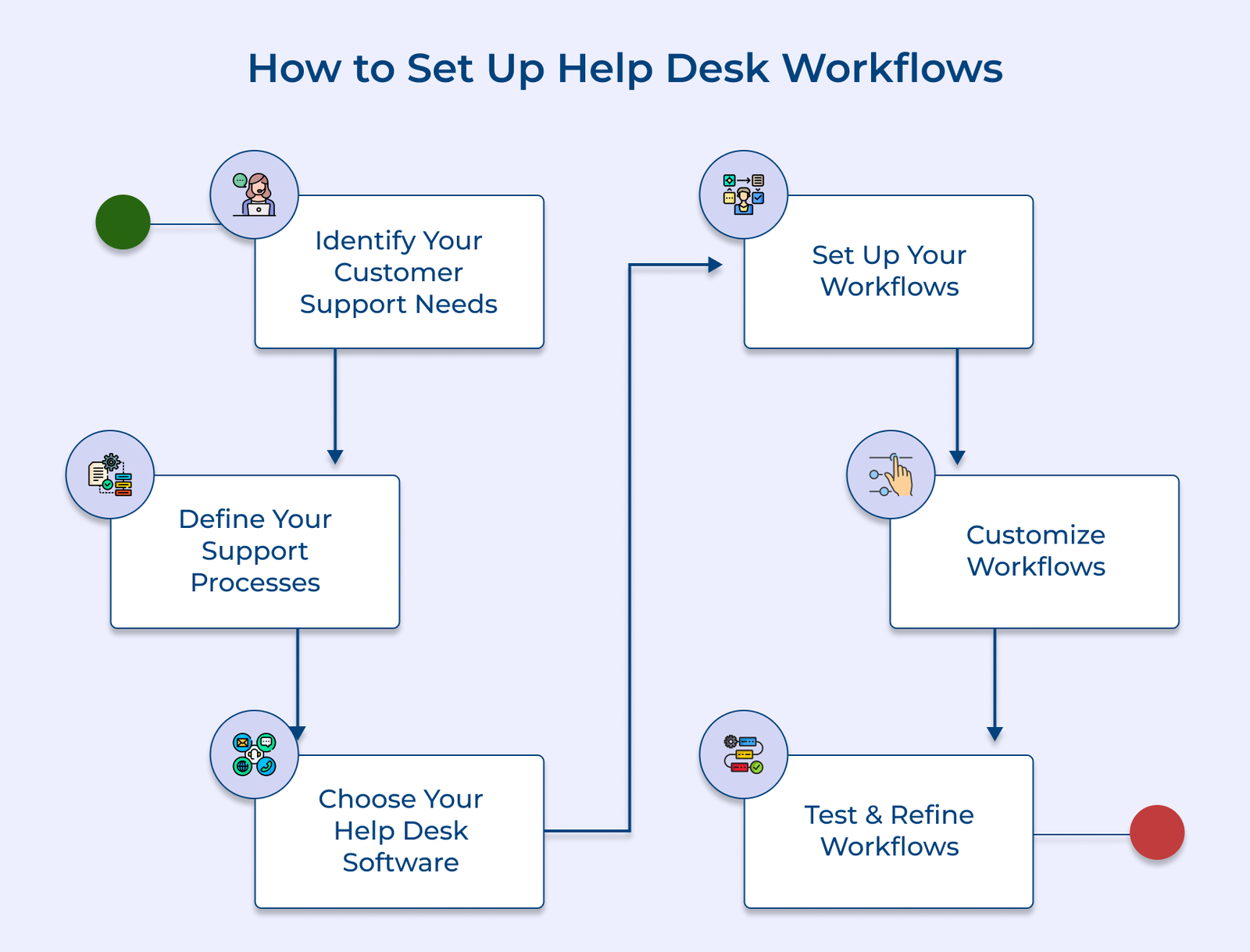
Before beginning to customize help desk workflows, it’s important to take some time to identify customer support needs. The brand needs to understand the problems that may arise and what type of service customers expect.
Let’s take an instance of an e-commerce company that may prioritize swift order processing and returns management. A software firm might emphasize technical support for its products. Identifying specific needs allows the brand to customize the service desk workflows accordingly.
Best Practices:
The next step is looking at customer service from a high-level perspective. It revolves around determining the overall strategy for how everyone in the organization will approach customer service.
One use case for implementing the process is when setting up a new help desk system or revamping an existing one. Clearly defining support processes allows the brand to ensure that its team follows a standardized approach.
Best Practices:
After understanding what support processes must look like, the brand must choose which help desk software it wants to use. Some factors to consider when selecting a program include budget constraints and whether or not it integrates with existing tools. The brand must consider scalability options, customization features and technical requirements.
Let’s take an example of a company that receives a high volume of customer support requests across multiple channels. The company can benefit greatly from implementing a robust help desk solution. It integrates all incoming tickets, assigns them to the appropriate agents and ensures consistent responses on time.
Best Practices:
Depending on the complexity of the customer service strategy, setting up workflows could involve configuring automated messages or notifications. It can include assigning tasks among different members of the team by connecting them via chat or email.
The use case of the step is to tailor the service desk workflows to align with the organization’s unique needs, processes and service level agreements. Customizing the workflows allows the brand to define clear guidelines for ticket volume prioritization, escalation procedures and response times.
Best Practices:
The business can create custom workflows to automatically manage incoming requests from customers once it understands customer support needs. Workflow automation tools provide 360° visibility into every stage of the process. It helps the business swiftly route tickets between departments or agents.
Let’s explore an example of a software company that might need workflows that automatically assigns tickets. It can be based on product categories, prioritizes issues based on severity and triggers escalation procedures for critical cases. Customizing the workflows allows the brand to optimize response times and provide personalized support.
Best Practices:
After setting up customized help desk workflows, it’s important to test them before rolling them out on a larger scale. It ensures that they are working optimally across all departments or teams involved in solving customer inquiries.
Collect feedback from teams involved in resolving inquiries and customer feedback. The insights can be used to adjust any steps necessary. It can include crucially taking into account user feedback throughout the process. Testing and refining of workflows greatly enhances the long-term success of workflow implementation.
Best Practices:
Help desk workflows can help users get support quickly and efficiently. Let’s check some most popular workflows to automate support:
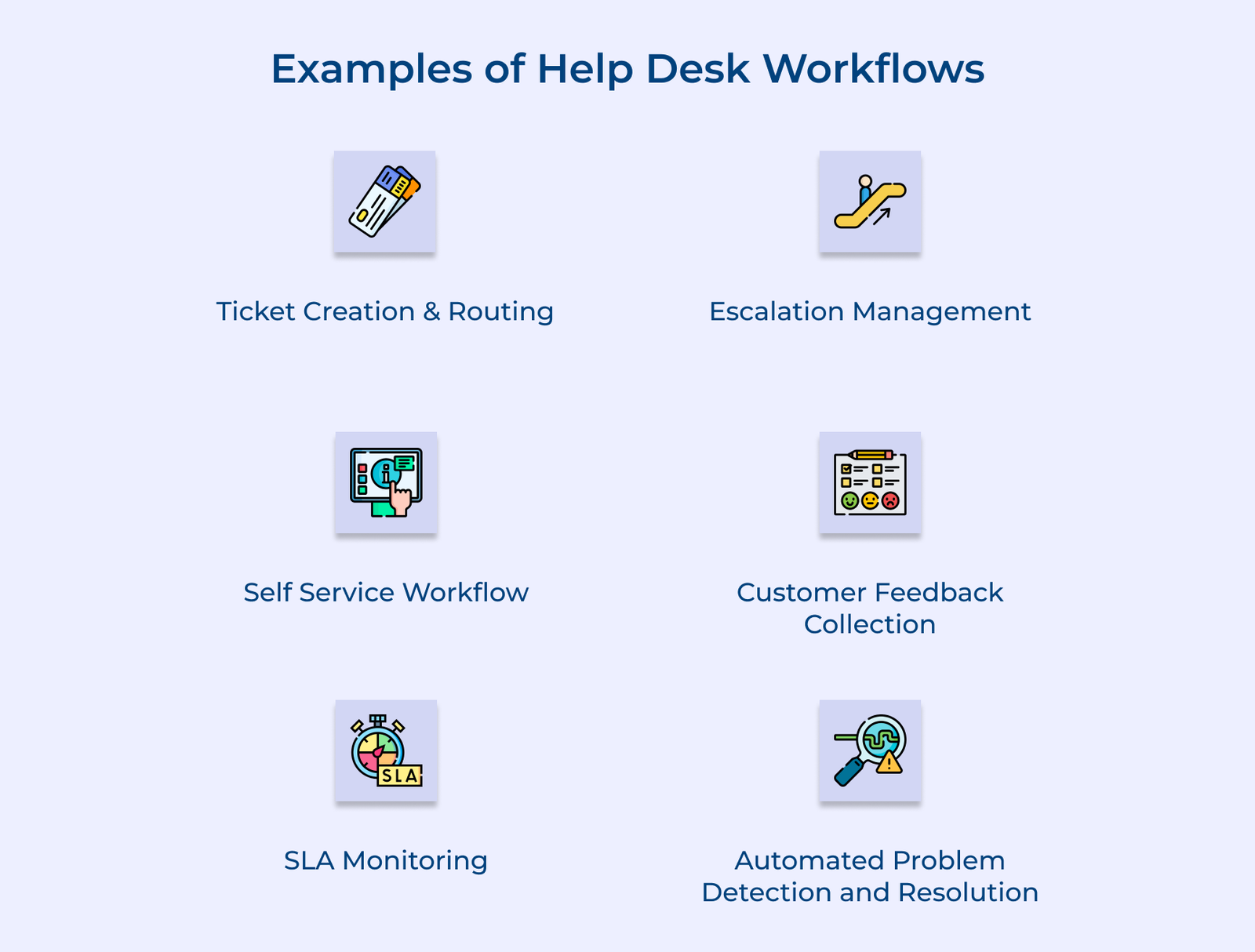
The system automatically creates a ticket when a customer submits a request through any channel. It can then be routed to the appropriate support agent or team based on predefined rules. The workflows ensure that each request is handled by the most suitable personnel, reducing response times and improving first-contact resolution rates.
When a ticket remains unresolved within a specified timeframe or meets certain criteria, it’s automatically escalated to a higher tier of support or management. The workflows might include notifications to team leads, assignments to senior technicians, or even alerts to executives for high-priority cases.
If a user accesses the help center or knowledge base, the system will guide them through a series of steps or questions to narrow down their issue. Based on their inputs, relevant articles or troubleshooting guides are presented. The workflows seamlessly transition to create a support ticket if the self-service attempt doesn’t resolve the issue.
Once a ticket is closed, the system triggers an email or survey to the customer to ask about their experience with the support received. The feedback is then logged, analyzed and used to generate reports on agent performance and overall service quality. Some systems also trigger additional workflows based on the feedback.
Service level agreement monitoring workflows ensure that support teams meet their promised response and resolution times against defined SLA metrics. When a ticket is approaching or has breached an SLA, the workflows trigger an alert or initiate other predefined actions. The proactive approach maintains the quality of service and customer satisfaction by preventing SLA violations before they occur.
The advanced workflows analyze incoming tickets, identify patterns and detect potential widespread issues to ensure they can be handled proactively. If there are known issues with established solutions, the workflows can trigger automated responses or even implement fixes without any human intervention.
Here we will discuss some of the best practices that will help businesses optimize the help desk workflow process.
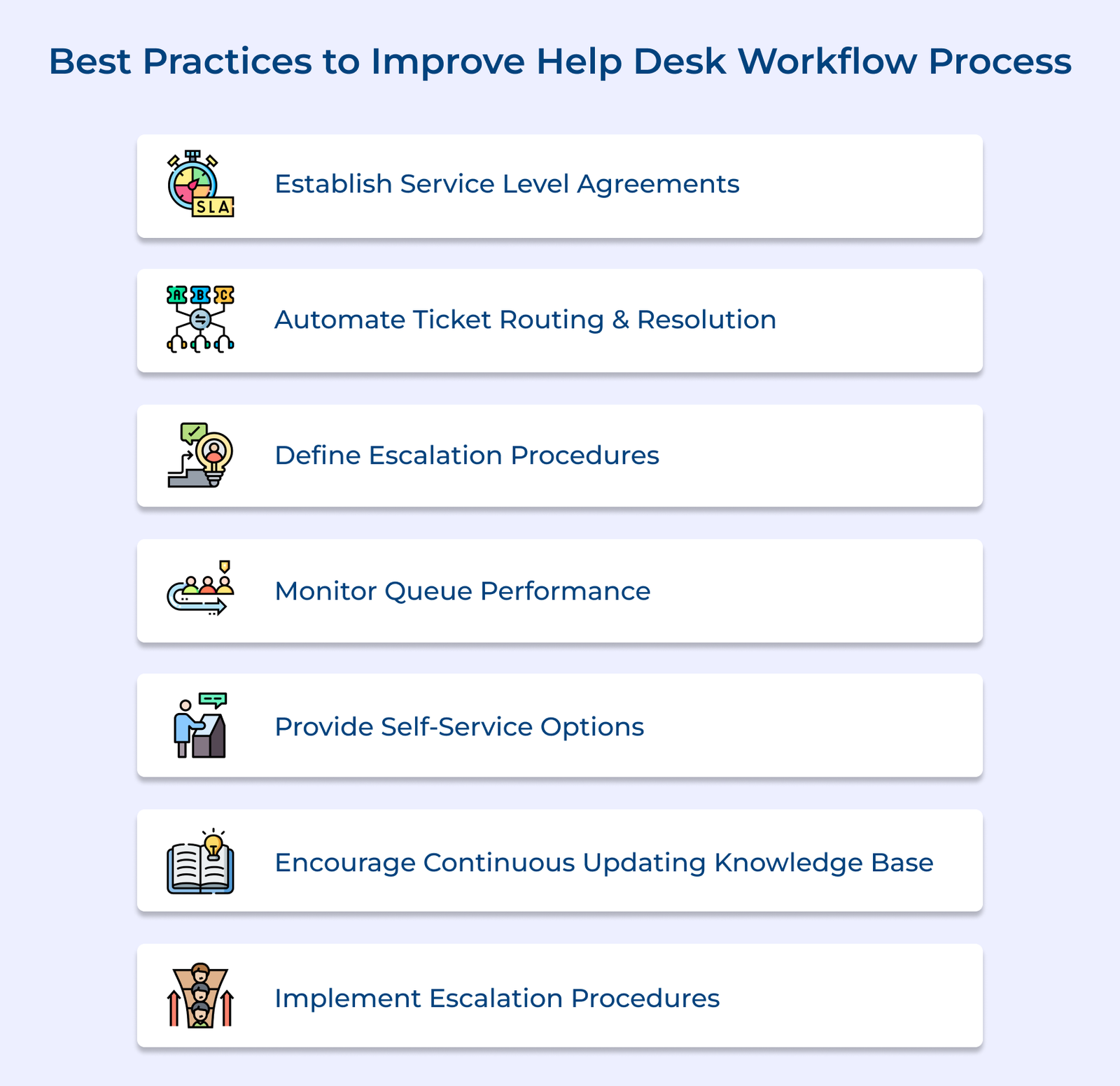
1. Establish service level agreements: Customer service should be treated as an agreement between the brand and customer with target response times (TRTs). It helps in maintaining response times to be able to guarantee a good customer experience every time.
2. Automate ticket routing and resolution: Help desk automations like ticket routing and resolution ensure tickets are routed to the right department or personnel quickly, enabling efficient resolutions for customers.
3. Define escalation procedures: Clearly define escalation procedures so that each request is handled properly. It can depend on their severity level and urgency level according to predefined criteria.
4. Monitor queue performance: Assign performance metrics and track them regularly to assess queue performance against SLAs. Identify areas of improvement if there are any lags or bottlenecks along the way.
5. Provide self-service options: Invest in developing knowledge-based tools such as FAQs so that basic self-service capabilities are provided. It will free up the technical staff resources for more complex cases that need attention from experts.
6. Encourage continuous updating of the knowledge base: Make sure the external or internal knowledge base is updated continuously as solutions change. The approach provides better coverage and enhanced understanding of products among its customers over time.
7. Implement escalation procedures: Set escalation procedures that enable the business to keep track of unaddressed tickets. Follow up with assigned personnel timely if they don’t respond quickly enough while addressing other priority tickets effectively.
Let’s understand the key benefits of help desk workflows to understand how they help businesses improve their efficiency and customer satisfaction.
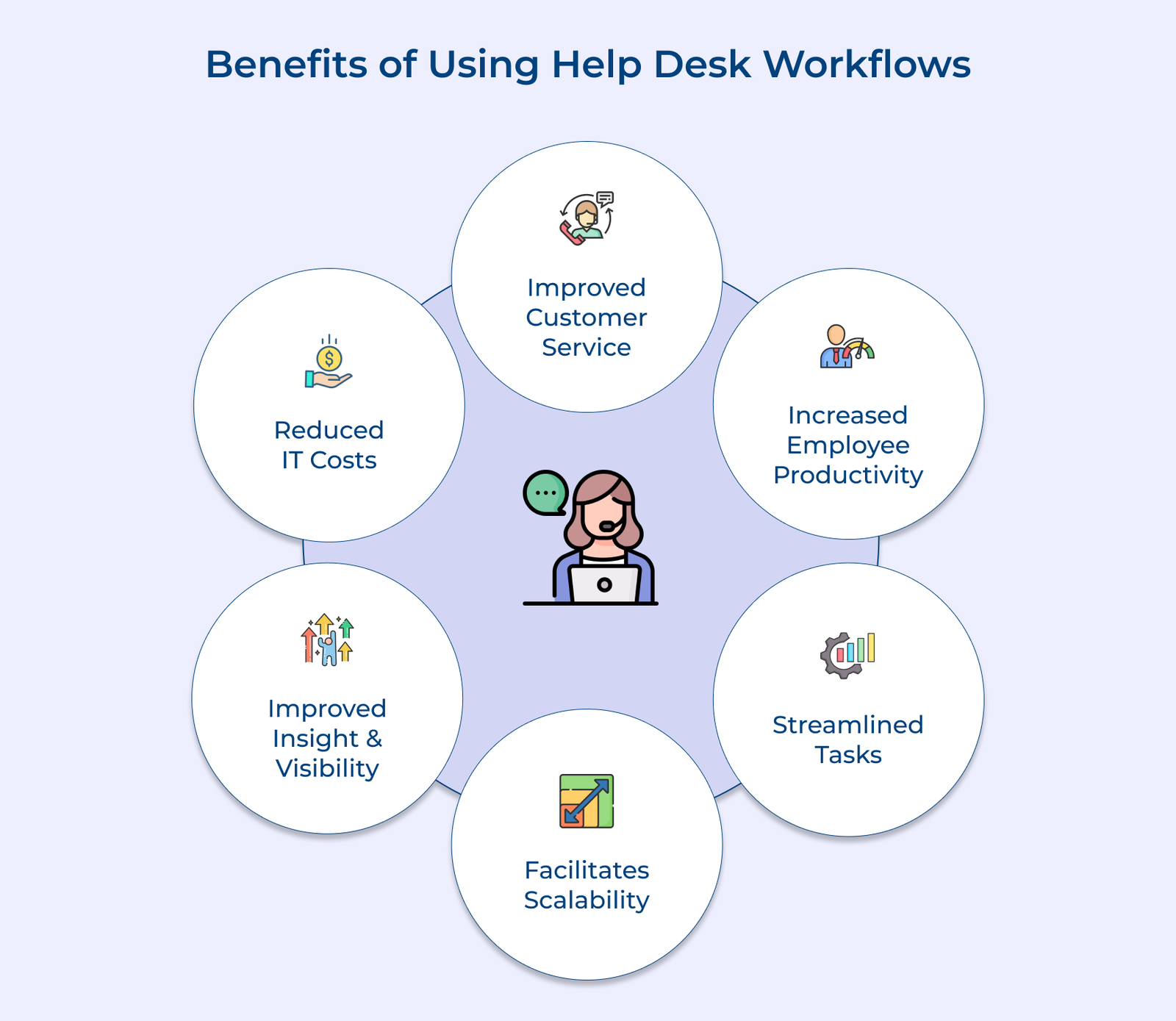
Some common challenges often hinder the effectiveness of workflows. Here are five common points to consider when designing help desk workflows to avoid any mistakes:

1. Unclear Ticket Categorization
Many customer support workflows do not have standardized categories for incoming requests, which leaves agents to interpret issue types. This leads to ticket misrouting and wasted time reclassifying issues instead of resolving them.
2. Inconsistent Prioritization Rules
Workflows without a clear urgency criteria all critical and minor issues are treated identically within the queue. It causes high-impact problems to wait while agents work through tickets in a simple first come first serve order.
3. Poor Escalation Paths
Most unorganized workflows frequently fail to define the exact moments and time of ticket movement for the next support tier. The misorganization stalls tickets with agents who lack the authority to resolve them.
4. Siloed Communication Between Teams
Service desks most of the time operate disconnected from other departments such as IT, HR, or facilities management. Agents are forced to manually chase information across teams, which delays response times to issues.
Addressing them early challenges prevents small inefficiencies from becoming systemic help desk workflow problems.
Help desk workflows setup is half the job, but tracking its performance drives continuous improvement. Let’s understand the metrics that reveal exactly how well your service desk is functioning.

Measures how fast an agent responds to a new ticket after submission. A shorter FRT means customers’ issues are being addressed promptly, which improves perceived service quality and reduces early-stage frustration.
Tracks the total time taken to fully resolve a ticket, where a lower ART indicates efficient workflows and well-trained agents. Consistently high ART often signals process gaps or resource shortages.
Calculates the percentage of tickets resolved within the defined service level agreement timeframes. High compliance signals means reliable service delivery, while low rates expose workflows bottlenecks or staffing issues that require immediate attention.
Ticket Escalation Rate shows the percentage of tickets that require escalation to higher support tiers. A rate is often the signal of unclear escalation paths with insufficient first-tier training or overly complex ticket categorization slowing agents down.
Captures direct feedback from customers after ticket resolution or closure through short post-interaction surveys. The feedback reflects real-world service quality beyond internal metrics such as speed alone, which offers a clearer view of overall support performance.
Businesses measure the percentage of tickets resolved during the first interaction without the need for follow-up. Agents with higher FCR reduce repeat contacts as well as agent workload, while significantly improving overall customer experience.
Businesses require well-designed service desk workflows to deliver customer service. It offers streamlined processes and smart customization to create a seamless support experience, while automation eliminates manual tasks and reduces errors.
Customized workflows serve as the foundation of customer service operations that enable businesses to prioritize issues and maintain clear communication. Businesses that are continuously refining their workflows stay ahead of anticipated customer demands.
Help desk workflow implementation varies based on complexity, which typically ranges from a few days to several weeks for enterprise-level customization. Simple ticket routing rules go live immediately, while advanced automation needs more planning.
Some factors to consider are team size and the number of departments involved also influence the timeline. Businesses starting with a phased rollout test one workflow before scaling making the process often faster and smoother.
Help desk workflows can greatly improve customer satisfaction by streamlining the process of resolving issues. It helps reduce wait times and ensures consistent communication. Providing effective solutions quickly to customer problems allows help desks to enhance the overall customer experience. It builds customers’ trust in the company’s support services. Investing in optimizing service desk workflows can lead to happier and more loyal customers.
Well-designed service desk workflows shape customer experience by removing friction at every touchpoint, from first contact to final resolution. Maintaining proper transparency in the processess makes customers feel heard and confident their issue is being handled properly.
The service desk workflows can improve customer experience by streamlining the resolution process, reducing wait times and providing efficient solutions. Implementing automated ticketing systems, communication channels or standardized processes allows customer support teams to deliver assistance on time. It leads to higher satisfaction levels and loyalty from customers.
Efficient help desk workflows are essential for providing timely and effective support to customers. Techniques include creating standardized processes, utilizing a ticketing system, implementing automation tools and providing training to staff. It involves continuously monitoring and improving workflows. Following these strategies helps help desk teams to streamline operations and enhance customer satisfaction.
Grow Customer Relationships and stronger team collaboration with our range of products across the Conversational Engagement Suite.
Omnichannel Customer Support & Help Desk Software
AI Enabled Business Messaging and Chatbot Software
Sales Engagement & CRM Software
Call Center Software & Virtual Phone System
Product Marketing & Experience Platform
Customer Experience & Feedback Management Software