What is Help Desk? Benefits, Examples and Best Practices
Learn the meaning of the help desk, benefits real-life examples and industry best practices for implementing it.
No credit card required. Easy setup
Trusted by Leading Brands


Learn the meaning of the help desk, benefits real-life examples and industry best practices for implementing it.
No credit card required. Easy setup
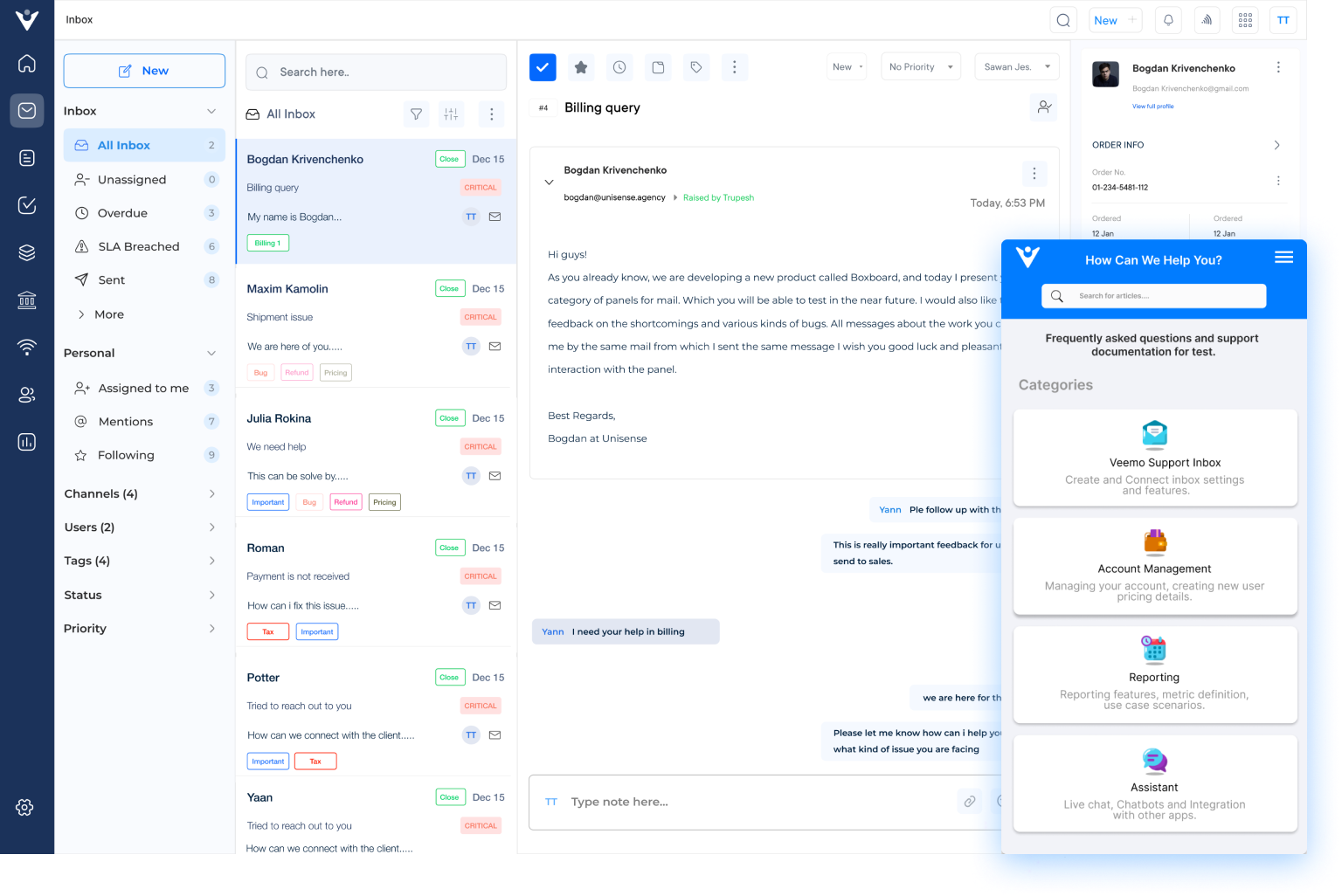
Improve customer service efficiency and performance with a unified help desk solution. Streamline ticket management, automate repetitive tasks and ensure inquiries are routed to the right agents instantly.
Experience seamless customer support and efficient issue resolution with comprehensive help desk solutions. It provides a centralized platform to manage all customer tickets.
Veemo’s comprehensive knowledge base offers a reliable and efficient help desk solution, ensuring seamless customer service. Make sure the support operations run smoothly, delivering reliable service every time.
Experience flawless customer support across all channels with an omnichannel help desk solution. Businesses can unify their customer service operations, bringing together interactions and more into a single, cohesive platform.
Streamline help desk operations and enhance customer support efficiency with workflow automation. Let automation take care of the routine, so your team can focus on delivering exceptional service.
Gain valuable insights into your customer support operations with real-time analytics. Monitor key performance metrics to identify trends and make data-driven decisions to improve service quality.
Tailor your help desk with advanced dashboards that provide an overview of your support operations. Track tickets, monitor performance and organize data for eams to stays on top of inquiries.
Everyone had experiences with customer service – both good and bad. They rely on quality staff support to answer questions and meet needs quickly. But what is the help desk for customer support? How does it benefit both businesses and customers?
The help desk enables businesses to manage customer inquiries efficiently, helping them maintain positive customer relationships. It allows customers to self-serve by finding the answers they need quickly. Let’s explore the fundamentals of a service desk and learn the best ways to leverage it to deliver an excellent customer experience.
A help desk refers to a centralized resource within a company that assists customers who encounter technical issues or need help with a solution. It serves as a point of contact for users to reach out to for guidance and troubleshooting.
Customers can reach out to the service desk through various channels such as phone, email or self-service portals, depending on setup. Agents are provided with knowledge base professionals that helps them to resolve common issues easily.
Key objectives include:
There are several options for the help desk to choose from. The following section explores the different types of service desks.
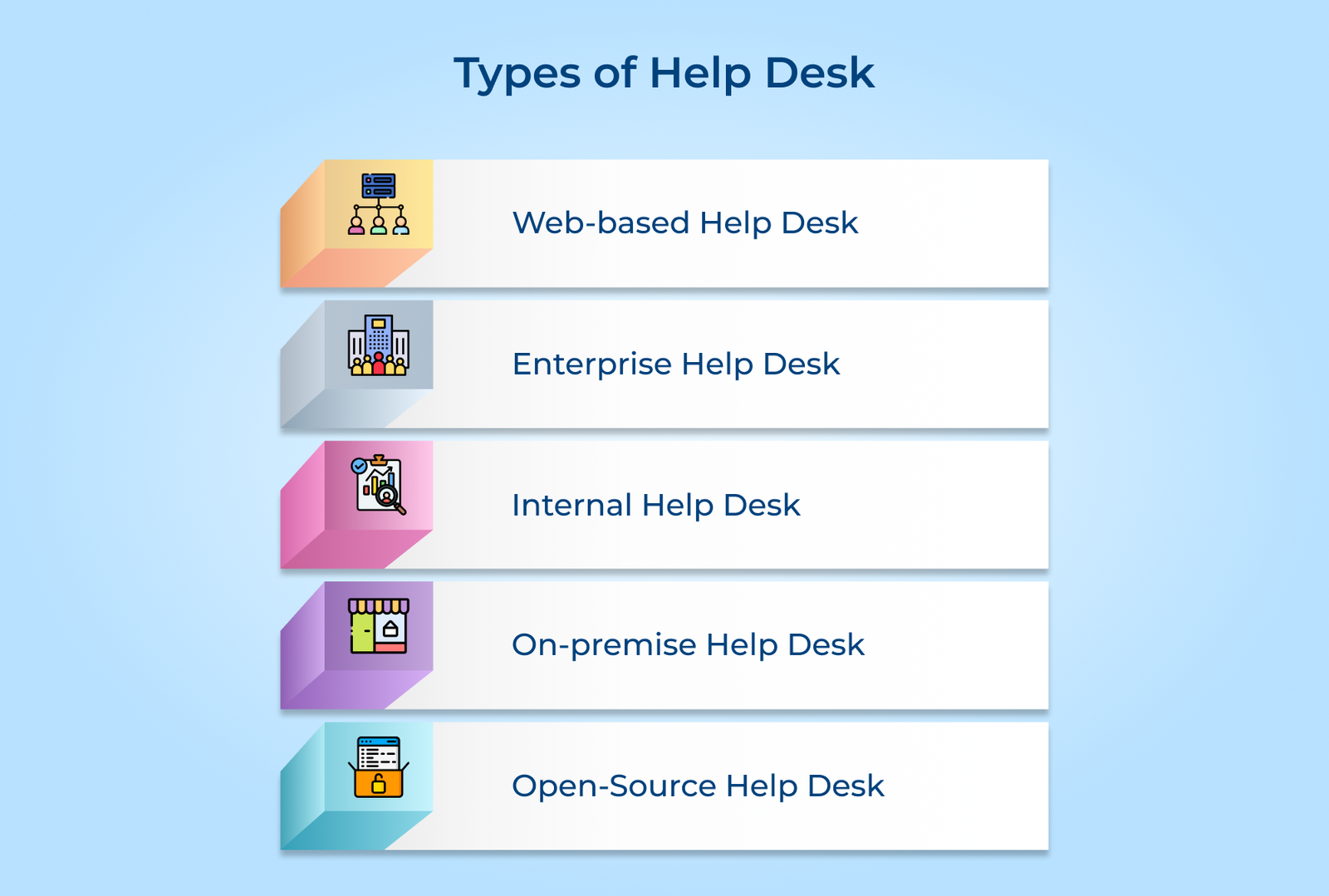
1. Web-based help desk: The type of service desk is hosted on the cloud allowing users to access it through a web browser. It offers a centralized platform for managing support requests, tracking issues and collaborating with teams. Web-based service desks are ideal for organizations with remote teams or customers.
2. Enterprise help desk: Enterprise help desks are robust and scalable solutions designed to cater to the needs of large organizations. They offer advanced features such as automation, self-service portals and integration with other enterprise systems. They are often customizable and can handle high volumes of support requests efficiently.
3. Internal help desk: An internal service desk is a dedicated support system for an organization’s employees. It aims to assist with IT-related issues such as software troubleshooting or access management. Internal service desks streamline the support process and ensure that employees receive timely assistance.
4. On-premise help desk: On-premise help desks are software solutions installed and hosted within an organization’s infrastructure. They offer greater control and customization options but require dedicated IT resources for maintenance. On-premise service desks are suitable for organizations with strict data security requirements.
5. Open-source help desk: Open-source help desks are free and open-source software solutions. They offer a range of features for managing support requests. Open-source service desks can be cost-effective for organizations with limited budgets.
Check out the key help desk components businesses must look out for and understand how they can benefit the organization.
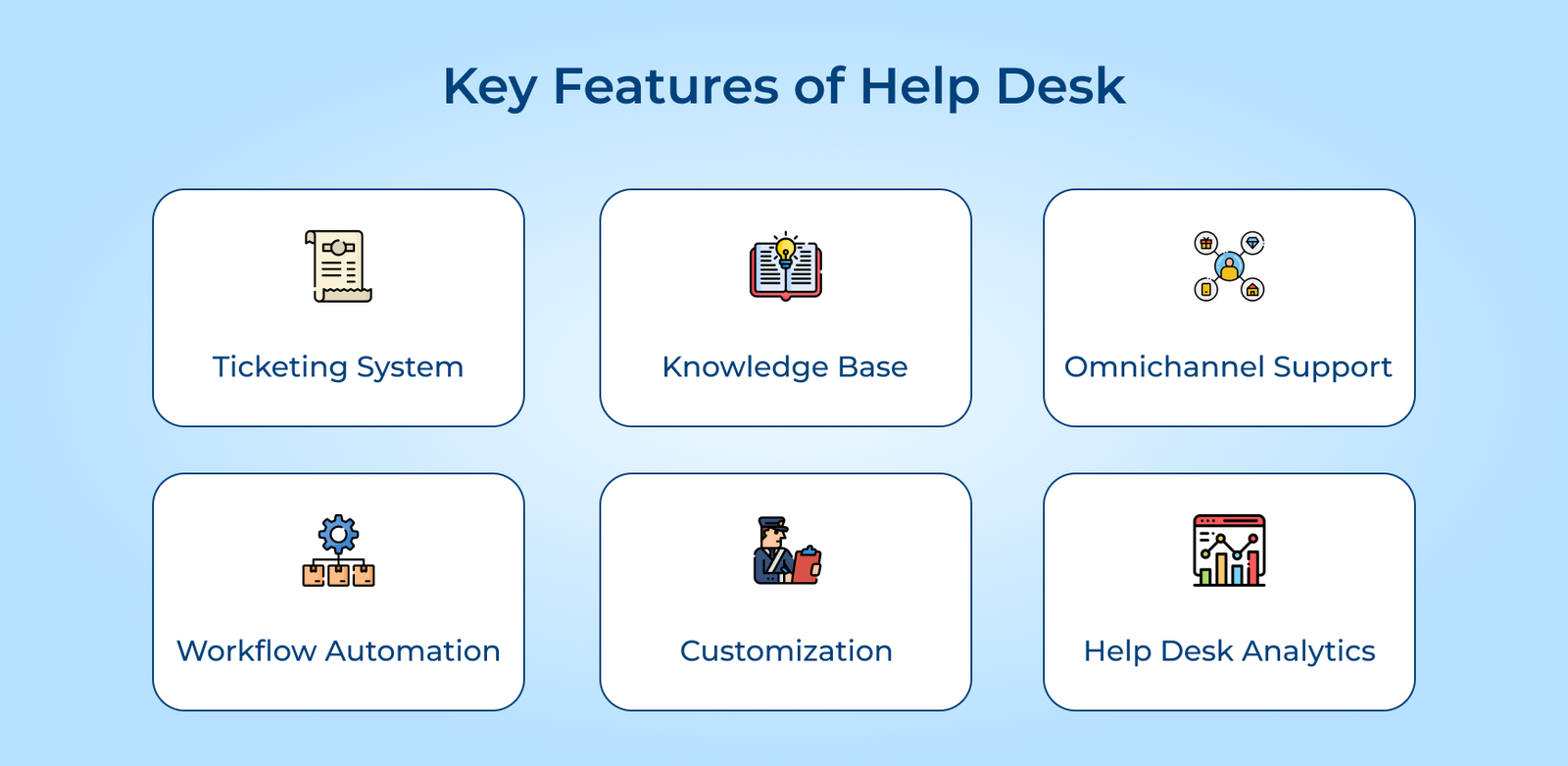
A ticketing system or team inbox tracks inquiries from customers, provides an organized way to handle customer service tasks and streamlines communication. It enables quick responses allowing customers to get their queries resolved quickly.
A comprehensive knowledge base will enable customers to answer simple questions on their own. It acts as a central repository of knowledge management within the organization.
Customers can reach out directly or submit queries through emails, live chat, social media platforms or phone calls. They all are integrated into the IT helpdesk system to efficiently route their requests to agents with relative skill sets.
Customizing workflows is also possible with service desk software. For organizations with significant IT infrastructure, help desk asset management ensures workflow compliance, regulation, audit trails, and quality measures for problem resolution. It takes care of workflow compliance in terms of regulation, audit trails and problem resolution quality measures.
Help desks can be integrated into existing systems. The administrators are enabled to customize the IT helpdesk support dashboard. It can be done based on the company’s brand colors, logo and preferences.
Help desk ticket systems provide reporting capabilities. It offers insights into customer satisfaction ratings, response times and resolutions. Companies get an overview of agent activities and track help desk KPIs.
Setting up an effective help desk demands the right processes, people, and strategy working together. Here’s how to build one that truly delivers value.
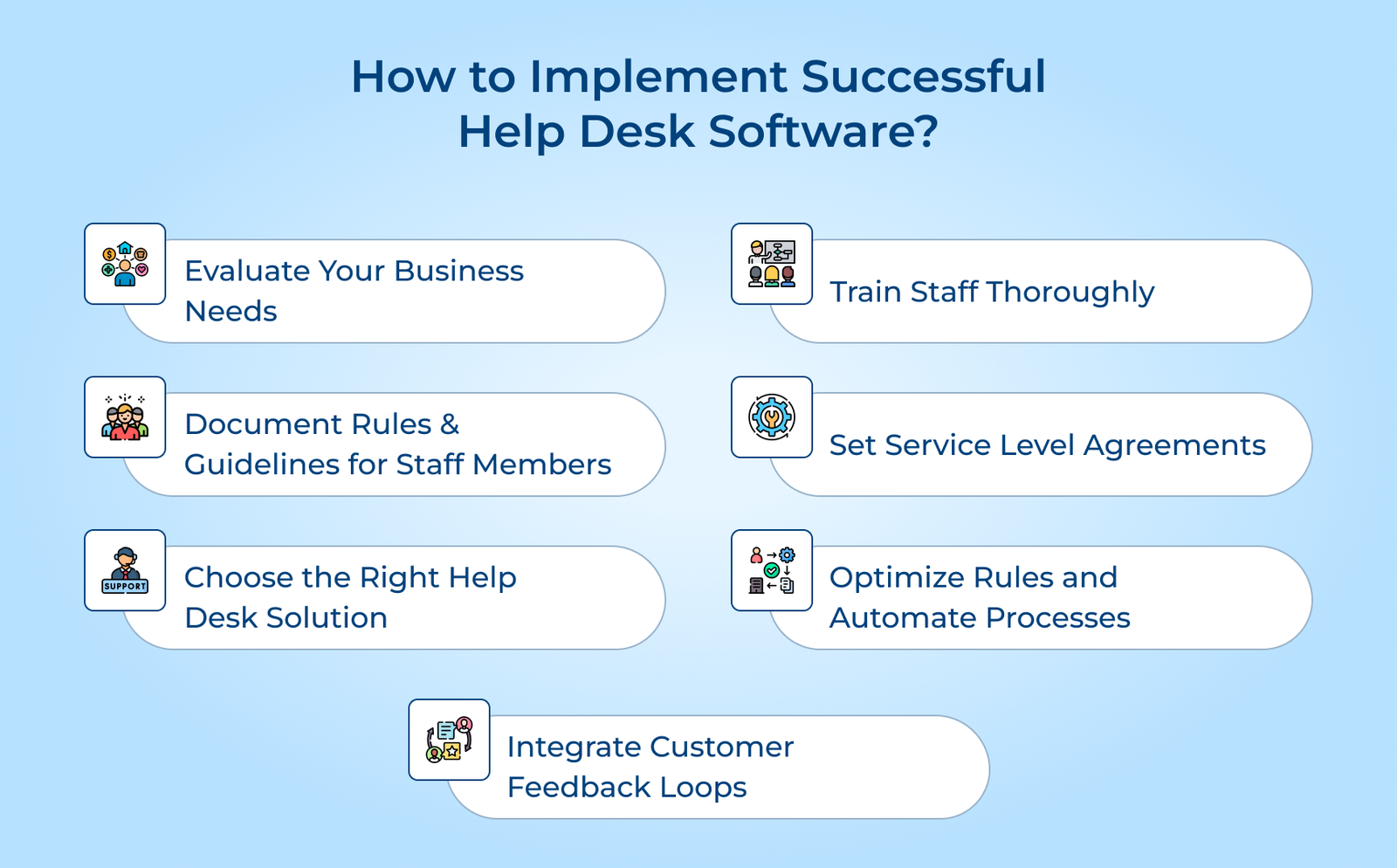
Begin by assessing the current support challenges and pain points. It may include long response times, disorganized ticketing systems or inefficient communication channels.
Identify the types of support requests received, whether technical, billing or general inquiries. Identify the channels used like email, phone or chat. The analysis will help determine the features and capabilities required in a service desk solution.
Pro tips:
Well-defined rules and guidelines for staff members are important for businesses to implement successful help desk software. Establish SOPs that outline the processes for handling various types of requests from initial intake to resolution.
Set clear response times and prioritization criteria to ensure that urgent issues are addressed promptly while less critical tasks are managed efficiently. Outline escalation paths and approval workflows to streamline the resolution of complex problems.
Pro tips:
Selecting the right help desk software is crucial for efficient customer support and service delivery. Consider factors such as ease of use for both agents and customers. It will ensure the customization capabilities will align with processes and reporting for performance monitoring.
Best Practices:
A thorough training of the staff is paramount if businesses want to ensure they effectively leverage the help desk software and deliver exceptional customer service. Emphasizing best practices for customer service and support should be a top priority. It includes active listening, empathy, clear communication and a solution-oriented approach.
Encouraging ongoing learning and knowledge sharing is equally important. Regularly updating staff on new features, troubleshooting techniques and industry trends. It can enhance their skills and ensure they provide accurate assistance.
Pro tips:
SLAs define response and resolution time targets, ensuring that customer inquiries are addressed promptly. The targets should be realistic and aligned with business objectives.
Establishing escalation procedures and critical priorities is crucial. Escalation procedures outline the process for escalating high-priority or complex issues to higher levels. Critical priorities help categorize and prioritize tickets based on their impact.
Pro tips:
When businesses implement service desk software by optimizing rules and automating processes can improve efficiency. Automating routine tasks and workflows allows agents to focus on resolving issues rather than repetitive administrative work.
Configuring rules for ticket routing and assignment ensures that tickets are directed to the appropriate team. It is based on predefined criteria such as issue type, priority or customer location.
Pro tips:
Soliciting feedback from customers and end-users is important to implement the service desk effectively. The feedback can be gathered through various channels. It can include post-interaction surveys or direct communication channels.
Incorporating the feedback into process optimization and training is equally important. Analyzing customer feedback allows organizations to identify recurring issues, bottlenecks, or areas of confusion. It may involve streamlining processes, updating knowledge bases or providing training.
Pro tips:
Help desk and service desk software are two terms that IT professionals often use interchangeably. The difference between a help desk and a service desk is the type of support they provide.
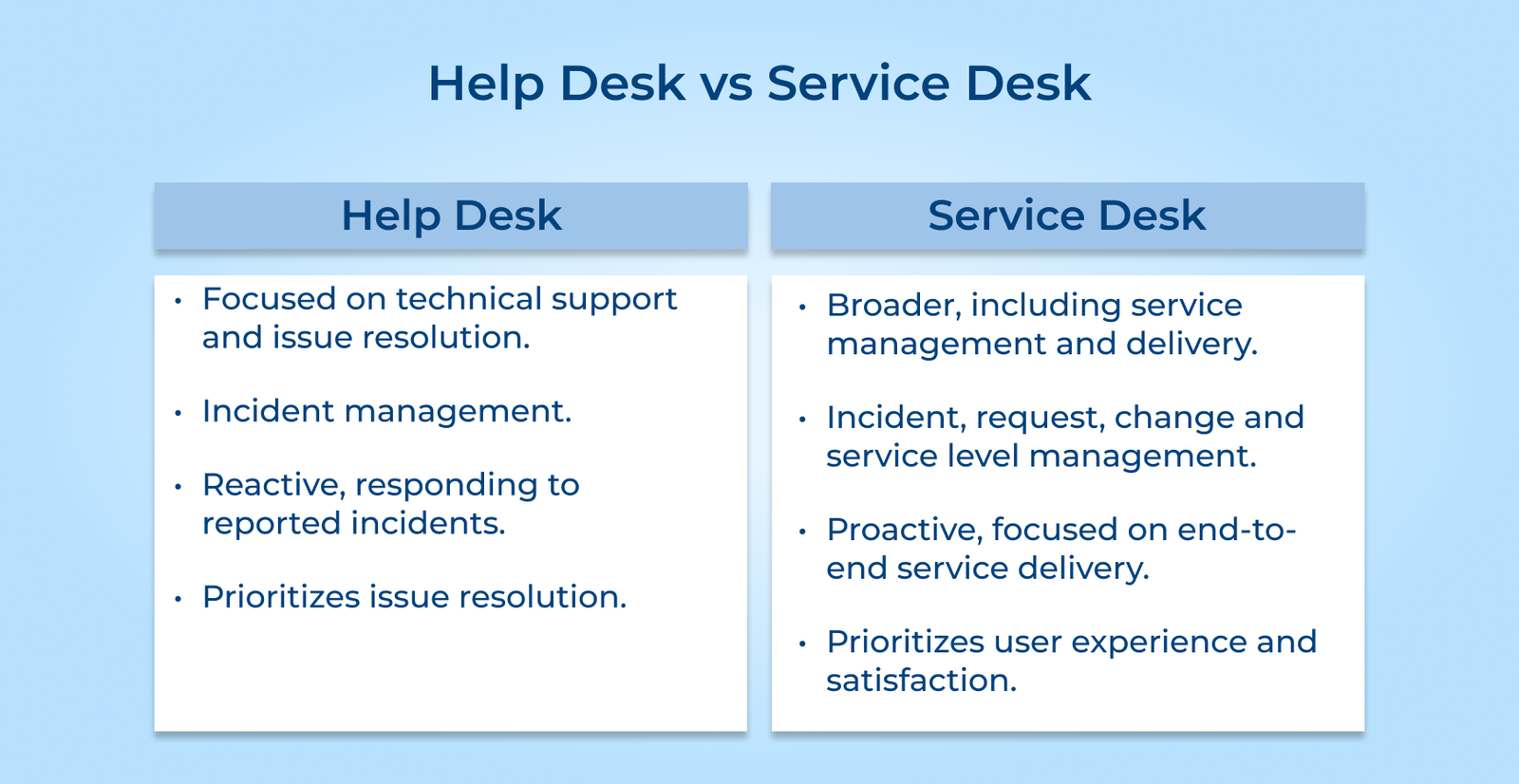
1. Scope of Services
A help desk primarily focuses on resolving technical issues and providing support for specific applications. A service desk offers a broader range of services, including incident management, change management and IT service management.
2. Reactive vs. Proactive Approach
Help desks typically operate in a reactive mode, responding to user requests or reported incidents. Service desks take a more proactive approach by monitoring IT infrastructure, implementing preventive measures and ensuring service continuity.
3. Level of Support
Help desks often provide first-line support, addressing common issues and escalating more complex problems to higher tiers. Service desks offer multi-level support, with different tiers of expertise to handle a wide range of issues.
4. Service Catalogue
Service desks maintain a comprehensive service catalogue that outlines the services offered to users. Help desks may not have a formal service catalogue and primarily focus on resolving specific technical issues.
5. Integration and Alignment
Service desks are closely integrated with other IT service management processes. The integration ensures better coordination and alignment between various IT operations. Help desks often operate as standalone entities focused on resolving user issues.
When used in the right manner, a help desk can serve as a support resource that helps address customers’ issues, questions and concerns. Here are some help desk best practices & tips:
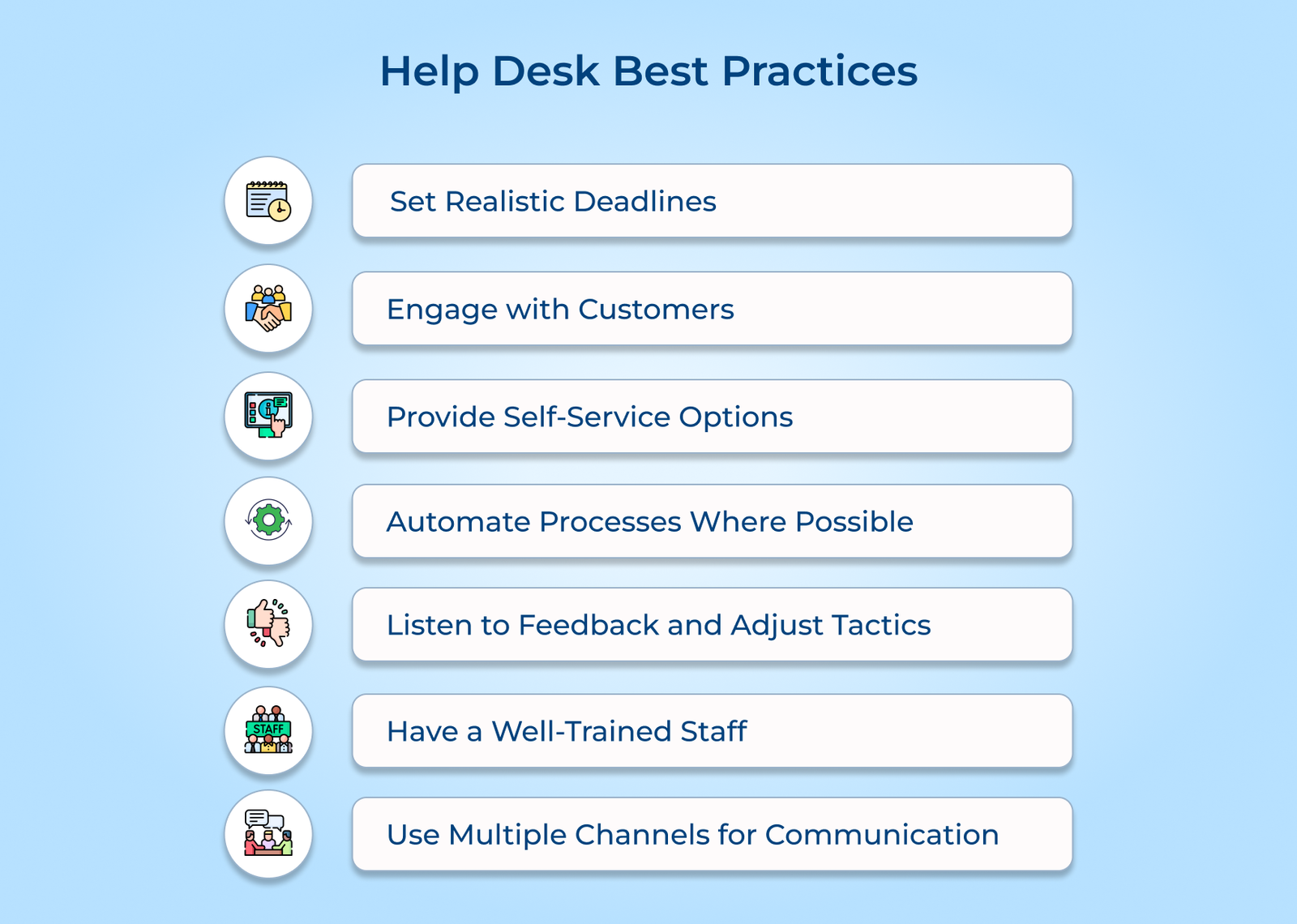
Avoid promising delivery timelines that the business cannot realistically achieve within the given timeframe. Overpromising damages trust and creates unnecessary pressure on the support team, leading to affected service quality and customer satisfaction.
Define base expectations with similar requests and communicate clear timeframes upfront. Honest and achievable deadlines build long-term customer trust and help the team manage workload more effectively.
Respond to customer queries quickly and with clear communication across the entire process. This prompt engagement shows customers their concerns matter, which boosts the overall relationship.
Provide regular status updates to ensure customers are never left guessing about the time for a resolution. Consistent communication reduces frustration and improves overall customer satisfaction.
Build a knowledge base, tutorials and online FAQs to find common questions and issues. It gives customers a fast as well as convenient way to find answers without delay.
These resources empower customers to resolve minor issues independently, reducing the volume of helpdesk requests. Support staff can focus on complex issues that genuinely require attention.
Use automation tools and scripts to generate regular reports and status updates. Automation eliminates repetitive manual work, reduces human error and helps the team focus on higher-value support tasks daily.
Team members use automated follow-up emails to save time, reduce manual effort and simplify recurring tasks. It makes sure that no customer request slips through the cracks or goes unanswered.
Ask customers what they expect from the support experience, as direct feedback reveals gaps in current processes. It highlights opportunities for meaningful improvement across the entire help desk operation.
A proper feedback loop helps in adjusting internal processes accordingly, testing the changes and gathering feedback to measure effectiveness. This ensures the help desk evolves alongside changing customer needs as per their expectations.
Make sure all help desk personnel receive thorough training on industry-specific software and hardware. Well-trained staff can resolve most customer issues quickly, accurately, and with minimal need for escalation.
Ongoing training keeps staff updated on new tools, processes, and troubleshooting techniques as they emerge. This investment directly improves resolution speed, accuracy, and overall customer experience over time.
Offer customers their preferred channels, such as chat and email to reach the help desk team. This omnichannel support gives customers flexibility to choose the method that suits their preference as well as urgency.
Multiple channels improve flexibility, enabling faster response times for everyone involved. This ensures customers receive timely support neglecting of which channel they use.
The following section explores the different use cases of help desks in various industries. Understanding how it can benefit the organization is key to enhancing customer service.
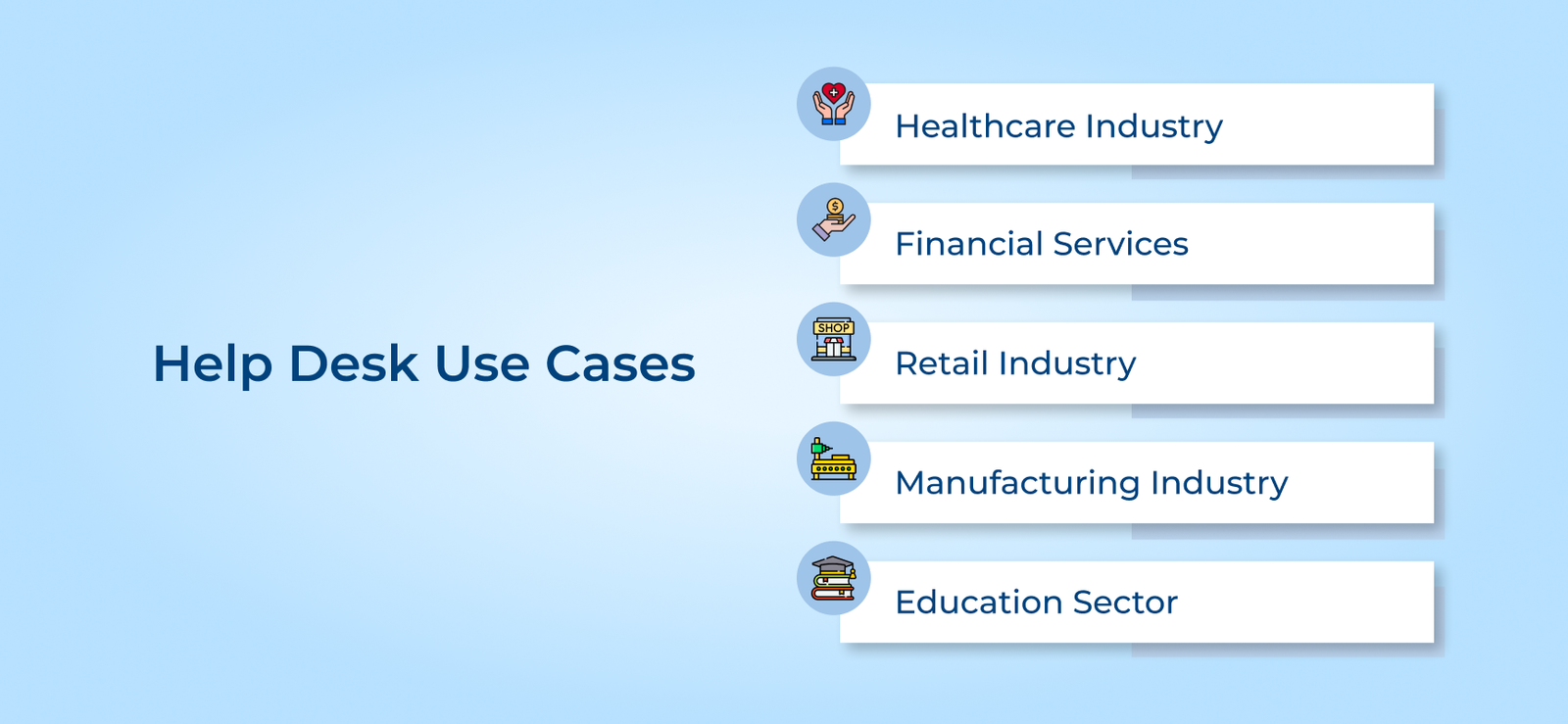
Help desk capabilities play a crucial role in the healthcare industry in ensuring efficient patient care and smooth operations. Hospitals rely on them to address technical issues with EHR systems, medical devices or other healthcare IT applications. The desk personnel assist medical staff in resolving software glitches, hardware malfunctions and user errors.
Banks and other financial institutions heavily depend on help desks to support their employees. They assist with issues related to banking applications, online trading platforms and financial software. Financial institutions handle queries regarding account access, transaction issues and technical difficulties.
Help desks support in-store systems, e-commerce websites and customer relationship management (CRM) software in the retail industry. They assist retail employees with point-of-sale system issues and online order processing problems. Companies can handle customer inquiries and complaints related to online shopping experiences.
Manufacturing companies rely on desks to support their production lines, machinery and industrial automation systems. The desk personnel troubleshoot issues with CAD software, CNC machines and other manufacturing applications. They ensure minimal downtime and efficient production processes by promptly resolving technical problems.
Educational institutions from schools to universities utilize help desks. It helps to support their learning management systems and administrative software. They can assist students, faculty and staff with technical issues related to virtual classrooms. The educational experiences become better and more seamless for the users.
Explore the key benefits of help desk to understand how they have become an integral part of the customer experience, providing efficient support and problem-solving solutions quickly.

A help desk consolidates email, chat, phone and social media into a single dashboard for agents to manage every conversation efficiently without switching between platforms. This unified view eliminates confusion and ensures no customer query slips through unnoticed.
Ticket routing and prioritization ensure queries reach the right agent instantly so that customers receive quicker resolutions and improve overall response efficiency. Faster support builds confidence and encourages customers to return with future concerns.
Knowledge bases empower customers to find answers independently, without waiting for agents. It reduces ticket volume and lets agents focus on complex issues. Self-service gives customers the flexibility to resolve issues around the clock.
Personalized interactions make customers feel valued and understood throughout their journey. Consistent service quality across strengthens loyalty and boosts overall brand perception. Positive interactions encourage customers to leave favorable reviews and referrals.
Help desk implementation includes its own risks that can hinder success if overlooked. Overcome these challenges to help teams offer better support.
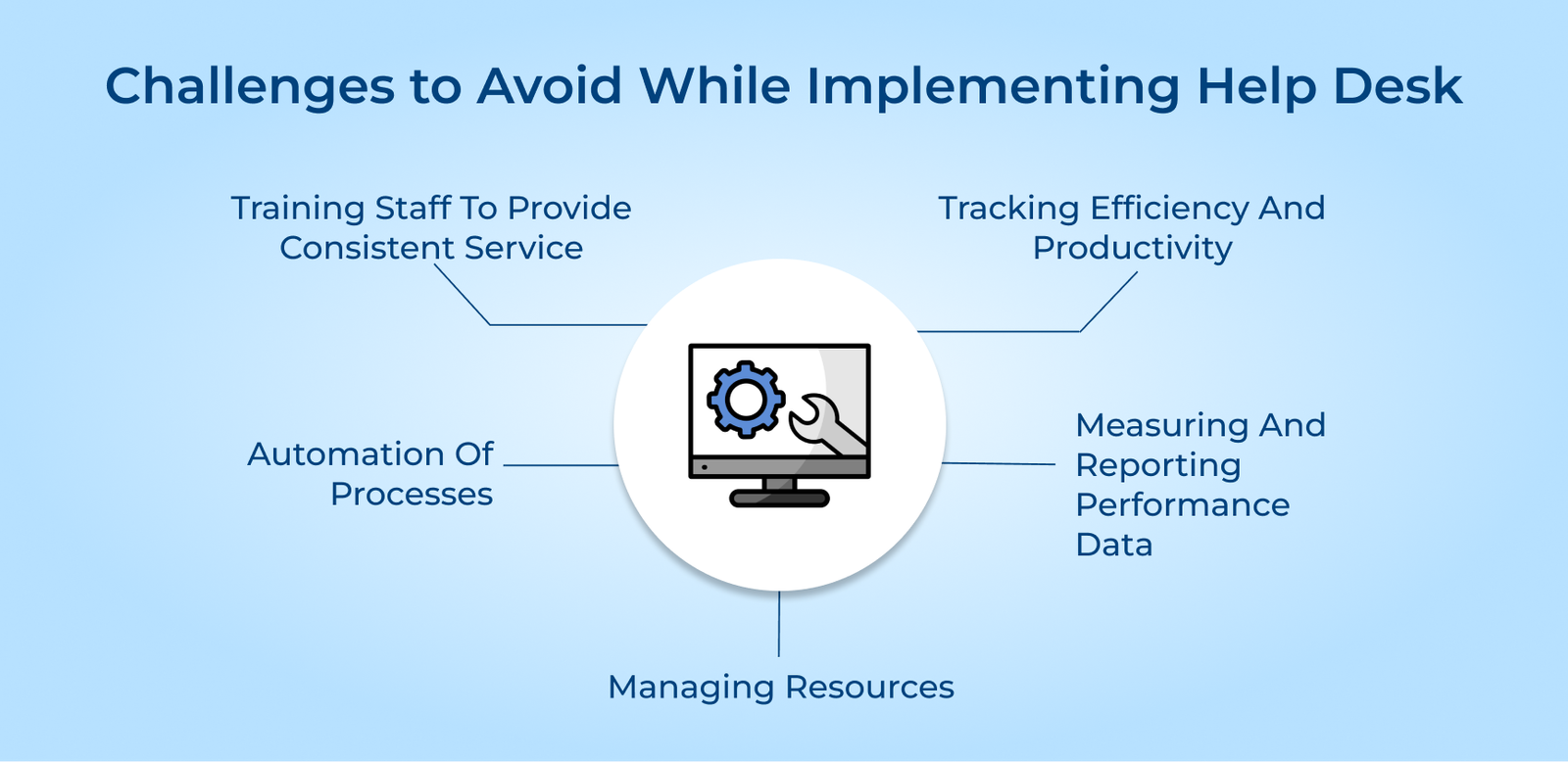
1. Resistance to Change
Employees accustomed to old workflows often resist adopting new systems. This resistance can delay benefits and reduce overall team productivity during transition periods.
2. Poor Data Migration
Importing customer data and ticket history into the new system leads to lost information and confusion. Incomplete migration disrupts service continuity, frustrating both agents and customers during the switch.
3. Lack of Proper Training
Insufficient training leaves agents unfamiliar with new features, which reduces efficiency and increases resolution times. Untrained staff struggles to utilize automation and reporting tools to full potential.
4. Overlooking Scalability Needs
Selecting a platform without considering future growth results in limitations as ticket volumes increase. Businesses often face costly migrations later when the initial choice cannot scale effectively.
Resolve these challenges with proactive planning from the start:
A help desk has often been a common component for businesses provides top-notch support. Here are four help desk examples of brands to seek inspiration and learnings from:
1. Airbnb
Airbnb utilizes a help desk system to handle customer inquiries efficiently. Providing a centralized platform for customer support allows Airbnb to respond to guest and host queries quickly. The implementation has helped Airbnb improve customer satisfaction rates and build a strong reputation.
2. Spotify
Spotify leverages a help desk system to effectively manage customer support requests. Automation and self-service options allow Spotify to empower users to find solutions to their problems quickly. Spotify was able to reduce customer service response times and enhance user satisfaction levels.
3. Zappos
Zappos implemented a system to centralize its customer support operations. Utilizing a help desk platform allowed Zappos to track customer interactions and ensure prompt resolution of issues. The implementation of the platform is one of the reasons Zappos was able to deliver exceptional personalized service.
4. Amazon
Amazon relies heavily on the help desk to manage customer inquiries. Utilizing desk solutions allowed Amazon to automate and streamline its customer support processes. It has helped Amazon maintain its position as a leader in the online retail industry.
Selecting the best help desk software is important to provide the great customer service possible if running a business. How to know what the best choice is for the business with so many options available? There are ways to pick out the ideal software that will provide customers with an easy way to access support when they need it.
Before selecting any help desk software, businesses need to have a clear understanding of their requirements. Make sure to consider the size of the organization, the volume of customer inquiries and the specific features needed. It will help narrow down the options and focus on software that aligns with business goals.
A help desk provides technical support to users, typically staffed by knowledgeable representatives. It assists with troubleshooting, installation and other technical issues to make sure users receive timely solutions while maintaining smooth operations and minimizing disruptions across the entire workflow.
Customer satisfaction is the key objective of help desk support by promptly answering questions and resolving concerns. Support includes troubleshooting problems and actively monitoring the progress of each request completion.
It also provides consistent follow-up to confirm resolution and diagnose technical issues. These work together to build trust and deliver a dependable customer experience.
A help desk agent should include strong problem-solving abilities, patience and solid technical aptitude. Successful agents combine these qualities to handle diverse customer issues. Some other skills are:
The primary functions of a help desk are to provide technical support, troubleshoot issues and answer customer inquiries. Service desks also help in tracking requests and escalating complex issues when needed. The goal is to ensure a positive customer experience while resolving problems quickly across every touchpoints.

Grow Customer Relationships and stronger team collaboration with our range of products across the Conversational Engagement Suite.
Omnichannel Customer Support & Help Desk Software
AI Enabled Business Messaging and Chatbot Software
Sales Engagement & CRM Software
Call Center Software & Virtual Phone System
Product Marketing & Experience Platform
Customer Experience & Feedback Management Software