1. Define Business Objectives and KPIs
A hybrid chatbot only works when it has a clear purpose. Without defined goals, you can’t tell if it’s helping or just adding noise. Clear KPIs give direction and make results measurable.
Key factors:
- Align with business goals: Your chatbot should support real priorities like reducing support load or improving response times.
- Keep metrics trackable: Choose KPIs your systems can measure easily, without manual work.
- Get stakeholder agreement: Goals must matter to decision-makers who fund and support the project.
- Balance short and long term: Track quick wins alongside outcomes that show value over time.
Start by asking if you’re primarily trying to reduce support costs or improve customer satisfaction scores. Once you’ve identified your primary goal, attach concrete numbers like “reduce average response time to thirty seconds” or “handle 60% of support tickets without human intervention.” Review the objectives quarterly to ensure they still align with evolving business priorities.
2. Understand your Target Customers
Understanding your target customers means knowing who will use your chatbot and why. It shapes how the chatbot speaks, what it prioritizes and how complex its responses should be.
Key methods:
- Review support tickets: Look at past queries to spot recurring questions, common frustrations and peak contact times. Patterns here reveal what the chatbot must handle first.
- Talk to customers directly: Ask users how they prefer getting help and what they dislike about automated support. Their answers expose gaps data alone can’t show.
- Create simple user personas: Outline key customer types, including their tech comfort levels, typical problems and expectations from support.
3. Design the Conversational Flow
A good conversational flow makes interactions feel simple instead of frustrating. It guides users step by step, helps the chatbot understand requests correctly and resolves issues without unnecessary back-and-forth.
Key examples:
- Clear greeting and intent capture: Start with a short welcome and simple options, while still allowing users to type freely.
- Confirmation and clarification: Restate the user’s request to avoid misunderstandings before moving ahead.
- Step-by-step responses: Share information in small pieces and check if the user needs more help.
- Fallback and escalation: When the chatbot reaches its limit, explain it clearly and offer a human handoff.
Map out common user scenarios and create decision trees for different conversation paths. Use flowchart tools to visually map out flows and implement A/B testing to determine which ones lead to better engagement.
4. Implement Seamless Human Handover
No chatbot can handle every situation. Complex issues, emotional concerns or unusual requests still need human judgment. A smooth handover ensures users don’t feel stuck talking to a machine when real help is needed.
Set clear triggers for switching to a human, such as repeated failed responses, complex questions or signs of frustration. When the handover happens, pass the full conversation history to the agent so users don’t have to repeat themselves. Use a simple queue system to manage handovers during busy periods and train agents to pick up conversations naturally.
Best practices:
- Develop clear handover protocols and train both the AI as well as human agents to ensure smooth transitions.
- Use sentiment detection to route frustrated users to a human quickly.
5. Choose the Right Chatbot Platform
The platform you choose sets clear limits on what your chatbot can and cannot do. A poor fit creates friction for users and extra work for your team, while the right one supports simple automation or complex conversations as your needs grow.
Key questions:
- Does it support both rule-based flows and AI-driven conversations in one system?
- Can it connect easily with your CRM, helpdesk and messaging channels?
- How much control do you have over conversation flow, tone and responses?
- How does pricing scale as conversation volume increases over time?
- What support is available during setup and beyond?
Evaluate the platform’s track record with businesses similar to yours in size and industry. Request demos that show real scenarios from your use cases and test if the non-technical team members can make updates without developer involvement.
6. Integrate across Channels
Integrating the chatbot across multiple channels is essential for providing a consistent and convenient user experience. It allows customers to interact with the chatbot on their preferred platforms, be it’s a website, mobile app or social media. The omnichannel approach enhances accessibility and user engagement.
Deploy the chatbot across key platforms, including your website, mobile app, Facebook Messenger, WhatsApp and other relevant channels where your audience is active. Consistency in functionality and conversation flow across these touchpoints ensures users receive a reliable experience at every stage of interaction.
Key takeaways:
- Focus first on the channels your customers use most often.
- Use a shared knowledge base so answers stay consistent across platforms.
7. Connect your Knowledge Management
Connecting your chatbot to a robust knowledge management system is crucial for providing accurate, up-to-date information to users. It ensures the chatbot can access a wide range of relevant content, improving its ability to answer queries effectively. The integration enhances the chatbot’s value as an information resource.
Integrate the chatbot with your existing knowledge base, CRM or content management system. Implement natural language processing to interpret user queries and retrieve relevant information. Regularly update the knowledge base to ensure accuracy. Use analytics to identify knowledge gaps and prioritize content creation based on user queries.
Best practices:
- Tag content in your knowledge base to make information retrieval faster and more precise.
- Set automated alerts for outdated content so the chatbot always delivers current, reliable answers.
8. Collect Real-Time Feedback
Gathering user feedback during or immediately after chatbot interactions captures honest reactions and highlights issues analytics alone might miss. It helps you improve experiences quickly and effectively.
Key ways:
- Post-conversation ratings: Prompt users to rate their experience with a thumbs up or down and optionally explain their score.
- In-conversation sentiment monitoring: Track repeated questions or negative language to flag frustrated users for review.
- Handoff surveys: When transferring to a human agent, ask why the chatbot couldn’t resolve the issue to identify gaps in automation.
9. Measure and Refine the Flow
Measuring and refining the conversation flow is crucial for optimizing the chatbot’s performance over time. It helps identify bottlenecks, improve user experience and enhance the chatbot’s effectiveness in achieving business objectives. The ongoing process ensures the chatbot continues to meet user needs and business goals.
Key metrics:
- Completion rates
- Average conversation length
- Common drop-off points.
Analyze conversation logs to identify successful paths and areas of confusion. Use A/B testing to compare different conversation flows. Regularly update the flow based on the insights and changing user needs.
Best practices:
- Review metrics and feedback on a set schedule (e.g., monthly) to prioritize improvements.
- Use heat maps to visualize user journeys, spotting popular paths and bottlenecks.
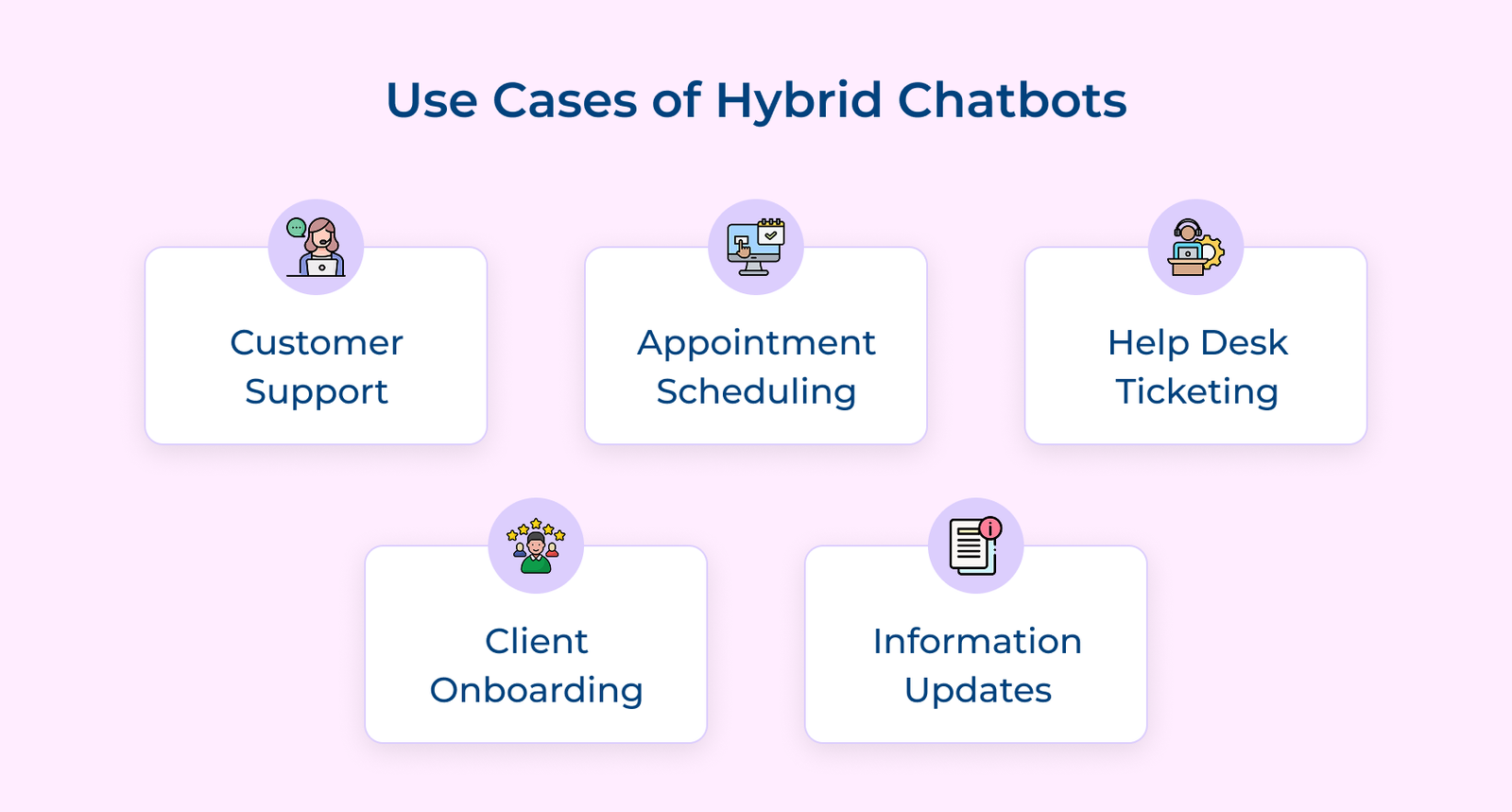
Use Cases of Hybrid Chatbots
Let’s go through the key use cases for hybrid chatbots, showing how combining AI automation with human support can enhance customer interactions.