Top 12 CRM Features For Businesses in 2026
Explore the top CRM features businesses need. It covers tools that enhance customer relationships, improve team collaboration, automate tasks and drive data-informed decision-making.
Explore the top CRM features businesses need. It covers tools that enhance customer relationships, improve team collaboration, automate tasks and drive data-informed decision-making.
Keeping track of customer relationships has become more complex than ever. Scattered data, missed follow-ups and disjointed communication can leave customers frustrated. The right CRM features can turn the problems into practical solutions, helping teams stay organized, improve service and build lasting customer relationships. A CRM platform can boost revenue by 29% increase productivity by 40%.
But with so many options out there, figuring out which features matter can feel overwhelming. So we will break down essential ones that help real businesses stay connected with their customers and work more efficiently. Before we get into the list, we’ll briefly cover what a CRM system does and why it’s such a key part of modern business operations.
CRM features refer to practical tools built into a customer relationship management system that help businesses stay organized, communicate better and build stronger relationships with their customers. The features support every stage of the customer journey, from first contact to long-term support, by keeping all customer information in one accessible place.
A CRM system works by collecting and storing customer data from various sources, like email, phone calls, social media and website visits. Whenever a customer interacts with your business, the CRM logs that interaction automatically.
Picture there’s a sales rep who’s reaching out to a potential client. He can instantly see full history, including past purchases, recent inquiries and open support tickets. With everyone working from the same information, teams can coordinate smoothly and resolve issues without wasting the client’s time.
Key objectives:
Let’s go through the key benefits that make CRM systems invaluable for organizations of all sizes and industries.
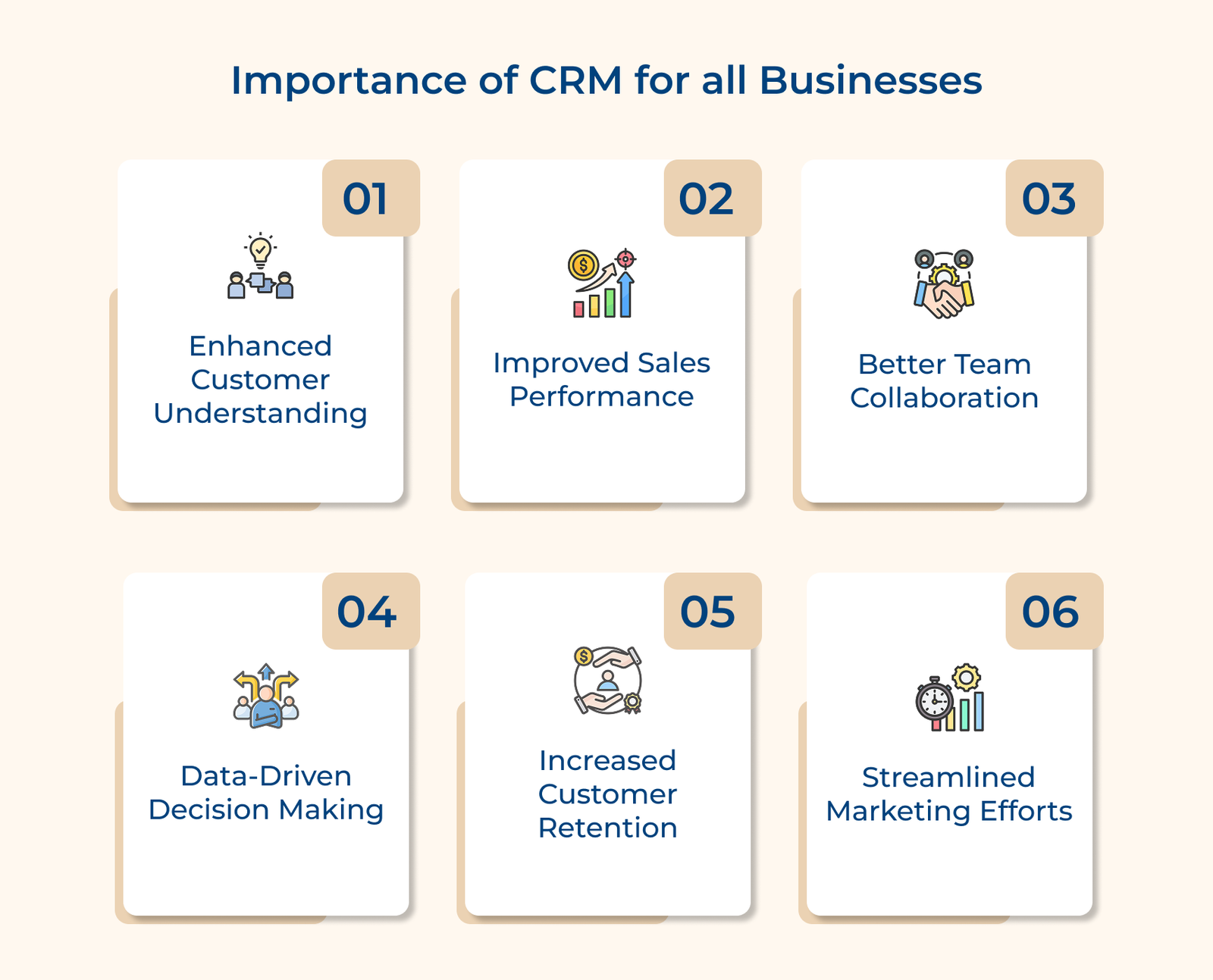
Enhanced Customer Understanding
A CRM brings all your customer information, like past purchases, support history and communication preferences in one place. The complete picture helps your team understand what each customer needs, making it easier to offer helpful, timely and personalized support without having to dig through scattered records.
Improved Sales Performance
Sales reps spend less time on admin work and more time connecting with leads. Alongside CRM features, integrating the best sales productivity tools helps teams stay organized with built-in tracking and reminders.
Better Team Collaboration
Everyone, from sales and marketing to support, has access to the same up-to-date customer information. It means fewer handoff mistakes and more consistent experiences for your customers, no matter who they talk to.
Increased Customer Retention
When you know each customer’s history and preferences, it’s easier to notice when something’s off. A CRM helps you catch early signs of dissatisfaction, so you can follow up before problems grow and keep more customers happy over time.
Streamlined Marketing Efforts
CRM tools help you send the right message to the right people. You can group customers based on what they’ve done or bought, then tailor your emails or ads to match it. It also shows which campaigns are working, so you can double down on what’s effective and drop what’s not.
Below is a list of key CRM software features that you should look for to ensure your business thrives in a customer-centric world.
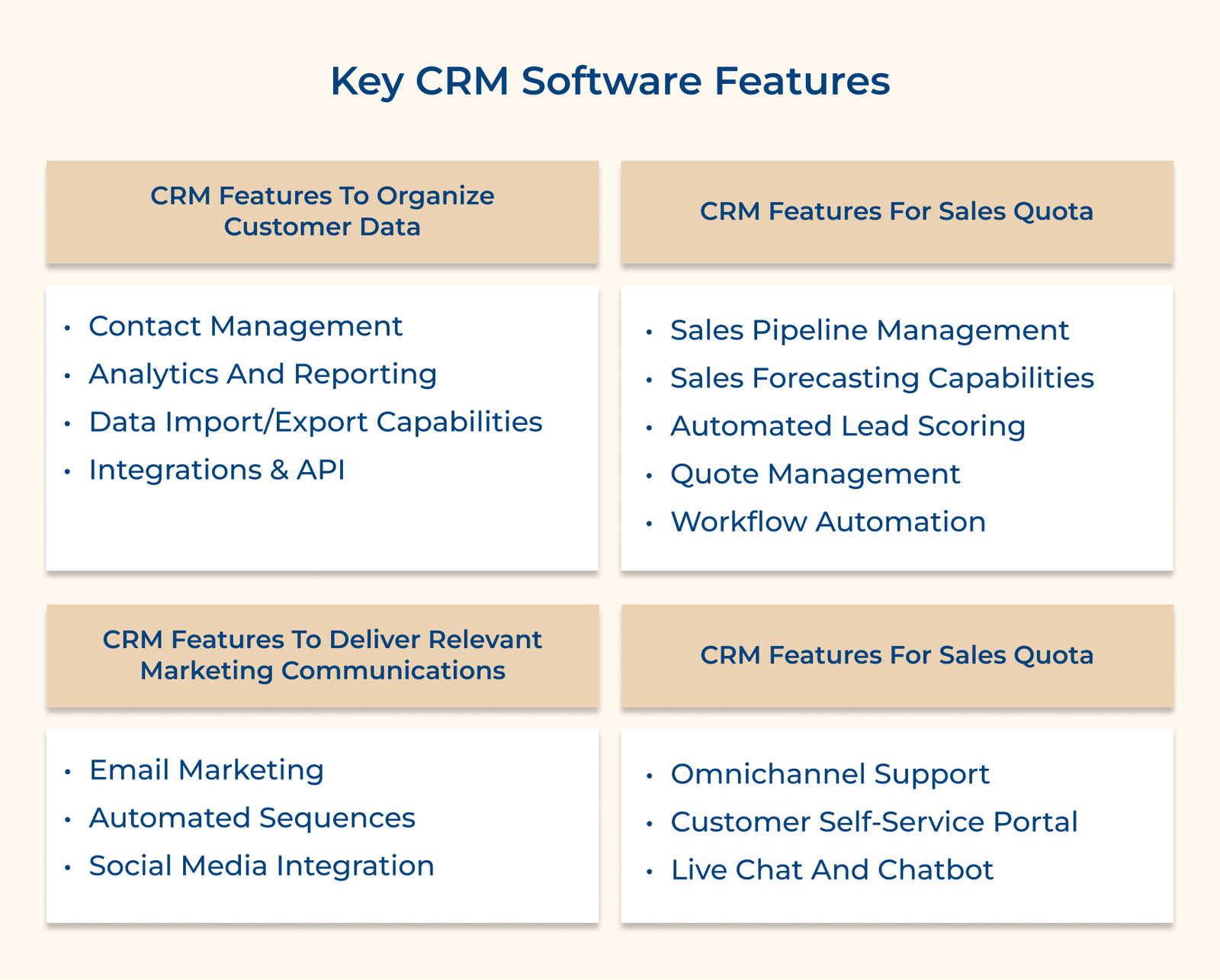
Contact management is the core of every good CRM. It helps your team keep track of every customer interaction, so nothing slips through the cracks. It becomes easier to build real relationships instead of just managing data by organizing contact details, communication history and notes in one place.
Store complete customer history
Every call, email, purchase and support request is automatically saved and easy to find. Whether you’re answering a question or following up on a past issue, your team has the full context and there’ll be no digging required.
Manage customer relationship development
You can set follow-up reminders, add notes about customer preferences and keep track of key dates like renewal deadlines or birthdays. The attention helps your team stay organized and show customers they’re more than just a number.
Importing and exporting data is a basic but essential feature of any CRM. It makes it easy to move customer information between platforms, share updates with your team or back up records when needed. Most platforms let you match column headers to your CRM fields automatically, saving time and reducing errors.
The capabilities can streamline your workflow in multiple ways. When importing customer lists from spreadsheets, you can map fields automatically to match your CRM structure. You can export data into formats like CSV, Excel or PDF, which makes it simple to share insights with stakeholders or analyze information using specialized tools.
Pro tips:
Integrations and APIs let your CRM connect with other tools your team already uses. Instead of switching between platforms or duplicating work, everything syncs in one place, saving time and keeping data consistent.
Key integrations:
Sales pipeline management helps your team stay organized by showing where every deal stands, from first contact to final close. It brings structure to the sales process, reduces guesswork and helps prevent missed opportunities.
Track deals through stages
Your team can follow each deal as it moves through stages like lead, demo, proposal and close. The system updates automatically, so no one has to wonder what’s next or which deals need attention.
Monitor sales team performance
You get a real-time view of each salesperson’s pipeline. See who’s on track, which deals are slowing down and where extra support might help. It makes coaching easier and keeps everyone accountable.
Visualize sales process flow
The visual layout lets you see your whole sales process in one place. If deals keep stalling in one stage, you’ll notice it quickly and can make adjustments to keep things moving.
Sales forecasting helps you plan ahead by giving a clear picture of expected revenue. Instead of guessing, you use real data to guide decisions about hiring, budgeting and inventory.
Predict revenue opportunities effectively
The system looks at past sales trends and your current pipeline to estimate future income. You get a realistic view of what to expect over the next month, quarter or year and can adjust plans before problems arise.
Generate accurate sales projections
The system factors in different variables to give you best-case, worst-case and most likely scenarios. The forecasts help your team set practical goals, prepare for slow periods and spot potential gaps in the pipeline early.
Quote management in a CRM helps your team create, send and track sales quotes without the usual delays or errors. It keeps pricing consistent and speeds up the entire process, which can make a big difference when trying to close a deal.
Create professional quotes online
Sales reps can generate quotes in just a few clicks. The CRM pulls in the right customer details, product information and current pricing automatically. It reduces mistakes and ensures every quote looks professional.
Track the quote approval process
Once a quote is created, the system routes it to the right people for approval. Everyone sees what stage it’s in, so nothing gets lost or delayed.
Manage product pricing details
All product prices, discounts and bundles are stored in one place. The system keeps everything up to date, so your team doesn’t have to second-guess pricing or dig through old files.
Workflow automation helps your team stop wasting time on repetitive tasks by letting the CRM handle them. It ensures no falls through the cracks while giving your team more time to focus on real conversations and closing deals.
Automate daily sales tasks
The CRM can update contact details, log activities or send follow-up emails, all without you lifting a finger. Let’s assume that if a lead opens a sales email, the system can log the action and notify the sales rep to follow up.
Schedule automated follow-ups
You can create automatic task sequences based on what a prospect does. If someone downloads a brochure, the CRM can schedule a call, send a thank-you email and set reminders for follow-ups – all in the right order, at the right time.
8. Automated Lead Scoring
Automated lead scoring helps your team focus on the leads that are most likely to become customers. Instead of guessing who to contact next, the system ranks leads based on how well they match your ideal customer and how engaged they are.
How it works:
Say someone downloads your whitepaper, checks out your pricing page and then signs up for a webinar. With each step, their score goes up, and once it reaches 80, your CRM flags it so the sales rep knows it’s time to reach out.
Automated sequences in CRM make customer communication easier and more consistent. Businesses can stay connected with prospects and customers without manual follow-ups by setting up personalized, automated message flows.
Key use cases:
The strength of automated sequences is in their ability to maintain regular, personalized communication, all while saving time. The sequences help strengthen relationships by adapting to each individual’s needs and engagement level.
Omnichannel support in CRM consolidates customer interactions from all communication channels into one easy-to-use platform. The feature ensures businesses can provide a smooth, consistent service experience, no matter where customers reach out from.
Manage multiple communication channels
The CRM gathers conversations from all channels into a single dashboard. No matter if the customer starts with the chat and continues via email, your team should be able to see the full conversation. It is only then the handoffs between team members and channels are seamless.
Track service response times
The system tracks response times across different channels, providing insights into average response times and peak service hours. The data helps identify bottlenecks and optimize staffing.
A customer self-service portal allows customers to find solutions and resolve issues on their own, without the need for direct support. The CRM feature not only reduces the volume of support tickets but also enhances customer satisfaction, as many customers prefer resolving their issues at their convenience.
Provide knowledge base access
Customers can easily browse articles, guides and FAQs to find answers. The CRM system tracks which articles are most helpful, highlighting areas for improvement in your content. It creates an ongoing feedback loop to continuously refine your knowledge base.
Enable the ticket submission system
The portal enables customers to submit and track support tickets effortlessly. They can monitor the status of their requests, view past conversations and see estimated resolution times. The transparency reduces the need for follow-up inquiries and enhances overall satisfaction.
Live chat and chatbot tools allow businesses to assist customers in real time while they’re browsing your site or using your product. The instant support helps reduce delays, prevent frustration and improve the chances of a positive outcome, whether that’s resolving an issue or closing a sale.
Provide instant customer support
Chatbots can quickly respond to simple questions, like shipping status or password resets. If the issue requires more attention, the system passes the conversation to a live support agent, ensuring fast help without sacrificing the human touch.
Automate common customer inquiries
Chatbots take care of common inquiries using pre-set answers and learn from past interactions to improve over time. It allows your support team to focus on more involved requests that need a human response.
Check out how to make an important decision by first understanding what questions to ask and then examining key selection criteria.
Key questions:
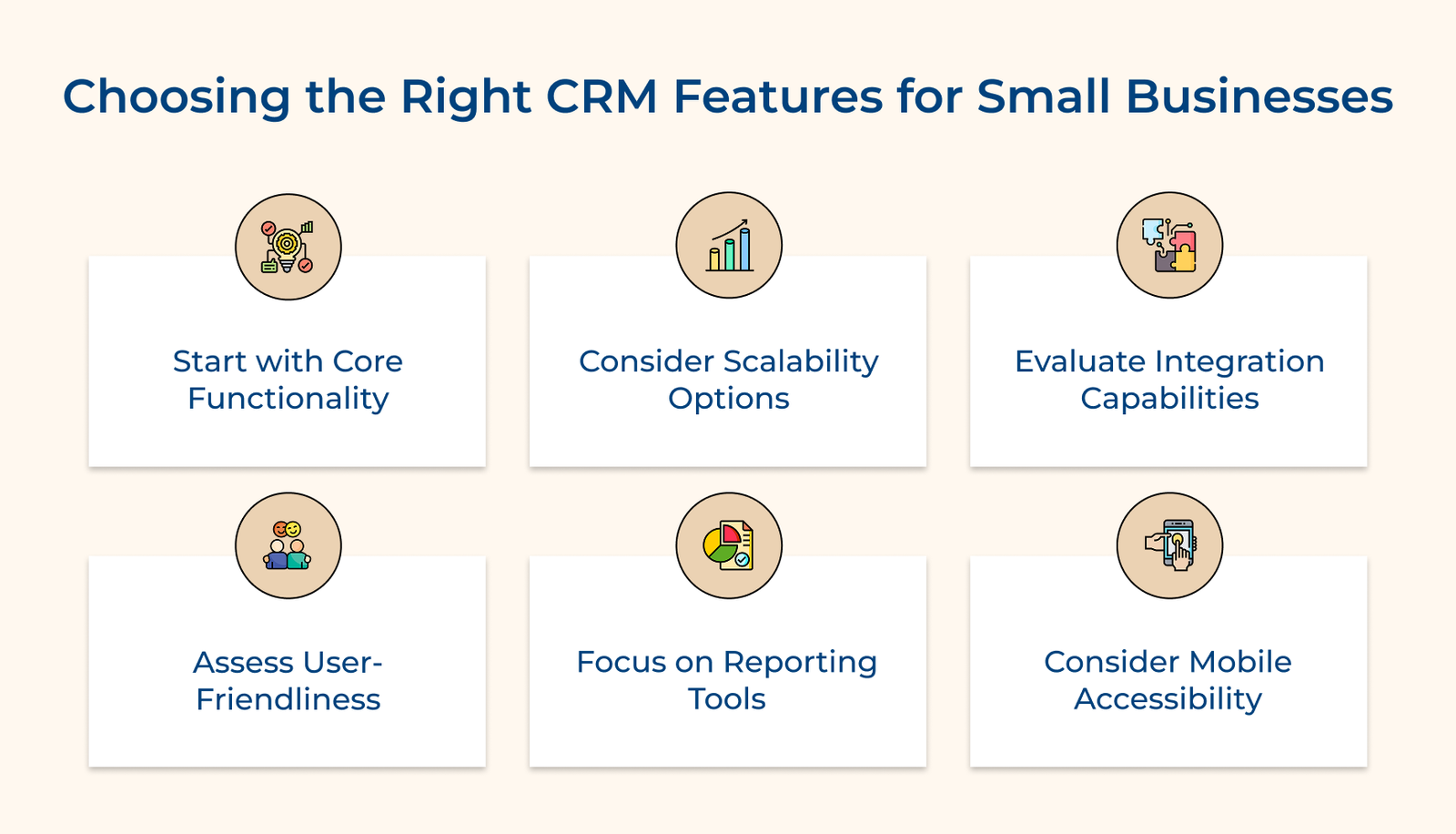
Start with Core Functionality
Focus first on solving your most pressing issues. It means contact management, email tracking and simple task management for many small businesses. Avoid getting distracted by features you won’t use right away.
Consider Scalability Options
Choose a CRM that meets your needs today but won’t limit you tomorrow. Look for systems that let you add more advanced tools like automation or analytics when your team and processes are ready.
Evaluate Integration Capabilities
Your CRM should connect smoothly with the tools you already rely on, like your email service, invoice software or social media platforms. Built-in integrations or API options will help keep your systems in sync without added work.
Assess User-friendliness
No matter how powerful a CRM is, it’s only useful if your team actually uses it. Prioritize systems with clean, straightforward interfaces and tools that are easy to learn. A feature used daily beats a complex one that gets ignored.
Focus on Reporting Tools
Your CRM should help you make better decisions. Basic reporting, visual dashboards and simple filters are often all you need to track sales, customer activity or performance trends. Aim for clarity over complexity.
Consider Mobile Accessibility
Make sure your team can access the CRM on the go. Be it a mobile app or a responsive web version, the flexibility helps sales and support teams stay productive, even when they’re not at their desks.
CRM features act as the backbone of day-to-day operations, tying together customer interactions, internal collaboration and business workflows. Instead of scattered data and disjointed communication, a well-implemented CRM offers a single, organized view of your customer relationships.
The real value isn’t in any single feature but in how they connect. Automations cut down repetitive tasks, freeing your team to focus on customers. As CRMs evolve with smarter insights and predictions, their main purpose doesn’t change: helping you understand your customers and serve them better. Success isn’t about picking the biggest system, it’s about choosing tools that actually fit your goals, your team and the way you work.

Modern CRM systems go far beyond tracking contacts. They now include tools like predictive analytics to forecast customer behavior, smart automation that adjusts based on user patterns, and built-in AI chatbots to handle routine support questions instantly. You’ll also find advanced reporting and deep integration capabilities that help different parts of your business stay connected.
CRM tools help sales teams stay organized and focused. They keep track of every conversation, automate reminders for follow-ups and give real-time updates on where deals stand. Reps can see which leads are most likely to convert, make quicker decisions and spend more time selling instead of managing spreadsheets.
Support teams can see everything they need in one place like past purchases, support history and customer preferences. It means no more asking customers to repeat themselves. Automated ticket routing, self-service portals and feedback tracking also help teams deliver consistent service.
Most modern CRMs are built to integrate easily with tools you already use, like your email service, accounting software or marketing platform. The connections keep your data in sync and eliminate the need for manual updates. It’s like having one system where all your business tools can talk to each other.
A reliable CRM should include user access controls, encryption, regular backups and a full history of changes. You’ll also want to check that it meets data protection standards like GDPR. The features help keep your customer data safe and ensure only the right people can access sensitive information.
Start by looking at improvements in sales like conversion rates, service metrics like response times and marketing metrics like lead quality. Also track time saved through automation and gains in customer retention. Most CRMs offer built-in reports to help you see the results.

Grow Customer Relationships and stronger team collaboration with our range of products across the Conversational Engagement Suite.
Omnichannel Customer Support & Help Desk Software
AI Enabled Business Messaging and Chatbot Software
Sales Engagement & CRM Software
Call Center Software & Virtual Phone System
Product Marketing & Experience Platform
Customer Experience & Feedback Management Software

 How Customer Service & Marketing Can Work Together
Scroll to top
How Customer Service & Marketing Can Work Together
Scroll to top