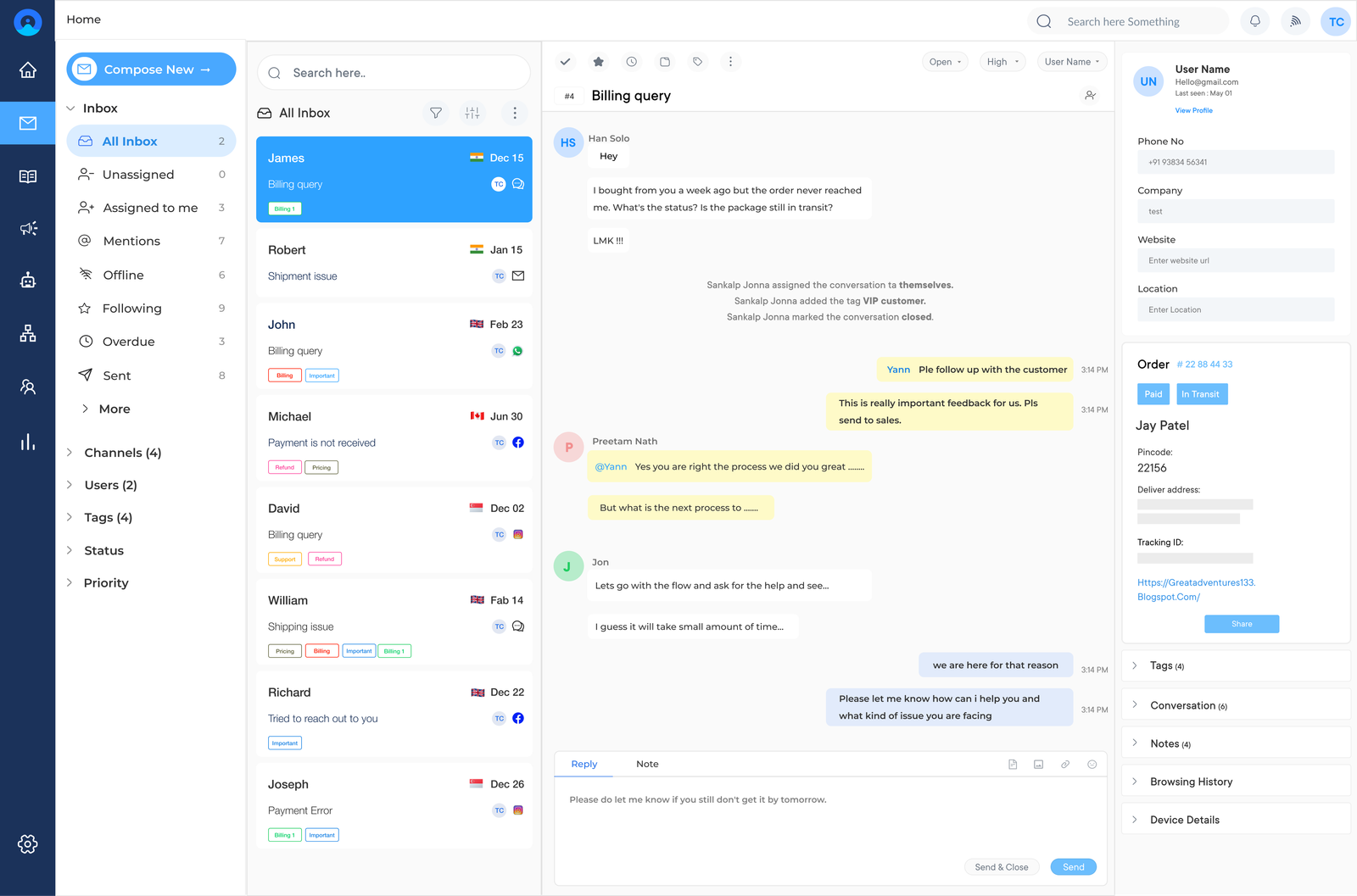
Live Chat Widget Ultimate Guide: Benefits, Tools & Best Practices
Improve your website sales and support with Veemo Chat’s advanced live chat widget. Highly customizable and scalable to match your brand needs.
No credit card required. Easy setup
Improve your website sales and support with Veemo Chat’s advanced live chat widget. Highly customizable and scalable to match your brand needs.
No credit card required. Easy setup
Turn online visitors into leads, provide real time assistance and superior messaging experience with the best RoI channel.
Offer immediate assistance to your website visitors with a live chat widget. Customers can ask questions, resolve issues, and get the help they need instantly.
Allow you to collect valuable visitor insights. You can analyze customer interactions, including the most frequently asked questions, pain points and preferences.
Providing exceptional customer service through a live chat widget leads to higher customer satisfaction and improved customer retention. Provides the convenience of receiving immediate support.
Potential customers can ask product-related questions and receive personalized recommendations. Instant engagement can significantly impact a customer’s buying decision.
Customer expectations have evolved and have become more demanding with the rise of online shopping. Live chat widgets have become a critical channel for businesses to improve customer satisfaction, increase conversions, and boost overall website engagement.
We will explore the features, benefits, tools, and best practices for implementing these on your website. Whether you are new to live chat or looking to refine your current strategy, it’s a definitive guide that will provide you with the essential knowledge to make the chat widget as a powerful customer communication tool.
A live chat widget allows businesses to provide instant online customer support through real-time conversations on their website or app. It helps in reducing response times and improving customer satisfaction.
Once integrated, a small chat box appears on the screen, opening into a chat window when clicked. The chat can then be handled by a live agent or automated chatbot for immediate assistance.
Key objectives:
Improve customer support and boost sales on your website through customizable chat widgets!. Here are five key benefits of using a chat widget:
1. Provide real-time support: Offer immediate assistance to your website visitors with a live chat widget. Customers can ask questions, resolve issues, and get the help they need instantly. The real-time support improves customer satisfaction and builds trust with your audience.
2. Increased sales & conversion rates: Live chat has been proven to increase sales and conversion rates. Here, potential customers get to ask product-related questions, discuss pricing details, and receive personalized recommendations. Instant engagement can significantly impact a customer’s buying decision.
3. Gain valuable visitor insights: The live chat widget allows you to collect useful visitor insights. You can track and analyze customer interactions, including the most frequently asked questions. The data then guides your marketing strategies while optimizing your website for better user experience.
4. Higher customer satisfaction & retention: Providing exceptional customer service through live chat leads to higher customer satisfaction and improved customer retention. Customers appreciate the convenience of receiving immediate support and tend to have a positive view of companies that offer this service.
5. Lower cost to acquire and support customers: Live chat reduces costs associated with customer acquisition and support. Traditional customer support methods, such as phone calls or emails, can be time-consuming and expensive. Live chat enables your support team to handle multiple inquiries simultaneously, reducing response times along with overall support costs.
Live chat widgets have become an essential tool for businesses looking to provide excellent customer service and increase conversions on their websites. Here are the best practices to enhance your live chat:
The right live chat software forms the foundation of an effective customer support strategy for growing business. Each platform offering distinct features and pricing structures, the choice you make will shape every future interaction.
Beyond core functionality, consider how the software scales as your team grows over time. A platform that feels sufficient today may become restrictive once chat volume increases significantly.
Take time to request demos and trial periods before committing to a long-term contract. Compare real usage against vendor claims to avoid costly switching down the road.
Focus on these essential capabilities when evaluating providers:
The placement and design of your live chat widget play a crucial role in capturing visitor attention from the moment they arrive. A well-positioned widget encourages meaningful engagement without disrupting the overall browsing experience.
Key factors when refining placement:
Test different placements across key landing pages to reveal where engagement is strongest. Small adjustments, such as widget appearance timing, often improve click-through rates noticeably.
Setting realistic hours is essential for managing expectations, and clearly indicating when your team is online from the outset prevents customer frustration and confusion.
Mismatched expectations around response times cause negative chat feedback. Transparency about hours builds trust even when immediate support are not available around the clock. Keep expectations aligned with actual service capacity by considering these approaches:
Support agents represent the face of your business during every single live chat interaction with customers. Proper, ongoing training make sure they can handle diverse queries confidently all times.
The training should extend beyond product knowledge to include tone, empathy and conflict resolution skills. Agents who communicate warmly leaves a stronger impression than those focused on speed.
Focus training efforts on these key areas:
Regular scheduled sessions help agents stay current as products and policies evolve. Pairing newer agents with experienced mentors also accelerates confidence and consistency.
Canned responses allow support agents to reply quickly and accurately to frequently asked customer questions. A well-organized library saves valuable time while maintaining consistency across every interaction. However, risks making conversations feel scripted when relying too heavily on canned text.
Keep these principles in mind:
Pro tip: Review which canned responses are most used to reveal gaps in your knowledge base. This insight helps prioritize which topics deserve more detailed responses.
Live chat software typically enables businesses to record and store chat transcripts for later review and analysis. This data offers valuable insight into exactly how your support team is performing.
Transcript analysis also helps identify training gaps that might not be identified through customer complaints. Review conversations regularly to make sure quality standards remain consistent.
Integrate live chat with other channels, such as email and phone, to create a seamless customer experience. It ensures that customers should never have to repeat information when switching between different support channels.
Prioritize integration across these areas:
Beyond convenience, this integration provides a complete view of customer interaction history and allows making smarter decisions around staffing, training, and process improvements.
Actively soliciting customer feedback is key to continuously improving live chat service over time. Post-chat surveys offer a simple way to gather honest insights and suggestions.
Feedback collection works best when reviewed alongside transcript and performance data. Cross-referencing sources often reveals the true root cause behind recurring complaints.
Consider these approaches:
Closing the loop with customers after implementing changes reinforces that their input truly matters. This ongoing dialogue builds long-term loyalty and encourages continued honest feedback.
Live chat widgets serve different purposes based on industry and customer journey involved. Let’s explore five industries that apply live chat to solve their unique business needs.
Live chat helps e-commerce businesses recover abandoned carts by proactively engaging hesitant shoppers with real-time assistance. Agents can use it to answer product questions, offer sizing guidance, directly influencing purchasing decisions and reducing cart abandonment during checkout.
SaaS companies use it to guide trial users through onboarding, answer technical questions and boost conversion rates. Proactive chat prompts triggered by user behavior identify friction points early that turn free trial users into paying customers.
Healthcare providers to answer appointment scheduling questions, insurance inquiries, and general service information with live chat. This reduces phone call volume while giving patients a convenient, less intimidating way to get quick answers.
Real estate agencies capture leads from property listing pages, answering questions about availability, pricing and scheduling viewings instantly. This immediate engagement prevents potential buyers from losing interest and moving to competitor listings.
Educational institutions assist prospective students with admissions questions, course details, and application deadlines in real time. Live chat improves enrollment conversion rates while reducing the workload on admissions staff during peak periods.
Adding a live chat widget to your website can greatly benefit your business by improving customer satisfaction and increasing conversions. Follow these simple steps to implement it:
Step 1: Sign Up and Create an Account
Once you’ve chosen a live chat software, visit their website and sign up for an account. It usually involves providing some basic information about your business and creating login credentials.
Step 2: Customize your Live Chat Widget
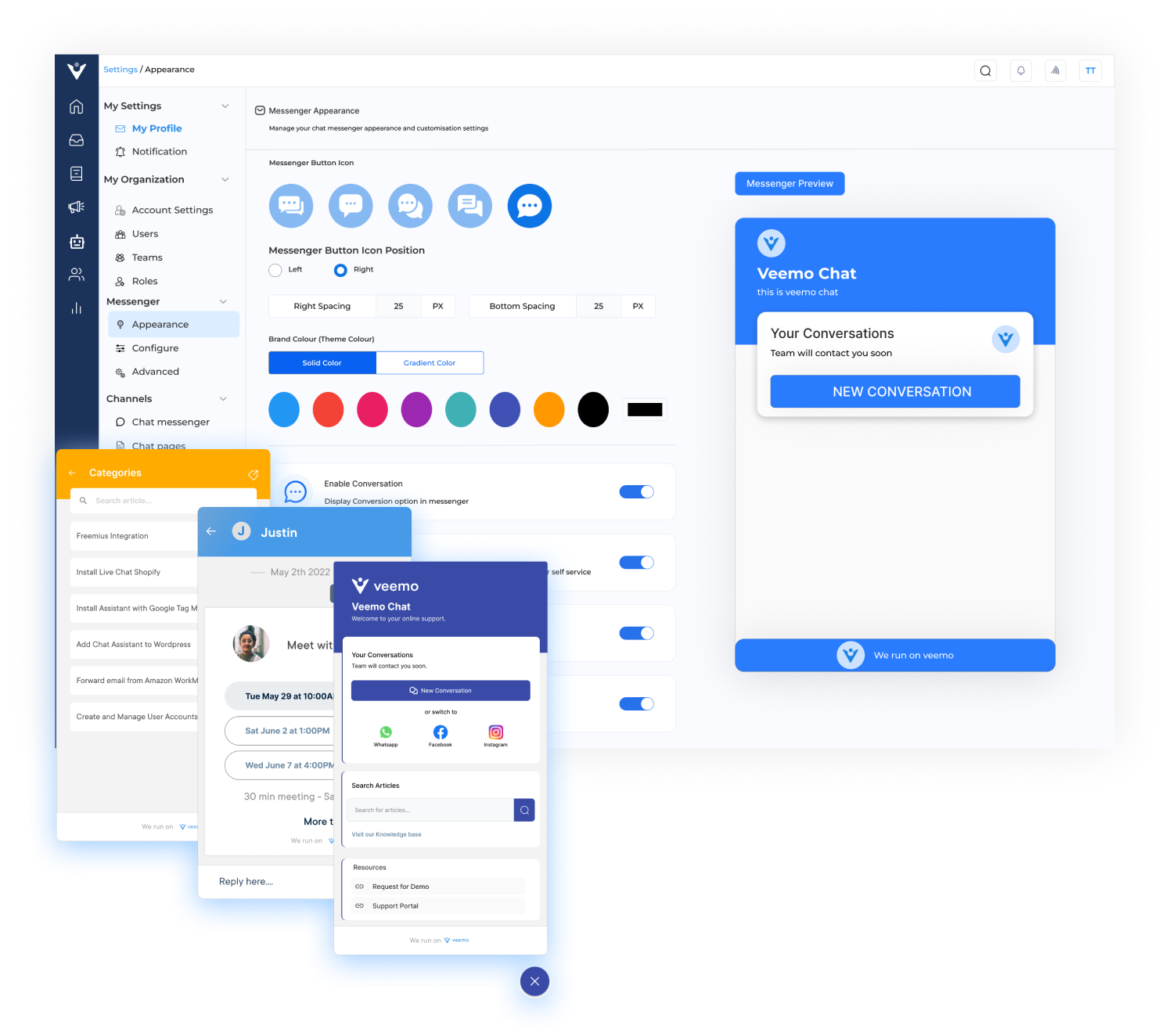
After creating your account, customize the chat widget through the software. You can tailor the appearance of the chat widget to match your website’s branding. You can also change colors, fonts, and other design elements to ensure a seamless integration.
Step 3: Insert the Code Snippet on your Website
Embed the code snippet into your website’s HTML code by accessing the backend of your website. Locate the appropriate section where you want the chat widget to appear, and paste the embed code there.
Step 4: Test and Launch
Once you’ve added the embed code, it’s time to test the live chat widget on your website. Open your website in a browser and verify that the chat widget is visible while functioning properly. Test its functionality by sending a chat message, ensuring that you receive a response.
Step 5: Train your Team and Provide Support
Now that your live chat widget is up and running, it’s essential to train your team on how to use the software effectively. Assign team members to handle incoming chats and provide comprehensive training on how to provide excellent customer support through this channel.
Live chat widget provides instant customer support, improves engagement, and boosts conversions. But what makes it truly effective? Let’s explore the advanced features that set a chat widget apart from the rest.
An effective chat widget enables businesses to manage all customer messages and conversations from different channels in one unified platform. These advanced features streamline customer support processes, ensuring that no messages slip through the cracks, regardless of the channel used.
Businesses get to proactively engage with customers, thanks to chat campaigns. A chat widget provides the ability to create and deploy targeted chat campaigns based on specific criteria, such as the visitor’s location, browsing behavior, or previous interactions. This chat feature helps increase customer engagement and conversion rates.
A chat widget usually includes chat surveys to gather valuable feedback from customers. These surveys can be presented at the end of a conversation or as a pop-up during the chat. Collecting feedback through surveys allows businesses to continuously improve their customer service and identify areas for growth.
Customers expect support across various channels. A live chat tool should be able to integrate with multiple communication channels such as email, social media, SMS, and more. The multichannel support ensures that businesses provide consistent service regardless of the channel chosen by the customer.
A live chat widget should integrate with a knowledge base to automate customer support with articles your customers often need help with. It lets agents quickly access and share relevant information with the customers.
An effective live chat widget should have advanced routing and workflow capabilities. It should automatically assign chats to the most suitable agents based on predefined rules, such as agent availability or skills. Workflows can be created to automate certain tasks, ensuring timely responses to customer queries.
Having the right live chat software is important that matches your unique needs and business goals. Here are some of the best live chat widget tools to explore further:
Veemo Chat is an omnichannel customer messaging platform that combines live chat with other communication channels like email and social media. The live chat widget enables businesses to handle multiple conversations simultaneously, providing customer data such as browsing behavior and past interactions. With features like chatbots, saved replies, and automated messages, Veemo Chat empowers businesses to deliver personalized support.
Key features:
Omni24 is an AI-powered customer engagement platform that unifies three suites- support, sales, and marketing into one place. Its live chat widget integrates easily into a website by embedding code without any complex setup. Businesses can then engage visitors and nurture leads directly from one interface.
Key features:
Tawk.to is a free live chat widget that offers a wide range of features designed to simplify customer communication. The widget supports unlimited chats, customizable chat windows, and real-time visitor monitoring. It also provides a comprehensive analytics dashboard to help businesses track visitor behavior, chat performance, and customer satisfaction.
Drift is known for its conversational marketing platform that leverages chatbots and live chat to engage website visitors at different stages of the customer journey. Its live chat widget not only allows businesses to provide instant support but also facilitates lead generation and qualification, which meets the needs of the sales team as well.
LiveChat offers a user-friendly live chat solution that enables businesses to chat with customers across various channels, including websites, apps, and social media platforms. The widget supports features like chat transcripts, canned responses, and chat tags, making it easier for businesses to analyze customer interactions. Read more: Best alternatives to LiveChat for growing support teams.
Live chat implementation is only the first step, but tracking the right metrics reveals truly driving engagement and customer satisfaction. Consider these six key KPIs every business tracks.
A live chat widget helps businesses boost website engagement, strengthen sales and elevate customer experience. It lets businesses start conversations with visitors for real-time assistance while AI-powered chatbots handle repetitive queries for scalability.
Most live chat platforms are highly customizable, that matches with widget’s design to their brand and website. Integration with existing systems streamlines communication, making live chat a powerful way to build more seamless customer connections.
Once installed on a website, a live chat widget displays a chat box where visitors can type their messages directly. It is immediately routed to a customer support agent who responds in real time, guiding the visitor through any issues they may have during their visit.
Some live chat widgets offer automated chatbot features that can manage basic queries and initiate conversations, helping businesses maintain engagement even when human agents aren’t actively available. Common automation includes:
Setting up a live chat widget is a simple process for most businesses regardless of technical expertise. Most software providers have user-friendly interfaces with step-by-step setup. This involves copying a code snippet and pasting it into your website’s HTML. The entire process often takes just a few minutes for completion.
Yes, most providers allow extensive customization to match the widget with your website’s overall design and branding. It ensures the widget feels a natural extension of the site instead of a third-party add-on. Common customization options are:
Live chat software typically includes features designed to help agents manage multiple conversations without affecting response quality. It works seamlessly even during high-traffic periods when inquiries boost unexpectedly across the website. Useful tools to consider are: