11 Best Business Messaging Apps & Software for Businesses (2026)

Streamline communication, boost collaboration, and enhance productivity with business messaging tools. Leverage conversational intelligence for your business scalability.

No credit card required. Easy setup

Business Messaging Apps

Trusted By Leading Brands

Scale Customer Communication with Veemo’s Business Messaging Apps

Deliver personalized business messaging at scale, improve team productivity with a rich communication suite of tools.

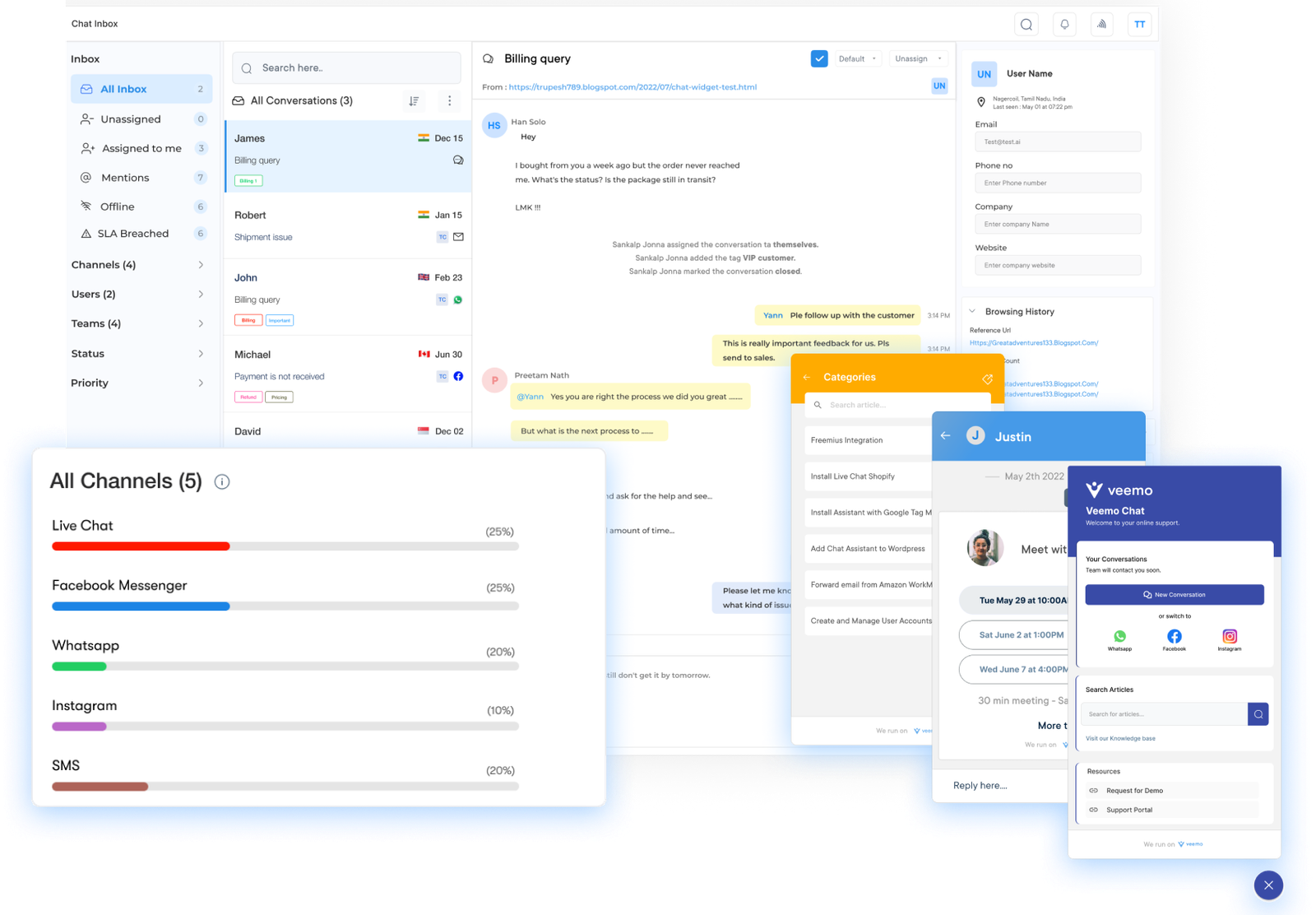
Business Messaging Apps Dashboard1

Instant Messaging

Allows instant messaging between team members. Enables efficient communication, facilitating collaboration and decision making.

File Sharing

Easily share files such as documents, images, and videos. Promotes seamless collaboration and enables team members to access & work on shared files in real-time.

Group Chats and Channels

Support group chats and channels where team members can communicate as well as share information with specific groups. Helps to organize conversations and ensures that relevant messages reach the right people.

Integration with Other Tools

Integrate with other commonly used business tools such as project management software, customer relationship management (CRM) systems, and calendar apps. Allows for streamlined workflows.

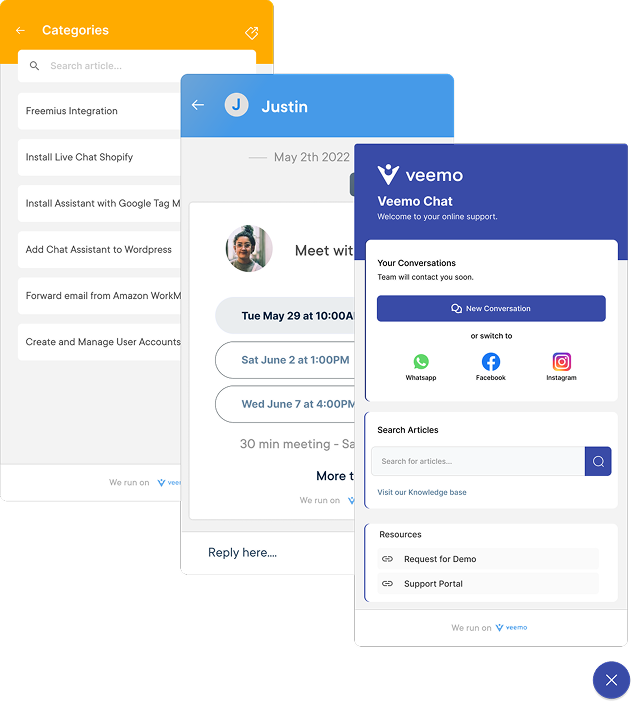
Business Messaging Apps Dashboard2

Instant messaging apps have revolutionized the way we communicate, allowing for real-time collaboration, quick decision-making, and seamless information sharing.

Regardless if you’re a small startup or a large corporation, finding the right platform for your business is crucial to improve customer communication and team collaboration.

Let us review the best business messaging apps, their features, benefits, and why they are worth considering for your organization.

What is a Business Messaging App?

Business messaging app is a communication tool designed specifically for businesses to streamline their customer communication and team collaboration processes. It enables real-time communication through various channels, such as chat, voice, and video allowing employees to connect with customers effortlessly.

Key objectives:

1. Efficient communication: Facilitate efficient communication among team members and with customers, leading to improved customer satisfaction.
2. Enhanced customer support: Enable businesses to maintain a consistent and personalized approach in their customer interactions to build stronger relationships.
3. Seamless collaboration: Streamline team collaboration by allowing employees to work together in real-time, regardless of their geographical location.
4. Integration and automation: Enables automation of repetitive business processes, such as chatbot responses and message routing, hence reducing manual efforts.

Business Messaging Platform Features

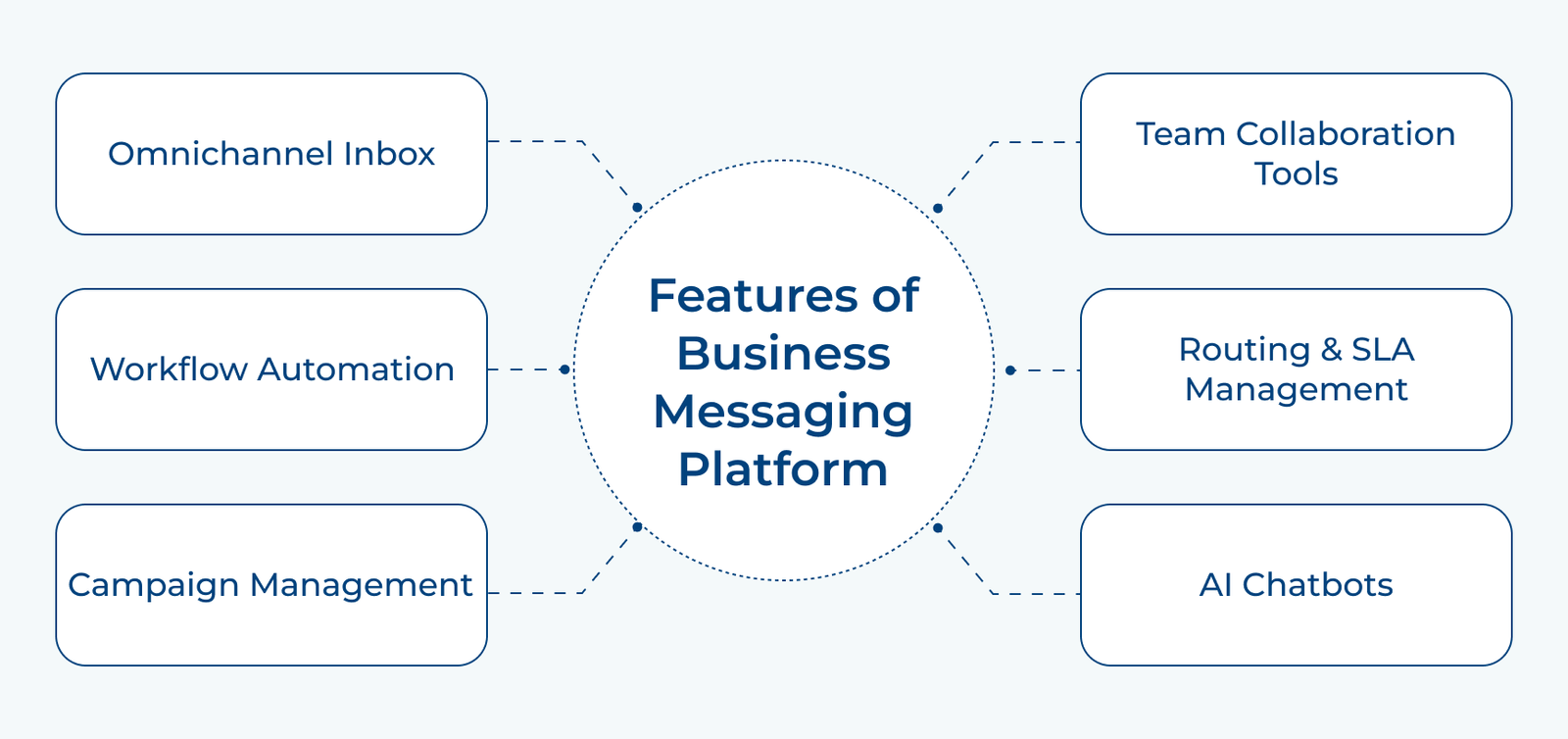
Here are the key features that make a business messaging platform a powerful tool for the organization:

Features of Business Messaging Platform

1. Omnichannel Inbox

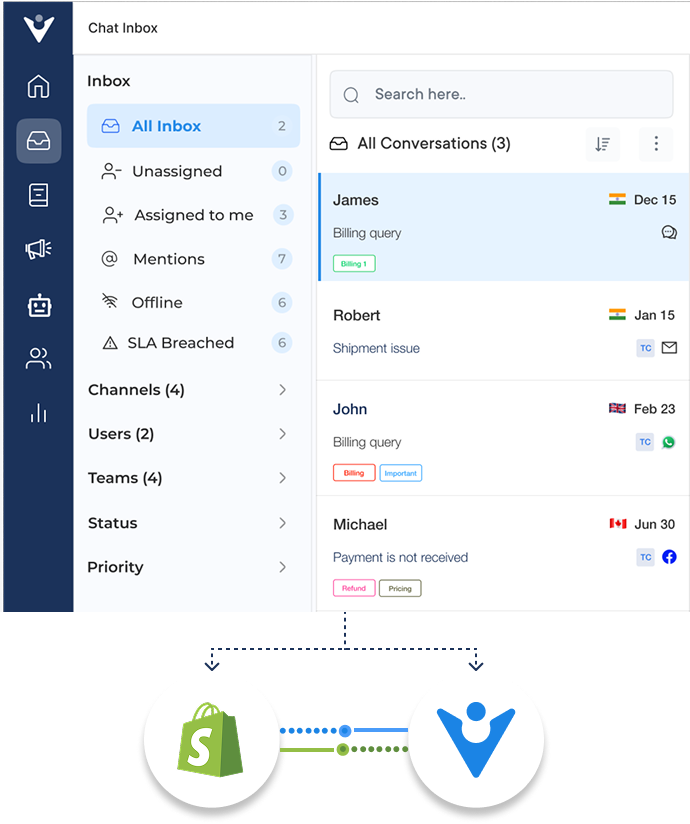
A unified inbox that consolidates all incoming messages from various channels, such as WhatsApp, Facebook Messenger, SMS, and email, into a single interface. Agents manage and respond to customer inquiries efficiently, regardless of the communication channel used.

2. Workflow Automation

Advanced workflow automation enables businesses to define and automate various processes, such as ticket assignment, prioritization, escalation, etc. It streamlines operations, reduces manual effort, and ensures efficient handling of customer interactions.

3. Campaign Management

The ability to create and manage targeted campaigns across multiple messaging channels. Businesses here can proactively engage with customers to share updates, promotions, etc. They also get to measure the effectiveness of the campaigns.

4. Team Collaboration Tools

Collaboration features facilitate seamless communication and coordination among team members. These tools include features like internal notes, mentions, and escalation paths. Hence, enabling teams to work together effectively while also providing consistent support.

5. Routing & SLA Management

Intelligent routing and SLA management capabilities ensure inquiries are directed to the most suitable agent based on predefined rules as well as prioritization. It helps businesses meet their SLA targets and provide timely responses to customers.

6. AI Chatbots

Integration with artificial intelligence (AI) chatbots that can handle routine inquiries, provide instant responses, and perform basic tasks. It offloads repetitive tasks from human agents, so they focus on high-value interactions, while still providing prompt assistance to customers.

6 Best Business Messaging Tools for Team Collaboration

Businesses need reliable instant messaging apps to bridge the communication gap, streamlining team collaboration with the rise of remote work and flexible schedules. Here are some of the top business instant messaging apps to consider:

1. Veemo Chat 

Veemo Chat is a business instant messaging platform that enables real-time communication between team members through a shared inbox and channels. It supports file sharing and integrates with everyday work tools like project management and CRM apps to streamline collaboration.

Key Features:

  • Team Inbox: Brings messages from multiple channels into one thread, so no context gets lost across tools.
  • Workflow Automation: Uses intelligent automation to handle routine tasks, freeing up team members for higher-priority conversations.
  • Smart Message Routing: Automatically directs conversations to the right team member, cutting down on delayed or missed responses.
  • Knowledge Base: Allows teams to create and organize shared documentation, reducing repetitive questions and onboarding time.
  • Seamless Integrations: Connects with project management, CRM, and calendar apps to support streamlined workflows.

2. Omni24

Omni24 is an AI-enabled business messaging platform that helps teams and businesses communicate seamlessly across multiple channels from one place. Its user-friendly interface streamlines interactions, making it easier to manage conversations without switching between separate tools.

Key Features:

  • Omnichannel Messaging: Lets businesses engage across multiple communication platforms from a single, unified interface.
  • AI-Powered Automation: Uses intelligent chatbots to handle repetitive tasks and deliver instant, personalized responses.
  • Automated Ticketing: Routes support requests based on predefined rules, helping agents resolve issues faster and in the right order.
  • Team Collaboration: Lets team members communicate internally through notes and mentions while resolving customer issues together.
  • 360-Degree Customer View: Surfaces a customer’s full interaction history across channels, giving teams context to anticipate needs.

3. Microsoft Teams

Microsoft Teams is a comprehensive messaging and collaboration platform developed by Microsoft. It combines chat, video calls, file sharing, along with project management features to create an efficient workspace for teams to communicate in real-time.

Key features:

  • Chat and channels: Communicate with team members through individual or group chats, creating dedicated channels for specific projects or topics.
  • Video and audio conferencing: Schedule and join meetings with built-in video/audio calling capabilities, allowing for face-to-face collaboration regardless of location.
  • File sharing and collaboration: Share files, documents and presentations with team members, enabling collaboration as well as version control.
  • Integrated apps and services: Access a wide range of Microsoft & third-party apps such as SharePoint, OneNote, Planner, etc. to enhance productivity.
  • Customization and bots: Customize teams and channels to fit your organization’s needs. Utilize bots to automate repetitive tasks.

4. Slack

Slack is a team messaging app designed to bring teams together, enabling seamless communication and collaboration in one centralized platform. It offers real-time messaging, file sharing & integration with various tools, making it an all-in-one solution for team communication. Slack is particularly favored by tech companies and remote teams due to its ease of use.

Key features:

  • Channels: Organize team conversations into specific channels, allowing members to focus on relevant topics and minimize noise.
  • Direct messaging: Enable private one-on-one or group conversations for more intimate discussions or quick updates.
  • File sharing: Share files of all types and sizes effortlessly, ensuring easy access as well as collaboration on important documents.
  • Integration with third-party apps: Connect Slack with various tools such as Google Drive, Trello, and Zoom to eliminate the need for constant context-switching.

5. Flock

Flock boasts a diverse user base, ranging from small startups to large enterprises. It has found popularity among teams in the technology, marketing, and creative industries. With over 50,000 companies embracing Flock, it has become a trusted tool for team collaboration worldwide.

Key features:

  • Team chat: An intuitive chat platform that allows team members to exchange messages, files, and media seamlessly.
  • Channels: Organize communication into dedicated channels for teams, departments, or projects, ensuring streamlined discussions.
  • Video calls: Conduct high-quality video calls with teammates, making remote collaboration feel more personal and effective.
  • To-dos and reminders: Create tasks, set deadlines and receive reminders, keeping everyone on track while improving productivity.
  • File sharing: Share files of any size with teammates, eliminating the need for clunky email attachments.

6. Google Hangouts

Google Hangouts is a communication platform developed by Google, designed to facilitate instant messaging, voice calls, and video conferences. It offers an efficient way for teams to connect/collaborate whether they are in the same office or spread across different locations.

Key features:

  • Instant messaging: Send real-time messages to individuals or groups to share ideas, updates, files, etc.
  • Voice calls: Make high-quality voice calls with team members and eliminate the need for additional communication tools.
  • Video conferences: Conduct virtual meetings with smooth video/audio quality, allowing face-to-face interaction even when physically apart.
  • Screen sharing: Share your screen with participants during video conferences, enabling seamless collaboration and presentations.
  • Integration with google apps: Seamlessly integrate Hangouts with other Google apps such as Google Drive and Google Calendar for efficient workflow management.

Scale your Customer Communication with Veemo’s Business Messaging Apps

Businesses should invest in business messaging tools and instant messaging apps because they offer a more convenient way to communicate with customers. A business messaging platform like Veemo offers a solution to the challenge of managing multiple communication channels. With the proliferation of social media, email, live chat, and phone calls, it can be overwhelming to keep track of all these channels.

Veemo streamlines the process by integrating multiple channels into one centralized business messaging platform. It ensures that all customer messages are received and responded to in a timely manner, providing a seamless customer experience.

Last update: July 8, 2026

FAQs about Business Messaging Apps & Software

Business messaging tools provide customers with immediate access to assistance. It allows them to ask questions, make inquiries, or seek help through convenient messaging platforms. With this software, customer service agents can respond promptly, provide personalized assistance while resolving issues efficiently. This boosts customer satisfaction as well as saves time and resources for the business.

Security is a critical concern when it comes to business communication, especially with the rise in cyber threats. Business messaging tools typically offer robust security measures, such as encryption, secure data storage, and access controls. These measures ensure that customer data and communications remain protected while complying with data privacy regulations. It is important to choose a reputable provider that prioritizes security to mitigate any potential risks.

A business messaging platform offers various marketing opportunities, such as sending targeted messages, personalized promotions, or important updates to customers. It allows businesses to engage directly with customers, gather feedback, and build relationships. The software often provides analytics and reporting features, enabling marketers to track the effectiveness of their messaging campaigns.

A business messaging platform is beneficial for businesses of all sizes. Small businesses can particularly benefit from implementing this software as it enables them to compete with larger companies in terms of customer service, response time, and engagement. With the right software, small businesses can establish a strong presence, build customer loyalty, and efficiently manage customer communications without the need for a large customer service team.

Most business messaging tools can be integrated with other systems, such as customer relationship management (CRM) software, email marketing platforms, or helpdesk solutions. Integration allows for a unified view of customer interactions, making it easier to track conversations, maintain a customer history, and provide personalized communication. This integration ensures a holistic approach to customer management.