Sales Inbox Guide: Benefits, Tools & Use Cases

Explore the ultimate guide to the sales inbox, uncovering its key benefits, essential tools and real-world use cases to transform your sales process.

No credit card required. Easy setup

Sales Inbox

Trusted By Leading Brands

Close Faster, Communicate Smarter with Sales Inbox

Discover how the powerful sales inbox tool streamlines workflows, enhances productivity and drives sales success like never before.

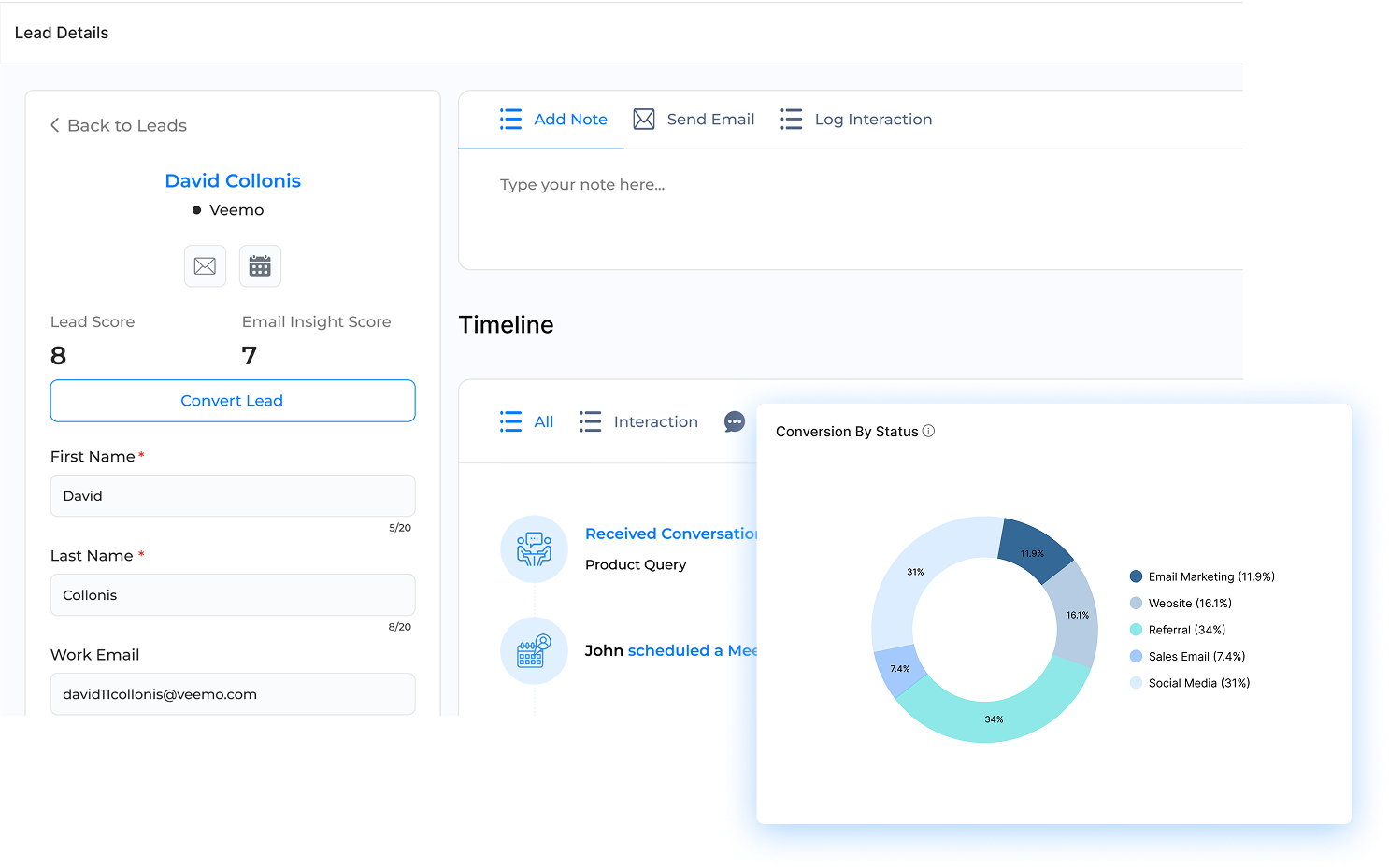
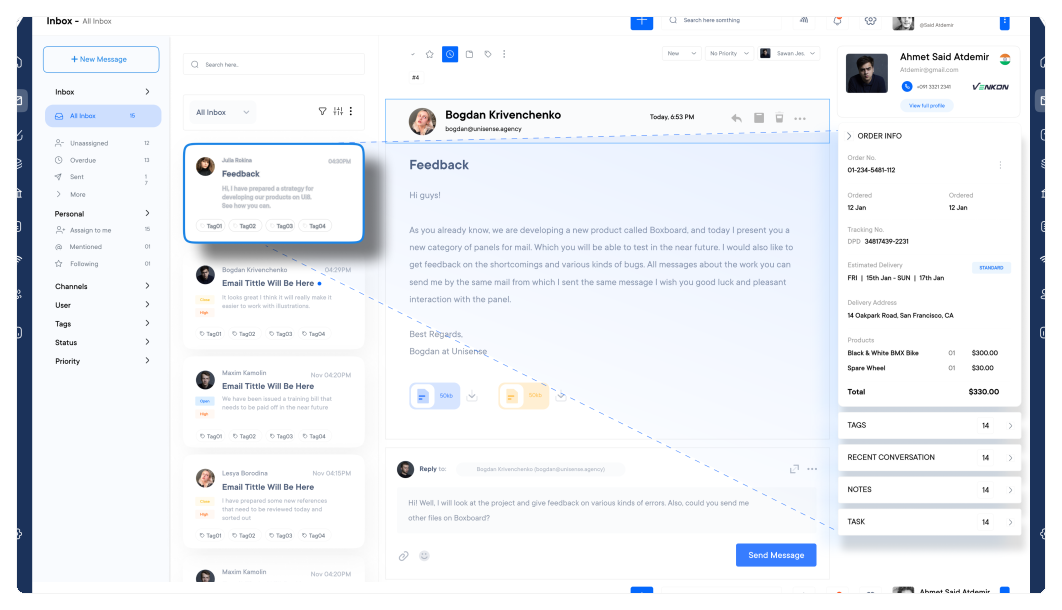
Sales Inbox Dashboard1

Automated Follow-ups

Automated follow-ups redefine how teams communicate with prospects by ensuring consistent and timely interactions. Now not only save time but also keep your leads engaged effortlessly, boosting your chances of conversion!

Real-time Analytics

Harness the power of real-time analytics to make data-driven decisions. Track key metrics instantly and stay ahead of the competition by maximizing your impact on potential customers.

Smart Email Templates

Streamline your communication with smart email templates. Save time crafting messages while maintaining a professional and personalized touch to strengthen customer relationships.

Lead Tracking Integration

Simplify your workflow with seamless lead-tracking integration directly within your inbox. Monitor activity, interactions, and progress in real-time, all synced with your CRM, eliminating the need to switch platforms.

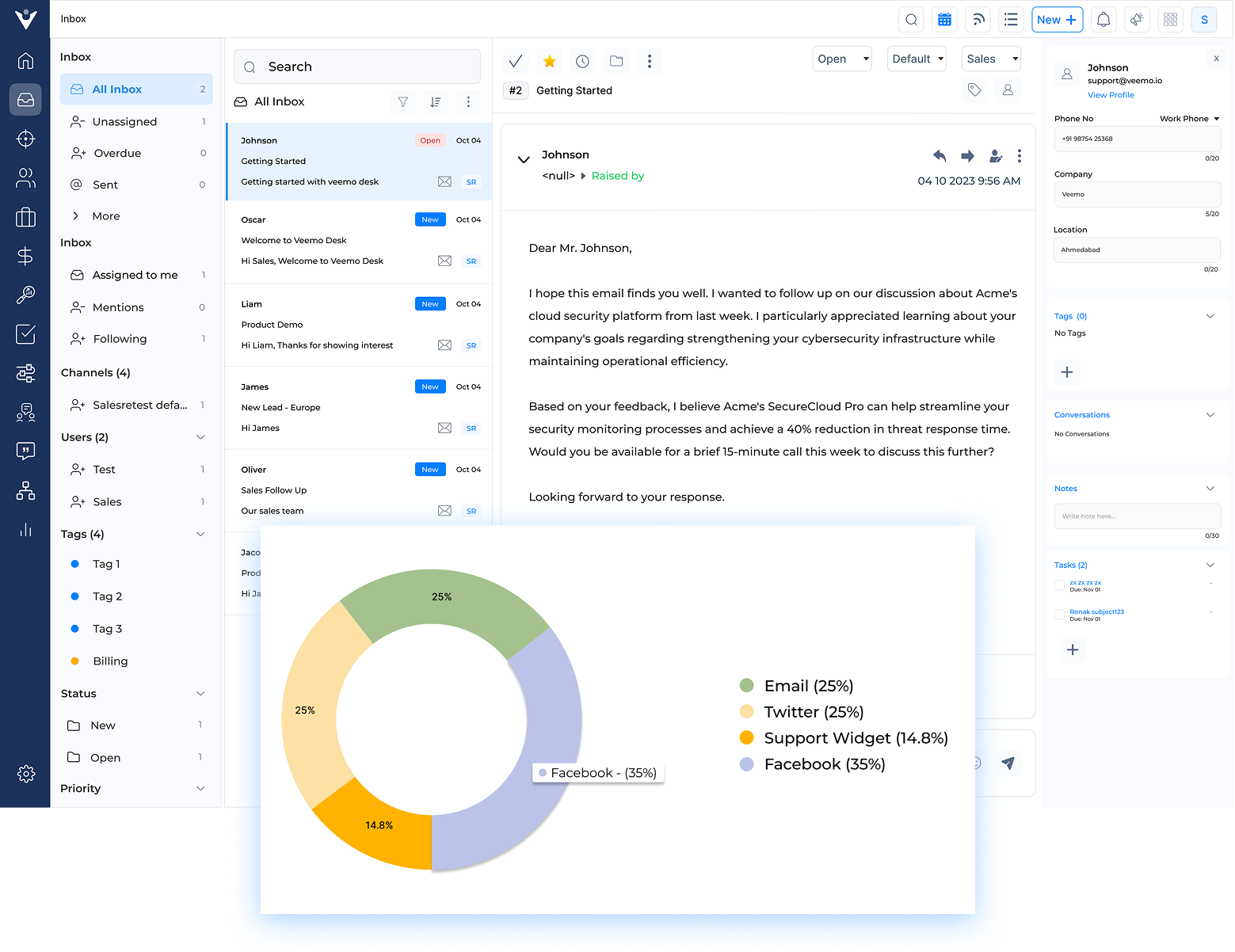
Sales Inbox Dashboard2

Imagine a sales team drowning in a sea of emails, missed opportunities and chaotic lead management. The pressure to close deals mounts, but disorganization threatens to sink the revenue goals. Sound familiar? Enter the Sales Inbox – the lifeline in the turbulent waters of modern sales.

Centralizing communication and providing actionable insights, empowers the team to focus on what truly matters: building relationships. What exactly is it? What features should companies look for? And how can we maximize its potential? Let’s find out!

What is a Sales Inbox?

Sales Inbox refers to a specialized tool designed to streamline and optimize the email management process for sales professionals. The tool works by automatically organizing and prioritizing incoming emails based on their relevance to sales activities.

The solution uses artificial intelligence to categorize messages, highlight important information, and suggest appropriate actions. They also sync data with the CRM, ensuring that all customer interactions are accurately recorded and easily accessible, making it a powerful tool for effective customer interaction management.

Key objectives:

  • Increase productivity by reducing time spent on email management
  • Improve response times to potential leads and customers
  • Enhance collaboration among sales team members
  • Provide actionable insights through data analysis and reporting
  • Ensure consistent and accurate CRM data entry

What are the Benefits of Sales Inbox?

Let’s explore the key benefits that make a sales inbox an essential part of any successful sales strategy.

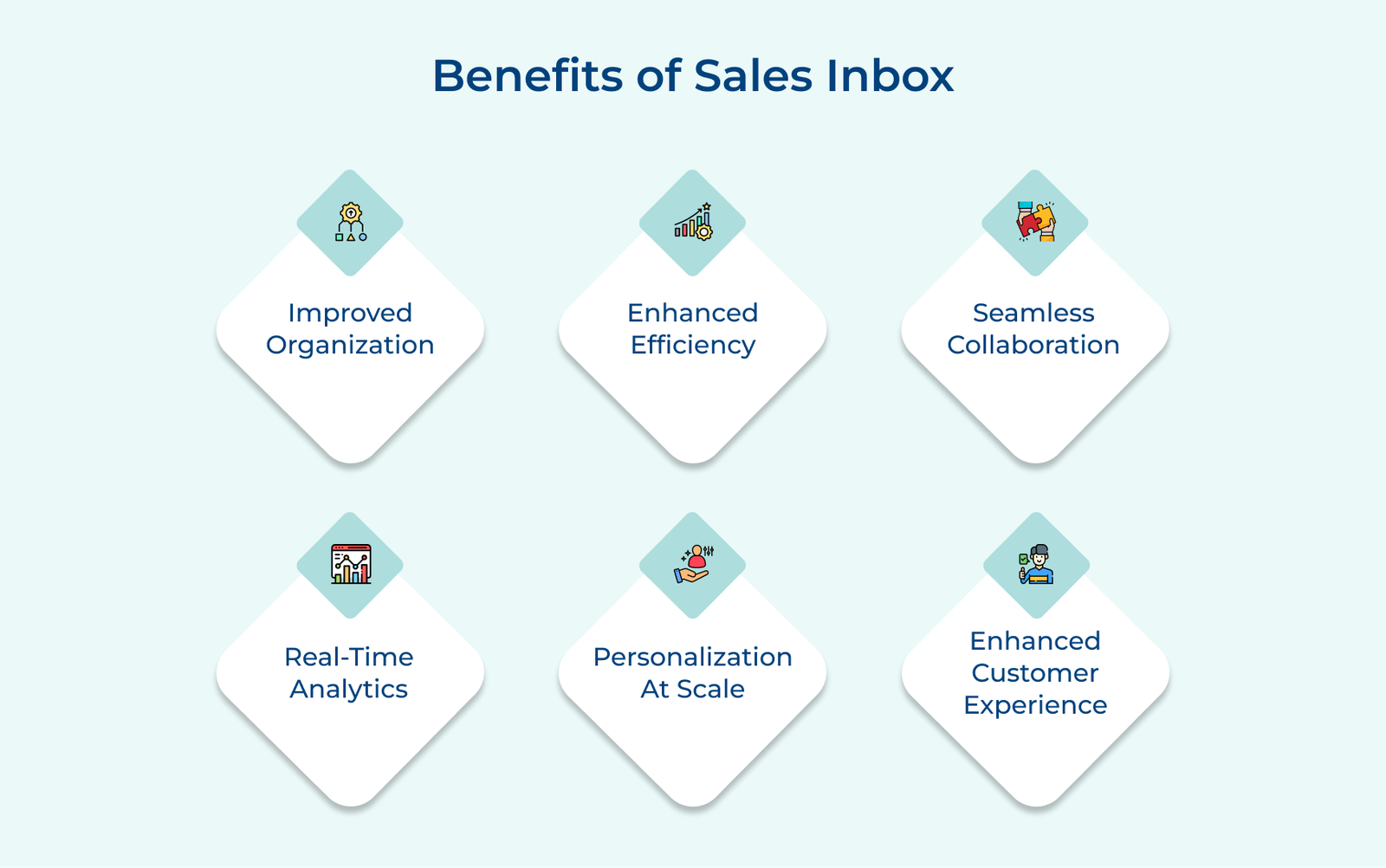
Benefits of Sales Inbox

1. Improved Organization

Sales reps can easily organize and manage their emails with a sales inbox, ensuring that no leads slip through the cracks. Categorizing emails by lead status, priority, or stage in the sales cycle, can help reps stay on top of their opportunities and streamline their workflow.

2. Enhanced Efficiency

Sales inboxes often come equipped with features like email templates, automated follow-ups and email tracking, which help sales reps save time. Reps can focus on engaging with prospects and moving deals forward by automating repetitive tasks.

3. Seamless Collaboration

The inboxes allow team members to share insights on leads, ensuring that everyone is aligned and working towards the same goal. Teams can work together efficiently to drive revenue with features like shared inboxes, internal comments and email forwarding.

4. Real-time Analytics

Sales inbox provides valuable insights into email performance, including open rates, click-through rates and response times. Sales reps can optimize their email outreach strategies and tailor their messaging to resonate with prospects by analyzing the metrics.

5. Personalization at Scale

The sales reps can personalize their email communication at scale which allows them to send targeted messages that resonate with individual prospects. Leveraging merge tags, dynamic content and behavioral triggers can help reps tailor their emails based on the recipient’s interests, leading to higher engagement and conversions.

6. Enhanced Customer Experience

Sales reps can provide a personalized and consistent experience for prospects and customers throughout the sales process by using a sales inbox. Reps can build trust by responding promptly to inquiries, following up on requests and delivering relevant content.

What are the Key Features of Sales Inbox?

Sales Inbox offers a range of advanced features tailored to elevate the sales strategy and streamline communication.

Must Have Sales Inbox Features

1. Centralized Inbox

The feature consolidates all customer communications into a single platform. Sales representatives can access emails, chat messages and social media interactions in one place, eliminating the need to switch between multiple applications. The centralization ensures that no important customer touchpoint is overlooked and allows for a more cohesive communication strategy.

2. Templates and Personalization

Sales Inbox offers customizable email templates that can be quickly adapted for individual prospects. The feature saves time while maintaining a personal touch. Representatives can save templates for common scenarios and then easily tailor them with personalized details for each recipient, striking a balance between efficiency.

3. Workflows

Automated workflows help sales teams standardize their processes and ensure consistent follow-ups. The workflows can be set up for various stages of the sales funnel, from initial outreach to closing deals. Workflows can trigger actions like sending follow-up emails, scheduling calls, or assigning tasks to members, reducing manual work and minimizing the risk of leads falling through the cracks.

4. Integration

Sales Inbox platforms seamlessly integrate with other essential tools such as CRM systems, marketing automation platforms and project management software. The integration allows for smooth data flow between systems, providing sales representatives with a holistic view of customer interactions and enabling more informed decision-making.

5. Email Tracking and Analytics

The feature provides valuable insights into email performance. Sales representatives can see when emails are opened, links are clicked and attachments are downloaded. The analytics help in understanding prospect engagement and tailoring follow-up strategies. Teams can also track email performance metrics to continually refine their communication strategies.

6. Collaborative Workspace

The sales team Inbox facilitates teamwork by allowing multiple team members to access and work on the same customer threads. The feature promotes knowledge sharing, enables seamless handoffs between team members and ensures continuity in customer interactions. It’s particularly useful for complex sales cycles that involve multiple stakeholders.

7. Custom Labels

Users can create and apply custom labels to organize emails. The feature allows for easy categorization and retrieval of information, helping sales representatives manage customer email more effectively. Labels can also be used to denote priority levels of customer queries which helps reps identify and solve them as soon as possible

8. Calendar Synchronization

Sales Inbox synchronizes with users’ calendars, streamlining the scheduling process. Representatives can view their availability directly within the inbox, propose meeting times to prospects and automatically update their calendars when appointments are confirmed.
The integration reduces scheduling conflicts and saves time spent on back-and-forth communications.

6 Best Sales Inbox Software and Tools

Let’s explore the six best sales inbox software that can revolutionize the sales workflow.

1. Veemo Sales

Best sales inbox for intelligent lead scoring

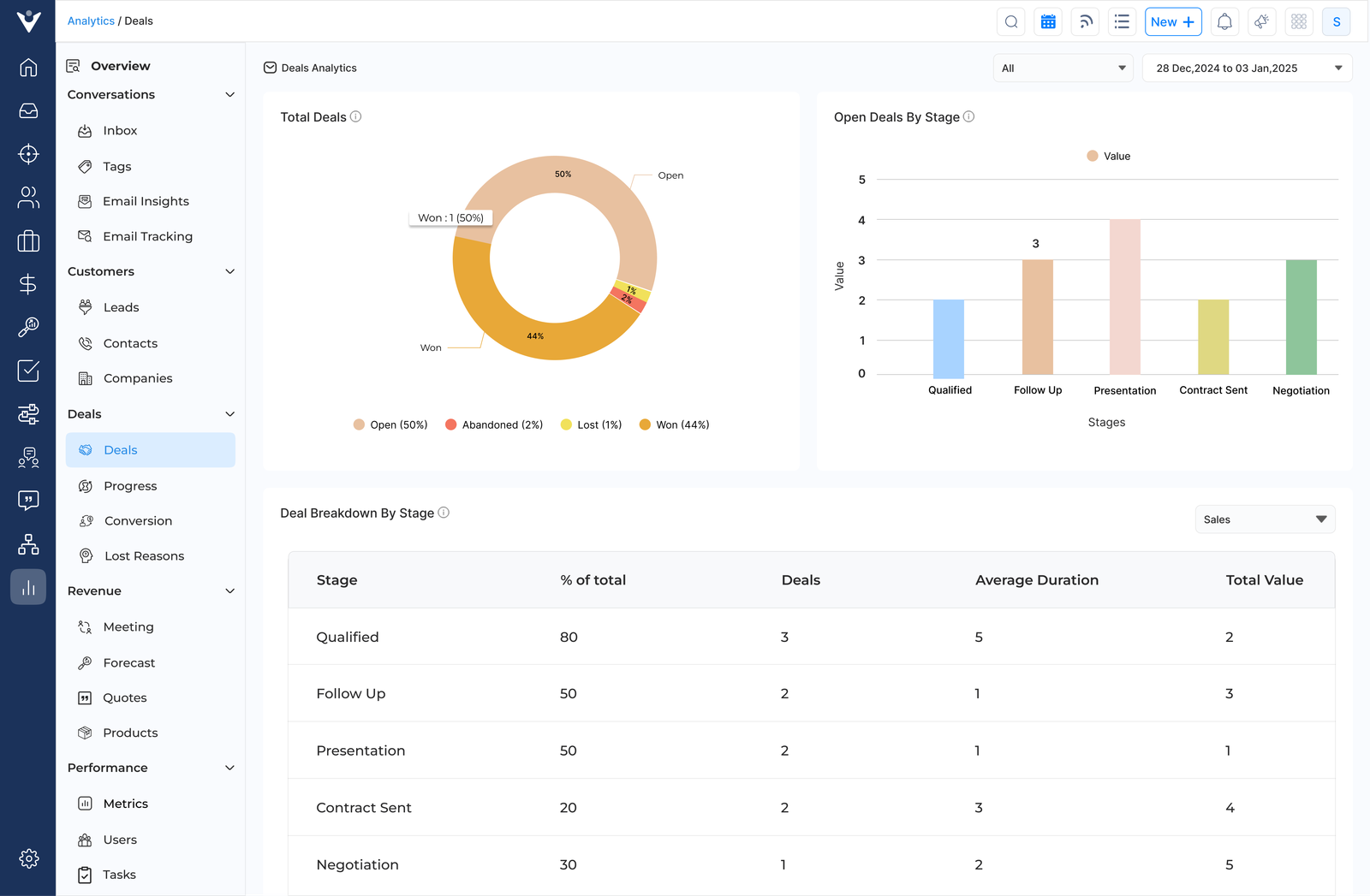
Veemo Sales Analytics Deals

Veemo Sales is a cutting-edge CRM solution that seamlessly integrates a powerful sales inbox, offering businesses a comprehensive platform to manage customer interactions. The all-in-one tool combines the functionality of a traditional CRM with advanced email management, making it the ideal choice for teams looking to optimize their workflow.

Key features:

  • Unified inbox: Veemo Sales consolidates all customer communications into a single interface, allowing sales reps to manage emails and messages from various channels.
  • Intelligent lead scoring: Automatically evaluates and ranks leads based on their engagement, helping teams prioritize their efforts on the most promising opportunities.
  • Advanced analytics and reporting: Provides in-depth insights into sales performance, customer interactions and team productivity through customizable dashboards.
  • Automated workflow: The CRM streamlines repetitive tasks through intelligent automation, including follow-up reminders and personalized outreach sequences.
  • Seamless integration: Veemo Sales effortlessly connects with popular business tools, ensuring a smooth data flow and eliminating silos between different departments.

Pricing: Veemo offers plans ranging between $29 and $129. Businesses can avail their 14-day free trial offer by signing up now!

2. Hubspot CRM

Robust sales inbox for deal tracking

HubSpot Sales Planning Software

HubSpot CRM centralizes your sales process in one intuitive interface, combining contact management, deal tracking, and communication tools with a built-in sales inbox. This freemium platform serves as your sales command center, making it ideal for growing businesses seeking robust CRM functionality without major upfront investment.

The sales inbox automatically logs all emails, calls, and meetings into contact records, creating complete interaction histories. Deal pipeline management visualizes your sales process, while automated follow-ups and email templates maintain consistent prospect communication. It helps teams comprehensive relationship tracking naturally translates into improved revenue outcomes. Go to this article: Pros and cons of several HubSpot Sales Hub alternatives.

3. Pipedrive

Comprehensive sales inbox for real-time insights

PipeDrive Sales Inbox

Pipedrive is a powerful CRM platform that integrates a sales inbox, offering a comprehensive solution for sales teams. The tool streamlines customer interactions and pipeline management in one intuitive interface. Businesses can track deals, manage contacts and optimize their sales processes efficiently.

The software offers customizable pipelines, email integration, activity tracking and insightful reporting. Pipedrive’s USP lies in its user-friendly design and visual sales pipeline, which provides a clear overview of deals at every stage. The platform’s seamless email integration and mobile accessibility enhance productivity, making it an ideal choice for sales professionals on the go. Exploring Pipedrive competitors that better fit your business needs.

4. Salesmate

Extensive sales inbox for mobile accessibility

SalesMate Sales Inbox

Salesmate is a comprehensive CRM platform with an integrated sales inbox, designed to streamline sales processes and enhance team productivity. The all-in-one solution offers a centralized hub for managing customer interactions, tracking deals and automating workflows.

The main capabilities include a unified inbox for seamless communication management, customizable sales pipelines, advanced reporting and mobile accessibility. Salesmate’s USP lies in its user-friendly interface, affordable pricing and robust integration capabilities. The affordability makes it an ideal choice for small to medium-sized businesses seeking to optimize their sales operations without breaking the bank. Read more: Best Salesmate alternatives you can consider.

5. Close

Seamless sales inbox for automated follow-ups

Close Sales Inbox

Close is a top-tier sales software with an integrated inbox, designed to streamline the sales process for small to medium-sized businesses. The all-in-one platform combines CRM functionality with powerful communication tools, enabling sales teams to manage leads, track interactions and close deals efficiently.

The highlighted features are a unified inbox for emails, calls, automated follow-ups, customizable pipelines and detailed reporting. The USP lies in its tight integration between communication and sales tools, allowing for seamless workflow management. Learn more: Reasons teams are choosing Close alternatives.

6. Zoho CRM

Comprehensive sales inbox for automating workflows

Zoho CRM Sales Inbox

Zoho CRM is a comprehensive customer relationship management platform that integrates a powerful sales inbox, offering businesses a unified solution for managing customer interactions. The tool provides a centralized hub for tracking leads, automating workflows and analyzing performance metrics.

Zoho CRM offers an intuitive interface, customizable modules and robust email integration. The unique selling proposition lies in its versatility and scalability, catering to businesses of all sizes. The platform stands out for its AI-powered sales assistant, Zia, which offers predictive sales and intelligent automation, enhancing productivity for sales teams.

What are the Best Practices of Sales Inbox?

Explore the key practices that will help businesses make the most of the sales inbox and achieve their sales goals with greater efficiency and effectiveness.

Sales Inbox Best Practices

1. Maintain Inbox Zero

Maintaining inbox zero is a crucial sales inbox best practice that enhances productivity and ensures timely responses to potential clients. Sales professionals can stay on top of their communications and prevent important messages from slipping through the cracks by processing emails regularly.

Implementing the “2-minute rule” for quick responses helps address simple inquiries promptly, demonstrating responsiveness to clients and colleagues.

How to implement:

  • Set specific times throughout the day to check and process emails, avoiding constant interruptions.
  • Use folders or labels to categorize emails by priority, client, or project for easy retrieval.
  • Unsubscribe from unnecessary newsletters and automate repetitive responses to save time.

2. Use a Consistent Naming Convention

Adopting a consistent naming convention is crucial for maintaining an organized sales inbox. Establish a standardized format for subject lines that includes key information such as client name, project type and stage in the sales process. Let’s assume: “[Client] – [Project] – [Stage]”. It enables quick identification and prioritization of emails at a glance.

When saving emails and attachments, implement a systematic approach that reflects the subject line structure. Use a hierarchy of folders organized by client, project and date. Within the folders, name files consistently, incorporating elements like date, document type and version number. Let’s consider: “YYYYMMDD_ClientName_ProposalV1.pdf”.

Pro tips:

  • Create a clear, written guide outlining the naming conventions for the team.
  • Use automation tools to enforce consistent naming in the email client and file system.
  • Regularly audit and update the naming system to ensure it meets evolving business needs.

3. Implement a Triage System

Implementing a triage system for the sales inbox solution is crucial for efficient email management and improved productivity. Prioritizing emails based on urgency, helps teams to focus on high-value interactions and time-sensitive matters first. The approach ensures that critical communications are addressed promptly, while less pressing issues are handled in due course.

Using flags or color-coding for visual organization enhances the triage system’s effectiveness. Assign specific colors or flags to different categories of emails, such as hot leads, existing customers, or internal communications. The visual cue allows for quick identification and sorting of messages, reducing the time spent searching for specific emails.

Pro tips:

  • Set clear criteria for urgency and importance to ensure consistent email categorization.
  • Regularly adjust the triage system to accommodate changing priorities and workflows.
  • Train team members on the triage system to maintain consistency across the sales department.

4. Set Specific Times for Email Management

Sales professionals can maintain focus on high-priority tasks and increase productivity by avoiding constant email checking. Dedicating focused time to email responses allows for more thoughtful communication with clients and prospects.

The approach prevents email from becoming a constant distraction and helps maintain a healthy work-life balance. Sales teams can better prioritize their workload and ensure timely responses to important communications by adhering to a structured email schedule. The practice also helps in managing client expectations regarding response times and allows for more meaningful interactions during designated email periods.

Pro tips:

  • Use calendar blocking to schedule 2-3 daily email check-ins
  • Enable “Do Not Disturb” mode outside of designated email times
  • Communicate the email schedule to colleagues and clients to set expectations

5. Leverage Email Templates

Leverage email templates as a sales inbox best practice to streamline communication and increase efficiency. Create templates for common scenarios such as follow-ups, introductions and meeting requests.

The pre-written messages save time and ensure consistency in the outreach efforts. Personalize templates for each recipient by incorporating specific details about their company, industry, or recent achievements. The personal touch demonstrates genuine interest and increases the likelihood of a positive response.

Example:
Subject: [Company Name] – Innovative Solution for [Specific Pain Point]

Dear [Recipient Name],

I hope this email finds you well. I recently came across [Company Name]’s impressive work in [specific industry/project] and was particularly intrigued by your approach to [relevant aspect].

At [Your Company], we’ve developed a solution that addresses [specific pain point] in [industry]. Given your focus on [relevant area], I believe our [product/service] could significantly enhance your [specific process/outcome].

Would you be open to a brief call next week to discuss how we might support your goals?

Best regards,
[Your Name]

Pro tips:

  • Regularly update templates to reflect current market trends and customer needs.
  • Use A/B testing to optimize template performance and improve response rates.
  • Integrate templates with the CRM system for seamless tracking and personalization.

6. Practice Good Email Etiquette

Businesses must ensure they practice good email etiquette as its paramount to enhance the professional image and improve communication with clients. Use clear and concise language to convey the message effectively, avoiding unnecessary jargon or lengthy explanations.

The approach respects the recipient’s time and increases the likelihood of the email being read. Always include a clear call-to-action (CTA) in your emails. The guides the recipient on what steps to take next, if it’s scheduling a meeting or making a purchase decision. A well-defined CTA reduces ambiguity and promotes engagement.

Pro tips:

  • Craft subject lines that are specific and enticing to improve open rates.
  • Personalize each email by addressing the recipient by name and referencing relevant information.
  • Proofread thoroughly to eliminate errors and maintain a polished, professional appearance.

7. Regularly Clean and Archive

Regularly cleaning and archiving the sales inbox tool is crucial for maintaining productivity. Businesses can reduce clutter and focus on important communications by removing unnecessary emails. The practice helps streamline workflow and ensures that critical messages don’t get lost in the noise.

When implementing the best practices, it’s essential to be systematic and consistent. Develop a routine for reviewing and categorizing emails, perhaps dedicating time at the end of each day or week. Use filters and folders to automatically sort incoming messages, making it easier to remove unnecessary items.

Pro tips:

  • Set up automated rules to categorize incoming emails based on sender, subject, or content.
  • Use a labeling system to quickly identify priority levels and action items.
  • Implement a regular “inbox zero” day to thoroughly clean and organize your sales inbox.
Use Cases of Sales Inbox

Let’s explore the practical use cases to understand how a sales inbox can address specific needs and drive success.

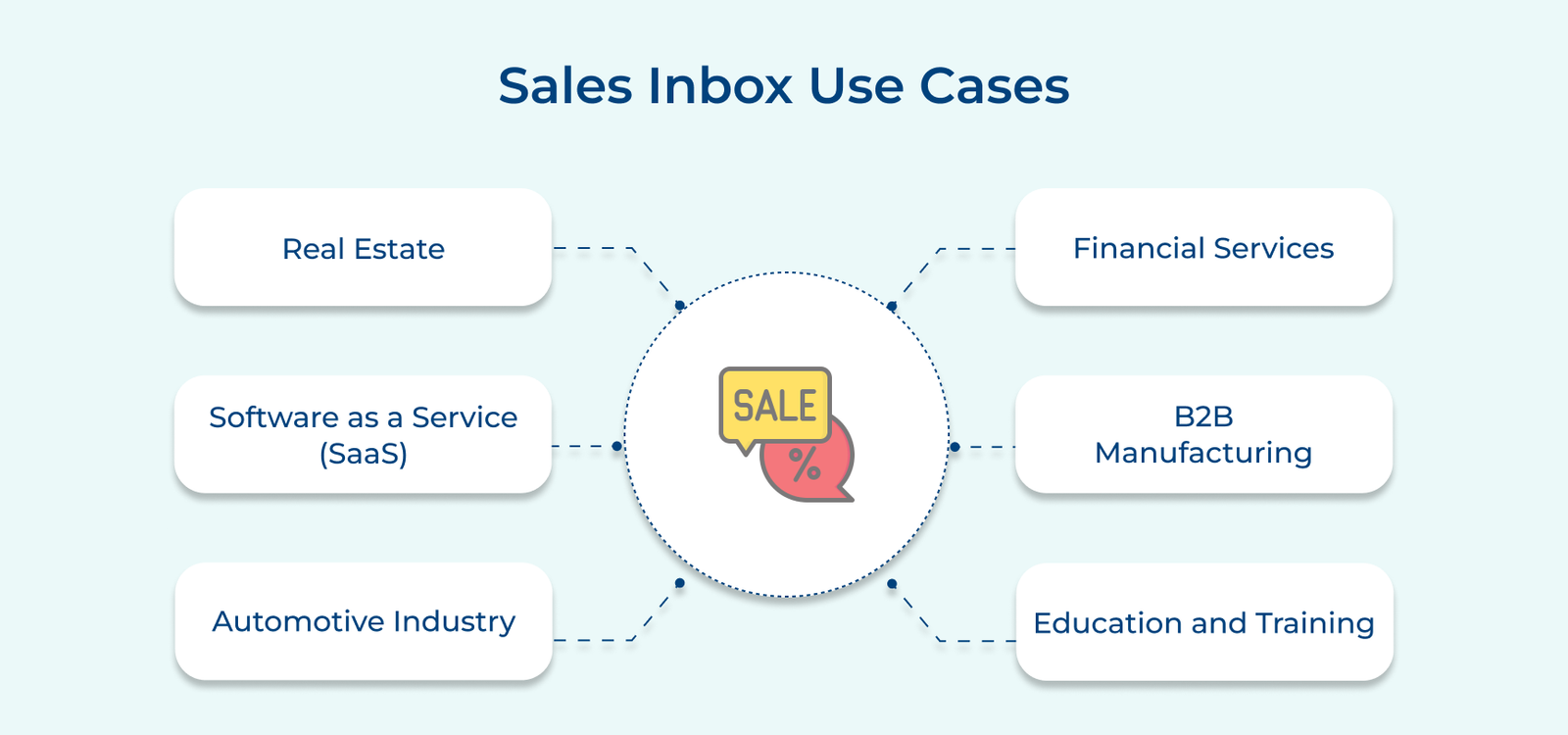
Sales Inbox Use Cases

1. Real Estate

Agents use their sales inbox platform to manage property inquiries, schedule viewings and follow up with potential buyers in real estate. They can create folders for different properties or stages of the buying process, allowing for easy tracking of each lead’s progress. Automated responses for initial inquiries can save time while ensuring prompt communication with potential clients.

2. Software as a Service (SaaS)

SaaS companies often use their sales inbox to manage free trial signups and demo requests. They can set up automated email sequences to guide customers through the trial period, provide helpful resources and encourage upgrades to paid plans. The inbox also serves as a hub for addressing technical questions and coordinating personalized demos with qualified leads.

3. Automotive Industry

Car dealerships utilize the inboxes to manage inquiries about specific models, schedule test drives and follow up on quotes. They can create templates for different vehicle types and promotions, enabling quick responses. The inbox also helps track communication history with each potential buyer, ensuring a personalized approach throughout the process.

4. Financial Services

Sales inboxes are crucial for managing client inquiries about various financial products in banking and investment firms. Relationship managers use their inboxes to schedule consultations, share product information and securely exchange documents. Compliance is a key concern, so the inboxes often include features for tracking and archiving all client communications.

5. B2B Manufacturing

Manufacturing companies use sales inboxes to manage inquiries from potential distributors or large-scale buyers. They can organize communications by product line or geographic region, making it easier to track complex, long-term sales cycles. The inbox also serves as a central point for sharing technical specifications and coordinating site visits or product demos.

6. Education and Training

Companies offering professional training or educational courses use sales inboxes to manage student inquiries, course registrations and follow-ups. They can set up automated responses with course information and use the inbox to coordinate with instructors or send pre-course materials. The inbox also serves as a tool for nurturing long-term relationships with students, potentially leading to repeat enrollments or referrals.

Measuring Sales Inbox Performance (KPIs & Metrics)

Tracking the performance of the sales team’s inbox is crucial for evaluating their effectiveness in engaging with clients and closing deals. Here are five key metrics to keep an eye on:

Sales Inbox Performance KPIs & Metrics

1. Response rate:

The metric measures how quickly and frequently the sales team responds to incoming emails. A high response rate indicates that the team is proactive and efficient in their communication with clients. A low response rate may signal potential issues or bottlenecks in the sales process.

2. Open rate:

The open rate shows how many recipients open the emails sent by the sales team. A high open rate suggests that the team’s subject lines and content are relevant to the recipients, increasing the chances of a positive response or conversion.

3. Click-through rate:

The click-through rate (CTR) measures how many recipients clicked on links or calls to action within the emails. A high CTR indicates that the sales team’s emails are driving recipients to take further action, such as visiting a product page or scheduling a meeting.

4. Conversion rate:

The metric tracks how many recipients took the desired action after engaging with the sales team’s emails, such as making a purchase or signing up for a demo. Monitoring the metric helps to assess the effectiveness of the email campaigns in driving tangible results and ROI.

5. Email engagement score:

An email engagement score aggregates multiple metrics, including open rate, CTR and conversion rate, to provide a detailed view of the team’s inbox performance. The holistic metric can help to identify trends, patterns and areas for improvement in the email communication strategy.

You can rely on us

Let our specialists help you in every step to deliver an awesome customer service your customers deserve. Comes with 30 days money back guarantee.

Omnichannel Helpdesk and Ticketing System

Turn Every Support Issues into Personalized Conversations with Veemo’s Omnichannel Helpdesk and Ticketing System. Make customer happiness your top priority with a digital first customer experience (CX) approach

Radically new solutions for data

Sed ut perspiciatis unde omnis iste natus error sit voluptatem accusantium doloremque laudantium, totam rem aperiam, eaque ipsa quae ab illo inventore veritatis et quasi architecto beatae vitae dicta sunt explicabo.

Radically new solutions for data

Sed ut perspiciatis unde omnis iste natus error sit voluptatem accusantium doloremque laudantium, totam rem aperiam, eaque ipsa quae ab illo inventore veritatis et quasi architecto beatae vitae dicta sunt explicabo.

Sales Inbox: The Smarter Way to Manage Leads

A sales inbox is a powerful tool that revolutionizes lead management, streamlining the sales process and boosting efficiency. Centralizing communication, automating tasks and providing intelligent insights empowers sales teams to focus on what matters most: closing deals. The solution addresses the challenges of scattered information, missed follow-ups and inefficient workflows that often plague traditional sales approaches.

The sales professionals can prioritize leads effectively, respond promptly and nurture relationships with precision. Leveraging data-driven insights helps identify the most promising opportunities and tailor communication strategies. The integration capabilities ensure seamless collaboration across teams and tools, creating a cohesive sales ecosystem.

FAQs about Sales Planning Software

Sales inbox is a powerful tool that helps sales teams manage customer interactions efficiently. Organize emails, prioritize leads and set up tracking for follow-ups. Use templates for quick responses and integrate with CRM systems for seamless workflow. Streamline the sales process and close deals faster with the inbox.

A sales inbox typically contains a mix of incoming customer inquiries, follow-up emails, sales pitches and client responses. It may also include notifications about new leads, upcoming meetings and important updates from the sales team. A well-organized inbox is crucial for managing leads effectively and closing deals efficiently.

The sales inbox can be utilized for various tasks such as responding to customer inquiries, following up on leads, scheduling sales appointments and closing deals. It is a valuable tool for managing communication with potential customers and organizing sales activities efficiently. Make the most out of the tool to drive sales and grow the business.

Yes, sales ynbox is designed to be user-friendly and intuitive. Sales reps can easily navigate their emails, set reminders for follow-ups and track email interactions without needing to switch between multiple platforms. The interface is typically designed to be clean and easy to use, ensuring a seamless experience for sales reps.

Most CRM platforms that offer sales inbox platform functionality allow for some level of customization. The platform may include setting up custom email templates, creating automated workflows for email responses and configuring alerts for key interactions. Sales teams can tailor inboxes to fit their unique processes and requirements.

Security is a top priority for CRM platforms that offer sales inbox functionality. Measures are typically put in place to ensure that sensitive customer data is protected and only authorized users have access to the system. Encrypted connections, authentication protocols and user permissions are common security features implemented to safeguard customer information.