How to Write Internal Emails? Types, Best Practices & Tips
Check out the breakdown of how to write clear, purposeful internal emails. It covers common types, practical tips and best practices to help teams communicate better.

Check out the breakdown of how to write clear, purposeful internal emails. It covers common types, practical tips and best practices to help teams communicate better.
Strong communication keeps teams moving, yet it’s one of the hardest things to get right. Messages get lost in crowded inboxes, instructions come across as unclear and projects slow down because people aren’t on the same page. More than 70% of employees have the feeling they’re missing out on company news because their internal communication department isn’t doing an effective job.
Internal emails, when written with care, can cut through that noise. They’re a practical way to share updates, clarify tasks and leave a record everyone can refer back to. Let us analyse how these emails practically support day-to-day work. Uncover some examples along with the tips for writing messages that get noticed, keep teams aligned and make daily tasks easier to manage.
Internal emails refer to formal communication channels used within an organization. They help share updates, decisions and messages internally without leaving the organization’s network.
Unlike external emails, the emails stay within the company systems. It uses internal domains and secure access managed by IT teams through platforms like Google Workspace or Microsoft Exchange. Employees typically log in through approved apps or browsers with security steps like two-factor authentication, helping keep sensitive info protected.
Key roles:
Let’s go through the different categories of internal communication emails that can elevate your team’s interaction and drive success.

Policy update emails are used to communicate important changes in company rules, procedures or guidelines. The messages often come from senior leadership, HR or legal and they affect how the organization operates or stays compliant.
Policy needs to be clear and straightforward. A well-structured message should explain exactly what’s changing, why it matters and how it impacts different teams or roles. When written clearly, the emails help reduce confusion, ensure compliance and make it easier for everyone to do their part.
Project emails help teams stay on track by sharing updates, assigning tasks and clarifying next steps. They keep everyone aligned on what needs to be done, by whom and when.
Well-written project emails often follow a consistent format so nothing important gets missed. They act as a running log of progress, decisions and responsibilities, making it easier to stay organized throughout the project.
The emails help teams feel connected by celebrating wins, spotlighting people and sharing what’s happening across the company. They’re about keeping everyone in the loop and lifting spirits.
The tone tends to be friendly and conversational. Especially in remote or hybrid setups, the messages help maintain a sense of community and remind people they’re part of something bigger.
Departmental emails keep everyone on the same page about what’s happening within a team – what’s working, what’s changing and what needs attention. They also help connect the dots between teams so work doesn’t happen in silos.
The goal is to keep communication clear and open. It makes it easier for people to collaborate, stay aligned and understand how their work fits into the bigger picture.
Crisis-related emails are used when something unexpected disrupts business operations–like a system outage, safety issue or urgent policy change. They’re meant to quickly inform and guide employees through the situation.
The tone stays calm and direct. No extra fluff, just the facts and next steps. The emails follow a set plan to make sure everyone gets the same message fast.
Administrative emails cover the nuts and bolts of daily operations, like maintenance schedules, system downtime or facility updates. Their main job is to keep everyone informed so work can continue with minimal disruption.
The emails should be clear, to the point and easy to scan. They don’t need extra padding, just the right info so people can adjust and keep moving.
Below, we have compiled the internal emails’ benefits to understand why they keep teams aligned and ensure important updates reach the right people at the right time.

1. Record Keeping and Documentation
Internal emails serve as a reliable log of conversations, decisions and actions. The running archive helps teams track progress, revisit past decisions and stay accountable, especially helpful during audits or project reviews.
2. Clear Communication Channels
Emails create a consistent way to share information across departments. Instead of relying on scattered messages or word of mouth, everyone gets the same update at the same time, in the same place.
3. Enhanced Accountability
Emails help clarify who’s responsible for what and when. It’s easier to follow up on deadlines, confirm next steps and make sure nothing slips through the cracks with everything in writing.
4. Improved Collaboration
Internal emails make it easy to share updates, files and feedback, whether people are working in the same office or across time zones. Everyone stays in the loop and can contribute without delay.
5. Knowledge Management
Email threads often contain valuable decisions and how-tos. They become a knowledge base that new hires can learn from and existing teams can reference, helping reduce the loss of know-how when someone leaves.
6. Cost-Effective Communication
Email doesn’t require fancy tools or extra costs. It’s fast, scalable and efficient, letting teams share updates or coordinate work without adding meetings or overhead.
Below are eight simple steps that will elevate your internal email game, helping you communicate effectively and efficiently in any corporate setting.
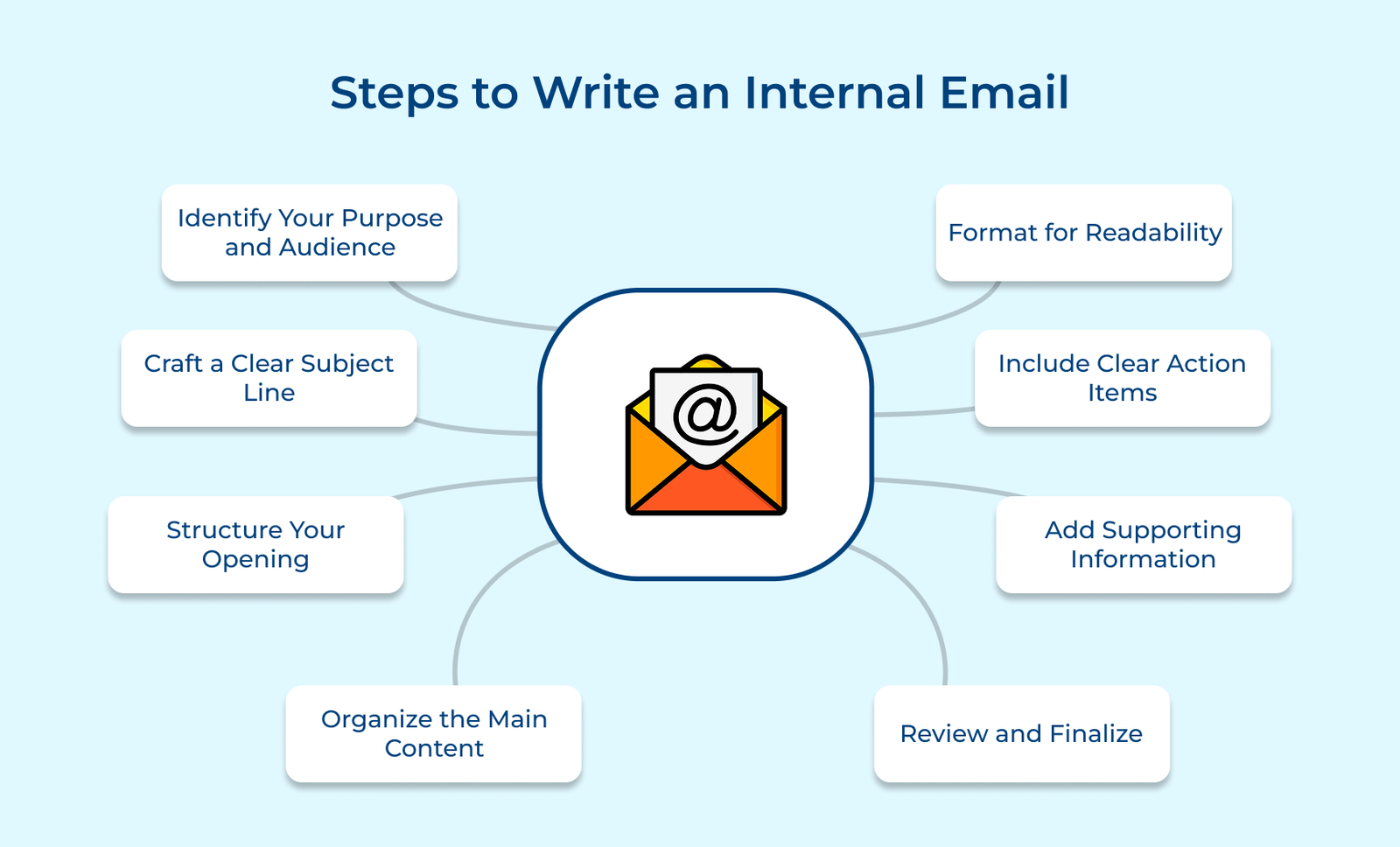
Before you write an internal email, take a moment to define two things: what you’re to accomplish and who needs to read it. It will shape the tone, content and length of your message.
Key questions:
Understanding your communication scope helps determine how detailed your message should be and its priority level. Consider whether if it needs immediate attention or if it’s for future reference. Think about potential follow-up questions from recipients and include necessary background information to prevent back-and-forth exchanges.
A clear email subject line is your email’s first impression. It helps coworkers decide how quickly to open it and makes it easier to find later. Think of it as a headline that sets expectations.
Write descriptive subject lines
Start with a specific department or project name, followed by the core message. Instead of something vague like”Meeting Update,” write “Marketing Team: Q2 Campaign Timeline Shift.” Include the team, project or topic followed by the core message. If someone needs to search for the email later, make sure the words they’d likely use are right there in the subject.
Call-out action Items
If you need someone to do something, say so right up front. Use tags like [Action Required], [Response Needed by Friday], or [Please Review] at the beginning of your subject. This sets clear expectations and helps people prioritize.
Use priority tags wisely
If it’s truly urgent, go ahead and mark it as [Urgent], [Due Today] or [For Weekly Meeting]. But use them sparingly as overusing them makes them easy to ignore. When everything is “high priority,” nothing is.
The start of your internal email sets the tone and gives people the context they need. A clear opening helps your team quickly understand why you’re writing and what they should pay attention to. Begin with a short, direct sentence explaining the reason for the email. Then, add a sentence or two explaining why it matters to the recipients.
Keep it friendly but professional and skip the small talk unless it’s relevant to your company culture. The next crucial element is providing enough background information to ensure everyone understands the context. Consider what previous discussions or decisions led to the email and reference them briefly.
Pro tips:
The body of your internal email should present your key points in a way that’s easy to follow and quick to read. A well-structured message helps ensure nothing gets missed and your readers know exactly what to do next.
Implementation tips:
Example:
To: Marketing Team
Subject: Q1 Campaign Review – Feedback Needed
The Q1 social campaign saw a 45% boost in engagement, driven by strong LinkedIn content and new influencer collaborations. We’re adjusting the Q2 strategy based on the results. Please review the attached report and bring your insights to Friday’s team meeting.
Deadline for feedback: Thursday, 5 PM.
Formatting matters, especially in internal emails where readers are likely juggling dozens of messages. If your email is hard to read, it’s easy to ignore. Good structure helps your team scan, find what they need and act without confusion. Use white space to break up content and avoid large, dense blocks of text.
A simple line between sections gives readers a mental pause and makes your message easier to digest. When listing items like steps, updates or related points, opt for bullet points. They guide the eye and make content feel more manageable.
If your message covers multiple topics or sections, add clear subheadings. It helps readers navigate directly to the parts that matter most to them. Keep heading styles and spacing consistent throughout the message for a clean, professional look.
Best practices:
Clear action items turn your emails into tools for getting things done. Instead of just sharing updates, you give your team a clear path forward. Everyone knows what needs to happen, who’s doing it and when it’s due. It means fewer questions, fewer delays, and better results.
Clearly define required actions with specific expectations
Break down complex tasks into clear, actionable steps without room for interpretation. Instead of saying “review document,” specify “Review sections 3-5 of the Q2 marketing strategy and provide feedback on budget allocations.” The clarity helps recipients understand exactly what’s expected of them.
Set realistic deadlines with time-bound goals
Give realistic, specific due dates and include time zones when working across regions. Example: “Submit feedback by Thursday, March 15 at 3:00 PM EST.” It helps people plan and avoids last-minute scrambles.
Identify key responsible parties and their roles
Explicitly name individuals or teams responsible for each action item. Use direct language like “Sarah to lead creative direction and coordinate with John’s development team for implementation.” The accountability prevents tasks from falling through the cracks.
Highlight priority actions and dependencies
Indicate which tasks need immediate attention and how they impact other project elements. Create a visual hierarchy using formatting to emphasize urgent items such as “PRIORITY: Client presentation materials needed before Thursday’s executive meeting.” It helps teams prioritize their workload effectively.
Supporting information is what turns a task from confusion to actionable. If you want someone to do something right the first time, without a string of follow-up emails, give them everything they need upfront. Think of your message as a one-stop resource that answers questions before they’re asked.
Strategically attach relevant documents and references
Stick to the documents that directly support the task. Include version numbers or dates for easy reference, such as “Q1_Marketing_Budget_v2.xlsx,” and mention specific sections or pages that require attention.
Include comprehensive reference links and resources
If there are project boards, shared folders or past conversations that provide context, link to them, don’t just mention them. Make sure everyone has access. Offer a backup, like a PDF or screen grab, in case the link fails for critical items.
Offer complete contact information for follow-up support
Don’t make people guess who to ask for help. Include names, roles, and how/when to reach them. Example: “Contact Jordan (Finance) at jordan@company.com—available 10 AM–1 PM EST.” If timing matters, add a backup contact.
Add supplementary resources for complex tasks
If you’re asking someone to do something new or tricky, give them extra guidance. Link to FAQs, past examples, or short how-tos that offer context. Example: “For reference, see how we structured last quarter’s report here.” The small additions can prevent big delays.
The review and finalization step serves as your quality control checkpoint that protects your team from confusion and saves your reputation from sloppy errors. Think of it as a filter between your draft and everyone’s inbox.
Implementation process:
Below are some of the best practice tips that will help you communicate more effectively in the workplace. Let’s check them out in more detail.
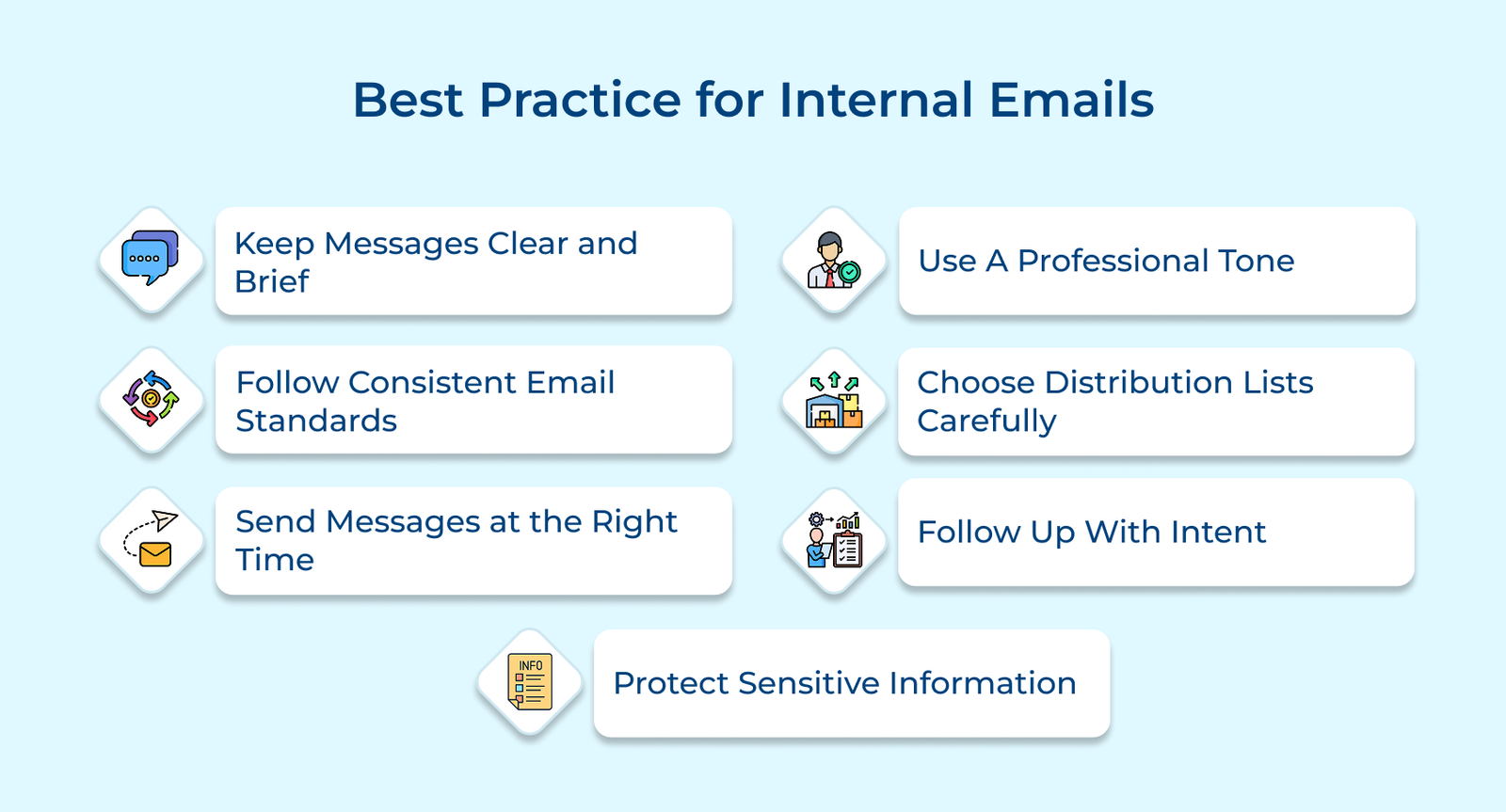
Every internal email should get straight to the point while maintaining clarity. Use plain language, short sentences and simple structure. Avoid jargon or long-winded explanations. The goal is to help people understand quickly without re-reading.
Use a familiar structure every time. Subject lines, greetings and layout should follow a clear pattern across your team or company. When people know what to expect, they can find what they need faster.
Avoid sending non-urgent emails late at night, early morning or during busy times. If your team works across time zones, schedule emails so they land during local work hours.
Start and end with a proper greeting. Stay respectful, even when following up. And be mindful of tone, especially when giving feedback or addressing sensitive topics.
Only loop in people who need to be there. Before hitting “Send,” double-check who needs the message. Overusing “Reply All” or copying too many people just adds noise and wastes time.
If something is important, don’t let it drop. Set reminders for key follow-ups. Use short, polite nudges if you haven’t heard back. Track open items so you’re not relying on memory or guesswork.
Not everything belongs in an email. Label private or confidential content clearly. Don’t forward sensitive emails casually. Remind your team that even internal messages can be shared or leaked—write accordingly.
Internal emails are one of the most reliable tools for keeping a team or company running smoothly. When written well, they help people stay informed, aligned and accountable.
Used effectively, these emails reduce confusion, prevent bottlenecks and make collaboration easier. The goal isn’t to write more but to communicate, share just enough detail and make sure everyone knows what’s going on or what’s expected of them.
Key takeaways:

Aim for mid-morning, around 10 AM, when most people are settled into their day but not yet tied up in meetings. Schedule emails during overlapping work hours for teams across time zones. Avoid after-hours emails unless it’s urgent. Make sure you are respecting people’s time outside of work.
An internal email list is a curated group of email addresses within your organization used for specific communication purposes. The lists can be department-based, project-focused or role-specific. They’re managed through your organization’s email system and often include automated updates when employees join or leave. Think of it as a digital mailing list that ensures the right people receive relevant information.
Internal emails stay within your company and use in-house language, tools and references. External emails go to clients, vendors or partners. They require clearer explanations, a more formal tone and extra care with confidential details.
Keep it short. Aim for under three brief paragraphs. If more detail is needed, break the content into clear sections or link to a document. Most people skim internal emails, so make your point quickly and clearly.
Stick to your company’s approved email tools, use strong passwords and follow encryption protocols for sensitive content. Don’t forward internal emails outside the company and be cautious with attachments or unfamiliar links. Everyone should know the basics of spotting phishing attempts.
Use clear subject lines like [URGENT] or [RESPONSE NEEDED TODAY]. Put the action and deadline right up top. Don’t rely on email alone for time-sensitive issues. Follow up via chat or a quick call. Know your team’s escalation process for emergencies.

Grow Customer Relationships and stronger team collaboration with our range of products across the Conversational Engagement Suite.
Omnichannel Customer Support & Help Desk Software
AI Enabled Business Messaging and Chatbot Software
Sales Engagement & CRM Software
Call Center Software & Virtual Phone System
Product Marketing & Experience Platform
Customer Experience & Feedback Management Software

 A Comprehensive Guide on Sales Metrics & KPIs in 2026
Scroll to top
A Comprehensive Guide on Sales Metrics & KPIs in 2026
Scroll to top