CRM Implementation Guide: Benefits, Steps & Challenges
CRM implementation helps businesses streamline sales, improve customer relationships and boost efficiency. It follows the right steps, leveraging benefits and overcoming common challenges.

CRM implementation helps businesses streamline sales, improve customer relationships and boost efficiency. It follows the right steps, leveraging benefits and overcoming common challenges.
Most revenue problems trace back to a coordination problem. Sales reps enter calls without knowing what a prospect last asked, support teams re-ask questions customers already answered, and critical context sits locked in someone’s inbox or a spreadsheet no one remembers to update.
Each of these moments, taken alone, might seem to be minor. Taken together, they compound into missed deals, frustrated customers and a team that works harder than it should for results that fall short of what’s possible.
The businesses pulling ahead aren’t necessarily smarter or better staffed. Their data lives in one place, their teams share the same context, and every customer interaction builds on the last rather than starting from scratch. That structural advantage is what a CRM implementation creates and this guide walks through exactly how to build it.
CRM implementation refers to the process of setting up and integrating customer relationship management software into your business operations. It involves configuring the system to match your workflows and training your team to use it effectively. Think of it as teaching your business a new language for talking to customers.
The process transforms how your business tracks interactions and manages customer data across all touchpoints. The goal is to create a centralized system where every team member can access the same customer information. When done right, it eliminates scattered spreadsheets and creates one source of truth for your customer relationships.
Key purpose:
Implementing a CRM system delivers measurable improvements across your entire organization. Let’s understand how it transforms different aspects of your business operations.
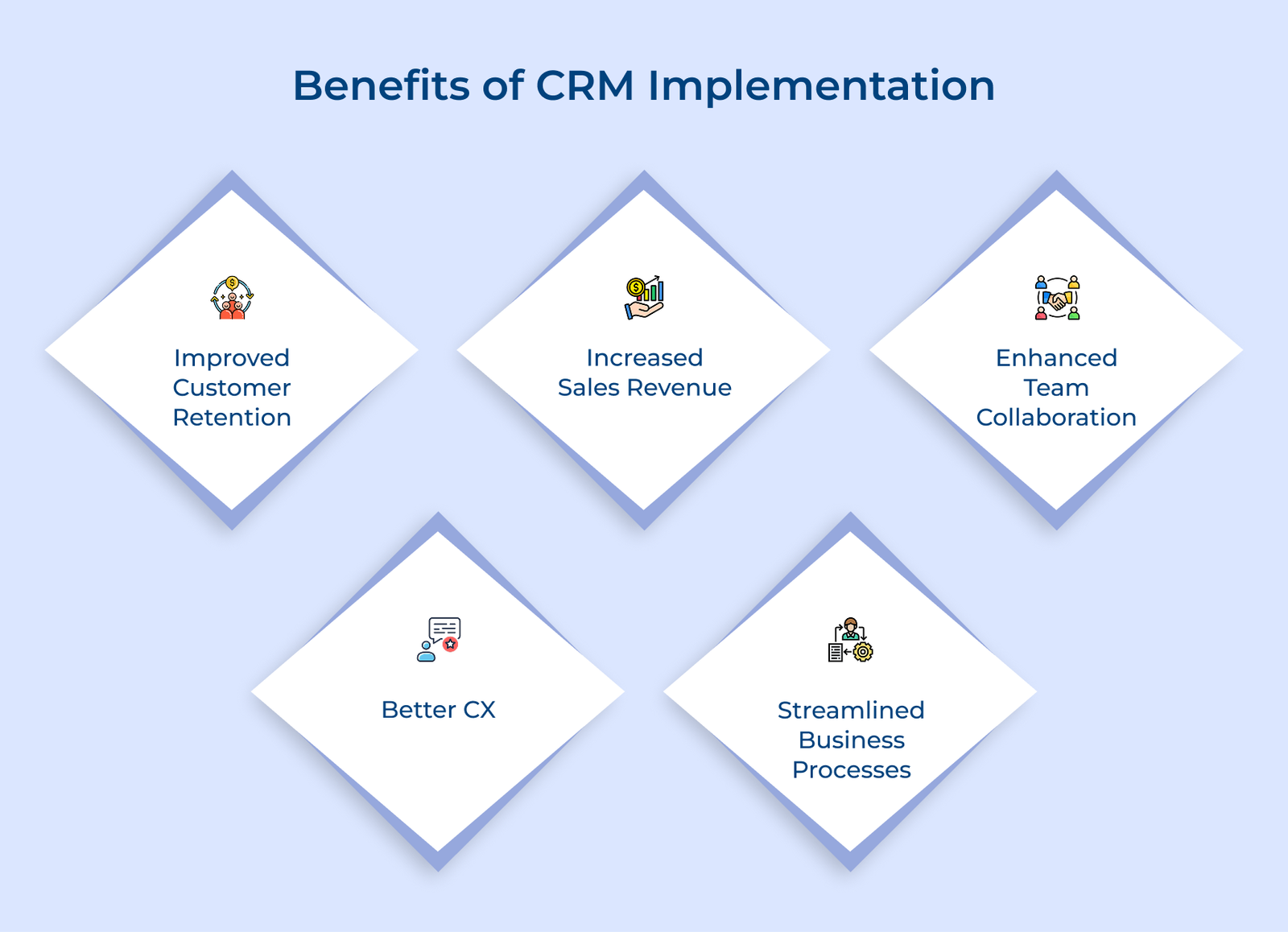
Improved Customer Retention
A CRM helps you notice when customers start pulling away. Engagement patterns and activity gaps reveal problems early. It gives your team time to step in and fix issues before someone walks away.
Increased Sales Revenue
More than 90% of businesses acknowledge the role of CRM software in achieving their revenue goals. Your sales team closes more deals because they can prioritize hot leads and never miss follow-up opportunities. The system tracks where each prospect stands in your pipeline and suggests next steps. Better organization means more conversations turn into actual sales.
Enhanced Team Collaboration
Sales, support and marketing all work from the same customer record. Everyone knows the last interaction, the current status and the next step, which removes confusion.
Better Customer Experience
Customers feel remembered because past purchases and preferences are easy to see. Each interaction feels natural and informed, not repetitive or disconnected.
Streamlined Business Processes
Routine work like data updates and reminders runs quietly in the background. Teams spend less time managing tasks and more time doing work that actually helps customers.
The following are the critical steps that will help you avoid common pitfalls and make the most out of your CRM implementation.
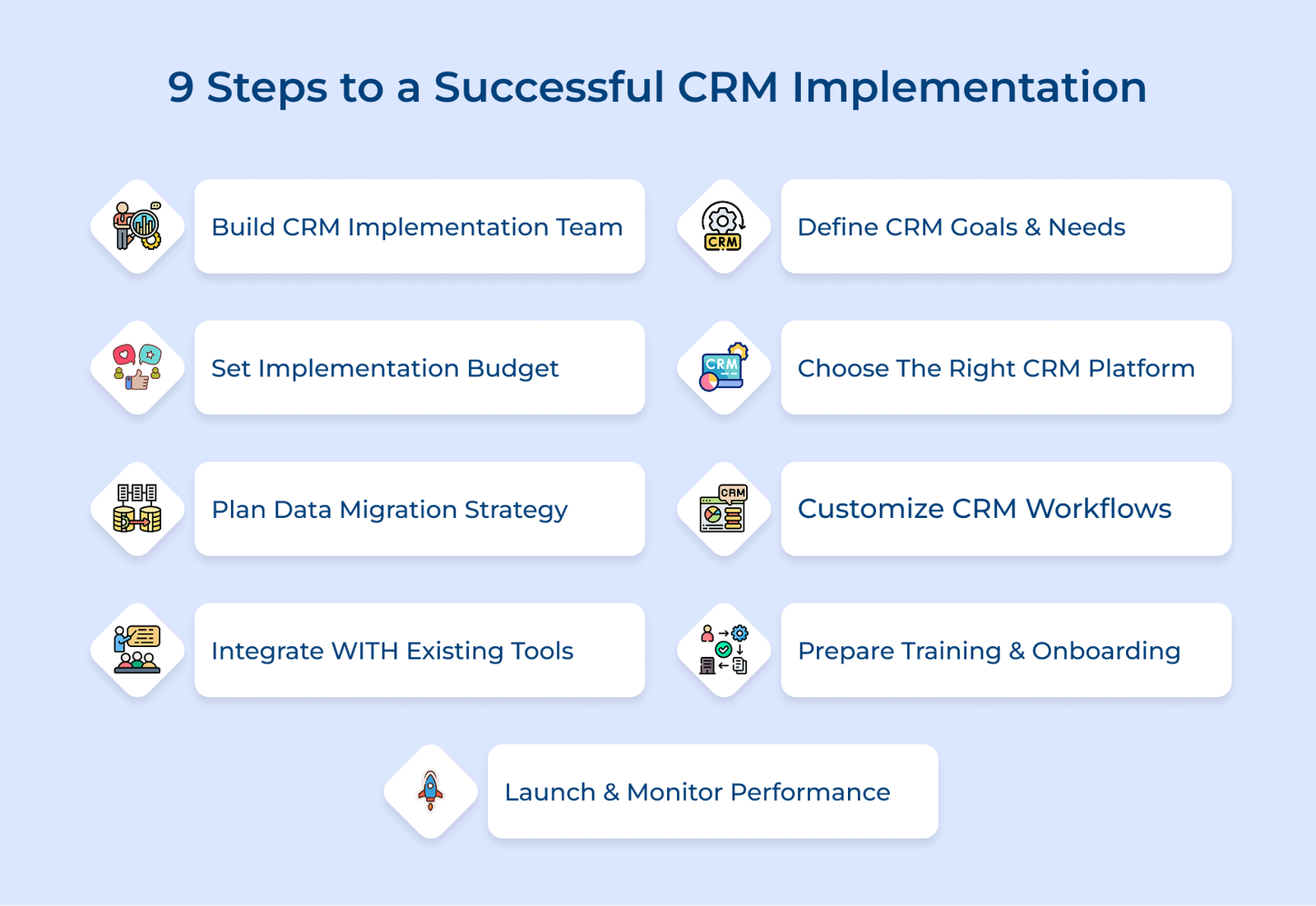
The people you choose will decide how successful your CRM implementation becomes. The team shapes how the system is set up, explained and used across the company. Without clear ownership and input from the right roles, a CRM often ends up ignored after the initial setup.
Setting up an effective team requires careful thought about who has the technical skills and who understands your business processes best. The team should balance technical expertise with practical knowledge of how work actually gets done in your company.
Key ways:
Consider a mid-sized manufacturing company that assigned its sales director as project manager with representatives from production and customer service. The cross-functional team identified workflow bottlenecks that a sales-only perspective would have missed entirely.
Clear goals turn a CRM from a costly tool into something that actually solves problems. The step keeps you from paying for features no one touches while making sure the system fixes what is broken today.
Taking time upfront to articulate what success looks like saves months of retrofitting and workarounds later. Your goals should connect directly to business outcomes like revenue growth or customer satisfaction scores.
Key questions:
Working through the questions forces you to move beyond general desires for “better customer management” to concrete improvements you can actually track. The answers reveal if you need robust reporting, mobile access or advanced automation features.
SMART goals:
Key questions:
Based on your answers, create a prioritized list of must-have features versus nice-to-have extras that fit your budget. Document specific scenarios where your current approach fails and explain how the new CRM will handle the situations differently.
A CRM budget covers everything needed to get the system working and used properly. The step prevents nasty surprises halfway through implementation when you discover expenses you hadn’t anticipated.
Calculating an accurate budget requires adding up multiple cost categories beyond just the monthly subscription fee that vendors advertise prominently. There’s no universal formula because costs vary based on company size, customization needs and existing infrastructure.
Key costs:
Remember that the budget isn’t only about money but also the hours your team invests in planning and learning the system. Factor in this time cost when calculating the true investment because those hours could have been spent on revenue-generating activities.
Choosing your CRM software determines if your team enthusiastically adopts the system or finds creative ways to avoid using it entirely. The decision impacts your business operations for years.
Key factors:
The factors carry different weights depending on if you’re running a retail business or a consulting firm. A real estate agency prioritizes mobile access and appointment scheduling, while a B2B software company needs robust lead scoring or email campaign tracking.
Data migration moves customer information from existing tools into the new CRM without losing critical details or relationships. The step determines whether you launch with clean, organized data or start with a mess that undermines user confidence.
Successful migration requires methodically auditing what data you have, cleaning out duplicates and outdated records, then carefully mapping how fields translate between systems. Think of it like moving to a new house. You wouldn’t just dump everything in boxes without labeling or throw away the junk first.
Pro tips:
Customization aligns the CRM system with how work already happens. A system that matches daily routines gets used. A system that forces sudden changes gets ignored and replaced with side notes or spreadsheets.
Key ways:
Consider a consulting firm that customized its CRM software to automatically create project kickoff tasks when a deal is closed and assign them to the delivery team. The simple automation eliminated the two-day lag between sales and project start that previously frustrated new clients.
Integration allows your CRM system to work with the tools your team already depends on. Customer details update automatically instead of being copied from one system to another. It saves time and reduces errors.
Start by listing every tool your team uses regularly and identify which ones contain customer data. Then check if your CRM offers native integrations for the tools or if you’ll need third-party connectors like Zapier.
Key takeaways:
Training helps people feel confident using the CRM instead of avoiding it. Without proper training, adoption rates plummet and your implementation investment delivers minimal returns because people stick with their old spreadsheets.
Key sessions:
Your onboarding plan should gradually introduce features rather than overwhelming new users with everything at once on launch day. Start with basic functions that replace immediate pain points and layer in advanced features as confidence grows.
Key plan:
Launching means turning on the system for real work and closely watching how your team adapts to ensure problems get addressed quickly. The step is needed because even the best-planned implementations encounter unexpected issues once real users start working in the actual environment.
Start with a small pilot group that tests the system with real customer interactions while the rest of your team continues their normal workflow. Collect customer feedback daily during the first week to identify confusing interfaces before expanding access to the remaining departments.
Actionable tips:
Check out the common CRM implementation challenges that help you prepare solutions before they become serious problems.
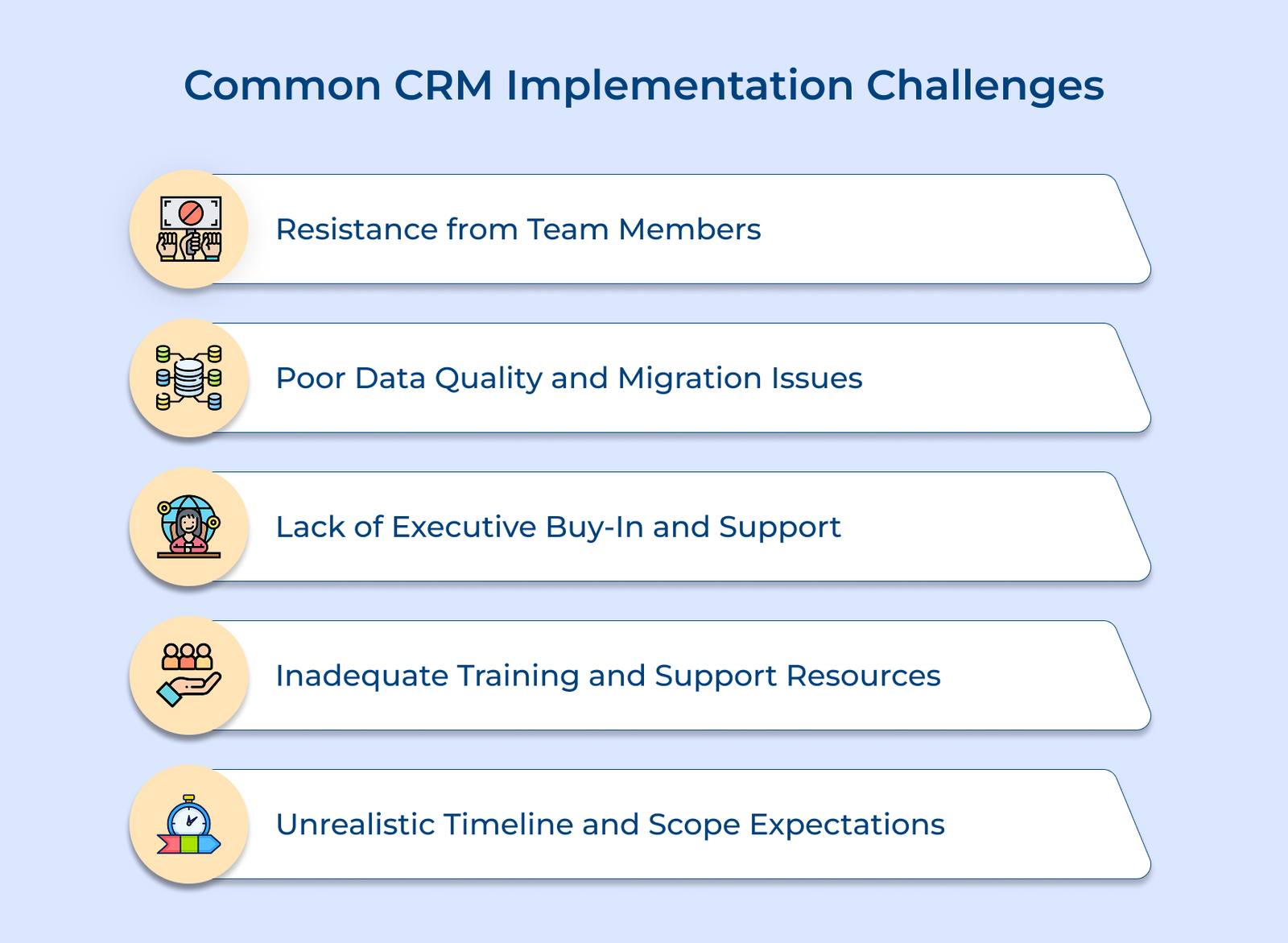
Resistance from Team Members
People push back when familiar tools feel safer than something new. The resistance manifests as foot-dragging during training or finding excuses to keep using old spreadsheets.
Poor Data Quality and Migration Issues
Your existing customer data contains duplicates, outdated information and inconsistent formatting that creates chaos when transferred to the new system. Years of different people entering data means addresses are abbreviated differently and phone numbers follow multiple formats.
Lack of Executive Buy-In and Support
Leaders sometimes treat the CRM as a technical task instead of a company-wide change. When leadership stays distant, teams assume the system is optional.
Inadequate Training and Support Resources
Your team receives a single training session and then struggles alone when they encounter problems or forget how features work. Without ongoing support, users develop incorrect workarounds that defeat the system’s purpose.
Unrealistic Timeline and Expectations
Fast deadlines ignore the time needed for setup, testing and adjustment. Skipped steps lead to errors and frustration that could have been avoided with a paced rollout.
Implementation steps:
A well-planned CRM implementation plan changes how your business manages customer relationships, improving outcomes across sales, service and marketing. The process requires careful planning, team involvement and realistic expectations, but the payoff justifies the effort invested.
Begin by assembling the right team and setting clear goals. Choose a platform that fits your workflows and migrate data thoughtfully. Customize features to match real processes, train your team step by step and track usage closely after launch to keep the system effective long term.

Start by forming an implementation team with members from each department that will use the system daily. Define clear goals and set a realistic budget before choosing a platform that fits your workflow. Clean your data, customize the CRM to fit your processes and train your team before launching with a pilot group.
Costs vary based on company size and complexity. Expenses typically include software licenses, setup services, system integrations and training. Small businesses may spend a few thousand dollars, while larger organizations can invest tens of thousands. Include the value of your team’s time learning and adjusting to the system when calculating total investment.
Begin by establishing clear objectives and assembling a cross-functional team to guide the process from planning through launch. Select the right platform, migrate your data carefully, then customize workflows to match how your team actually works. Provide comprehensive training and roll out gradually to catch issues early.
The main goal is to centralize all customer information in one accessible system. It replaces scattered spreadsheets and allows your team to view complete conversation histories. A centralized CRM supports better service, smarter decisions and stronger customer relationships that drive growth.

Grow Customer Relationships and stronger team collaboration with our range of products across the Conversational Engagement Suite.
Omnichannel Customer Support & Help Desk Software
AI Enabled Business Messaging and Chatbot Software
Sales Engagement & CRM Software
Call Center Software & Virtual Phone System
Product Marketing & Experience Platform
Customer Experience & Feedback Management Software
 What is the Knowledge Management Process? A Detailed Guide
Scroll to top
What is the Knowledge Management Process? A Detailed Guide
Scroll to top