Internal Knowledge Base Software Guide: Features, Benefits & Tools

Explore the key features, benefits, and top internal knowledge base tools available to help you create a centralized repository of information within the business.

No credit card required. Easy setup

Internal Knowledge Base Software

Trusted By Leading Brands

Unlock the Team’s Potential with an Internal Knowledge Base Software

Leverage the best internal knowledge base software to empower your employees to find answers quickly, collaborate more effectively and continuously enhance their skills.

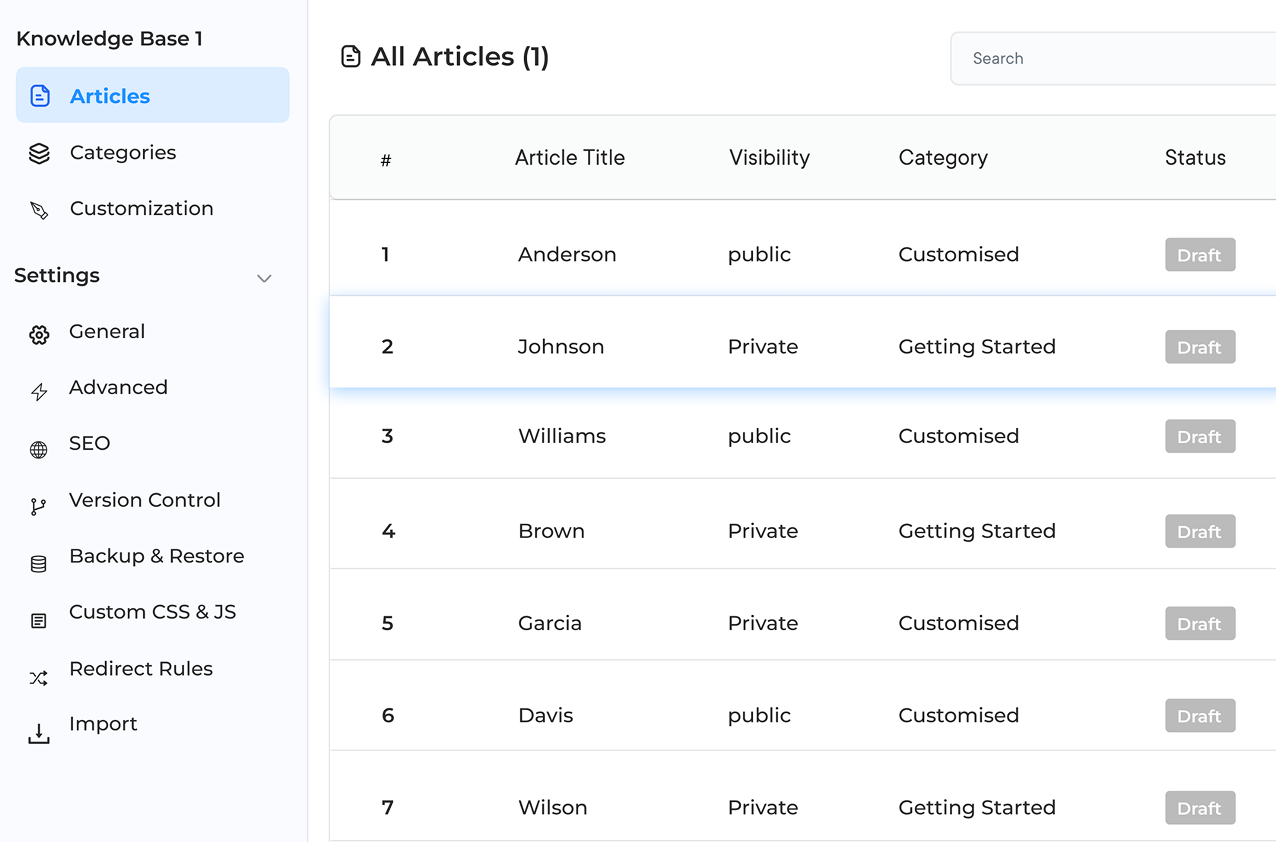
Internal Knowledge Base Software Dashboard 1

Instant Access to Information

Employees can find answers quickly with a user-friendly search function. It reduces downtime and boosts productivity by minimizing the need for repetitive inquiries.

Comprehensive Training Resource

Teams can use the knowledge base as a go-to tool for onboarding and ongoing employee development. New hires get up to speed faster and support continuous learning.

Robust Problem-Solving Capabilities

Provide a searchable database of FAQs, troubleshooting tips and solutions. It speeds up issue resolution and enhances overall efficiency.

Preserved Institutional Knowledge

Businesses can maintain valuable insights and expertise within their organization despite staff turnover. Make sure the critical knowledge remains intact and accessible.

Internal Knowledge Base Software Dashboard 2

Imagine a team struggling to find crucial information, wasting hours searching through scattered documents. Frustrating, right? The common problem plagues businesses, leading to lost productivity and missed opportunities. But there’s a solution – internal knowledge base software. The powerful tool centralizes a company’s collective wisdom, making it easily accessible to all employees.

Businesses can streamline operations and empower a team with instant access to information by implementing a robust knowledge base. A well-organized knowledge base is the key to unlocking an organization’s full potential. Ready to transform how a team works? Let’s dive in!

What is an Internal Knowledge Base Software?

An internal knowledge base software refers to a centralized digital platform designed to store, organize and share an organization’s collective knowledge. The software serves as a repository for documents, processes, procedures and other critical data, allowing employees to easily access. It typically includes features like search functionality, categorization systems and collaboration tools to facilitate efficient information retrieval.

Use cases:

  • Employee onboarding and training: Provides new hires with easy access to company policies, procedures and best practices.
  • Customer support: Enables support teams to quickly find accurate information to resolve customer inquiries.
  • Project management: Stores project-related documents, timelines and resources for team members to access.
  • IT support: Maintains a database of common issues, troubleshooting guides and software documentation for internal IT teams.
  • Knowledge preservation: Captures and retains institutional knowledge from experienced employees before they leave the organization.

Key Features of an Internal Knowledge Base Tool

When the topic is of selecting the right internal knowledge base tool , it’s essential to have an understanding of the key features to look out for:

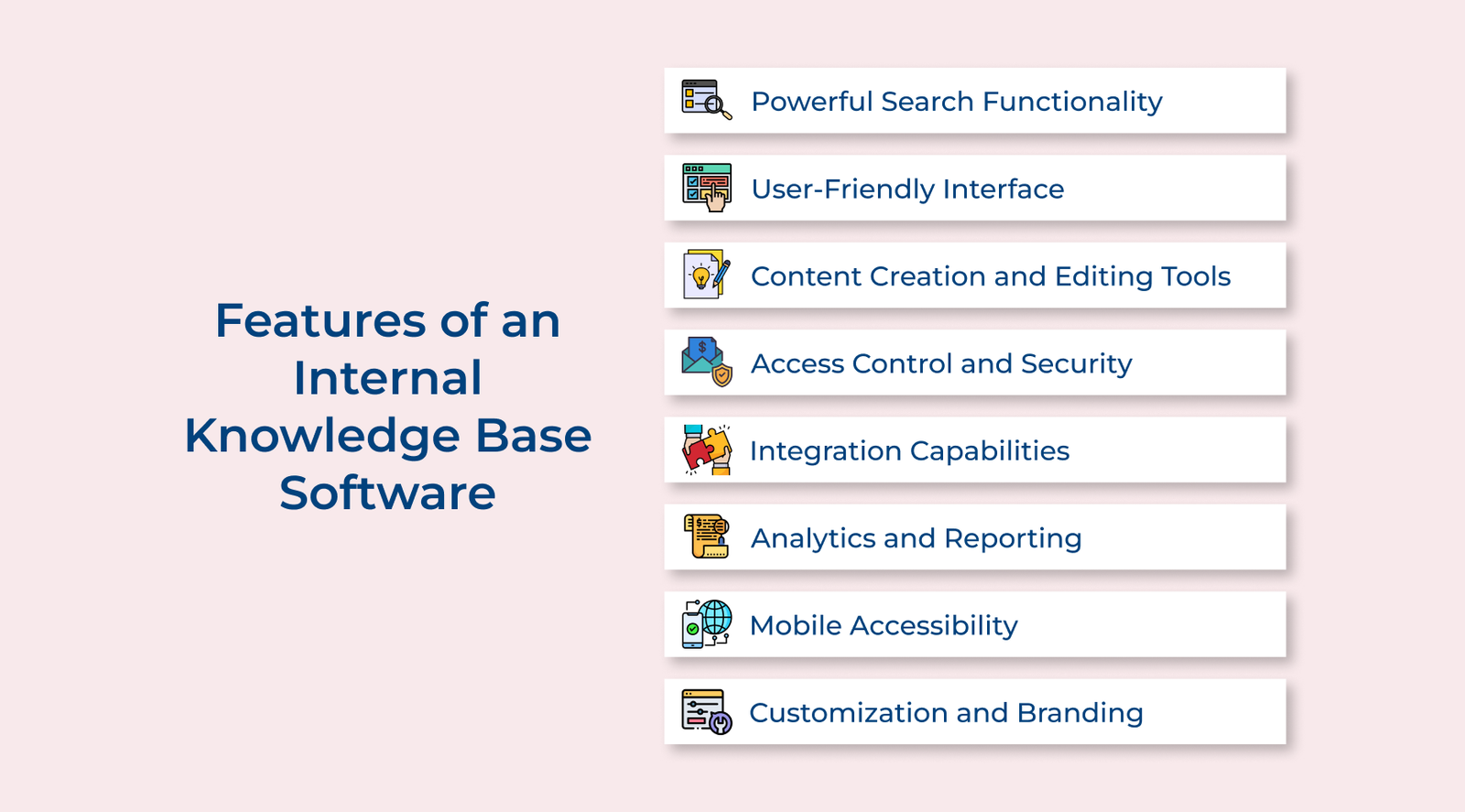
Features of an Internal Knowledge Base Software

1. Powerful Search Functionality

A robust search engine is crucial for any knowledge base. It should offer advanced search capabilities, including full-text search, filters and the ability to search within specific categories. Users can quickly find the information they need, even in large databases.

2. User-Friendly Interface

The software should have an intuitive, clean interface that makes navigation easy for all users, regardless of their technical expertise. A well-organized structure with clear categories, tags and hierarchies helps users locate information efficiently.

3. Content Creation and Editing Tools

Built-in editors that support various content formats (text, images, videos, etc.) are essential. The tools should allow for easy content creation, formatting and updating. Features like version control and collaborative editing can enhance the content management process.

4. Access Control and Security

Robust security features are crucial for protecting sensitive information. The software should offer granular access controls, allowing administrators to set permissions based on roles, departments, or individual users.

5. Integration Capabilities

Integration with other business tools (such as CRM, project management software, or communication platforms) can significantly enhance productivity. The feature allows for seamless information flow between different parts of the organization.

6. Analytics and Reporting

Built-in analytics tools provide insights into how the knowledge base is being used. It can include data on popular articles, search trends and user engagement. Such information helps in continually improving the knowledge base and identifying information gaps.

7. Mobile Accessibility

The workforce should be able to access the knowledge base from various devices. A responsive design or dedicated mobile app ensures that employees can access information anytime, anywhere.

8. Customization and Branding

Customizing the look and feel of the knowledge base to match your company’s branding helps create a sense of familiarity and reinforces brand identity for users. Businesses get the options to add logos, change color schemes and modify layouts.

5 Best Internal Knowledge Base Platforms

Let’s explore the 5 best internal knowledge base platforms that can help unlock your team’s full potential and drive organizational success.

1. Veemo Support

Best internal knowledge base software for knowledge preservation

Veemo Self Service Portal

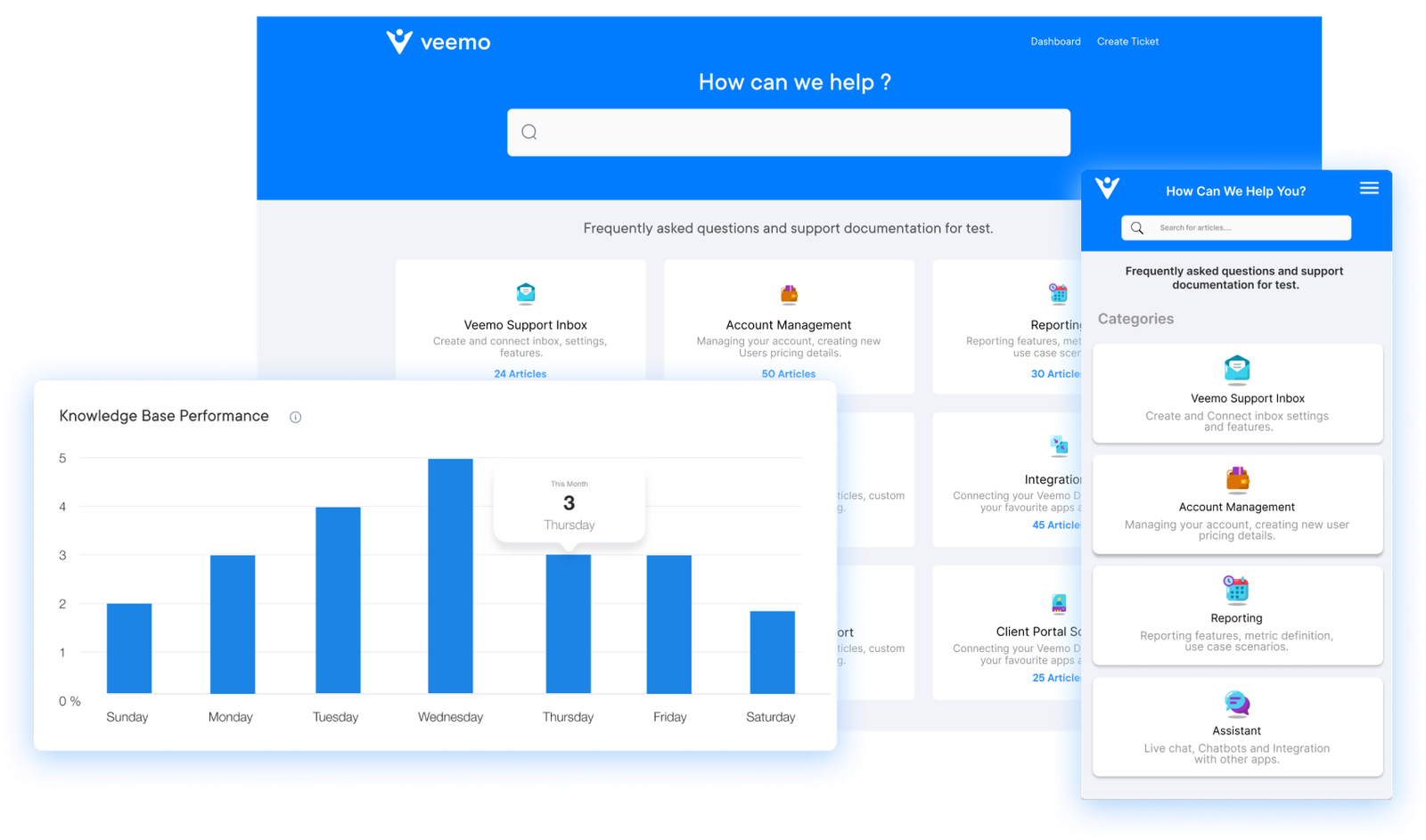
Veemo Support is a comprehensive customer support software with an internal knowledge base feature for offering businesses a unified platform to manage customer interactions. The solution aims to streamline customer service operations by providing agents with quick access to relevant information.

Veemo Support’s approach combines advanced communication tools with a robust knowledge management system. Companies can deliver efficient and personalized customer support.

Key features:

  • Omnichannel support: Veemo Support offers seamless integration of multiple communication channels including email, chat, social media and voice. Agents can manage all customer interactions from a single interface.
  • AI-powered automation: The software utilizes artificial intelligence to automate routine tasks and provide instant responses to common questions.
  • Customizable knowledge base: Veemo Support’s internal knowledge base can be easily tailored to fit an organization’s specific needs. The software also includes features for content creation, organization and quick retrieval.
  • Analytics and reporting: The platform provides comprehensive analytics tools, offering insights into customer service performance and improvement areas.
  • Integration capabilities: Veemo Support can integrate with various third-party applications, such as CRM software and helpdesk tools.

Pricing: The Growth plan costs $29/user/month with 3 inboxes, 1 knowledge base and omnichannel support. The Enterprise plan is $129/user/month with unlimited inboxes, a client portal and advanced asset management. Visit Veemo’s pricing page for more details.

2. Omni24

Top internal knowledge base tool for higher employee satisfaction

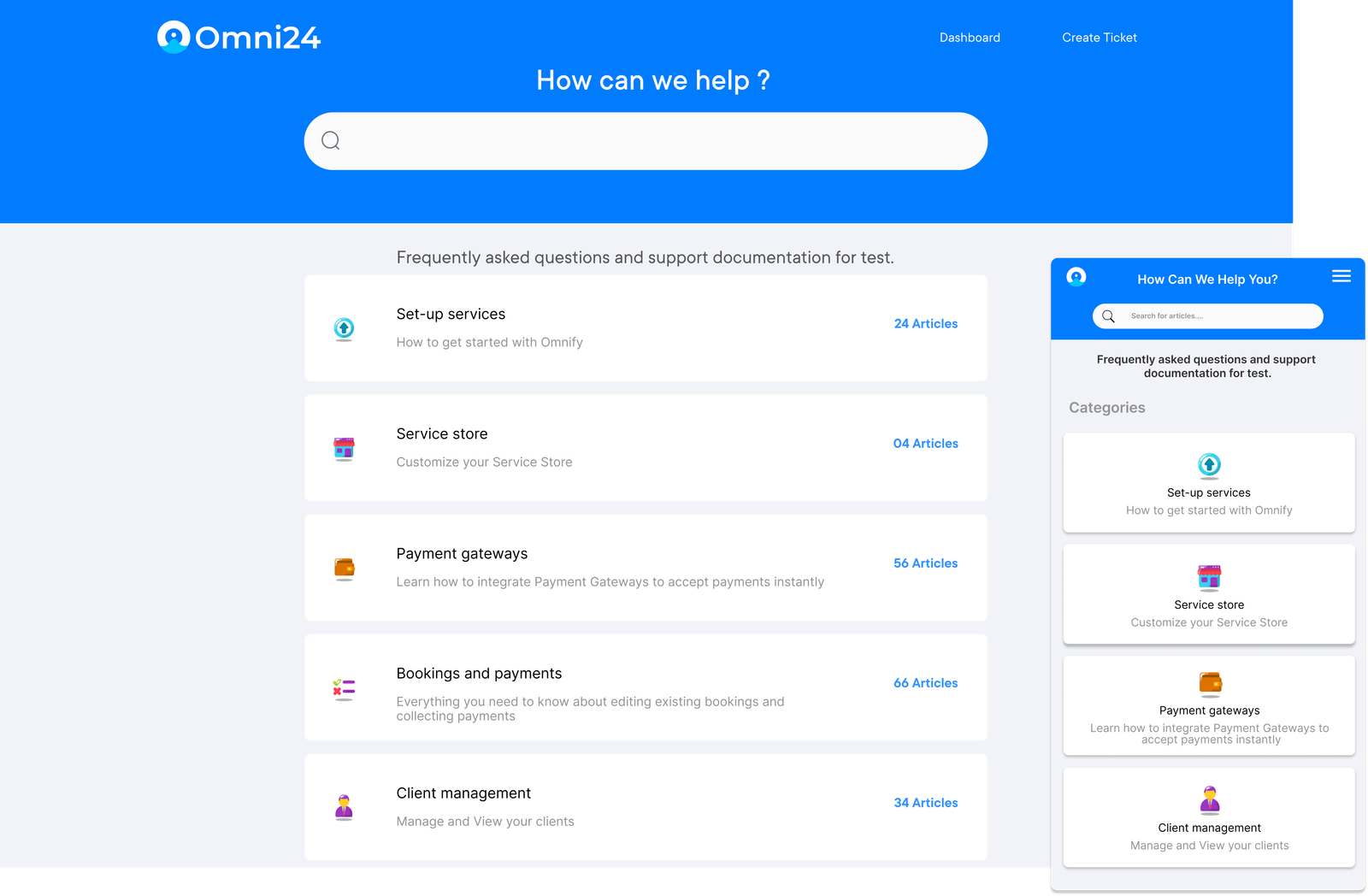
Knowledge Base Omni

Omni24 is a comprehensive customer engagement software that incorporates an internal knowledge base, designed to enhance customer interactions across multiple channels. The platform offers businesses a unified solution for managing communications while providing agents with easy access to information.

Omni24 aims to improve customer service efficiency and deliver personalized customer experiences through its integrated approach to knowledge management.

Key features:

  • Omnichannel engagement: Omni24 offers a unified interface for managing customer interactions across various channels, including live chat, email, social media and SMS.
  • AI-powered chatbot: The platform includes an AI chatbot that can handle routine inquiries, freeing up human agents to focus on more complex customer issues.
  • Customizable knowledge base: The internal knowledge base can be tailored to fit specific organizational needs. It features easy content creation, organization and search capabilities for quick information retrieval.
  • Real-time visitor tracking: The software provides real-time visitor monitoring and analytics, allowing agents to proactively engage with customers.
  • Extensive integration options: Offers integration capabilities with various third-party applications and CRM systems. The feature enhances its functionality and allows for seamless data flow between different business tools.

Pricing: The pricing starts from $29/month with one inbox feature and extends up to to unlimited inbox for $149/month. They’re currently running a 14-day free trial for businesses to explore its features before committing. Sign up now!

3. Confluence

Confluence serves as a versatile platform for organizations to create, organize and share information across teams. Confluence excels in enhancing collaboration and centralizing company knowledge.

The tool offers customizable spaces for different departments, powerful search functionality and robust integration capabilities. It also offers version control, permissions management and collaborative editing tools which can help the teams to maintain a comprehensive internal knowledge base.

4. KnowledgeOwl

KnowledgeOwl is a vers atile and user-friendly internal knowledge base software designed to help businesses efficiently manage information. The software offers a centralized platform for creating, organizing and accessing company knowledge.

The platform’s intuitive interface makes it an excellent choice for businesses of all sizes looking to improve their internal communication. KnowledgeOwl offers customizable templates for easy content creation, advanced search functionality and robust access controls to ensure data security.

5. Helpjuice

Helpjuice is a leading internal knowledge base system designed to streamline information management and sharing within organizations. The tool offers a user-friendly platform for organizing and accessing company knowledge, enabling teams to collaborate effectively. Helpjuice’s powerful features make it an excellent choice for businesses of all sizes looking to improve their knowledge management processes.

Key attributes of Helpjuice are robust search functionality, customizable templates, version control, analytics and integration capabilities. The software also offers granular access controls, ensuring sensitive information remains secure.

How to Create an Internal Knowledge Base Platform?

Let’s go through the essential steps to create an internal knowledge base that empowers the team, promotes continuous learning and drives productivity.

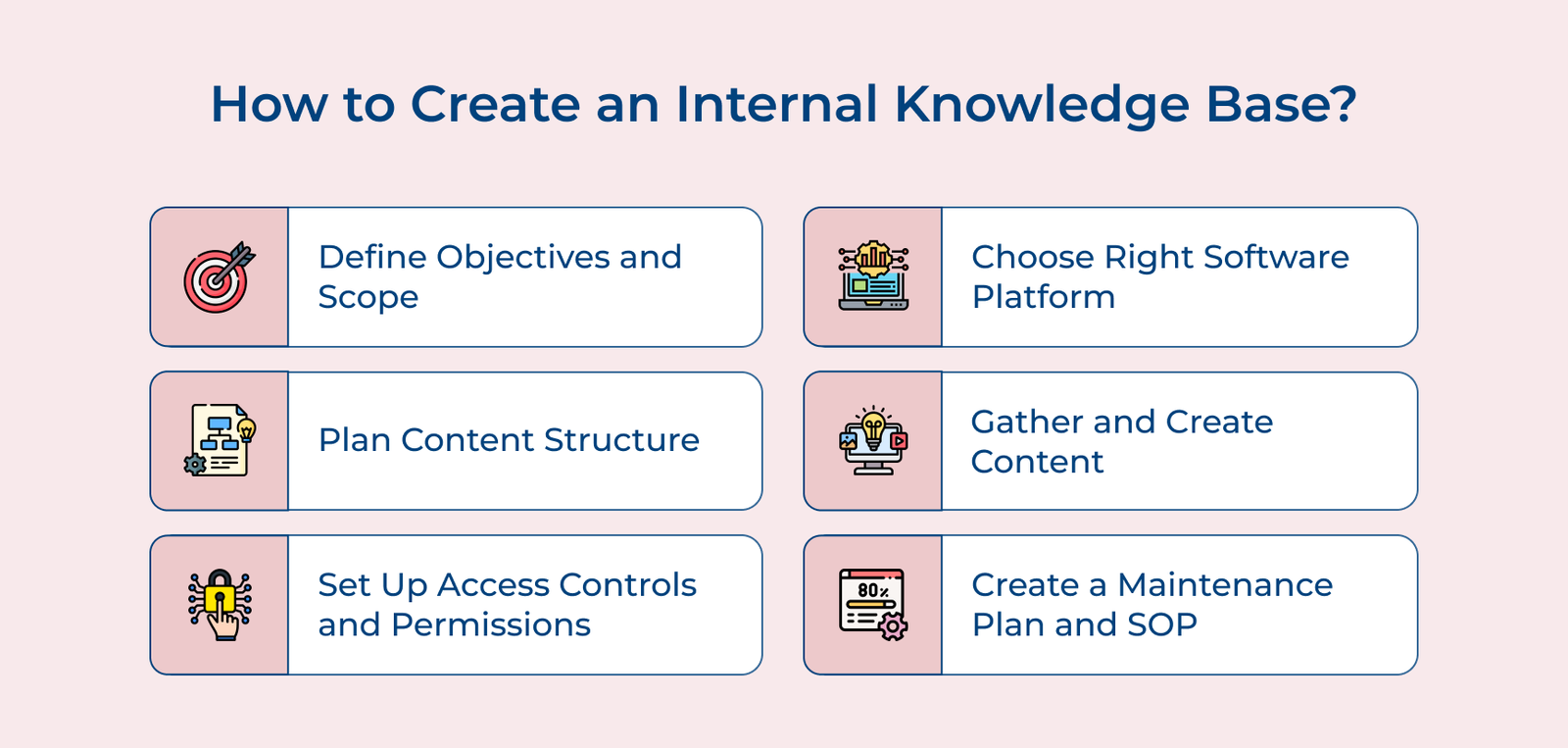
How to Create an Internal Knowledge Base

1. Define the Objectives and Scope

Defining the objectives and scope is crucial when creating an internal knowledge base. Start by identifying the primary purpose of the knowledge base, such as improving employee onboarding, streamlining customer support or enhancing productivity. Next determine the target users and their specific needs, considering various departments.

Once the elements are identified, set clear, measurable goals and success metrics to guide the implementation process. The benchmarks will help you track progress, make necessary adjustments and ensure the knowledge base achieves its intended impact across the business.

Pro tips:

  • Conduct user surveys and interviews to gain deeper insights into the audience’s needs.
  • Create a prioritized list of content types and topics to focus on during the initial launch.
  • Establish a feedback loop with users to continuously improve and refine the knowledge base, ensuring it remains relevant over time.

2. Choose the Right Software Platform

When the task is to create an internal knowledge base for an organization, choosing the right software platform is crucial. Look for features that are essential for the organization such as customizable templates, search functionality and analytics capabilities.

Consider the scalability of the platform as well, to ensure it can grow with the organization. Integration capabilities are also important, as businesses may need to connect their knowledge base with other tools the team uses. When selecting a platform, make sure it aligns with the organization’s needs and goals.

How to implement:

  • Get feedback from key stakeholders in the organization to understand their requirements.
  • Take advantage of free trials to test out the software before making a decision.
  • Consider the level of support and training offered by the platform provider to ensure a smooth implementation process.

3. Plan the Content Structure

Planning the content structure is essential for an effective internal knowledge base. Start by creating a logical hierarchy that organizes information from broad topics to specific details. Develop a consistent categorization system that makes sense for the organization’s needs.

Implement a robust tagging and metadata strategy to enhance searchability. Use clear, descriptive tags and ensure metadata fields capture key information about each piece of content. Design an intuitive navigation system that allows users to easily find information through multiple pathways, including search, browsing and related content links.

Pro tips:

  • Conduct user interviews to understand how employees search for and use information, then structure the content.
  • Create a style guide for content creators to maintain consistency in formatting, terminology and organization across the knowledge base.
  • Implement a regular content audit process to keep information up-to-date and relevant, removing or archiving outdated materials.

4. Gather and Create Content

Start by identifying existing resources such as manuals, guides and documentation across the organization. Consolidate the resources into one central location and conduct a thorough review to assess their relevance, accuracy and usefulness for the intended audience.

The discussions can reveal valuable information that may not be documented elsewhere. Analyze the compiled information to identify and fix any kind of knowledge gaps. Develop new content to address the areas, ensuring comprehensive coverage of all relevant topics.

Things to follow:

  • Implement a content creation workflow that includes peer review and approval processes to maintain quality.
  • Use a variety of content formats (text, video, infographics) to cater to different learning styles and improve engagement.
  • Encourage user-generated content by setting up a system for employees to contribute their expertise and best practices directly to the knowledge base.

5. Set Up Access Controls and Permissions

Setting up proper access controls and permissions is crucial for maintaining the security of the internal knowledge base. Begin by defining user roles and access levels based on job functions which can include roles like viewers, contributors, editors and administrators.

Implement robust security measures to protect sensitive information. Ensure the confidential data is only accessible to authorized personnel. Create a system for managing user accounts, including processes for onboarding new users and offboarding departing employees.

Pro tips:

  • Use Single Sign-On (SSO) to streamline access and enhance security by integrating with the organization’s existing authentication system.
  • Implement granular permissions that allow for access control at the document or folder level, providing flexibility in information sharing.
  • Set up automated alerts for unusual access patterns or potential security breaches to quickly identify and address any issues.

6. Create a Maintenance Plan and SOP

Creating a maintenance plan and Standard Operating Procedures (SOPs) is essential for keeping the internal knowledge base relevant. Establish regular content review schedules, assigning responsibility to subject matter experts or designated content owners.

Define clear update procedures, including processes for revising existing content and archiving outdated material. Implement version control to track changes and maintain content integrity. Develop comprehensive SOPs for ongoing management, covering areas such as content creation, review cycles and system backups. The SOPs should guide all aspects of knowledge base maintenance.

Pro tips:

  • Implement automated reminders for content reviews to ensure timely updates.
  • Create a feedback loop that allows users to flag outdated or inaccurate information, facilitating continuous improvement.
  • Conduct regular user surveys to assess the knowledge base’s effectiveness and identify areas for enhancement.
How to Choose the Right Internal Knowledge Base Tool?

Owing to the wide range of internal knowledge base tools available, it can be challenging to identify the solution that meets your specific needs. Let us understand how to ensure you choose the best option from the lot:

How to Choose the Right Knowledge Base Software

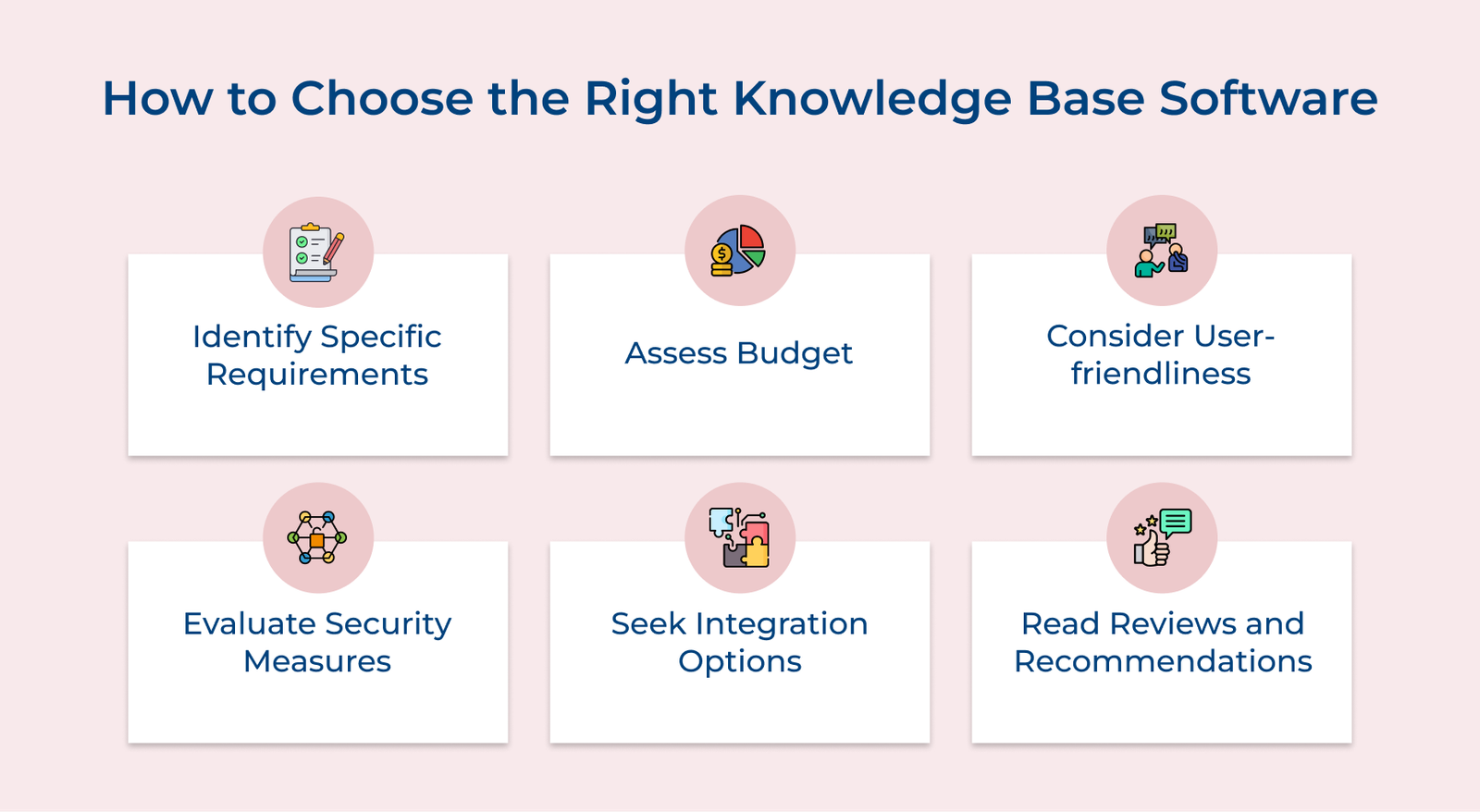
1. Identify the Specific Requirements

Before researching knowledge-based software options, make a list of the specific required features and functionalities. Consider factors such as ease of use, customization options, integration capabilities and security features.

2. Assess the Budget

Determine how much the business is willing to spend on knowledge base software.
Some platforms offer pricing plans based on the number of users or the level of functionality, so make sure to choose a solution that fits within the budget.

3. Consider User-Friendliness

Choose an internal knowledge base platform that is easy to use for both administrators and end-users. Look for platforms that offer intuitive interfaces and customizable layouts to ensure a seamless user experience.

4. Evaluate Security Measures

Data security is paramount for internal knowledge base software as it safeguards sensitive information and ensures that only authorized users have access to critical data. Look for platforms that offer robust security features such as encryption, user permissions and audit trails to safeguard sensitive information.

5. Seek Integration Options

Consider how the knowledge base platform will integrate with the existing systems.
Look for platforms that offer seamless integration with popular software applications such as CRM systems, project management tools and communication platforms.

6. Read Reviews and Get Recommendations

Research knowledge base software options online and read reviews from other users to gain insights into the pros or cons of each platform. Businesses can also reach out to industry experts for recommendations based on their experiences.

External vs. Internal Knowledge Base Tools

Let’s explore the differences between external and internal knowledge base tools to help businesses make an informed choice.

External vs. Internal Knowledge Base

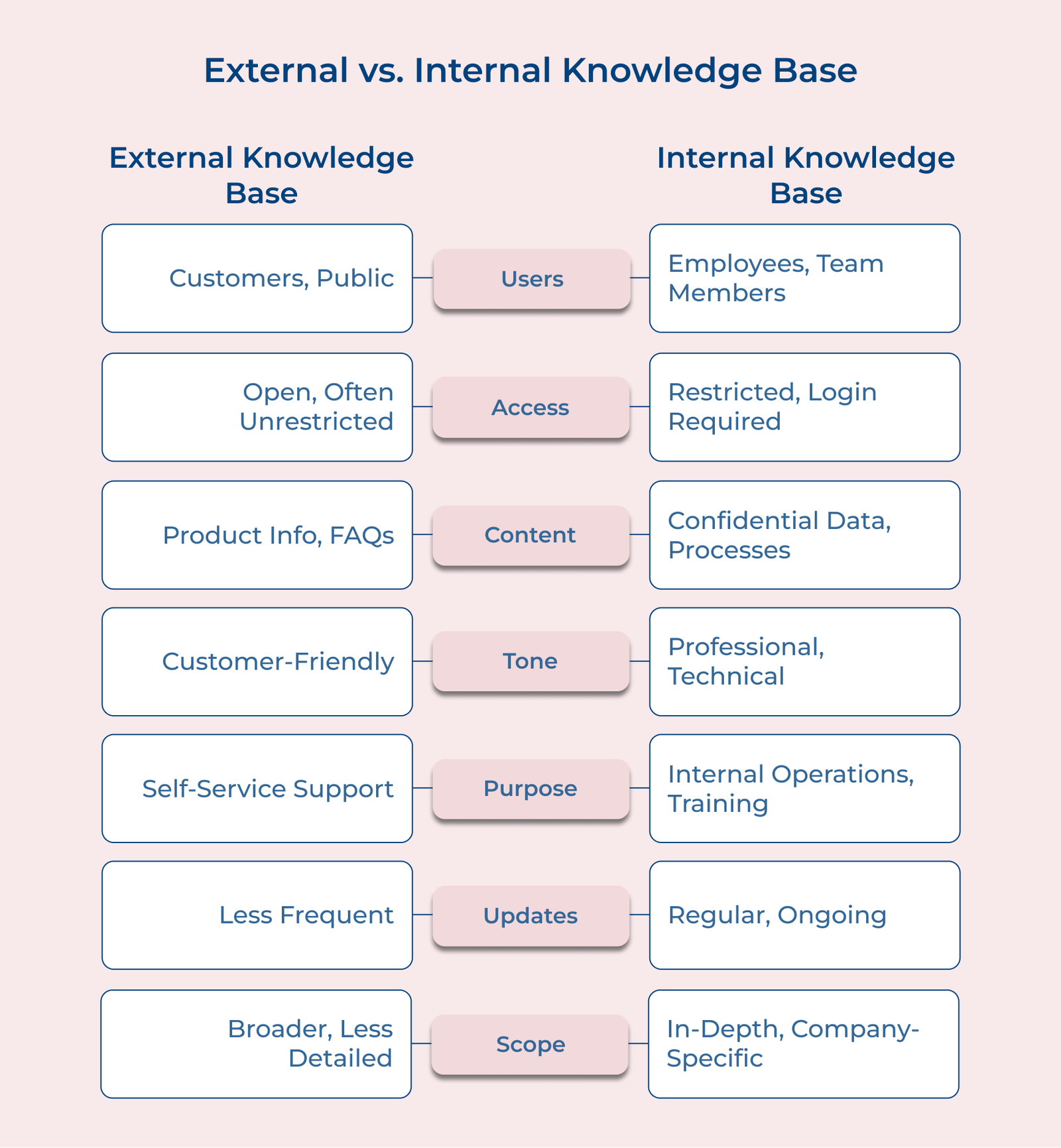
1. Audience and Access

Internal knowledge bases are designed for employees within an organization, with access restricted to authorized personnel. They contain confidential information and are protected by security measures.

External knowledge bases, are publicly accessible and cater to customers, partners, or the general public. They provide information that can be freely shared without compromising company secrets.

2. Content Depth and Sensitivity

Internal knowledge bases typically contain more detailed, in-depth and sensitive information.
It may include proprietary processes, strategic plans, or internal policies.

External knowledge bases offer more general information, focusing on product features and FAQs. The content is carefully curated to avoid revealing sensitive company information.

3. Language and Tone

The language used in internal knowledge bases is often more technical and industry-specific, assuming a certain level of background knowledge. It may include internal jargon or abbreviations familiar to employees.

External knowledge bases use simpler, more accessible language to cater to a diverse audience with varying levels of expertise. The tone is typically more formal and brand-aligned on external bases.

4. Update Frequency and Process

Internal knowledge bases are usually updated more frequently and can be edited by a wider range of employees, enhancing a collaborative environment. The update process might be less formal, allowing for rapid dissemination of new information.

External knowledge bases often have a more rigorous update process, with content carefully reviewed and approved before publication.

5. Integration with Other Systems

Internal knowledge bases are often integrated with other internal systems like project management tools, HR software, or communication platforms.

External knowledge bases are typically standalone or integrated with customer-facing systems like support ticketing or chatbots. It focuses on enhancing the customer experience and reducing support workload.

Difficulties Employees Face Without an Internal Knowledge Base

Having an internal knowledge base tool in place can make a world of difference for employees. Let’s dive into the difficulties employees face without it.

Difficulties Without an Internal Knowledge Base

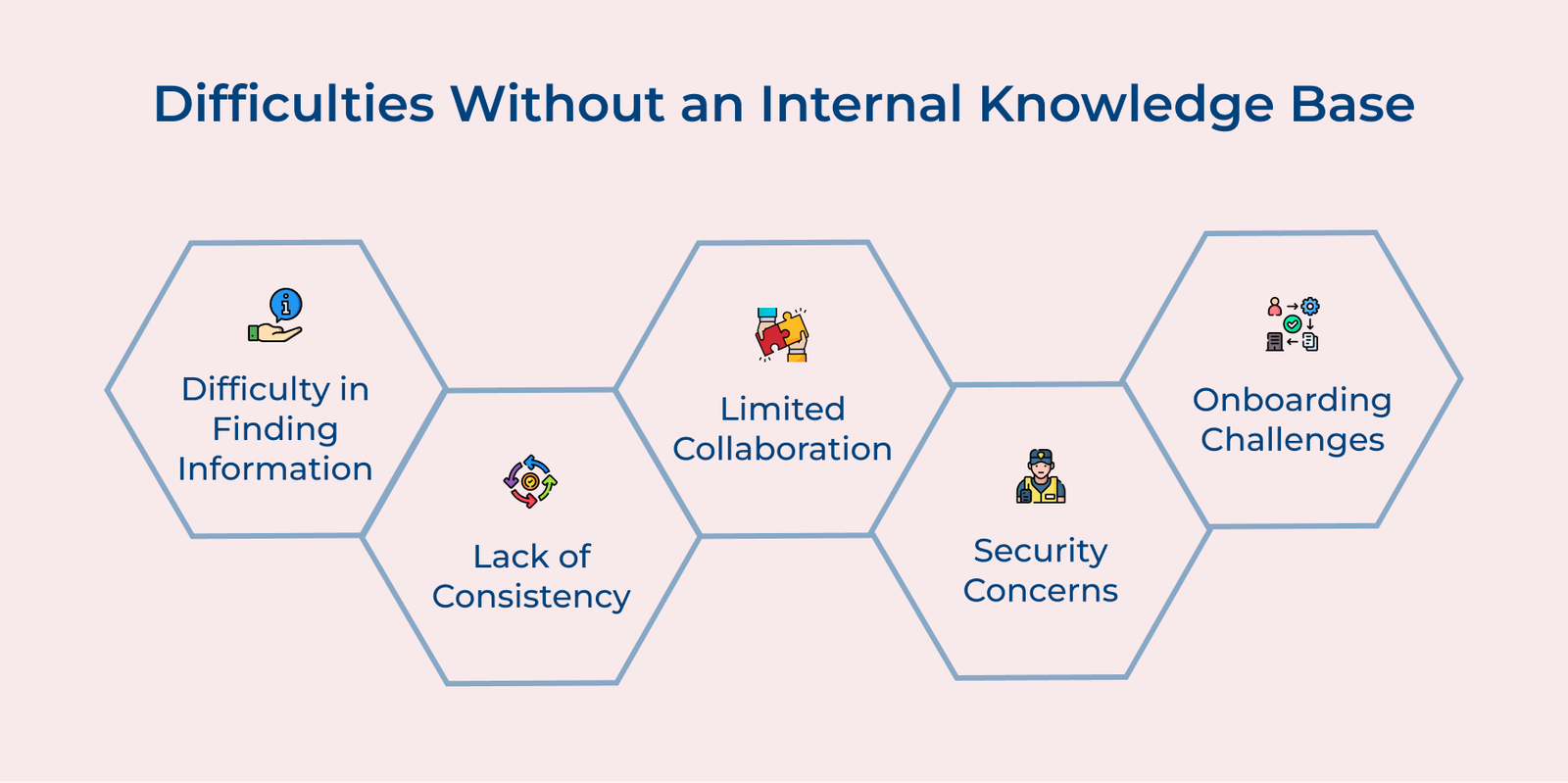
1. Difficulty Finding Information

Employees may struggle to find the information they need to complete a task or project without an internal knowledge base. They may spend valuable time searching through emails, files, or asking colleagues for help, which can be time-consuming and frustrating.

2. Lack of Consistency

Without a centralized knowledge base, employees may have trouble accessing consistent and up-to-date information. It can lead to confusion and errors, as employees may rely on outdated or incorrect information.

3. Limited Collaboration

An internal knowledge base can help facilitate collaboration among team members by allowing them to easily share and access information. Without the tool, employees may struggle to work together effectively, leading to siloed information.

4. Security Concerns

Without an internal knowledge base, sensitive company information may be at risk of being shared or accessed by unauthorized individuals. An internal knowledge base can help protect the information by providing secure access controls and permissions.

5. Onboarding Challenges

The onboarding process can be more difficult for new employees without access to an internal knowledge base. New hires may struggle to learn about company policies, procedures and best practices, which can slow down their integration into the team.

Internal Knowledge Base Best Practices

Businesses must follow certain internal knowledge best practices to ensure they reap the maximum benefits and value out of it:

Internal Knowledge Base Best Practices

1. Organize Information Effectively

When creating an internal knowledge base, it’s essential to organize information logically and intuitively. Use categories, tags and search functions to make it easy for employees to locate the information they need quickly.

2. Keep Content Up-to-Date

Regularly review and update the information in the knowledge base to ensure that it remains relevant. Outdated information can lead to confusion and inefficiency, so make it a priority to keep content current.

3. Encourage Collaboration

Enhance a culture of collaboration within the organization by allowing employees to contribute to the knowledge base. Encourage team members to share their insights and tips for success, creating a dynamic repository of information.

4. Provide Training and Support

Properly train employees on how to use the knowledge base effectively. Offer support to help them navigate the platform and make the most of the information available to them.

5. Measure and Analyze Usage

Track metrics such as search queries, user engagement and feedback to gauge the effectiveness of the knowledge base. Use the data to make informed decisions about updates and improvements to enhance user experience.

What are the Benefits of an Internal Knowledge Base?

An internal knowledge base can bring numerous benefits to the workflow. Let’s explore them briefly below:

Benefits of an Internal Knowledge Base

Centralized Information

An internal knowledge base serves as a single source of truth for an organization. It consolidates crucial information, documents, processes and best practices in one accessible location.

The centralization eliminates the need for employees to search through multiple systems.
Team members can quickly find the information they need with a well-organized knowledge base.

Improved Team Productivity

An internal knowledge base significantly boosts team productivity by providing easy access to essential information. Employees spend less time searching for answers or waiting for responses from colleagues. Instead, they can find solutions independently, allowing them to focus on their core tasks.

The self-service approach also reduces the burden on subject matter experts, who can dedicate their time to more complex issues.

Faster New Employee Onboarding

A comprehensive knowledge base accelerates the onboarding process for new hires. It provides a structured resource for learning about company policies, procedures and culture. New employees can access training materials, FAQs and guides at their own pace, reducing the need for extensive one-on-one training sessions.

The self-guided approach speeds up the onboarding process and ensures consistency in the information provided to new members.

Better Knowledge Retention

Internal knowledge bases play a crucial role in preserving institutional knowledge. As employees leave or change roles, their expertise can be captured in the knowledge base. It prevents valuable information from being lost and ensures continuity in operations.
Regularly updating the knowledge base creates a living document that evolves with the organization, reflecting current best practices and lessons learned over time.

Knowledge at the Fingertips with Internal Knowledge Base Solution

Internal knowledge base tools t ransform how businesses manage and access information, putting vital knowledge at every employee’s fingertips. The powerful tool centralizes institutional wisdom and boosts productivity across the board. Employees are empowered to work efficiently by providing instant access to accurate information.

As businesses continue to recognize the importance of knowledge management, an internal depository for knowledge stands as a cornerstone of modern and agile workplaces. Now make sure that collective expertise is always just a click away.

FAQs for Internal Knowledge Base Tool

Internal knowledge base software works by storing information in a structured and searchable format. Employees can access the knowledge base through a web browser or mobile app, search for topics or keywords and contribute their knowledge to the platform.

Many internal knowledge base system platforms offer customization options to tailor the platform to the company’s specific needs. Businesses can create different categories and set permissions for who can access and edit certain content. They can also integrate other tools and applications with the knowledge base.

Internal knowledge base tools can provide a central hub for training materials, resources and best practices, making it easy for employees to access relevant information. It can also facilitate peer-to-peer learning by allowing employees to share their knowledge with others.

Internal knowledge base system platforms typically have robust security measures in place to protect sensitive company information. The software may include encryption of data, user authentication, access controls and security updates to prevent unauthorized access.

Structuring an internal knowledge base involves organizing information into categories, using tags for easy searchability, a hierarchy of topics and implementing a user-friendly interface. Consider utilizing a knowledge management system to streamline access to information and encourage collaboration. Regularly update the knowledge base to ensure the content remains up-to-date and accurate.