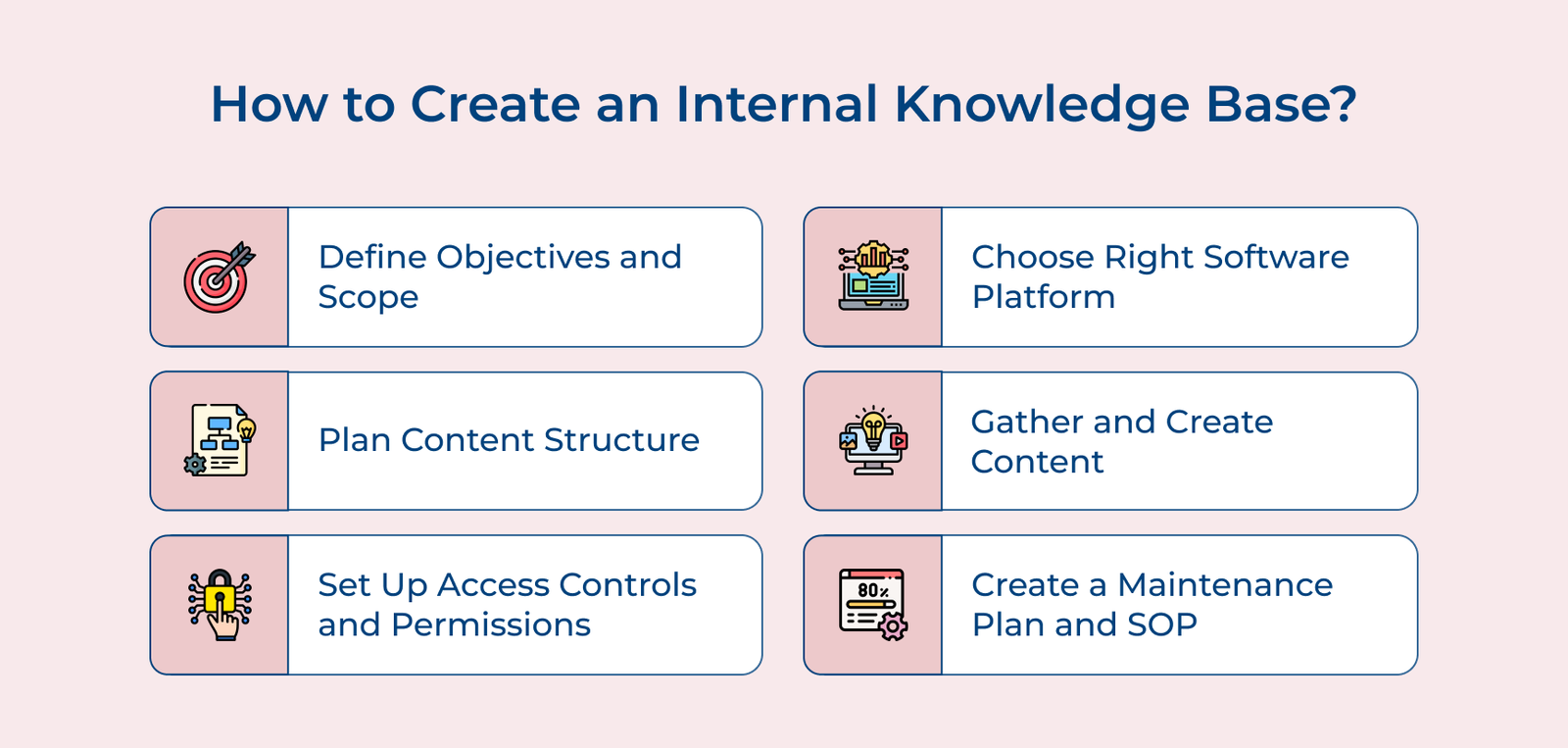
1. Define the Objectives and Scope
Defining the objectives and scope is crucial when creating an internal knowledge base. Start by identifying the primary purpose of the knowledge base, such as improving employee onboarding, streamlining customer support or enhancing productivity. Next determine the target users and their specific needs, considering various departments.
Once the elements are identified, set clear, measurable goals and success metrics to guide the implementation process. The benchmarks will help you track progress, make necessary adjustments and ensure the knowledge base achieves its intended impact across the business.
Pro tips:
- Conduct user surveys and interviews to gain deeper insights into the audience’s needs.
- Create a prioritized list of content types and topics to focus on during the initial launch.
- Establish a feedback loop with users to continuously improve and refine the knowledge base, ensuring it remains relevant over time.
2. Choose the Right Software Platform
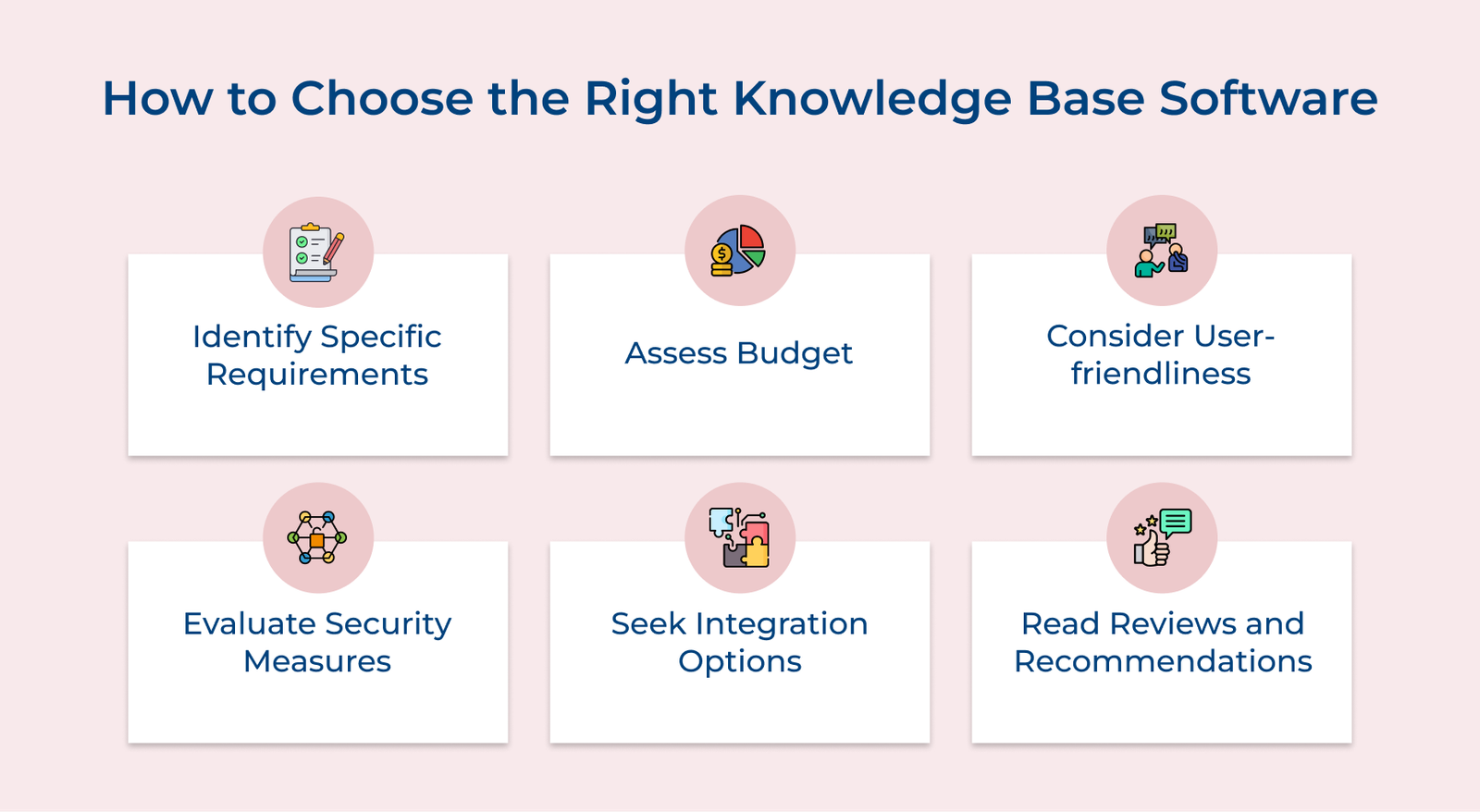
When the task is to create an internal knowledge base for an organization, choosing the right software platform is crucial. Look for features that are essential for the organization such as customizable templates, search functionality and analytics capabilities.
Consider the scalability of the platform as well, to ensure it can grow with the organization. Integration capabilities are also important, as businesses may need to connect their knowledge base with other tools the team uses. When selecting a platform, make sure it aligns with the organization’s needs and goals.
How to implement:
- Get feedback from key stakeholders in the organization to understand their requirements.
- Take advantage of free trials to test out the software before making a decision.
- Consider the level of support and training offered by the platform provider to ensure a smooth implementation process.
3. Plan the Content Structure
Planning the content structure is essential for an effective internal knowledge base. Start by creating a logical hierarchy that organizes information from broad topics to specific details. Develop a consistent categorization system that makes sense for the organization’s needs.
Implement a robust tagging and metadata strategy to enhance searchability. Use clear, descriptive tags and ensure metadata fields capture key information about each piece of content. Design an intuitive navigation system that allows users to easily find information through multiple pathways, including search, browsing and related content links.
Pro tips:
- Conduct user interviews to understand how employees search for and use information, then structure the content.
- Create a style guide for content creators to maintain consistency in formatting, terminology and organization across the knowledge base.
- Implement a regular content audit process to keep information up-to-date and relevant, removing or archiving outdated materials.
4. Gather and Create Content
Start by identifying existing resources such as manuals, guides and documentation across the organization. Consolidate the resources into one central location and conduct a thorough review to assess their relevance, accuracy and usefulness for the intended audience.
The discussions can reveal valuable information that may not be documented elsewhere. Analyze the compiled information to identify and fix any kind of knowledge gaps. Develop new content to address the areas, ensuring comprehensive coverage of all relevant topics.
Things to follow:
- Implement a content creation workflow that includes peer review and approval processes to maintain quality.
- Use a variety of content formats (text, video, infographics) to cater to different learning styles and improve engagement.
- Encourage user-generated content by setting up a system for employees to contribute their expertise and best practices directly to the knowledge base.
5. Set Up Access Controls and Permissions
Setting up proper access controls and permissions is crucial for maintaining the security of the internal knowledge base. Begin by defining user roles and access levels based on job functions which can include roles like viewers, contributors, editors and administrators.
Implement robust security measures to protect sensitive information. Ensure the confidential data is only accessible to authorized personnel. Create a system for managing user accounts, including processes for onboarding new users and offboarding departing employees.
Pro tips:
- Use Single Sign-On (SSO) to streamline access and enhance security by integrating with the organization’s existing authentication system.
- Implement granular permissions that allow for access control at the document or folder level, providing flexibility in information sharing.
- Set up automated alerts for unusual access patterns or potential security breaches to quickly identify and address any issues.
6. Create a Maintenance Plan and SOP
Creating a maintenance plan and Standard Operating Procedures (SOPs) is essential for keeping the internal knowledge base relevant. Establish regular content review schedules, assigning responsibility to subject matter experts or designated content owners.
Define clear update procedures, including processes for revising existing content and archiving outdated material. Implement version control to track changes and maintain content integrity. Develop comprehensive SOPs for ongoing management, covering areas such as content creation, review cycles and system backups. The SOPs should guide all aspects of knowledge base maintenance.
Pro tips:
- Implement automated reminders for content reviews to ensure timely updates.
- Create a feedback loop that allows users to flag outdated or inaccurate information, facilitating continuous improvement.
- Conduct regular user surveys to assess the knowledge base’s effectiveness and identify areas for enhancement.