What is IT Documentation: Types, Examples & Benefits
Explore the importance of IT documentation, its various types, examples and key benefits. Learn how it enhances collaboration, ensures operational efficiency and supports business continuity.

Explore the importance of IT documentation, its various types, examples and key benefits. Learn how it enhances collaboration, ensures operational efficiency and supports business continuity.
Keeping systems running smoothly is a constant challenge for IT teams. Gaps in knowledge, inconsistent processes and repeat issues often get in the way of efficient service delivery. Fortune 500 companies in total lose an average of $12 billion per year due to inefficiency caused by unstructured document management.
Structured IT documentation helps bridge these gaps by capturing and sharing technical know-how in a clear, accessible way. When done right, it becomes the backbone of reliable operations as it covers everything from routine tasks to complex deployments. We will be breaking down the essentials of the approach along with how leading teams use it to streamline workflows, reduce downtime and drive continuous improvement.
IT documentation refers to a comprehensive collection of written materials that explains how technology systems, processes and products function within a business. It serves as a knowledge base, capturing technical information, procedures and best practices in a clear, organized format for both employees as well as customers.
The documentation is created, maintained and distributed through a systematic approach, often using documentation management systems for storage, version control or easy access. It evolves with system updates, ensuring accurate revision histories.
Key principles:
Check out the essential types of documentation that enable both technical and non-technical stakeholders to understand various aspects of IT systems.
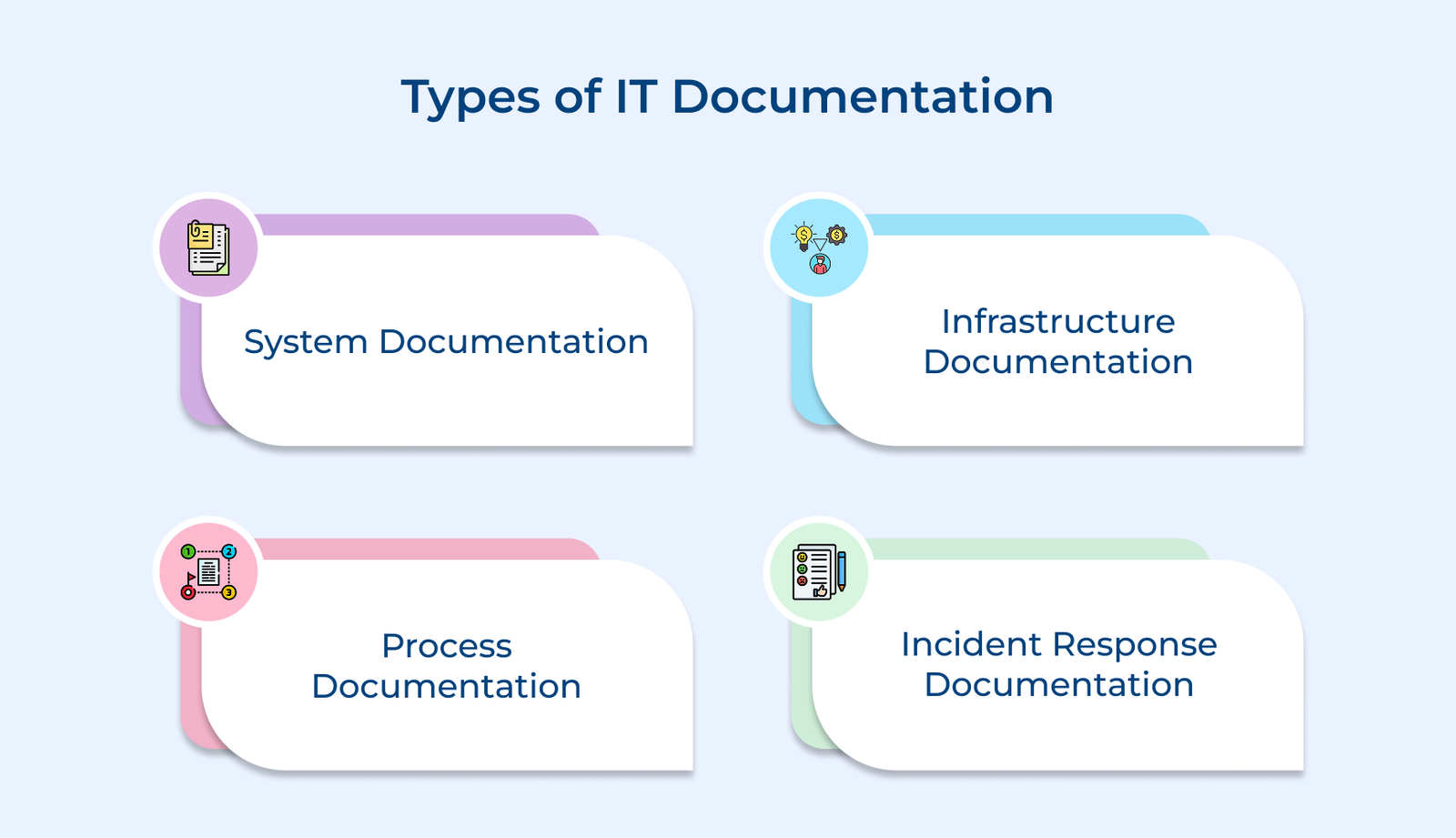
System documentation provides in-depth details about software applications and IT system components. It outlines architectures, configurations and dependencies for seamless operations.
Technical teams use it to understand application behavior during maintenance or upgrades. It includes API specifications, database schemas and integration details, empowering developers to troubleshoot issues as well as implement new features efficiently.
Infrastructure documentation details an organization’s technological foundation. It includes hardware specifications and network configurations, mapping how components interact.
Network engineers and system administrators rely on the documentation to manage data centers, cloud resources and network equipment effectively. It includes server setups, network topology diagrams and security protocols, helping teams maintain peak performance.
Process documentation outlines step-by-step workflows and standard procedures for IT operations. Documentation standardizes routine tasks and ensures consistency in executing technical procedures across teams.
Support teams use the documentation to follow established protocols for tasks like user onboarding and system maintenance. It includes workflow diagrams, checklists and best practices to ensure high service quality.
Incident response documentation provides clear protocols and procedures for addressing IT emergencies. It ensures teams can act swiftly and effectively during technical issues or security breaches.
The documentation outlines severity levels, escalation paths and recovery strategies, enabling security teams to resolve problems while maintaining effective communication. The structured approach helps guide teams through crises systematically.
End-user documentation offers clear instructions and guidance for employees as well as customers using IT systems daily. It empowers users to navigate technology resources efficiently while reducing reliance on support teams.
Support teams create end-user documentation with clear instructions and troubleshooting guides for common issues. The documentation includes user manuals, FAQs and video tutorials to help users troubleshoot common issues.
Let us go through the benefits of IT documentation to understand how it boosts overall system reliability and customer satisfaction.
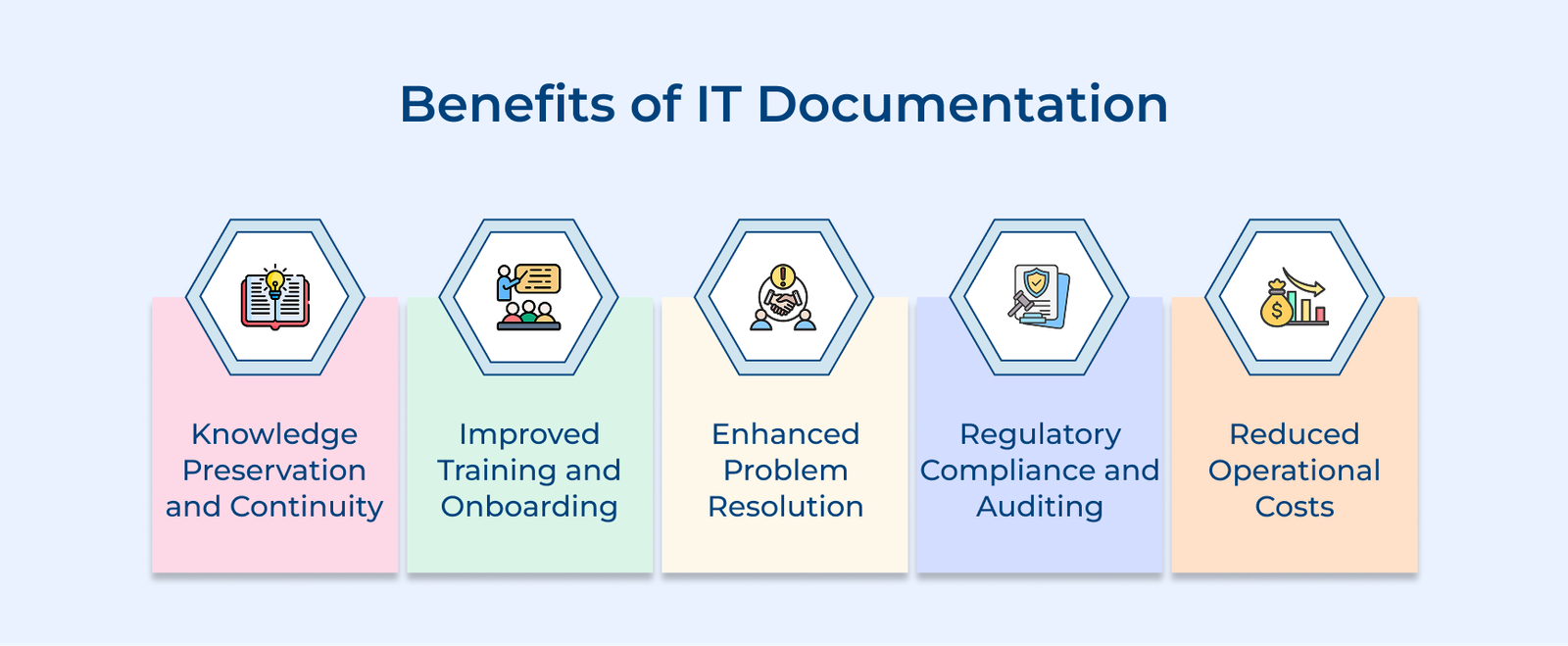
Knowledge Preservation and Continuity
Organizations safeguard valuable knowledge by documenting IT systems and processes. It ensures that when experienced team members move on, their expertise remains accessible, allowing teams to maintain continuity and prevent service disruptions.
Improved Training and Onboarding
Well-documented IT resources help new employees quickly grasp systems and processes. Clear explanations and step-by-step guides speed up learning, allowing new team members to independently build knowledge.
Enhanced Problem Resolution
Support teams resolve issues faster by using documented solutions and troubleshooting steps. Documentation highlights recurring problems and standardizes resolution methods, helping staff maintain consistent service quality through established protocols.
Regulatory Compliance and Auditing
Organizations ensure compliance with industry regulations by documenting IT infrastructure and security measures. The documentation provides clear evidence of controls and procedures during audits, allowing teams to quickly meet compliance requirements.
Reduced Operational Costs
Organizations reduce dependency on individuals by documenting IT systems and processes. It cuts support costs, as users can access self-service resources for common issues and teams save time by avoiding repeated explanations.
Below are the common causes of poor IT documentation, highlighting the challenges that lead to ineffective records that hinder system efficiency.
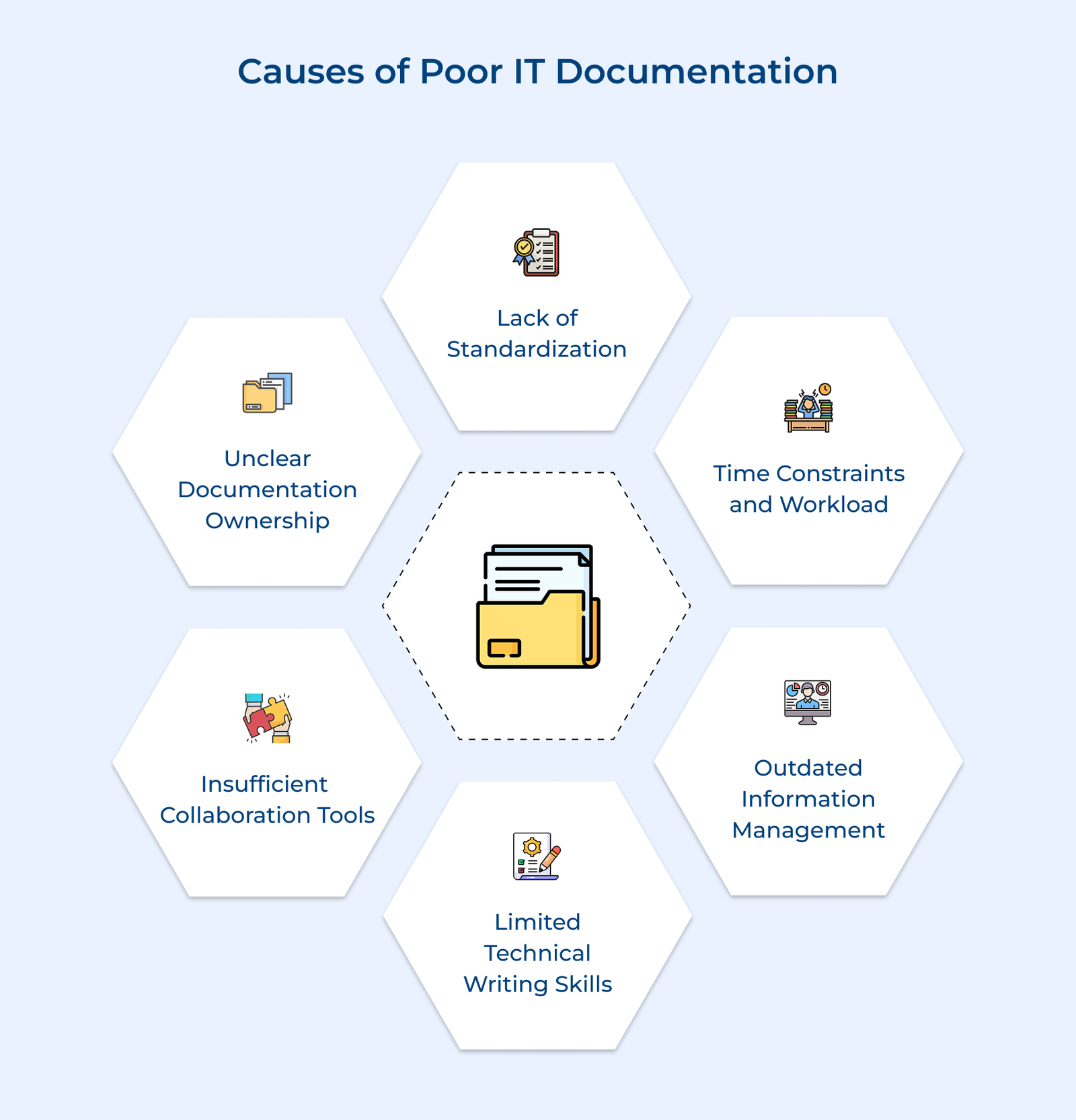
Documentation quality declines when organizations lack clear standards for creating and formatting content. Without consistency, teams follow individual styles, making information harder to find. A standardized approach ensures uniformity and clarity.
Under tight deadlines, technical teams prioritize new features and urgent issues, pushing documentation tasks aside. The rush often results in incomplete or unclear documentation that overlooks crucial technical details.
Without regular reviews and updates documentation becomes outdated as systems evolve. Teams lose trust in its accuracy, leading to confusion and inefficient troubleshooting efforts.
Many technical professionals excel at their roles but often struggle with clear documentation. Complex concepts become hard to grasp when not explained simply, leaving readers unable to understand key information.
Teams struggle to maintain documentation quality without the right tools for collaboration. Fragmented content across platforms causes confusion and the absence of version control as well as easy sharing makes it hard to keep documentation up-to-date.
When documentation responsibilities are unclear, teams assume others will manage it, resulting in gaps in vital information. Lack of ownership prevents regular reviews and improvements, causing documentation quality to suffer.
Following are the best practices for writing effective IT documentation that resonates with both technical and non-technical users alike.
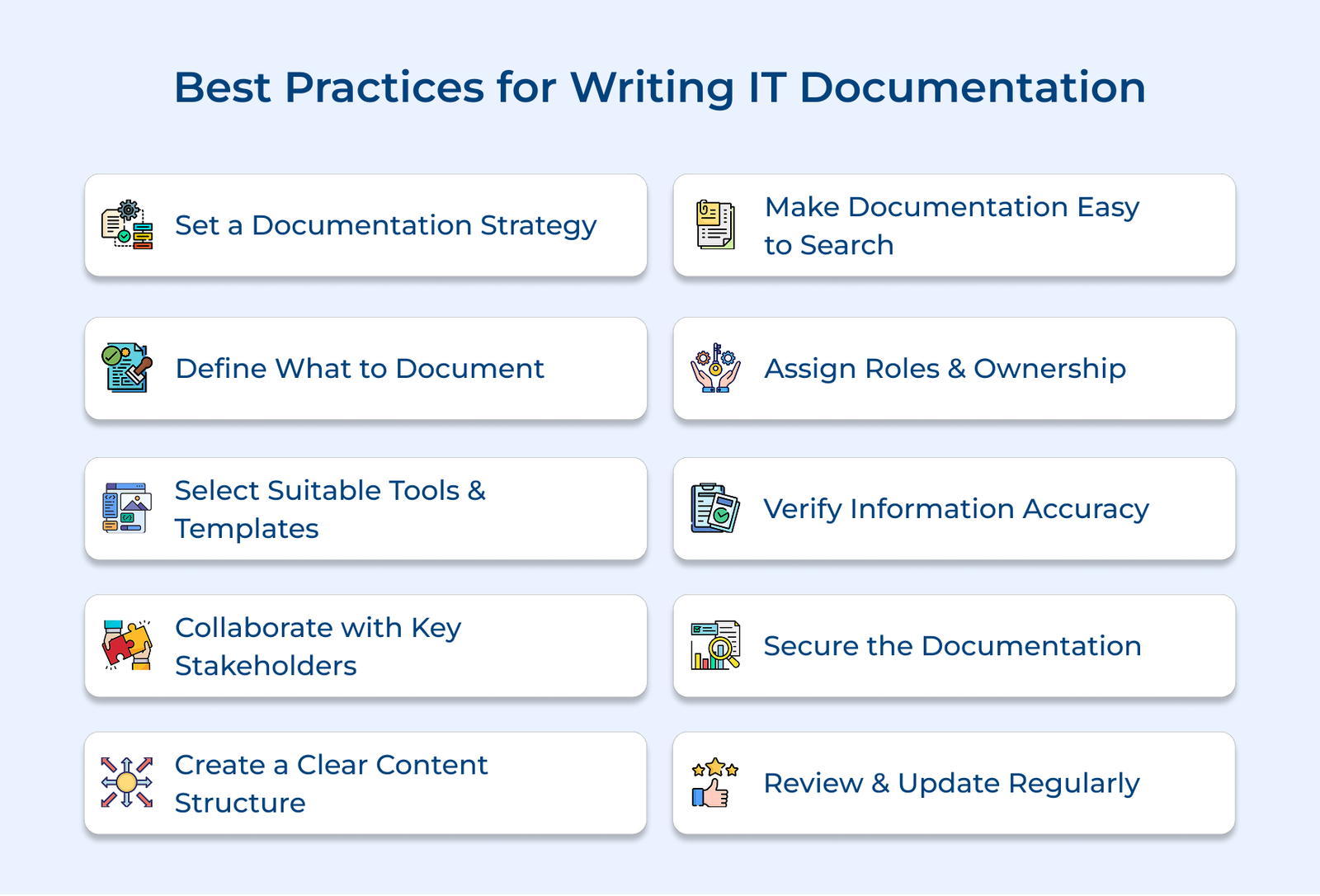
A documentation strategy forms the foundation for organized IT documentation across an organization. Clear guidelines ensure consistency and quality, aligning efforts with business goals while making information accessible to stakeholders.
Organizations develop style guides, establish content review processes and create templates to standardize formatting. Documenting workflows streamline content updates, while regular governance meetings assess quality and highlight areas for improvement.
Pro tips:
Selecting the right content for IT records requires user needs and system complexity. Organizations must focus on critical information that supports operations while avoiding unnecessary documentation that adds maintenance overhead. Strategic topic selection ensures content is valuable and purposeful.
Teams prioritize documentation by analyzing support tickets and gathering feedback from end-users. Planning starts with mapping core systems and identifying knowledge gaps that affect efficiency. Regular assessments help determine which processes and systems need tailored documentation based on their importance.
Actionable tips:
Choosing the right tools and templates is key to ensuring high-quality, accessible technical information. Organizations need reliable platforms that support collaboration and streamline the updating of IT documentation. Modern tools with features like version control and search functionality improve documentation experience.
Teams evaluate tools based on integration capabilities and ease of use. Platforms should support various content formats and enable seamless sharing across departments. Standardized templates help maintain consistency in structure and formatting across all the documentation.
Best practices:
Engaging subject matter experts ensures IT records capture accurate technical details and practical insights. Diverse perspectives from various team members enhance the quality of content, filling gaps and improving overall accuracy.
Documentation teams hold regular meetings with system owners and stakeholders to gather key information. Technical writers collaborate with experts to simplify complex processes into clear documentation, ensuring alignment with actual system operations.
Pro tips:
A well-structured content hierarchy ensures clear organization of technical documentation, making it easy for users to find relevant information quickly. Proper categorization helps navigate complex content, reducing time spent searching for details.
Businesses create hierarchical structures by grouping documentation based on systems and user roles. Teams establish clear parent-child relationships and consistent naming conventions, reflecting natural workflows and improving the understanding of how different pieces of IT records connect.
Pro tips:
Effective search and navigation are crucial for users to quickly access technical information. Organizations must ensure their IT documentation is easily discoverable with intuitive navigation and robust search functionality, speeding up issue resolution times.
Documentation platforms use advanced search features with filters and tags to improve content discoverability. Teams enhance search accuracy by adding clear headings, while comprehensive indexes and cross-references help users navigate related documentation seamlessly.
Actionable tips:
Clear ownership of documentation ensures accountability and maintains the quality of technical content. Organizations assign designated individuals to oversee different sections of IT documentation, preventing outdated or inaccurate content. Defined roles help maintain integrity and ensure timely updates in line with system changes.
Teams assign primary and secondary owners for each major section of technical content. Organizations establish clear roles for content creation and review within their IT records workflow. Regular check-ins with owners track documentation health and ensure timely updates.
Pro tips:
Protecting sensitive technical documentation means applying strict access controls and clear security protocols. It includes IT records like system configurations, infrastructure layouts and proprietary code. When businesses limit access and enforce secure documentation practices, businesses reduce the risk of breaches and ensure only the right people see the right information.
Teams use role-based access controls to limit content visibility based on user permissions. Documentation is classified by sensitivity, with security protocols applied accordingly. Measures like encryption, audit logging and secure authentication protect restricted content.
Best practices:
Keeping technical documentation up-to-date requires systematic reviews and timely updates. Outdated content can lead to inefficiencies and technical issues with constant changes in the IT environment, reducing the value of documentation.
Teams establish regular review cycles for different types of content, scheduling assessments to identify outdated information and ensure accuracy. Review processes include user feedback, checking for broken links and updating content to reflect system changes.
Best practices:
Let’s go through the key criteria and considerations for making an informed decision that aligns with your organization’s needs.
Key questions:
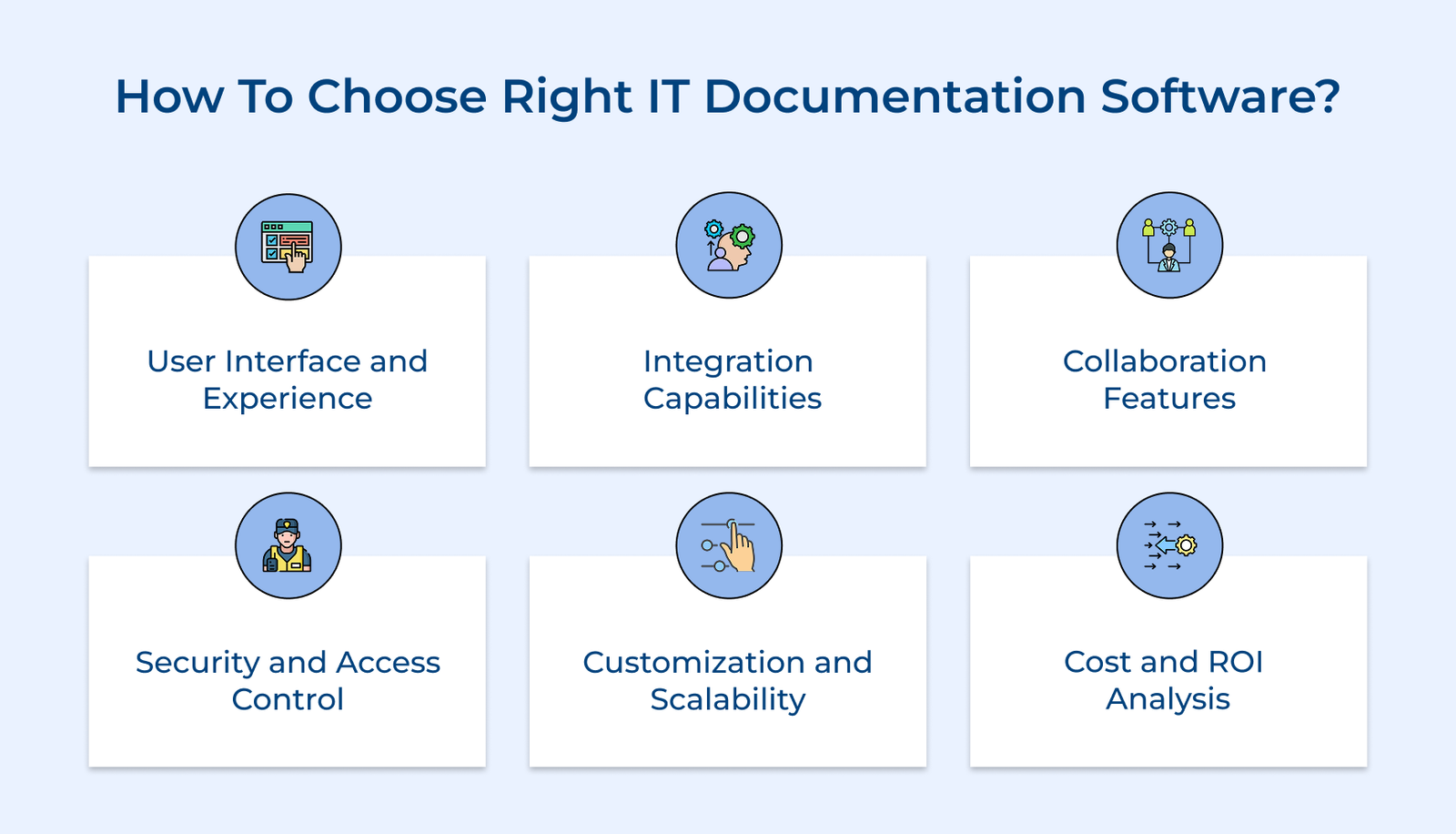
User Interface and Experience
The documentation software should feature an intuitive interface for easy content creation and navigation. Choose platforms with a clean layout and simple navigation to minimize the learning curve, ensuring smooth adoption by both technical as well as non-technical teams.
Integration Capabilities
Your documentation platform should integrate smoothly with existing business tools and workflows. Look for software that connects with project management as well as communication systems, minimizing manual work and automatically updating documentation when changes happen.
Collaboration Features
The software should enable real-time collaboration with features like concurrent editing and version control to ensure content accuracy. Choose platforms that offer commenting and review workflows to enhance effective teamwork on documentation projects.
Security and Access Control
Documentation software should offer strong security features to protect sensitive information. Look for platforms with role-based access controls, encryption, detailed audit logs and effective user permission management for administrators.
Customization and Scalability
Choose a platform that can scale with your growing documentation needs and evolving organizational requirements. Look for software that supports customizable templates, multiple content formats and can efficiently handle increasing documentation volume.
Cost and ROI Analysis
Consider the total cost of ownership, including licensing and implementation fees. Evaluate pricing based on user count, ensuring the software delivers value by improving efficiency and reducing support costs, all while staying within budget.
Below are five leading solutions that stand out in 2026 for their innovative features and user-friendly approaches to documentation management.
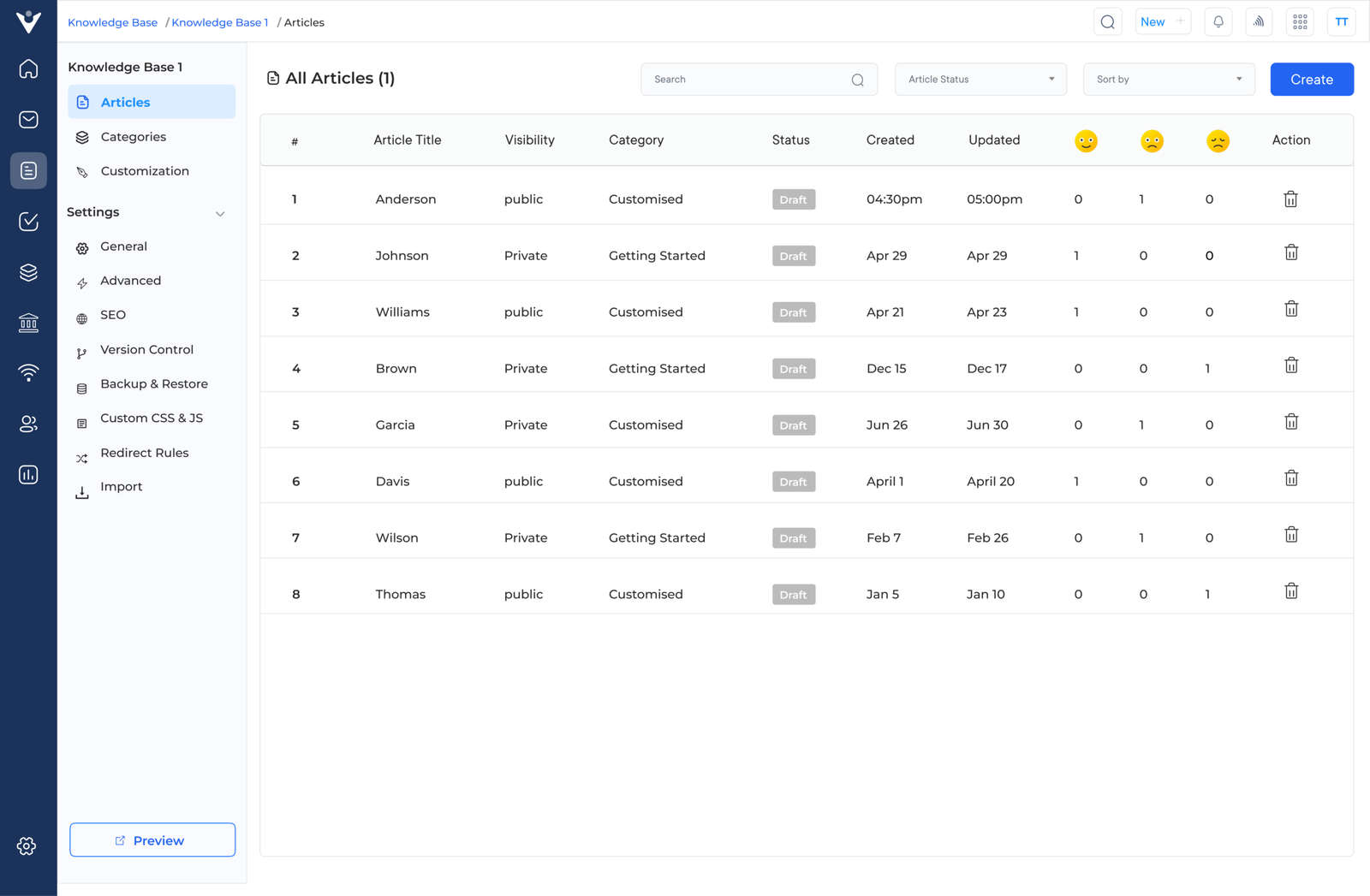
Veemo Support merges help desk functionality with powerful documentation capabilities, offering a unified support and knowledge management solution. The platform enhances customer service by integrating ticket management with an extensive knowledge base, centralizing support and technical documentation in one cohesive environment.
The platform’s unique lies in integrating intelligent documentation suggestions while agents handle support tickets. It streamlines workflows, cuts resolution times and guarantees consistent responses. Tailored for both internal IT support and customer-facing needs, Veemo offers flexible configurations for every use case.
Key features:
Pricing: Veemo offers four different plans – The Growth plan consists of 3 inboxes and costs $29. The team plan consists of 10 inboxes and costs $59 while the Enterprise plan is for $129 and consists of unlimited inboxes. Visit Veemo’s pricing page for more details.
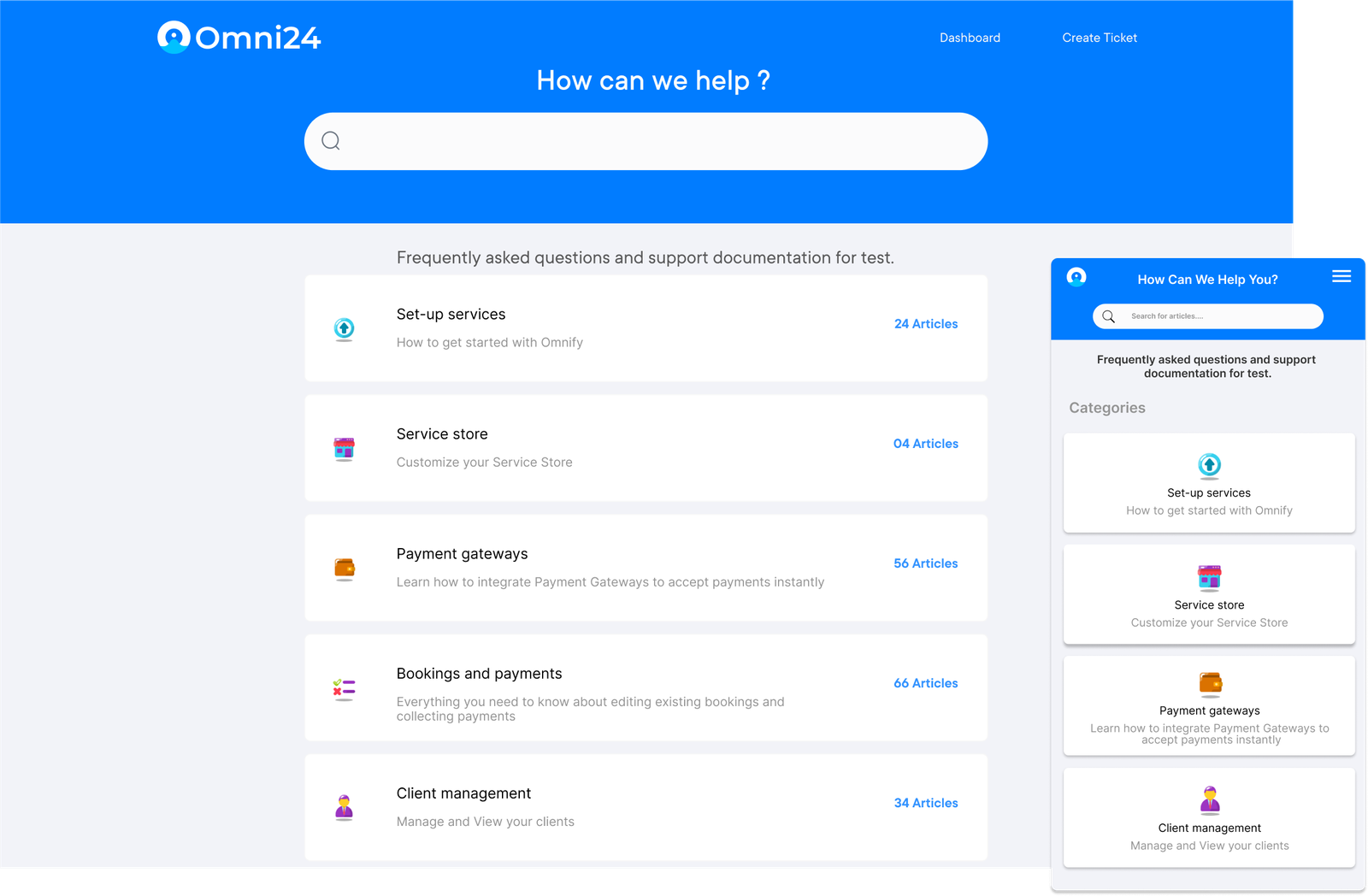
Omni24 offers an all-in-one customer experience platform, seamlessly integrating documentation with live chat, email and social media support. It empowers organizations to build centralized knowledge bases that cater to both internal teams and customers, all within a unified interface for managing technical documentation.
What sets Omni24 apart is its ability to intelligently surface relevant documentation during live customer interactions. The platform’s AI-powered system learns from each conversation to refine documentation suggestions and enhance knowledge access.
Primary features:
Pricing: Pricing: The Standard Plan is priced at $29 per user per month, providing essential features for effective communication and support. The more advanced needs are more suited for the Pro Plan which is available at $149 per user per month, offering additional tools and capabilities. Visit their pricing page for further details.
Document360 is a powerful knowledge base platform tailored for technical documentation. It simplifies the organization of large volumes of content with an intuitive category-based structure and a strong version control system.
The software ensures your documentation is both accessible as well as discoverable with AI-driven content suggestions and built-in SEO optimization. Its standout features include insightful analytics dashboards and integrated feedback systems, helping teams track effectiveness. The tool also enables the management of multiple knowledge bases within a single platform for streamlined efficiency.
Confluence is a versatile collaboration platform that goes beyond basic documentation capabilities. The software seamlessly integrates with other Atlassian products to create a unified workspace for technical teams to document and share knowledge.
The platform offers an extensive template library and real-time editing capabilities. Teams value its powerful search functionality and detailed permission controls. Designed to support agile practices, Confluence also excels with sprint planning and retrospective features, making it ideal for dynamic documentation needs.
GitBook is a developer-friendly platform designed for both technical and product documentation needs. The software seamlessly integrates with Git repositories to keep documentation alongside your code.
The tool excels at creating API docs and technical guides with markdown support and code block features. GitBook’s unique selling point includes automated documentation testing, preview environments and the ability to generate docs directly from code comments. Teams appreciate its support for maintaining multiple documentation versions effortlessly.
Organizations need effective ways to evaluate their IT documentation quality and impact on technical operations. Let’s check out the important metrics in more detail.
Some questions you must consider:
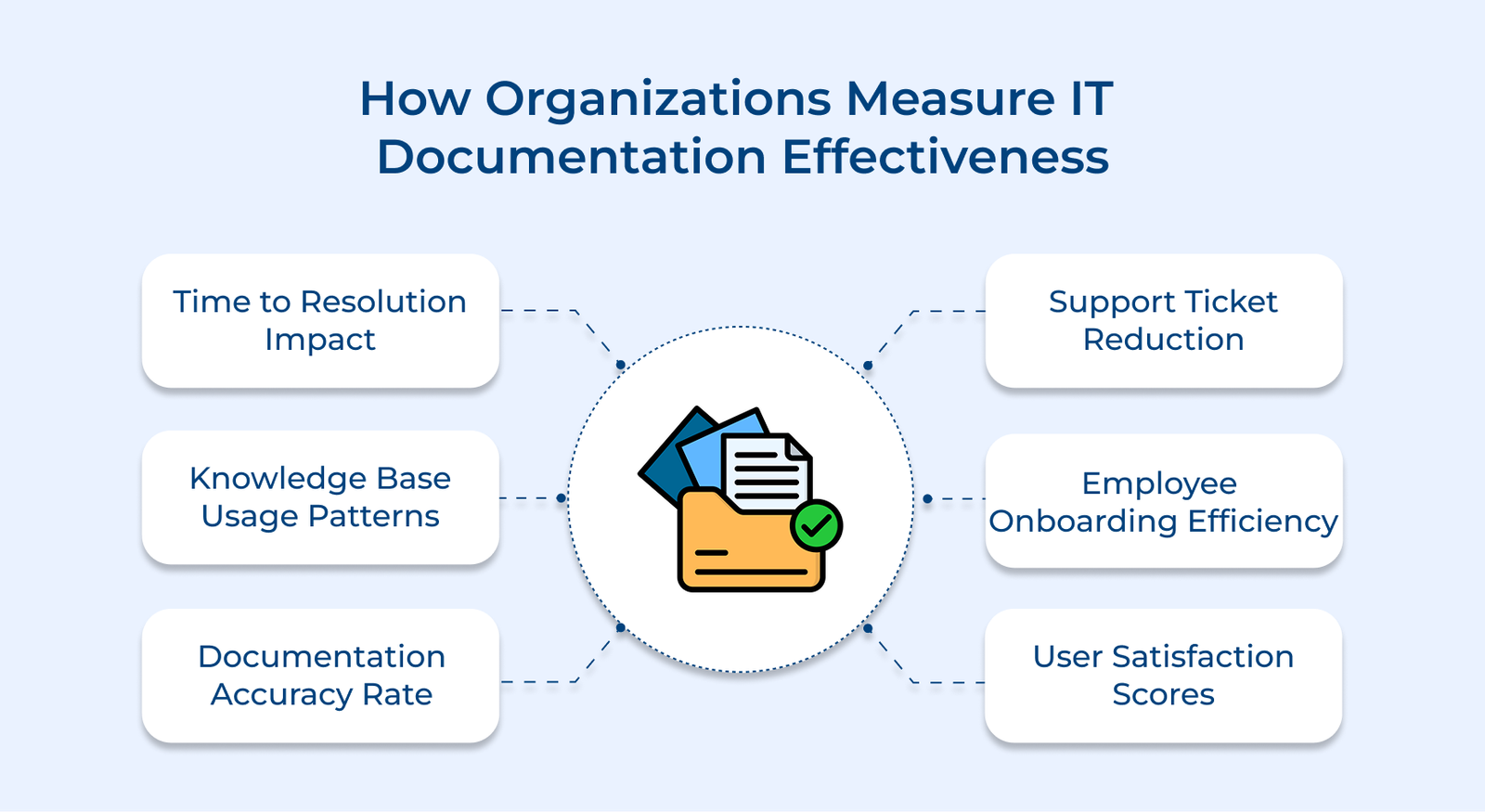
Documentation effectiveness directly impacts how quickly teams resolve technical issues. Organizations can measure efficiency by comparing the time it takes to solve problems with documented vs undocumented solutions. Shorter resolution times reflect well-structured, clear documentation that streamlines troubleshooting and accelerates problem-solving.
Organizations track how often teams access and use documentation. Usage analytics highlight the most and least viewed sections, helping identify gaps. Regularly reviewing the patterns ensures the documentation stays optimized.
Teams assess the accuracy of technical content through regular reviews and user feedback. Organizations monitor how frequently documentation needs updates or corrections. High accuracy rates reflect strong maintenance processes and trustworthy technical content.
Organizations assess how documentation affects support workload by tracking ticket volumes for recurring issues. Well-crafted documentation reduces support requests by enhancing self-service options. Teams monitor the link between documented solutions and fewer support incidents.
Documentation quality plays a key role in new employee integration. Organizations track the time it takes for new hires to become fully operational with the available documentation. Shorter onboarding times signal comprehensive content that efficiently transfers knowledge to new team members.
Organizations collect user feedback through surveys and ratings to assess content clarity, accessibility and practical value. High satisfaction scores indicate documentation that effectively meets user needs and supports smooth technical operations.
Let’s explore how major brands leverage documentation strategies to enhance their operations and support developer communities.
Amazon AWS Documentation
Amazon Web Services (AWS) offers one of the most extensive technical documentation libraries in the cloud computing industry, covering every service with detailed guides, tutorials and best practices. Their user-centric approach caters to all expertise levels, from beginners to advanced developers.
AWS documentation goes beyond basic service explanations, setting an educational standard in cloud computing. Businesses worldwide turn to it for implementation guidance, driving platform adoption and enhancing a self-sustaining ecosystem of skilled developers.
GitLab Documentation
GitLab treats documentation as a core product feature, not an afterthought. Their documentation follows a “docs as code” philosophy where technical writers work directly with developers using the same version control workflows. They maintain separate documentation sets for users, administrators and developers, ensuring tailored information delivery.
The strategy reinforces GitLab’s position as a comprehensive DevOps platform. The detailed documentation lowers entry barriers for new users while supporting complex enterprise implementations. It also serves as a competitive advantage, showcasing platform capabilities and reducing support overhead.
Microsoft Azure
Microsoft Azure prioritizes documentation with an integrated learning ecosystem that blends traditional technical guides with interactive tutorials and learning paths. Azure provides a comprehensive resource for cloud technology education by seamlessly connecting with Microsoft Learn.
The commitment has helped establish Azure as a top platform for enterprise cloud adoption. Organizations can confidently migrate, knowing they have detailed implementation guidance. The documentation also enhances rapid skill development, accelerating digital transformation initiatives.
IT documentation is the backbone of efficient technical operations, preserving valuable knowledge and streamlining processes across organizations. Well-crafted documentation ensures system reliability, reduces reliance on tribal knowledge and lays the groundwork for sustainable growth.
Prioritizing documentation enhances an environment where innovation thrives through clear communication and shared understanding. Quality documentation cuts onboarding time, speeds up problem resolution and supports continuous improvement. Teams can focus on delivering value instead of repeatedly tackling the same issues by maintaining organized content.
Key takeaways:

IT documentation is the cornerstone of knowledge management in technical organizations, capturing vital system information and operational procedures. It prevents knowledge loss during team transitions, ensuring continuity and consistent service quality. Documentation helps maintain high service across technical teams by supporting efficient troubleshooting and enabling systematic knowledge transfer.
Documentation must be regularly updated to remain a reliable technical resource. Critical system docs should be reviewed whenever there are major infrastructure or process changes. Teams should set monthly reviews for operational procedures, quarterly assessments for system architecture and immediate updates for security-related content to maintain accuracy.
IT records serve key roles in technical operations, helping organizations train new employees, troubleshoot issues, maintain security and ensure compliance. It enables teams to standardize processes, preserve technical knowledge, manage system changes and provide consistent support across the organization.
Technical documentation stands out by focusing on system configurations, operational procedures and complex technical concepts. It demands precise details, clear step-by-step instructions and strong version control. The content must maintain technical accuracy while being accessible to users of all skill levels.
Organizations often struggle to maintain effective documentation due to the rapid pace of system changes. Key challenges include balancing detailed information with usability, managing access controls for sensitive data and facilitating consistent documentation practices across teams. Regular content reviews and updates adds to the complexity of keeping documentation relevant.

Grow Customer Relationships and stronger team collaboration with our range of products across the Conversational Engagement Suite.
Omnichannel Customer Support & Help Desk Software
AI Enabled Business Messaging and Chatbot Software
Sales Engagement & CRM Software
Call Center Software & Virtual Phone System
Product Marketing & Experience Platform
Customer Experience & Feedback Management Software

 10 Sales Pipeline Report for Businesses to Create in 2026
Scroll to top
10 Sales Pipeline Report for Businesses to Create in 2026
Scroll to top