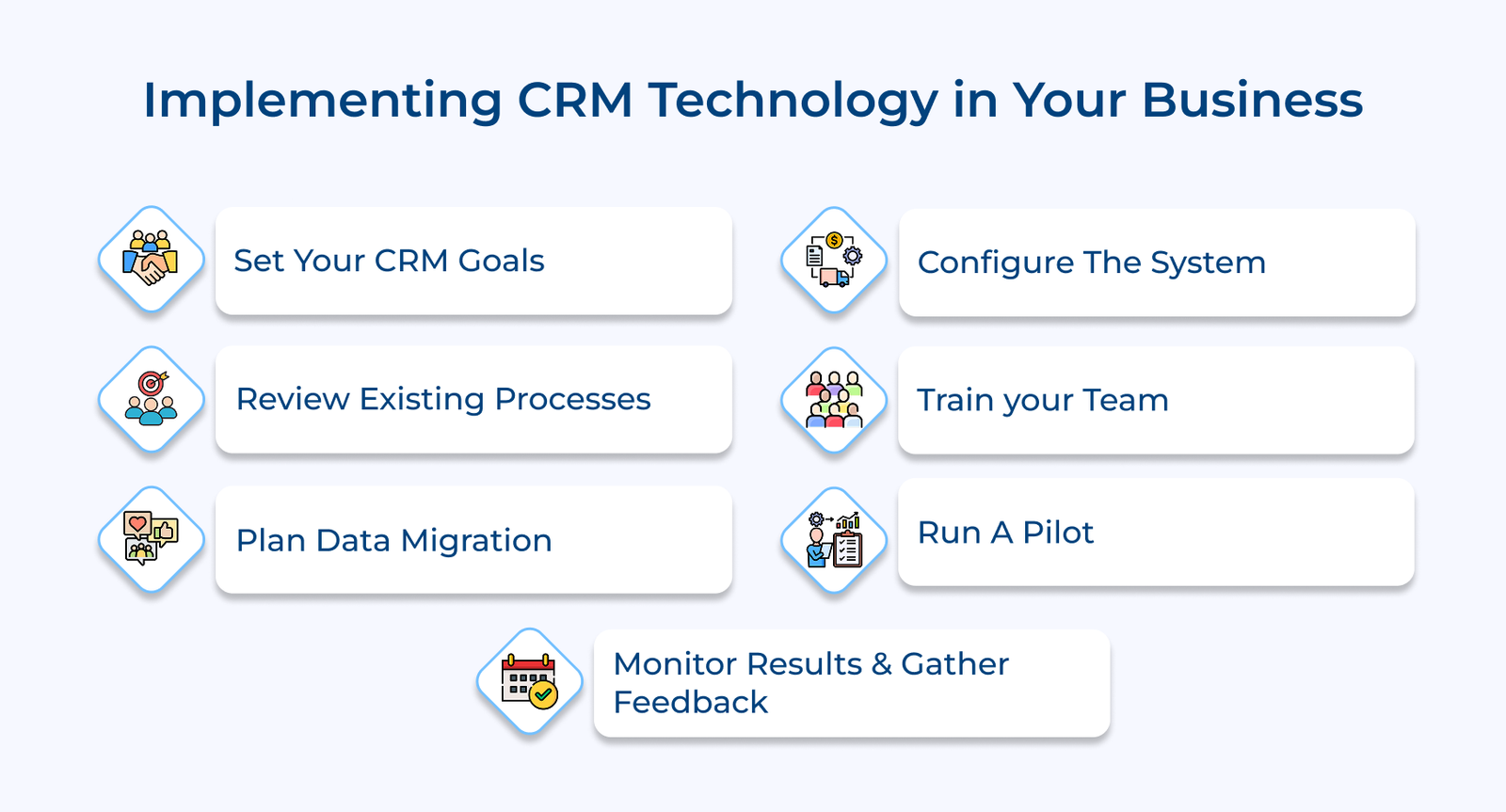
1. Define Your CRM Strategy and Goals
Defining your CRM strategy is the first and most important step in making sure the system delivers real value. A clear strategy connects your customer goals, like improving retention or increasing satisfaction, to broader business objectives. It starts with setting specific, measurable targets and identifying areas where customer relationships can be strengthened.
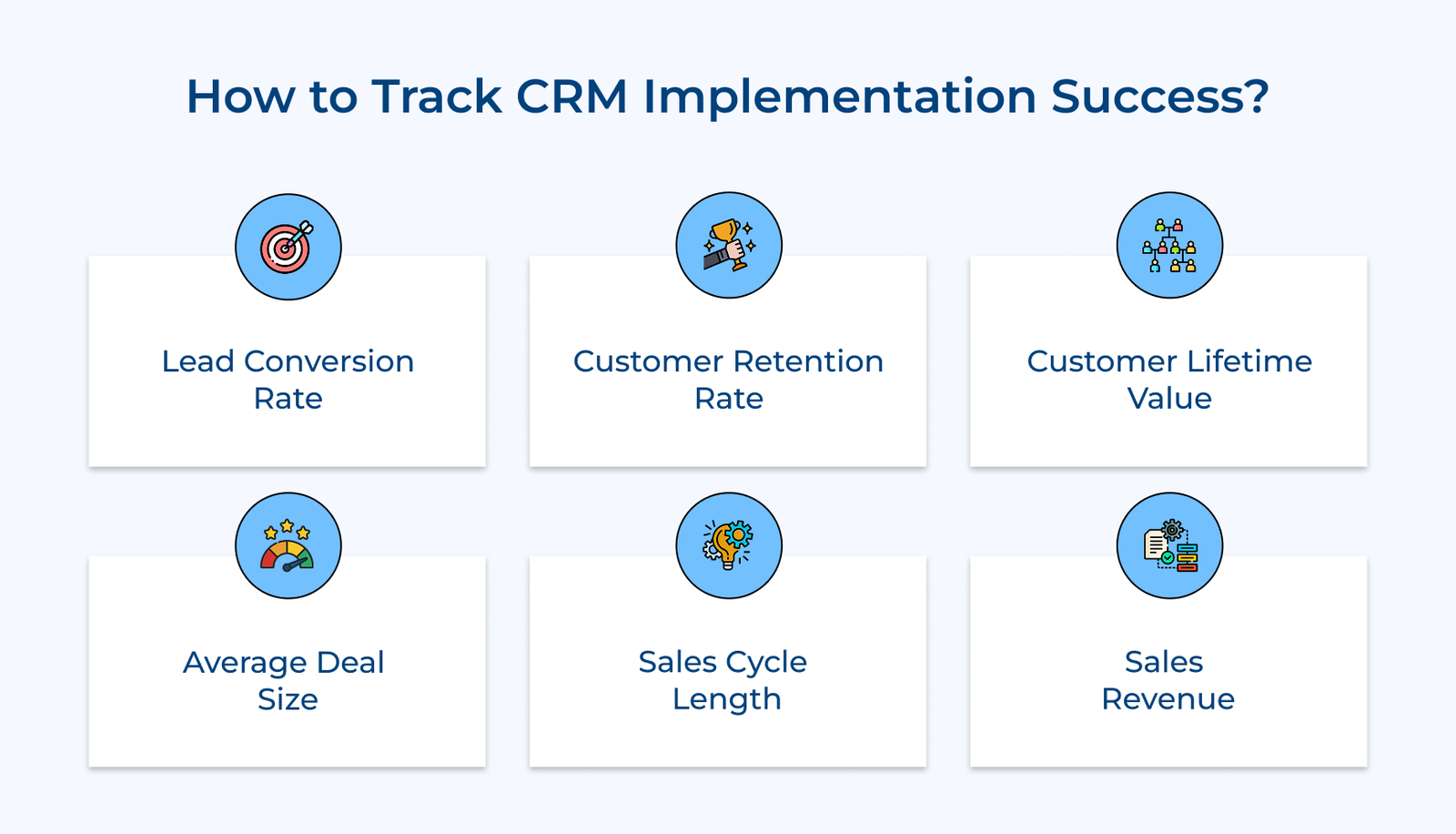
Once your goals are set, the next step is to track progress using the right metrics. Choose KPIs that reflect system adoption, customer engagement and the impact of process change across your teams. A structured timeline should outline when key milestones will be met and when to expect measurable returns.
Pro tips:
- Run planning workshops with input from different teams to agree on priorities and avoid silos.
- Revisit the CRM strategy every quarter to adjust for shifts in business direction or customer expectations.
2. Assess Current Business Process and Systems
A careful review of your current workflows and tools is essential before introducing a new CRM system. The step helps uncover where things are working and where they’re not. Start by documenting how each department manages interactions with customers.
Technical evaluation focuses on reviewing your existing systems and how well they can connect with the CRM. It means checking if your current software can integrate smoothly, understanding how your data is structured and identifying any hardware limitations.
Actionable tips:
- Spend time with employees across teams to observe real processes and spot gaps not captured in documentation.
- Walk through the full customer journey from different roles to find every point where CRM integration can improve the experience.
3. Build a Cross-Functional Implementation Team
Putting the right team in place is one of the most practical steps you can take for a smooth CRM rollout. A cross-functional group ensures that every department’s needs are heard and that decisions aren’t made in isolation. Start by assigning leads from key areas like marketing, sales, customer service and IT.
Clear communication keeps the project on track. A well-organized team sets up a timeline with specific milestones, such as migrating data, training staff and testing the system before launch. Regular check-ins allow the group to catch small issues before they grow into larger problems. The team helps ensure the implementation stays efficient by staying aligned on both the goals and the schedule.
Best practices:
- Host informal team lunches to surface issues and ideas that might not come up in formal meetings.
- Have team members sit in on other department meetings to better understand how different users will interact with the system.
4. Plan Data Migration and Integration Strategy
A well-planned data migration strategy is essential to ensure a smooth transition to a new CRM system. Without it, there’s a risk of losing valuable information or carrying over outdated or inconsistent data. The first step is mapping your current data by looking at what you have, how it’s organized and how it will fit into the new system.
Integration planning runs alongside migration. It focuses on connecting the CRM to the other tools your team already uses, like email systems, accounting software or help desks. Setting up these links early ensures data moves smoothly between systems and reduces the need for repetitive manual entry.
Key takeaways:
- Run trial migrations using sample data to catch formatting issues or missing fields before the full move.
- Create a visual map of all integration points so teams can see how the systems connect and interact.
5. Configure and Customize CRM System Settings
The configuration phase is where the CRM begins to reflect the way your organization works. The step goes beyond installation; it involves shaping the system to match your specific processes and roles. One of the first tasks is setting up user roles and permissions.
Customizing workflows is equally important. They are the step-by-step processes that guide tasks like assigning leads, following up with customers or escalating support issues. You reduce manual steps and increase consistency across teams by building workflows that match your real operations.
Pro tips:
- Use whiteboards or simple flowcharts to map out processes before entering them into the CRM to spot potential issues early.
- Run weekly internal demos where users share their customized workflows to promote shared learning and uncover new ideas.
6. Train Staff on CRM System Use
Training is the first step that turns CRM implementation into real, day-to-day value. Without it, even the best system will fall short. A focused training program helps users get comfortable with the CRM and understand how it fits into their specific roles.
Sales teams might practice managing leads and tracking deals, while marketing departments explore campaign tracking and analytics. The key is hands-on learning using real examples that reflect actual tasks; it makes the system feel practical, not theoretical.
Actionable tips:
- Create short, task-based video tutorials featuring your team using the CRM in real scenarios.
- Appoint “CRM champions” in each department to answer questions and offer peer coaching as people get used to the system.
7. Launch CRM with Pilot User Group
A pilot launch is the first real test of how the CRM will work in practice, offering a chance to refine the system before everyone starts using it. You get a more complete picture of how the system performs across various tasks by involving a small, diverse group of users from different departments.
The success of a pilot depends on constant feedback. Participants should regularly share their experiences, from what works well to what needs improvement. The input is then used to adjust the system, streamline workflows and improve training resources. The goal is to make sure the CRM supports actual needs, not just assumptions, so the full rollout goes more smoothly and confidently.
Best practices:
- Recognize pilot participants with visible badges or shout-outs to encourage engagement and ownership.
- Hold short daily check-ins so users can share observations, suggest improvements and flag roadblocks early.
8. Monitor Performance and Gather Feedback
Monitoring and gathering feedback are essential to making sure your CRM system keeps delivering value over time. It’s not just about setup, it’s about paying attention to how the system performs in real conditions. Tracking adoption rates, workflow efficiency and overall impact helps you spot what’s working and where adjustments are needed.
Equally important is hearing directly from the people who use the system every day. Informal check-ins, surveys and analyzing how users interact with the system can uncover practical improvements that data alone might miss. The feedback loop allows the CRM to grow with your organization, staying useful and relevant as needs evolve.
Key takeaways:
- Set up a digital suggestion box for anonymous input on what could be improved.
- Share key CRM performance metrics on office displays or team dashboards to keep everyone informed and involved.
Things CRM Technology Can Do: Key Use Cases
Check out the use cases that demonstrate how CRM technology solutions create value across different aspects of customer relationship management.