How to Create an Internal Wiki? Benefits, Types & Key Steps (2026)
Learn what an internal wiki is and its benefits. It explores common types to build one that improves knowledge sharing, team alignment and everyday work efficiency.
Learn what an internal wiki is and its benefits. It explores common types to build one that improves knowledge sharing, team alignment and everyday work efficiency.
The moment a key person walks out the door, a company often discovers how much of its operating knowledge existed only in that person’s head.
Teams that have crossed this threshold once tend to share a telling pattern. There are critical processes lived in inboxes, decisions were buried in Slack threads weeks deep and onboarding new hires meant weeks of scavenger hunts through half-documented tribal knowledge.
Employees spend 4 to 6 hours weekly searching for internal information. All such time compounds quietly into missed deadlines, inconsistent execution and avoidable rework.
Below, we’ll help you protect your business from issues like these by learning how to build an internal wiki that is structured so anyone can navigate it, maintained so it stays accurate and embedded into daily workflows so it does not gather dust like the teams adopt only to abandon within a month.
An internal wiki refers to a central place where teams store the information they need to do their work. It brings together processes, policies, onboarding guides and documentation in one searchable space so people don’t have to rely on asking around.
The real difference a company wiki makes is in how it handles institutional knowledge. When a senior employee leaves or a team scales fast, the information they carry doesn’t have to leave with them or get lost in translation. A well-maintained internal wiki keeps everything clear, updated, and easy to find for everyone.
Key types:
Let’s go through the key benefits of an internal wiki and how it helps your team work more efficiently every day.
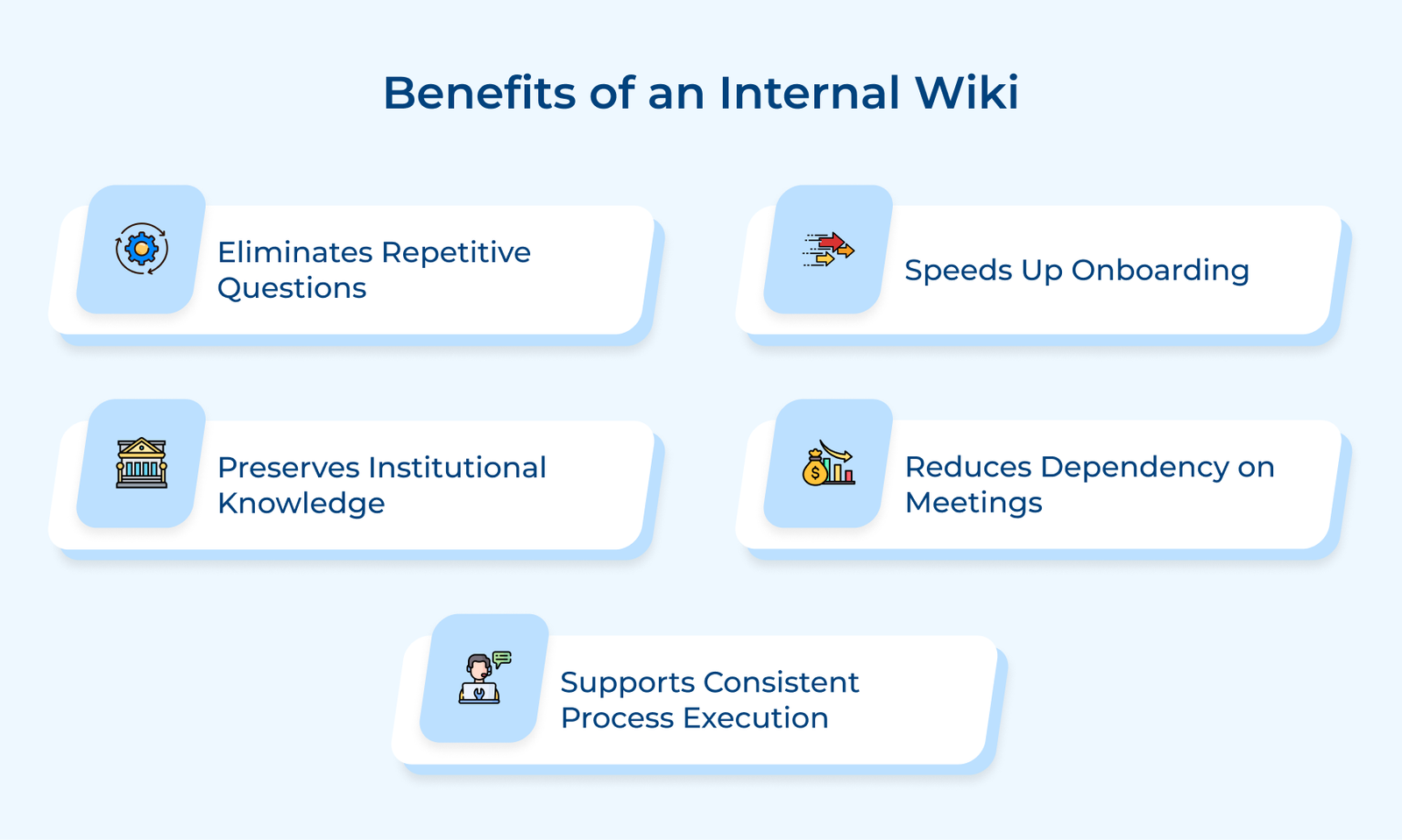
1. Eliminates Repetitive Questions
Most teams deal with the same set of questions repeated across Slack, email and casual conversations. A wiki captures those answers once and makes them easy to find anytime, even when no one is available to respond.
2. Preserves Institutional Knowledge
Important knowledge often sits with a few individuals. An internal wiki forces that knowledge to be documented while the person is still present and converts it into an organizational asset that survives resignations and role changes.
3. Speeds Up Onboarding
New hires struggle more with missing context than with a lack of skill. A well-structured wiki gives them a clear place to learn, explore and get up to speed without constant back-and-forth. It also helps them build confidence early as they find answers on their own.
4. Reduces Dependency on Meetings
When an internal wiki is actively maintained, teams replace a significant portion of status meetings with async documentation that people read on their own time. It gives back hours every week that were previously lost to syncs, which could have simply been a well-written wiki page.
5. Supports Consistent Process Execution
An internal wiki gives every team member the same reference point and eliminates the variation that creeps in when people rely on memory or verbal instructions. Teams in operations, support and finance especially benefit because their output quality directly depends on how consistently processes are followed.
Check out the key differences between internal wikis vs knowledge bases and understand how each one supports your team in organizing information effectively.
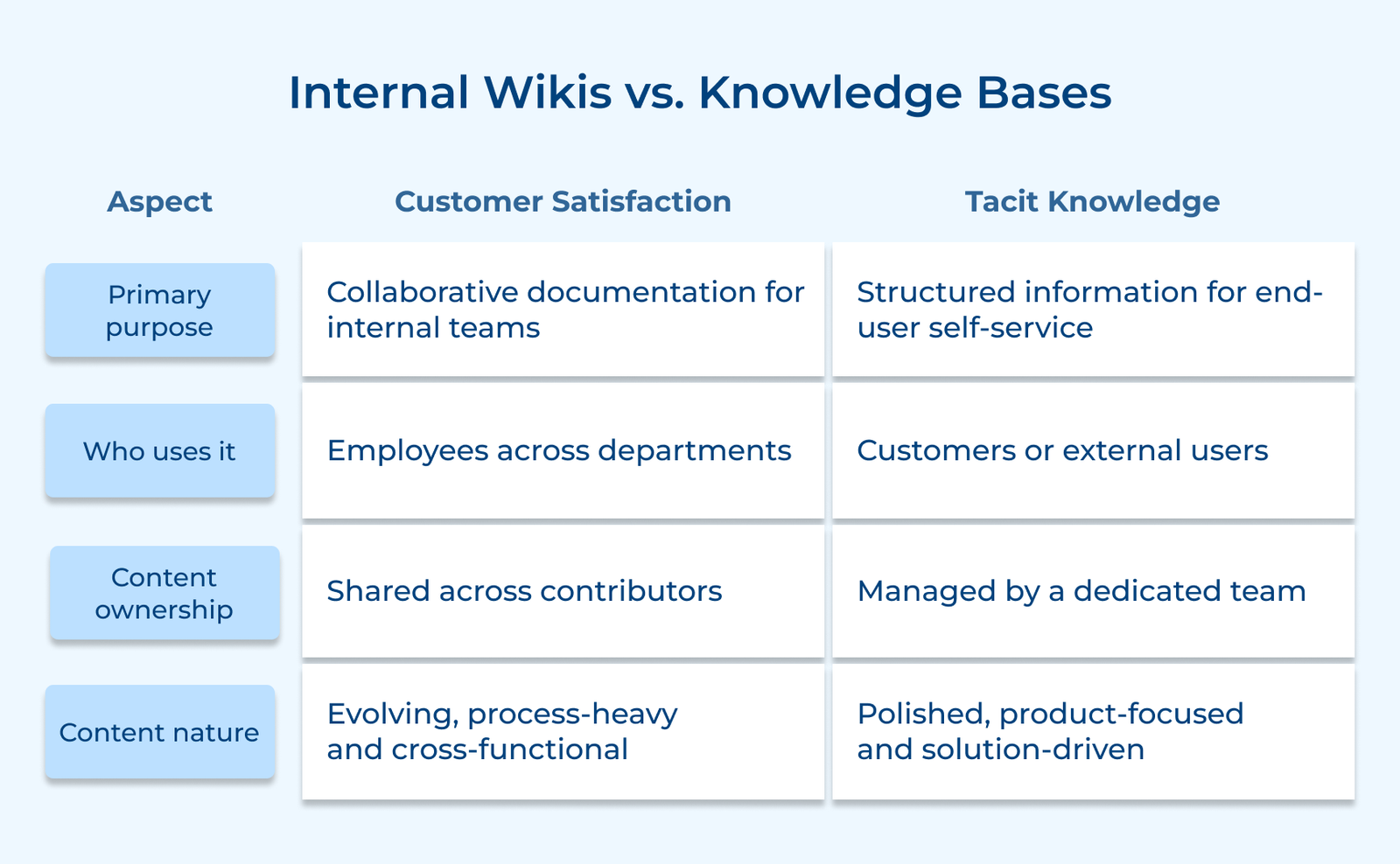
1. Primary Purpose
An internal focus on how the company runs day to day. It captures processes, decisions and team knowledge that employees need to do their jobs effectively every day. It exists to solve internal confusion and reduce dependency on verbal communication across teams.
A knowledge base helps customers solve product-related issues without contacting support. It is designed for self-service and every article is written to answer a specific external question with zero internal jargon.
2. Who Uses it
An internal wiki is written by employees and consumed by employees; it never needs to impress anyone outside the organization. The audience is internal and the content can afford to be raw, detailed or process-heavy without worrying about external perception.
A knowledge base is customer-facing and the bar for clarity is significantly higher. Someone completely unfamiliar with your product should be able to read an article and solve their problem without any prior context about how your company works internally.
3. Content Ownership
An internal wiki allows teams to create and update pages relevant to their domain without waiting for approval. It keeps information current but needs regular review to avoid confusion or outdated details.
A knowledge base is managed by a dedicated team to keep content accurate and consistent. Updates follow a review process because inaccurate customer-facing content directly impacts product trust and support ticket volume.
4. Content Nature
An internal wiki content is evolving, process-oriented. It often includes edge cases, internal context or work-in-progress documentation that helps employees navigate real situations. The wiki reflects the current state of how the company operates and changes frequently as processes evolve.
A knowledge base focuses on clear, solution-focused and written to answer one specific customer question cleanly without any loose ends. It is meant to be stable, reliable and clear enough that a customer can resolve their issue independently without reaching out to your team.
The following are the types of content included in an internal wiki, helping teams document processes and access the information they need to work efficiently every day.
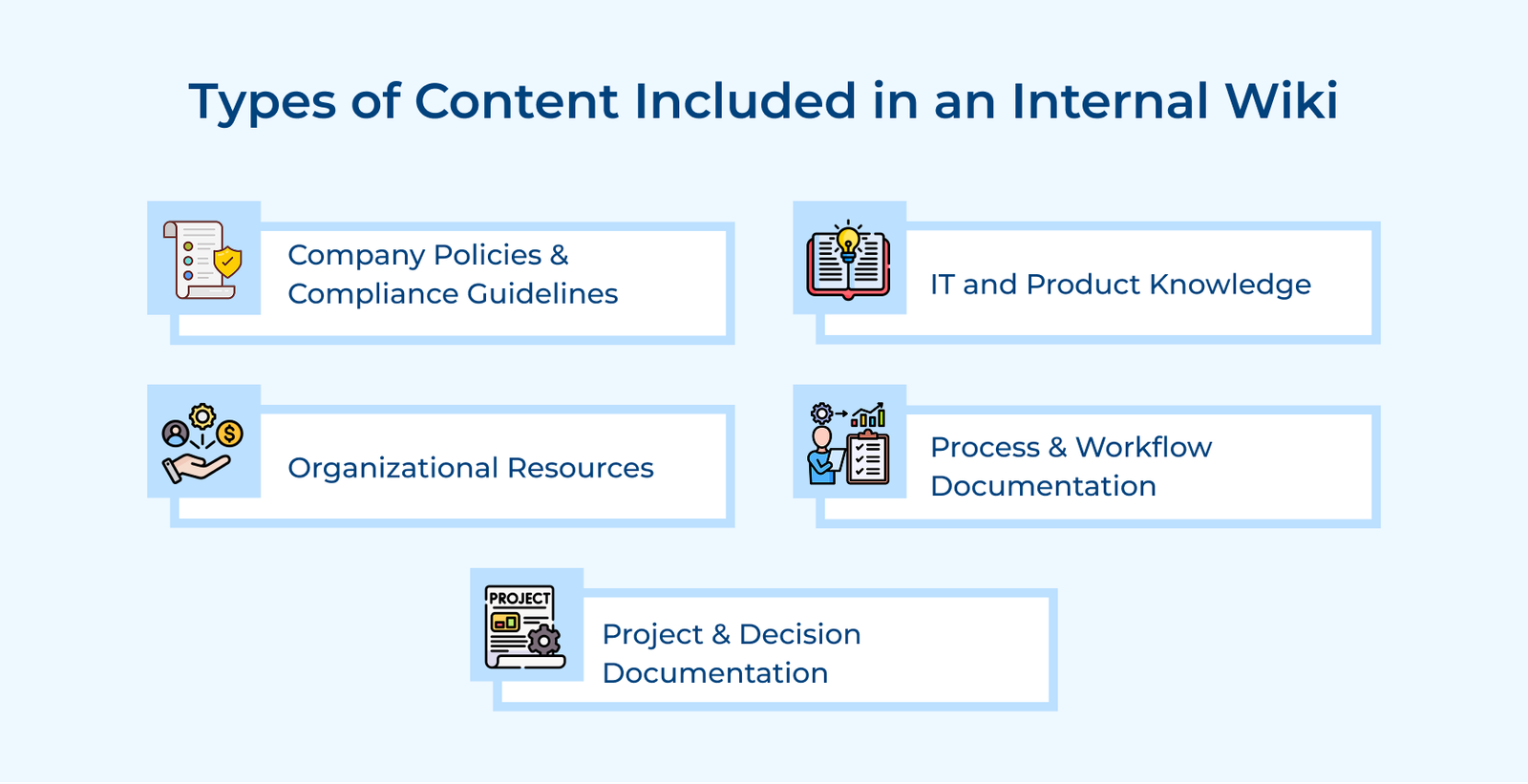
1. Company Policies and Compliance Guidelines
Policy documents hidden in a PDF on someone’s desktop are practically invisible to the people who need them. A wiki makes these policies easy to search so employees can find answers instantly during real situations.
Key ways:
2. IT and Product Knowledge
Time spent figuring out tools or waiting on IT slows everyone down. Documenting solutions in a wiki means one answer helps the entire team instead of just one person. It also reduces repeated requests and frees up IT teams to focus on more critical issues.
3. Organizational Resources
New employees and even senior team members waste significant time just figuring out who to contact for what. An internal wiki that maps out the organization clearly removes that friction and helps people move faster on cross-functional work.
Pro tips:
4. Process and Workflow Documentation
Lack of clear processes leads to inconsistent work. When every repeatable task has a clear, documented home in the wiki, managers stop becoming the single point of failure every time someone needs guidance.
5. Project and Decision Documentation
The most overlooked content in the company wiki is the reasoning behind past decisions. Teams that document the why behind a decision prevent future members from reopening closed debates and save countless hours that would otherwise go into rediscovering what was already figured out.
Check out the seven steps to create an engaging internal wiki that meets your company’s unique needs.
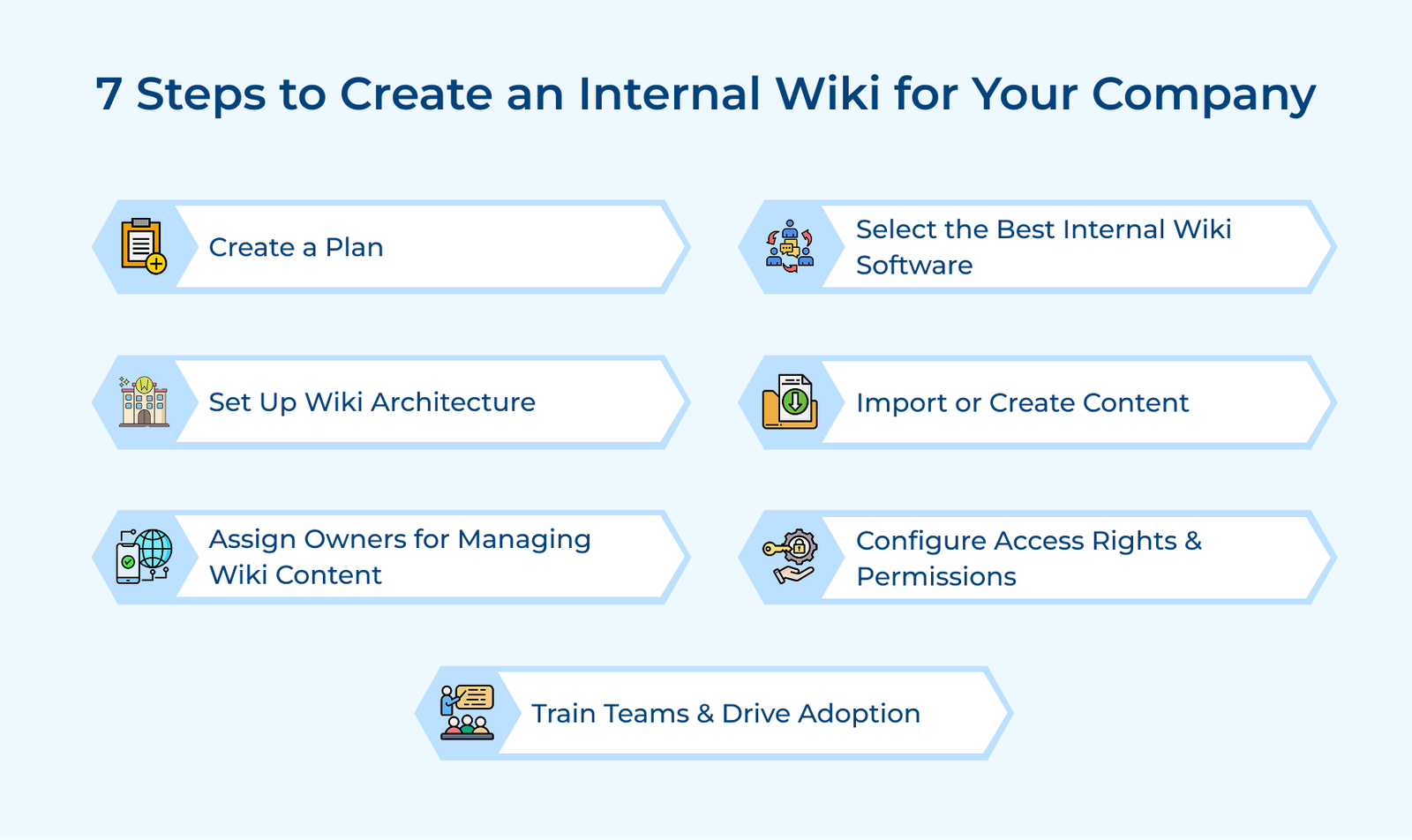
A wiki without a clear plan is just a shared drive with a different name and that is exactly why most internal wikis fail within the first six months of launch. Before a single page gets created, you need absolute clarity on what the wiki will cover, who it will serve and how it will be maintained.
A common planning mistake is moving every existing document into the wiki without a clear purpose. It leads to clutter and confusion, making it harder for people to find what they actually need.
Pro tips:
The plan should be treated as a living document itself, not something you finalize once and forget. As the company grows and teams evolve, the wiki plan needs to reflect those changes before the structure starts breaking down.
Key plan:
The tool you pick will either accelerate or silently kill your wiki adoption because teams stop using systems that create friction faster than they stop using systems that lack features. Picking the right software is a strategic decision, not a procurement checkbox.
A common mistake is testing tools in isolation instead of using real content and actual team workflows. It often leads to picking software that looks good in demos but fails in everyday use. Teams then struggle with low adoption because the tool does not fit how they actually work.
Key factors:
The right wiki software disappears into your workflow, meaning your team stops thinking about the tool and starts thinking only about the knowledge they are capturing. It is the real benchmark worth evaluating during your selection process.
Use cases:
Architecture is the decision most teams skip because it feels like overhead, but it is actually the single factor that separates a company wiki people use daily from one that gets abandoned after the first month. Structure determines findability and findability determines if the wiki delivers any real value.
Poor structure does more than slow people down. It actively erodes trust in the wiki because employees search, find nothing relevant and conclude the information does not exist. The behavioral pattern is extremely difficult to reverse once it sets in across the organization.
Pro tips:
Getting started does not need to feel heavy. Start with three to five top-level pages for key departments. Trying to map everything up front often delays launch and leads to no useful content getting published.
Content migration is where your wiki proves its value. Rushing through the step usually means carrying over the same clutter from shared drives, just in a new format. The goal is not volume of pages but accuracy and usability of every page that goes live.
Key questions:
A better approach is to treat content migration like a product launch. Start with a tight, high-quality set of pages that employees actually need today rather than an exhaustive library that takes months to complete and arrives already outdated. Speed of usefulness beats completeness every single time.
Best practices:
A wiki without clear ownership slowly becomes unreliable. Content gets outdated, pages conflict and people stop trusting what they read. Assigning owners keeps everything accurate and usable.
Assign domain experts as dedicated page owners
The person closest to the work should manage the content. An HR manager handles policy pages, while an engineering lead manages technical documentation. It keeps information relevant and up to date.
Define review cycles for each wiki section
Different types of content need different review timelines. Product updates may need frequent checks, while company values can be reviewed less often. Clear cycles prevent content from being ignored.
Hold owners accountable for content accuracy
Ownership without accountability is just a name on a page. Build a lightweight system where owners get notified when their pages haven’t been reviewed in a set period and make content accuracy part of their regular workflow.
Poorly set permissions can expose sensitive information or restrict access to what people actually need. Getting this right is about trust, clarity and keeping information secure. Clear access also helps employees move faster without second-guessing where to find or share information.
Most teams set permissions once during setup and never revisit them. As teams restructure, people change roles and new departments form. Those original permission settings become a serious liability that nobody notices until something goes wrong.
Key checklist:
A simple way to test your setup is to view the wiki from different roles. Walk through the wiki as a new hire, a mid-level employee and an executive. If each role sees exactly what they need and nothing they shouldn’t, your permission structure is working as intended.
Actionable tips:
Building an internal wiki is only one part of the job. The other half is making sure your team actually uses it consistently. The most well-structured wiki delivers zero value if employees default back to pinging colleagues on Slack for every answer.
Key methods:
Let’s assume that a B2B SaaS company embeds wiki links inside every Jira ticket and Slack onboarding message. The approach leads to higher adoption compared to relying only on standalone training sessions.
Below are the common challenges to watch out for when building an internal wiki, so you can avoid early mistakes and create a system your team actually uses.
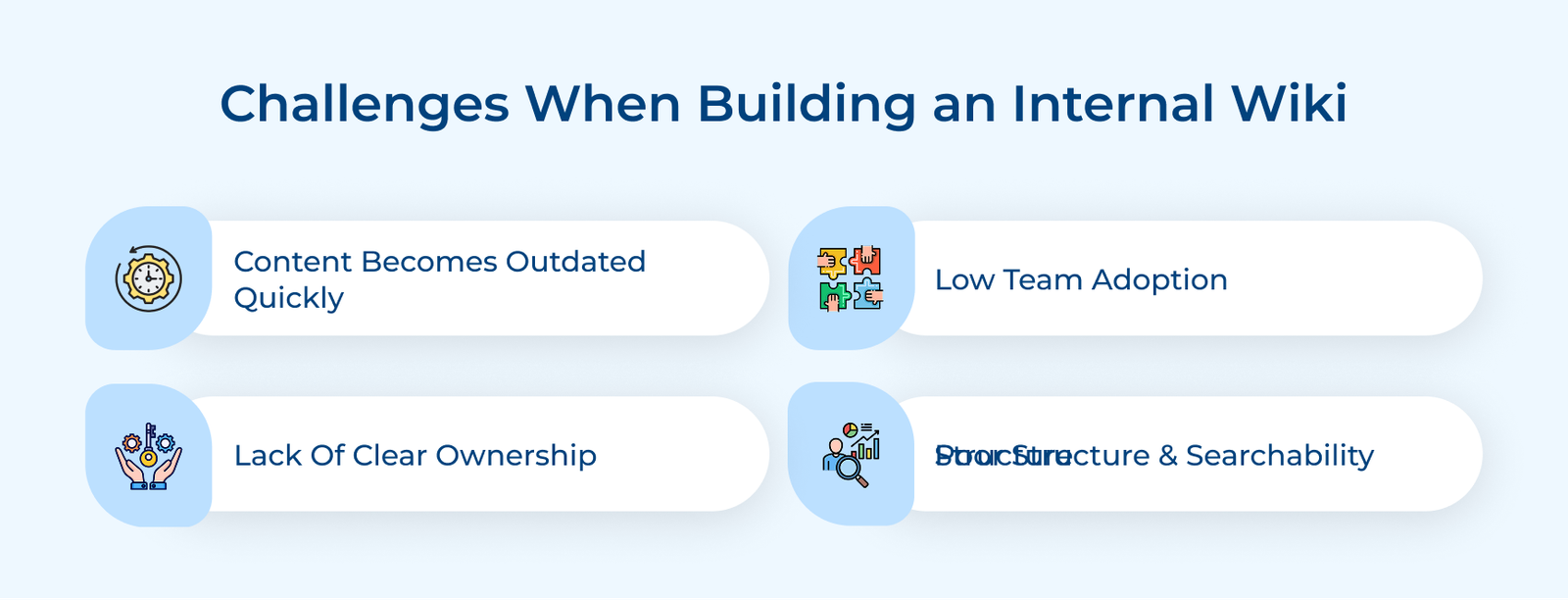
1. Content Goes Stale Faster than You Expect
The moment a process changes and the wiki does not reflect it, people start relying on incorrect information. Once trust drops, it is hard to get teams to use the wiki again. Regular reviews help keep content accurate and prevent the loss of trust.
2. Low Adoption Across Teams
You can build the most organized wiki in the world but if employees still default to Slack messages and email threads for answers, the wiki is essentially decorative. Adoption fails when the wiki is not embedded into the workflows that employees already live inside daily.
3. No Clear Ownership or Accountability
When everyone is responsible for the wiki, nobody actually is. Pages often get created in bursts of enthusiasm and then abandoned. No one reviews them, updates them or notices when the content becomes outdated.
4. Poor Structure that Makes Search Frustrating
An internal wiki where employees cannot find what they need in under 30 seconds is a wiki they will stop using. Inconsistent naming conventions, missing categories and overlapping page structures are silent adoption killers that compound over time.
Implementation steps:
Companies that scale smoothly are not defined by having the smartest people. They succeed because knowledge is documented clearly and make easy for everyone to access when needed. The clarity helps teams make faster decisions without constant back-and-forth.
An internal wiki is not a one-time setup. It requires ongoing effort to keep information accurate, help teams stay aligned and reduce dependence on a few individuals for everyday answers. Consistent updates ensure it remains useful as the team and processes evolve.

A good internal wiki starts with a clear structure, defined ownership and a governance system to keep content updated. Without these in place, information becomes outdated and teams stop relying on it over time.
Start with top-level parent pages based on major departments, then build sub-categories under each. Clear naming conventions and page templates are what keep the structure navigable as the wiki scales beyond the initial setup.
Every wiki page needs a clear title, a one-line purpose and the exact information someone needs to take action without asking for help. Focused pages are easier to read and more likely to be used.
A project wiki is a dedicated space within your internal wiki that captures key details of a project, such as decisions, timelines, responsibilities and updates. It keeps important context in one place instead of scattered across tools.

Grow Customer Relationships and stronger team collaboration with our range of products across the Conversational Engagement Suite.
Omnichannel Customer Support & Help Desk Software
AI Enabled Business Messaging and Chatbot Software
Sales Engagement & CRM Software
Call Center Software & Virtual Phone System
Product Marketing & Experience Platform
Customer Experience & Feedback Management Software

 What Is Customer Service Coaching? Steps, Tips & Examples
Scroll to top
What Is Customer Service Coaching? Steps, Tips & Examples
Scroll to top