What is Cloud CRM? A Comprehensive Guide

Explore how cloud-based CRM solutions streamline customer relationship management, improve team collaboration and drive significant business growth.

No credit card required. Easy setup

Cloud Crm Cloud-Based Crm

Trusted By Leading Brands

Cloud CRM Centralizes Customer Data for Seamless Sales and Service

Revolutionize your sales and service with Cloud CRM! Centralize customer data, boost team efficiency, and deliver seamless, personalized experiences that drive results.

Cloud Crm Cloud-Based Crm Dashboard 1

Accessible Anywhere

Easily manage customer relationships anytime, anywhere, on any device. Empower your teams to respond faster, collaborate efficiently and ensure seamless customer support on the go.

Scalable Solutions

Adapt effortlessly as your business grows! Cloud CRM scales features without extra hardware, providing a flexible, future-proof infrastructure that ensures smooth operations and growth-aligned efficiency.

Automated Backups

Keep your customer data safe with automated backups that provide continuous updates and secure recovery options. Protect against disruptions and ensure your business stays resilient with reliable data management.

Cost-effective

Say goodbye to high upfront costs! A subscription-based model keeps CRM affordable with predictable, recurring expenses, eliminating maintenance worries and maximizing ROI for your business.

Cloud Crm Cloud-Based Crm Dashboard 2

Managing customer relationships effectively is more crucial than ever. Yet, many companies struggle with outdated systems that hinder their ability to provide exceptional customer experiences. Enter cloud-based CRM systems – a powerful solution that promises to revolutionize how businesses interact with their customers.

Cloud CRM tools offer a path to enhanced customer satisfaction by centralizing data and providing real-time insights. The detailed guide will walk you through the essentials of cloud-based CRM, highlighting key features and best practices to help businesses.

What is Cloud-Based CRM Software?

Cloud-based CRM software refers to a web-hosted solution that enables businesses to manage their customer interactions from any internet-connected device. It centralizes customer information, sales activities and marketing efforts in a single, easily accessible platform.

How Does it Work?

The software operates by storing data on remote servers maintained by the CRM provider. Users access the system through web browsers or mobile apps, eliminating the need for on-premises hardware or software installation. The cloud infrastructure allows for real-time updates, seamless collaboration among team members and automatic backups.
Key objectives:

  • Improve customer relationship management by consolidating all customer data and interactions in one place.
  • Enhance sales productivity through automated lead tracking, pipeline management and forecasting tools.
  • Streamline marketing efforts with targeted campaign management and analytics.
  • Increase operational efficiency by providing a unified platform for multiple business functions.
  • Enable data-driven decision-making through comprehensive reporting and analytics capabilities.

Why Cloud CRM Matters for Small Business Growth?

Let’s delve into the key benefits of implementing a cloud CRM system for a small business.

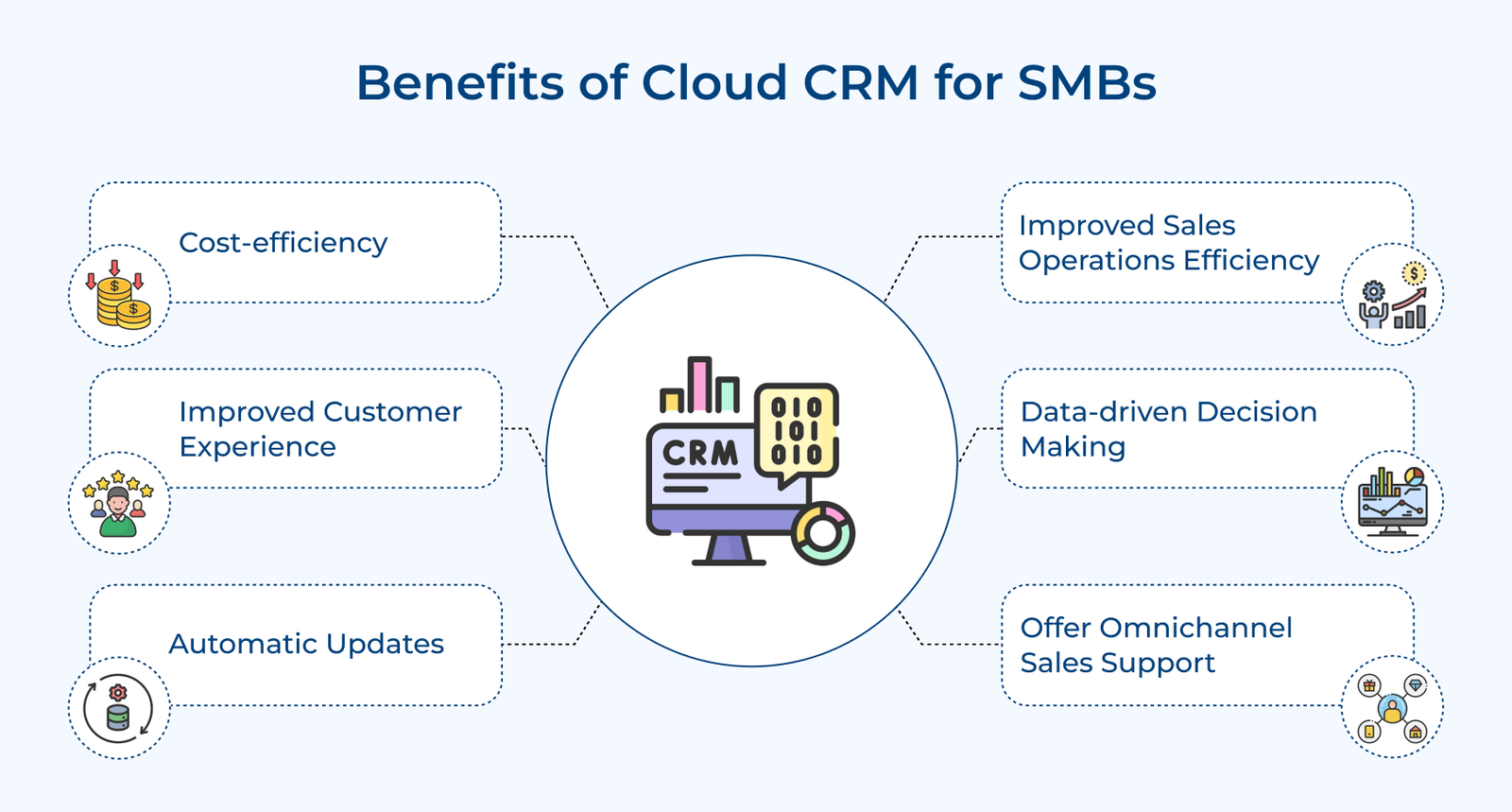
Benefits of Cloud CRM for SMBs

Cost-efficiency
Cloud CRM significantly reduces upfront costs by eliminating the need for on-premises hardware and software. It operates on a subscription model, allowing businesses to pay only for what they use. The approach minimizes IT infrastructure expenses, maintenance costs and the need for dedicated IT staff.

Improved Customer Experience
Cloud-based CRM centralizes customer data, providing a 360-degree view of each client. Sales, marketing and support teams can access real-time customer information. The result is a more seamless, personalized customer journey that enhances satisfaction and loyalty.

Automatic Updates
Cloud CRM software providers manage all system updates. Users always have access to the latest features and security patches. It eliminates the need for manual updates and reduces system downtime. Businesses benefit from continuous improvement without the hassle of managing complex upgrade processes.

Improved Sales Operations Efficiency
Cloud-based CRM streamlines sales processes through the automation of routine tasks, lead scoring and pipeline management. It provides real-time visibility into sales activities and enables more accurate forecasting. The features collectively boost sales productivity, shorten sales cycles and improve win rates.

Data-driven Decision Making
Cloud CRM systems offer powerful analytics and reporting tools that transform raw data into actionable insights. They provide real-time dashboards and customizable reports. The data-driven approach helps in identifying trends, predicting customer behavior and optimizing business strategies for better outcomes.

Offer Omnichannel Sales Support
As part of a comprehensive sales enablement strategy, cloud-based CRM tools facilitate seamless integration across multiple sales channels, including in-person, phone, email, social media and web. The omnichannel approach ensures consistent customer experiences regardless of the point of contact.

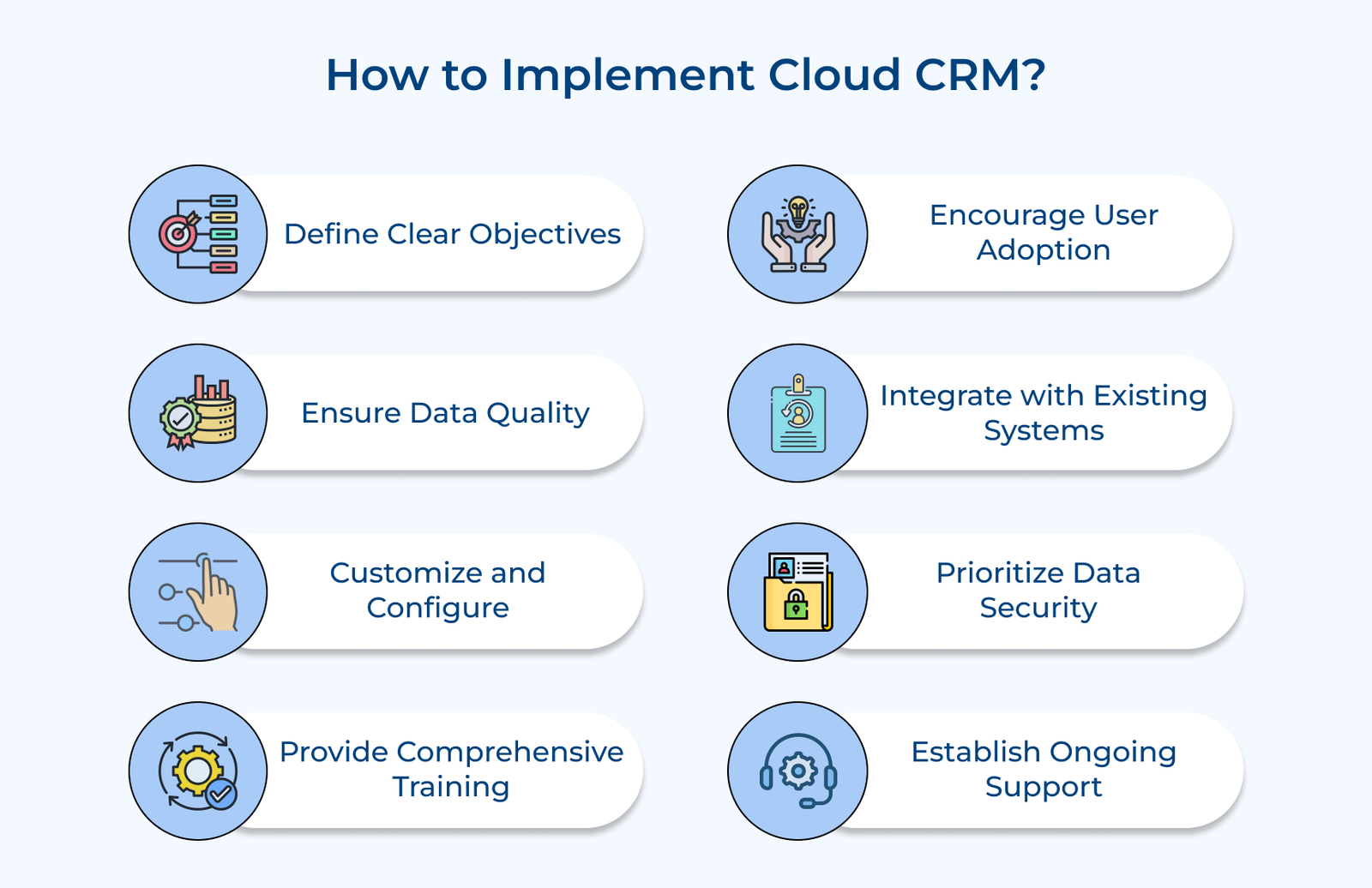
How to Implement Effective Cloud CRM: 8 Best Practices

There are certain best practices businesses need to adopt to help teams introduce a cloud CRM effectively and make it part of their everyday workflow. 

How to Implement Cloud CRM

1. Define Clear Objectives and Strategy

Defining clear objectives and strategy is crucial for effective cloud-based CRM implementation. The practice involves identifying specific business goals that the CRM should address, such as improving customer retention or increasing sales efficiency.

Organizations can focus their efforts, allocate resources efficiently and measure the success of their CRM implementation by establishing clear objectives. The approach helps in gaining stakeholder buy-in and guides decision-making throughout the implementation process.

Pro tips:

  • Conduct a thorough needs assessment involving key stakeholders from different departments to identify specific CRM requirements.
  • Create a detailed implementation roadmap that outlines phases, milestones and responsible parties for each objective.
  • Establish a regular review process to assess progress against KPIs and adjust strategies as needed.

2. Ensure Data Quality and Migration

Ensuring data quality and effective migration is crucial when implementing a cloud-based CRM. Begin by standardizing existing data, removing duplicates, correcting errors and establishing consistent formatting across all records. The process lays the foundation for accurate insights and efficient operations within the new system.

The plan should include data mapping, validation processes and contingencies for potential issues during migration. Implement ongoing data quality measures to maintain the integrity of the CRM data over time. It involves setting up automated data cleansing routines.

Pro tips:

  • Assign data stewards to oversee quality control and maintenance for specific data sets.
  • Utilize data profiling tools to identify and resolve data quality issues before migration.
  • Implement a data governance framework to ensure consistent data management practices across the organization.

3. Customize and Configure to Fit Business Needs

Customizing and configuring the cloud-based CRM to fit the business needs is crucial for its effectiveness. Start by tailoring CRM fields and processes to align with the existing workflow. However, it’s important to avoid over-customization, which can complicate future updates and impede system performance.

Strike a balance between customization and maintaining the CRM’s core functionality. Regularly reviewing and refining the CRM configurations is essential. As the business evolves, so should the CRM. Periodic assessments help identify areas for improvement and ensure the system continues to meet the changing needs.

Pro tips:

  • Conduct thorough user interviews to understand specific departmental needs before customizing.
  • Implement changes incrementally, testing each modification before moving to the next.
  • Establish a feedback loop with end-users to continuously gather insights for refinement.

4. Provide Comprehensive User Training

Providing comprehensive user training is crucial for the successful implementation of cloud-based CRM. Developing role-specific training programs ensures that each team member receives relevant instruction tailored to their responsibilities.

The targeted approach increases engagement and helps users improve their sales readiness by understanding how the CRM applies to their daily tasks. Creating easily accessible user guides supports ongoing learning and troubleshooting. Users are allowed to quickly find answers to their questions without relying solely on IT support.

Pro tips:

  • Utilize a mix of training methods, including live sessions, video tutorials and hands-on practice exercises, to cater to different learning styles.
  • Establish a mentorship program where experienced CRM users guide and support new adopters, enhancing a culture of continuous learning.
  • Implement a feedback loop to gather user input on training effectiveness and areas for improvement, allowing for iterative refinement of the training program.

5. Enhance User Adoption

Enhancing user adoption is critical for the successful implementation of cloud-based CRM. It’s essential to communicate the benefits clearly to all stakeholders. It involves highlighting how the CRM will streamline processes, improve productivity and enhance customer relationships.

Involving key users in the implementation process ensures that the system meets real-world needs and creates a sense of ownership among staff. The key users can become internal champions, promoting the CRM’s value to their colleagues. Recognizing and rewarding early adopters encourages others to embrace the new system.

Pro tips:

  • Create a comprehensive communication plan that outlines CRM benefits for different roles and departments.
  • Establish a cross-functional implementation team that includes representatives from various departments.
  • Implement a gamification system that rewards active CRM usage and achievement of key milestones.

6. Integrate with Existing Systems

Integrating a cloud-based CRM with existing systems is crucial for maximizing efficiency and data consistency. The first step is to identify critical integration points, such as ERP systems, marketing automation tools and customer support platforms. The connections ensure that all departments work with the same up-to-date information.

Ensuring seamless data flow between systems is essential. It involves mapping data fields correctly, setting up automatic synchronization and establishing clear data ownership rules. Proper integration eliminates data silos and reduces manual data entry, improving productivity. Regular testing and maintenance of integrations are vital to prevent disruptions.

Pro tips:

  • Create a detailed integration roadmap prioritizing systems based on business impact.
  • Use middleware or integration platforms to simplify complex integrations and improve scalability.
  • Establish a cross-functional team to oversee integrations and address interdepartmental data needs.

7. Prioritize Data Security and Compliance

Prioritizing data security and compliance is crucial when implementing a cloud-based CRM system. As customer data is a valuable asset, protecting it from breaches and unauthorized access is paramount.

Robust security measures should include encryption of data both in transit and at rest, multi-factor authentication and regular security audits. Ensuring compliance with relevant regulations such as GDPR, CCPA, or industry-specific requirements is essential to avoid legal issues and maintain customer trust.

Pro tips:

  • Conduct a comprehensive risk assessment to identify potential vulnerabilities in the CRM system and develop mitigation strategies.
  • Establish clear data governance policies and ensure all employees are trained on these policies.
  • Regularly patch the CRM system and implement a process for continuous reporting of security incidents.

8. Establish Ongoing Support and Optimization

Establishing ongoing support and optimization is crucial for the long-term success of a cloud-based CRM implementation. Creating a dedicated CRM support team ensures that there’s always a knowledgeable resource available to address user issues and manage system updates.

Continuously monitoring system performance is essential for identifying areas of improvement and ensuring the CRM continues to meet business needs. Regular performance checks can help resolve issues before they impact users, while tracking adoption rates can highlight areas where additional training may be necessary.

Pro tips:

  • Schedule regular check-ins with key stakeholders to gather feedback and identify improvement opportunities.
  • Implement a ticketing system for prioritizing CRM-related issues and enhancement requests.
  • Maintain a knowledge base of common issues, best practices and FAQs to empower users.
How Is Cloud CRM Used Across Different Business Operations

A cloud CRM connects these activities through shared customer data, allowing different teams to use the same information throughout the customer lifecycle. 

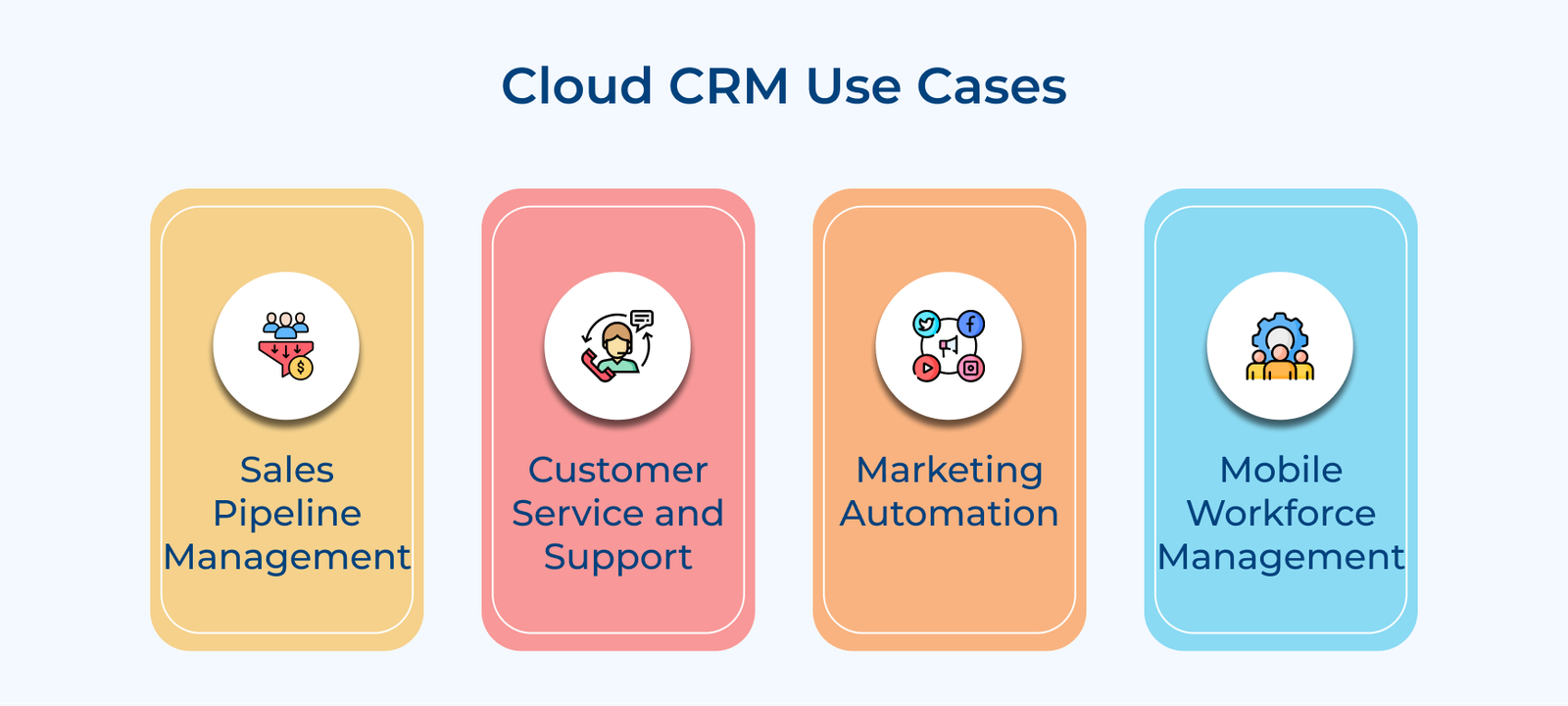
Cloud CRM Use Cases

1. Sales Pipeline Management
Cloud CRM enables sales teams to track leads, opportunities and deals throughout the sales cycle. Sales reps can update prospect information, schedule follow-ups and forecast revenues in real-time from any device. Managers gain visibility into the pipeline, allowing them to identify bottlenecks and optimize processes.

2. Customer Service and Support
Cloud-based CRM centralizes customer interactions across multiple channels (email, phone, chat, social media) into a single platform. Support agents can access complete customer histories, resolve issues faster and provide personalized service. Automated ticketing systems and knowledge bases improve efficiency.

3. Marketing Automation
CRM cloud solutions integrate with marketing tools to automate campaigns, track engagement and nurture leads. Marketers can segment customers, personalize content and measure campaign performance. The system captures valuable data on customer preferences and behaviors, enabling more targeted marketing strategies.

4. Mobile Workforce Management
Cloud CRM supports remote and field-based employees by providing access to customer information from any location. Sales representatives can update records, access product information and place orders while on the go.

Traditional On-Premises CRM vs. Cloud CRM: What’s the Difference?

Understanding how these two deployment models differ helps businesses choose the right fit for their infrastructure and growth plans.

Traditional On-Premises CRM vs. Cloud CRM What's the Difference

Setup 

On-premises CRM requires companies to maintain the necessary hardware and software on their own servers, with IT teams handling ongoing management. Cloud CRM removes that infrastructure requirement, as the provider hosts the system remotely and users can access it through a browser.

Cost structure 

Businesses choosing an on-premises CRM often face high upfront costs for hardware, licenses, installation and infrastructure before the system becomes operational. Cloud CRM spreads these expenses through a subscription model, making it easier for businesses with limited initial budgets to manage costs over time.

Scalability 

As on-premises systems grow, businesses often need to invest in additional servers and IT infrastructure before they actually need the extra capacity. Cloud CRM removes much of this planning burden, allowing businesses to add users or features as demand increases without making large upfront infrastructure investments.

Accessibility 

Employees using on-premises CRM systems typically need access to the company’s internal network, which can make remote work harder to manage. Cloud CRM platforms remove the network dependency, allowing employees to manage their work from almost any device with an internet connection.

Maintenance 

Keeping an on-premises system running smoothly requires the internal IT team. They manage everything from security patches and software updates to routine troubleshooting. Cloud CRM providers handle these tasks on their end, keeping the system updated without requiring constant IT involvement.

Key Features of Cloud CRM Tools

Understanding the key features that can drive efficiency is crucial. Let’s explore the essential features businesses should consider when evaluating cloud CRM tools for a business.

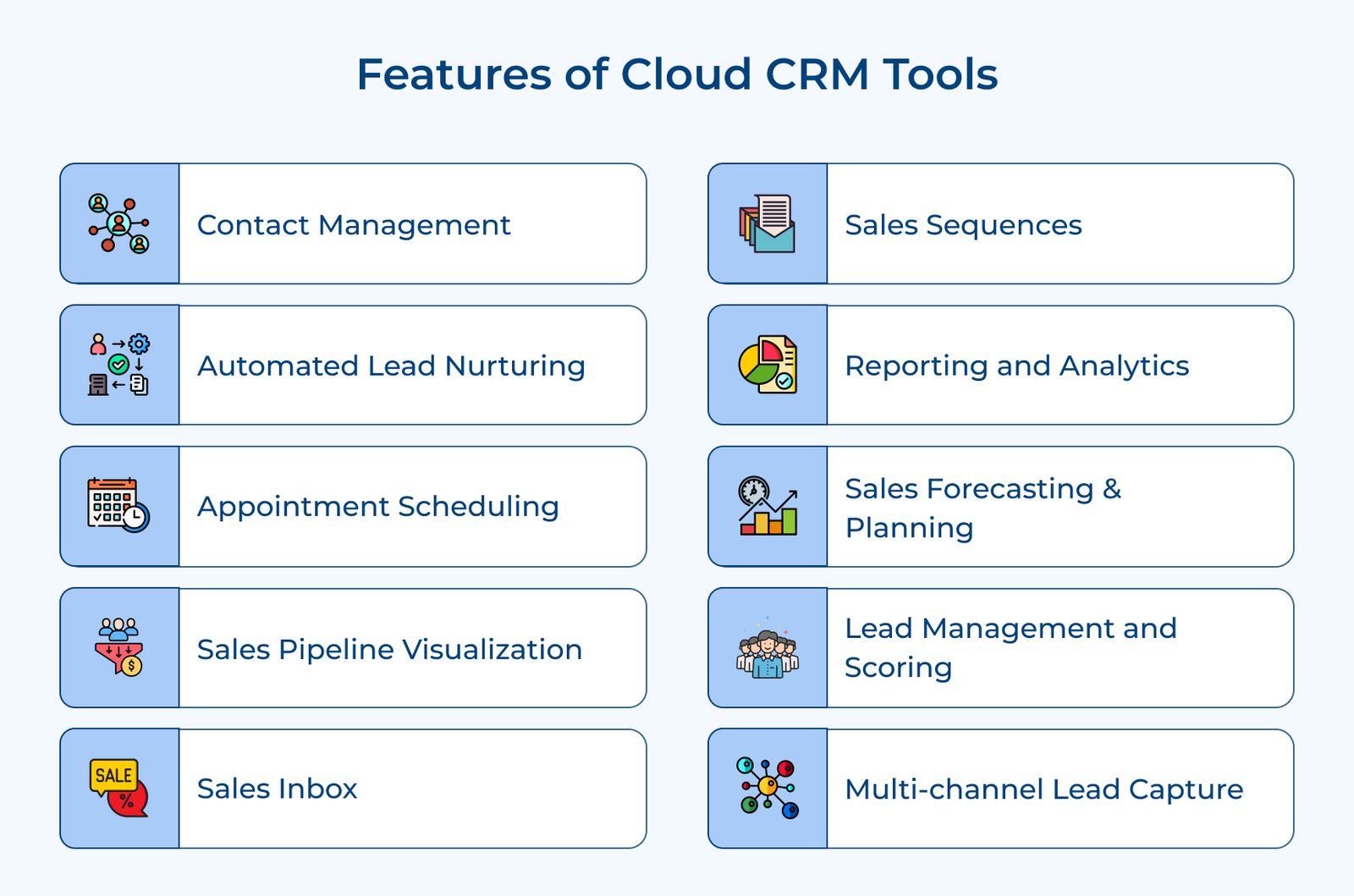
Features of Cloud CRM Tools

Contact Management

A strong contact management system is the foundation of every CRM system. Cloud CRM software offers a centralized database for organizing customer information, including contact details, interaction history and preferences. The feature allows teams to access up-to-date customer data from anywhere, which helps them deliver personalized communication across all touchpoints.

Automated Lead Nurturing

Cloud-based CRM systems excel at automating the lead nurturing process. They can trigger personalized email sequences, send targeted content and schedule follow-ups based on prospect behavior. The automation ensures leads are consistently engaged with relevant information, increasing the likelihood of conversion without constant manual intervention.

Appointment Scheduling

Integrated appointment scheduling features streamline the process of booking meetings with prospects and clients. Many cloud CRMs offer self-service booking options. Customers can schedule appointments based on real-time availability. It reduces back-and-forth communication and minimizes scheduling conflicts.

Sales Pipeline Visualization

Visual representations of the sales pipeline provide a clear overview of all ongoing deals and their stages. Sales teams can prioritize opportunities, identify bottlenecks and use advanced sales forecasting methods to forecast more accurately. Managers can use the visualization to assess team performance and make data-driven decisions to optimize the sales process.

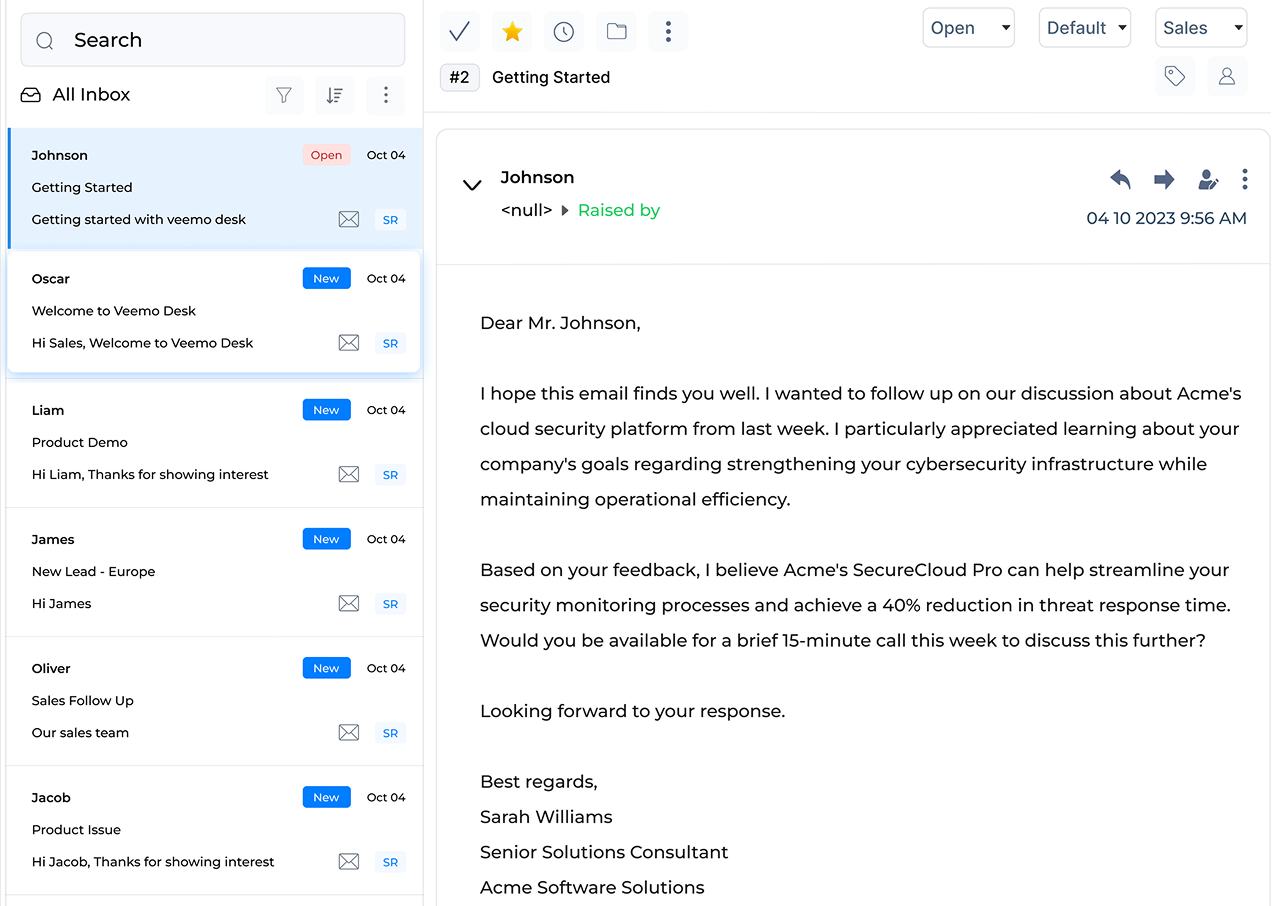
Sales Inbox

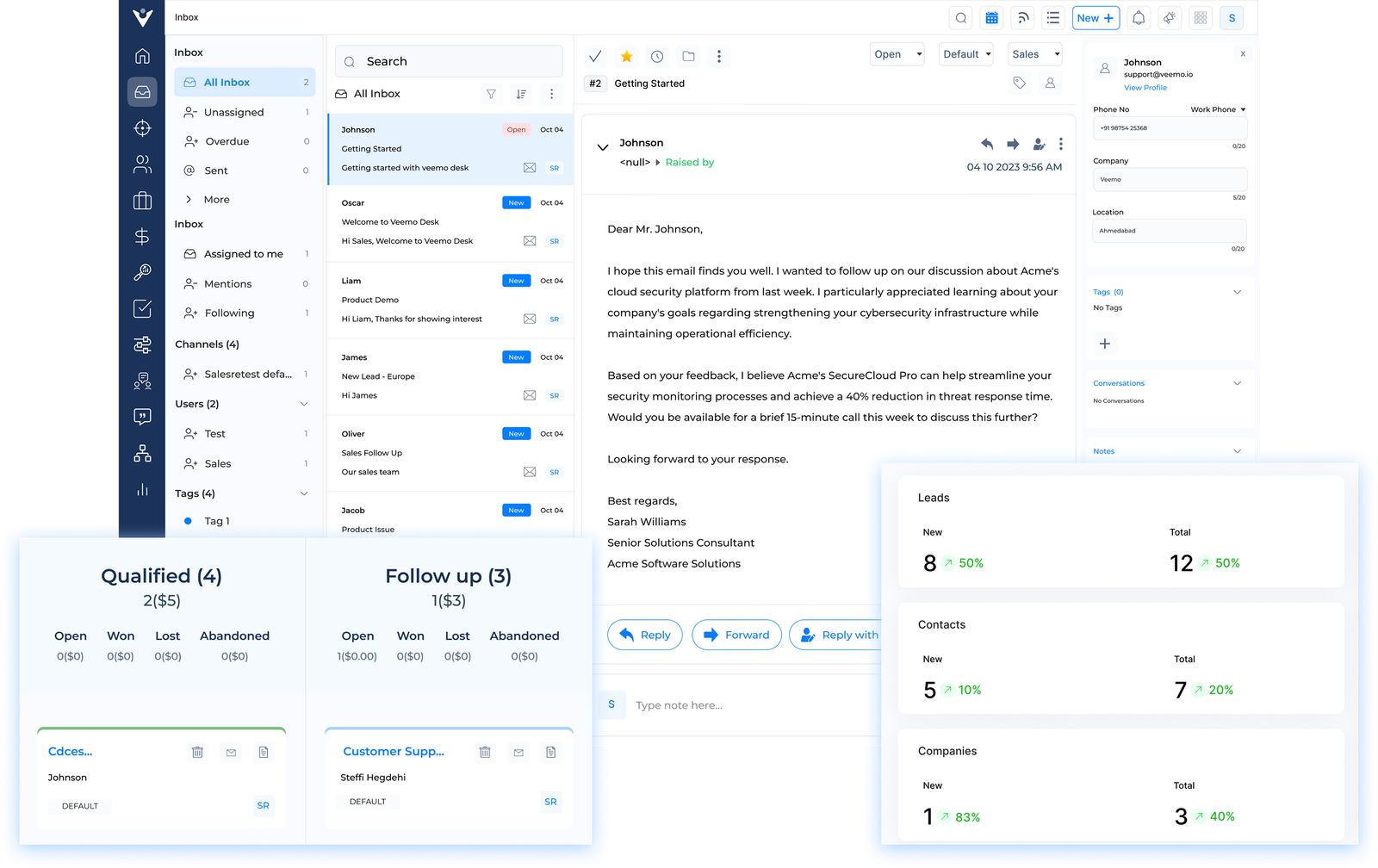
A sales inbox integrates email communication directly within the CRM interface. The feature centralizes all customer interactions, allowing sales reps to track emails, log calls and update deal statuses without switching between applications. It ensures that no important communication is missed and provides context for every customer interaction.

Sales Sequences

Sales sequences automate repetitive outreach tasks. They allow sales teams to create a predefined series of touchpoints, including emails, calls and social media interactions. The sequences can be personalized based on specific criteria. The feature enhances consistent follow-up and freeing up time for more high-value activities.

Reporting and Analytics

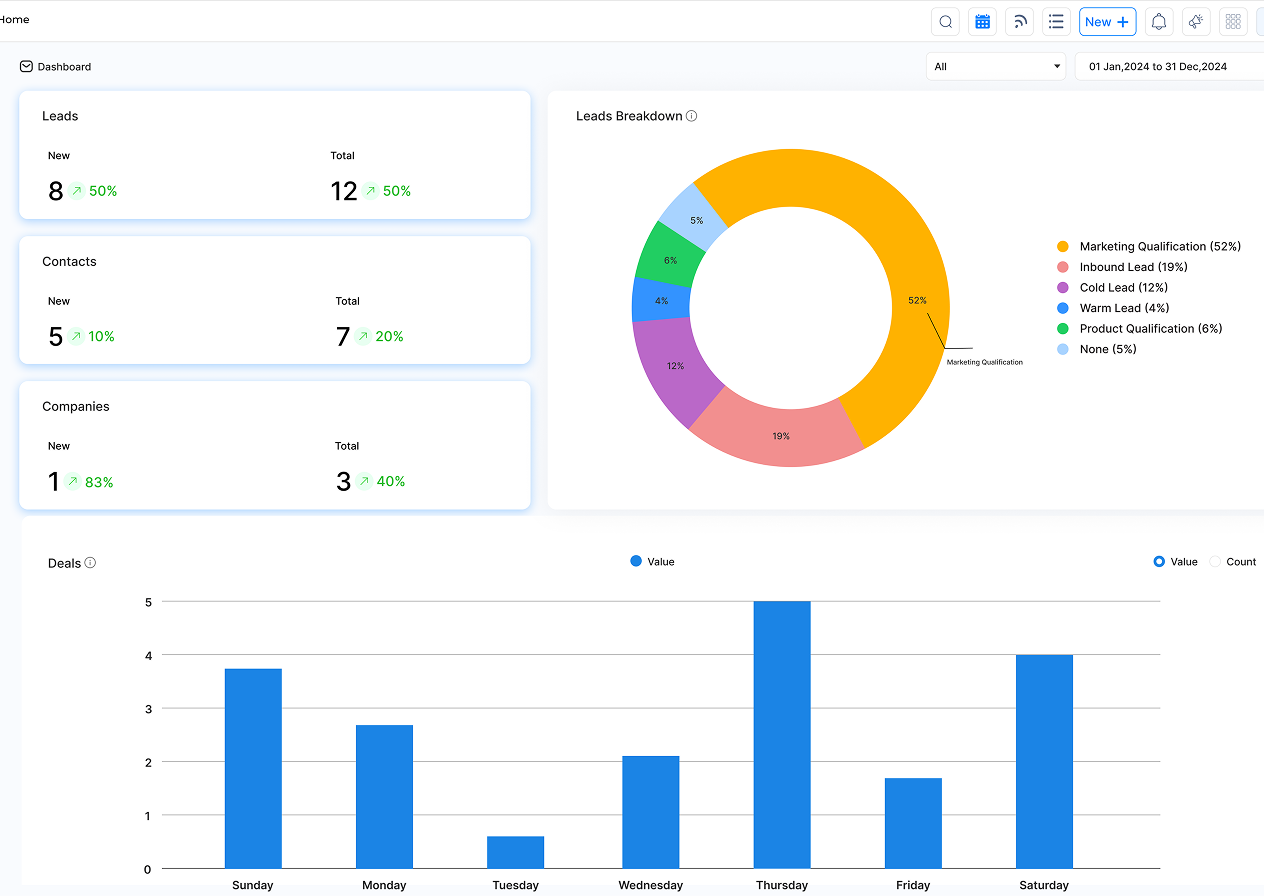
Advanced reporting and analytics capabilities turn raw data into actionable insights. Cloud CRMs offer customizable dashboards, real-time reports and data visualization tools. The features help businesses track essential sales operations KPIs & metrics, identify trends and make data-driven decisions to improve sales strategies.

Sales Forecasting & Planning

Cloud-based CRM systems use historical data and AI-powered algorithms to generate accurate sales forecasts. The feature helps businesses predict future revenue, identify potential gaps and allocate resources effectively. It also aids in setting realistic targets and developing informed sales strategies.

Lead Management and Scoring

Effective lead management is crucial for sales success. Cloud CRMs offer tools to capture, distribute and track leads throughout the sales cycle. Predictive lead scoring features use predefined criteria to automatically assess lead quality. Sales teams can prioritize their efforts on the most promising prospects.

Multi-channel Lead Capture

Modern cloud-based CRM solutions support lead capture from various channels, including websites, social media, email campaigns and offline events. The feature ensures that no potential lead falls through the cracks, regardless of how they interact with the business. It also provides valuable insights into which channels are most effective for lead generation.

Elevate business with Veemo’s Cloud CRM

Elevating business with Veemo’s Cloud CRM is essential. The powerful solution streamlines operations, enhances customer relationships and drives growth across an organization. Veemo’s CRM empowers a team to work more efficiently by centralizing data and processes in the cloud. Veemo’s Cloud CRM provides a 360-degree view of the customers with features tailored for sales, marketing and customer service.

The platform’s robust analytics capabilities offer valuable insights, helping businesses make data-driven decisions. Veemo’s cloud-based solution ensures the team can access critical information anytime, anywhere. Businesses are not just implementing a tool; they are embracing a strategic asset that will propel their business forward by adopting Veemo’s Cloud-based CRM.

FAQs about Cloud CRM

Traditional on-premises CRM requires hardware and software setup on-site, managed by the organization itself. Cloud CRM is hosted in the cloud and accessed through the internet, eliminating the need for on-site setup. Cloud-based CRM offers greater flexibility, scalability and accessibility compared to traditional on-premises CRM.

Cloud CRM can be used for managing customer relationships, storing customer data, tracking sales leads, automating marketing campaigns and analyzing customer interactions. It provides businesses with a centralized platform to streamline communication, improve customer service and make data-driven decisions. CRM cloud software helps businesses enhance satisfaction and drive growth through effective relationship management.

Choosing a Cloud CRM solution requires considering factors like scalability, customization, integration capabilities and user-friendly interface. Evaluate the business needs, budget and future growth plans before selecting a solution. Look for a provider with a good reputation, responsive customer support and robust security features. Conduct a demo or trial to ensure the system fits the requirements before committing.

Cloud CRM systems handle data security by implementing multiple layers of encryption and authentication protocols to protect sensitive customer information. They also regularly update their security measures to stay ahead of potential threats, ensuring that data is safe from unauthorized access or breaches. Cloud-based CRM providers often offer backup and disaster recovery services to safeguard against data loss.

A cloud CRM differs from other CRMs by storing customer data online rather than on-premise servers, allowing for easy access from anywhere. It offers scalability, flexibility and cost-effectiveness, as users only pay for what they need. Updates and maintenance are managed by the provider, ensuring the system is always up-to-date.