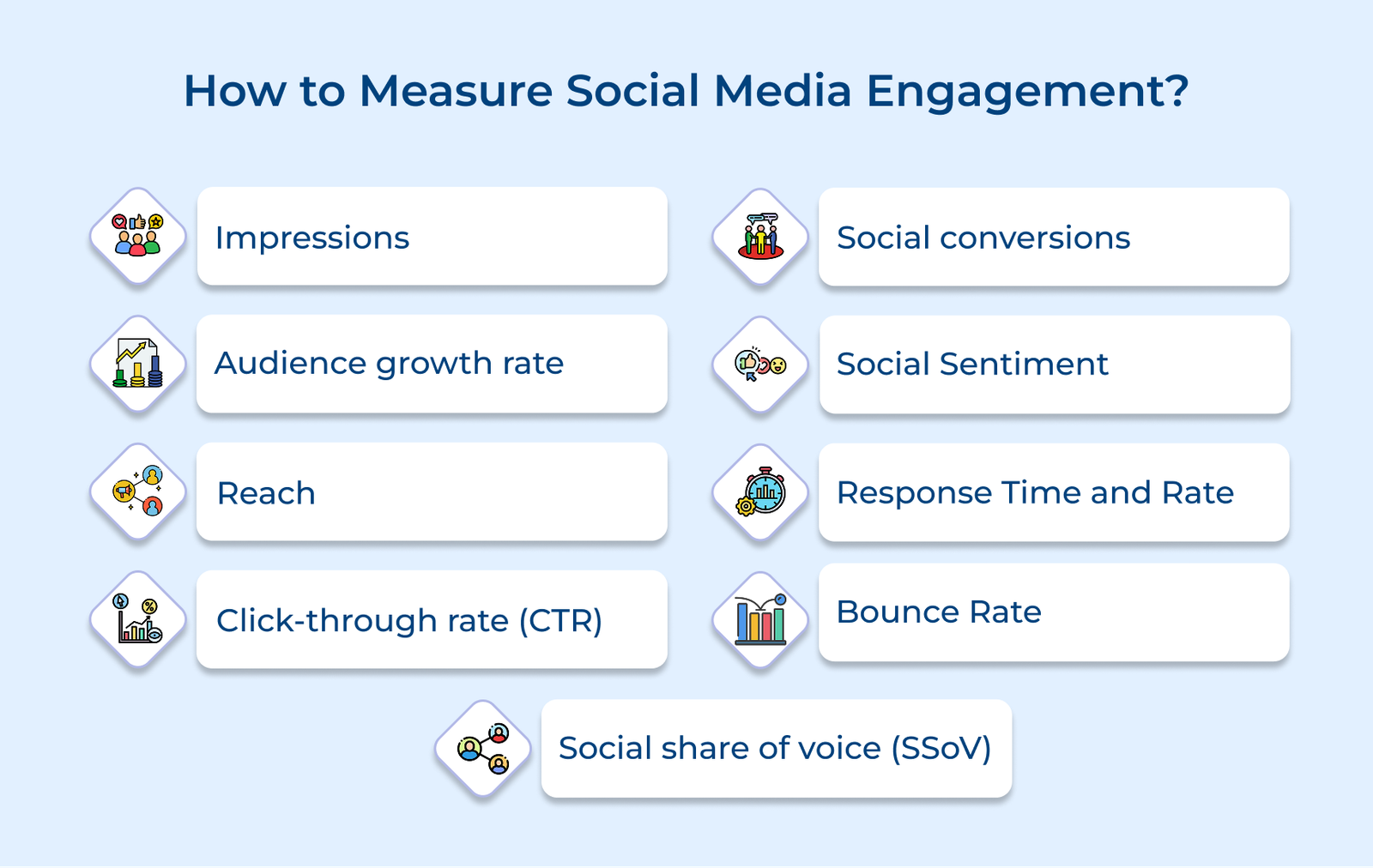
1. Impressions
Impressions measure the total number of times your content has been displayed to users on social media platforms. The metric helps businesses understand their content’s visibility and potential reach. It’s crucial for evaluating the effectiveness of your content distribution strategy and paid advertising campaigns.
Formula:
Total Impressions = Sum of all times content was displayed (including multiple views by the same user)
Impression benchmarks vary by platform and industry, but a healthy target is 3–5% growth in impressions each month. On Instagram, aim for each post to reach 15–25% of your total followers.
Ways to Improve:
- Post during peak activity hours for your audience. Use apps to identify when your followers are most active online so that you can maximize your visibility.
- Experiment with different content formats like videos, carousels and stories to increase the likelihood of multiple impressions from the same users.
2. Reach
Reach represents the unique number of users who have seen your content at least once. Unlike impressions, which count multiple views by the same user, reach only counts each user once. It gives businesses a clear picture of the content’s actual audience size.
When businesses have an understanding of their reach, they can optimize their lead generation efforts by showing how many potential customers their content actually reaches. The insight lets you adjust targeting strategies and identify which content types attract the most unique viewers who could become leads.
Formula:
Reach Rate = (Number of Unique Users Who Saw Post / Total Number of Followers) x 100
On average, the organic reach on Facebook typically hits 2-5% of your total followers. Instagram shows higher rates at 15-20%. LinkedIn tends to perform best with 20-25% organic reach of your follower base, depending on content quality and engagement.
Ways to Improve:
- Diversify your content formats and experiment with different types of posts to appeal to different audience segments.
- Strategically use relevant hashtags and optimize posting times based on your audience’s active hours.
3. Click-Through Rate (Ctr)
Click-through rate measures the percentage of people who click on your content after coming across it on social media. It can include activities such as clicks on links, call-to-action buttons, or any interactive elements that direct users to take a specific action within your content.
CTR directly indicates how compelling your content is at driving customer action. A higher CTR suggests your content successfully captures the attention of the users and persuades them to engage further. It helps businesses understand which content types, messages and offers resonate most with their audience.
Formula:
CTR = (Total Clicks / Total Impressions) x 100
Track how many people actually click on your content using platform analytics or UTM parameters. Then calculate your click-through rate (CTR) by dividing total clicks by total impressions during the same period and multiplying the result by 100.
Ways to Improve:
- Write clear, benefit-driven headlines and calls to action that tell users exactly what they’ll get.
- Experiment with different content formats, visuals and posting times to see what gets you the most engagement.
4. Social Conversions
Social conversions measure the actions people take after interacting with your social media posts. It can include making a purchase, signing up for a newsletter, downloading a resource, or submitting a contact form.
Tracking social conversions lets businesses see exactly how social media drives sales. It reveals which posts lead to purchases and helps focus budgets on the platforms that deliver the best return.
Formula:
Conversion Rate = (Number of Conversions / Total Number of Visitors) x 100
Let’s say an online clothing store ran an Instagram campaign featuring their new summer collection. Out of 10,000 people who clicked through to their website, 200 made a purchase. Their social conversion rate would be (200/10000) x 100 = 2% which is considered good for e-commerce.
Ways to Improve:
- Create platform-specific landing pages that maintain consistent messaging and visual elements from your social media posts while optimizing for mobile users to reduce friction in the conversion process.
- Implement retargeting campaigns to re-engage users who showed interest but didn’t convert and use social proof like customer testimonials to build trust.
5. Social Sentiment
Social sentiment helps businesses understand the overall emotional tone of conversations about their brand on social media. It analyzes comments, mentions and interactions to determine whether people feel positively, neutrally or negatively about your brand or specific content.
Social sentiment gives businesses an idea of their brand health and customer satisfaction in real-time. It provides deeper insights beyond basic social media engagement metrics by revealing how customers truly feel about your brand’s solutions.
Formula:
Sentiment Score = (Positive Mentions – Negative Mentions) / Total Mentions x 100
Ways to Improve:
- Implement proactive customer service by quickly responding to negative feedback and demonstrating a genuine commitment to resolving issues.
- Create content that encourages positive emotional connections by sharing customer success stories.
6. Response Time And Rate
Response time shows how fast your team replies to messages, comments and mentions on social media. Response rate reflects how often you respond. Together, they reveal how reliable and responsive your social customer support really is.
The metrics directly impact customer satisfaction and brand loyalty. Fast response times show customers you value their input, while a high response rate demonstrates consistent engagement.
Formula:
Response Rate = (Number of Responses / Total Number of Messages Received) x 100
Average Response Time = Total Time to First Response / Total Number of Responses
Ways to Improve:
- Set up automated acknowledgment messages for after-hours inquiries and implement a social media management tool that helps prioritize urgent messages.
- Create a comprehensive response guideline document and train multiple team members to handle social media inquiries so there’s consistent coverage during peak hours.
7. Bounce Rate
The bounce rate gives businesses the percentage of visitors who leave their social media landing page without taking any action. These visitors “bounce” away after viewing just one page rather than exploring further content, clicking links, or completing desired actions.
Bounce rate reveals how effectively your social media content aligns with your landing page experience. A high bounce rate might indicate a disconnect between user expectations and actual content, suggesting areas where you can improve content relevance or page design.
Formula:
Bounce Rate = (Number of Single-Page Sessions / Total Number of Sessions from Social Media) x 100
Average bounce rates from social media traffic typically fall in the range between 50-65%. Rates above 70% indicate potential issues, while rates below 40% are considered excellent. E-commerce sites usually aim for bounce rates under 45% from social media traffic.
Ways to Improve:
- Ensure your landing page content perfectly matches the promise made in your social media posts and optimize page load speed to keep visitors engaged in those crucial first seconds.
- Design mobile-friendly landing pages with clear navigation paths and compelling calls-to-action placed strategically above the fold to encourage deeper site exploration.
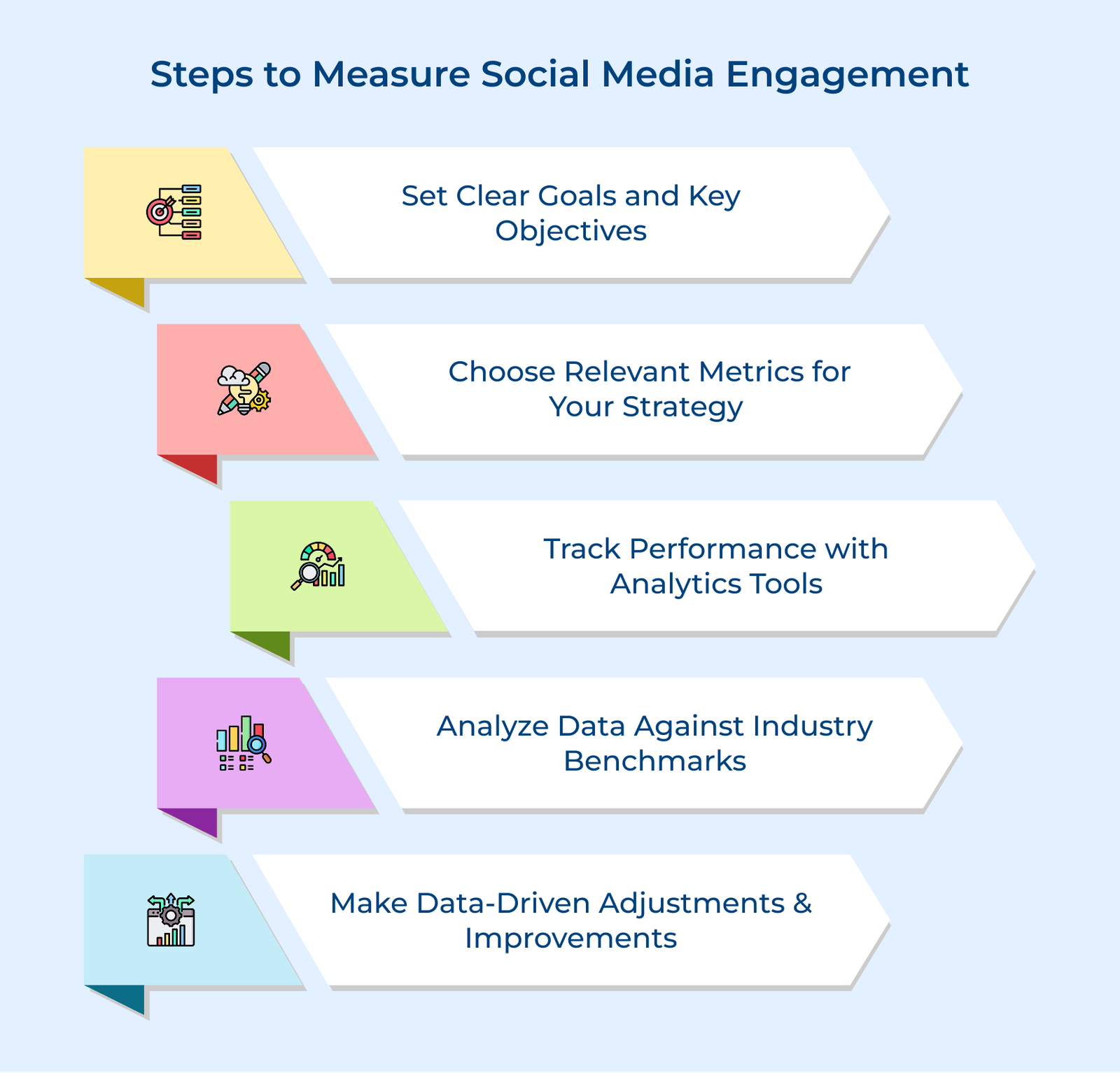
5 Steps in Measuring Social Media Engagement
Below are the essential steps to develop a comprehensive measurement framework that elevates your social media performance and drives meaningful results.