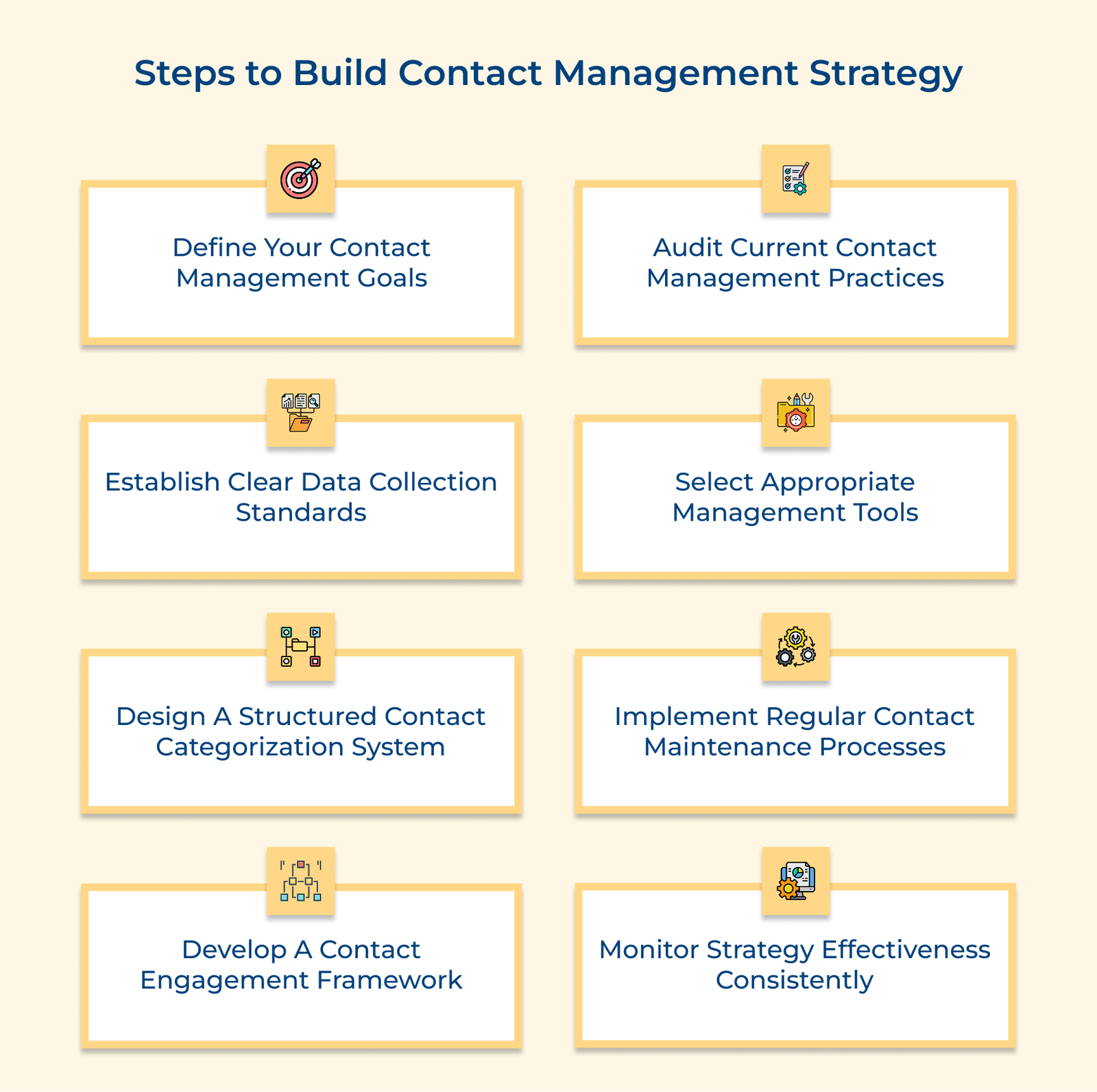
1. Define Your Contact Management Goals
Before choosing tools or processes, start by deciding what you want your contact management efforts to achieve. Clear goals give your team direction and ensure everyone works toward the same outcome.
Let’s assume that a marketing agency might aim to improve client retention by 15% through better record-keeping and consistent check-ins. They could require that every client interaction be logged within 24 hours and set up quarterly reviews to catch issues early.
Pro tips:
- Set goals that are Specific, Measurable, Achievable, Relevant and Time-bound (SMART).
- Write them down and share across teams so everyone sees how their role connects to the bigger picture.
2. Audit Current Contact Management Practices
An audit of current contact management practices means taking a clear look at how your organization currently stores and tracks contact information. It shows what’s working, where the gaps are and sets a baseline for future improvements.
The findings often uncover quick fixes, like duplicate data, scattered systems or missed follow-ups and help you prioritize changes based on effort. Let’s consider that a sales team discovers that contact details are spread across five different systems, from spreadsheets to email folders. It led to missed follow-ups and repeated outreach.
Actionable tips:
- Involve people from every department that works with contacts to capture all perspectives.
- Note not just the tools in use, but why people prefer them. It ensures any new system supports real needs, not just technical requirements.
3. Establish Clear Data Collection Standards
Set clear rules for what contact information you collect and how it should be entered. The standardization prevents confusion, ensures consistency and creates a reliable foundation for all your contact management activities.
The standards can double as training tools for new staff and quick references for existing teams. They also guide how you validate incoming data and how forms or systems are configured to keep inputs consistent. Let’s assume that a healthcare provider created fixed formats for phone numbers, addresses and patient history fields. They also added steps for verifying identity and contact preferences during each interaction, which kept records accurate.
Best practices:
- Keep a living document for data standards with clear ownership for updates and communication.
- Design standards around reporting need to ensure you’re gathering the right information that will actually support your business goals, rather than collecting data just because you can.
4. Select Appropriate Management Tools
Choosing the right contact management tool sets the foundation for how your organization stores, accesses and uses contact information. The tool should fit your processes, be simple enough for daily use and scale as your needs grow.
Key factors:
- Functionality: Check if the tool supports your needs, like custom fields, task automation and reporting.
- Ease of use: Make sure the interface is simple and intuitive so your team uses it consistently instead of falling back on old methods.
- Technical requirements: Choose a setup that fits your IT needs, like cloud for access, on-premises for security or a hybrid for both.
- Total cost of ownership: Factor in total costs, like subscriptions, setup, training, customization and maintenance, not just the purchase price.
Many organizations underestimate the complexity of migrating existing contact data into new systems. It leads to implementation delays and data quality issues that can severely impact adoption rates and initial effectiveness of even the best-designed contact management tools.
5. Design a Structured Contact Categorization System
Designing a structured contact categorization system involves creating an organized framework for classifying and grouping your contacts based on meaningful criteria. The systematic approach prevents contacts from becoming an undifferentiated mass of information. A clear categorization system makes it easier to find the right people, tailor communication and focus efforts where they matter most.
Create Useful Segments
Group contacts by criteria that actually matter for your work, such as industry, company size, location or past interactions. It keeps the database searchable in ways that match how your team thinks and operates.
Define Relationship Stages
Use consistent categories to mark where each contact stands, like new lead, qualified prospect, active customer or former client. It gives clarity on next steps and avoids one-size-fits-all communication.
Set Priority Levels
Rank contacts by importance, using factors like revenue potential, strategic fit or influence. It helps the team spend time on the relationships that create the most impact.
6. Implement Regular Contact Maintenance Processes
Implementing regular contact maintenance processes involves creating systematic routines to keep your contact database accurate and up-to-date. The maintenance activities prevent the natural decay of contact information over time. Without regular upkeep, even the best contact system will become outdated, duplicated and unreliable.
Schedule Data Cleaning Routines
Establishing regular intervals for reviewing and refreshing contact information prevents database deterioration over time. The scheduled activities might include validating email addresses, updating job titles or confirming phone numbers. Regular data cleaning keeps information accurate and prevents wasted effort on outdated details.
Remove Duplicates
Use a mix of automated tools and manual checks to merge duplicate records. It prevents mixed messages and keeps the relationship history clear.
Define and Update Protocols
Decide who is responsible for updates and what sources should be trusted. Clear rules ensure that new information is added correctly and consistently.
7. Develop a Contact Engagement Framework
An engagement framework gives structure to how you interact with contacts. Without it, communication can become random, leading to missed opportunities or strained relationships. A clear framework ensures contacts get consistent attention and that your team stays organized.
The framework also helps plan resources, coordinate outreach across departments and set up automation to keep relationships moving forward. Contacts hear from you at the right time, in the right way, without being ignored or overloaded, with a framework in place.
Key takeaways:
- Match your framework to the contact’s stage, like prospects, active customers and inactive accounts. Each needs different timing, tone and goals.
- Assign clear ownership for touchpoints. Define which teams handle which interactions and create handoff rules to avoid both silence or overlap.
8. Monitor Strategy Effectiveness Consistently
A contact management strategy only works if it’s regularly checked. Without monitoring, even a solid approach can drift off course. Ongoing reviews show what’s effective, what needs fixing and where to adjust.
Performance data can guide process improvements, resource shifts and decisions on whether to tweak day-to-day routines or make bigger strategic changes. Consistent monitoring also highlights small wins worth repeating.
Pro tips:
- Track both activity (e.g., number of touchpoints) and outcomes (e.g., conversions, satisfaction). It shows not just effort but real results.
- Hold quarterly reviews with all departments involved. Joint discussions help explain why something is or isn’t working and lead to better solutions.
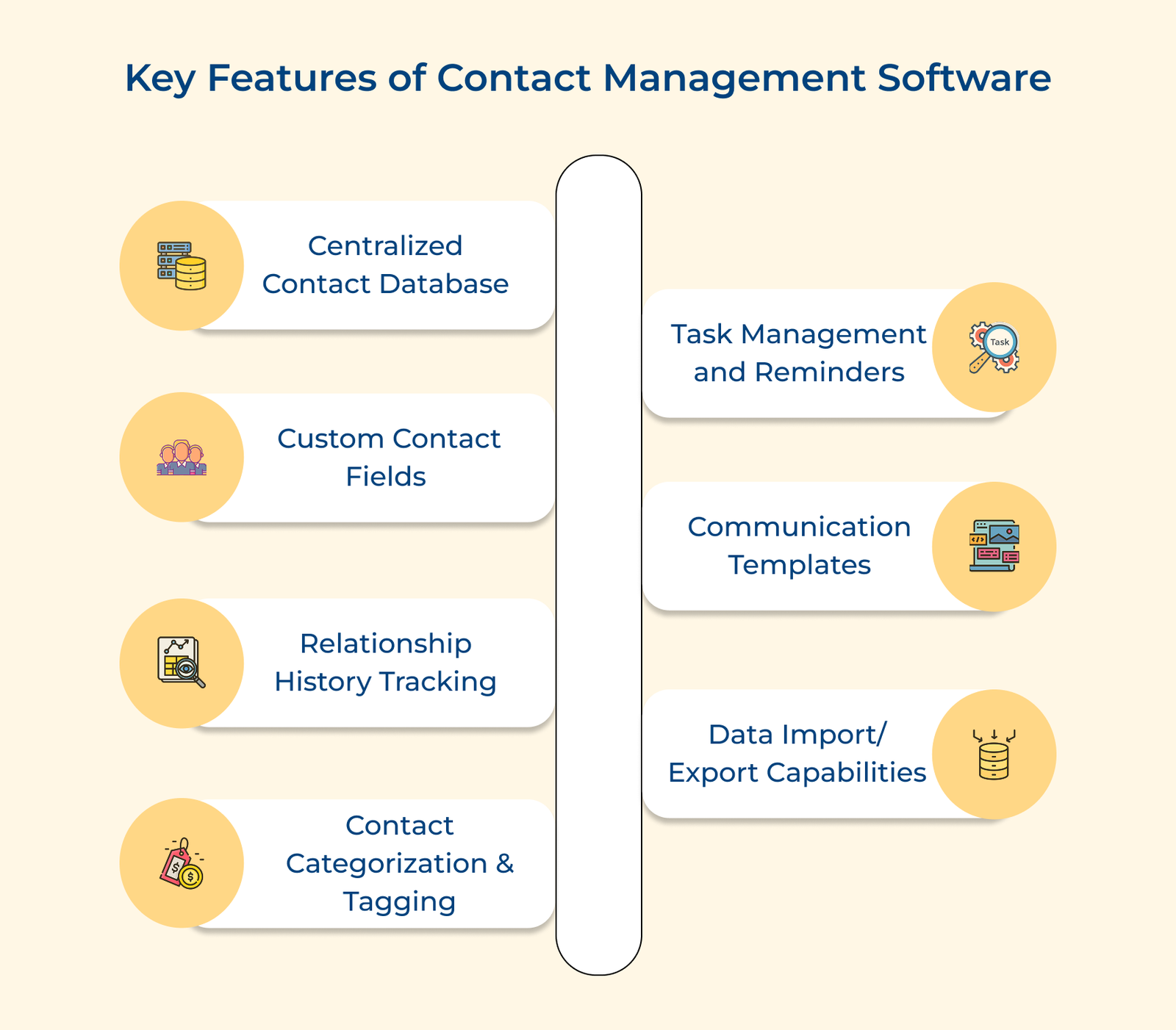
Key Features of Contact Management Software
Below are the key features that form the foundation of effective contact organization systems that help businesses maintain productive connections with their network.