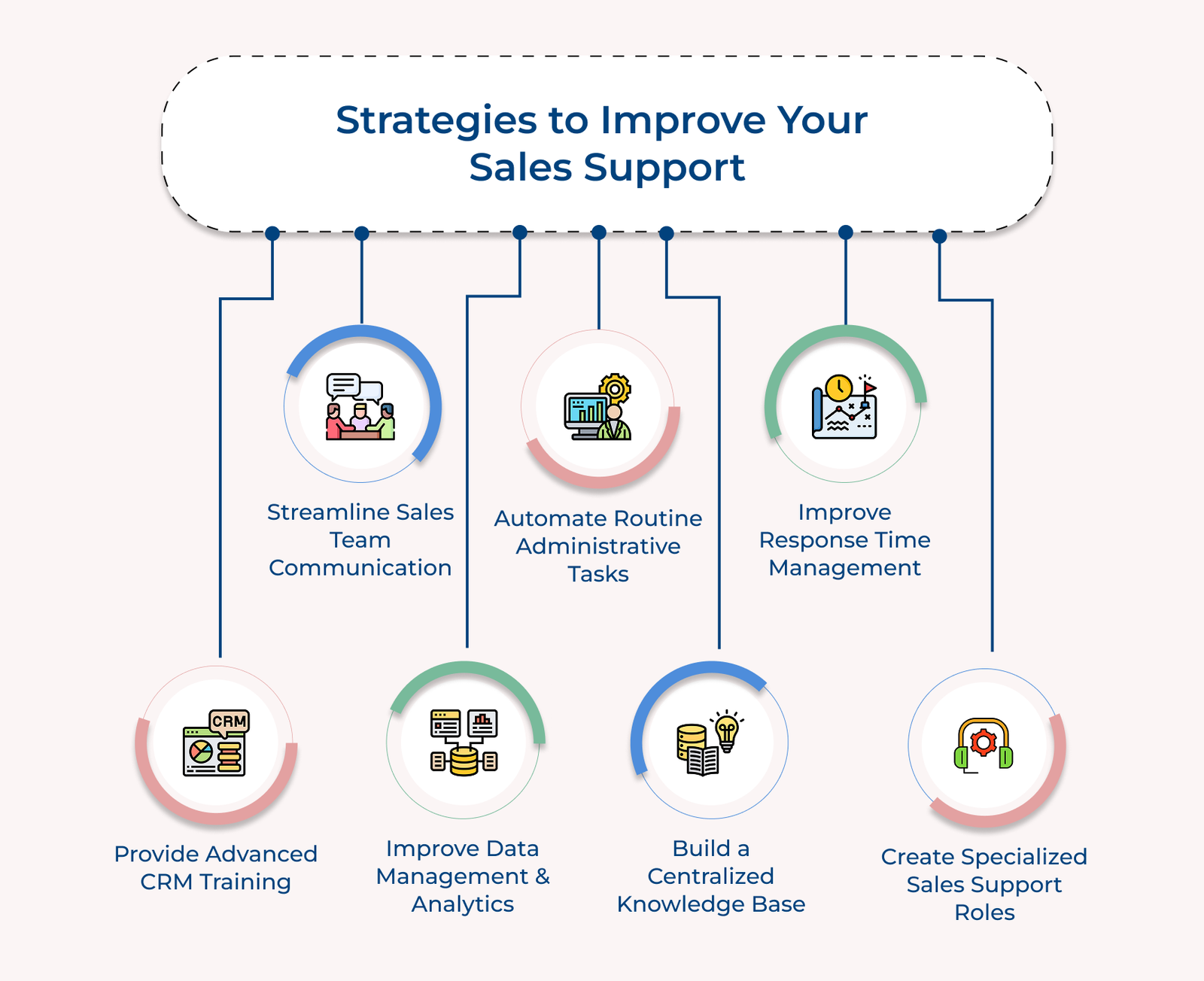
1. Implement Advanced CRM Training Programs
Advanced CRM training lays the groundwork for strong sales support by helping team members confidently use your customer relationship management tools. Support staff can handle data more accurately and give sales reps the information they need, when they need it, with better system know-how.
Training should be broken into levels. Start with the basics, then introduce more complex features as skills grow. Include real-world exercises and regular check-ins to spot gaps early and reinforce learning.
Pro tips:
- Designate “CRM Champions” who can step in quickly to help teammates troubleshoot problems or share tips. Having a peer expert on hand reduces downtime and keeps the team moving.
- Build a simple video library that covers routine CRM tasks—no long lectures, just short, clear walkthroughs. It gives team members an easy way to refresh their memory without waiting for formal sessions.
2. Streamline Communication Between Sales Teams
Clear communication channels between sales teams are essential for effective sales support and smooth day-to-day operations. When support teams can easily connect with sales reps and other departments, it keeps the entire process running efficiently.
- Setting up communication protocols: Use standardized templates and clear guidelines for how teams share updates. Whether it’s a lead status change or a customer request, having a consistent format ensures that everyone gets the right information, at the right time, with minimal back-and-forth.
- Implementing team chat systems: Introduce dedicated messaging tools where support staff and sales reps can quickly reach each other. The platform should allow for instant updates, file sharing and topic-based threads so that conversations stay organized.
- Establishing regular check-ins: Set up recurring meetings between sales and support teams. The check-ins give everyone a chance to discuss roadblocks, share helpful tips and stay aligned on goals. Over time, the meetings build stronger working relationships and keep everyone focused on what matters.
- Creating documentation standards: Put simple, clear rules in place for documenting customer interactions and support tasks. A well-maintained system helps everyone quickly access the details they need without relying on scattered messages or memory.
One challenge that often comes up is information overload. Support teams can feel overwhelmed and lose track of what’s important with constant updates. The key is to regularly review how information is shared and make small adjustments to keep communication useful without becoming a distraction.
3. Enhance Data Management and Analytics
Modern sales support relies on strong data handling and smart analytics to improve how teams work and make better decisions. When support staff can use data effectively, they’re able to spot trends, fix problems early and give sales reps the help they need—exactly when they need it.
Develop Strong Data Collection Systems
Start by building clear, consistent ways to gather accurate data. It means using standardized forms, setting up automatic data capture tools and making sure every customer interaction is recorded. Over time, it creates a reliable database that shows what’s happening in the sales process and where support is needed most.
Build Real-time Reporting Solutions
Use live dashboards that give a quick, clear view of what’s going on. Include things like average response times, open support tickets and sales pipeline progress. Support teams can spot problems faster and step in before they slow things down, with the information always up to date.
Transform Data into Action Plans
Raw data don’t mean much unless you turn them into steps you can take. Analyze the data to find common issues or patterns, then use those insights to build specific, practical plans. It could mean adjusting how tickets are handled, improving lead handoff or streamlining admin tasks—whatever makes support more effective for the sales team.
4. Automate Routine Administrative Tasks
Teams must automate repetitive administrative tasks. Automation cuts down manual work, reduces the chances of errors and gives support staff more time to focus on meaningful work that contributes directly to sales. Shifting from routine tasks to more strategic ones leads to stronger, more reliable support.
Identify Tasks for Automation
Start by reviewing daily workflows. Break down each process and look for tasks that are repetitive, take too much time or follow simple rules. Common candidates include entering data, scheduling meetings, generating reports and sending standard email replies. Once identified, the tasks can be prioritized based on the time they consume and the impact automation would have.
Choose the Right Automation Tools
The next step is finding tools that match the team’s needs and can work smoothly with existing systems like CRMs or communication platforms. Focus on tools that are simple to use, easy to customize and backed by dependable support. It helps ensure the tools are actually used and used correctly.
Monitor Automation Performance
Once automation is in place, keep a close eye on how it’s working. Track things like how much time it’s saving, how often errors happen and how many tasks are completed without human help. Feedback from the team is also important—if the tools aren’t helping or are causing problems, adjustments will be needed.
5. Develop a Comprehensive Knowledge Base System
A comprehensive knowledge base system is essential to improve sales support efficiency by centralizing critical information, resources and documentation. Support teams can quickly find the answers they need, provide consistent responses and maintain high standards across all tasks with a well-maintained repository.
Content organization and structure: Start by designing a clear and logical layout. Group information based on common support tasks and sales workflows. Keep the structure simple and easy to navigate, so team members can find what they need without wasting time. The system should also be flexible enough to adapt as processes and resources evolve.
- Documentation standards development: Set clear rules for how content should be written, formatted and reviewed. Consistent entries help reduce confusion and ensure that support staff always have the right details when they need them.
- Access control and updates: Define who can create, edit and approve content. Set up a schedule for reviewing and updating documentation to keep everything current. It is especially important when procedures change or new products are introduced.
- Feedback integration system: Allow users to rate articles, suggest edits and flag outdated content. The direct input helps keep the knowledge base useful and relevant. It also provides support teams with a means to continually improve documentation based on real-world usage.
6. Improve Response Time Management
Efficient response time management is crucial to improve sales support quality and maintain high service standards. Appropriate responses keep sales processes moving smoothly, prevent bottlenecks and show professionalism to both internal teams as well as customers.
Key types:
- Email communication: Email replies should be sent within 2-4 business hours. The messages often include key details about deals, timelines or customer questions. Delays in email communication can slow down the sales process and cause unnecessary frustration for both sales reps as well as customers.
- Live chat support: Live chat requires fast action, ideally within 1–2 minutes. It is especially important when sales reps are in meetings or working on deals that need real-time input. Quick responses here can be the difference between closing a sale or losing momentum.
- Phone support: Phone calls should be answered within 3 rings or returned within 15 minutes if missed. It is the go-to channel for urgent or complex issues that need immediate discussions. Fast callbacks help avoid delays and keep deals moving forward.
- Internal messaging systems: When an issue is too complex or urgent for standard support handling, there needs to be a clear process for escalation. It ensures that critical items get the attention they need from senior team members. Everyone involved should be kept updated so nothing gets stuck or forgotten.
Proper escalation procedures ensure that complex or time-sensitive issues don’t get stuck in the support queue. The system helps maintain service quality by directing urgent matters to appropriate senior team members while keeping all stakeholders informed about progress and resolution timelines.
7. Create Specialized Sales Support Team Roles
Developing specialized roles within sales support helps improve efficiency and expertise in specific areas. When team members can focus on distinct responsibilities, they build deeper knowledge, work more effectively and give more reliable support to sales teams while keeping accountability clear across different tasks.
Define Clear Role Responsibilities
Every specialized role should come with a well-defined set of tasks and expectations. Support teams need to document responsibilities, key deliverables and how performance will be measured. It gives team members clarity about what they’re responsible for and helps avoid confusion or missed duties.
Build Expertise Development Programs
Targeted training helps people get really good at their specific roles. The programs should mix basic knowledge with practical experience tied directly to each role’s day-to-day tasks. Sales support specialists need hands-on practice, learning sessions and mentoring so they can grow into experts in their assigned areas—not just generalists trying to cover everything.
Create Team Collaboration Systems
Just because roles are specialized doesn’t mean teams should work in silos. It’s important to set up clear ways for team members to share updates, coordinate tasks and keep the quality of support consistent. Regular team meetings, information-sharing sessions and even light cross-training can keep everyone on the same page while still allowing for specialization to thrive.
Best Tools for Sales Support
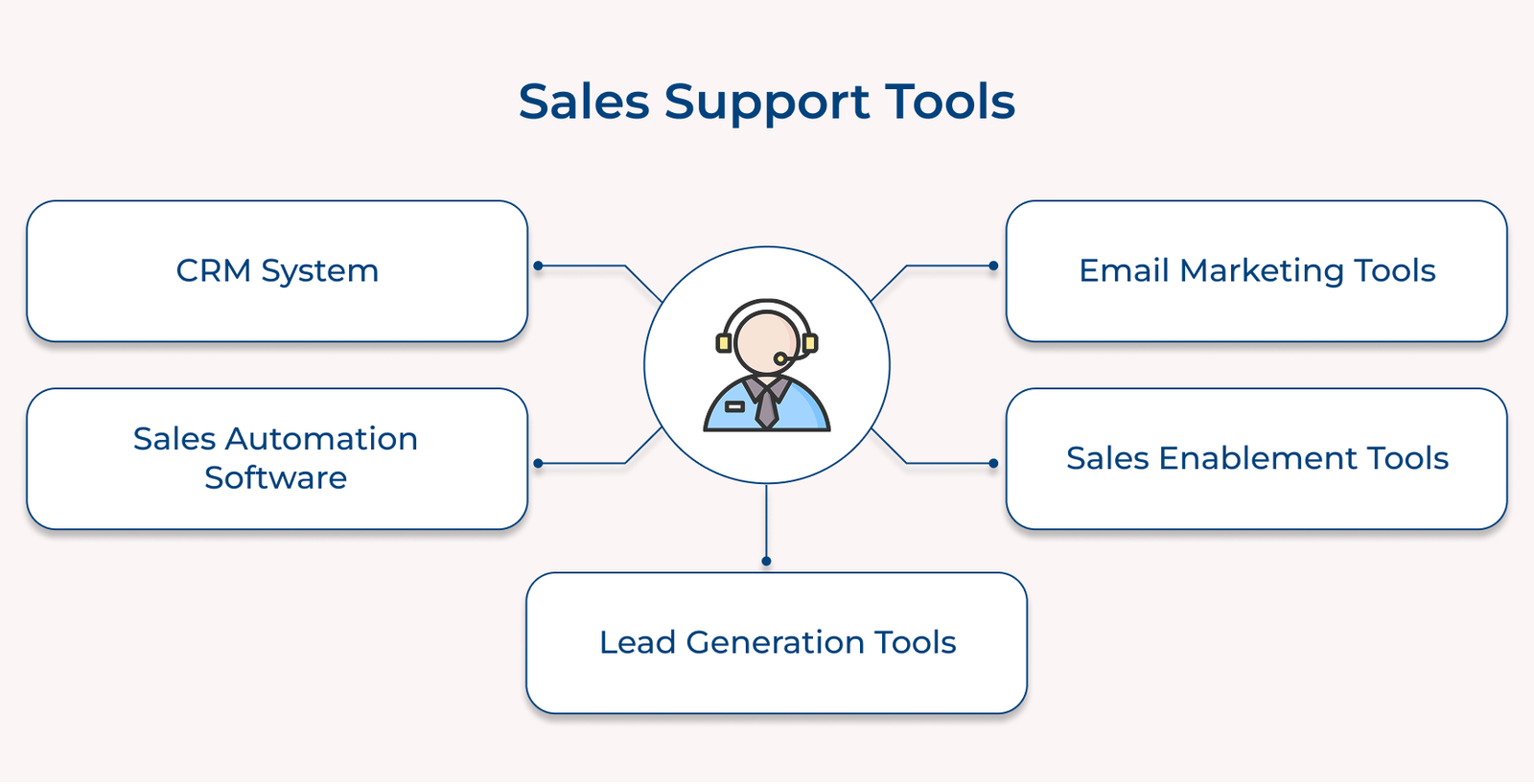
Below are the essential tools that can significantly improve sales support operations and help teams deliver better results.