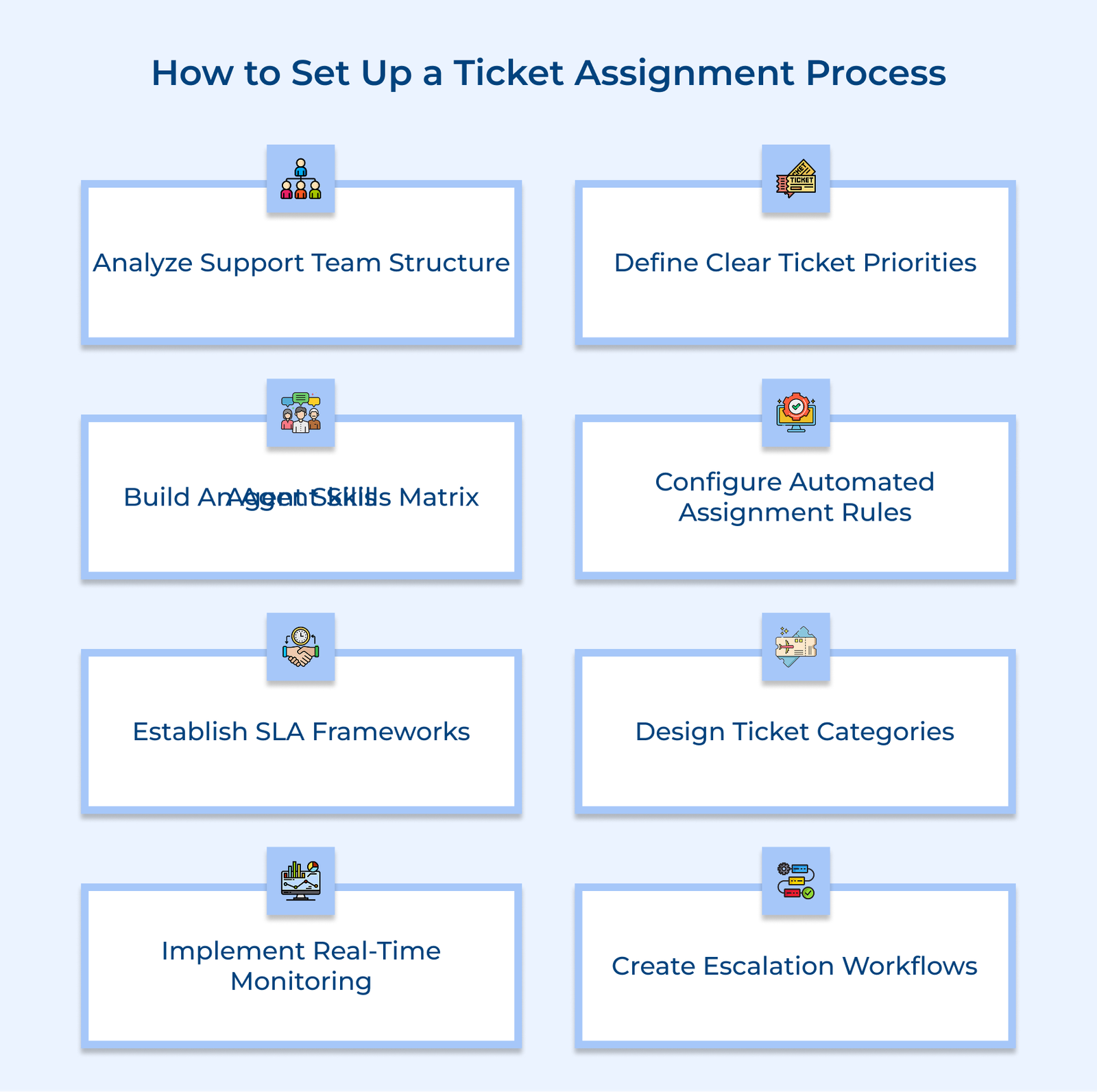
1. Analyze Current Support Team Structure
Start by understanding how your team currently handles incoming support requests. Look at who handles what, how tickets are routed and where delays or overlaps happen. It helps you design a priority system that fits your existing operations and avoids disruption. Without clear priorities, critical issues can get buried under less important ones.
Create classification system steps
Build a simple and clear system for classifying tickets by urgency. Begin with critical issues that disrupt service or affect core business functions. Next, assign high priority to cases that impact revenue or key customer operations. Standard priority should cover common issues that don’t block work but still need attention. Low priority can include suggestions, small bugs or documentation requests.
Implement response time requirements
Each priority level needs specific response time targets. Critical issues might require an immediate response within 15 minutes. High-priority tickets could have a 1-hour response window. Standard issues might allow for 4-hour responses and low-priority tickets could have 24-hour response times.
Establish escalation procedures
Set up clear rules for when and how a ticket should be escalated. Define time limits for each priority level. if a ticket isn’t addressed within that time, it should automatically move to the next support tier. Use notifications to alert team leads or managers before the SLA is breached. It keeps the system accountable and prevents delays in resolution.
2. Define Clear Ticket Priority Levels
Defining ticket assignment priorities helps your team handle support requests based on how urgent and important they are. It ensures that serious issues are addressed right away, while everyday tasks are handled in order without disrupting critical operations. Without the structure, your team may end up spending time on low-impact problems while urgent ones sit unresolved.
Create classification System Steps
Start by grouping tickets into clear priority levels. Critical issues include outages or problems that stop business functions. High-priority tickets involve things like revenue loss or blocked customer activity. Standard tickets are everyday problems or user questions. Low-priority tickets cover minor bugs, requests for small improvements or updates to documentation.
Implement Response Time Requirements
Each priority level needs specific response time targets. Critical issues might require an immediate response within 15 minutes. High-priority tickets could have a 1-hour response window. Standard issues might allow for 4-hour responses and low-priority tickets could have 24-hour response times.
Establish Escalation Procedures
Create simple rules for when a ticket needs to move up. If a critical ticket isn’t touched within a set time, it should automatically escalate to a higher support level. Add alerts for managers when tickets are close to missing deadlines. It helps prevent delays and keeps issues moving toward resolution.
3. Build a Comprehensive Agent Skills Matrix
A well-built skills matrix gives you a clear view of your support team’s strengths and gaps. It helps you assign tickets to the right people and spot areas where further training is needed. Without it, you risk assigning issues to agents who aren’t equipped to solve them, which slows resolution and affects service quality.
Build a structured assessment system that tracks agent skills across relevant areas. Include ratings or proficiency levels for each domain. Keep the matrix up to date as team members gain certifications or complete training. Use the tool both for immediate routing decisions and long-term planning to keep your team aligned with the types of support your customers need.
Pro tips:
- Run quarterly skill reviews using both short written tests and real-life problem-solving scenarios to maintain accuracy.
- Use matrix insights to create focused development plans for each agent and match training sessions to the actual needs of the team.
4. Configure Automated Assignment Rules Engine
An automated assignment engine is the decision-making core of your ticket routing system. It applies set rules to distribute incoming tickets to the right agents based on clear logic. Without the automation, tickets are more likely to pile up in the wrong places, causing delays, mismatches and poor use of team resources.
Create basic rules that address your most common ticket types. As your team grows and your support patterns become clearer, gradually add more conditions to improve accuracy. Configure the system to evaluate factors like agent expertise, real-time workload and ticket urgency.
Best practices:
- Review routing performance and update rules once a month. Make sure you use both team feedback and performance data.
- Test any new rule changes in a smaller environment before applying them system-wide to prevent disruptions.
5. Establish Service Level Agreement Framework
A well-built SLA framework sets clear expectations for how support tickets should be handled. It helps the support team stay consistent in their response quality and ensures that customers know what level of service they can expect. Without defined SLAs, your team may struggle with inconsistent delivery, missed deadlines and dissatisfied users.
- Response time standards: Set clear time limits for how quickly agents should respond after a ticket is submitted. It should vary based on priority, the critical issues may need a response within 15 minutes, while low-priority ones might allow a 24-hour window.
- Resolution time targets: Define how long agents have to fully resolve different types of issues. Consider complexity, required collaboration and common bottlenecks. The goal is to set timeframes that are achievable but still encourage timely resolutions.
- Performance metrics: Track how well your team meets SLA expectations using specific metrics, such as first-response time, resolution time, SLA compliance rate and customer satisfaction scores. Use the data to identify trends and improvement areas.
- Breach management protocol: Have a plan for when SLAs are in danger of being missed. It should include automatic alerts, escalation steps and defined responsibilities for resolving delayed tickets.
A common issue is setting targets that are too ambitious or too lenient. Aggressive SLAs can lead to overworked teams and missed deadlines. Relaxed targets may reduce urgency and lower customer satisfaction. The key is to review performance regularly and adjust targets based on real team capacity.
6. Design Ticket Categorization System
A ticket categorization system provides a consistent structure for sorting and organizing incoming support requests. Your team can quickly identify what the issue is, send it to the right person and gather useful data about recurring problems. It works like a detailed map, directing each ticket to where it needs to go.
Build issue type classification structure
Start by identifying the main types of problems your support team sees most often. Create a structure that moves from general to specific. Consider that, start with “Technical Issues,” then break that down into “Network,” “Software,” and “Hardware,” and from there into specific problems like “VPN not working” or “Printer not detected.”.
Create product service category framework
Build a complete list of the products and services your support covers. Include details like version numbers, major features and common issue areas. It helps agents narrow down the problem quickly by linking it directly to the affected product or feature.
Implement customer segment organization
Add a layer of classification that reflects customer type. Consider things like account size, subscription level and industry. It ensures tickets from high-impact customers are flagged for appropriate attention while still maintaining fair service for everyone else.
7. Implement Real-Time Monitoring Dashboard
A real-time monitoring dashboard gives your team immediate insight into the ticket queue and agent activity. The live view helps managers spot problems early, track SLA progress and make quick, informed decisions about shifting workloads. Without it, delays and missed deadlines can go unnoticed, causing service issues and customer frustration.
Configure your dashboard to show only the most important metrics: current ticket volume, agent availability and tickets close to breaching SLAs. Use color-coded alerts to flag urgent cases. Customize views so team leads can act fast when needed, while agents see just enough to track their own queue and stay on target.
Let’s consider that a support dashboard shows 15 new billing tickets have just come in and two billing agents are off-shift. Three of the tickets are flagged red, close to breaching SLA. The manager quickly shifts a few of them to agents trained in billing, avoiding delays and keeping everything on track.
Key takeaways:
- Focus the dashboard on a handful of metrics that support real-time decisions, don’t overload it with too much data.
- Build different dashboard views for different roles so that each person sees only what they need to do their job effectively.
8. Create Escalation Path Workflows
Escalation path workflows define how and when tickets move to higher support tiers. The structured routes ensure that complex problems get the right attention while preventing tickets from sitting unresolved. Without clear escalation steps, difficult issues can stall or get passed around without progress.
Set up specific triggers for escalation, such as time limits, technical complexity or the importance of the customer account. Add automated alerts for managers when escalations occur and require detailed handoff notes between support levels. Review escalation trends often to spot where additional training may be needed.
Best practices:
- Include built-in knowledge sharing so that lessons from escalated cases are shared with frontline agents.
- Assign ticket ownership at every level to make sure someone stays responsible for resolution, no matter how many hands the ticket passes through.
Examples of Automatic Ticket Assignment
Below are some compelling case studies that demonstrate how automatic ticket assignment is revolutionizing customer support, paving the way for enhanced satisfaction.
Spotify
Spotify uses a skill-based routing system that directs customer messages to the right team based on issue type. The system scans each ticket to identify whether it involves billing, streaming performance or account settings, then sends it to the agents with specific experience in that area.
The targeted approach has reduced customer wait times and improved first-contact resolution. Instead of generalists handling everything, billing questions go to billing experts and tech problems go to engineers. It streamlines the entire process and cuts down on manual sorting of high-ticket volumes.
Airbnb
Airbnb relies on an automatic assignment system that takes into account language, region and urgency. Natural language processing identifies the ticket’s language, while sentiment analysis picks up on emotional cues like frustration or concern, especially useful for guest or host disputes.
Airbnb delivers more culturally aware support by matching tickets with agents who understand both the language and local context. The approach has improved resolution quality and built trust with their global community of users.
Amazon
Amazon uses a hybrid routing model that combines customer segmentation with issue priority. The system identifies whether the request is from a Prime member, business customer or regular user, then layers in urgency and impact to decide routing. The structure helps Amazon respond faster to high-value or time-sensitive issues while still maintaining broad support coverage. It ensures Prime members and business accounts get quicker access without sacrificing the service quality for other customers.
Nike
Nike runs an omnichannel routing system that connects customer support requests from its website, app, and physical stores. Tickets are categorized by product type—shoes, apparel or equipment and issue type, such as returns or sizing questions. Each is routed to agents with specific product knowledge. The specialized setup allows Nike to offer detailed advice on everything from athletic shoe performance to apparel fit. Whether a customer shops online or in-store, they receive consistent and informed support, reinforcing the brand’s focus on quality and care.
Ticket Assignment: Seamless Scheduling Made Simple
Effective ticket assignment turns scattered support requests into a clear, predictable flow. Each issue finds its way to someone who can actually solve it – based on skill, availability and urgency. It’s the quiet engine behind smooth support operations that keeps the responses quick and quality consistent.
The real value lies in how it balances priorities. Critical problems get the attention they deserve right away, while smaller ones move steadily in the background. Over time, the system starts to learn from patterns. Agents sharpen their strengths, customers get faster, more relevant help, and the whole process feels more human.
When you track performance, watch real-time activity and fine-tune regularly, the assignment stops feeling like a process altogether. It just works to route every issue to the right person without anyone needing to chase updates or wonder who’s handling what. That’s what effective support looks like in practice.