11 Best Business Messaging Apps & Software for Businesses (2026)

Streamline communication, boost collaboration, and enhance productivity with business messaging tools. Leverage conversational intelligence for your business scalability.

No credit card required. Easy setup

Business Messaging Apps

Trusted By Leading Brands

Scale Customer Communication with Veemo’s Business Messaging Apps

Deliver personalized business messaging at scale, improve team productivity with a rich communication suite of tools.

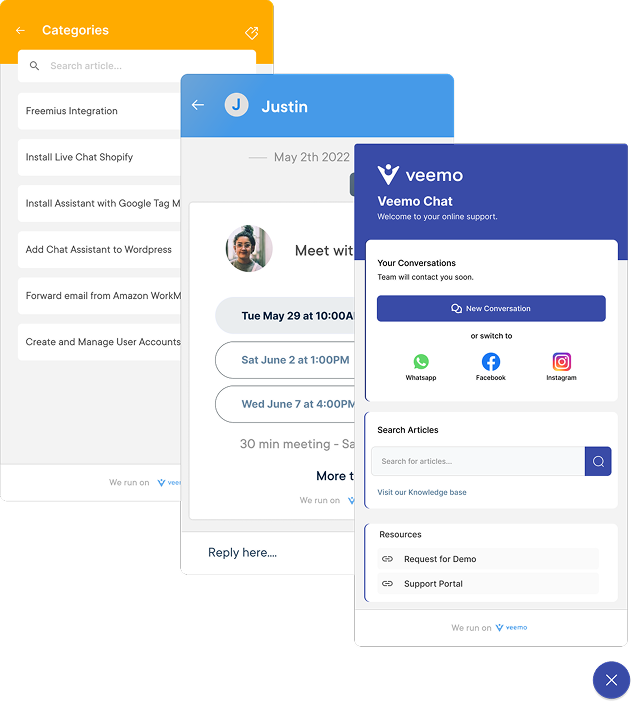
Business Messaging Apps Dashboard1

Instant Messaging

Allows instant messaging between team members. Enables efficient communication, facilitating collaboration and decision making.

File Sharing

Easily share files such as documents, images, and videos. Promotes seamless collaboration and enables team members to access & work on shared files in real-time.

Group Chats and Channels

Support group chats and channels where team members can communicate as well as share information with specific groups. Helps to organize conversations and ensures that relevant messages reach the right people.

Integration with Other Tools

Integrate with other commonly used business tools such as project management software, customer relationship management (CRM) systems, and calendar apps. Allows for streamlined workflows.

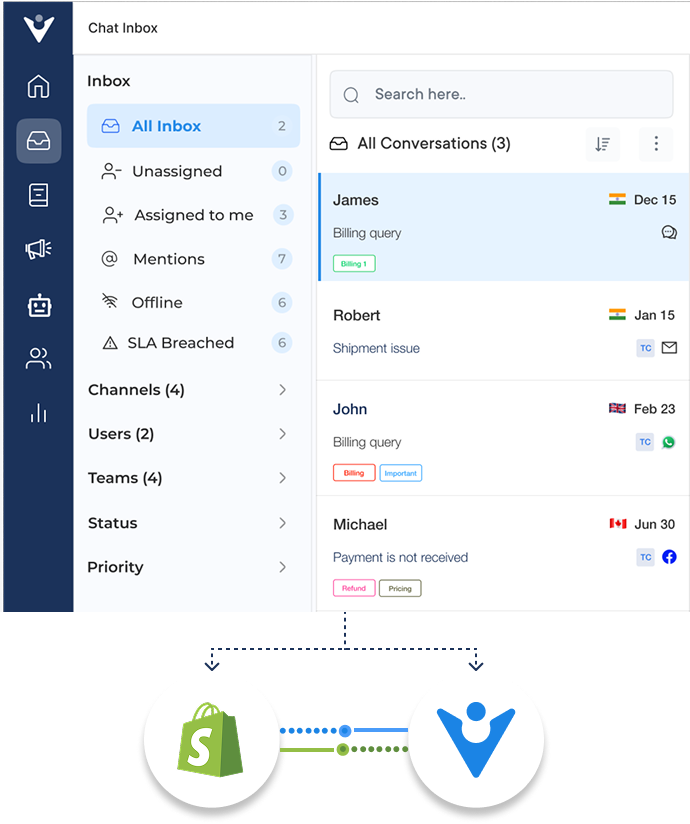
Business Messaging Apps Dashboard2

Instant messaging apps have revolutionized the way we communicate, allowing for real-time collaboration, quick decision-making, and seamless information sharing.

Regardless if you’re a small startup or a large corporation, finding the right platform for your business is crucial to improve customer communication and team collaboration.

Let us review the best business messaging apps, their features, benefits, and why they are worth considering for your organization.

What is a Business Messaging App?

A business messaging app is a communication tool designed specifically for businesses to streamline their customer communication and team collaboration processes. It enables real-time communication through various channels, such as chat, voice, and video, allowing employees to connect with customers effortlessly.

Key objectives:

  1. Efficient communication: Facilitate seamless communication among team members and customers to boost satisfaction.
  2. Enhanced customer support: Maintain personalized customer interactions to build stronger relationships.
  3. Seamless collaboration: Enable agents to collaborate in real-time, regardless of location.
  4. Integration and automation: Automate repetitive tasks such as chatbot responses and message routing to reduce manual effort.

Comparison of Top Business Messaging Tools

Here’s a quick comparison of six popular platforms to help you decide which one fits your needs best.

Software Price
Free Trial/Plan 5 Key Features
Veemo Chat $29/ month 14-day free trial
  • Multi-channel messaging
  • Automation tools
  • Team collaboration
  • Analytics & reporting
Omni24 $19/month 14-day free trial
  • Omnichannel inbox
  • Live chat
  • Chatbot support
  • Team collaboration
Microsoft Teams $4/user/month 1 month
  • Video conferencing
  • File sharing
  • Channels & threads
Slack $7.25/user/month 90 days
  • App integrations
  • File sharing
  • Workflow automation
Flock $4.50/user/month 30 days
  • Team messaging
  • Video conferencing
  • Screen sharing
Google Hangouts Free N/A
  • Group messaging
  • Video calls
  • File sharing

6 Key Business Messaging Platform Features to Consider

Here are the key features that make a business messaging platform a powerful tool for the organization:

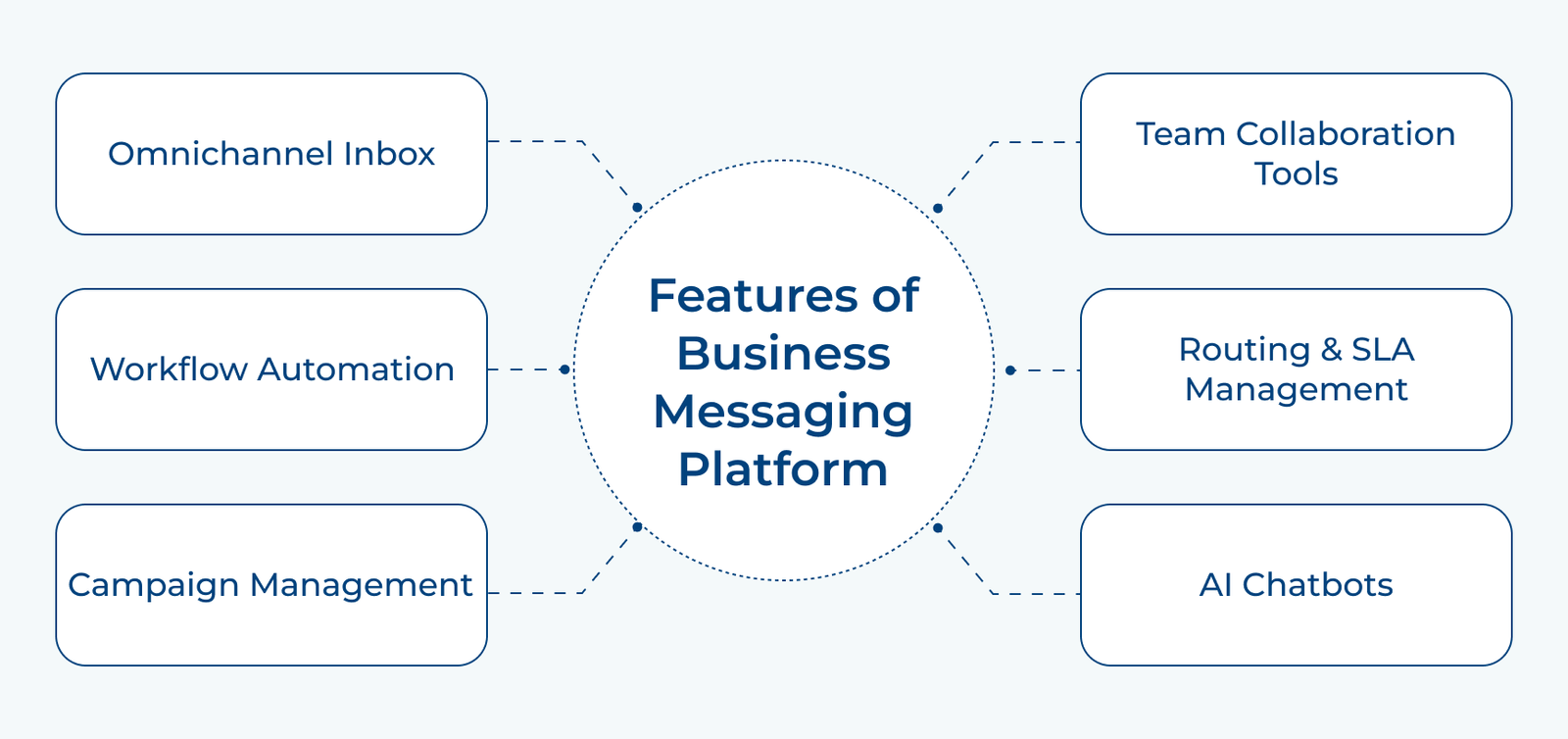
Features of Business Messaging Platform

1. Omnichannel Inbox

A unified inbox that consolidates all incoming messages from various channels, such as WhatsApp, Facebook Messenger, SMS, and email, into a single interface. Agents manage and respond to customer inquiries efficiently, regardless of the communication channel used.

2. Workflow Automation

Advanced workflow automation enables businesses to define and automate various processes, such as ticket assignment, prioritization, escalation, etc. It streamlines operations, reduces manual effort, and ensures efficient handling of customer interactions.

3. Campaign Management

The ability to create and manage targeted campaigns across multiple messaging channels. Businesses here can proactively engage with customers to share updates, promotions, etc. They also get to measure the effectiveness of the campaigns.

4. Team Collaboration Tools

Collaboration features facilitate seamless communication and coordination among team members. These tools include features like internal notes, mentions, and escalation paths. Hence, enabling teams to work together effectively while also providing consistent support.

5. Routing & SLA Management

Intelligent routing and SLA management capabilities ensure inquiries are directed to the most suitable agent based on predefined rules as well as prioritization. It helps businesses meet their SLA targets and provide timely responses to customers.

6. AI Chatbots

Integration with artificial intelligence (AI) chatbots that can handle routine inquiries, provide instant responses, and perform basic tasks. It offloads repetitive tasks from human agents, so they focus on high-value interactions, while still providing prompt assistance to customers.

6 Best Business Messaging Tools for Team Collaboration

Businesses need reliable instant messaging apps to bridge the communication gap, streamlining team collaboration with the rise of remote work and flexible schedules. Here are some of the top business instant messaging apps to consider:

1. Veemo Chat

Veemo Chat is a business instant messaging platform that enables real-time communication between team members through a shared inbox and channels. It supports file sharing and integrates with everyday work tools like project management and CRM apps to streamline collaboration.

Key Features:

  • Team Inbox: Brings messages from multiple channels into one thread, so no context gets lost across tools.
  • Workflow Automation: Uses intelligent automation to handle routine tasks, freeing up team members for higher-priority conversations.
  • Smart Message Routing: Automatically directs conversations to the right team member, cutting down on delayed or missed responses.
  • Knowledge Base: Allows teams to create and organize shared documentation, reducing repetitive questions and onboarding time.
  • Seamless Integrations: Connects with project management, CRM, and calendar apps to support streamlined workflows.

2. Omni24

Omni24 is an AI-enabled business messaging platform that helps teams and businesses communicate seamlessly across multiple channels from one place. Its user-friendly interface streamlines interactions, making it easier to manage conversations without switching between separate tools.

Key Features:

  • Omnichannel Messaging: Lets businesses engage across multiple communication platforms from a single, unified interface.
  • AI-Powered Automation: Uses intelligent chatbots to handle repetitive tasks and deliver instant, personalized responses.
  • Automated Ticketing: Routes support requests based on predefined rules, helping agents resolve issues faster and in the right order.
  • Team Collaboration: Lets team members communicate internally through notes and mentions while resolving customer issues together.
  • 360-Degree Customer View: Surfaces a customer’s full interaction history across channels, giving teams context to anticipate needs.

3. Microsoft Teams

Microsoft Teams is a comprehensive messaging and collaboration platform developed by Microsoft. It combines chat, video calls, file sharing, along with project management features to create an efficient workspace for teams to communicate in real-time.

Key features:

  • Chat and channels: Communicate with team members through individual or group chats, creating dedicated channels for specific projects or topics.
  • Video and audio conferencing: Schedule and join meetings with built-in video/audio calling capabilities, allowing for face-to-face collaboration regardless of location.
  • File sharing and collaboration: Share files, documents and presentations with team members, enabling collaboration as well as version control.
  • Integrated apps and services: Access a wide range of Microsoft & third-party apps such as SharePoint, OneNote, Planner, etc. to enhance productivity.
  • Customization and bots: Customize teams and channels to fit your organization’s needs. Utilize bots to automate repetitive tasks.

4. Slack

Slack is a team messaging app designed to bring teams together, enabling seamless communication and collaboration in one centralized platform. It offers real-time messaging, file sharing & integration with various tools, making it an all-in-one solution for team communication. Slack is particularly favored by tech companies and remote teams due to its ease of use.

Key features:

  • Channels: Organize team conversations into specific channels, allowing members to focus on relevant topics and minimize noise.
  • Direct messaging: Enable private one-on-one or group conversations for more intimate discussions or quick updates.
  • File sharing: Share files of all types and sizes effortlessly, ensuring easy access as well as collaboration on important documents.
  • Integration with third-party apps: Connect Slack with various tools such as Google Drive, Trello, and Zoom to eliminate the need for constant context-switching.

5. Flock

Flock boasts a diverse user base, ranging from small startups to large enterprises. It has found popularity among teams in the technology, marketing, and creative industries. With over 50,000 companies embracing Flock, it has become a trusted tool for team collaboration worldwide.

Key features:

  • Team chat: An intuitive chat platform that allows team members to exchange messages, files, and media seamlessly.
  • Channels: Organize communication into dedicated channels for teams, departments, or projects, ensuring streamlined discussions.
  • Video calls: Conduct high-quality video calls with teammates, making remote collaboration feel more personal and effective.
  • To-dos and reminders: Create tasks, set deadlines and receive reminders, keeping everyone on track while improving productivity.
  • File sharing: Share files of any size with teammates, eliminating the need for clunky email attachments.

6. Google Hangouts

Google Hangouts is a communication platform developed by Google, designed to facilitate instant messaging, voice calls, and video conferences. It offers an efficient way for teams to connect/collaborate whether they are in the same office or spread across different locations.

Key features:

  • Instant messaging: Send real-time messages to individuals or groups to share ideas, updates, files, etc.
  • Voice calls: Make high-quality voice calls with team members and eliminate the need for additional communication tools.
  • Video conferences: Conduct virtual meetings with smooth video/audio quality, allowing face-to-face interaction even when physically apart.
  • Screen sharing: Share your screen with participants during video conferences, enabling seamless collaboration and presentations.
  • Integration with google apps: Seamlessly integrate Hangouts with other Google apps such as Google Drive and Google Calendar for efficient workflow management.

How to Choose the Best Business Messaging Software

Selecting the right business messaging software can shape how efficiently your team communicates and how well you serve customers. Here are eight factors worth evaluating before making a decision.

1. Channel Integration

The right software should unify conversations across email, chat, social media, and other channels into a single inbox. This prevents fragmented communication, reduces missed messages, and keeps both customer and team conversations organized in one place.

2. Automation & AI Capabilities

Look for intelligent routing, chatbots, and automated responses that reduce manual effort across daily tasks. AI-powered automation helps teams handle routine queries quickly, freeing up time for complex conversations that need human attention.

3. Integration with Existing Tools

A strong messaging platform should connect seamlessly with CRM, project management, and calendar apps used across departments. This ensures smoother workflows, avoids duplicate data entry, and eliminates the need to switch between disconnected tools.

4. Security & Data Protection

Since messaging often involves sensitive customer and business information, the software should offer encryption, access controls, and backup mechanisms. Robust security safeguards data integrity and protects both customer and internal communications from potential breaches.

5. Scalability

As teams and customer bases grow, the platform should scale without compromising speed or performance under increased load. Choosing scalable software early avoids the disruption and cost of switching tools later as needs expand.

6. Pricing & Value for Money

Compare plans based on the features offered rather than cost alone, since cheaper options may lack essential functionality. The right pricing structure should align with team size, usage patterns, and expected future growth.

7. Customer Support & Reliability

Evaluate the vendor’s support responsiveness, uptime record, and documentation quality before committing to a platform long-term. Reliable support minimizes downtime risks and ensures quick resolution whenever technical issues or disruptions arise.
How can Business Messaging Solution Improve Communication?

Business messaging solutions do more than just enable conversations, they transform how teams and customers connect. Here are six key benefits worth considering.

Features of Business Messaging Platform
  1. Faster Response Times

Instant messaging allows teams to respond to customer queries in real time, reducing wait times significantly. This immediacy improves customer satisfaction and helps resolve issues before they escalate into bigger problems.

  1. Improved Team Collaboration

Group chats, channels, and mentions help team members share updates and make decisions quickly. This reduces reliance on lengthy email threads and keeps everyone aligned on ongoing projects and tasks.

  1. Centralized Communication

Consolidating conversations from email, chat, and social media into one inbox eliminates the need to switch platforms. This centralization saves time and ensures no customer message goes unanswered or overlooked. 

  1. Enhanced Customer Experience

Personalized, real-time interactions make customers feel valued and heard throughout their journey with a business. This builds trust, strengthens loyalty, and increases the likelihood of repeat engagement over time.

  1. Increased Productivity

Automation features like chatbots and intelligent routing handle repetitive tasks, freeing employees to focus on complex work. This reduces manual workload and allows teams to accomplish more within the same timeframe. 

  1. Cost Efficiency

Consolidating multiple communication tools into one messaging platform reduces software costs and training overhead for teams. This streamlined approach also lowers the resources needed to manage separate systems. 

Scale your Customer Communication with Veemo Chat

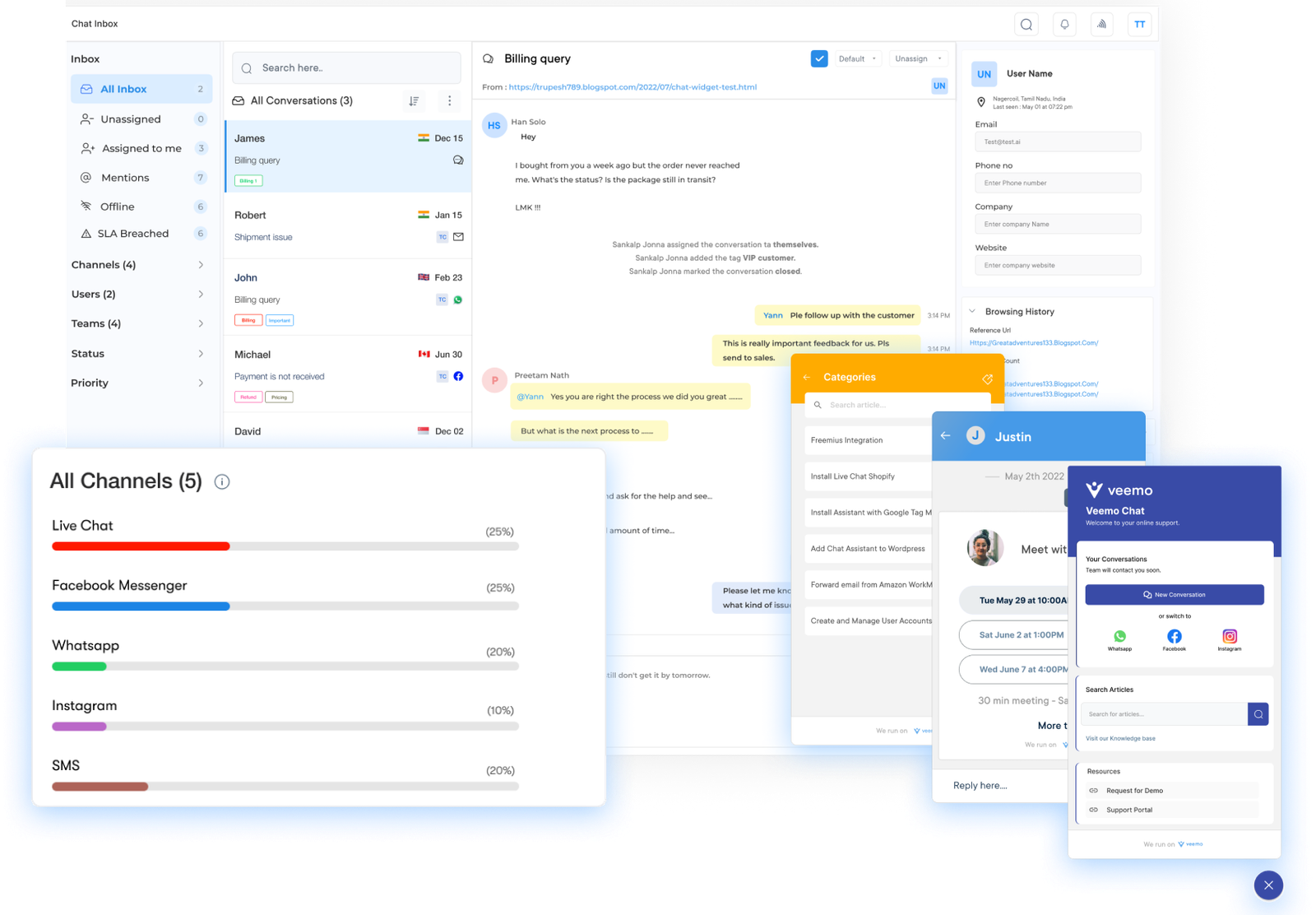
The best business messaging software offers a more convenient way to communicate with customers. Veemo Chat makes managing multiple channels effortless by consolidating all communications from social media, email and live chat into a shared inbox

This ensures customer messages are received and answered promptly. It creates a consistent experience across every touchpoint of the customer journey from initial inquiry to final purchase

Last update: August 19, 2026

FAQs about Business Messaging Apps & Software

Business messaging tools give customers instant access to support through convenient platforms. Agents can use it to respond quickly and offer personalization for resolving issues faster than traditional channels.

This efficiency boosts overall customer satisfaction while saving the business valuable time. Teams can spend less time switching between tools and more time actually required in solving problems for customers.

Reputable tools use encryption, secure data storage and access controls to protect customer data as well as communications from unauthorized access. Regular security audits all boost this protection over time.

Businesses can comply with privacy regulations such as GDPR while minimizing security risks from cyber threats. Select a vendor that have strong compliance credentials reducing long-term operational risk.

Most software enable targeted messages, personalized promotions and timely updates that boost engagement across every channel. Personalization makes outreach feel relevant and timely instead of  generic to the recipient. Some benefits include:

  • Higher response and conversion rates from personalized messaging
  • Built-in analytics and reporting to measure campaign performance 
  • Data-driven insights for marketers to refine strategies over time
  • Stronger long-term customer relationships that improve marketing ROI

Yes, small businesses gain a powerful messaging tool to compete with larger companies on service quality, response time, as well as overall customer experience. It does not require any heavy upfront investment in staff, training or infrastructure.

  • Stronger customer loyalty through more consistent communication
  • Automation that significantly reduces day-to-day manual workload for teams
  • More time freed up to focus on long-term business growth

A good platform integrates seamlessly with CRM software, email marketing tools and helpdesk solutions that are already in use. It helps in avoiding the need for a complete workflow overhaul, reducing manual data transfer between disconnected systems, saving time and reducing costly errors.

The unified view of customer interactions simplifies conversation tracking and enables more personalized customer management across departments. Teams gain full context, improving both response quality and overall speed while reducing friction between sales, support and marketing functions.