1. Implement Efficient Ticket Routing System
An efficient ticket routing system is key to reducing first response time. It eliminates delays from manual sorting by automatically directing inquiries to the right customer service agent or department, allowing support teams to resolve issues faster.
The automation minimizes response time, reduces human error and ensures that specialized queries are handled by the right experts right away with predefined rules to assign tickets.
Actionable tips:
- Regularly update routing rules to align with changes in your products, services or team structure, ensuring tickets are always directed to the right person.
- Introduce priority-based routing that considers customer status, issue urgency and agent workload to optimize ticket distribution.
2. Use Customer Service Automation Tools
Customer service automation tools are key to handling high inquiry volumes efficiently. They manage routine tasks, instantly address common questions and free up agents for more complex issues, leading to faster response times.
Tools like chatbots or AI-powered systems can quickly acknowledge inquiries or resolve simple issues, while gathering initial details for more complex queries before routing them to the right agent, speeding up the overall response process.
Pro tips:
- Begin by automating responses to your most common inquiries. Review support tickets to pinpoint recurring issues that can be addressed with automated solutions.
- Implement a hybrid system where automation handles initial contact and information gathering, then seamlessly transfers to a human agent when necessary.
3. Create Comprehensive Knowledge Base Articles
A well-organized knowledge base empowers customers to resolve common issues independently, significantly reducing incoming support tickets. The self-service option not only lowers FRT for those who still need assistance but also enhances customer satisfaction by providing quick access to solutions.
A knowledge base lightens the workload for support teams by offering detailed, easily accessible answers to frequently asked questions. Agents can focus on more complex issues, improving response times for all inquiries and optimizing efficiency.
Actionable tips:
- Keep your knowledge base fresh by regularly updating it with new product features, common questions and feedback from your support team.
- Implement a robust search function within your knowledge base and integrate it with your ticketing system, allowing agents to quickly share relevant articles when responding to customers.
4. Train the Support Team On Prioritization
Prioritization training empowers support agents to quickly identify and tackle the most urgent or time-sensitive issues, helping them manage high inquiry volumes effectively. The skill is essential for maintaining customer satisfaction, especially when dealing with diverse customer requests.
Prioritization ensures that critical tickets are addressed first by teaching agents to assess the urgency and impact of each inquiry. The approach minimizes delays for high-priority issues, resulting in faster response times and improved efficiency.
Best practices:
- Create a simple prioritization matrix for agents to quickly assess tickets. Include key factors like customer status, issue severity and business impact to guide decision-making.
- Conduct regular training sessions and role-playing exercises to help agents practice quick decision-making in various scenarios. It builds confidence and improves their ability to prioritize effectively under pressure.
5. Optimize Staffing During Peak Hours
Aligning staffing with peak inquiry times is key to maintaining fast response rates. Ensuring adequate agent availability during busy periods helps prevent backlogs and long wait times, keeping customers satisfied.
Businesses can manage the workload more efficiently with more agents on hand during high-volume hours, preventing overwhelm and speeding up response times across the board.
Pro tips:
- Analyze past data to pinpoint peak inquiry times, such as specific hours, days or seasons and use the insights to create staffing schedules that align with demand.
- Consider flexible hours or part-time shifts to cover busy periods, optimizing efficiency while minimizing costs during slower times.
6. Utilize Canned Responses For Common Queries
Canned responses or pre-written templates are a game-changer for handling common inquiries swiftly and consistently. They save agents time, ensure accuracy and maintain a consistent tone across interactions. 92% of the customers felt satisfied after using canned messaging features.
Canned responses streamline the process of providing the first reply by enabling agents to quickly customize the templates. It boosts efficiency, allowing agents to handle more inquiries in less time and significantly reducing first response times.
Actionable tips:
- Regularly update your canned responses to keep them accurate, relevant and consistent with your brand’s voice. Involve your support team to gather valuable insights and ensure quality.
- Train agents to personalize canned responses effectively, adding a human touch to each interaction. Highlight the importance of tailoring responses to each customer’s unique situation for a more engaging experience.
7. Implement Live Chat On Website
Live chat offers instant communication, allowing customers to get quick answers without leaving your website. It’s ideal for handling simple queries or guiding customers through processes, reducing the need for slower email or phone interactions.
Agents can respond faster with the ability to manage multiple chats at once, while the real-time nature of live chat accelerates issue resolution compared to asynchronous channels like email.
Actionable tips:
- Integrate live chat with your CRM and knowledge base to provide agents with instant access to customer data or other relevant resources.
- Set up chatbots to handle initial greetings or simple queries, allowing human agents to focus on more complex issues and reducing response times.
8. Streamline Internal Communication Between Departments
When support agents can easily access information from other departments, like product development or billing, it ensures a smoother process for addressing complex queries. The collaboration helps provide customers with accurate, reducing frustration and improving satisfaction.
Agents can swiftly gather the information they need to craft comprehensive first responses by setting clear communication protocols between teams. It eliminates delays caused by internal bottlenecks, allowing for faster, more efficient support.
Actionable tips:
- Create an internal knowledge-sharing platform where departments can post updates, FAQs and key information for customer support teams.
- Establish service level agreements (SLAs) between support and other departments for responding to internal queries.
9. Regularly Analyze And Improve Response Processes
Ongoing analysis and refinement of your response processes are key to improving customer support efficiency. Regularly reviewing performance metrics, gathering feedback and testing new strategies help identify bottlenecks, ensuring faster responses.
You can adapt to evolving customer needs and increase both first response times by continuously fine-tuning your approach. The proactive improvement enhances better customer experiences and keeps your support team at peak performance.
Actionable tips:
- Hold monthly reviews of key metrics like FRT and set clear, measurable improvement goals.
- Engage your support team in brainstorming ideas to hit the targets.
- Use A/B testing to evaluate different support strategies, measuring their impact on FRT and other performance indicators for data-driven improvements.
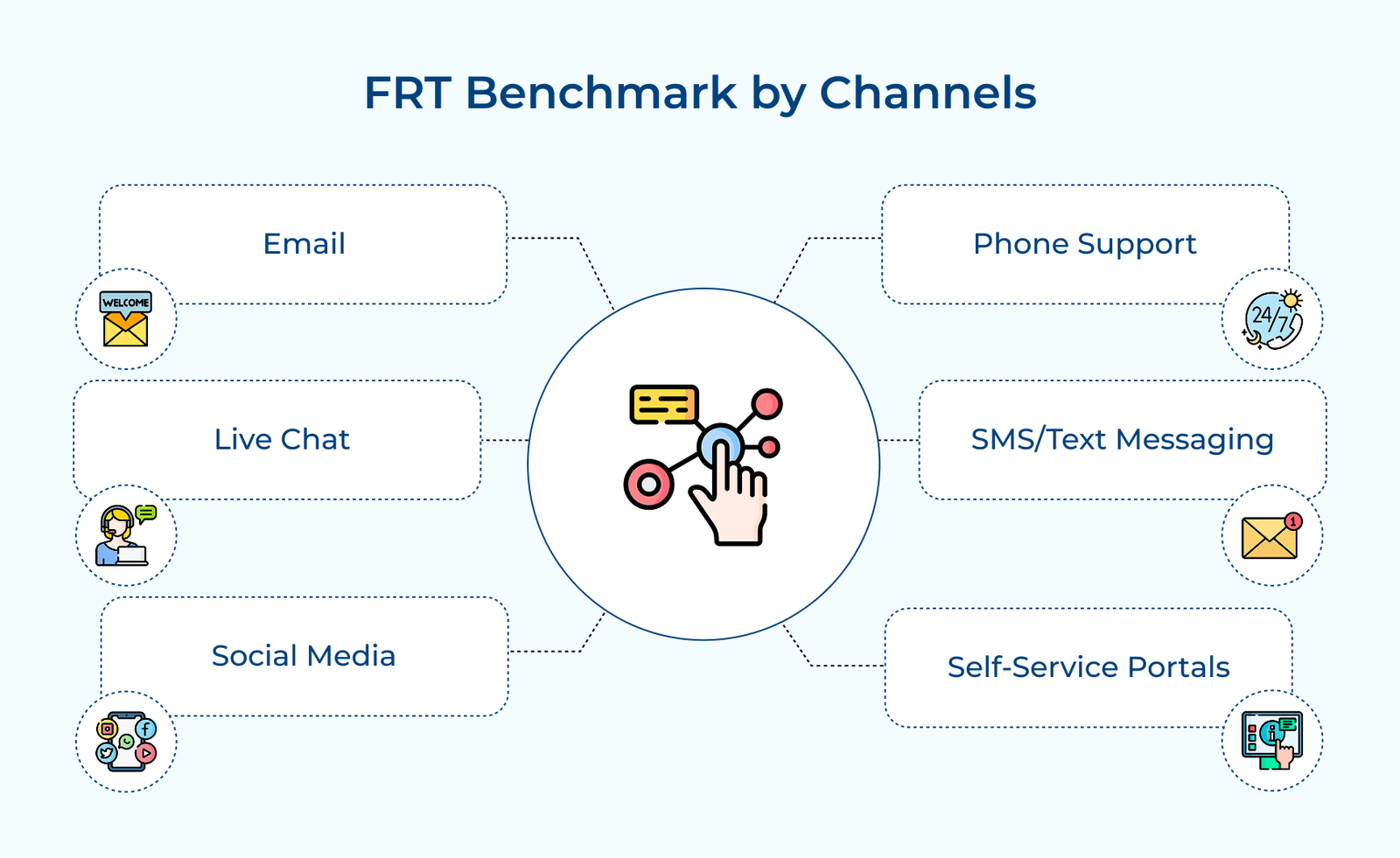
FRT Benchmark by Channels
Let’s explore the world of FRT scores, breaking down key benchmarks by channel that can take your marketing strategy to the next level.