Help Desk vs Technical Support: How do They Differ?
Learn about the key differences between help desk vs technical support. It highlights their roles, responsibilities, workflows and how each contributes to efficient problem resolution.

Learn about the key differences between help desk vs technical support. It highlights their roles, responsibilities, workflows and how each contributes to efficient problem resolution.
When your computer crashes or software won’t cooperate, you need someone to rescue you from digital chaos. Many confuse a help desk with technical support, wasting time and resources daily. The two support systems serve distinct roles within your organization’s IT setup. Help desk handles quick user issues while the technical support tackles complex system problems. Understanding the distinction between help desk vs technical support transforms how you structure your IT operations.
Choosing the wrong support model can leave your team frustrated and your technology underperforming. The right approach ensures smooth operations and happy users. Let’s explore how these support systems differ and which one fits your specific business needs.
A help desk refers to an organization’s first line of defense when technology issues arise. It acts as a central hub where users report problems and receive immediate assistance, connecting frustrated users to solutions quickly.
Help desk operations follow a structured approach focused on fast problem resolution. When a ticket is submitted, it’s routed to the appropriate technician, who diagnoses the issue and provides step-by-step guidance to get users back on track.
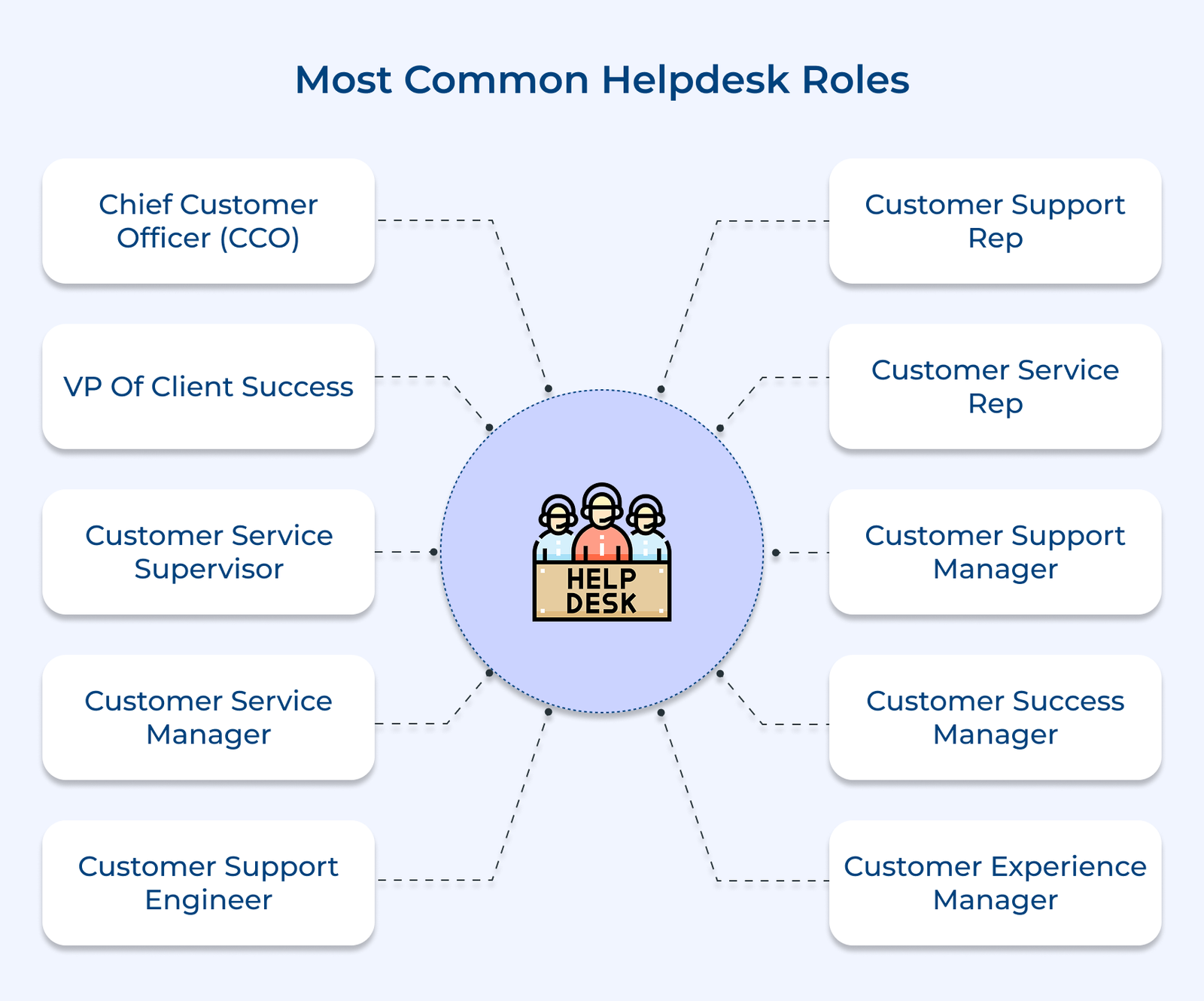
Key roles:
Technical support refers to the specialized expertise that solves complex technology challenges beyond basic troubleshooting. Unlike help desk assistance, it involves in-depth system analysis and advanced problem-solving.
The experts step in when critical issues threaten business operations, restoring functionality and preventing future breakdowns. Their intervention ensures technology systems remain stable and efficient, supporting smooth long-term operations.
Key roles:
The following are the reasons why having both a help desk and technical support is essential for any business that values long-term customer satisfaction.
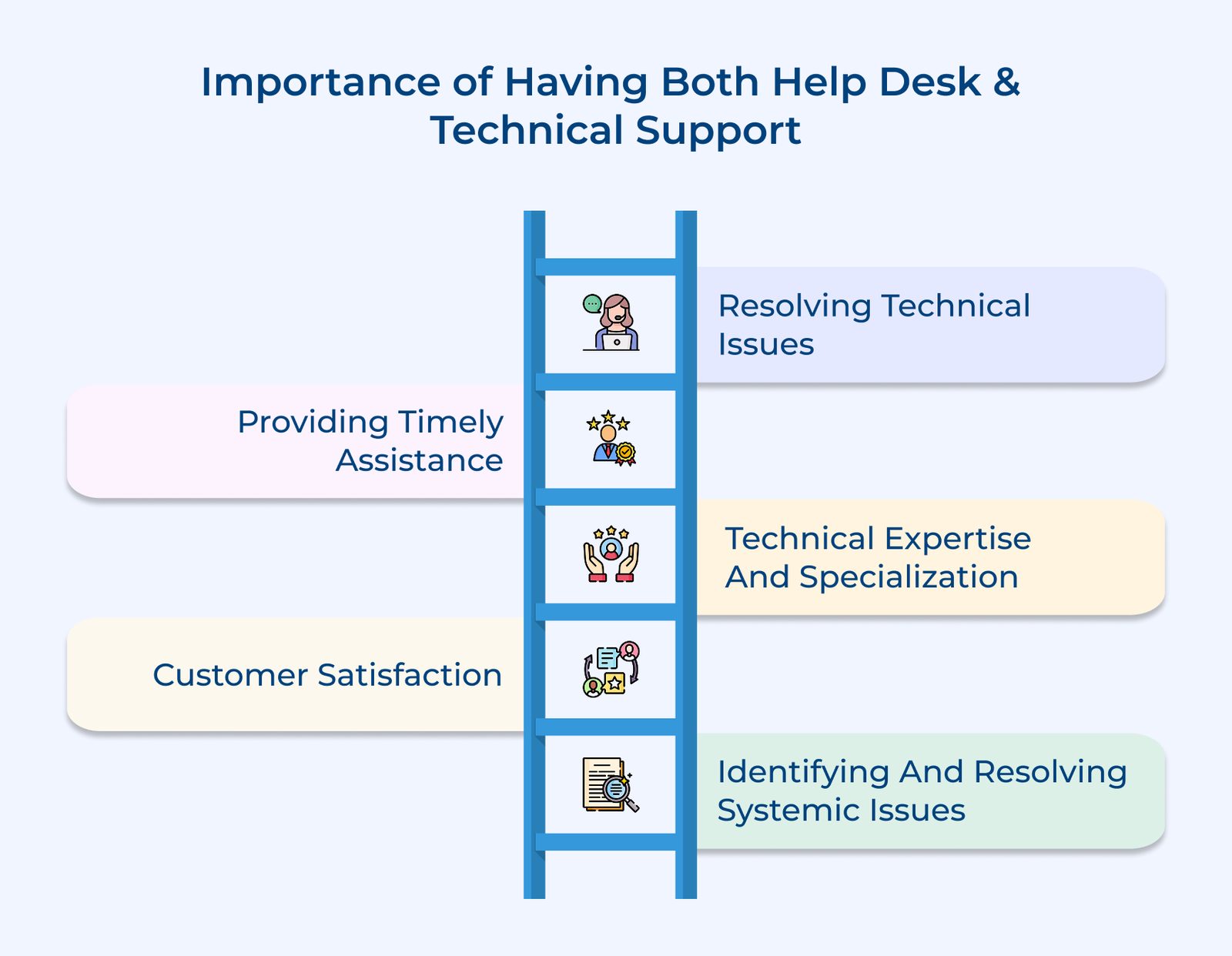
The help desk is the first point of contact for users experiencing technical problems, providing initial troubleshooting and guidance. When issues go beyond basic fixes, technical support steps in with the expertise and tools to solve complex problems.
Technical issues can arise at any time and they can significantly disrupt productivity. Businesses can ensure that assistance is available round the clock by having both help desk and technical support systems in place. Help desk teams can provide immediate support during regular business hours, while technical support teams can handle more urgent issues during off-hours.
Help desk staff focus on common issues and basic troubleshooting, while technical support specialists bring deeper knowledge in specific technical areas. Having both ensures that all types of technical problems are addressed efficiently.
Quick and reliable support is crucial for maintaining customer trust. A responsive help desk paired with knowledgeable technical support ensures that users get the help they need. It leads to higher satisfaction and stronger relationships.
Help desk and technical support not only assist individuals but also help identify and resolve systemic issues. The teams can identify underlying problems in systems or processes by analyzing customer feedback, common trends and recurring issues. They collaborate with IT or development teams to implement long-term solutions and prevent recurring issues.
Let’s break down the key differences between a technical support team and a help desk, so you can see how each plays a unique role in keeping customers satisfied.
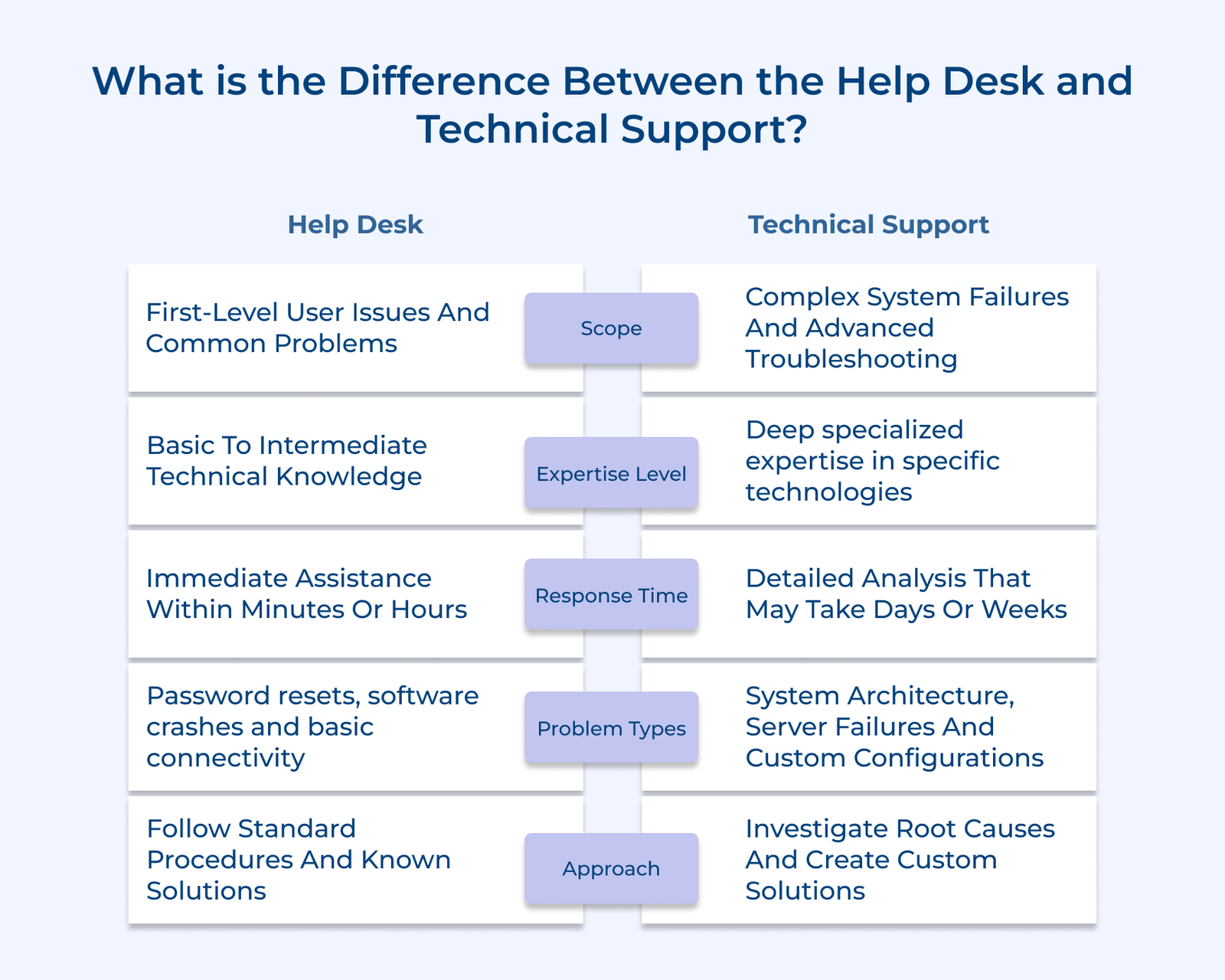
The help desk is usually the first point of contact for users experiencing technical problems. Its focus is on basic troubleshooting and support for common issues, such as password resets, software installations and minor hardware problems.
Technical support handles more complex issues. Specialists bring in-depth knowledge of specific hardware or software systems to diagnose system errors, configure networks and assist with advanced software functions.
Pro tips:
Help desk professionals have a broad but general understanding of software, hardware and systems. They handle basic technical tasks like password resets, software setup and simple troubleshooting, usually following predefined procedures or knowledge base guides.
Technical support professionals bring deeper expertise in specific products or systems. They deal with complex technical problems that require advanced diagnosis, system optimization and expert guidance.
Actionable tips:
The help desk is the first stop for users facing technical problems. Its role is to provide quick fixes and basic troubleshooting that help users get back to work fast. Help desk staff often use scripts or knowledge bases to guide their responses and ensure consistency.
Technical support handles deeper and more complex issues that go beyond standard fixes. The specialists have a stronger technical background and use advanced diagnostic methods to uncover root causes or implement lasting solutions.
Best practices:
The help desk is designed for speed. It handles common technical issues and user requests quickly, offering immediate assistance or routing complex problems to the right team. The quick turnaround helps minimize downtime and keeps daily operations running smoothly.
Technical support takes more time because it deals with intricate problems that require deeper investigation. The specialists often need to analyze systems, test solutions or collaborate with other teams before providing an answer.
Key takeaways:
The help desk is usually the first place users turn when they need assistance. It ensures quick acknowledgment of issues but often operates only during standard business hours. It means support may pause once the workday ends.
Technical support offers broader coverage. Many technical support teams are available 24/7 or have extended hours to handle urgent or complex problems whenever they arise. The constant availability is especially important for global operations or businesses that rely on uninterrupted technology access.
Pro tips:
The escalation path in a help desk typically involves a tiered system where concerns are routed to higher-level technicians or specialists as needed. It ensures that more complex issues are addressed by experts who possess the necessary knowledge and skills.
Technical support operates on a similar principle but at a higher level of expertise. When an issue requires advanced troubleshooting or specialized expertise, it’s escalated to senior engineers or domain experts. They identify the root cause and provide long-term solutions.
Actionable tips:
Below are the essential tips to ensure that your help desk and technical support run successfully, elevating your service delivery to new heights.
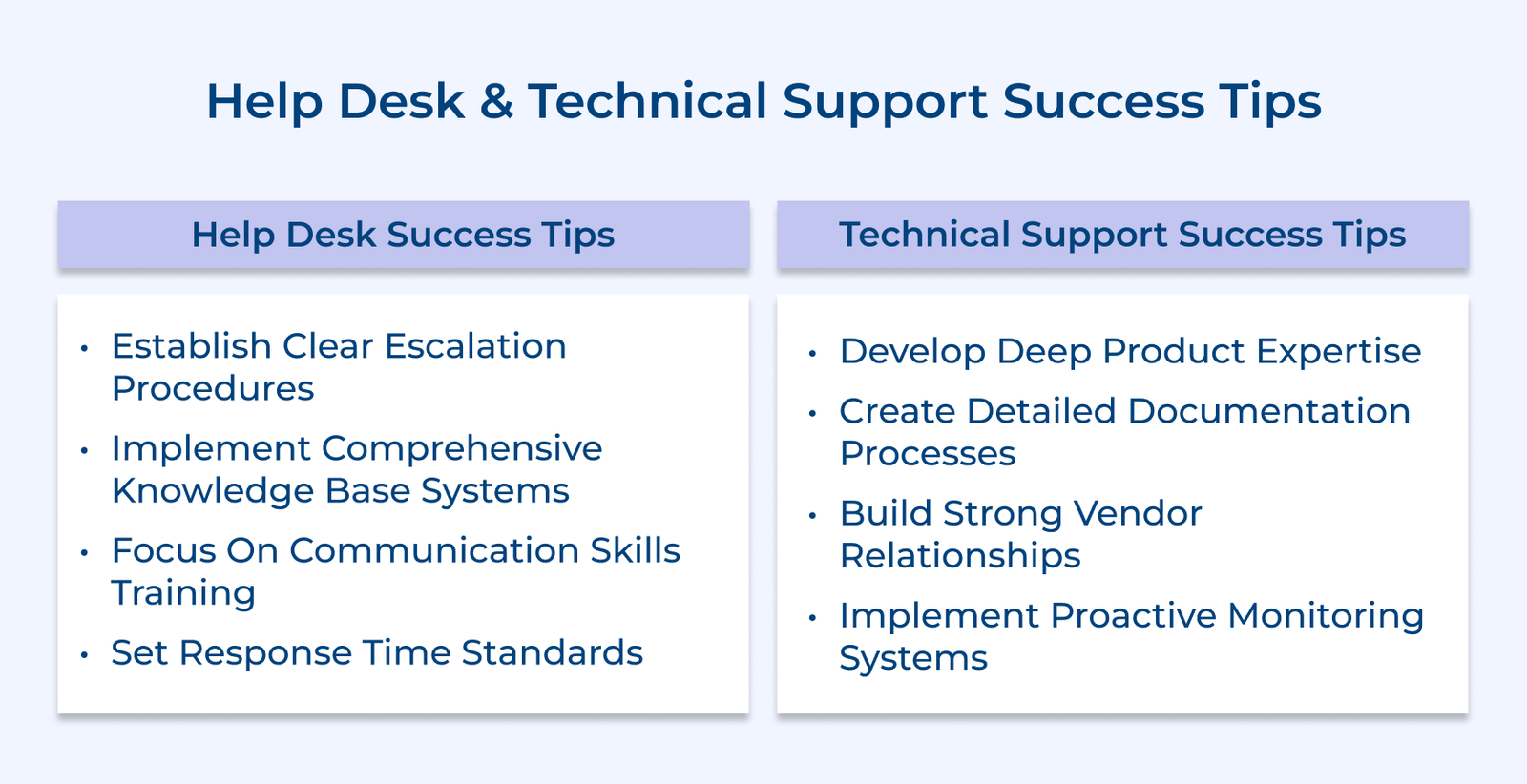
Establish clear escalation procedures
Set straightforward pathways to route complex issues to technical support. Train your team to recognize problems beyond their expertise. It prevents frustrated customers from being bounced around and ensures timely resolution.
Implement a comprehensive knowledge base
Create searchable guides with common solutions and troubleshooting steps. Instant access to proven fixes helps agents resolve recurring problems quickly and consistently.
Focus on communication skills
Develop your team’s ability to explain technical concepts in simple terms that users understand easily. Patient communication often matters more than technical expertise at the help desk level. Clear explanations transform frustrated customers into confident users.
Set response time standards
Define clear timeframes for acknowledging and responding to tickets. Consistent response times build trust and set clear expectations for users.
Develop deep product expertise
Invest in advanced training covering system architecture and complex troubleshooting for your technology stack. Technical support teams need a comprehensive understanding of component interactions. The knowledge enables root cause identification instead of temporary fixes.
Create detailed documentation processes
Document complex problems and solutions thoroughly for future reference. It prevents repeated work and strengthens overall team knowledge.
Build strong vendor relationships
Maintain direct communication with software and hardware vendors for critical issue escalation beyond internal capabilities. The partnerships provide access to engineering teams and advanced tools when standard troubleshooting fails.
Implement proactive monitoring systems
Use tools to detect potential failures before they impact users. Proactive monitoring allows technical teams to address issues during planned maintenance rather than in emergencies, shifting support from reactive to strategic.
Understanding the difference between help desk and technical support changes how organizations address technology challenges. The help desk provides quick solutions for immediate user issues, while technical support resolves complex problems that require specialized expertise.
The key to success lies in implementing both support levels strategically rather than choosing one over the other. When properly coordinated, the teams create a comprehensive support ecosystem that keeps your technology running smoothly and your users productive.

Most help desk positions require a strong understanding of computer systems and software applications or excellent customer service skills. Employers typically prefer candidates with a degree in computer science, information technology, or a related field. Communication skills, problem-solving abilities and patience are also crucial for success in help desk roles.
Technical Support roles demand specialized knowledge of particular systems or products. A bachelor’s degree in computer science, engineering or a related field is often preferred. Strong analytical skills, problem-solving abilities and adaptability to new technologies are key.
Yes. help desk staff handle initial inquiries and basic troubleshooting, escalating complex issues to technical support. The collaboration ensures efficient resolution and a seamless user experience.
Working in the help desk or technical support can be a stepping stone for various careers in the IT industry. Professionals can progress to roles such as network administrator, systems analyst, IT manager or even specialize in areas like cybersecurity or cloud computing. Continuous learning and staying up-to-date with the latest technologies are key to advancing in the fields.
The help desk provides general assistance to users, handling software or hardware issues, password resets and system configurations. They are the first point of contact and rely on knowledge bases for common problems.
Technical support handles complex issues requiring specialized expertise. Responsibilities include diagnosing problems, providing remote guidance, working with IT teams for escalation, contributing to knowledge bases and training help desk staff.

Grow Customer Relationships and stronger team collaboration with our range of products across the Conversational Engagement Suite.
Omnichannel Customer Support & Help Desk Software
AI Enabled Business Messaging and Chatbot Software
Sales Engagement & CRM Software
Call Center Software & Virtual Phone System
Product Marketing & Experience Platform
Customer Experience & Feedback Management Software

 Customer Service Chatbots: Benefits, Strategies & Best Examples
Scroll to top
Customer Service Chatbots: Benefits, Strategies & Best Examples
Scroll to top