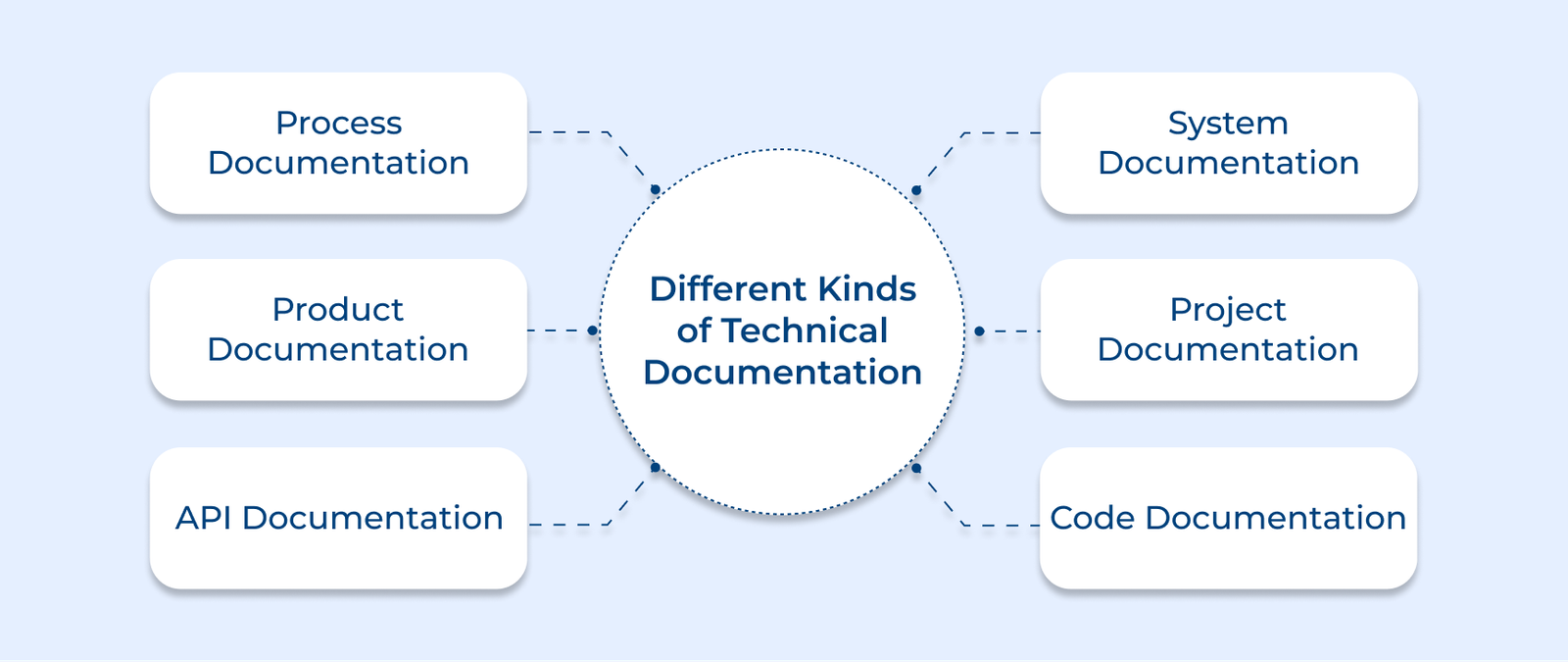
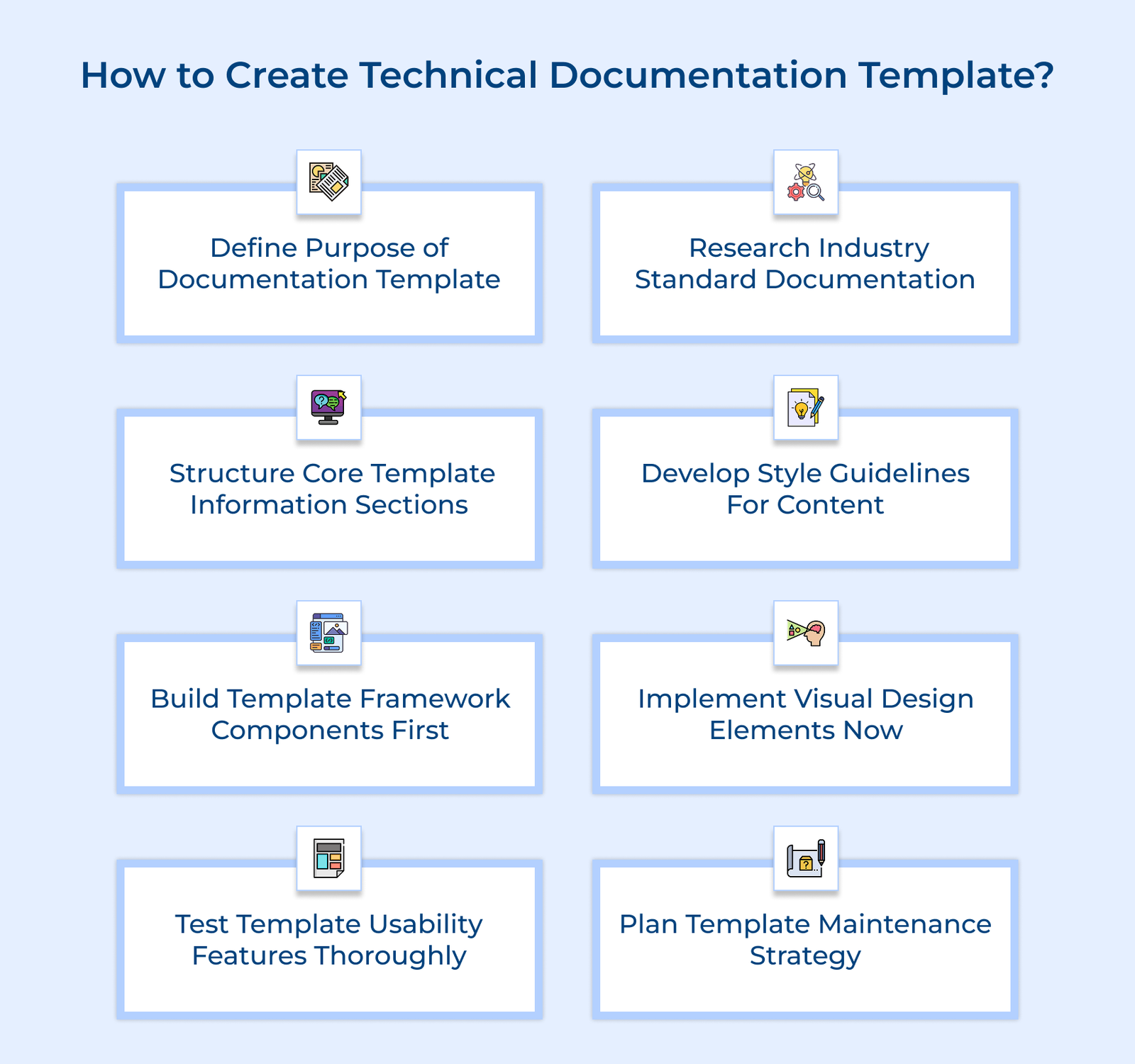
1. Define Clear Purpose of Documentation Template
Defining a clear purpose for your documentation template is the first step in guiding the entire process. It ensures the documentation meets the needs of its audience and business goals. It prevents scope creep and keeps things on track.
Start by identifying your audience’s needs and challenges. Talk to potential users to understand their technical skills and how they’ll use the documentation. Look into current documentation issues that need fixing. The research ensures the template addresses real user needs, not just assumptions.
Next, set clear documentation goals and define the scope. Decide what information should be included and what can be left out. Take into account technical details, legal requirements and accessibility needs. This keeps the template focused and prevents unnecessary complexity.
Pro Tips:
- Conduct one-on-one interviews with users across departments to know their documentation challenges. The direct feedback proves invaluable for understanding real-world needs.
- Map the user journey by tracing a typical user’s steps from their first interaction with the documentation to reaching their goal. The exercise reveals critical touchpoints where your template needs to provide the most support.
2. Structure Core Template Information Sections
Creating a logical structure for your template ensures information flows naturally and users can find what they need quickly. An organized template cuts down on confusion, enhances the user experience and makes maintaining documentation simpler.
Create Logical Information Hierarchy
Design a clear hierarchical structure that organizes content from general to specific topics. Establish primary sections that cover major themes and break them down into subsections. Consider how different types of users will navigate through the information.
Design Consistent Navigation System
Develop a navigation framework that helps users move efficiently through the documentation. Include clear pathways between related topics and create intuitive menu structures. Consider implementing breadcrumbs, section links and quick reference guides.
Draft Standardized Section Headers
Create consistent header formats that indicate content hierarchy and relationships. Create naming conventions that align with your audience’s language and make sense to them. Ensure headers provide clear context about the information contained within each section.
3. Develop Style Guidelines for Content
Creating comprehensive style guidelines ensures consistency across all documentation and establishes a professional brand voice. The guidelines act as a reference for all content creators, ensuring consistent quality even when multiple authors contribute. Key use cases and application scenarios are:
- A software company creates extensive user guides for its enterprise platform. The style guidelines ensure technical terms are explained clearly, reducing customer confusion and support tickets.
- A manufacturing firm documents complex assembly procedures. Standardized formatting makes it easy for workers to find key safety info and necessary tools for each step.
- A healthcare technology provider maintains regulatory compliance documentation. Their strict typography guidelines ensure critical medical information remains clear and legible across all devices.
- A global tech company manages documentation in multiple languages. Their voice tone guidelines help maintain consistent messaging when content gets translated for different markets.
One key challenge in creating style guidelines is balancing consistency with flexibility. To address this, set core rules that must be followed and offer flexible recommendations for different content types.
4. Build Template Framework Components
Building template framework components creates the structural foundation that supports all your documentation content. Think of it like constructing the blueprint of a house before adding the interior design elements. This approach keeps your documentation consistent and scalable, allowing content creators to focus on delivering useful information.
These framework components work together like building blocks in a well-orchestrated system. Reusable content blocks become standard pieces that authors can easily add to any document.
Page layouts provide consistent structures that guide content organization. Navigation patterns help users move intuitively through complex information hierarchies.
A software company creates a troubleshooting guide template. Their framework includes standard problem-solution blocks, consistent technical notes and uniform procedure layouts. This standardization helps technical writers quickly document new issues while ensuring users can easily find solutions across different product guides.
Pro Tips:
- Begin by sketching your framework on paper to visualize how the elements interact and spot layout issues early, before moving to digital tools.
- Map out user workflows through the documentation to refine your framework. Understanding how users navigate content helps create a more intuitive structure.
5. Implement Design Elements for the template
Visual design elements transform your technical documentation from plain text into an engaging and user-friendly resource. The elements break up dense information and guide readers through complex content, all while staying true to your brand. Good design makes documentation easier to follow and helps users remember key points. How to choose Appropriate Color Schemes:
- Choose colors with strong contrast for readability, keeping accessibility in mind. Stick to your brand’s primary colors while ensuring they’re comfortable for long reading sessions.
- Use color psychology by choosing blues for technical info and greens for success messages or help sections to create a clear, intuitive flow. This creates intuitive visual cues for users.
- Limit your color palette to 3-4 main colors to prevent visual overwhelm. Consider how these colors will appear in both digital and printed formats.
- Create a clear color hierarchy where your primary color guides attention to important information while secondary colors support less critical elements.
- Remember to test your color schemes under different lighting conditions and screen settings to ensure consistent visibility.
Visual design elements guide users through your documentation. Graphics highlight key points, consistent image placement creates clear patterns and color schemes differentiate information types. Well-designed icons help users quickly find sections, all working together to improve the learning experience.
6. Test Template Usability Features Thoroughly
Testing template usability is a critical quality assurance step that validates whether your documentation template effectively serves its intended purpose. The evaluation process helps catch issues early, ensuring the template meets both user and organizational goals before it’s adopted.
Conduct User Experience Testing
Choose a diverse group of users to test the template in real situations. Observe how they navigate different sections and take note of any areas where they struggle or hesitate. Collect specific feedback about navigation ease, content clarity, and overall template functionality.
Gather Stakeholder Template Feedback
Present the template to key stakeholders, including technical writers, subject matter experts and project managers. Record their feedback on content layout, workflow ease and how flexible the template feels. Their input helps adjust the template to fit different department needs.
Validate Template Functionality Requirements
Systematically check each template component against your original requirements list. Check how the template works with various content types, formats and document lengths to make sure it holds up across different uses. Verify that all interactive elements work correctly across different platforms and devices.
7. Plan documentation Template Maintenance Strategy
A well-planned maintenance strategy ensures your template remains effective and relevant over time. A proactive approach helps keep the template useful, content up to date and quality consistent as your organization changes.
Schedule Regular Review Cycles
Set regular times to review the template. Go over user feedback, check how well it’s working and see if it still fits current business needs. Use these insights to plan necessary updates.
Create Update Documentation Process
Develop clear procedures for implementing template changes. Define who can request updates, how changes get approved and how modifications are communicated to template users. Include guidelines for testing and validating template modifications.
Establish a Version Control System
Implement a robust version control system that tracks template changes over time. Keep a clear record of why each change was made, track all updates and make sure users always have access to the latest version.
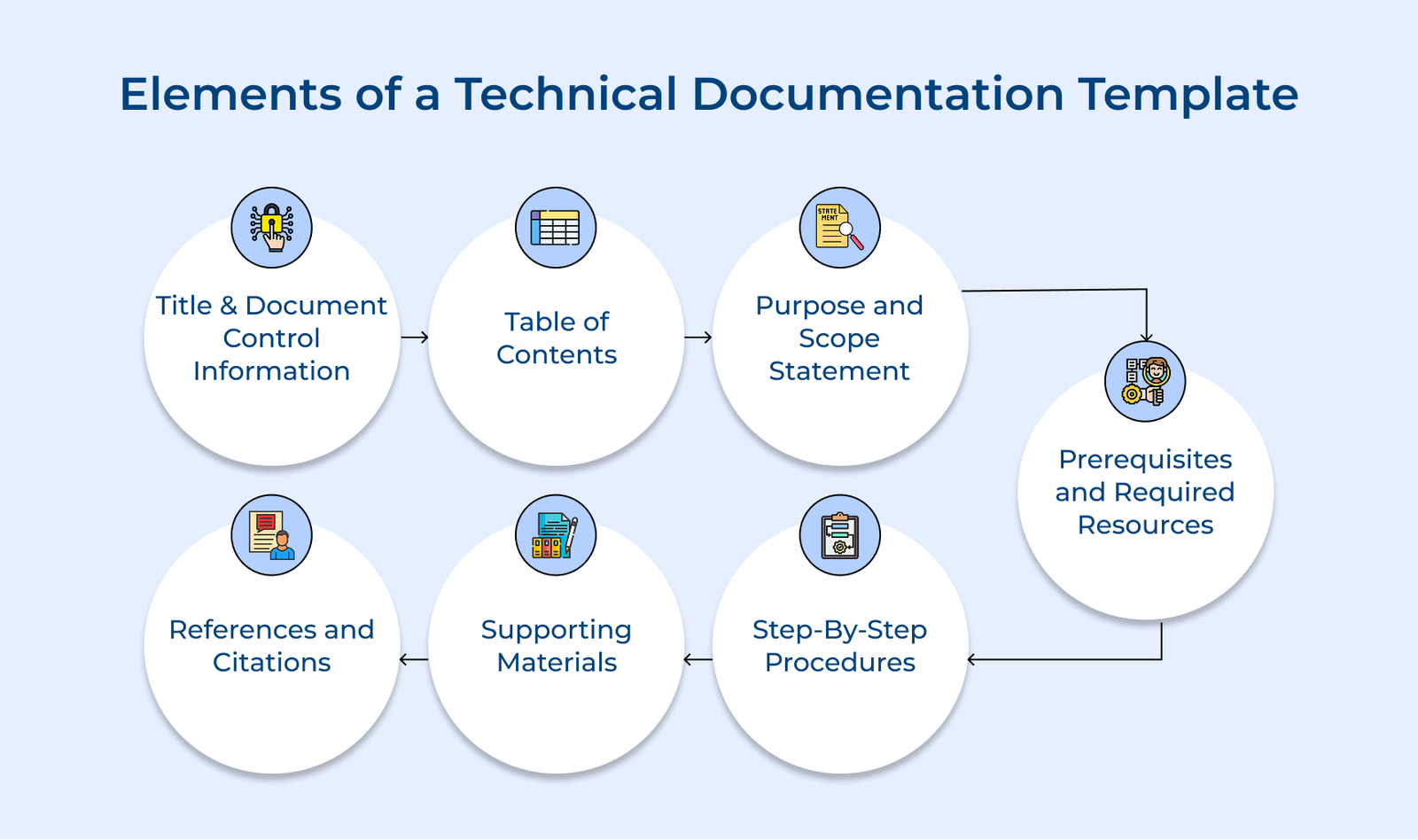
Key Elements of a Technical Documentation Template
Check out the key parts of a solid technical documentation template. Each one plays a role in keeping the content clear, useful and easy to maintain.