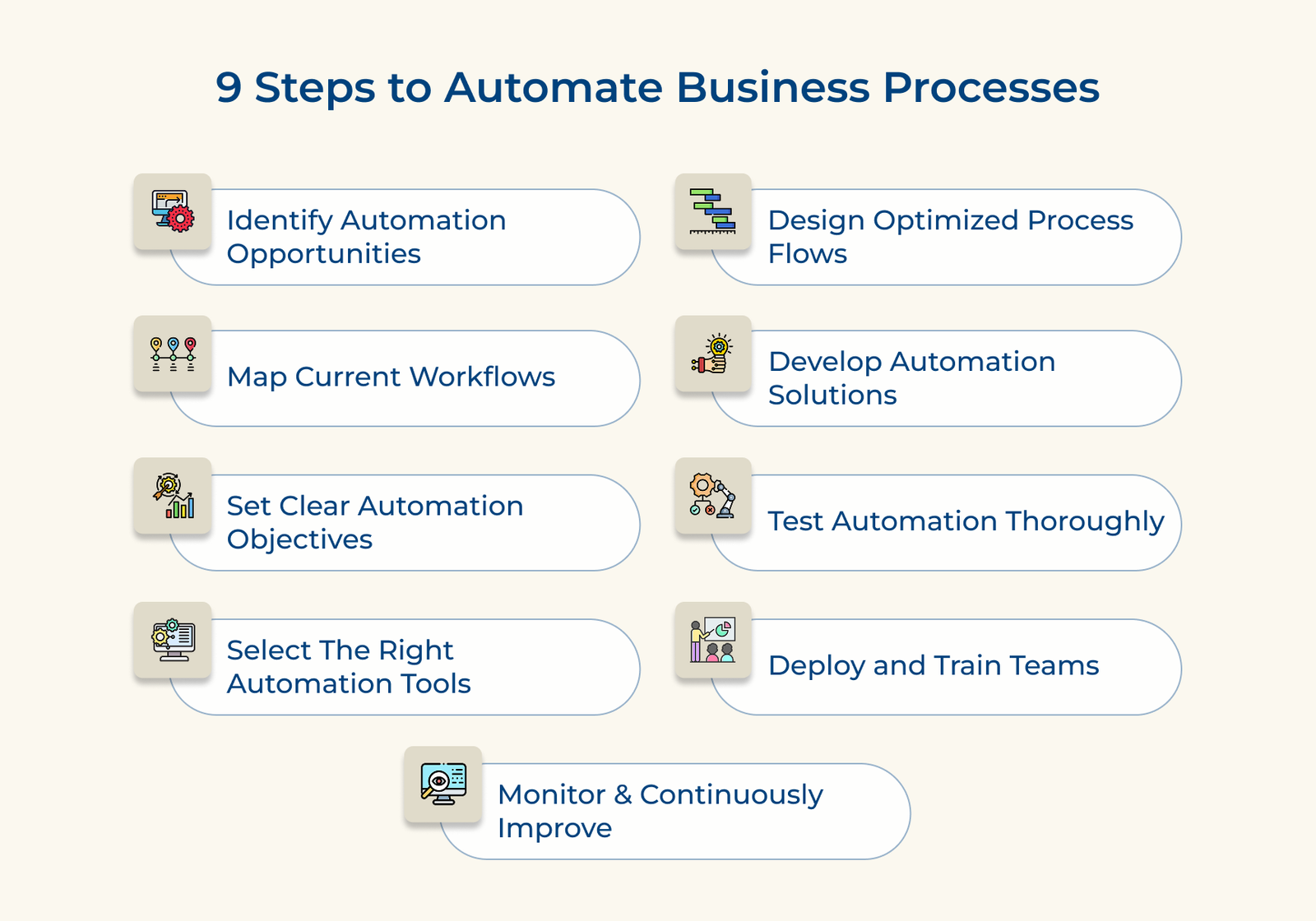
1. Identify Processes for Automation Potential
Start by taking a close look at how work gets done across your organization. The goal here isn’t to pick out the repetitive, rule-based tasks that slow your team down and don’t need human judgment.
Begin by listing all your recurring business tasks, department by department. Then rate each one based on how often it’s done and how complex it is. Focus on tasks that are high volume, follow clear rules and rarely require exceptions. Map out how it currently works: the inputs, the steps and the outcomes.
Pro tips:
- People closest to the work often know exactly where the bottlenecks are. Get input from different teams to uncover what’s slowing things down.
- Track time spent, error rates and resource usage before automation. You’ll need the benchmarks to measure if automation is really improving things.
2. Map Current Workflows Very Thoroughly
Before automating anything, you need a clear picture of how the process works, not how it’s supposed to work, but how it runs day to day. Workflow mapping lays it all out. It exposes gaps, clunky handoffs and steps that slow things down. If you skip the part, you risk automating loopholes instead of fixing them.
Document Each Process Step
Start by walking through the process from beginning to end. Write it all down, then turn it into a visual map, like a flowchart. Include any decisions that change the path or outcome. It becomes your automation blueprint.
Identify Process Bottlenecks Carefully
Once your map is in place, go back through it to pinpoint where things get stuck. Time each step if you can. The goal is to spot slowdowns you might not have seen before and prioritize fixing them.
Gather Feedback From Participants
Sit down with the employees who run the process. Watch them in action to see if anything’s missing from your map. The frontline insights often uncover small details that make a big difference when you start automating.
3. Set Clear Business Automation Objectives
Before you start building anything, define exactly what success looks like. Clear objectives are your guideposts; they keep your project on track, help align teams and give you something concrete to measure against. Without them, automation efforts can drift, grow in scope and ultimately fall short of delivering real value.
- Cut operational costs: Define the expected savings. Put numbers, e.g., reduce labor hours by 40% or save $50,000 annually on error corrections.
- Improve the customer experience: Identify what will change for customers. Pick metrics that reflect the customer’s perspective.
- Boost operational capacity substantially: If automation lets you process 200 orders a day instead of 120, say so. Set a volume target and tie it to business growth goals.
- Reduce compliance risk: Be specific. If a process has a 7% error rate today, aim to cut it to 1%. Automate steps that are prone to mistakes and back it up with real data.
4. Select The Right Automation Software Tools
Selecting the right automation tools isn’t just a technical decision; it can make or break your entire project. The tools you choose will determine how easily your workflows integrate, how adaptable your system is and if your team can maintain it in the long run. Choose poorly and you could end up with delays, rising costs or tools that don’t actually solve the problem.
Does the tool integrate with existing systems?
Automation is only effective if the tool can connect smoothly with the systems you already use—ERP platforms, CRMs, databases, and legacy software. If integration requires heavy customization or middleware, your project could become more expensive and time-consuming than planned.
Can the tool handle your process complexity?
Not all tools are built the same. Some handle simple, linear tasks. Others can manage branching logic, exception handling and multi-department workflows. Be honest about your process complexity and make sure the tool matches it without forcing you to oversimplify.
What technical expertise is required?
Consider who will build and maintain your automations. Tools that require advanced coding skills might slow things down or lock you into external consultants. Low-code or no-code platforms are often easier for business users to adopt and update without constant IT involvement.
Does the vendor provide adequate support?
A good tool comes with more than just software. You’ll need documentation, training and responsive help when something breaks. Check what kind of onboarding or ongoing support the vendor offers and if it matches your team’s needs.
Your automation tool becomes the backbone of how work gets done. Taking the time to vet options thoroughly based on how well they actually fit your environment can save you from costly setbacks and ensure your automation efforts stay flexible.
5. Design Highly Optimized Process Flows
Before automating anything, take time to redesign the process itself. Automation can make work faster but if the underlying process is flawed, you’ll just speed up inefficiency. Optimizing your workflow first ensures that automation delivers real, lasting value.
Eliminate Unnecessary Process Steps
Look closely at every action in your current workflow. Cut out redundant approvals, reduce handoffs and combine tasks where it makes sense. A leaner process is easier to automate and less prone to delays.
Standardize All Process Inputs
Inconsistent data causes most automation failures. Use standard templates for forms, documents and requests. Set rules for how data should be entered and validated. When your system always receives clean, consistent input, it can run without frequent human intervention.
Build Exception-handling Protocols
No process runs perfectly all the time. Think ahead about what might go wrong—missing info, incorrect entries, unusual requests and build clear response paths. Define when to escalate issues, how to flag them and what fallback steps the system should take. Planning for exceptions upfront keeps automated workflows running smoothly even when something breaks.
Examples of Business Process Automation
Below are the real-world applications that demonstrate how automation delivers substantial benefits in efficiency, accuracy and employee satisfaction.