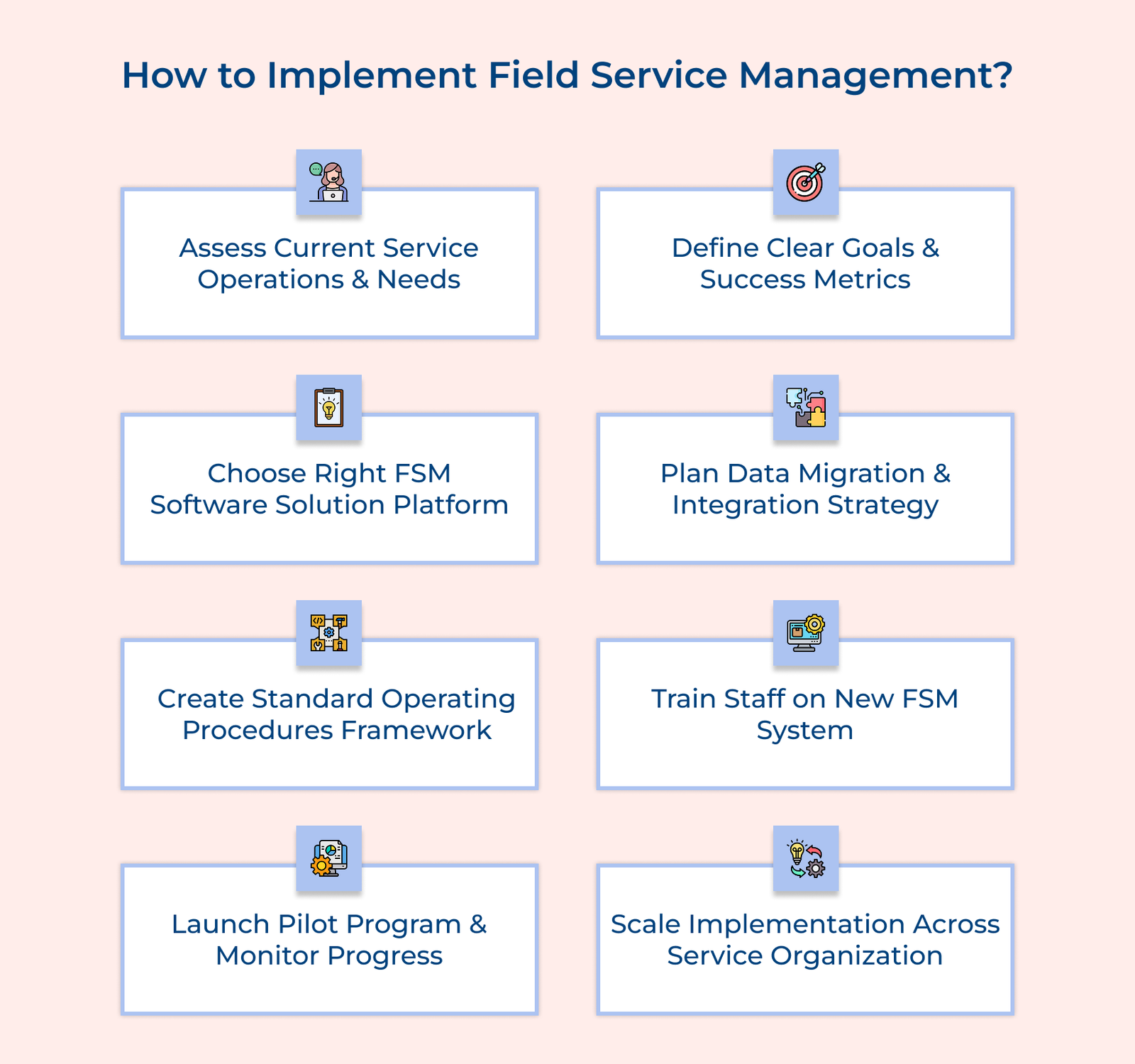
1. Assess Current Service Operations and Needs
Start by evaluating your current field service processes to identify areas for improvement. It helps set a benchmark for future progress and ensures your FSM solution meets real business needs. Begin by mapping the entire service delivery process, from customer contact to job completion.
List the tools and technologies currently in use. Gather feedback from technicians and customers to identify issues along with the areas for improvement. Analyze key metrics like response times and customer satisfaction to spot improvement opportunities.
Pro tips:
- Create a workflow diagram of your current process, pinpointing bottlenecks that cause delays or customer dissatisfaction.
- Get input from field technicians early in the process— they’re the ones facing the challenges daily and can offer valuable feedback often overlooked by management.
2. Define Clear Goals and Success Metrics
The goals should align with your business objectives and address the pain points identified in your initial assessment. Having specific success metrics will help you track progress and demonstrate the value of your FSM investment. Start by identifying KPIs that directly reflect the quality of your service delivery.
Link each goal to the business outcomes you want to achieve, such as improving response times, increasing first-time fix rates or enhancing customer satisfaction. Create a timeline for achieving the goals and set regular check-ins to measure progress.
Actionable tips:
- Make your goals SMART (Specific, Measurable, Achievable, Relevant, Time-bound) but be flexible enough to adjust based on feedback and early results from the team.
- Use a visual dashboard to track your progress— it keeps the team motivated and helps you quickly spot areas that need attention.
3. Choose the Right FSM Software Solution Platform
Choosing the right FSM software is crucial to successfully transforming your service operations. The software must meet both your current needs and future growth plans. A solid platform should integrate easily with your existing systems and be flexible enough to evolve as your business expands.
Start by creating a detailed requirements document based on your goals and the insights from your assessment. Research available FSM solutions and compare them against your needs. Schedule demos with potential vendors and involve key team members in the selection process. Pay attention to the user interface, ease of use, technical support and total cost of ownership.
Best practices:
- Focus on the core features that directly address your most pressing operational challenges.
- Request reference calls with companies similar to yours that are already using the FSM platform.
4. Plan Data Migration and Integration Strategy
Effective data integration planning is essential to ensuring your historical service data and existing systems work smoothly with your new FSM platform. The step not only prevents data loss but also ensures business continuity, allowing for a seamless transition to the new system.
Start by identifying and mapping all relevant data sources, ensuring you know exactly what needs to be migrated. Next, create a clear integration plan for connecting your FSM platform with other business systems like CRM or ERP and establish protocols for data validation. Testing the system thoroughly before going live will ensure the data’s accuracy and verify that all system connections are working as they should.
Key takeaways:
- Clean and standardize your data before migration. Moving messy or inconsistent data to a new system will only create more problems.
- Document all integration points and data flows in detail because the documentation becomes invaluable for troubleshooting and helps new team members understand system connections quickly.
5. Create Standard Operating Procedures Framework
Standard Operating Procedures (SOPs) are essential for ensuring consistency in service delivery across your organization. When implemented correctly, SOPs make sure every team member knows their roles and responsibilities, creating a foundation for high-quality service. They also simplify the process of training new employees, as everyone follows the same guidelines.
Let’s consider that an elevator maintenance company effectively documented its entire service process, from safety checks to maintenance tasks. Their SOPs also included detailed instructions for using their FSM mobile app and customer communication guidelines. The standardization helped improve their service quality while reducing the time required to train new technicians.
Pro tips:
- Write procedures in clear, simple language and include visual aids like flowcharts.
- Create a feedback loop for continuous improvement of SOPs because field technicians often discover better ways to handle specific situations.
6. Train Staff on the New FSM System
Training is a crucial step in successfully implementing field service management (FSM). It ensures your team can effectively use the new system and follow established procedures, reducing resistance to change. Design role-specific training programs that focus on daily tasks, using hands-on practice in a test environment.
Let’s assume that a solar panel installation company created a three-phase training program. They started with classroom sessions followed by hands-on practice with mobile devices. The final phase involved shadowing experienced users. The approach helped their team transition smoothly to the FSM system, increasing confidence and adoption.
Actionable tips:
- Break training into digestible modules and include ample practice time because learning complex systems requires hands-on experience.
- Train super-users within each team because having local experts can help speed up adoption and reduce reliance on external support.
7. Launch the Pilot Program and Monitor the Progress
A pilot program is a key step in the FSM implementation process, acting as a controlled testing phase to uncover potential issues before a full-scale rollout. It helps identify challenges with user adoption and assesses how the system performs under real-world conditions.
Select a specific service team or region for the pilot and begin with basic functionalities. Gradually introduce more advanced features, collect detailed feedback and closely monitor system performance. Document all issues and solutions discovered during the pilot phase to ensure smoother deployment later.
Best practices:
- Select a mix of tech-savvy and less technical users to identify training gaps early.
- Set clear success criteria and schedule regular check-ins to resolve issues before full implementation.
8. Scale Implementation Across Service Organization
Scaling is the final step in FSM implementation, where a successful pilot becomes a fully integrated system across your organization. A well-planned rollout ensures stability, minimizes disruptions and builds user confidence.
Use insights from the pilot to create a phased rollout plan, expanding by region or department. Adjust training materials based on real-world feedback and set up clear communication channels for updates. As more users come on board, closely monitor system performance to catch and resolve issues early.
Key takeaways:
- Keep a buffer in your schedule to handle challenges without overwhelming support users.
- Share wins from different regions because positive examples encourage adoption and keep momentum strong.
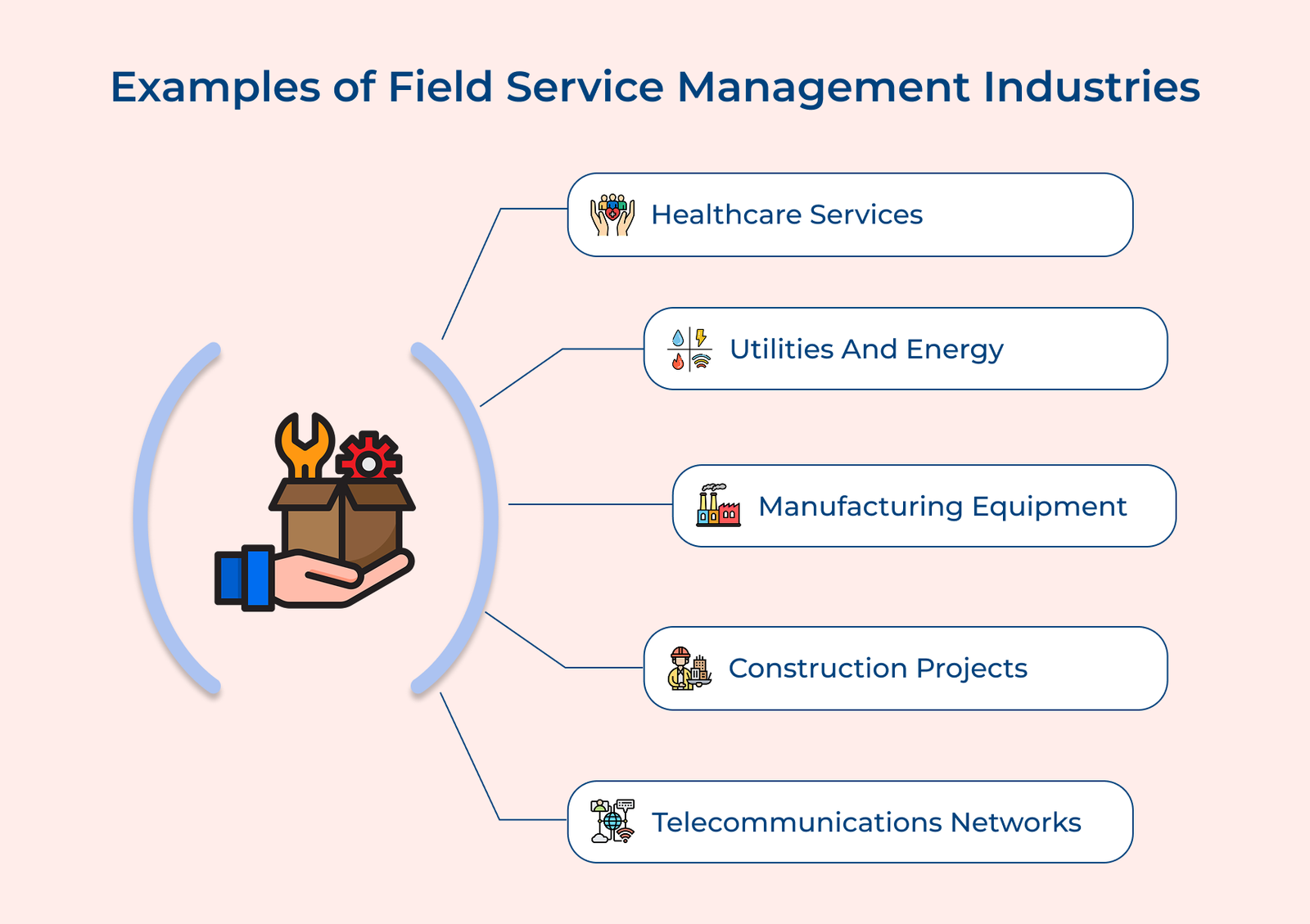
Examples of Field Support Management Across Industries
Check out how field support management transforms industries like healthcare, utilities and manufacturing by enhancing customer service.