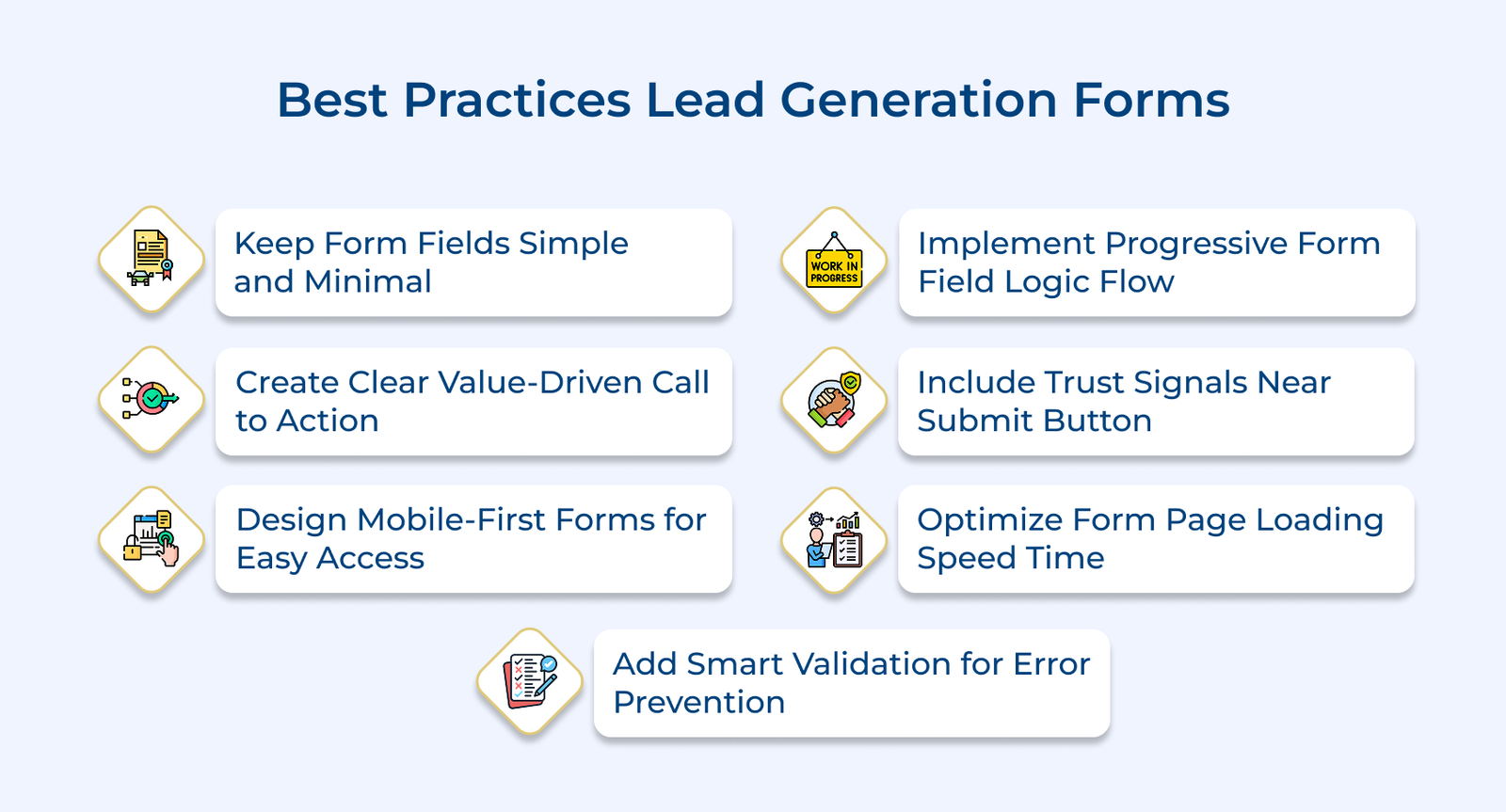
1. Keep Form Fields Simple and Minimal
Simplifying form fields is about thoughtfully reducing the information you ask from users to the absolute essentials. Every additional field on your form acts like a small hurdle that could make someone think twice about completing it. The goal is to make form completion feel effortless while still gathering data.
Requesting only essential information means carefully evaluating each field’s purpose. Ask yourself if you need someone’s number right now or if their job title is crucial at this stage. Focus on collecting information that directly helps.
Pro Tips:
- Place the easiest fields first, like name and email to build momentum before asking more detailed questions.
- Consider breaking your existing form into two parts and test if collecting additional information during follow-up conversations works better.
2. Create Clear Value-Driven Call to Action
Value-driven call to action (CTA) communicates what users get when they submit your form. It shifts focus from what you’re asking users to do to what benefit they’ll receive. The mindset change can drastically impact whether someone completes your form.
Benefit-focused button text speaks directly to user motivations. Instead of a generic “Submit,” try specific phrases like “Get My Free Guide” or “Start My Trial.” The action-oriented phrases create a stronger connection between the action and the reward.
Pro Tips:
- Add a brief benefit statement right above your CTA button to provide last-minute motivation.
- Try using first-person phrasing in your CTA, like “Send Me the Report” instead of “Get the Report”.
3. Design Mobile-First Forms for Easy Access
Designing lead generation forms in today’s online-first world needs you to prioritize smartphone users. Potential leads will encounter your form on their phones while commuting or during quick breaks. Making your form mobile-friendly isn’t just a best practice for the forms but essential for capturing leads wherever they are.
Touch-friendly input fields and buttons mean making elements large enough for fingers to tap accurately. Preventing accidental clicks requires your form fields to have plenty of space between them.
Pro Tips:
- Position your form fields in a single column to eliminate horizontal scrolling on mobile devices.
- Leverage the mobile keyboard types like email or phone number to display the most relevant keys.
4. Implement Progressive Form Field Logic Flow
Progressive form field is a smart practice for designing lead generation forms. Instead of overwhelming visitors with questions, it presents relevant fields based on previous answers. The approach makes complex forms feel manageable and personal.
Smart field progression means showing only the questions that matter based on earlier responses. If someone indicates they’re a student, you might skip business-related questions. A dynamic approach keeps forms relevant and engaging while collecting precise information.
Pro Tips:
- Show a summary of completed information at each step to remind users why they’re investing their time.
- Use micro-animations to smoothly reveal new fields making the form feel more interactive and engaging.
5. Include Trust Signals Near Submit Button
Trust signals are essential to reassure visitors about sharing their information through your form. It’s a best practice for designing lead generation forms to add trust indicators near the submit button to address last-minute hesitation.
Security badges and encryption show users their data is safe. A form collecting software demo requests might display “ISO 27001 certified” badges alongside security seals. The visual cues instantly communicate that you take data protection seriously.
Pro Tips:
- Place a mini testimonial with the person’s photo right next to your submit button for instant credibility.
- Highlight your response time commitment near trust signals like “We’ll reach out within 4 business hours”.
6. Optimize Form Page Loading Speed Time
Page loading speed can make or break your form’s success. Following best practices means ensuring your form loads quickly and smoothly. Every second of delay increases the chance that potential leads will leave even before seeing your form.
Minimizing scripts and optimizing code creates a foundation for fast-loading forms. Think of it like removing anything that isn’t essential for your form to function properly. Keep only the scripts that directly contribute to form functionality.
Pro Tips:
- Monitor your form’s loading performance across different devices and network conditions weekly.
- Cache form resources locally to speed up repeat visits from returning users.
7. Add Smart Validation for Error Prevention
Smart validation is a crucial best practice for designing lead generation forms that help users submit information correctly. It’s like having a helpful assistant who points out mistakes before they become problems. The proactive approach reduces frustration and increases the likelihood of successful form submission.
Real-time field validation offers immediate feedback as users type. When someone enters their email address, the form instantly checks its format and validity. A friendly message might appear saying, “Great! This email looks perfect”. The instant guidance helps users correct mistakes without waiting for form submission.
Pro Tips:
- Light up fields with a subtle green glow when users enter valid information to provide positive reinforcement.
- Save partially completed form data locally so users don’t lose their progress if they accidentally close the page.
Examples of Lead Generation Form
Let’s explore how leading brands have successfully implemented lead generation forms to transform their business growth and customer acquisition strategies.
Netflix’s Free Trial Sign-up Form Strategy
Netflix employs a streamlined lead generation form template that captures only essential information such as the email address and password for immediate account creation. Their form eliminates friction by postponing payment details until after users experience the content value, focusing on instant gratification rather than extensive qualification.
The minimalist template maximizes trial conversions by removing barriers to entry. Netflix can demonstrate product value before requesting commitment, leading to higher customer lifetime value through improved user experience and reduced abandonment rates.
LinkedIn’s Premium Subscription Form Approach
LinkedIn uses smart forms that pull information directly from a user’s profile, reducing effort and making sign-ups quicker. LinkedIn asks for payment details early while clearly outlining benefits such as career growth and networking opportunities. The approach appeals to professionals who are already engaged with the platform and see clear value in upgrading.
The forms are tied to real-time user data along with the behavior. So, the leads they generate tend to be more relevant and interesting. The approach not only helps attract paying users but also keeps them engaged longer by highlighting features that match their goals.
DocuSign’s Contact Form Method
DocuSign implements a comprehensive template capturing business requirements, company size and specific use cases alongside standard contact information. Their forms include industry selection and compliance needs assessment, enabling sales teams to understand prospect challenges before initial conversations.
The detailed lead generation form template allows DocuSign to personalize sales approaches based on specific business needs and regulatory requirements. The qualification strategy shortens sales cycles and improves deal closure rates through targeted solution positioning.
Dropbox’s Business Account Form Design
Dropbox creates a value-focused lead generation form template that appears after users experience file sharing limitations, capturing company information and team size while emphasizing collaboration benefits. Their forms use contextual timing to convert individual users into business account prospects during moments of demonstrated need.
Placing lead generation forms at key friction points helps capture user intent when interest is highest. It not only drives upgrades from individual to business accounts but also steadily grows revenue by aligning with how users naturally interact with the product.
Airbnb’s Host Onboarding Form Philosophy
Airbnb employs a multi-step lead generation form template that captures property details, hosting motivations and availability preferences while providing immediate earning estimates. Their forms break complex onboarding into digestible steps, using progress indicators and local market insights to maintain engagement throughout the process.
The method helps reduce drop-offs and ensures they collect all the key details needed to list a property. It also improves the chances of hosts following through, thanks to a realistic, informative onboarding experience.
Mistakes to Avoid when Designing Lead Generation Forms
The following are the common mistakes that can hinder the effectiveness of your lead generation forms and explore practical solutions to enhance their performance.