User Experience Survey Questions Guide: Types, Steps & Templates
Learn how to create effective user experience surveys to gather valuable user feedback. Discover key questions, best practices and strategies to improve product experiences.

Learn how to create effective user experience surveys to gather valuable user feedback. Discover key questions, best practices and strategies to improve product experiences.
Getting the user experience right isn’t optional; it’s the baseline. Good UX can increase your conversion rate by up to 400%. Still, most teams either don’t ask for feedback or collect it too late to do anything useful. Even when users do speak up, the insights often get buried, misread, or ignored. That’s how you end up building features no one uses or missing the small issues that quietly drive people away.
A well-timed user experience survey cuts through the noise. Ask the right questions at the right moments. You start to see what’s working, what’s not and why people behave the way they do. It’s one of the simplest ways to make better decisions, faster. Let’s break down what makes UX surveys work, why they matter, how to build them and what to ask.
A user experience survey refers to a structured way to gather feedback on how people interact with a product, service or system. It helps organizations understand user behavior, uncover pain points and improve usability based on real-world experiences. UX surveys capture both measurable data (such as ratings/ usage patterns) and deeper insights into user preferences by asking the right questions.
The surveys are invaluable in a design process that prioritizes users. They highlight patterns, reveal hidden usability issues and validate design choices, ensuring that teams make decisions based on actual user input rather than guesswork. UX surveys also provide a cost-effective way to collect large-scale feedback, helping teams refine products and improve user satisfaction.
Key principles:
Understanding when and why to conduct user experience surveys is crucial for maximizing their effectiveness in product development.
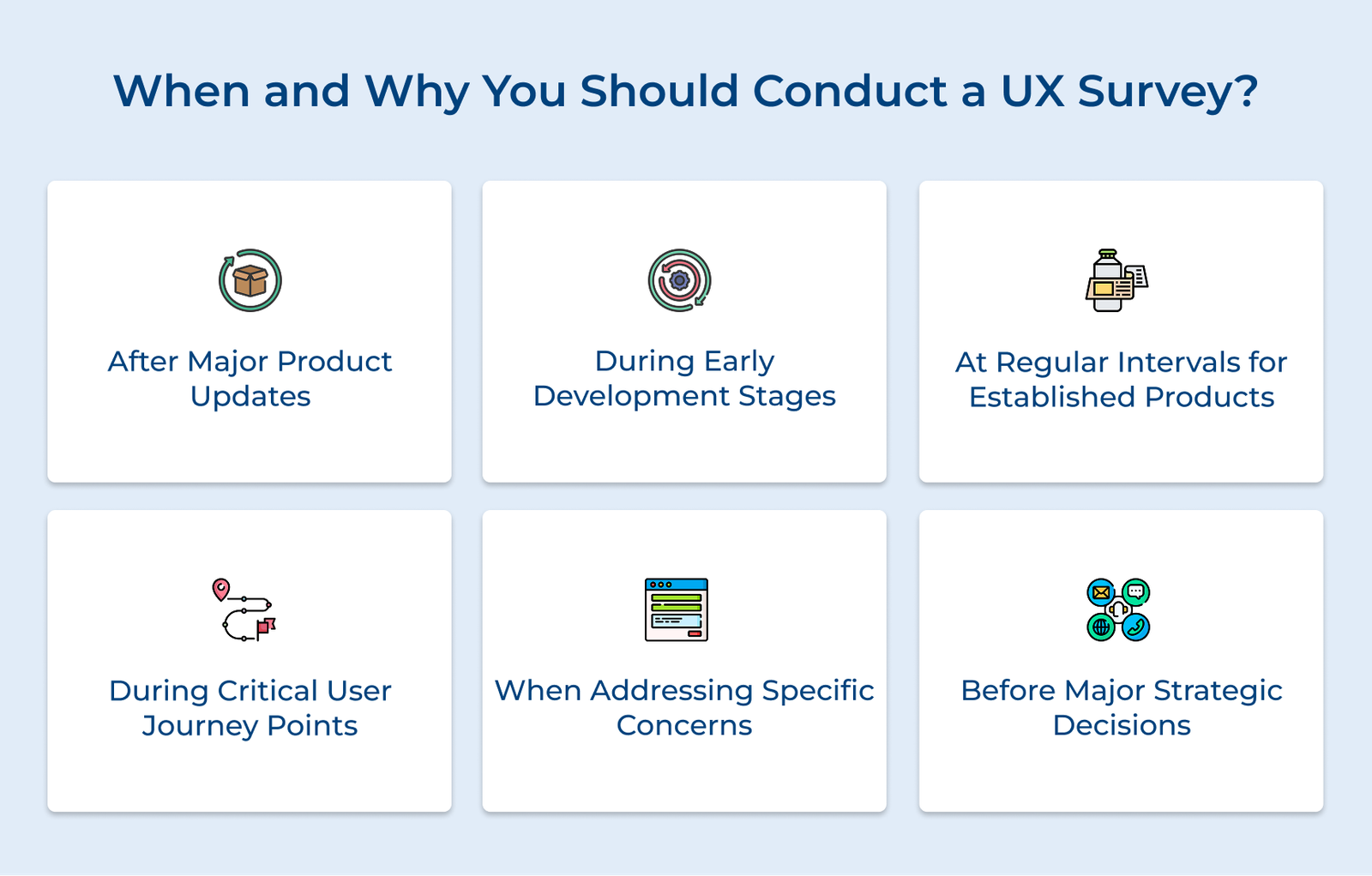
After Major Product Updates
Running surveys after major updates or new feature releases helps measure user adoption and satisfaction. The timing allows teams to spot issues early, address confusion and refine the experience before small problems turn into bigger frustrations.
During Early Development Stages
Running surveys during beta testing or early access helps uncover user expectations and first impressions. Early feedback can reveal major issues, refine the product and prevent costly missteps before launch.
At Regular Intervals for Established Products
Regular surveys (quarterly or bi-annually) help track shifts in user needs and behaviors over time. The ongoing feedback ensures teams can adapt early, refine experiences and stay relevant.
During Critical User Journey Points
Timing surveys around key user moments, like after onboarding or a major interaction, captures feedback when experiences are fresh. The insights help refine the experience while details are still at the top of the mind.
When Addressing Specific Concerns
When analytics show unusual trends or a spike in support tickets, targeted surveys can reveal the root cause. It helps teams quickly address problems before they frustrate users or drive them away.
Before Major Strategic Decisions
Surveying users before major changes or new features helps validate assumptions and gauge interest. It ensures teams focus on what truly matters, avoiding wasted effort on unwanted updates.
Let’s go through the essential steps to conducting a UX survey to understand how to gather meaningful user insights.
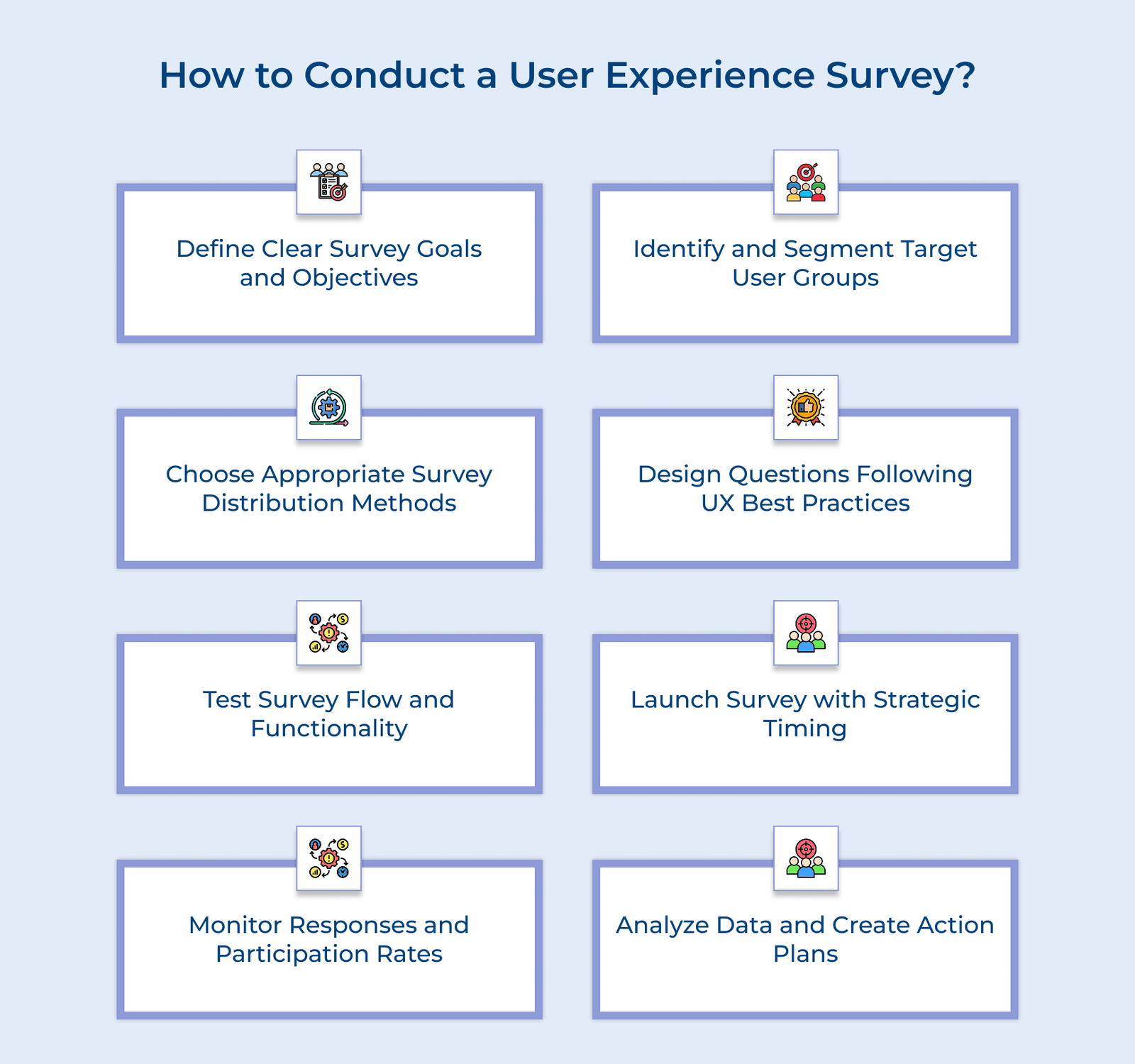
Setting clear survey goals is the foundation of an effective UX research process. It keeps your focus sharp and ensures you collect insights that lead to real improvements. Without well-defined objectives, surveys risk gathering scattered feedback that doesn’t address key issues.
Start by pinpointing what you need to learn about the user experience. Frame your questions in measurable terms and align them with broader business goals. If you’re concerned about user retention, focus on identifying pain points in the user journey and moments of frustration that might drive users away.
Pro tips:
User segmentation helps ensure you’re gathering feedback from the right people at the right time. It keeps your survey focused, preventing irrelevant responses and offering clear insights into how different user groups interact with your product.
Start by identifying key user groups based on real behaviors and characteristics. Then, determine which segments align with your survey goals and how many responses you need from each to make informed decisions.
Actionable tips:
How you distribute your survey directly affects who responds and how useful the feedback is. The right approach ensures your survey reaches the right users at the right time, while poor distribution can limit responses and skew results.
Start by identifying where users naturally engage with your product. Use a mix of channels like email, in-app prompts or post-interaction pop-ups to make participation easy. Time your survey so it fits seamlessly into the user’s workflow rather than feeling like an interruption.
Best practices:
A response management protocol ensures that user feedback is handled efficiently and that nothing valuable slips through the cracks. A structured system keeps insights organized, making it easier to act on them consistently across your team.
Start by defining a clear workflow for sorting and routing feedback. Automate alerts for urgent issues and schedule regular reviews for less pressing responses. Using such an approach ensures that critical problems get immediate attention, while broader insights contribute to long-term planning.
Key takeaways:
Testing your survey before launch is like a chef tasting a dish before serving as it ensures everything works as intended. A poorly structured survey can confuse users, cause frustration and lead to unreliable data.
Set up a testing plan that includes internal reviews and a small pilot run with real users. Watch for unclear questions, technical glitches and awkward flow. Track completion times and make feedback, then refine your survey before rolling it out widely.
Pro tips:
When you send out a survey it can be just as important as what you ask. Well-timed surveys don’t feel like interruptions, they feel like natural parts of the experience. Aim to catch users when their experience is still fresh.
Start by looking at when your users are most active. Pay attention to peak usage times, common workflows and natural pauses in the user journey—they are the windows when users are most likely to respond thoughtfully. Don’t forget to factor in time zones, seasonal trends and any upcoming product or business changes that might affect responses.
Actionable tips:
Monitoring your survey as responses come in isn’t just a best practice—it’s essential for spotting problems early and making sure your data holds up. It’s how you catch things like a sudden drop in participation or certain groups not responding at all.
Set up a simple tracking system that shows you real-time metrics like response rate, completion rate and engagement across user segments. Check in regularly to see if the answers make sense and whether people are completing the survey. If something looks off, act quickly—small issues can snowball fast.
Best practices:
Collecting feedback is only half the job. What you do with that data, how you analyze and interpret it makes the real difference. Without careful analysis, even the most detailed survey just sits there, unread and unused.
Start by cleaning and organizing your responses to avoid errors. Then dig into the data. Look for trends, outliers and patterns, especially across different user groups. Don’t just confirm what you already know. Pay close attention to surprising results and connections you didn’t expect. Use the findings to make clear, prioritized recommendations that your team can act on.
Key takeaways:
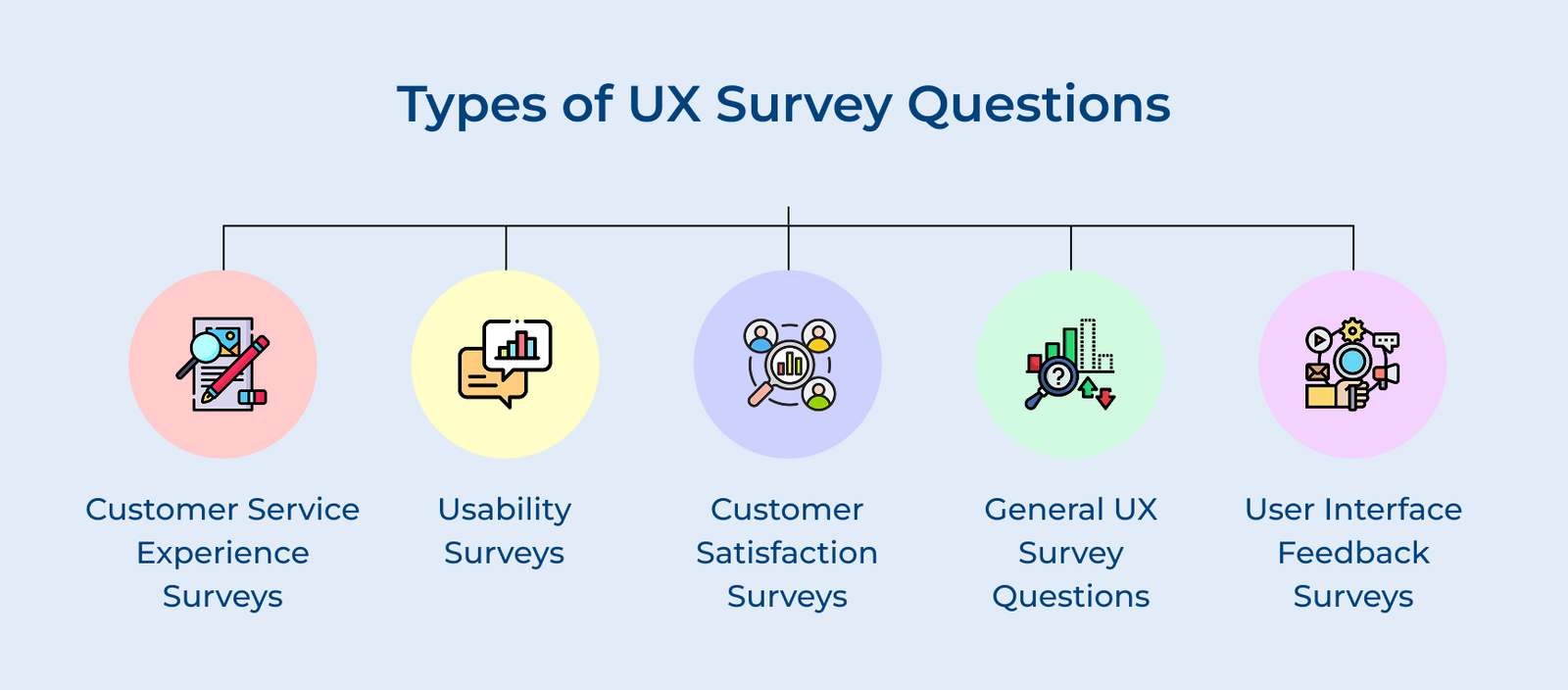
Let’s go through the final type of survey questions that focus specifically on understanding the customer service experience.
1. “How quickly did our support team respond to your inquiry?”
Response time plays a big role in how users judge their overall support experience. The question helps you see if users feel their issues are being addressed fast enough. If response times fall short, it could be a sign to adjust staffing or look into tools that speed things up.
2. “Did we understand your issue the first time you reached out?”
Getting it right on the first try matters. The question helps you find out if users feel truly heard and understood from the start. If not, it may point to gaps in training or documentation that are worth fixing.
3. “How would you describe the communication style of our support representative?”
Clear, respectful communication can make even frustrating issues easier to deal with. The question lets users share if the tone, clarity and helpfulness of your team hit the mark. Their feedback can guide you in refining how your team talks with users.
4. “What was the most challenging part of completing [specific task]?”
The question gets straight to the point: where did things break down? It helps uncover specific steps or moments in the workflow that cause friction. The insights often point to small fixes that can make a big difference.
5. “How easy was it to find what you were looking for today?”
If users can’t find what they’re looking for, the rest doesn’t matter. The question checks whether your navigation and layout make sense to real users. Their answers can guide tweaks to menus, search or content organization.
6. “Were there any features you expected to find but couldn’t?”
Users often come in with certain expectations. When those aren’t met, it can lead to confusion or frustration. The question helps you spot gaps between what users assume your product does and what it offers.
7. “How well does our product meet your expectations?”
The question gets to the core of the user experience. It shows whether you’re meeting, missing or exceeding what users hoped for. Tracking the metric over time can help you see if product updates are moving things in the right direction or not.
8. “Which features of our product do you use most frequently?”
Knowing what people actually use helps you focus on what really matters. The question highlights your product’s key value points and can also show which features are going unnoticed or underperforming.
9. “What is one thing we could improve to make your experience better?”
Sometimes the most helpful feedback comes from a simple task. The open-ended question encourages users to be specific and honest, often surfacing practical ideas or small fixes that can have a big impact.
10. “What channels do you prefer for receiving support, and why?”
The question helps you understand how users want to communicate, whether it’s live chat, email, phone or something else. Just as important, it reveals why they prefer the channels, which helps you make smarter decisions about where to focus your support efforts.
11. “How often do you refer to our self-help resources before contacting support?”**
Good self-service options can save everyone time. The question shows whether users find your resources helpful or if they skip them altogether. Their feedback can help improve both the quality and visibility of your help content.
12. “When seeking support, what information do you typically look for first?”
The question gets to the core of what users are trying to solve. Knowing what people look for first helps you build clearer, more targeted support materials and make sure key info is easy to find.
13. “How would you rate the visual design of our interface?”
Visual design affects how people feel about using your product. The question helps you find out if the interface feels clean, modern and appropriate for your audience. The users can guide design updates that make your product more visually appealing without getting in the way of usability.
14. “Did you encounter any confusing elements in our interface?”
The question gets users to point out specific trouble spots—buttons, labels, layouts that caused hesitation or confusion. It’s one of the fastest ways to uncover usability issues you might not catch internally.
15. “How consistent did you find the interface across different sections?”**
A consistent interface helps users feel confident as they move from one part of your product to another. The question checks whether your design elements, like layout, icons and terminology feel uniform. Gaps in consistency often point to places where the design system isn’t being followed or needs tightening up.
Let’s go through the key best practices that turn a basic user experience survey into a valuable tool for gathering clear, actionable feedback from your users.
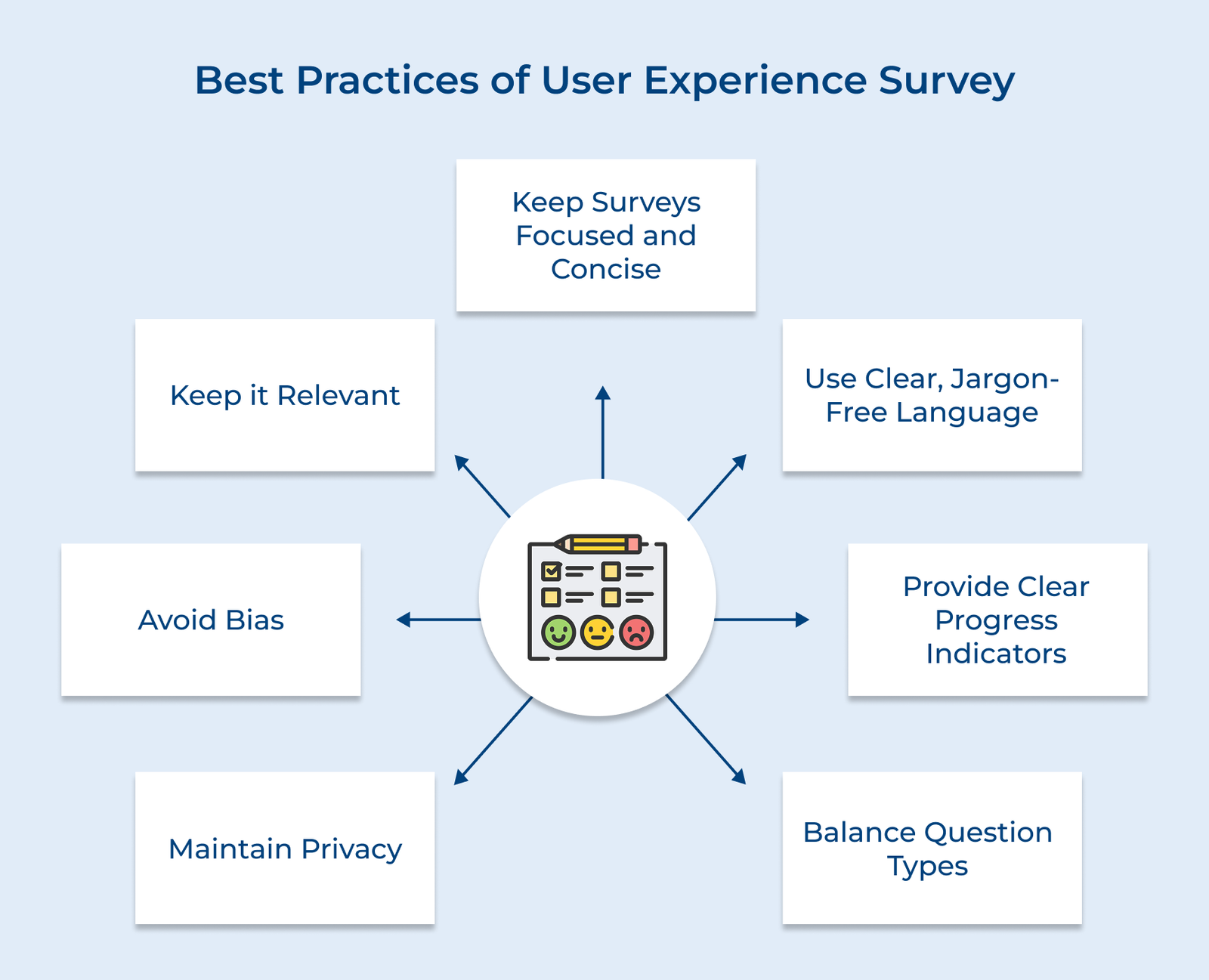
1. Keep Surveys Focused and Concise
A short, well-targeted survey is more likely to be completed and provide useful data. Stick to questions that directly support your goals. Aim for a 5-7 minute completion time as longer surveys often lead to drop-offs or rushed answers.
2. Use Clear, Jargon-Free Language
Write questions that anyone can understand. Avoid technical jargon or overly formal wording. A question like “Was it easy to find what you needed?” is much more approachable than “Rate the navigational architecture’s effectiveness.”
3. Provide Clear Progress Indicators
Let people know how far along they are. A progress bar or step counter helps set expectations and encourages users to finish, especially when they know they’re almost done.
4. Balance Question Types
Use a variety of formats to keep users engaged and get well-rounded insights. Combine multiple-choice for quick responses, rating scales for satisfaction and open-ended questions for detailed thoughts.
5. Maintain Privacy
Be upfront about how user data will be used. Let participants know what you’re collecting, how it’s stored and who has access to it. If you’re asking for sensitive information, always ask for clear consent and offer anonymity when possible.
6. Avoid Bias
Ask questions in a neutral, objective tone. Don’t suggest a “right” answer or steer people toward a certain view. Present multiple-choice options fairly and, when possible, randomize their order to avoid bias.
7. Keep it Relevant
Make sure your questions match the user’s actual experience. Use logic to show or hide questions based on how someone uses your product. When surveys feel personal, users are more likely to finish them and give better answers.
Check out the following UX survey templates designed to gather actionable insights and help you improve user experience with clear, focused questions.
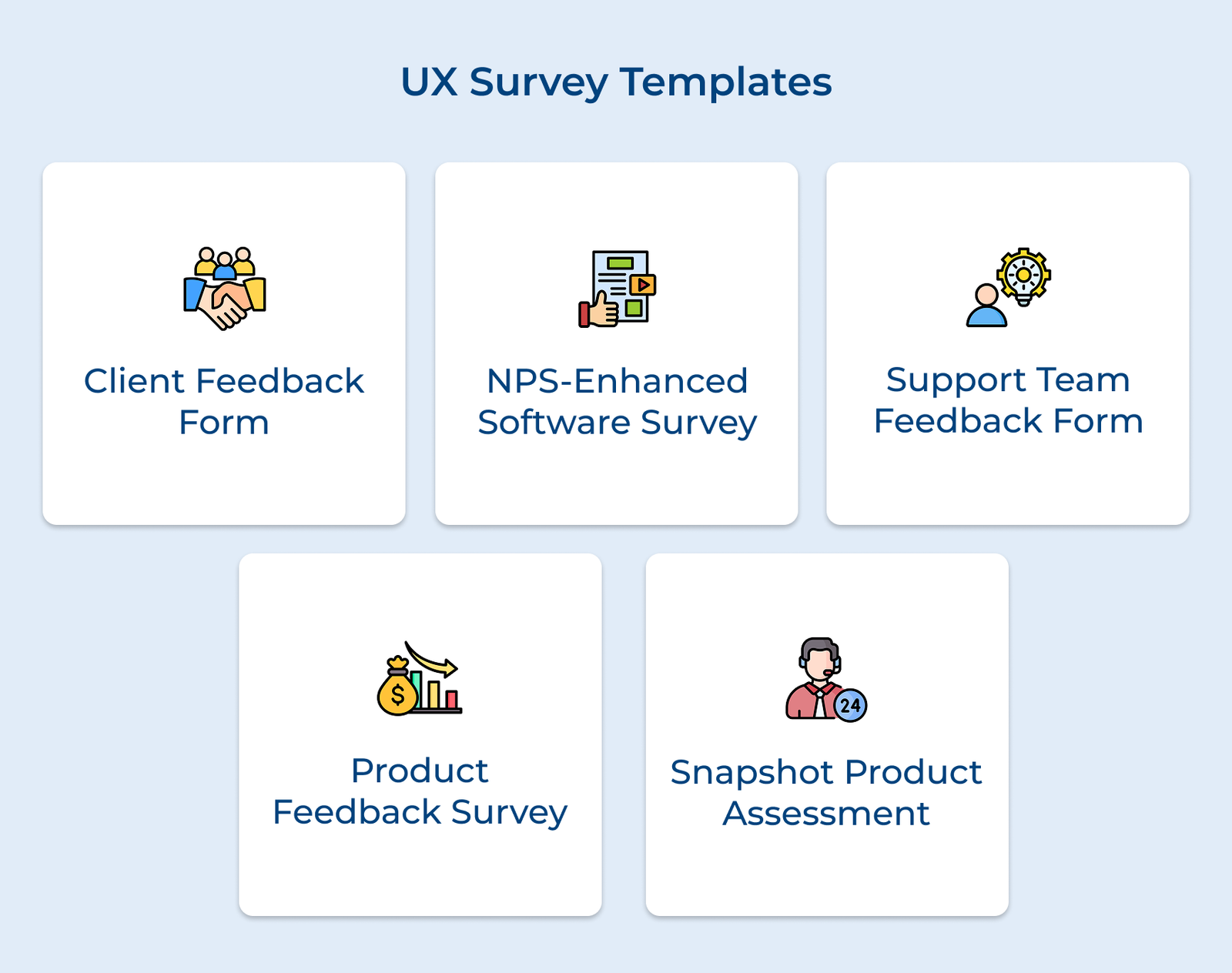
The survey helps you measure client satisfaction with your service or product, focusing on both deliverables and the client relationship. It highlights areas for improvement in service delivery, communication and project management.
Example:
The template builds on the traditional Net Promoter Score question by exploring user’s specific experiences with your software. It connects satisfaction levels to features and functionality.
Example:
The survey focuses on evaluating the support team’s effectiveness, looking at resolution speed, communication quality and overall satisfaction with the support journey across different channels.
Example:
The template explores user interactions with your product’s features, helping you understand usage patterns, feature adoption and user satisfaction at a granular level. It highlights both quick fixes and long-term improvement areas.
Example:
Perfect for gathering immediate feedback after new features or updates are released, the template focuses on first impressions, usability issues and what needs to be improved quickly.
Example:
Let’s go through the leading brands that are leveraging user experience surveys to transform their products and services, creating more meaningful connections.
1. Airbnb
Airbnb gathers feedback from both hosts and guests after each stay. They ask about key moments like booking, check-in and property accuracy. They keep improving their service with a mix of quick post-stay surveys and periodic platform check-ins.
The insights have helped Airbnb refine its platform, improve search features and better match hosts with guests. It has strengthened trust, leading to more bookings and better retention for both sides.
2. Netflix
Netflix uses surveys to understand users’ experiences with recommendations, streaming quality and the platform interface. They gather key insights on user preferences by analyzing viewing habits and gathering feedback through interactive ratings.
The data has helped shape Netflix’s recommendation system, content strategy and interface design. It’s a major reason they maintain a strong subscriber base while keeping churn low.
3. Spotify
Spotify uses in-app surveys and behavioral analysis to gather feedback on music discovery, playlists and overall platform satisfaction. They focus on understanding how users interact with personalized features and new tools.
Survey results have helped Spotify improve music recommendations, playlist curation and introduce features like collaborative playlists. The changes have boosted user engagement and driven more premium subscriptions.
4. Amazon
Amazon collects feedback at multiple touchpoints, from product searches to post-purchase satisfaction. Surveys focus on understanding shopping behaviors, delivery experiences and site usability.
The feedback has improved search functionality, product recommendations and delivery services. The constant listening has led to stronger customer loyalty and a more seamless shopping experience.
5. Adobe Creative Cloud
Adobe collects feedback through surveys in their Creative Cloud suite, focusing on specific tool usage and workflow patterns. They also use periodic surveys to understand overall subscription experience and integration across apps.
The insights have led to more intuitive tools, better cross-app workflows and improved cloud integrations. Adobe’s focus on feedback has helped them stay a leader in the creative market, boosting satisfaction across individual and enterprise users.
User experience surveys help connect real user needs to better product decisions. When done well, they go beyond data collection. They offer direct insight into how people actually use your product, what they value and where they struggle.
The strength of the surveys comes from treating feedback as an ongoing conversation rather than a one-time event. Acting on what users share, not just listening, builds trust and leads to better, more user-friendly products over time.
Key takeaways:

UX surveys offer direct insight into how people actually use your product. They help spot what’s working, what’s frustrating users and where improvements are needed. Acting on the feedback helps teams build products that feel more natural to use and better meet real user needs, often saving resources in the process.
Surveys take the guesswork out of design. They show which features matter most, where users get stuck and what they’re asking for. It helps teams focus on the right priorities, avoid building things people don’t want and validate ideas before investing too much time or budget.
Online forms, in-app prompts and email surveys are widely used. Depending on the depth of insight needed, you might also include live interviews, usability tests or tools like heat maps and session recordings. The best method depends on your users and what you’re trying to learn.
Keep it short, relevant and well-timed. Ask questions when the experience is still fresh, like right after a key action. Be clear about why you’re asking and how feedback will be used. Small rewards or perks can also nudge more people to participate.
Start with basics like Net Promoter Score (NPS), satisfaction scores (CSAT) or usability ratings. Track how easily users complete tasks or where they hit roadblocks. Don’t forget open-ended questions as they often reveal things numbers can’t.
The optimal frequency depends on factors like product lifecycle, development pace and business objectives. Regular pulse surveys (monthly or quarterly) help track ongoing satisfaction, while more comprehensive surveys might be conducted biannually. Major feature releases or significant changes should trigger specific feedback collection to measure impact and identify necessary adjustments.

Grow Customer Relationships and stronger team collaboration with our range of products across the Conversational Engagement Suite.
Omnichannel Customer Support & Help Desk Software
AI Enabled Business Messaging and Chatbot Software
Sales Engagement & CRM Software
Call Center Software & Virtual Phone System
Product Marketing & Experience Platform
Customer Experience & Feedback Management Software

 How to Build an Effective Ecommerce Tech Stack in 2026
Scroll to top
How to Build an Effective Ecommerce Tech Stack in 2026
Scroll to top