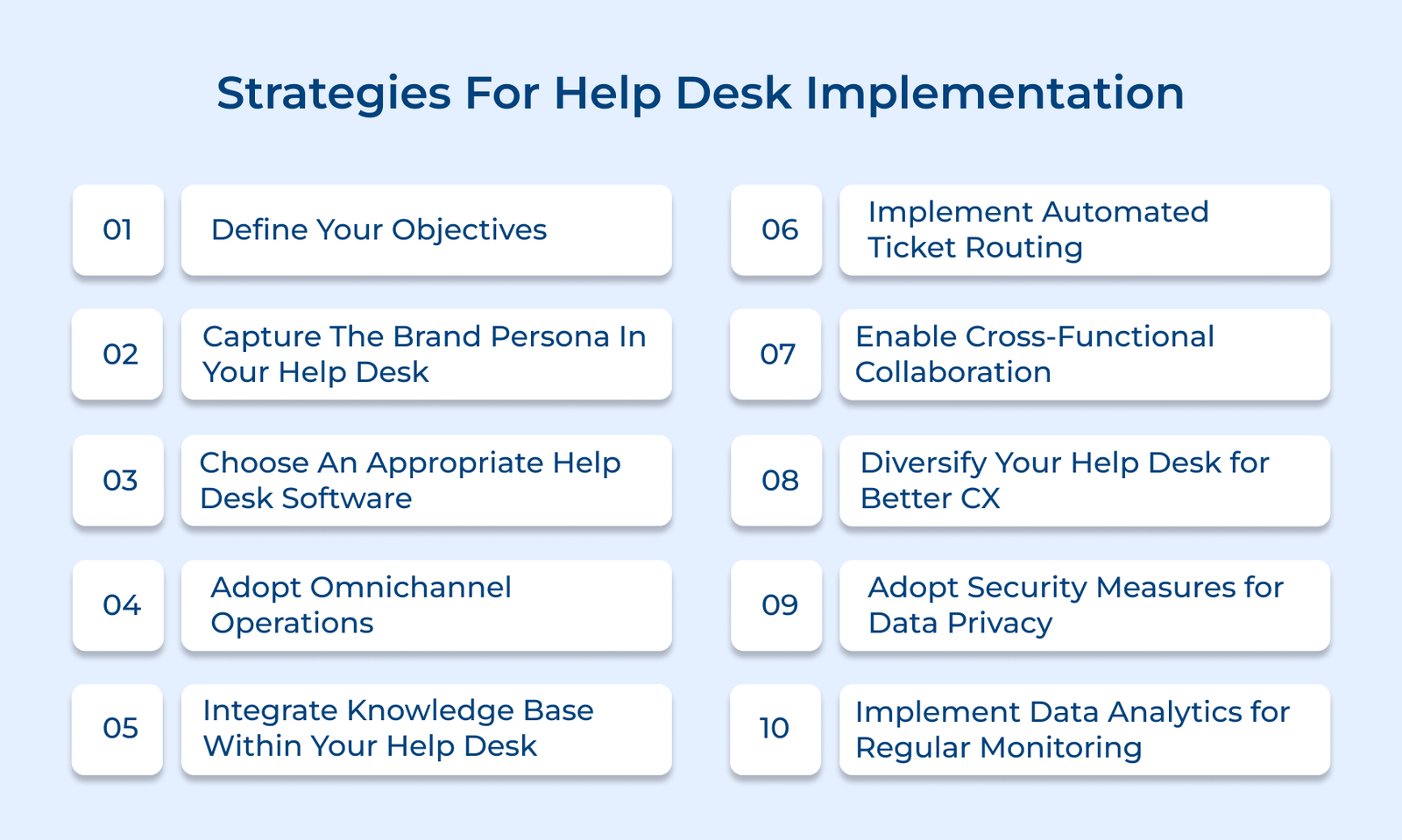
1. Define Your Objectives
Businesses create a roadmap for success by defining SMART goals—specific, measurable, achievable, relevant and time-bound. The goals should focus on important metrics like response times, resolution rates and customer satisfaction, ensuring that the help desk operates in alignment with business capabilities.
Tracking key performance indicators (KPIs), such as first-contact resolution, average handling time and ticket volume, helps connect help desk operations to broader business objectives. Organizations can ensure the help desk is contributing to success by measuring the metrics, transforming it from a support function into a strategic asset that drives business outcomes.
Actionable tips:
- Host stakeholder workshops to collect input from all departments, crafting a detailed set of objectives that address both technical and business needs. Follow up with regular review sessions to monitor progress and adjust goals as necessary.
- Develop a detailed implementation timeline with clear milestones, assigning responsibility for each objective to the appropriate team members or departments, ensuring accountability and ownership of tasks.
2. Capture the Brand Persona in Your Help Desk
Establishing brand voice guidelines ensures every help desk interaction aligns with the company’s values and personality. It includes defining language, tone and communication style for agents to follow.
Netflix keeps its support simple and consistent across all channels. Its self-service portal matches the look and feel of the streaming platform, making it easy for users to navigate and find help without frustration.
Pro tips:
- Develop a comprehensive brand voice guide specifically for help desk communications, including clear examples of do’s and don’ts in customer interactions.
- Conduct regular quality assurance reviews to ensure brand consistency in support interactions, offering feedback and targeted training to agents as needed.
3. Research and Choose an Appropriate Help Desk Software
Choosing the right help desk software is crucial for streamlining operations and ensuring scalability. Start by evaluating ticket volume, common issues and team capabilities to pinpoint essential features like automation, reporting or integrations. Consider factors such as team size, growth projections and industry-specific needs to select a solution that can grow with your business.
Compare vendor options and conduct thorough software demos. Focus on key features like ease of use, customization and integration with existing systems. Testing the software ensures it meets both practical needs and provides a seamless experience.
Best practices:
- Create a comprehensive checklist of “must-have” and “nice-to-have” features, then score each software solution based on the criteria during evaluation.
- Conduct a pilot program with a small team using the shortlisted options. Gather feedback from agents and test users to inform the final decision before full implementation.
4. Adopt Omnichannel Operations
Integrating multiple communication platforms creates a seamless support experience. The system keeps track of context and conversation history, so customers don’t need to repeat information across channels. A unified inbox centralizes all communications, enabling agents to access complete interaction histories and switch channels while maintaining context.
Bank of America’s system allows customers to start a conversation on the mobile app and continue it with a phone agent without repeating themselves. The agent has full context, ensuring a smooth and efficient experience.
How to implement:
- Identify all customer touchpoints and establish clear procedures for each channel to ensure consistent service quality across all communication methods.
- Set channel-specific performance metrics while upholding service standards and regularly evaluate effectiveness based on customer feedback.
5. Integrate the Knowledge Base within your Help Desk
Categorizing content, using consistent formats and ensuring easy access are key to making information user-friendly for all levels of technical expertise. Implementing robust search functionality and regular content reviews helps keep the knowledge base relevant.
Businesses can maintain high-quality, actionable content by updating articles, optimizing for keywords and incorporating user feedback. Canva’s help desk uses a smart knowledge base that suggests relevant articles to customers and agents, reducing resolution times by 40%.
Actionable tips:
- Create a template-driven system for knowledge base articles, with standardized sections for symptoms, solutions and related resources, ensuring consistency across all content.
- Implement a quarterly content review schedule with assigned subject matter experts and use search analytics to prioritize content updates based on user demand.
6. Implement Automated Ticket Routing
The approach reduces unnecessary handoffs and accelerates resolution times. Urgent issues are addressed immediately by setting priority levels and aligning with SLA guidelines while ensuring timely responses for all tickets. Automated escalations based on predefined conditions, like time thresholds or customer status, help prevent critical issues from being overlooked.
Adobe’s help desk leverages intelligent routing to assign technical tickets to specialized teams based on product complexity, improving first-contact resolution by 30%. The streamlined approach enhances efficiency and ensures customers receive expert support quickly.
Pro tips:
- Create a routing matrix that maps different types of issues to specific teams or skill sets and regularly updates it based on resolution success rates.
- Implement automated alerts for SLA breaches and a backup routing system to ensure tickets are reassigned if the primary agent is unavailable.
7. Enable Cross-functional Collaboration
Establishing communication channels and collaboration workflows enhances efficient cross-department problem-solving. Clear protocols for team involvement, knowledge sharing and centralized information ensure smooth collaboration.
Shared knowledge repositories enable teams to document solutions and best practices, preventing duplicated efforts and promoting consistent problem-solving. Regular updates from various teams keep the repository relevant and valuable.
Actionable tips:
- Create a tagging system for tickets needing multi-department input, with defined ownership and response time expectations for each team.
- Hold monthly cross-functional reviews to address complex cases and update the shared knowledge base with collaborative solutions.
8. Diversify your Help Desk for Better CX
Offering diverse support options caters to various customer preferences, reducing costs with self-service tools like interactive guides, FAQs and AI chatbots for routine queries.
Customer feedback systems create a continuous improvement loop, helping identify pain points and refine services. Analyzing feedback regularly allows for optimizing self-service resources and automation to better meet customer needs.
Actionable tips:
- Design a self-service portal with a clear hierarchy of information and interactive troubleshooting flows, testing it with real users before full deployment.
- Set up chatbots to handle the top 20 frequent queries, with smooth escalation to human agents when necessary.
9. Adopt Security Measures
Implementing access controls and encryption safeguards sensitive data throughout the support process. It includes role-based access, two-factor authentication and encryption for both transit and storage. The system also tracks all access and changes to sensitive data through audit logs.
Regular security audits help address vulnerabilities and maintain system integrity. Let’s assume that a healthcare provider uses end-to-end encryption and strict access controls to remain HIPAA compliant while managing 10,000+ patient inquiries each month.
Best practices:
- Set up role-based access control with regular reviews and automatic privilege removal for inactive users.
- Perform quarterly security audits and penetration tests, applying critical patches immediately.
10. Implement Data Analytics for Continuous Improvement
Data analytics powers smarter decision-making uncovers improvement opportunities and optimizes help desk performance with actionable insights.
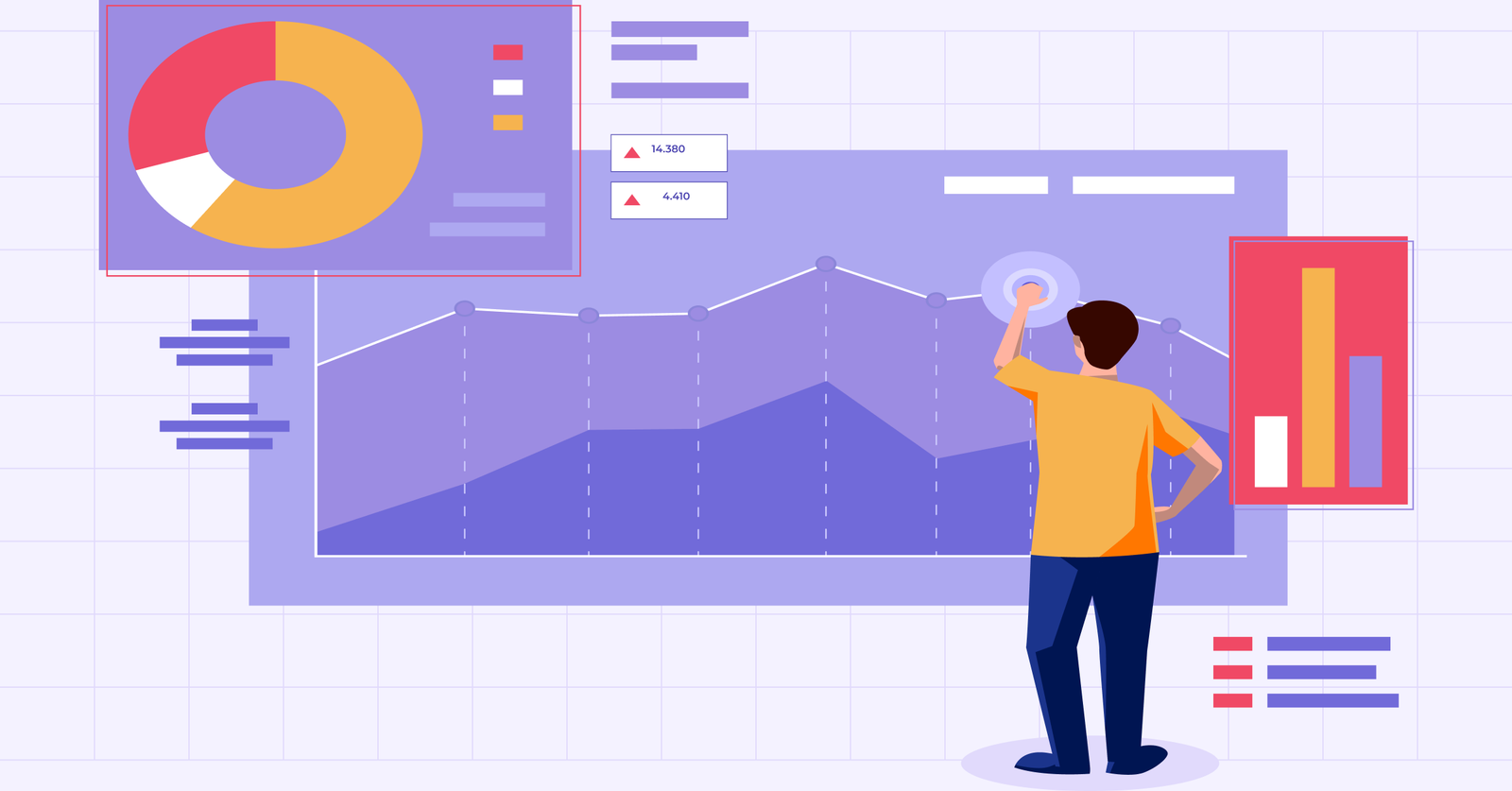
Businesses gain real-time visibility into help desk operations by setting up reporting dashboards to track key metrics like resolution times, customer satisfaction and agent productivity. The data helps identify bottlenecks, peak periods and areas for improvement, enabling proactive resource allocation.
Actionable tips:
- Create weekly and monthly reporting templates that highlight key trends, with automated alerts for metrics falling outside acceptable ranges.
- Set up monthly reviews to turn data insights into actionable steps for process enhancement.
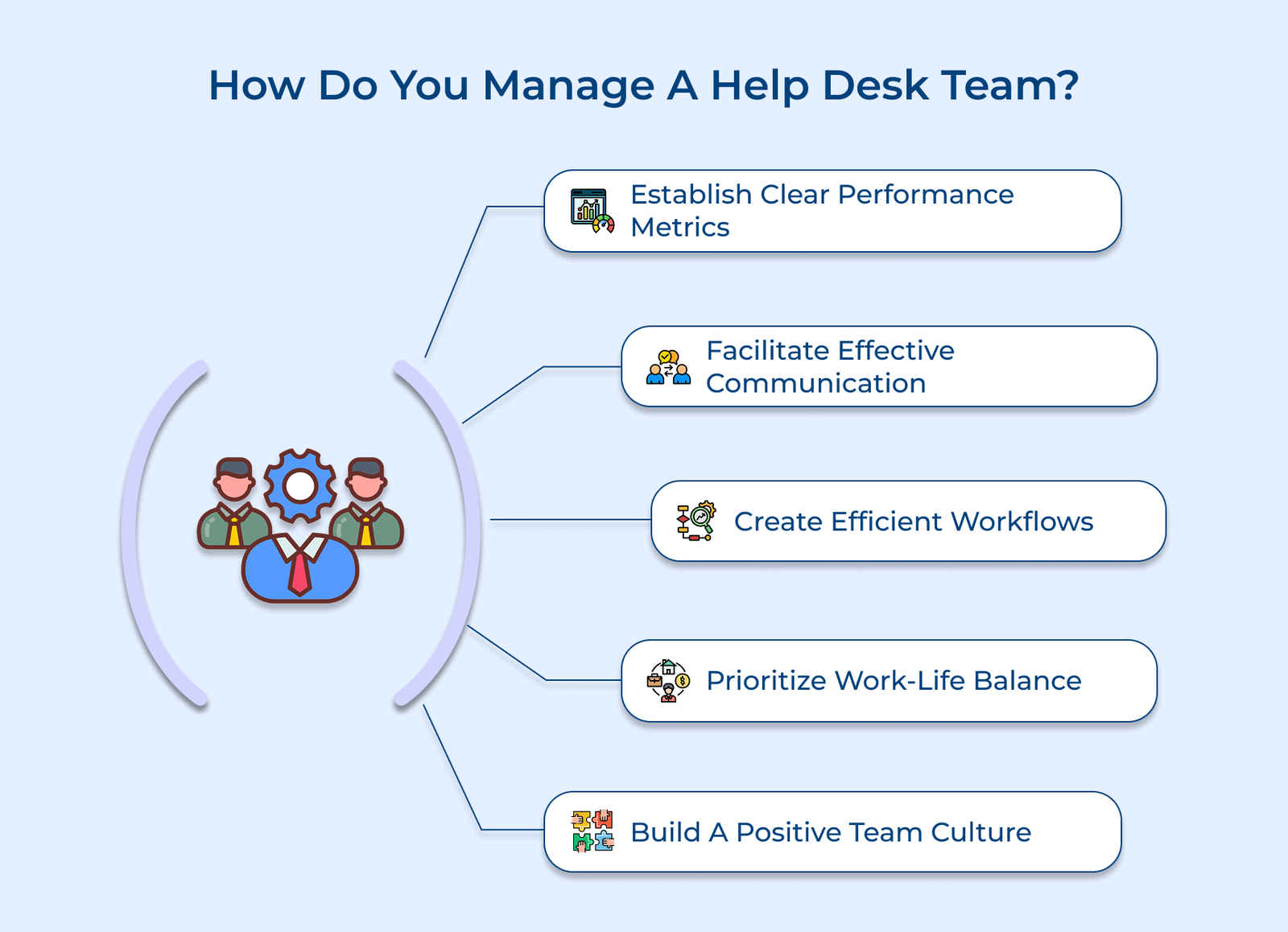
How Do You Manage A Help Desk Team?
Let’s go through the key steps for effectively managing a help desk team, ensuring smooth operations and exceptional customer support.