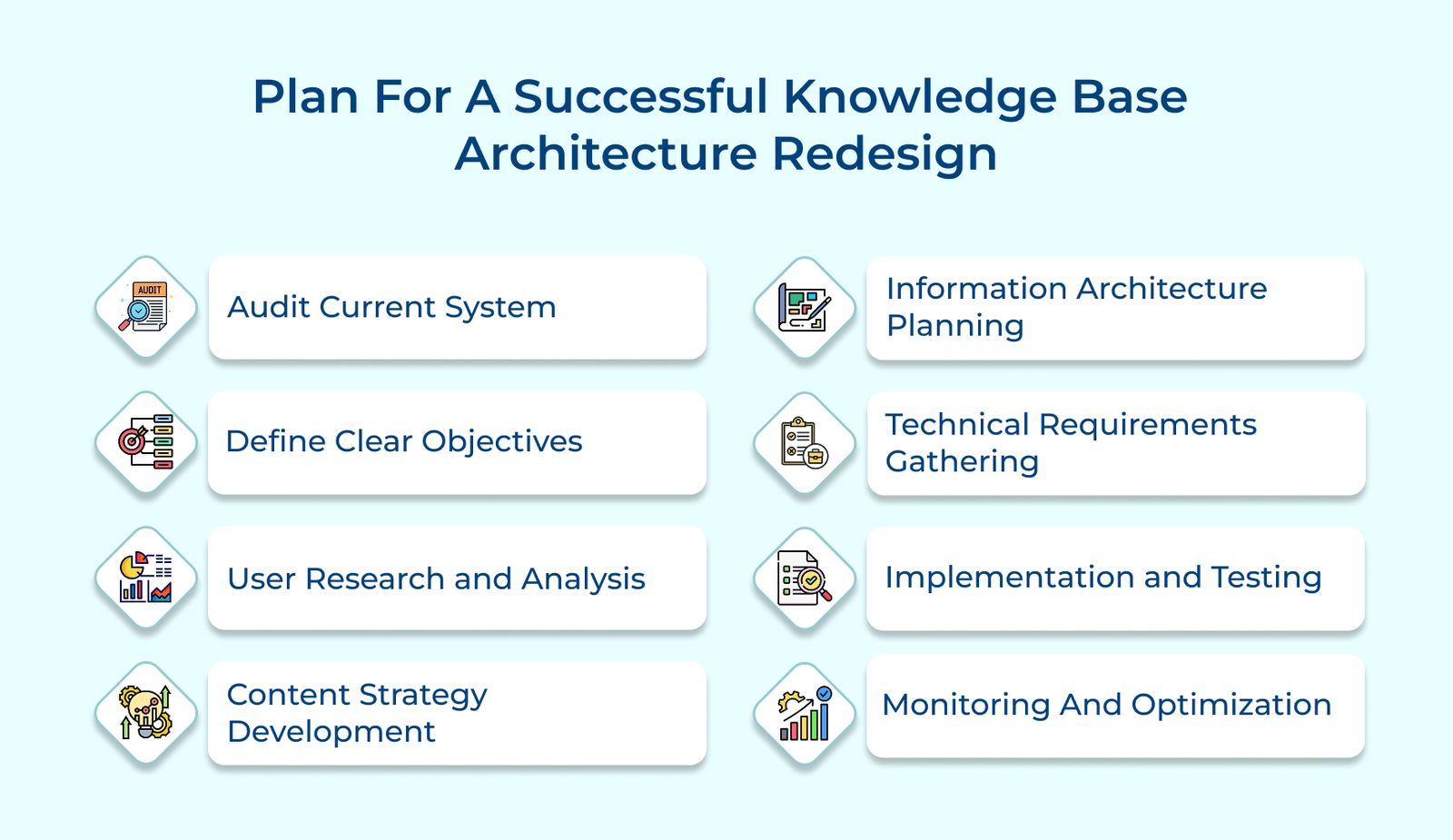
1. Audit Current System
The audit process starts with a thorough review of the existing knowledge base, identifying pain points like poor content organization, accessibility issues, outdated info and broken links. Analyzing navigation patterns, search logs and click behavior helps identify underperforming or confusing sections, allowing teams to prioritize areas for improvement.
Let’s assume that a software company’s audit revealed that users wasted time searching for troubleshooting guides scattered across multiple sections. They made it easier for users to find what they needed by restructuring content into clear categories like “Getting Started,” “Advanced Features” and “Troubleshooting”.
Actionable tips:
- Evaluate clarity, accuracy, relevance and consistency across articles, identifying outdated or redundant content.
- Assess navigation ease, search functionality and categorization to pinpoint user friction.
- Involve cross-departmental input for broader insights.
2. Define Clear Objectives
Key metrics such as reduced search times, higher user satisfaction and fewer support tickets help ensure everyone is aligned on what success looks like. Defining the KPIs provides clarity on how progress will be measured, keeping the team focused and accountable. Teams can identify requirements and ensure the knowledge base meets operational goals by collaborating with stakeholders across departments.
Let’s consider that a healthcare provider aimed to improve searchability and categorize content by department specialties. It reduced first-response times and allowed staff to serve patients more efficiently.
Application scenarios:
- Support teams rely on the knowledge base to quickly find accurate information during customer calls.
- Marketing teams use it to craft precise and effective promotional materials.
- New employees utilize the system for self-paced onboarding and training.
3. User Research and Analysis
User interviews offer valuable insights into how different groups interact with the knowledge base, uncovering pain points, preferences and behavior patterns that quantitative data alone might miss. Creating detailed user personas is essential for addressing the diverse needs of different groups. The personas capture key details such as roles, technical expertise, common tasks and pain points.
Let’s assume that a manufacturing company created personas for shop floor workers, engineers and managers, revealing that workers preferred visual guides while engineers needed detailed specifications. The insight led to role-specific content layouts that better met the needs of each group.
Pro tips:
- Hold regular feedback sessions with diverse user groups to keep insights fresh.
- Create journey maps for each persona to visualize key interaction points.
- Leverage heatmaps and session recordings to validate user behavior.
4. Content Strategy Development
The step involves determining the right format for various information, such as tutorials, FAQs, troubleshooting guides and reference materials. Content guidelines are created to maintain a unified tone, style and structure, ensuring consistency across all documentation. Content hierarchy planning organizes information in a way that aligns with user needs.
Let’s consider that a software company structured its API documentation into three levels: quick start guides for beginners, implementation guides for developers and advanced integration guides for architects, each with consistent formatting.
Best practices:
- Support teams can swiftly find troubleshooting steps during customer calls.
- Product teams keep feature documentation up-to-date in a consistent format.
- External developers easily navigate through technical documentation levels.
5. Information Architecture Planning
The navigation structure is designed to create intuitive paths through the knowledge base, organizing content into logical categories and subcategories that match user expectations. Site maps visually represent the knowledge base structure, highlighting potential navigation issues. The planning phase also includes designing robust search functionality to meet diverse user needs.
Let’s consider that an e-commerce platform reorganized its seller knowledge base into a pyramid structure, with basic selling guides at the top, category-specific guidelines in the middle and advanced marketplace features at the bottom.
Actionable tips:
- Test navigation structures with real users before full rollout to ensure usability.
- Offer both browse and search options to cater to diverse user preferences.
- Ensure consistent naming conventions across all navigation elements for clarity.
6. Technical Requirements Gathering
Platform assessment involves evaluating current technology to identify necessary upgrades or changes. Teams assess factors such as user volume, content types, integration needs and performance requirements, while also considering hosting, database structure or content management system capabilities. Security planning focuses on access controls, data protection and compliance.
Let’s assume that a financial services company implemented role-based access control, allowing customer service representatives access to basic product information, while financial advisors had additional access to detailed investment guides.
Application scenarios:
- IT teams seamlessly integrate the knowledge base with support ticket systems.
- Content teams streamline updates and approvals through automated workflows.
- Analytics teams monitor user behavior across all connected platforms.
7. Implementation and Testing
Creating a prototype allows teams to test core functionalities and user flows before full implementation. It involves setting up test environments, implementing key features and configuring necessary integrations to ensure technical. Usability testing with real users helps uncover issues early in the process by having them complete common tasks and provide feedback.
Let’s consider that a telecommunications company tested its new knowledge base with customer service representatives, who completed typical support scenarios to assess search accuracy and content findability, providing valuable feedback for improvement.
Actionable tips:
- Develop a comprehensive testing plan that covers all key user scenarios.
- Document discovered issues with clear priority levels.
- Ensure a backup of the old system is maintained throughout migration.
8. Monitoring and Optimization
Tracking usage metrics reveals how users interact with the new system, providing insights into search success rates, popular content areas and user navigation paths. Regular feedback from surveys, user interviews and support teams ensures the system remains effective. Teams use the feedback, alongside usage data, to make continuous improvements.
Let’s assume that a technology company used heatmaps and search analytics to uncover that users were searching for terms not covered by their content tags. The insight led to updating their taxonomy and adding new content to address the gaps.
Pro tips:
- Support managers use analytics to identify training needs based on search patterns.
- Content teams prioritize updates driven by usage data and user feedback.
- UX teams refine navigation based on insights from user behavior.
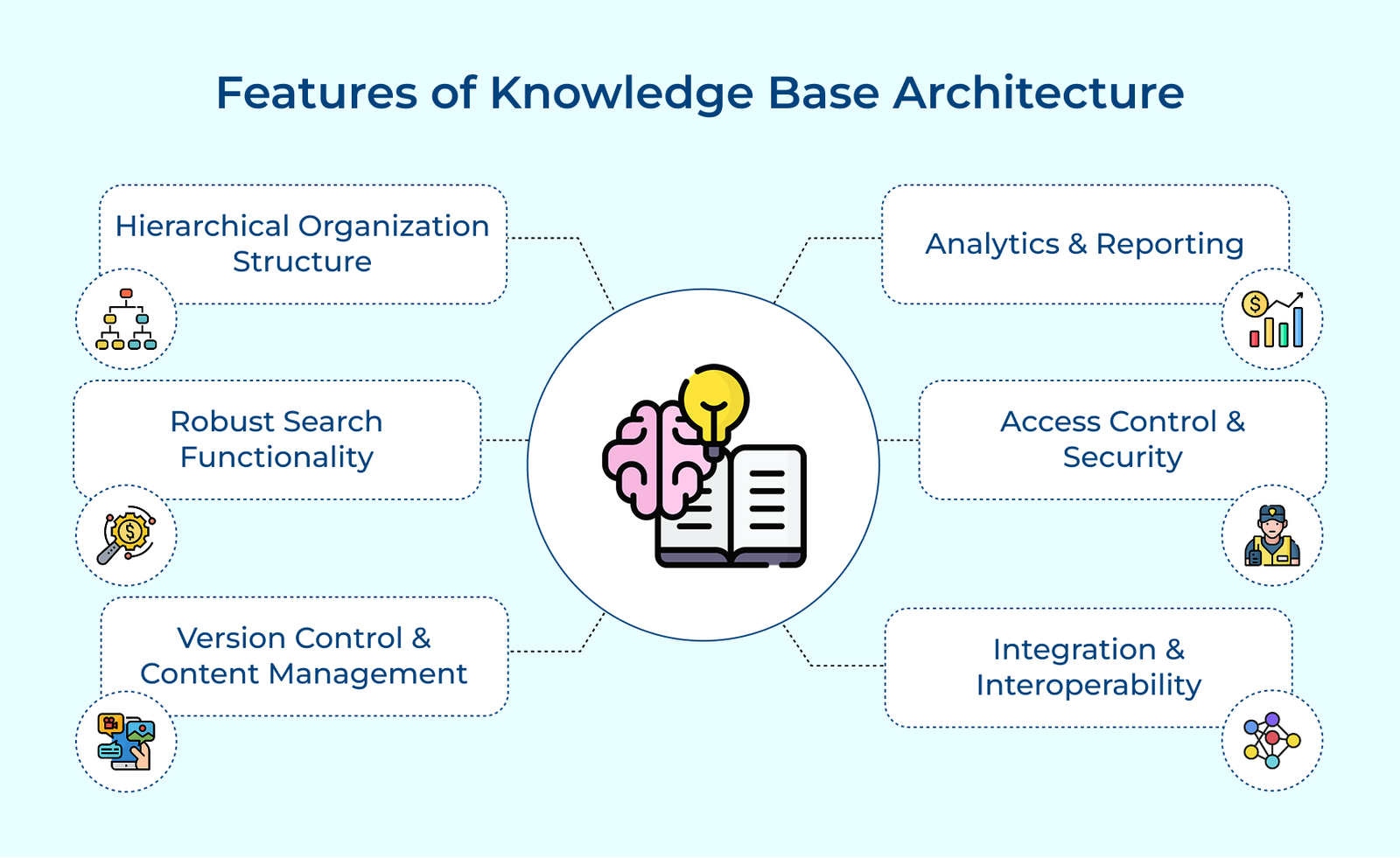
Main Features of Knowledge Base Architecture
Let’s dive into the main features of knowledge base architecture that can revolutionize how your organization consolidates and shares knowledge.
But before that, consider the below listed critical questions to design an effective KB system:
- How will your knowledge base handle increasing content and user demands?
- What integration capabilities are required with your existing systems and tools?
- How will you ensure content remains accurate and relevant over time?
- What search and navigation features are crucial for your specific user base?
- How will you track knowledge base effectiveness and usage?