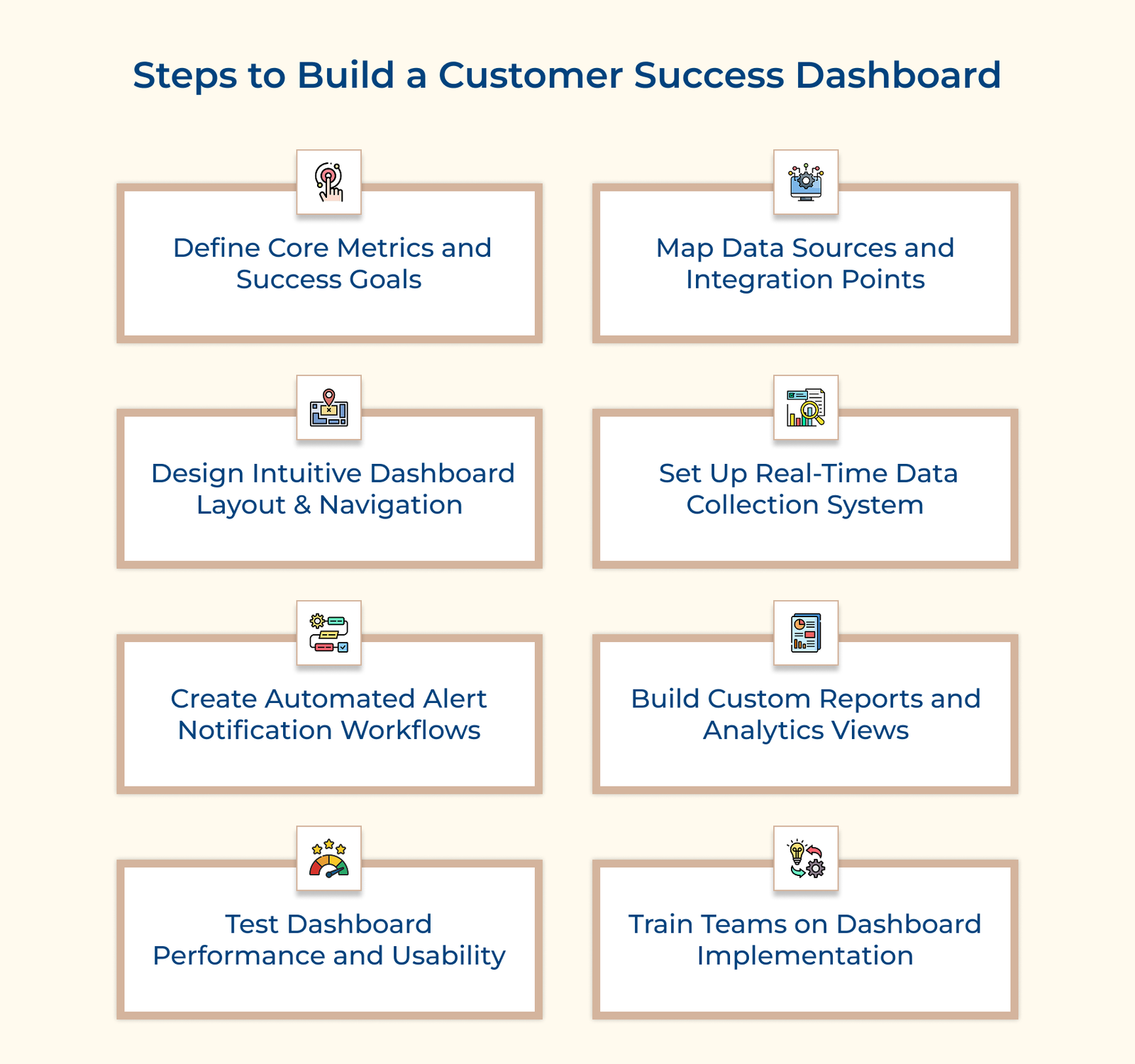
1. Define Core Metrics and Success Goals
Defining core metrics and success goals is the first step in building an effective customer success metrics dashboard. It means that instead of simply collecting data, focus on selecting KPIs that reflect both business goals and customer needs.
Start by consulting stakeholders across departments to determine what really matters to the business. Then create a hierarchy of metrics beginning with high-level business outcomes and breaking them down into specific, measurable indicators. The approach ensures your dashboard tracks the metrics that truly drive decision-making.
Pro tips:
- Limit your initial metrics to 7-10 indicators to avoid overload and keep the focus on what matters.
- Review and update your metrics quarterly to ensure they stay aligned with your evolving business goals.
2. Map Data Sources and Integration Points
Mapping your data sources is paramount for ensuring that customer data flows smoothly into your dashboard, directly impacting the reliability and accuracy of your insights. A well-structured mapping process helps eliminate data gaps and gives the team a clear idea about the customers.
Start by listing where your data comes from, such as CRM systems, support platforms, product analytics tools and pinpoint the key information you need from each. Then, establish a clear update schedule to keep everything accurate and up to date.
Actionable tips:
- Create a data dictionary to define each metric and its source, ensuring consistency in reporting across teams.
- Implement data validation checks at every integration point to spot inconsistencies early and maintain high data quality.
3. Design Intuitive Dashboard Layout and Navigation
Dashboard design is about creating a clear visual hierarchy that makes complex data easy to understand. An intuitive layout reduces cognitive load, allowing users to quickly make decisions by presenting information in a simple, logical way. The goal is to organize metrics into meaningful sections that tell a cohesive story about customer health and success.
Start by building wireframes that group related metrics. Think about how users interact with the data, placing the most important insights where they are easiest to access. Highlight the key figures up front, while offering deeper insights through intuitive drill-downs. The approach helps users move through customer data effortlessly.
Best practices:
- Use consistent color coding across the dashboard to help users quickly grasp metric status and priority.
- Strategically incorporate white space to reduce clutter, keeping focus on the most important data.
4. Set Up a Real-time Data Collection System
A real-time data collection system is the engine that powers your dashboard with up-to-date customer information. It helps teams make informed decisions without relying on outdated reports. Setting up automated data collection also cuts down manual work and reduces errors from manual entry.
Connect your data sources using APIs for a smooth, automatic flow of information. Set data refresh intervals based on priority as some metrics may need instant updates, while others work fine with daily or weekly refreshes. It ensures the data is accurate without putting unnecessary strain on your systems.
Pro tips:
- Implement data validation rules to flag anomalies and maintain data quality before it hits your dashboard.
- Create a backup system to temporarily store data in case of primary connections failures.
5. Create Automated Alert Notification Workflows
Automated alert acts as an early warning system as they help your team catch potential issues before they turn into bigger problems. Using the alerts will ensure the right people are notified when something needs attention, ensuring no important detail slips through.
Start by setting clear triggers based on customer activity, such as a drop in usage or a missed milestone. Customize notifications to reach the right team members through email, Slack, or mobile alerts, making sure they get the information they need without unnecessary noise.
Actionable tips:
- Create a tiered alert system to prioritize urgent issues and handle lower-priority ones in regular workflows.
- Set up alert suppression rules to avoid notification overload when multiple metrics trigger alerts at once.
6. Build Custom Reports and Analytics Views
Custom reports and analytics views help translate raw data into meaningful insights for different teams. Since each team has unique requirements, executives may prefer high-level trends while customer success managers need detailed, account-specific information.
Initiate by understanding what each group needs to track and design templates that highlight the most relevant details. Make sure to give your users the option to adjust these views so they get the right information without digging through unnecessary data.
Pro tips:
- Design report templates that group related metrics to tell a clear story, such as onboarding success or expansion potential.
- Include interactive filters so users can easily explore specific segments or time frames without sorting through multiple reports.
7. Test Dashboard Performance and Usability
Testing your dashboard is like a final dress rehearsal as it ensures everything runs smoothly before going live. From data accuracy to system response times, catching issues early can save you from headaches later.
Start by testing with a small group of experienced users who can provide in-depth feedback on functionality and usability. Run various usage scenarios and data loads, to see how well the system holds up. The hands-on approach helps fine-tune the dashboard for real-world use.
Best practices:
- Use a checklist that covers both technical performance metrics and user experience elements.
- Conduct load tests during off-peak hours to simulate maximum capacity without impacting daily operations.
8. Train Teams on Dashboard Implementation
Team training turns your dashboard from just another tool into a valuable asset for customer success. It’s not just about having a high-tech system but is about knowing how to extract actionable insights and take the right steps. Just as pilots need training to fly an aircraft, your teams need the right guidance to make the most of the dashboard.
Develop a structured training program that covers the basics and progresses to advanced features. Design role-specific modules so each team member focuses on what’s most relevant to their job. Hands-on exercises and real-world scenarios will help them apply what they learn, making the dashboard a natural part of their workflow.
Actionable tips:
- Provide quick-reference guides and video tutorials for easy access to feature refreshers.
- Hold regular refresher sessions to introduce new features and share best practices from power users.
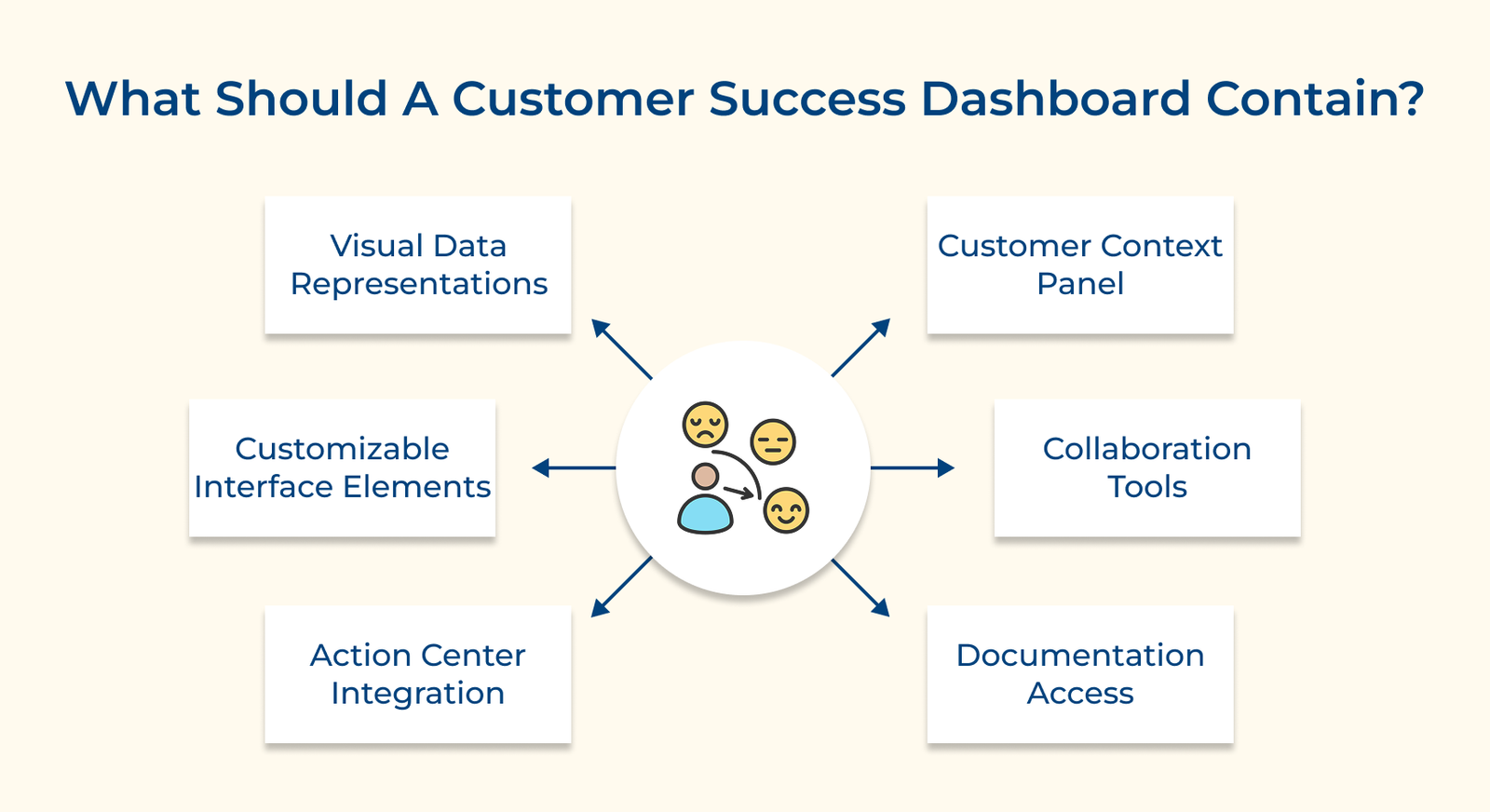
What Should A Customer Success Dashboard Contain?
Let’s go through the key elements a customer success dashboard should contain to help teams track performance and take actionable steps for improved customer outcomes.