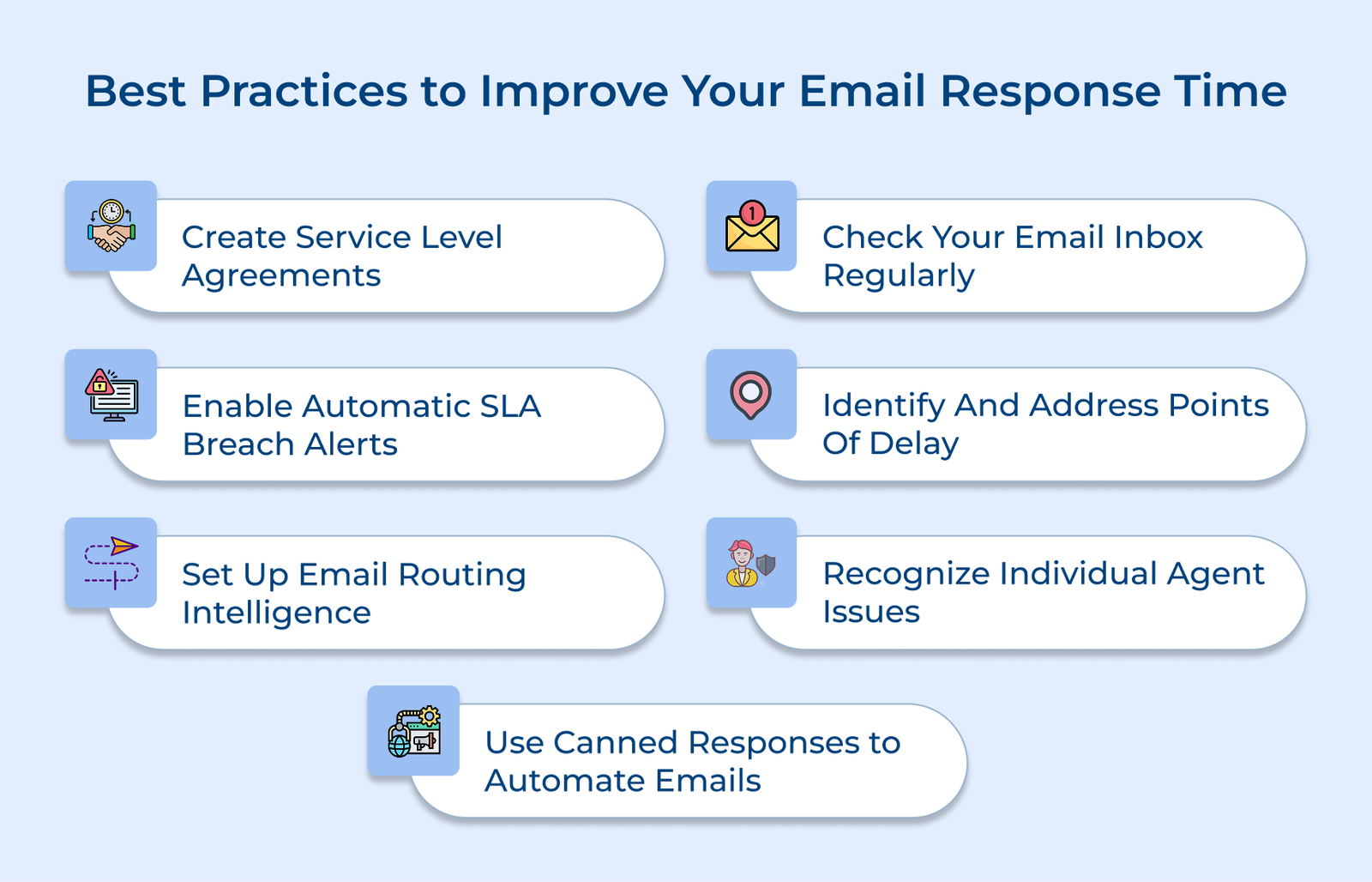
1. Create Service Level Agreements (SLAs)
Clear Service Level Agreements (SLAs) are key to efficient email management, setting response time expectations based on email priority. Teams can prioritize tasks and ensure consistent service quality by defining turnaround times for everything from urgent customer issues to routine queries.
Well-documented SLA policies, including clear escalation paths, promote accountability and prevent emails from slipping through the cracks. Businesses safeguard response time targets and maintain smooth communication by specifying who handles escalations or what triggers them, even during high-priority situations.
Actionable tips:
- Develop a priority matrix that categorizes emails into urgent (2 hours), high (4 hours), medium (24 hours) and low (48 hours) based on sender or subject.
- Use a color-coded system in email tools to highlight approaching SLA deadlines, helping teams quickly identify and address time-sensitive messages.
2. Check Your Email Inbox Regularly
Setting a consistent schedule for checking emails prevents backlogs and ensures quick responses to urgent matters. Employees can balance responsiveness with other tasks, staying productive and focused on core duties by designating specific time slots for email management.
Regular inbox monitoring, coupled with a strong triage system, allows teams to quickly identify priority emails and allocate attention efficiently. Sorting emails by urgency and required action helps maintain steady response times while preventing less critical messages from taking up too much time.
Pro tips:
- Set aside three 30-minute blocks each day—morning, afternoon and pre-close—for focused email management. Use calendar reminders to stay consistent and on track.
- Use inbox folders or labels to sort incoming emails into “Urgent,” “Today,” “This Week” and “Reference” categories during initial review for streamlined processing.
3. Set up Automatic Notification for SLA Breaches
Set up automated alerts for upcoming SLA deadlines to give teams a heads-up before response times slip. The proactive approach ensures timely replies, prevents escalations and maintains service quality.
Mobile notifications keep staff updated on urgent emails, even when away from their desks. A real-time monitoring dashboard lets managers track SLA performance and adjust workloads to keep response times on target.
Best practices:
- Set up email alerts to notify teams when response time hits 75% of the SLA target, giving them a buffer to handle urgent messages.
- Create a clear dashboard displaying SLA compliance, trending metrics and upcoming deadlines for each team member to stay on track.
4. Identify and Address Points of Delay
Identifying bottlenecks in email response processes helps uncover underlying issues, such as resource gaps or training needs, that slow down performance. Tracking response delays allows for targeted solutions to improve efficiency.
Organizations can better allocate resources and adjust staffing levels by recognizing peak periods. The proactive approach enables teams to manage high volumes effectively and streamline workflows during busy times.
How to implement:
- Perform a monthly review of delayed responses to pinpoint the top three bottlenecks, then create targeted action plans to resolve each issue efficiently.
- Map email volume patterns across different times or days to optimize staff scheduling and resource allocation during peak periods.
5. Set up Email Routing Intelligence
Smart categorization systems automatically route emails to the right team members based on expertise, reducing response times and minimizing unnecessary transfers.
Skill-based routing, paired with backup paths, ensures uninterrupted coverage during absences or busy periods, keeping response times steady even when primary responders are unavailable or overloaded.
Best practices:
- Set up keyword and sender-based rules to automatically route emails to the right team or specialist based on expertise.
- Define backup assignments for each primary responder, ensuring emails are redirected when response times are near SLA thresholds.
6. Recognize Individual Agent Issues
Ongoing performance monitoring highlights team members who need support in email management. Managers can offer tailored coaching to boost performance by tracking response times, volume and quality.
Frequent feedback or personalized development plans address individual challenges, while regular reviews with actionable steps ensure continuous improvement in both speed and service quality.
Actionable tips:
- Hold bi-weekly one-on-one meetings to review response time metrics and address any challenges or training needs.
- Develop personalized improvement plans with clear monthly goals for those falling short of response time targets.
7. Automate Repetitive Emails with Canned Responses
Creating a library of templates for common inquiries speeds up response times for routine emails. Team members can quickly address frequently asked questions with pre-written answers ready to personalize.
Regularly updating templates ensures accuracy and relevance, while still allowing for personalization. After-hours auto-responders help manage customer expectations and keep communication flowing outside business hours.
Best practices:
- Conduct a monthly review of email history to pinpoint the top 20 common inquiries, then create standardized templates for each.
- Every quarter, assess template effectiveness through customer feedback and update content to reflect new issues or service changes.
Main Email Response Time Challenges For Teams
Check out the main email response time challenges faced by teams and discover actionable strategies to overcome them.